Affinity by Canva
Pro design, photo & layout
How much does Affinity by Canva cost?
Prices are current as of 18 Nov 2026.
4 subscriptions from $18.00
In the United States, Affinity by Canva has 4 subscriptions priced $18.00 – 250.00. It comes with a 1 month free trial.
| Subscription | Period | Price |
|---|---|---|
| Canva Pro - Monthly | MonthlyTrial: 1 month | $18.00 |
| Canva Business - Monthly | MonthlyTrial: 1 month | $25.00 |
| Canva Pro - Yearly | AnnualTrial: 1 month | $143.99 |
| Canva Business - Yearly | AnnualTrial: 1 month | $250.00 |
10+ alternatives to Affinity by Canva
| Affinity by Canva |   Linearity Curve Graphic Design |   Nomad Sculpt |  Affinity Designer 2 for iPad | 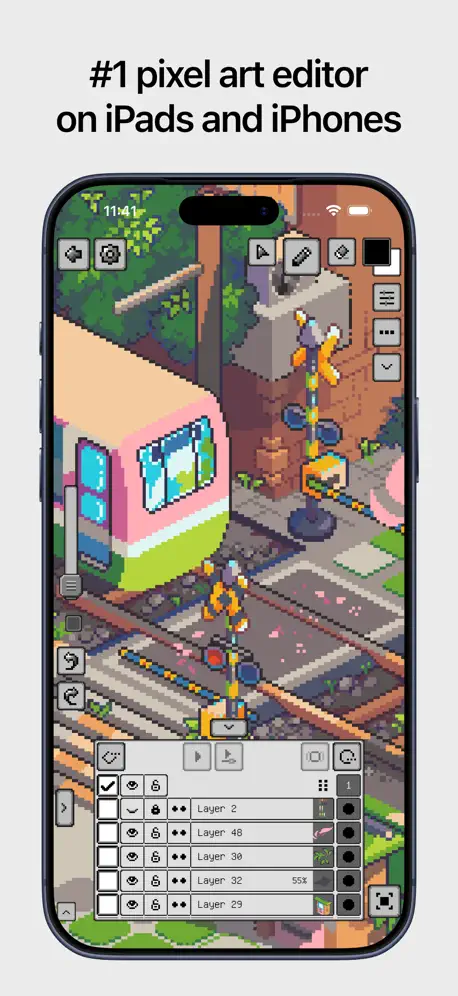  Pixquare - Pixel Art Studio |  Affinity Publisher 2 for iPad |  ToonSquid |  ZBrush - 3D Model Maker |  Motion Graphics Linearity Move |  Feather: Draw in 3D | 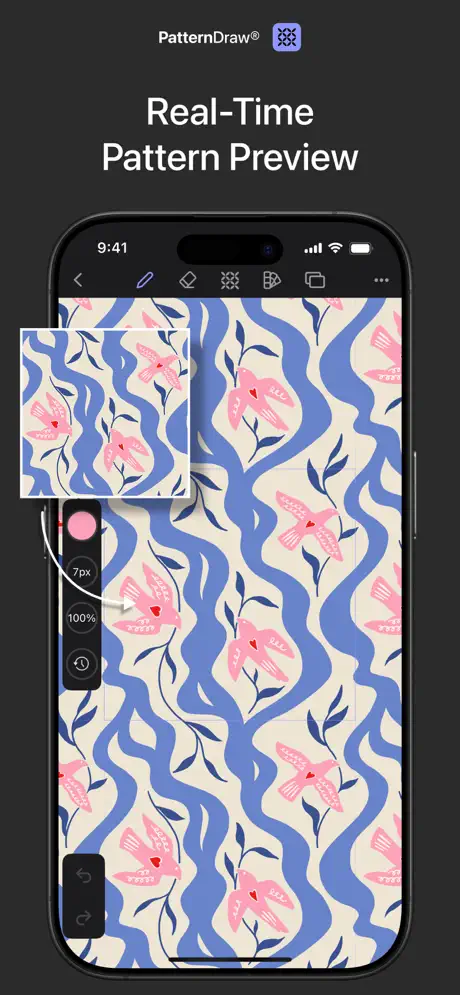  PatternDraw by Fashionary | |
|---|---|---|---|---|---|---|---|---|---|---|---|
| Rating / 5 | 4.6 | 4.6 | 4.8 | 4.7 | 4.8 | 4.6 | 4.6 | 3.8 | 4.4 | 4.1 | 4.5 |
| Reviews | 1.5K | 77K | 65K | 22K | 10K | 4.5K | 3.2K | 1K | 732 | 716 | 676 |
| Released | 2026 | 2017 | 2020 | 2022 | 2023 | 2022 | 2022 | 2024 | 2024 | 2024 | 2025 |
| Monthly price | $18.00 | $14.99 | — | — | — | — | — | $11.99 | $14.99 | — | $3.99 |
| Annual price | $143.99 | $74.99 | — | — | — | — | — | $89.99 | $119.99 | — | $6.99 |
| One-time price | — | — | $15.99 | — | $12.99 | — | — | — | — | — | $15.99 |
The going rate for each plan in United States, in its own currency, shaded from the cheapest price on the row to the dearest. Plans fewer than four in ten of the priced apps sell are left out.
Affinity by Canva reviews
4.6 out of 5, based on 1,513 reviews.
how could this get better?
I have been an early adopter of Sarff and the Affinity suite for over a decade. When Canva ingested Affinity I had trepidation I did like Canva because it solved a really hard problem. Unfortunately, being a legit designer, I always found the interface from the browser difficult I use Affinity Photo for nearly all my digital art for the past decade. When this new version came out for the iPad again, I had trepidation, however, the integration of the three apps for iPad and the addition of a sketching mode makes this app game changer. Bravo well done.
Trash
I expected AI to be optional, in that I wouldn’t have to see it if I didn’t want to use it. Instead, it’s shoved in my face at every turn, from the annoying “assistant” that pops up from the start and whose button I can’t remove from the the bar, to the “Create AI” button at the top, to the “Ask a question…” bar at the bottom. For a company whose CEO swore never to sell, you guys have gone to hell the moment you let Canva buy you, and I hope your product shrivels and dies on the vine once people rightly divest themselves from their slop addiction.
Affinity is Great, but needs some polishing for iPads!
The app overall is great! The art features are fantastic, and I’m happy to use them overall. My only issue right now is that it might not be fully optimized for all iPads, because I’m using an M1 iPad Pro, and every time I try to make a new document… it crashes. The first time I did it, I had no issues, but the second time it started crashing. I don’t know if anyone has similar issues, but an update that fixes those as well as mine are definitely needed right now. Other than that, it works good enough.
Chicken wing 2000
It’s great but I can’t get the menu bar to show up. I’m using the iPad 9th genaretion.
Disappointed to of waited this long for not much improvement
The app is still as buggy as previous version, trying to save a document to iCloud (another feature that still hasn’t been added to allow auto save to iCloud) and it keeps crashing. Can’t see what grand changes there are yet, just functionality is now more long winded to copy and paste something into a document. It would have been nice to see font previews as you scroll through them. It’s a start but nowhere near the app I expected. Feels like very incremental improvements and still feels clunky. Doesn’t feel intuitive.
Concept Designer
This is hands down one of the best apps i’ve used on the iPad for designing and artwork. Has pretty much all the desktop tools you want, great touch ui, with raster and vector graphics seamless workflow. This is definitely on par with the adobe suite.
I can not use it
We couldn’t load our required security checks to proceed with your action. Try to connect to a different Wi-Fi network, turn off any VPNs, or use another browser. If you still need help, please contact us. If I try to log into studio it tells me “we got issues try later” Why do I (EU-citizen)have to use security check by an US company to use FREE software at all? It spits at the meaning of “free”.. so here we are.. Canva just killed Affinity products for me..
Lasso tool needed
Yeah
今入れるのはオススメしない
途中で固まる 処理落ちする その他諸々あるので修正されるまでは使わない方が良いです。 個人的に楽しみにしていたiPad版だったので残念です🥲
It’s Meh.
App crashes when trying to add in missing fonts and when using the resource manager to re-link pictures. The gestures to hide the UI aren’t complicated (4 finger tap). It takes a little to get familiar with the different tool placements and studios. Since you need a Canva account it would be nice if the assets, brushes and swatches synced between Mac & iPad.
WORTH THE WAIT!!!
Much more on par with the desktop version than the previous iPad version. Congrats to the Affinity team!!!
Not the upgrade I had hoped for.
I wanted to love this, but don't. I continue to use Affinity Photo 2 because it has a smoother flow to it and a simpler interface where it didn't seem like I had to go looking for everything. My biggest complaint is the forced floating context toolbar that used to sit in the empty space at the top of the screen. I couldn't find any location where it wasn't in my way or convenient to use.
Great app!
Love the vector shape editing tools, and layout features. Only problem with v3.3.3 is I can’t see any feature to duplicate pages in the pages window. Either this is a bug, or I am doing something wrong.
Jujur saja
Keyboard yang terlalu banyak tidak berfungsi yang kosong atau error keyboard diperintah
Decent update but could be better
Has some nice new tools and features, and it's great having everything in one app, but a lot of issues too. I've mostly only used the vector functions and am comparing to Designer V2 - The corner tool has been integrated into the node tool, which I'm sure could be useful at times, but so far it's just in the way, constantly making rounded corners when trying to move nodes - The toolbar for the active tool can be moved around, but doesn't seem to have a way to make it horizontal, so can't be placed at the top like it is in V2, where I'd prefer it to be - The "•••" menu from V2 has been removed and all the options are now buried in submenus - Sliders don't really work right and there doesn't seem to be a way to manually enter a value in a lot of places (e.g. FX settings) - Hides the clock, battery indicator, etc at top of screen when in full screen, unlike V2 - No included Export/Slice studio. Easy enough to make one, so not too big of a deal, but seems like an oversight - The Touch for Gestures Only setting automatically disables after not using the pencil for 2 minutes, which seems to have been done intentionally for some reason I can't comprehend I'm just a hobbyist and don't really know what I'm doing half the time, so some of these things may not matter to other people or I may be doing some things wrong, and some may just take some getting used to, but these are just my observations after using it for a few days.
Wow! This is a fantastic iPad software.
I have been using Affinity apps for years now and even the early Software the company made for the last few decades. I have to say this iPad release is so good. It works very well with the desktop versions and the Canva integration is fantastic. So happy they came out with this iPad version thank you Affinity and Canva.
Killed my iPad
iPad has has no problems ever. Just installed this app a few days ago and upon using it my iPad was completely drained of power. Now it won’t hold charge and drains immediately after unplugging. This only started after installing the app. Now that I’ve uninstalled it the problems still persists. This app killed my iPad
Pretty Good! But Needs Some Fixes!
I like the app and I’m excited to see all the future improvements to match and hopefully surpass Adobes apps such as Photoshop and Lightroom, that would be wonderful, and also have great functionality like Procreate and a lot of the other Art Apps too. It’s nice having everything all in one. Though it would be nice to have more of an explanation as to what each tab does. And my main issue I hope gets fixed is a really weird issue I haven’t encountered with any other app but currently if you have a multilingual keyboard it will default to the last language on your keyboard, I even checked the settings for the app in my iPad settings and it’s set to English but since my keyboard is English and German Affinity for some reason defaults to German unless I delete it from my Keyboard in my iPad settings. Hopefully this gets fixed! Or at least have an option to set my preferred language in the app, etc.
Unintuitive
The menu has been made more confusing than the previous v2 of the app. Also there is no longer a way I can find to automatically paint inside a selected vector shape. Which was a feature in the previous version. Vector shapes could automatically be turned into a clipping mask by just selecting the shape and using a pixel brush. Now I have to convert every single vector shape automatically.
it’s still pretty “new”… (iPad app)
The one I got is still pretty glitchy… it’s gotten stuck multiple times so far. And currently it gets stuck every time I’ve tried to add my fonts. The finger/Pencil operation is very odd compared to how it used to be. I can’t unselect something with a finger tap… I have to do it with the Pencil, & then it draws a dot that I have to undo (if I’m in draw mode). 🤨 But I don’t want to disable that, because I don’t want to end up drawing with my finger. And some of the sub-menus from the right side get stuck on screen… & they won’t go away unless you go backwards in the History. I also don’t know how to nudge if you don’t have a keyboard connected. And the AI help told me how to add a 2nd Artboard— with incorrect instructions; then saying it wasn’t available on iPad. I hate AI, but I was using the app the day before it was fully released… so there were no tips/tricks to look at. Maybe it’s just because it’s under Canva now… so it isn’t the same as the previous 2 “independent” versions. I really like Affinity… but this one isn’t there yet. It’ll get there.
A great UI
The initial release has a few bugs that I expect to be fixed soon. The Affinity team has a good reputation for taking care of business. Unlike Adobe releases there were very few bugs even on the first day. And there's a learning curve. Affinity is possibly the most complete and most powerful graphics app available (Affinity and Clip Studio Paint). The best thing, of course, is that all studios—each with their own tools—are available within one document. The v2 Publisher had a good start on this. V3 is nearly perfect. I'm especially excited about the new UI. Compact but everything can be accessed. It's very much like the v2 interface but now has the full menu, like on desktop, as a dropdown—so all features are always available.…The interface is now customizable. Set up the tools the way you like them. Many windows can now be resized and pinned. As a painter I find the brushes disappointing. But that's true in one way or another for all apps. The mixer brushes blend colors while applying new color, instead of having to rely on a smudge tool. So by no means the worst painting app. For most forms of graphic art, in the print tradition, Affinity is the best. There's no animation studio, which is becoming common in drawing apps. A disappointment for some, I'm sure, but not for me. Affinity now has some sort of 3D—not sure how well it works compared to Procreate. I'm sure they'll continue developing it. Affinity is so close to perfect for so many things. I'm really happy.
App is a privacy nightmare - DELETED
Scroll down to see Apple’s Privacy rating. Affinity has Meta-fied Affinity Photo into a surveillance nightmare: NONE of the data they collect is justifiable. It’s not free if you have to agree to be assaulted so that you can use it. Do yourself a favor: get the original (and free) Affinity Photo here on the App Store, and its related companion apps if you like. Check out its Privacy Rating: unlike the Canva version, it wins Apple’s coveted Blue Checkmark Data Not Collected. Get it while you still can!
Nice app but
Is great application very suited for artists and I love it but But It makes my Ipad12 heat up so much and sometimes it also make the screen flicker for a second. I hope this issues will be fixed
Sadly can’t use
As I have and ‘older’ 12” iPad, I cannot upgrade the OS, so sadly this fine app is of no use to me on the iPad. [PS, I am a Canva Affinity user in my desktop machines].
Needs more work
At first use I found it not as intuitive as I hoped, undoing work is difficult, doesn’t work well, not easy to do, the fly outs on adjustments are not easy to close, there is no close button. Generally not as easy or fluid as I would have hoped. Even writing this the keyboard gets in the way and I can’t move it.
The best app ever
This is the best app for all designers!,
Where are the language settings?
I would love to try this app, but for some reason it defaults to Spanish on my UK English iPad. From a practical point of view, I’m looking at 2 to 3 years before I’m fluent enough in Spanish to be able to use this. Any chance there’s an English version or instructions in Spanish on how to change it to English?
Fantastic Start, Excited for More
Currently coming from Procreate; Just worked through the first tutorial to get a feel for the mobile interface. Very similar to the desktop experience without any major drawbacks. Keep up the great work! Wish there was a timelapse feature :(
Jujur secara penggunaan masih banyak yang perlu diperbaiki
Sebagai pengguna Affinity sejak 2023, waktu masih harus membeli lisensi affinity designer dan affinity photo. Saya menemukan hal yang sangat mengganggu secara penggunaan. Yaitu Shortcut keyboard yang terlalu banyak tidak berfungsi dan kosong. Berbeda dengan versi Affinity Studio di Desktop yang sudah banyak berfungsi keyboard shortcutnya. Ini sangat memperlambat dan menyusahkan. Selain itu, jika mengimport font dalam jumlah lebih dari 40, aplikasi akan force close. Ini terjadi di saya dengan iPad Air M3 256GB. Padahal masih banyak ruang kosong dan sedang tidak membuka aplikasi lain di latar belakang.
Almost Perfect
My go-to art creation app. My one complaint is certain pop-outs like sliders don’t stay open when clicked.
Font problem
Please fix the Arabic Persian fonts problem😭 great app btw thanks
New Affinity Studio will not login a Canva /Affinity account.
There is just nowhere to go to get help with this issue as there is no contact other than an AI Bot, which has no idea. One star for zero support.
Good so far
I’ve been using it for a day now, and it’s been working pretty well. The UI is pretty easy to use. If you need help with anything, just watch a YouTube tutorial. They have tutorials already. Smoothed you out very impressed. And most especially happy that it’s free 😁🥹
Requires an account to use.
Requires an account to use for free. Instant uninstall. In a world where data is tracked and ai is being trained, having to create an account for a free product is just a different way to say the user is the product. Thank you for being an Adobe competitor but no thank you to account creation being a requirement.
Nice procreate alternative but it has some issues
I like this app but find that I cannot add or even select any stock images from any of the royalty free sites in the app sidebar, with neither my Pencil nor my finger. Maybe this is a bug to be worked out? Also, the drawing sliders don’t slide smoothly. By that I mean that choosing the size of the pencils or brush isn’t smooth or intuitive and doesn’t seem to change as much as the indicator shows. I’m going to keep this app on my iPad while the kinks get worked out, but it does need some improvements.
Solid app, wonderful execution
I have been with Adobe since the 90s, I gave up on them a few years back when they aggressively shoved ai down your throat and milk you for every bit of money they can in subscriptions (or tokens). Thank you, Affinity for the hard work.
Add the Russian language.
Add the Russian language.
Finally here!
So glad the new affinity has finally released on iPad, it was definitely worth the wait. There’s a few newer iPadOS features that it seems to struggle with though - switching between an external monitor and the iPad display crashes the app entirely. Would love if shortcuts could be shown next to tools in the menu bar too!
Verschlimmbessert
Wie ich es befürchtet habe, ist diese neue Variante von Affinity vollkommen überkompliziert worden, die Vorgänger Version war einfach und intuitiv zu bedienen. Besonders das kopieren und einfügen und das Arbeiten mit Gruppen. Schade ich hatte mich so drauf gefreut!
I dunno man
Affinity asked me for a review, again, right after I discovered that Cmd+Z, THE keyboard shortcut, just doesn’t work in most of the app, lol. Looks like this has been a known bug since V2. Canva couldn’t fix this in the last year of total radio silence? I’ve been super excited for V3 on iPad but my confidence is shaken like for real
Amazing!
Just one word: Amazing
Needs an account to even open
Pass
Great app with one useful option missing - keyboard shortcuts
Thank you for this wonderful app and for finally adding full external monitor support! The only feature still missing is keyboard shortcut support. PLEASE consider adding this in the next update. It would make an already excellent app even better!
Shortcuts, undo, redo, and Brushes
Pretty stellar and lots of potential to become my main app for art, but right now, the keyboard shortcuts are all messed up where this app has something weird assigned to the command key, so undo and redo won’t work from a keyboard. Brushes have no taper….which is weird. Also no continuous undo and redo. Will change to 5 stars when that stuff is figured out.
Adobe will die within a decade
This app will replace it. The full creative suite is not an Adobe copycat, it’s a game changer. Seamless switching between modes in a suite is a genius feature that will reshape the landscape of professional creative tools and Canva as a company has resources to make this industry standard and compete in the market, while affinity had the tools and core already built. This killer combo will most likely win out the market. There are still some growing pains on this app. For example, keyboard shortcuts are a must-have that this app doesn’t support, but in general, the app is solid. The big thing holding this app back is Canva’s reputation in the professional design community. I suspect this app is part of a giant marketing campaign to try to fix that reputation, but it’s going to be hard.
Charges by the month
I love Affinity for layout, vector and pixel art. I switched from Adobe because I didn't want a monthly charge. I would pay for the app but was not offered that option and will not join a monthly program. I don't use AI.
So far so good
Testing out the new sketch mode and exploring the interface, The UI is much cleaner than affinity 2 for iPad. Seems to be well thought out. Hope it doesn’t crash with large projects. Looking forward to create some amazing work!!
Launched without ability to open files created on desktop
I hope this comes soon, as the lack of this capability is a severe limitation.
Affinity by Canva price by country
A monthly subscription costs $4.00 in Morocco and $20.77 in Norway — 5× more for the same thing. Below is the going rate for each plan in every country that sells it — the middle price of what the app charges there, in the country's own currency with the dollar equivalent beneath it.
| Country | Monthly | Annual |
|---|---|---|
| Afghanistan | $15.00 | $119.99 |
| Albania | $15.00 | $119.99 |
| Algeria | $6.49 | $55.00 |
| Angola | $15.00 | $119.99 |
| Anguilla | $15.00 | $119.99 |
| Antigua And Barbuda | $15.00 | $119.99 |
| Argentina | $6.49 | $55.00 |
| Armenia | $15.00 | $119.99 |
| Australia | A$20.00$13.51 | A$164.99$111.48 |
| Austria | €12.00$13.20 | €109.99$121.00 |
| Azerbaijan | $5.00 | $40.00 |
| Bahamas | $15.00 | $119.99 |
| Bahrain | $15.00 | $119.99 |
| Barbados | $15.00 | $119.99 |
| Belgium | €12.00$13.20 | €109.99$121.00 |
| Belize | $15.00 | $119.99 |
| Benin | $15.00 | $119.99 |
| Bermuda | $15.00 | $119.99 |
| Bhutan | $15.00 | $119.99 |
| Bolivia | $6.49 | $55.00 |
| Bosnia & Herzegovina | €12.00$13.20 | €109.99$121.00 |
| Botswana | $15.00 | $119.99 |
| Brazil | R$35.00$6.13 | R$289.90$50.77 |
| British Virgin Islands | $15.00 | $119.99 |
| Brunei Darussalam | $15.00 | $119.99 |
| Bulgaria | €12.00$13.20 | €96.00$105.61 |
| Burkina Faso | $15.00 | $119.99 |
| Cambodia | $6.49 | $55.00 |
| Cameroon | $15.00 | $119.99 |
| Canada | CA$18.00$12.59 | CA$141.99$99.29 |
| Cape Verde | $15.00 | $119.99 |
| Cayman Islands | $15.00 | $119.99 |
| Chad | $15.00 | $119.99 |
| Chile | CLP 7,900$7.93 | CLP 70,000$70.28 |
| Colombia | COP 23,000$6.94 | COP 182,900$55.16 |
| Congo | $15.00 | $119.99 |
| Congo, Democratic Republic | $15.00 | $119.99 |
| Costa Rica | $6.49 | $55.00 |
| Cote Divoire | $15.00 | $119.99 |
| Croatia | €12.00$13.45 | €109.99$123.31 |
| Cyprus | €12.00$13.20 | €109.99$121.00 |
| Czech Republic | CZK 300.00$13.52 | CZK 2,400.00$108.16 |
| Denmark | DKK 110.00$16.20 | DKK 880.00$129.60 |
| Dominica | $15.00 | $119.99 |
| Dominican Republic | $6.49 | $55.00 |
| Ecuador | $6.49 | $55.00 |
| Egypt | EGP 239.99$4.47 | EGP 1,919.99$35.77 |
| El Salvador | $6.49 | $55.00 |
| Estonia | €12.00$13.45 | €109.99$123.31 |
| Fiji | $15.00 | $119.99 |
| Finland | €12.00$13.20 | €109.99$121.00 |
| France | €12.00$13.20 | €109.99$121.00 |
| Gabon | $15.00 | $119.99 |
| Gambia | $15.00 | $119.99 |
| Georgia | $15.00 | $119.99 |
| Germany | €12.00$13.20 | €109.99$121.00 |
| Ghana | $15.00 | $119.99 |
| Greece | €12.00$13.45 | €109.99$123.31 |
| Grenada | $15.00 | $119.99 |
| Guatemala | $6.49 | $55.00 |
| Guinea-bissau | $15.00 | $119.99 |
| Guyana | $15.00 | $119.99 |
| Honduras | $6.49 | $55.00 |
| Hong Kong | HK$120.00$15.29 | HK$960.00$122.29 |
| Hungary | HUF 5,000$15.46 | HUF 40,000$123.68 |
| Iceland | $20.00 | $159.99 |
| India | ₹500.00$5.32 | ₹4,000.00$42.57 |
| Indonesia | IDR 95,000$5.20 | IDR 769,000$42.08 |
| Iraq | $15.00 | $119.99 |
| Ireland | €12.00$13.20 | €109.99$121.00 |
| Israel | ₪50.00$15.43 | ₪400.00$123.46 |
| Italy | €12.00$13.20 | €109.99$121.00 |
| Jamaica | $5.00 | $36.00 |
| Japan | ¥1,180$7.39 | ¥8,300$52.01 |
| Jordan | $15.00 | $119.99 |
| Kazakhstan | KZT 3,500.00$7.80 | KZT 28,000.00$62.38 |
| Kenya | $6.49 | $55.00 |
| Kosovo | €12.00$13.45 | €109.99$123.31 |
| Kuwait | $15.00 | $119.99 |
| Kyrgyzstan | $15.00 | $119.99 |
| Lao Peoples Democratic Republic | $15.00 | $119.99 |
| Latvia | €12.00$13.20 | €109.99$121.00 |
| Lebanon | $15.00 | $119.99 |
| Liberia | $15.00 | $119.99 |
| Libya | $15.00 | $119.99 |
| Lithuania | €12.00$13.45 | €109.99$123.31 |
| Luxembourg | €12.00$13.20 | €109.99$121.00 |
| Macao | $15.00 | $119.99 |
| Macedonia | $15.00 | $119.99 |
| Madagascar | $15.00 | $119.99 |
| Malawi | $15.00 | $119.99 |
| Malaysia | MYR 30.00$7.33 | MYR 250.00$61.12 |
| Maldives | $15.00 | $119.99 |
| Mali | $15.00 | $119.99 |
| Malta | €12.00$13.20 | €109.99$121.00 |
| Mauritania | $15.00 | $119.99 |
| Mauritius | $15.00 | $119.99 |
| Mexico | MX$150.00$8.09 | MX$1,210.00$65.23 |
| Micronesia | $15.00 | $119.99 |
| Moldova | $15.00 | $119.99 |
| Mongolia | $15.00 | $119.99 |
| Montenegro | €12.00$13.45 | €109.99$123.31 |
| Montserrat | $15.00 | $119.99 |
| Morocco | $4.00 | $32.00 |
| Mozambique | $15.00 | $119.99 |
| Myanmar | $15.00 | $119.99 |
| Namibia | $15.00 | $119.99 |
| Nauru | $15.00 | $119.99 |
| Nepal | $6.49 | $55.00 |
| Netherlands | €12.00$13.20 | €109.99$121.00 |
| New Zealand | NZ$20.00$11.24 | NZ$179.99$101.12 |
| Nicaragua | $6.49 | $55.00 |
| Niger | $15.00 | $119.99 |
| Nigeria | NGN 5,500.00$4.07 | NGN 44,000.00$32.59 |
| Norway | NOK 200.00$20.77 | NOK 1,600.00$166.15 |
| Oman | $15.00 | $119.99 |
| Pakistan | PKR 1,150$4.16 | PKR 9,200$33.27 |
| Palau | $15.00 | $119.99 |
| Panama | $6.49 | $55.00 |
| Papua New Guinea | $15.00 | $119.99 |
| Paraguay | $5.00 | $36.00 |
| Peru | PEN 28.00$8.21 | PEN 239.90$70.35 |
| Philippines | ₱300.00$4.69 | ₱2,500.00$39.10 |
| Poland | PLN 50.00$12.50 | PLN 449.99$112.50 |
| Portugal | €12.00$13.20 | €109.99$121.00 |
| Qatar | QAR 70.00$19.23 | QAR 559.99$153.84 |
| Romania | RON 60.00$12.35 | RON 479.99$98.76 |
| Rwanda | $15.00 | $119.99 |
| Sao Tome & Principe | $15.00 | $119.99 |
| Saudi Arabia | SAR 50.00$13.33 | SAR 450.00$120.00 |
| Senegal | $15.00 | $119.99 |
| Serbia | €12.00$13.45 | €109.99$123.31 |
| Seychelles | $15.00 | $119.99 |
| Sierra Leone | $15.00 | $119.99 |
| Singapore | SGD 18.00$13.95 | SGD 164.98$127.89 |
| Slovakia | €12.00$13.20 | €109.99$121.00 |
| Slovenia | €12.00$13.45 | €109.99$123.31 |
| Solomon Islands | $15.00 | $119.99 |
| South Africa | ZAR 109.99$6.49 | ZAR 900.00$53.07 |
| South Korea | ₩9,900$7.41 | ₩99,000$74.13 |
| Spain | €12.00$13.20 | €109.99$121.00 |
| Sri Lanka | $6.49 | $55.00 |
| St. Kitts and Nevis | $15.00 | $119.99 |
| St. Lucia | $15.00 | $119.99 |
| St. Vincent & The Grenadines | $15.00 | $119.99 |
| Suriname | $15.00 | $119.99 |
| Swaziland | $15.00 | $119.99 |
| Sweden | SEK 150.00$14.87 | SEK 1,200.00$118.93 |
| Switzerland | CHF 16.00$19.05 | CHF 128.00$152.38 |
| Taiwan | NT$450.00$13.64 | NT$3,600.00$109.16 |
| Tajikistan | $15.00 | $119.99 |
| Tanzania | TZS 35,000.00$13.26 | TZS 300,000.00$113.67 |
| Thailand | THB 230.00$6.79 | THB 1,850.00$54.59 |
| Tonga | $15.00 | $119.99 |
| Trinidad and Tobago | $15.00 | $119.99 |
| Tunisia | $6.49 | $55.00 |
| Turkey | TRY 239.99$4.76 | TRY 1,919.99$38.08 |
| Turkmenistan | $15.00 | $119.99 |
| Turks and Caicos | $15.00 | $119.99 |
| Uganda | $15.00 | $119.99 |
| Ukraine | $15.00 | $119.99 |
| United Arab Emirates | AED 48.00$13.08 | AED 439.99$119.89 |
| United Kingdom | £13.00$17.15 | £100.00$131.93 |
| United States | $18.00 | $143.99 |
| Uruguay | $6.00 | $44.00 |
| Uzbekistan | $15.00 | $119.99 |
| Vanuatu | $15.00 | $119.99 |
| Venezuela | $6.49 | $55.00 |
| Vietnam | ₫150,000$5.83 | ₫1,300,000$50.49 |
| Yemen | $15.00 | $119.99 |
| Zambia | $15.00 | $119.99 |
| Zimbabwe | $15.00 | $119.99 |
Affinity by Canva FAQ
- Is Affinity by Canva free?
- Yes. The app and its basic features are free, in all 172 countries it sells in. Premium features are paid: they start from $18.00 (US), across 4 subscriptions.
- How much does Affinity by Canva cost per month?
- Canva Business - Monthly is $18.00 – 25.00 (US). The annual plan works out cheaper per month: $143.99 – 250.00 a year.
- Does Affinity by Canva have a free trial?
- Yes — a 1 month free trial (US).
- Where is Affinity by Canva cheapest?
- A monthly subscription costs $4.00 in Morocco and NOK 200.00 (≈$20.77) in Norway, its cheapest and dearest countries.
- What are the best alternatives to Affinity by Canva?
- Linearity Curve Graphic Design (4.6 from 77,190 reviews, premium from $7.99), Nomad Sculpt (4.8 from 65,116 reviews, premium from $15.99) and Affinity Designer 2 for iPad (4.7 from 21,985 reviews).
Affinity by Canva download
Last updated 20 days ago.
Affinity by Canva sells in 172 countries. It was released less than a month ago, on 2 Nov 2026. It holds a 4.6 rating from 1,513 reviews.
Supports 10 languages: English, French, German, Indonesian, Italian, Japanese, Portuguese, Chinese, Spanish, Turkish.
How much does Affinity by Canva make?
Third-party estimates for the last 30 days, worldwide — not the store's own figures, which Apple publishes for nobody.
Revenue by plan
- Monthly 71%
- Annual 29%
Revenue by country
- United States 31%
- Germany 9%
- United Kingdom 7%
- Spain 4%