
Morpholio Trace - Sketch CAD
Design & Architecture Drawing
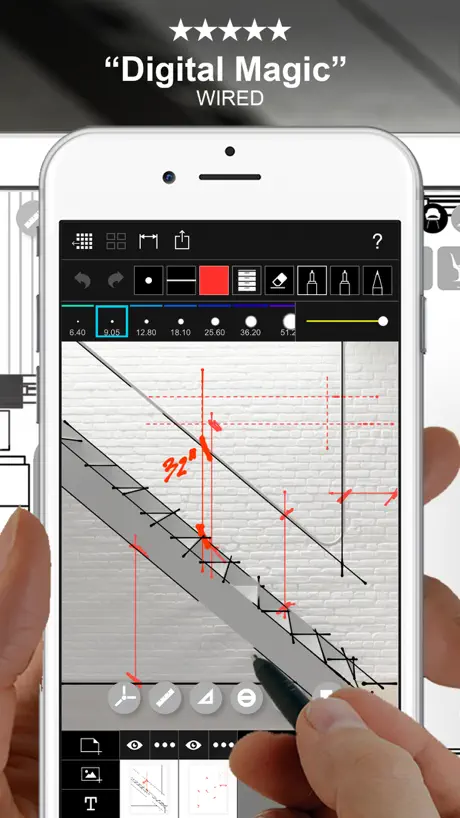
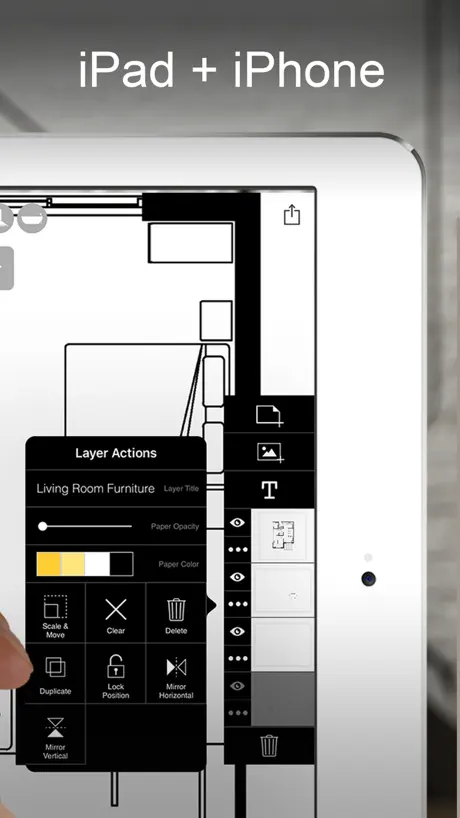
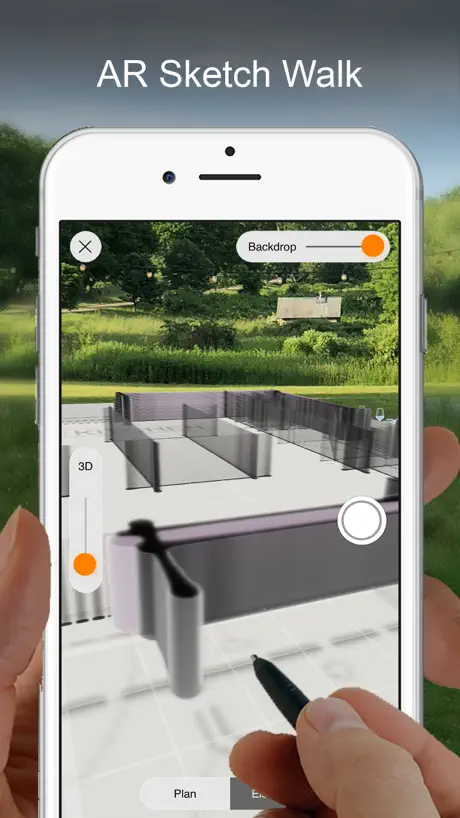
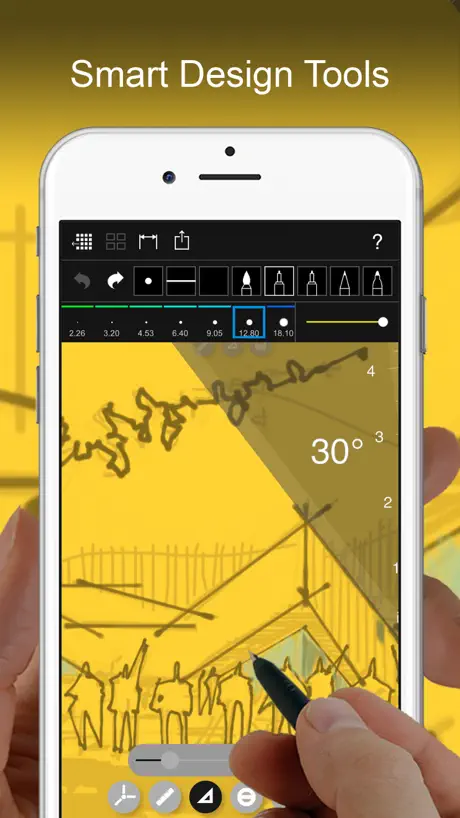
How much does Morpholio Trace - Sketch CAD cost?
Prices are current as of 29 Sept 2026.
4 subscriptions from $4.99
In the United States, Morpholio Trace - Sketch CAD has 4 subscriptions priced $4.99 – 24.99. It comes with a 1 month free trial.
| Subscription | Period | Price |
|---|---|---|
| Trace Essentials Subscription | AnnualTrial: 1 month | $4.99 |
| Trace Pro Monthly | Monthly | $7.99 |
| Trace Plus Subscription | AnnualTrial: 1 month | $9.99 |
| Trace Pro Subscription | AnnualTrial: 1 month | $24.99 |
See what Morpholio Trace - Sketch CAD costs in all 174 countries →
10+ alternatives to Morpholio Trace - Sketch CAD
| Morpholio Trace - Sketch CAD |   Concepts Concepts |  Adobe Illustrator: Graphic Art Adobe Illustrator: Graphic Art |   SketchUp - 3D Modeling SketchUp - 3D Modeling |   Prêt à Template Prêt à Template |   Linearity Curve Graphic Design Linearity Curve Graphic Design |   Brushes for Procreate Brushes for Procreate |   Vector & SVG Maker - Assembly Vector & SVG Maker - Assembly |  Affinity Designer 2 for iPad Affinity Designer 2 for iPad |   Flow: Note Taking & Sketchbook Flow: Note Taking & Sketchbook |   uMake: 3D CAD Modeling, Design uMake: 3D CAD Modeling, Design | |
|---|---|---|---|---|---|---|---|---|---|---|---|
| Rating / 5 | 4.7 | 4.7 | 4.5 | 4.6 | 4.3 | 4.6 | 4.7 | 4.5 | 4.7 | 4.0 | 4.3 |
| Reviews | 53K | 182K | 128K | 106K | 85K | 77K | 68K | 44K | 21K | 21K | 20K |
| Released | 2012 | 2012 | 2020 | 2014 | 2014 | 2017 | 2020 | 2015 | 2022 | 2019 | 2015 |
| Monthly price | $7.99 | $4.99 | $9.99 | $11.99 | $13.90 | $14.99 | $9.99 | $4.99 | — | $3.99 | $12.99 |
| Annual price | $9.99 | $29.99 | $79.99 | $129.00 | $98.90 | $74.99 | $29.99 | $29.99 | — | $29.99 | $59.99 |
| One-time price | — | $3.99 | — | — | $10.99 | — | — | $9.99 | — | $129.99 | — |
The going rate for each plan in United States, in its own currency, shaded from the cheapest price on the row to the dearest. Plans fewer than four in ten of the priced apps sell are left out.
Morpholio Trace - Sketch CAD reviews
4.7 out of 5, based on 52,744 reviews.
What people like
- Sketching feels fast and intuitive
- Scaling drawings while sketching works great
- Customer support replies quickly and helps
What they complain about
- Account creation blocks free testing
- Layer management is confusing and limited
- Exported images often look low quality
Favorite App!
As an architect this app is a must. I’ve also had GREAT experiences with their support team. Quick reply and solid answers.
App No Longer Works - Company Servers Down and No Support
This was a good app, but it no longer works for me, even with a Pro paid subscription. I had to delete and reinstall the app because it kept crashing. I can now no longer login or request a forgotten password - it says their servers are down. Their website is also now down, so there is no way to contact support. Since they were bought by Vectorworks, I called and left a message with the Vectorworks support team, but have not heard back from them. This will really mess up your work flow, so stay away from this app. Hopefully they get it back up and running again soon since it was a useful app.
More Layers - Stay on Selected Layer
I have used Trace almost every day since 2022 as a design architect and master planner - it still amazes me and has served me well. It is just too cheap for how great it is. But Trace is still far from perfect. My colleagues and I agree that the layer limitations should have been improved years ago. There are too few…. You cannot solo a single layer…. But far and away the most mind boggling problem is that the layer selection jumps all over the place. I’m sure Morpholio has a logical reason why, but it makes no sense to me and is a serious problem. I think everyone works on one layer at a time and don’t want to go to a layer selected by the tool selection. I have wasted many hours undoing work that I’ve drawn on a valuable wrong layer. There must be some way to fix this or to make a preference option. That being said, there isn’t anything close to Trace on the market and it is an important asset to me and my company. Thank you
Ridiculous
App lacks intuitive functionality. For some reason cannot move dimensions cannot select it either. WHY? If I wanted the dimension lines to change to a different point, can’t do that either. Also why are we not able to change background page size later? Ridiculous honestly. Why can’t I select multiple layers all at once to move, shift etc? Has a long way to go, honestly regret buying at this stage of the app development.
Not user friendly
I’m not an architect but I have been drawing floor plans to scale for over 40 years and am on the advanced side of computer literacy but I found this tool extremely frustrating to navigate. just playing down a basic floor plan took forever and in the end I had to grab pen and paper. I just don’t have time to watch copious amounts of videos.
Amazing sketching app
This app is perfect for sketching and drafting.
Не могу зайти под своим аккаунтом
Не могу зайти под своим аккаунтом, подписка оплачена!
Good now, would be perfect with further improvements
I am an architecture student and this app is very useful for my design assignments. Using this alone with Adobe Illustrator and/or Procreate is fantastic. However, if features from Procreate and Illustrator come to Morpholio — it would become the best design app to exist. For example, unlimited layers (or, an overall better layer management feature) would be great, the stability of the pens are sometimes lacklustre and still feel wobbly even on max settings, and much more. Still, this app saves my grades and I wouldn’t know what to do without it!
This app needs some work
I really enjoy drawing with this app. The pens feel good to use and it is doing a pretty good job capturing the wonderful experience of drawing on trace paper. With that being said, it is lacking some basic features that other drawing apps have and obvious features that would make life easier for designers. It should be easier to set the scale. I don’t like setting the distance between two points, it is slow and imprecise. I should be able to choose between common architecture and engineering scales. ( 1/8”=1-0”, 1:10,…) It should be possible to scale a layer, imported image, stencil by a percentage. The only way to scale anything in this app is to pinch/ drag the corners. This is slow and imprecise. Low resolution linework. This might be helped if i drop the size down but 24x36 sheets are the industry standard in the United States. I have tried using this app on size 11”x17” for a presentation perspective rendering but the resolution was still such a poor quality I ended up using a different drawing app. You cannot see or control the resolution of the entire drawing. Double tap bings up the ruler this is a cool idea but if you are using the paint roller tool, you are unable to draw and your are also unable to turn off the ruler by pressing the ruler button unlesss your switch to another tool that supports the ruler. Also double tap of the pencil switches between eraser and pen on most other apps so i end up hiding/showing the ruler on accident due to muscle memory. Layer management needs support. It is unintuitive about how to merge layers. We need to be able to group layers. Especially since every dimension and area fill creates a separate layer. It needs support for custom brushes, It would be nice to be able to create dashed, dotted brush types. The selection tool should function like the selection tool in photoshop or procreate where you can select an area rather than just the objects in that area Use our subscription money to make this app better
No isometric view guide lines
Alright tool for industrial design could be amazing tho
Highly recommend. Easy to learn and use, tons of tools and options, works seamlessly.
I have never written a review but this app is so good that even a salty chap like myself needed to credit the designers and pass the good word along in hopes this app can help others as much as it helped our business.
Servers down?
I planned my workday (8/13/26) around logging in and learning to use this program. It says it cannot connect to server, and all morpholio websites go to a black screen or error message. Vectorworks help is useless, their AI agent said they don’t have anything to do with morpholio, until I sent it an article on their own website that says they own the company. There is no evidence of an outage and no way to contact support. I hope this is rectified tomorrow.
Trace is great
Trace is an amazing powerful graphic tool for architects and engineers. The latest snap to grid function is powerful and useful. It would be the ultimate tool if it supported vector graphics
Good drafting app
Great drawing app for ideating/planning/drafting. For the subscription fee charged, it’s frustrating they are unresponsive to feature requests. I still am paying for it, but if procreate gave me a ruler similar to morpholio’s, I’d stop using this due to the subscription fee and their lack of responsiveness. EDIT: PSD export is useless and low resolution.
Educational Discount Issue
Excellent app with great customer support. However, Apple needs to make the educational discount available beyond just the initial introductory year!! This is a great tool that a lot of educators in the design fields would find very helpful to implement across a variety of courses but it needs to be made affordable.
Great app
User friendly, I like the drawing style and number of aids available. It’s a simple straightforward process. With easy editing features.
Pricing?
How on earth do you make a product and do everything you can to NOT explain the costs and subscription models?! Garbage
Great for redlines
I have really dove into this for redlines on our plans. Overall this is a really great tool, but there are a few things that can be improved on to make it next level.
Why mess with a good thing
This WAS a great app, the latest releases is terrible. Bugs galore….. Remove great features like tap to rotate ruler, obviously no one at morpholio was ever a draftsman or architect. Thus used to be my go to app and now it is barely usable……
Buggy and doesn’t work for large projects
My lines would blur and distort if I used an A1 size PDF from AutoCAD. Tried requesting a fix. No response. The app is nice in terms of design and user interface but functionality is poor. I eventually gave up my subscription
Incredible
This app is amazing in so many ways. I WANT IT ON WINDOWS or Linux PC SO I CAN USE MY 27 INCH WACOM CINTIQ PRO. PLEASE. The tools in this app are perfect for industrial design and so many other applications. Worth the money, but absolutely do not raise the price.
Text Limits
I’d rate this 5 stars but limiting me to 20 text layers is preventing that. How am I supposed to dimension and note a 4100 sq ft office with 19 spaces with 20 texts? What about lighting and electrical? What about a page of six detailed elevations? To fully do it I have to dimension what I can, screen shoot it, import image into a new file, add more dimensions, screen shoot it, import image into a new file, repeat. This is untenable.
Want to love it
Just downloaded and paid for the subscription with 30 day trial. Trying to export a document as an image to save to camera roll causes the app to get hung up on a grey screen every time. Would also be great to have ability to text to someone directly from app.
Loved at the start, can barely use now.
I used this a lot at the beginning, it’s great when you first start to use it with scale etc. But something ALL architects will no doubt need it for it cannot perform, I’m talking about exporting. I often will import a pdf plan, sketch over it and then export for a presentation, the exports are either insanely low quality or (if like me you use the roller brush tool to block out areas behind your sketch but above the original plan you’re sketching over) morpholio will export the pdf with border lines around all of the blocked out/masked areas. The program should take the pdf that as imported, take all the morpholio layers I have created and just flatten it all so it appears as it does on my screen when it’s exported. Can’t believe such a basic functionality is so poorly implemented.
AM
Great app, use it all the time, but two fatal flows so far - it often bugs out on pdfs, i.e. reads a portion of a pdf if it contains an image and does not read any acrobat markups. And drains iPad battery mercilessly
Powerful Program
This program is a powerful drawing, drafting, and design tool. It’s one of those programs that continues to provide creative people new ways to use the program.
Cool concept
Looks cool but I can't get past the create a new account. The box you have to select for approving terms and conditions does not work and the page gives you an error message. If an app designer can't figure out how to keep this page from crashing, how can I trust them to keep a design in progress from crashing.
Saves
Great app, good for my landscaping work but I can never save the settings..ie with the measurements I have to change the settings every time I open the tab. Maybe I’m missing something but being able to save settings would be awesome
Scaling and usability
I really wanted a scale on the side of the drawing which to me seems like a normal feature to draw with, have so I paid the second to highest subscription. The ruler has some advanced things like parallel lines etc, but don’t think the basics are right with this app for the ruler. When I import a picture on a layer and set it up where I need it, every time I click on the layer again, it rotates 90 degrees no matter what setting I use. Support just told me it’s based on the orientation of the device. I expect more for basic usability for a simple garden design project. Even the lasso tool I would expect to be able to select something to then move it around, well does not work for me. I would like to use this more as the interface feels right but find it frustrating to control. Two stars for some of the drawing tools and slick design that’s all I can give this app. I hope I can cancel my subscription now.
No Cloud
This app seems good in many ways, despite some minor interface niggles. It has a strep learning curve, which reflects the fact that it is pretty feature rich, and the help section and videos are quite good. My main issue with it is that unlike Floorplans (which I loved despite its glitchiness because it did exactly what I wanted really well, but which has been removed from the App Store) Trace doesn’t ‘do’ cloud. So when I pick up my larger iPad (I travel with a smaller one) or my phone, my projects have not made it over to the other devices via the cloud. You can export them and email them or airdrop them, but then you have version control issues. So I’m afraid for me, good thought it is, this one massive lacking feature is likely to count it out. Pity. But in addition, they need to allow layers to be locked together in groups and to be flattened in groups. And the copy and paste functionality is bewildering.
Morpholio Trace Support
We are architects and mostly use Morpholio Trace for schematics and redlining. We had an issue where we had difficulty exporting and sent a request for help. We heard back that same day with a solution to our problem! I call that great service! We continue using Morpholio more and more and appreciate the program and the support that comes with it! Thanks, Buzz
Not for beginners
Not for beginners! Not very intuitive and was waste of money. Not happy that I couldn’t try it for free to see if this is what I needed or my skill level. This is meant for some who’s done cad program for drafting
Amazing app for architecture
Does amazing stuff and has most of the things needed as an architecture student. Only one thing I would like is to have more control and settings on some of the brushed like the spread on the watercolor.
Useless for landscape design
I contacted Morpholio beforehand to ask specifically if this could be used for creating simple coloured circles with text labels and it can’t, making it useless for anyone interested in landscape design and planting. Sure you can draw a circle or use a stencil to colour in a circle but for professional landscape design you need to be able to create circles with labels easily for each plant. With the option for that to be in the same layer. Seeing as a planting plan will from 100-10,000 plants or more, you really don’t want to be colouring in a stencil for each one. Its strengths are being able to sketch and add scale measures. Which is handy but there are better sketching apps out there and using a scale on sketches is never needed day to day. Nice idea but too limited for practical use, wish I hadn’t bought it - luckily I could cancel the trial before payment had been taken.
Layer management is terrible
I like the concept of Morpholio Trace, and it’s really powerful in places, (scaling drawings) but the lack of any easy layer management makes it a non-starter for me. See what Procreate does with layers? copy that and you have an amazing piece of software. Right now it’s a powerful mess.
Great app for Interior Design
Great tools and the ability to scale drawings while sketching is amazing.
Scam
Scam
Great but there’s room for improvement
Just started using this app and it is great, but would love to be able to copy between layers, projects and merge layers. I can’t believe that these features aren’t standard already. I started a project with lots of layers and now it’s costing time as this clearly wasn’t the right process with the current limitations not realising and assuming I could do something as simple as copy between layers.
Not great but the only tracing app so...
I am an architect and I use this app only because I have to. I would absolutely love for improvements to happen with this as I use it on the daily however, Tbh I feel like a competitor could come and replace this easily if it just had the right measuring tools. I very nearly converted to Concepts because it had way more features such as: 1. Infinite canvas’s - this should be a choice 2. Copy and paste between canvas’s - there is the lasso tool but why is there no copy buttoned what his within the lasso?! This is beyond annoying and something I would’ve thought obvious. This would also be able to copy things between different layers which would be amazing. 3. Lasso should also have an option to be able to covert everything selected into a different colour. This would halve time to do things but instead I have to retrace everything. 4. The ability to combined multiple layers together just like photoshop. Fundamentally other things: 4. Raster vs. vector - Why does MT work in raster and not vectors like a lot of other apps. Apps like notability and apple notes allow you to erase by pixels or by the entire vector. This would be a game changer and would fix a lot of annoying bugs with MT that end up ruining drawings like when you copy or flip something several times it becomes more and more pixelated each time. Vectors also give much more crisp sharp lines in the first instance whereas the edges are always pixelated in a MT and the only work around is to make the paper size giant and then scale down. I would absolutely love to use this app to a higher capacity and would be very willing to pay for the above or extra features but unfortunately this app is just very behind others. It has so much potential that just hasn’t been realised yet.
Good ideas, average execution
Overall the app is great and is an excellent tool but it could be so much better. There are a number of issues which really shouldn’t even be problems, such as: the selection tool lowers the resolution of the selected elements each time; the area tool very often misses the correct area it’s supposed to fill and there’s no way to adjust line weights with stencils (critical for drawing construction details). Additionally, the new plate has taken away features such as the ability to lock scaling of selections and to choose units for setting the scale (in metric, can only do metres; no option for millimetres anymore). Very frustrating.
Best app for architects.
I live by this app!!! Thank you morpholio.
Settings disappears (paid version)
Tools go away when I need them. Sometimes they come up and other times they’re nowhere to be found.
Light mode, more iOS 13 styled design elements
Great feature packed app. Mostly UI and design requests. Are you going to implement a light mode? The app design has many great features. For some, certain elements consist of great iOS 13 design like the swipable pop-up menus. Many, however, still maintain an iOS 7 feel with its layout, icons and blocky UI. Have you considered updating the UI to feel more reactive? Shapr3D does a great job of this.
A lot of potential, no precision.
When i’m working on paper and tracing paper, i work with a lot more precision than this app. Even though it has an excellent library of stencils, or linetypes or pens and tools, the ruler tool is really bad. ~ I would much prefer a scale ruler with FIXED units rather than constantly updating units as you zoom in or out. ~ I would much prefer a scale lock of the rotate function when i crop my precise drawing of a bed on a plan.... ~ I would much prefer a scale lock of all the stencils so i can place a 1.75m person on my drawing. ~ I would much prefer a function to draw precise circles and arcs ~ I would much prefer to be able to know the length of a line as i’m drawing it so i can realise that what i’m drawing is completely off.... ~ I would much prefer to draw on a piece of tracing paper rather than this app for the time being, as it reduces my productivity rather than increase it. Thanks - i sincerely hope you take very seriously the above. Kind regards, Mario
Very good
I’m now addicted to it but why I gave you 3 is because it’s to adictive
Rediscovered and Fell in Love All Over Again
I had this app back in architecture school, and recently redownloaded it now that I am practicing, and find myself using it all the time to get my ideas out quickly and intuitively! The tools are powerful and easy to use. App is reliable. Love love love it!
Account needed? No thanks
Account needed to even test it out—terrible feature.
Struggles with large drawings
Fantastic app that I’ve been using in my landscape architecture studio for about 6 months in the pro version. However lately it is freezing and quitting randomly especially when large multi page PDFs are being sketched over. Seems to help to have no other apps working in the background. Hopefully the developers fix this issue. Otherwise 5 star.
No decent tutorials
Had high hopes to do a plan and elevation but due to lack of decent tutorials I can’t work out how to use this app, really frustrating, have wasted hours and could have done it on paper by now in 30 mins. The tutorials are just speeded up short time lapses. My base layer picture keeps turning sideways, can’t merge laters, 2 pt perspective grid doesn’t cover my pic, etc. Plus I’ve been charged on one iPad and am still on a trial period on the other so I guess if you happen to have more than one device you’ll have to pay 2 subs...
Lock paper rotation
Where is the paper rotation option?
Morpholio Trace - Sketch CAD price by country
A monthly subscription costs $0.64 in Turkey and $10.51 in Switzerland — 16× more for the same thing. Below is the going rate for each plan in every country that sells it — the middle price of what the app charges there, in the country's own currency with the dollar equivalent beneath it.
| Country | Monthly | Annual |
|---|---|---|
| Afghanistan | $7.99 | $9.99 |
| Albania | $9.59 | $11.99 |
| Algeria | $7.99 | $9.99 |
| Angola | $7.99 | $9.99 |
| Anguilla | $7.99 | $9.99 |
| Antigua And Barbuda | $7.99 | $9.99 |
| Argentina | $7.99 | $9.99 |
| Armenia | $7.99 | $9.99 |
| Australia | A$11.49$8.03 | A$14.99$10.48 |
| Austria | €7.99$9.09 | €10.49$11.93 |
| Azerbaijan | $7.99 | $9.99 |
| Bahamas | $7.99 | $9.99 |
| Bahrain | $7.99 | $9.99 |
| Barbados | $7.99 | $9.99 |
| Belarus | $7.99 | $9.99 |
| Belgium | €7.99$9.09 | €10.49$11.93 |
| Belize | $7.99 | $9.99 |
| Benin | $7.99 | $9.99 |
| Bermuda | $7.99 | $9.99 |
| Bhutan | $7.99 | $9.99 |
| Bolivia | $7.99 | $9.99 |
| Bosnia & Herzegovina | €7.99$9.09 | €10.49$11.93 |
| Botswana | $7.99 | $9.99 |
| Brazil | R$25.90$4.97 | R$38.90$7.47 |
| British Virgin Islands | $7.99 | $9.99 |
| Brunei Darussalam | $7.99 | $9.99 |
| Bulgaria | €7.99$9.09 | €10.49$11.93 |
| Burkina Faso | $7.99 | $9.99 |
| Cambodia | $7.99 | $9.99 |
| Cameroon | $7.99 | $9.99 |
| Canada | CA$9.99$7.04 | CA$13.49$9.50 |
| Cape Verde | $7.99 | $9.99 |
| Cayman Islands | $7.99 | $9.99 |
| Chad | $7.99 | $9.99 |
| Chile | CLP 5,200$5.41 | CLP 6,700$6.97 |
| China | CN¥53.00$7.89 | CN¥70.00$10.42 |
| Colombia | COP 23,900$7.24 | COP 31,900$9.66 |
| Congo | $7.99 | $9.99 |
| Congo, Democratic Republic | $7.99 | $9.99 |
| Costa Rica | $7.99 | $9.99 |
| Cote Divoire | $7.99 | $9.99 |
| Croatia | €8.36$9.51 | €10.62$12.08 |
| Cyprus | €7.99$9.09 | €10.49$11.93 |
| Czech Republic | CZK 209.00$9.74 | CZK 279.00$13.01 |
| Denmark | DKK 65.00$9.89 | DKK 85.00$12.94 |
| Dominica | $7.99 | $9.99 |
| Dominican Republic | $7.99 | $9.99 |
| Ecuador | $7.99 | $9.99 |
| Egypt | EGP 159.99$3.07 | EGP 199.99$3.84 |
| El Salvador | $7.99 | $9.99 |
| Estonia | €7.99$9.09 | €10.49$11.93 |
| Fiji | $7.99 | $9.99 |
| Finland | €7.99$9.09 | €10.49$11.93 |
| France | €7.99$9.09 | €10.49$11.93 |
| Gabon | $7.99 | $9.99 |
| Gambia | $7.99 | $9.99 |
| Georgia | $7.99 | $9.99 |
| Germany | €7.99$9.09 | €10.49$11.93 |
| Ghana | $7.99 | $9.99 |
| Greece | €7.99$9.09 | €10.49$11.93 |
| Grenada | $7.99 | $9.99 |
| Guatemala | $7.99 | $9.99 |
| Guinea-bissau | $7.99 | $9.99 |
| Guyana | $7.99 | $9.99 |
| Honduras | $7.99 | $9.99 |
| Hong Kong | HK$63.00$8.04 | HK$78.00$9.95 |
| Hungary | HUF 2,690$8.56 | HUF 3,590$11.42 |
| Iceland | $9.91 | $12.39 |
| India | ₹599.00$6.24 | ₹919.00$9.57 |
| Indonesia | IDR 109,000$6.06 | IDR 139,000$7.73 |
| Iraq | $7.99 | $9.99 |
| Ireland | €7.99$9.09 | €10.49$11.93 |
| Israel | ₪27.90$9.09 | ₪37.90$12.35 |
| Italy | €7.99$9.28 | €10.49$12.18 |
| Jamaica | $7.99 | $9.99 |
| Japan | ¥900$5.72 | ¥1,150$7.31 |
| Jordan | $7.99 | $9.99 |
| Kazakhstan | KZT 2,690.00$6.10 | KZT 3,690.00$8.37 |
| Kenya | $7.99 | $9.99 |
| Kosovo | €7.99$9.09 | €10.49$11.93 |
| Kuwait | $7.99 | $9.99 |
| Kyrgyzstan | $7.99 | $9.99 |
| Lao Peoples Democratic Republic | $7.99 | $9.99 |
| Latvia | €7.99$9.09 | €10.49$11.93 |
| Lebanon | $7.99 | $9.99 |
| Liberia | $7.99 | $9.99 |
| Libya | $7.99 | $9.99 |
| Lithuania | €7.99$9.09 | €10.49$11.93 |
| Luxembourg | €7.99$9.09 | €10.49$11.93 |
| Macao | $7.99 | $9.99 |
| Macedonia | $7.99 | $9.99 |
| Madagascar | $7.99 | $9.99 |
| Malawi | $7.99 | $9.99 |
| Malaysia | MYR 32.90$8.06 | MYR 41.90$10.27 |
| Maldives | $7.99 | $9.99 |
| Mali | $7.99 | $9.99 |
| Malta | €7.99$9.09 | €10.49$11.93 |
| Mauritania | $7.99 | $9.99 |
| Mauritius | $7.99 | $9.99 |
| Mexico | MX$149.00$8.32 | MX$199.00$11.12 |
| Micronesia | $7.99 | $9.99 |
| Moldova | $7.99 | $9.99 |
| Mongolia | $7.99 | $9.99 |
| Montenegro | €7.99$9.09 | €10.49$11.93 |
| Montserrat | $7.99 | $9.99 |
| Morocco | $7.99 | $9.99 |
| Mozambique | $7.99 | $9.99 |
| Myanmar | $7.99 | $9.99 |
| Namibia | $7.99 | $9.99 |
| Nauru | $7.99 | $9.99 |
| Nepal | $7.99 | $9.99 |
| Netherlands | €7.99$9.09 | €10.49$11.93 |
| New Zealand | NZ$13.49$7.62 | NZ$16.49$9.32 |
| Nicaragua | $7.99 | $9.99 |
| Niger | $7.99 | $9.99 |
| Nigeria | NGN 2,900.00$2.18 | NGN 3,700.00$2.78 |
| Norway | NOK 85.00$8.92 | NOK 105.00$11.02 |
| Oman | $7.99 | $9.99 |
| Pakistan | PKR 850$3.07 | PKR 1,400$5.05 |
| Palau | $7.99 | $9.99 |
| Panama | $7.99 | $9.99 |
| Papua New Guinea | $7.99 | $9.99 |
| Paraguay | $7.99 | $9.99 |
| Peru | PEN 25.90$7.69 | PEN 33.90$10.06 |
| Philippines | ₱399.00$6.36 | ₱529.00$8.43 |
| Poland | PLN 34.99$9.11 | PLN 44.99$11.72 |
| Portugal | €7.99$9.28 | €10.49$12.18 |
| Qatar | QAR 29.99$8.24 | QAR 36.99$10.16 |
| Romania | RON 37.99$8.39 | RON 47.99$10.59 |
| Rwanda | $7.99 | $9.99 |
| Sao Tome & Principe | $7.99 | $9.99 |
| Saudi Arabia | SAR 29.99$8.00 | SAR 39.99$10.66 |
| Senegal | $7.99 | $9.99 |
| Serbia | €7.99$9.09 | €10.49$11.93 |
| Seychelles | $7.99 | $9.99 |
| Sierra Leone | $7.99 | $9.99 |
| Singapore | SGD 10.98$8.58 | SGD 13.48$10.53 |
| Slovakia | €7.99$9.09 | €10.49$11.93 |
| Slovenia | €7.99$9.09 | €10.49$11.93 |
| Solomon Islands | $7.99 | $9.99 |
| South Africa | ZAR 124.99$7.62 | ZAR 159.99$9.75 |
| South Korea | ₩9,500$7.06 | ₩12,500$9.28 |
| Spain | €7.99$9.09 | €10.49$11.93 |
| Sri Lanka | $7.99 | $9.99 |
| St. Kitts and Nevis | $7.99 | $9.99 |
| St. Lucia | $7.99 | $9.99 |
| St. Vincent & The Grenadines | $7.99 | $9.99 |
| Suriname | $7.99 | $9.99 |
| Swaziland | $7.99 | $9.99 |
| Sweden | SEK 85.00$8.53 | SEK 115.00$11.55 |
| Switzerland | CHF 8.50$10.51 | CHF 10.50$12.98 |
| Taiwan | NT$250.00$7.90 | NT$320.00$10.12 |
| Tajikistan | $7.99 | $9.99 |
| Tanzania | TZS 17,900.00$6.76 | TZS 22,900.00$8.65 |
| Thailand | THB 259.00$7.71 | THB 329.00$9.79 |
| Tonga | $7.99 | $9.99 |
| Trinidad and Tobago | $7.99 | $9.99 |
| Tunisia | $7.99 | $9.99 |
| Turkey | TRY 30.99$0.64 | TRY 60.99$1.26 |
| Turkmenistan | $7.99 | $9.99 |
| Turks and Caicos | $7.99 | $9.99 |
| Uganda | $7.99 | $9.99 |
| Ukraine | $7.99 | $9.99 |
| United Arab Emirates | AED 29.99$8.17 | AED 37.99$10.35 |
| United Kingdom | £6.99$9.47 | £9.49$12.86 |
| United States | $7.99 | $9.99 |
| Uruguay | $7.99 | $9.99 |
| Uzbekistan | $7.99 | $9.99 |
| Vanuatu | $7.99 | $9.99 |
| Venezuela | $7.99 | $9.99 |
| Vietnam | ₫179,000$6.91 | ₫229,000$8.84 |
| Yemen | $7.99 | $9.99 |
| Zambia | $7.99 | $9.99 |
| Zimbabwe | $7.99 | $9.99 |
Morpholio Trace - Sketch CAD FAQ
- Is Morpholio Trace - Sketch CAD free?
- Yes. The app and its basic features are free, in all 174 countries it sells in. Premium features are paid: they start from $4.99 (US), across 4 subscriptions.
- How much does Morpholio Trace - Sketch CAD cost per month?
- Trace Pro Monthly is $7.99 (US). The annual plan works out cheaper per month: $4.99 – 24.99 a year.
- Does Morpholio Trace - Sketch CAD have a free trial?
- Yes — a 1 month free trial (US).
- Where is Morpholio Trace - Sketch CAD cheapest?
- A monthly subscription costs TRY 30.99 (≈$0.64) in Turkey and CHF 8.50 (≈$10.51) in Switzerland, its cheapest and dearest countries.
- What are the best alternatives to Morpholio Trace - Sketch CAD?
- Concepts (4.7 from 181,890 reviews, premium from $1.99), Adobe Illustrator: Graphic Art (4.5 from 127,888 reviews, premium from $9.99) and SketchUp - 3D Modeling (4.6 from 106,450 reviews, premium from $11.99).
Morpholio Trace - Sketch CAD download
Last updated 21 days ago.
Morpholio Trace - Sketch CAD sells in 174 countries. It was released 14 years ago, on 25 Sept 2012. It holds a 4.7 rating from 52,744 reviews.
Supports 14 languages: English, Dutch, French, German, Hindi, Italian, Japanese, Korean, Portuguese, Russian, Chinese, Spanish, Thai, Turkish.
How much does Morpholio Trace - Sketch CAD make?
Third-party estimates for the last 30 days, worldwide — not the store's own figures, which Apple publishes for nobody.
Revenue by plan
- Annual 90%
- Monthly 10%
Revenue by country
- United States 36%
- China 12%
- Australia 5%
- United Kingdom 4%