Brother iPrint&Label
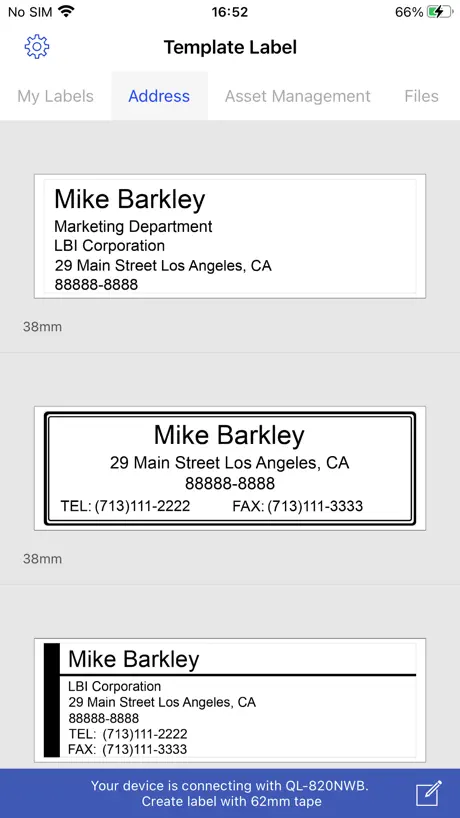
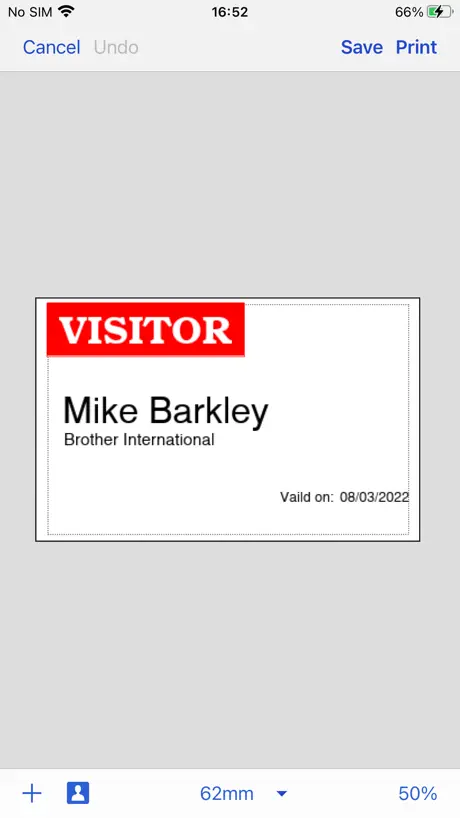
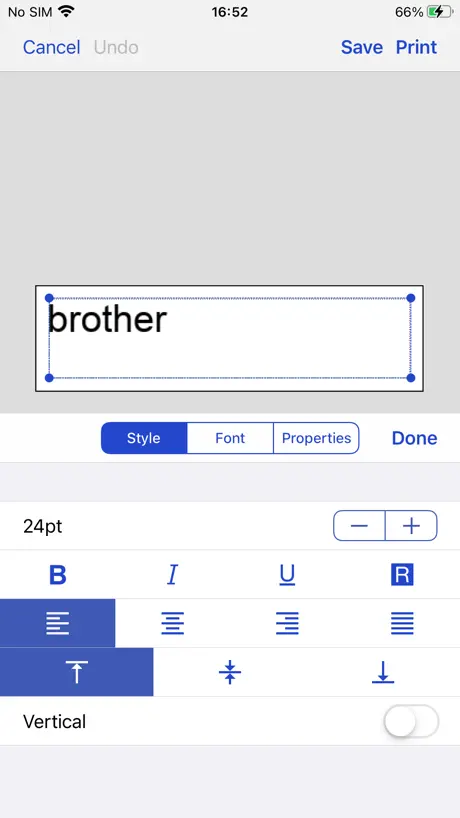
How much does Brother iPrint&Label cost?
Prices are current as of 13 Nov 2026.
Brother iPrint&Label has no in-app products on record in the United States.
10+ alternatives to Brother iPrint&Label
| Brother iPrint&Label | 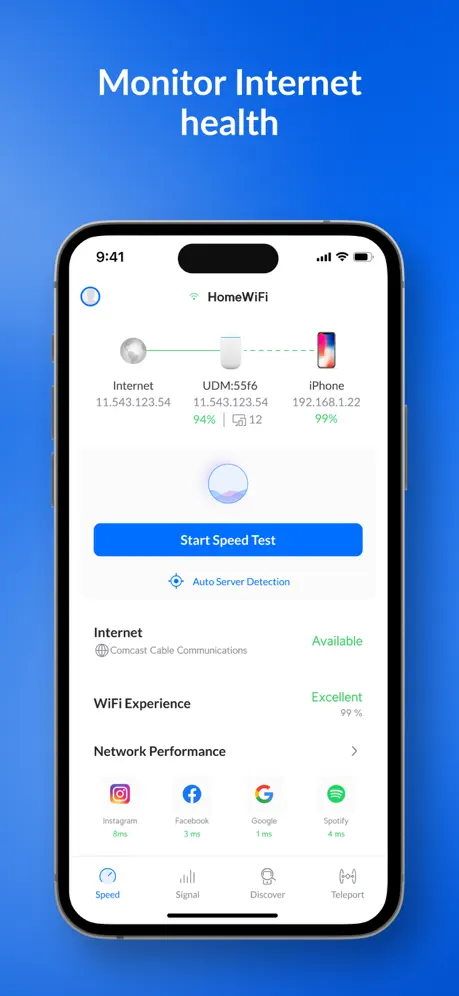  Ubiquiti WiFiman | 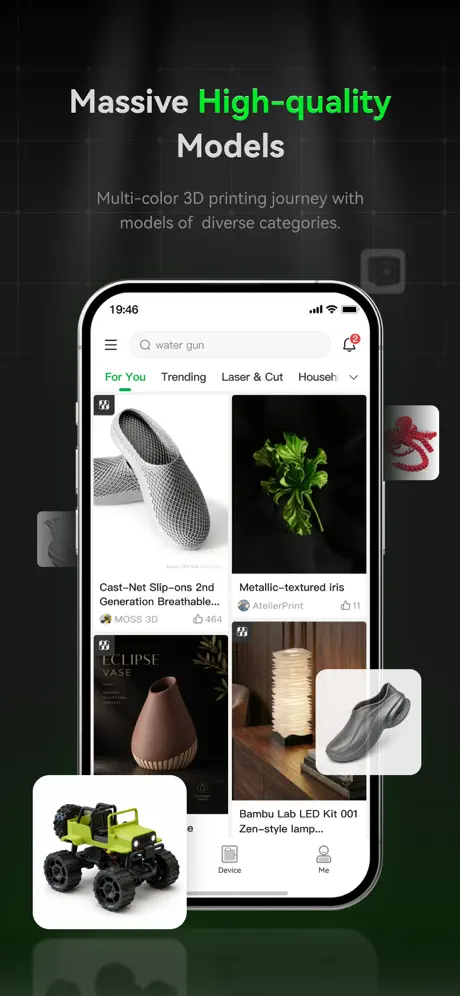  Bambu Handy |   Network Analyzer: WiFi Scan |   HP Poly Studio Mobile |   Anker Power |   ScanSnap Home:Scan・PDF・OCR |   TP-Link Omada |   Meshtastic |   NetSpot WiFi Analyzer |   Labelife | |
|---|---|---|---|---|---|---|---|---|---|---|---|
| Rating / 5 | 4.6 | 4.8 | 4.8 | 4.6 | 4.2 | 4.5 | 4.6 | 4.6 | 4.2 | 3.8 | 3.3 |
| Reviews | 30K | 123K | 89K | 25K | 12K | 9.2K | 5.8K | 3.3K | 1.9K | 1.2K | 265 |
| Released | 2012 | 2018 | 2022 | 2012 | 2011 | 2022 | 2023 | 2018 | 2022 | 2020 | 2021 |
| Monthly price | — | — | — | — | — | — | — | — | — | $8.99 | $14.99 |
| One-time price | — | — | $2.99 | — | — | — | — | — | — | $6.99 | — |
The going rate for each plan in United States, in its own currency, shaded from the cheapest price on the row to the dearest. Plans fewer than four in ten of the priced apps sell are left out.
Brother iPrint&Label reviews
4.6 out of 5, based on 30,040 reviews.
What people like
- It works well once you get it connected.
- Using Bluetooth makes printing simple and fast.
- Customer service was helpful when I reached out.
What they complain about
- Connecting to Wi-Fi or Bluetooth is often frustrating.
- The app crashes frequently and loses saved labels.
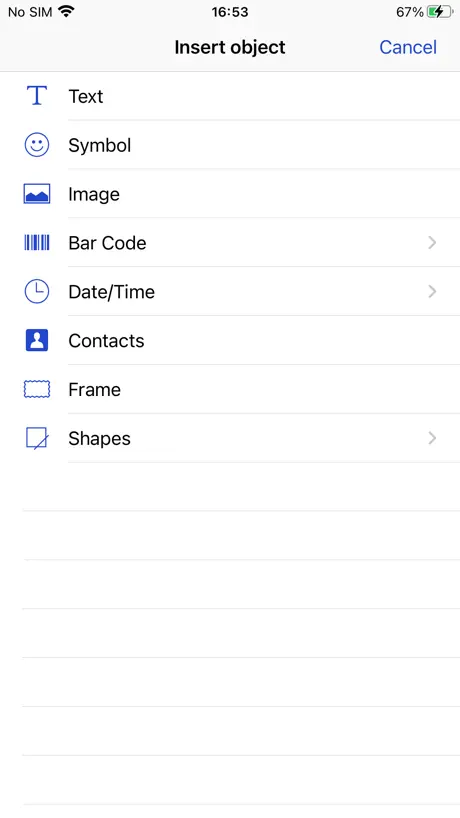
- Editing tools are limited and the interface is clunky.
Printing Labels Made Easy! One recommendation though!
I love the app, but I do wish there were more settings like a best quality setting when I need to print a label that needs to be precise because it has a bar code.
Inoperable
I have tried this on multiple devices to no avail. The app never connects to the printer. It only ever directs me to confirm that the local network has been enabled. Reader, it is enabled. I am about ready to drop kick this printer out my office window.
Good App
Works well but would like an auto fit option
Ok app
Little confused to lean program.
Search no working
In “My Labels” the search is NOT working for the labels in “Print Log”. It works only for the labels in “Saved Labels” section. Please fix.
yay labels
i like labels yippee
Clunky, Irritating to use
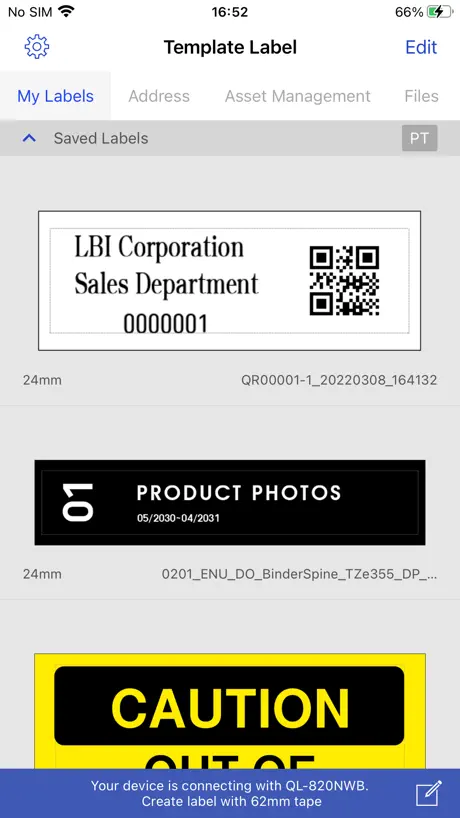
I’ve previously used P-Touch editor with mostly great results. It was easy to find templates or adjust templates to fit your needs. Brother iPrint&Label on an iPad or iPhone is clunky, hard to find your labels and difficult to edit existing templates to fit your needs. You are very limited with iPrint&Label. Really wish I had bought a different brand label printer because the software and support from Brother has deteriorated greatly over the last few years.
D610BT
Nice but I don’t like the fact that it cuts almost an inch off before it starts to print
No High Res 🙁
High res doesn’t seem to work on the iPhone app. Much better printing with P-touch Editor from my Mac
Bluetooth Sucms
LOve the app WHEN it stays connected. It is constantly giving me Connection Error. I often have delete the app and re-download it in order for it to start talking the the printer. I verify that the printer is set on Bluetooth but this issue comes up every single time I use it. I love it when it works, but I kill so much time deleting and reinstalling the app and redoing the settings in it. It frequently loses the printer drivers, as well. This entails going to Settings and attaching it to the correct printer to (which frequently doesn’t show up in the list of printers). The machine times out way too fast and that means it disconnects from Bluetooth. Brother has been in the office machine business for decades and I am disappointed in this poor software and driver issues. I would not recommend this label maker to anyone .
Easy to follow
LOVE this! I print labels all the time and this app makes it easier to print many ones with many changes
Clunky & Slow
Horrible and frustrating app. Never be in a hurry when using it or you’ll pull your hair out. Auto save would also be nice but likely would take half the day to accomplish.
It Works
Not gonna lie it could be better, but what did I expect? Microsoft Word? Honestly kind of clunky app but pretty much works and does what I should expect for a label maker and then some compared to older units with the interface on the unit itself. Probably won’t find a better app for this purpose with anyone else, so this is fine.
Compatibility issues!
PT-E560 not compatible? My brand new state of the art 560 is not on the list! Please fix!
More icons
It does the job. However, it would be better if there were more icons available.
P-TOUCH D610BT
I’ve been using Brother label printers for a long time. Each one had its quirks, but if can work out its quirks, it’s worth the effort. From my iPhone i can ignore the screen. Instead, I just use Brother’s app (iPrint & Label), set the label up on the app, and Bluetooth let’s the label rip. Being 74 next month I can’t focus on anything, so using the black on white 24mm (1 inch labels is a godsend. Yes the type face is huge but for me who can’t focus on anything, the 24mm tape is perfect. Love this D610BT Bluetooth printer.
Font and Delete Not Working
As of the latest release on 4/21/2026 the font option and delete option no longer works om an iPhone 16 pro max. When clicking on font and delete nothings happens. This was working fine in earlier versions. It also works fine on an iPad as well.
Good
I’m starting to like it better than my other P touches. Some things are a little hard to find or to figure out how to save as a format. For instance, I can’t get it to go from inches to millimeters on one of my devices?
Worst app ever… Created by sixth graders??
This is the most basic app I’ve ever seen. Not only is the app frustratingly basic, but the compatibility is incredibly limited. I can’t just simply click on “print“ and then choose it as one of my printers. I have to screenshot the printing label, go into the app, create a new label, go to photos to choose the “picture“ of the label, then crop the label. My son‘s cheap $40 shipping label printer prints from most apps and sites because it’s recognized as a printer, therefore when he clicks on print, it’s listed with our HP laser printer, where he can choose either or. He thought I must’ve downloaded the wrong app or we were simply missing something due to the awful app. For such an expensive label printer, the software is shamefully subpar
在ios26中有严重bug
中文无法显示
Wireless World
I use the printer to keep papers organized with labels identifying what papers are in an envelope. The great thing is that I can power my Tablet and printer using solar power
Model Number Not listed
Basically my printer model# is not among the selection.
Good app once you find it!
There are multiple Brother label printing apps on the store so it was confusing to figure out which one was best for me.
So complicated
Complicated
Bluetooth syncing
It seems to be an arduous process each time I run a label print job— speaking the label maker with my iPhone 16
Best label maker for Home Office
Works great and love the Bluetooth feature
Too glitchy
Every time I use this printer I have issues getting it to connect. It has never ran easy. I would not buy again
P touch D610BT
So far works good. Disappointing that it wastes 3/4” of print tape every label.
Infuriating
Why on earth is the label text INVISIBLE if there is more than one line? There’s no excuse for this given how much screen real estate is occupied by a label for the 12mm label. And then there’s the inability to talk to a label printer that’s supposedly warmed up and ready to go. (Can someone explain to me why it keeps shutting off? Can’t we get waiting on WiFi somehow?) Grr.
Wish more basic icon from stock
Not so many icon or stick image for home or office use. Or kitchen/ labelling box for moving..etc
Update Part 2! User Error!
I’ve been upset for weeks trying to figure out if I was going to have to go with another label system because I couldn’t get the app to work correctly. I couldn’t interact with the app or screen other than hitting “undo, save, or print”… The whole time I forgot that I changed my phone settings around the time this all started up… oops! Adjusted my settings and all is well again! Thank God! Thank you Brother for reaching out and encouraging me to communicate with customer service. I figured things out on my own before it got to that point, but it was nice to see a company work with their customers and their needs!
Won’t work on IPhone 17 Pro Max
I got a new phone and the app/label maker won’t work on it. It will pair to the 15 Pro Max. I can’t get a response from Brother.
Easy to use, but limited functionality
Easy enough to use the software but that’s primarily because of lack of functions. There’s no built in help, so you have to search the web for others experience. The app has limited functionality for creating editing and modification of templates. No manual cut or feed, no explanation of cutting options when printing (leaves the last printed label uncut from the printer in some combinations). Editing designs is not straight forward and there’s limited editing tools (e.g. no alignment or relative sizing). No paste options for graphics etc.
Misled with the Ql-800
Just bought one tonight and google claims the printer is compatible with this app and apparently you guys removed it… feel like I wasted money and I opened it and can’t return it now I would have paid more for the newer version if your guy’s advertising were up to date. Really needed it asap too.
More symbols
Would love to see a greater variety of symbol options or the ability to download symbol options.
Greater Labels
dont have a color brother, but these station font in order like you wouldnt believe -printLabel!
Impossible to justify labels
When setting right or center justified it doesn’t align the print correctly. The only one which somewhat works is left justified which keeps it on the right
Conviviale
L’application conviviale que nous avons utilisée avec un IPhone. Plus avantageux avec les coupes car moins de perte dans le ruban que d’utiliser un P-Touch traditionnel.
A compatible printer cannot be found
Couldn't connect to my P-touch Cube even when I connected on bluetooth. Why would you create an iOS app and couldn't even use with you own device?!
Bug dans la versions française de l’app
Bonjour, Il y a un bug avec l'app iOS iPrint&Label que j'utilise avec un PT-P710BT que je viens d'acheter aujourd'hui. J'obtenais l'erreur "Serveur introuvable" quand j'essayais de télécharger des modèles d'étiquettes. Ceci se produisait pour les modèles Date, Fichier, Cadre, Support, etc... Pour contourner et corriger définitivement le problème, j'ai dû changer l'ordre des langues dans la configuration de mon iPhone "Réglages - Général - Langue et Région". Il faut mettre English en premier. Ça fonctionne désormais dans l'application et je peux ensuite remettre la langue "Français" en premier pour avoir les modèles en français. Svp, corriger le problème pour vos futurs clients. Merci!
Almost perfect
With all the utilities that require learning, brothers seem to be the most intuitive. The devices connect extremely well, at least with Apple devices, and as long as I remember to find the command “Check media“, the label printers work flawlessly.
Poor but gets the job done
Infuriating UI, data and edit losses and poor support! Not something that makes you want to buy more Brother products!
Not like the macOS version “P” Series software (update)
Dear Developer: Please add the ability to save the label files in a common iCloud folder so we can use more than one iOS device. Saving “on my iPad” is limiting. Also can you please provide a legend for the cryptic folder names in the app. Thanks.
Dramatic step down
Previous version was far superior. Current version is MUCH slower and lots of glitches. Who was in charge of this?? Give us the old version back, please!
Please add iOS 13+ Dark Mode Support
Please add iOS 13+ Dark mode
Handy tool
We bought this label maker to use in our home office. I had trouble getting it to connect to the Wi-Fi. I was not able to connect it but my little sister was able to get it going but it still was not an easy task but after working with it for an hour or so she finally got it working. And even though she initially connected it, it still takes a few minutes to connect to the Wi-Fi. It’s like the pre heating on your oven. It has to warm up and once it starts printing I don’t have ant troubles until the next time I want to use it and it’s the same process.
Horrible Data Entry & Edit
The user interface is horrendous. Impossible to select - can’t scroll easily, nearly 2 lines show up - when selecting, entire label selects and can’t deselect easily. Paper sizes don’t show up. I have 1.5 and 2.0 inch by 25 foot rolls and guess what? Those widths don’t show up to select. 1.9 wide and 2.1” wide give bad media size errors. Selecting check media and all you get back is yes media loaded … I want to know what it recognizes!!!! Obviously if it can tell me the correct media is installed or prints properly, it knows what’s there.
iPrint&Label App
It is a nice App. I use it for many applications , I wish there are more built in designs and borders and symbols updates. Overall it is a very nice Label App.
Good idea but poor execution
The premade label seem OK but if there something specific that you're looking for that it doesn't have the custom options are very limited. The app needs to be more customizable especially for those who do not want exactly as the templates provide
Brother iPrint & Label
Pretty good and easy wifi/network configuration. I have used this app for some time now. (One & 1/2 yrs.) It has crashed several times and I have not been able to use some of the template features for some reason. (It crashes) At one point I had to dump the entire app and reload it just to find out that the problem I was experiencing wasn't solved. (Lost all my saved labels too) Wasn't devastating though. This app has better potential but still needs quite a bit of work. Quite often it will not connect with the printer automatically. I have to manually add the printer. It is hard to change font size in some cases and impossible to add a picture to your label. I love the printer and find the price is right on the labels that I have been buying. The software for iPad and iPhone leave something to be desired. The software called P-touch Editor for the iMac is far superior but has some trouble connecting through the network. Works good with USB though. Overall, I am happy with this app, but wish it could be easier and more robust.
Brother iPrint&Label FAQ
- Is Brother iPrint&Label free?
- Yes. The app is free, in all 175 countries it sells in, and it sells nothing inside it.
- Does Brother iPrint&Label have a free trial?
- No. None of its offers (US) come with a free trial.
- What are the best alternatives to Brother iPrint&Label?
- Ubiquiti WiFiman (4.8 from 122,544 reviews), Bambu Handy (4.8 from 89,453 reviews, premium from $0.99) and Network Analyzer: WiFi Scan (4.6 from 24,663 reviews).
Brother iPrint&Label download
Last updated 1 month ago.
Brother iPrint&Label sells in 175 countries. It was released 14 years and 5 months ago, on 31 May 2012. It holds a 4.6 rating from 30,040 reviews.
Supports 25 languages: English, Arabic, Croatian, Czech, Danish, Dutch, Finnish, French, German, Hungarian, Italian, Japanese, Korean, Norwegian Bokmål, Polish, Portuguese, Romanian, Russian, Chinese, Slovak, Spanish, Swedish, Thai, Turkish, Vietnamese.
How much does Brother iPrint&Label make?
Third-party estimates for the last 30 days, worldwide — not the store's own figures, which Apple publishes for nobody.