
Ubiquiti WiFiman
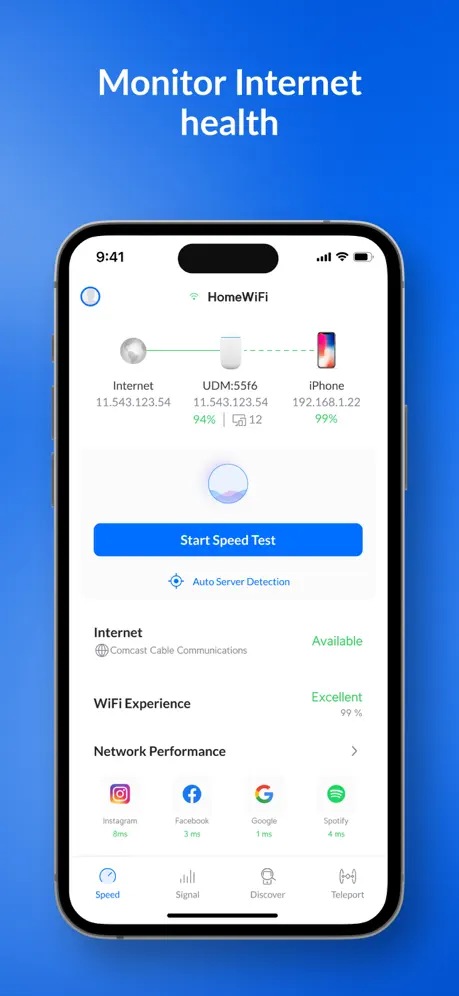
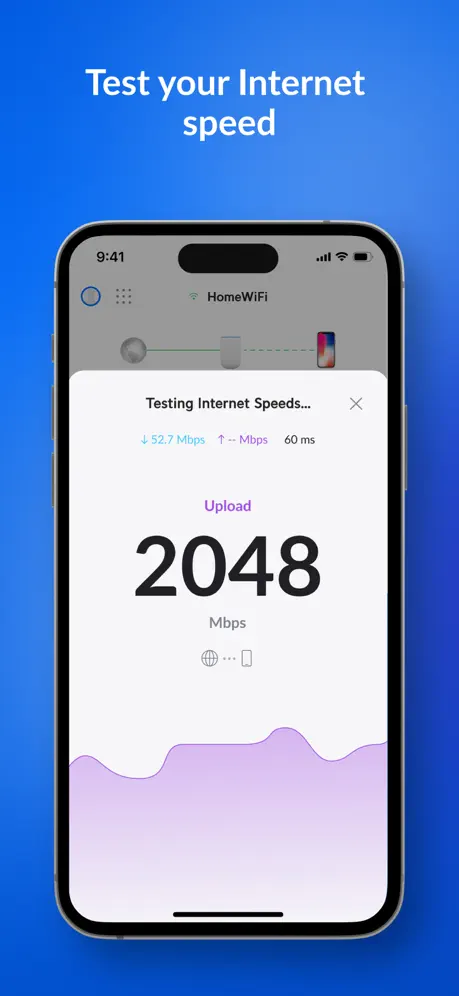
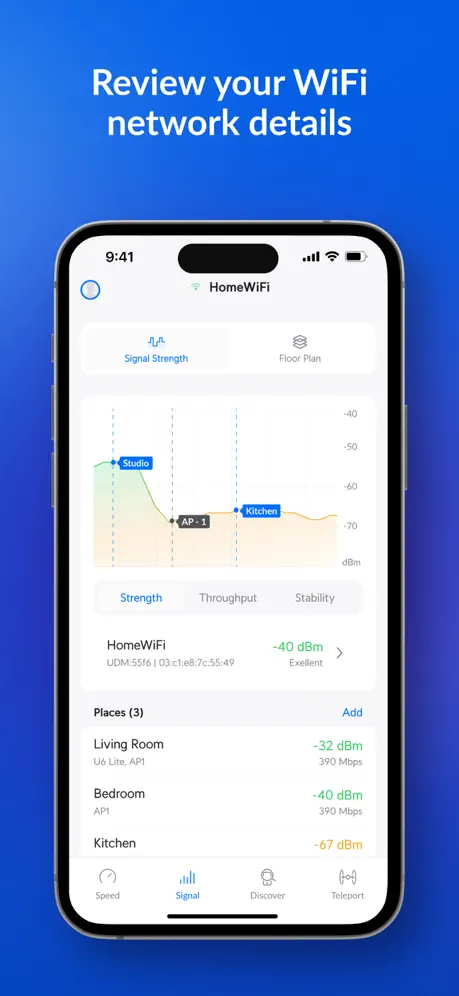
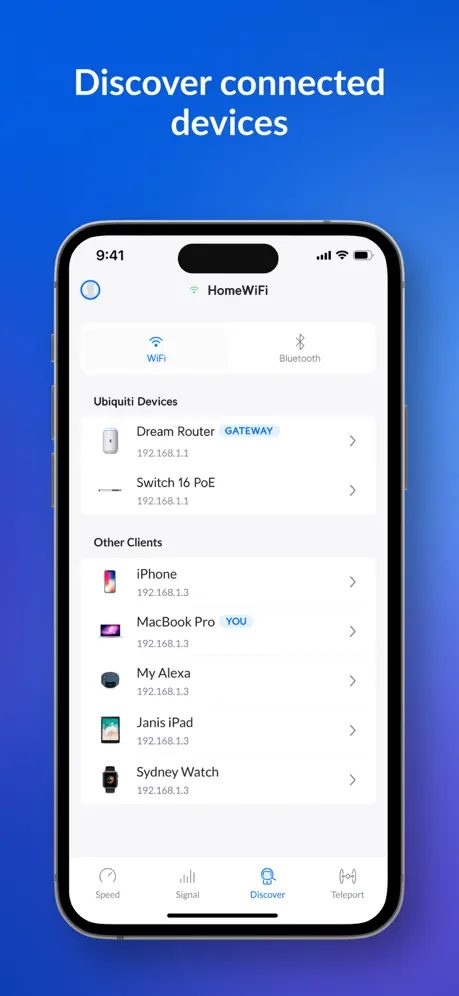
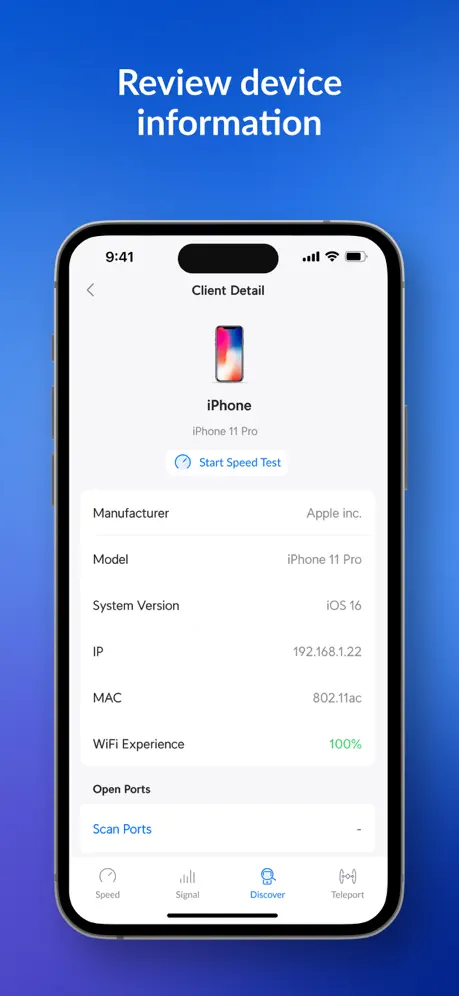
How much does Ubiquiti WiFiman cost?
Prices are current as of 12 Sept 2026.
Ubiquiti WiFiman has no in-app products on record in the United States.
10+ alternatives to Ubiquiti WiFiman
| Ubiquiti WiFiman | 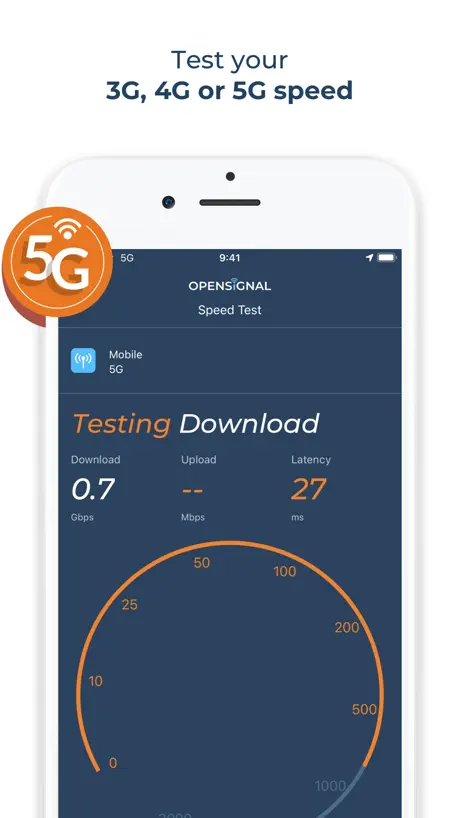  Opensignal Speed Test Ad Free Opensignal Speed Test Ad Free | 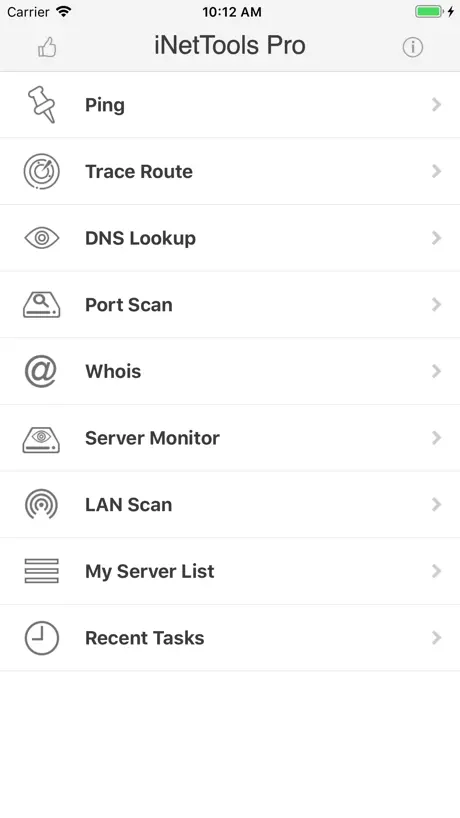  iNetTools - Ping,DNS,Port Scan iNetTools - Ping,DNS,Port Scan | 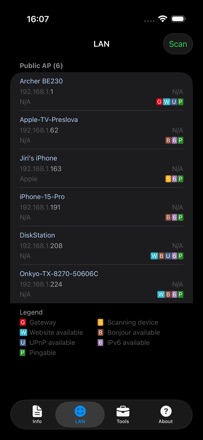  Network Analyzer: WiFi Scan Network Analyzer: WiFi Scan |   Anker Anker |   Wifi Signal Strength Analyzer Wifi Signal Strength Analyzer |   IP Scanner IP Scanner |   TP-Link Omada TP-Link Omada |   Ping - network utility Ping - network utility |   NetSpot WiFi Analyzer NetSpot WiFi Analyzer |   Wi-Fi Toolkit Wi-Fi Toolkit | |
|---|---|---|---|---|---|---|---|---|---|---|---|
| Rating / 5 | 4.8 | 4.5 | 4.7 | 4.6 | 4.5 | 4.1 | 4.7 | 4.6 | 4.5 | 3.8 | 3.8 |
| Reviews | 119K | 50K | 28K | 24K | 7.5K | 6.9K | 3.9K | 2.9K | 1.3K | 1.1K | 351 |
| Released | 2018 | 2013 | 2012 | 2012 | 2022 | 2019 | 2022 | 2018 | 2012 | 2020 | 2021 |
| Monthly price | — | — | — | — | — | $5.99 | — | — | — | $8.99 | — |
| One-time price | — | — | $4.99 | — | — | — | $19.99 | — | $0.99 | $6.99 | — |
The going rate for each plan in United States, in its own currency, shaded from the cheapest price on the row to the dearest. Plans fewer than four in ten of the priced apps sell are left out.
Ubiquiti WiFiman reviews
4.8 out of 5, based on 119,457 reviews.
What people like
- Completely free with no annoying ads
- Great for mapping weak WiFi spots
- Useful even if you have no UniFi gear
- Simple and fast to use quickly
What they complain about
- VPN drops after five minutes on iOS
- Speed tests often show wrong numbers
- App crashes constantly or won't open
- No always-on option for the VPN
Great diagnostic tool
Great way to see if my phone or the connection is the slow down.
Doesn’t do anything
Keeps saying to install Gateway Console or Wizard in order to do anything but there is no such thing I can find in the app or on the App Store so a completely pointless app
Excellent app
I see the difference after installing
Ok but lacks exact live spectrum view
Ok but lacks exact live spectrum view Just a basic end user tool
Teleport still not working
On EE in the UK or when roaming teleport rarely works even after latest update
Buen test de prueba
Calidad muy funcional
False Advertising
They make it seem as you can use the app to live monitor signal strength. I feel a little bit like I’ve been bait and switched. Need to have their equipment in order to do that.
Generally good, but AppleTV too?
I use this for a few things, but most frequently for enabling teleport. Oversight here is that there’s no way to use teleport on an AppleTV - which would be super useful for me. Other than that, pretty good, useful and stable app.
Overly complicated
All I wanted was a simple meter to check my WiFi signal strength around the house. This is simply too much. Uninstalled.
Overall good WiFi Speed Test App ( ALSO it works on my M1 Apple Silicon Mac ) 💯 Very Nice !
App does the job but not sure if it is Saving all of my History with clear ISP, IP, WiFi-Name SSID details… I really really want that across all of my devices save to (1) single login account so I can Review and Export my Test history across all networks. #Feature_Request #PLEASE #Ubiquity_Rocks !!!
Fantastic Debug App
This app is incredibly useful. I was setting up my new network and needed a tool that finds weak spots for me. This app does exactly that and also uses the phones lidar to map out a house and create a heat map. Works on debugging any network even if you don’t own Ubiquiti equipment! Excellent tool!
Map doesn’t work
For this version, on my iPhone 15 pro max, the map feature doesn’t colour depending on the WiFi strength. Not very helpful. It’s just gray scale so there’s no knowledge of WiFi strength.
شكرا
منتاز
Just okay
It works and has the features I’m looking for. But it’s not stable. Repeated disconnects.
No Control Center support for teleport
Very annoying without control center support
Very good tool
This tool is very good if you are already in the Ubiquiti ecosystem but is also useful even if you are not. It provides information about your currently connected network and can be used to help troubleshoot issues.
Disconnects
Donnybee’s review is exactly spot on. It is very annoying that I can connect with Teleport to my UDM but the connection breaks after about 5 minutes because of no background refresh in the iOS app. Other VPN apps can maintain a connection no problem including the basic official WireGuard app. So can Tailscale. Please fix this Ubiquiti!
Powerful and useful app
A very good app used for analyzing your network performance with tools tailored to Ubiquiti ecosystem.
Buggy buggy buggy
This app is very hit and miss, it seems like their QA needs some help. Trying to use on macOS it no longer works for me (and hasn’t for almost half a year), and given it’s the ONLY client they supply for their native VPN solution it’s pretty frustrating. I guess it’s time to stop trying to use their built-in offerings and setup Wireshark or some such. Every time I try to use this it lets me down, so it’s a BIG miss for my needs.
Ok
Speed test didn’t work very often, and when it did it was way off what other speed test (M-Lab, Ookla) came back with. You have to buy something in order to have wi fi scan. Also, probably too many features/over complexity for me. Signal analysis seemed to work well though.
Fantastic app
My go to app for Wi-Fi monitoring and maintenance
Only for 5-10 min sessions
This app and the entire Teleport function is being sold as a consistent VPN option with a zero-configuration. What they don’t tell you is that it’s only useful for quick sessions. Ubiquiti intentionally designed this app to not have any background app refresh options within iOS settings. They intentionally do not allow this app to refresh in the background. This means the app stops sending keepalive requests to the gateway and then the carrier NAT expires UDP mapping and the VPN tunnel silently collapses. I can re-connect to get Teleport working for another 5-10 minutes. But unless and until Ubiquiti updates this WiFiman app with iOS background app refresh ability, it’s effectively just a bite-size VPN. Great if you have a file you need to grab from you LAN, but not designed to let you stay on your UniFi network for any length of time beyond that. WiFiman is a fun app to play around with and test things but it’s actually pretty bad at VPN functions. Pretty disappointing because that’s what I need it for the most. 1-star because these other diagnostic features are cool, but since I needed a stable VPN and WiFiman/Teleport wouldn’t deliver, WiFiman does lose nearly all value it could’ve had in my life. Hey, Ubiquiti, want an easy 5-star app? Enable background app refresh on iOS. Imagine having a stable ongoing VPN that needed no configs and was entirely native. Now THAT would be cool. You could do it. But you didn’t. And that choice earned you 1-star. Because nothing is more upsetting than enabling a VPN and then looking at my phone 15-mins later and realizing my phone still thinks I’m connected but that all packets fail between the gateway and my client device because Ubiquiti designed their client VPN app to stall unless kept in the foreground. Pretty poor implementation of what could be a cool feature.
Works good
But unsure why they can include all the apps into s single app. I suppose I can understand why the protection app is separate. I love Ubiquity/Unify but we don’t need so many apps, just condense them all into one! My screen only has so much space.
mostly not useful
if you install the app across all your mobile devices, while also disconnecting them from your VPN connections and engaging location tracking all the while it may provide some useful info. i never bothered to make the effort. deleted 90 seconds after installed.
inaccurate speed test reports
inaccurate speed test, reports a 28mbps upload speed on a plan with a 20mbps upload speed where speedtest.net shows 19mbps
Good
Just real good
Confused. It didn't work for me
most of the features seem to be locked behind a paywall. Very disappointing, but not something I want to pay for.
Without a doubt
Quite accurate.
Woefully unreliable
Constant crashes, slow, buggy rubbish. Considering ditching and building own VPN tunnel.
WiFiman
Hi the WiFiman app crashing with in seconds of opening it is there any update
About this best there is
Light weight, fast , and does what it needs to do with no ads.
What is a WiFi man log in thing
When I try to scan nothing works and wants me to log in to something but makes no sense at all what that thing
No IPv6 or VLAN Support
Works, but can only see IPv4 addressing, not single IPv6 address being shown, nor does it shown vlan information
Useless tool and poor design
Can’t even not monitor local wifi which is the core products of Ubiquiti. A very poor design decision to not even have the service on the gateway. Ubiquiti used to be awesome and some change on the teams and decision have made this software and Unifi Controller going down every update which useless feature.
A speed check with No ascertaining
It a speed checking without the adverts
Flawless Execution of a Great Network Tool
Ubiquity networking brings a more secure network environment into your home or small business, so it should be no surprise they developed a great tool to monitor WiFi performance both in your own environment as well as while traveling. The app allows you to check for other devices that may have access to your data when surfing on public networks. Their Teleport application built into WiFi Man provides a secure VPN back to your home LAN. It allows a sense of security without the complications of developing policies to allow clients to connect. Well done!
End point annoyance
Since I am speed testing a network with a coworker it constantly is asking me to select an endpoint. It would be good if I could turn that off as I don’t use that and have never used it.
Simple VPN setup and useful features
Very simple at add VPN support to devices and a useful combination of other networking tools. And works well with my home being behind a CG-NAT connection. My one ask would be that support for tvOS gets added so that I can have my AppleTV device Teleport (VPN) back home and access my local NAS content
Ok testing app
Easy to use, and has some nice features like tracking performance history per wireless network, but performance metrics are in precise at best. The app tries to guess an appropriate server to use based on your geographic location but doesn’t always select the optimal one. Also the performance results vary widely between performance servers, some reporting 10x faster bandwidth (even when the servers are not in close geographic vicinity). Most metrics were significantly slower than benchmarks provided by similar apps from competitor like Ookla.
Incorrect upload speed & missing signal mapper button
1. Incorrect upload speed to gateway. Upload speed test to UDM-Pro always under 300Mbps, where iperf3 upload test is constantly showing over 600Mbps. Download speed test is showing similar result as iperf3. 2. I have UDM-Pro and U6-Pro. The “Start Signal Mapper” option has never showed up in the app (iPhone 12 Pro Max, iPad Pro M1 both running iOS 15.3.1). Wifiman option has already been toggled on in the UDM-Pro settings (toggle on/off makes no difference) WiFiman 0.16.0 UDM-Pro 1.11.0 Unifi Network 7.0.22 Gateway address 10.0.0.1
Fantastic Diagnostic Tool
WiFiman has quickly become my app and site of choice for speed test and network diagnostics at home and at work as an IT professional. Great UI, helpful information, and no ads make this a top tier app.
Horrendous M1 Mac Performance
Teleport is great feature, except it’s something that needs to just work, when you need it. The app is horrendous on MacOS, constantly needing to be reinstalled, crashing, force closing and not opening correctly.
Widget unable to load
Used to work well, but since upgrading to iPadOS 17.2 on my 2018 iPad Pro the widget is "unable to load"
Where’s the Floor Plan Signal Mapper??
The mapper feature is listed in the app description, but it’s nowhere to be found. And this app is Stupid!! I have a number of UniFi devices ( 2 APs and a switch) but the app doesn’t identify them. How can it not know about Ubiquity products??
Some parts need fixing
Tried doing a speed test multiple times on a 500/500 fiber connection. Nothing happened simply a black screen. Shut app down same thing. Tried it once more and it started working. Next was the discovery page. It says it found 5 devices yet it does not display any info re these devices.
Amazing app
Great app to pair with UniFi eco system! Very informative and agreed to to help diagnose a problem
Speed test servers not fast enough
When I run speed tests in WiFi man the upload and download titles are back to front. The servers used don’t have sufficient bandwidth to handle 1.2gb connections, my speedtest come back as 100mbps when nPerf accurately reports 900+mbps on WiFi. VPN works well! Easy to set up and use.
Teleport VPN
Great App however one star missing for no ‘always on’ option for the teleport VPN. Please add this functionality, I want the VPN to automatically come on when not connected to Wi-Fi. Thanks.
Latest version breaks many features.
I no longer see the chain of connection. It shows iPhone directly connected to incorrectly-named Dream Machine Pro. WiFi scanner is no longer available. AR mapping also missing. This seems like a test build was accidentally pushed into production.
Where has the long results section gone ??
In latest version ? The single most useful part of this app was that
Ubiquiti WiFiman FAQ
- Is Ubiquiti WiFiman free?
- Yes. The app is free, in all 174 countries it sells in, and it sells nothing inside it.
- Does Ubiquiti WiFiman have a free trial?
- No. None of its offers (US) come with a free trial.
- What are the best alternatives to Ubiquiti WiFiman?
- Opensignal Speed Test Ad Free (4.5 from 49,894 reviews), iNetTools - Ping,DNS,Port Scan (4.7 from 28,477 reviews, premium from $4.99) and Network Analyzer: WiFi Scan (4.6 from 24,194 reviews).
Ubiquiti WiFiman download
Last updated 2 months ago.
Ubiquiti WiFiman sells in 174 countries. It was released 8 years and 2 months ago, on 4 Aug 2018. It holds a 4.8 rating from 119,457 reviews.
Supports 10 languages: English, Arabic, Czech, German, Japanese, Korean, Portuguese, Russian, Chinese, Spanish.
How much does Ubiquiti WiFiman make?
Third-party estimates for the last 30 days, worldwide — not the store's own figures, which Apple publishes for nobody.