
TP-Link Omada
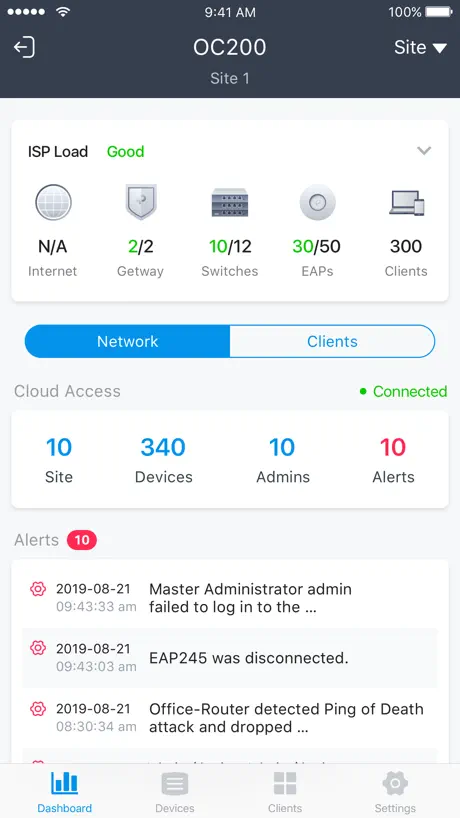
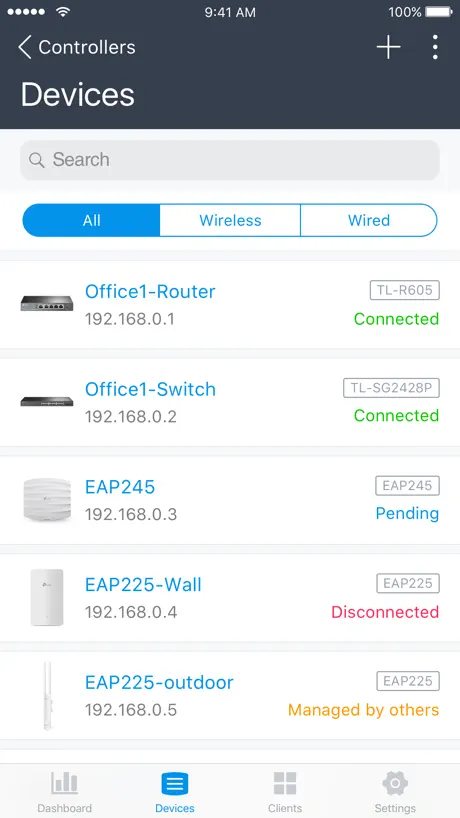
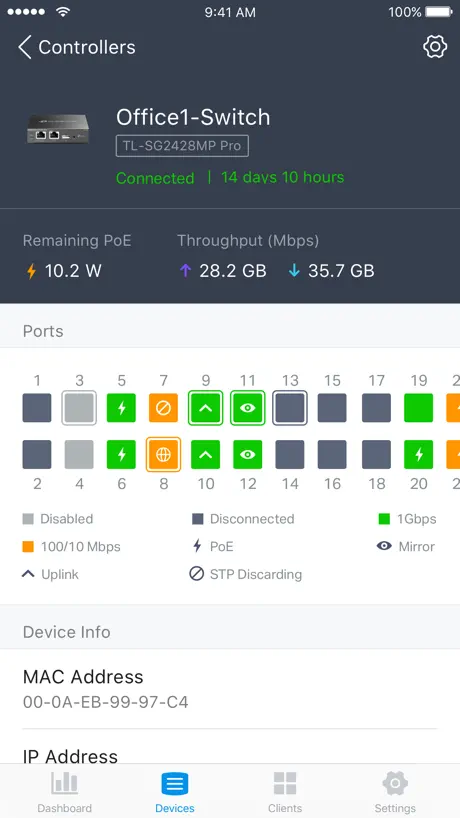
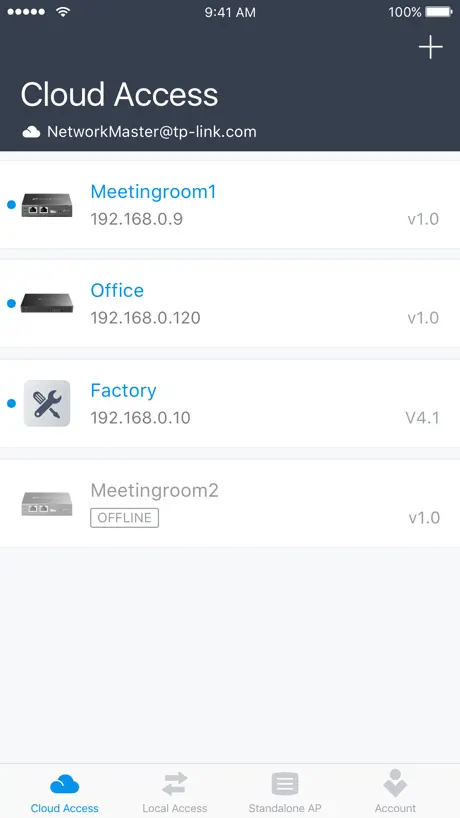
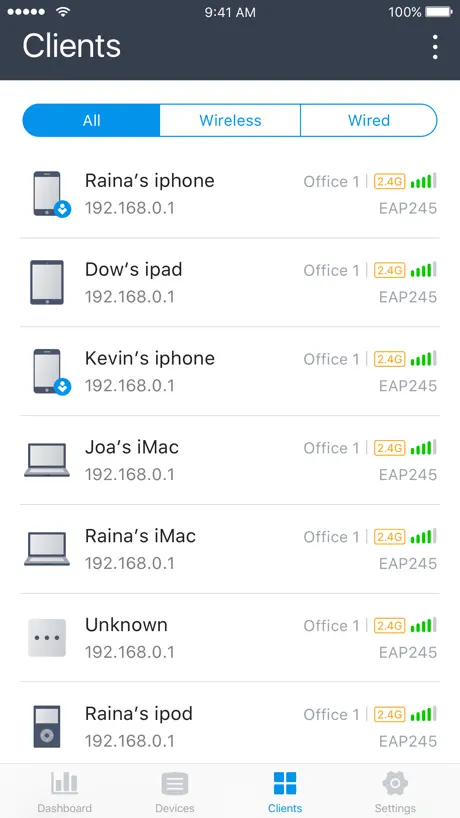
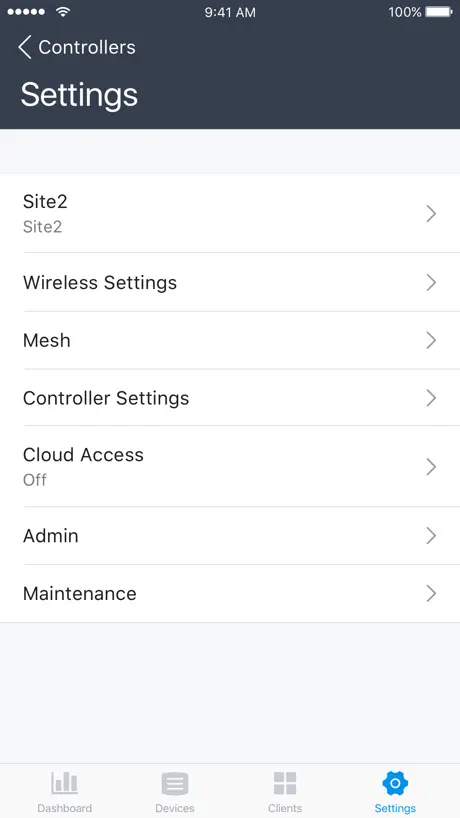
How much does TP-Link Omada cost?
Prices are current as of 7 Nov 2026.
TP-Link Omada has no in-app products on record in the United States.
10+ alternatives to TP-Link Omada
| TP-Link Omada | 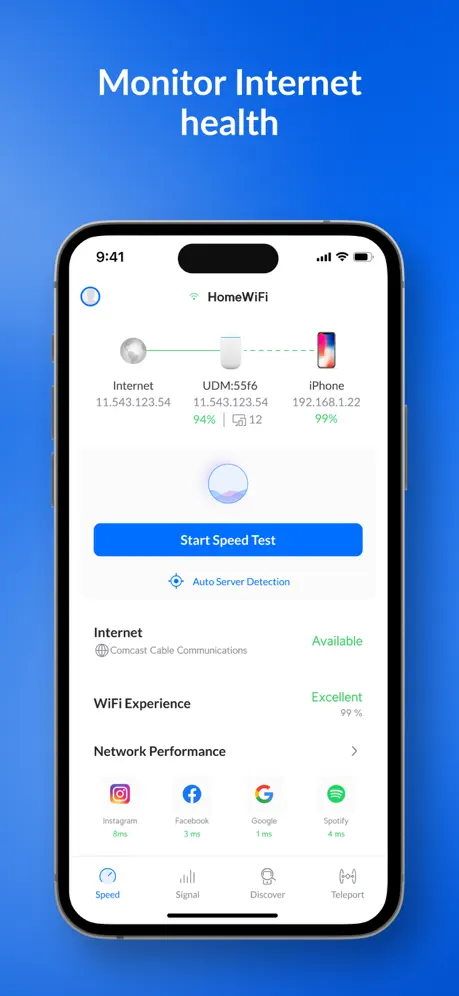  Ubiquiti WiFiman | 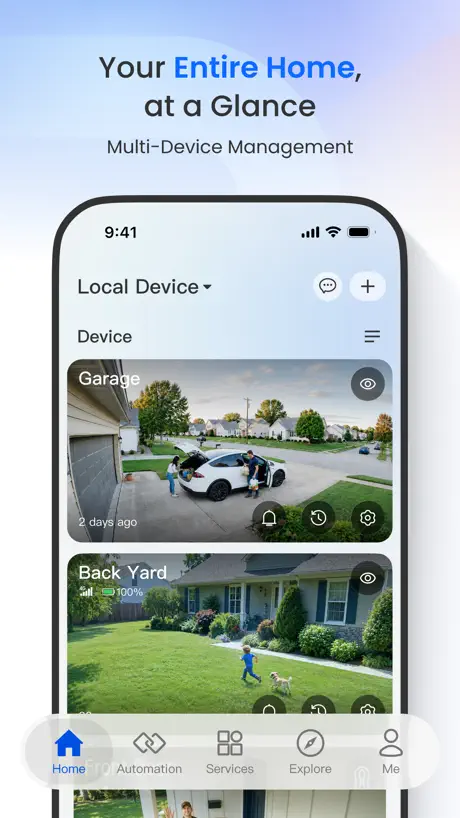  Reolink |   Network Analyzer: WiFi Scan |   Ruijie Reyee |   IP Scanner |   MikroTik |   Ping - network utility |   NetSpot WiFi Analyzer |   RustDesk Remote Desktop |   UniFi Connect | |
|---|---|---|---|---|---|---|---|---|---|---|---|
| Rating / 5 | 4.6 | 4.8 | 4.2 | 4.6 | 4.8 | 4.7 | 3.9 | 4.5 | 3.8 | 4.3 | 4.2 |
| Reviews | 3.3K | 123K | 37K | 25K | 8K | 3.9K | 2.3K | 1.3K | 1.2K | 515 | 31 |
| Released | 2018 | 2018 | 2015 | 2012 | 2018 | 2022 | 2019 | 2012 | 2020 | 2021 | 2023 |
| One-time price | — | — | — | — | — | $19.99 | — | $0.99 | $6.99 | — | — |
The going rate for each plan in United States, in its own currency, shaded from the cheapest price on the row to the dearest. Plans fewer than four in ten of the priced apps sell are left out.
TP-Link Omada reviews
4.6 out of 5, based on 3,313 reviews.
What people like
- Setup is fast and easy for beginners.
- Support team is helpful and responsive.
- Clean interface that is simple to use.
What they complain about
- App is slow and crashes often.
- Missing advanced features found on web version.
- Updates sometimes break connectivity or lock you out.
Easy Peasy
Literally from plugging in to getting it online and set up it took maybe five minutes. It’s been a great experience so far super easy to use great interface very reliable.
Great way to waste an evening.
Dont buy any of these devices. Defective, time wasters. Thanks tp link
Good Networking Tool
Very user friendly and very detailed.
Won’t launch on iPad
Works well on iPhone but crashes on launch for me on iPad - consistently.
Was soll man mit Der App tun können?
Bis auf Anmelden und das Anzeigen einer Seite mit Standort Verwaltung, geht nichts weiter. Man kann weder etwas auswählen, noch bestätigen, außer die App wieder schließen. Hatte mir mehr erhofft.
Love it
Super easy to meet my needs
Horrible
Whatever happened in the last update, I can no longer manage devices. I just get a spinning sprint image. The app is terribly slow.
Could be…
This could be a 5 star rating. The app itself I’d amazing! Lots going on! I gave it a 4 for the same reason! There’s a lot going on! Loving it though! Keep Moving Forward!
Can’t update firmware from app
Wish they would fix that.
Stopped working
Error message says “incompatable organization “. No one at support seems to know what it means?
Nice support
Very helpful
No longer works
Worked great until recently and now I cannot load my system because I get “incompatible organization” errors. Can’t figure out how to fix them and the app is updated.
Cracking app…
The app has always been fantastic and an easy way to manage my devices. Recent updates of the app has meant I have lost access to the AP’s and need to spend an unnecessary amount of time researching how to get them connected again. It should be seamless and if there are changes, this should be highlighted during the app update to ensure the customer’s network remains accessible.
Cannot reboot devices
Can’t find a way to reboot from the app 😢
Changing primary WAN
No way to change primary WAN (ISP currently connected to) from within the app.
Excelente App
La app está muy bien integrada con los equipos , para la configuración básica excelente en un ambiente gráfico muy amable
Constant 2FA prompts are annoying!
Every time I launch the app I’m prompted for my 2FA code. This wouldn’t be so bad if the 2FA field allowed you to use your password manager (eg 1Password) to autofill the code. But the field requires you to either type or manually paste the code yourself, and to make things worse, there’s no “submit” button. You have to tap away from the 2FA code field to slide the field entry label down in order to reveal the submit button. The app should be redesigned to allow you to use FaceID to authenticate after submitting a valid 2FA code. Right now it’s super annoying to launch the app just for basic usage.
Good basics but lacking features
Needs more wlan management features, but good at what it does. Clean and easy to use. For example, no way to enable or disable a wlan.
Too slow
Every single action is slow. Log in, enter site, client list. Just too slow to function. Even with brand new phone and on fast wifi. App is SLOW.
Great app, but…
It’s missing a ton of advanced config features. I have to go on the clunky and difficult to use admin portal. Please add features like batch config for devices, advanced settings (site and device settings).
Completely Functional
I transitioned to Omada after using a different vendor and have found their products to be affordable and work out of the box. I started with the OC200 Controller, ER605 Router, 8 Port POE switch, and EA610 AP. It has worked flawlessly for 2 years and probably due for a review based on my experience. I use this app on my Ipad and it is nearly identical to the version on my Android phone. While it does not have the depth of the web UI it is quite good for common trouble shooting. I have since moved from the OC200 (slow but probably good for just a couple of access points) and moved to a VM hosted controller - added more switches and access points. Set up vlans for Iot and cameras all from my Ipad - totally usable.
Very Good - But enhancement
Please store my display and sorting options for clients and devices, or allow my to set the default for display and sorting options.
Works good but could use more info
I like how the information is laid out. But definitely would like to see more instead of logging into the web based controller each time. Also would like to choose custom icons to better organize the device list.
Doesn’t work on cellular / mobile data
Can no longer lock clients to AP’s with the app, nor unblock them either- have to use the web client to do both those things. Also the app does not connect to the cloud controller when on cellular / mobile data. Just says “no internet connection “ despite there being a strong 5G one. Have to use WiFi to connect and administer the cloud controller, which is assuming your WiFi (which the cloud controller manages) is working and you’re not away from the premises.
Decent, but buggy
Interface is easy to use and manage my devices, but the app drops connection to my local controller a lot and always needs to reconnect. Can be frustrating to use and I need to switch over to the full web interface for most features.
Easy Peasy
This was my first network build and it was fantastic. I hit a few bumps but it’s all done. I have 2 switches a controller and two AP points all from Omada and I love it. Thanks
No Privacy
Requires your location or refuses to load… to set up a WiFi router on your local network? Pretty clearly they are selling your personal data, even if it’s been “anonymized” it’s enough to identify you through a data broker.
Omada is great. App could improve a bit.
I get that the Cloud is “the” main source for controlling our Omada networks but considering Apps are a primary go-to (and much quicker) for most people, I’d like to see some more functionality in the App. Port management / forwarding, and client-specific configuration settings (vpn, assign to AP, etc) would be nice. Bigger issue is Omada’s feature to force a client to an AP doesn’t work at all (yet), even though the cloud lets you do so, and this makes you think it works. I’d also like see better reporting capabilities on internet bandwidth usage by client. You can kinda do it, but it’s not as easy as selecting a date range and sorting all clients by downloads or uploads, and I can’t tell if that’s just internet or if it includes internal traffic (which I’m not concerned about as much). All that said TP Link does great work, and updates/improves their firmware continually which is Excellent. The Omada system offers something nobody else does for a small/mid business in a way that is scalable (costs and technical skill dependent). Keep it up!
Painful
I was expecting so much more from an enterprise level manager. I’m going to delete the app and just use the IP address web interface for the router - at least in there it’s intuitive and informative. 2-stars because it at least works.. but way too painful to use.
Good, continuing to improve
TP-Link continues to improve their product. This review is based on v4.16.24. Convenient new features are released with corresponding controller updates, but some issues persist. Dark mode finally added. Bugs/Issues Include: Not able to set wireless network security to PPSK or modify PPSK profiles. • When creating a wireless network, unable to select “WPA 2 Only” encryption - must select “WPA/WPA2” which is less secure or “WPA2/WPA3-SAE” which some clients don’t support. • List of wireless clients no longer shows which EAP each client is connected to. This is a step backwards! • Client history only includes time and duration - no longer includes dates. This is a step backwards!
Omada products are fantastic and user friendly
Great products
Useless app
Even though my iphone is connected to the omada’s wifi ssid, the app says no omada devices found on the LAN. The access point works excellent but this software fails to be usefull
Feature request
Handy app. Would be nice to see wireless device signal strength expressed as dBm, not just yellow/green five bars graphic.
No way to clear all logs
One thing that’s really annoying is the lack of ability to clear all logs without manually selecting each one. I get thousands of log entries and if I want to clear them, I’d literally have to checkmark each one of them. Please add a ‘Clear all’ function.
Too many steps
The app used to be slightly better in a sense that when you used to only have open your controller. Now I have to select the controller, then select what site… I only have one network so it’s always ‘default’ for me, why can’t it automatically open this network for me? Annoying. Also if I leave the app for more than a couple of seconds it takes me all the way back to the start. Again, annoying.
New setup
Help has been amazing every time
Unusable
The latest update came with los of flaws
Not bad
Was pretty easy to set up and navigate first try. My tablets are wall mounted landscape and the app only displays portrait
Features NOT available
Hey 👋 I am using apple and hardware controller. I do not see most of the features highlighted here. Like, no statistics page, no access to manage VPN from mobile etc. What is wrong?
Very basic, doesn’t even work in landscape
I’ve recently swapped from Unifi to Omada and was hoping that this app would be as good as the unifi one. It seems it isn’t and won’t even work in landscape mode which is a pain when using a docked ipad. This needs a little more development still to include more of the features of the web portal.
WIFI
Everything is working well, keep it the same way.
Terrible app
To link EAP610 is terrible. Info on set up and troubleshooting info are not consolidated on website. Any so called help on loving in does not work . When trying to sign it keeps saying can’t find server. Very frustrating and time consuming. Even tech help was fruitless. Doing a Google search takes me to TP to fine my unit and the eap 610 isn’t even listed.
Good app
Good app for basic network monitoring and configuration. Would be great if it could remember which tab you use (cloud vs local access) and not always reset back to cloud access when a user opens the app
Buyer Beware
This app is far from able to setup and control the tp-link network devices. For example I just spent two weeks going back and forth woth to-link support trying to setup VLAN on an SG2008 V3 switch. After hours and many emails, their support person suggested I use a browser to log into the SG2008 directly. Then I could set up the VLAN. I just re read the tp-link description provided here on the App Store. No where does it state that is for only minor setup as their support person stated. Shame on tp-link. So much for commercial quality products. Doesn’t their marketing department realize that having a poor performing app is going to lead to much discontent among its customer base?
No longer safe to use....
It makes unneccessary changes to wireless network settings, like disabling mac filtering and wlan schedule after changes are saved on wireless networks from the app. Uninstalling for now to not accidentally mess with my settings.
Custom Electronics Tech
Easy Reliable Diverse …. I have done a CI (custom integration technician) for over 35 years. This is by far the most reliable, easy to use and diverse product in the Wi-Fi community and unlike ubiquity you can actually speak to a human being if you ever happen to need TECH Support
Firmware Update
The update caused the owner not to be able to do anything in the app even on the web based site it has locked the owners out.
Great app
But please add landscape support on iPad! Also secure Face ID Login.
Limited functionality and NO LANDSCAPE mode!
This app has so many potentials but has very limited functionality vs the Web version. Also it is missing LANDSCAPE MODE for iPad. Although it has limited functionalities, by adding a LANDSCAPE MODE I will give it more starts
Nice app!
Good for monitoring access point. Will rate 5 stars if developers add voucher creation and monitoring.
TP-Link Omada FAQ
- Is TP-Link Omada free?
- Yes. The app is free, in all 174 countries it sells in, and it sells nothing inside it.
- Does TP-Link Omada have a free trial?
- No. None of its offers (US) come with a free trial.
- What are the best alternatives to TP-Link Omada?
- Ubiquiti WiFiman (4.8 from 122,544 reviews), Reolink (4.2 from 37,444 reviews) and Network Analyzer: WiFi Scan (4.6 from 24,663 reviews).
TP-Link Omada download
Last updated 23 days ago.
TP-Link Omada sells in 174 countries. It was released 8 years and 5 months ago, on 22 May 2018. It holds a 4.6 rating from 3,313 reviews.
Supports 23 languages: English, Arabic, Bulgarian, Czech, Dutch, French, German, Hebrew, Hungarian, Italian, Japanese, Korean, Polish, Portuguese, Romanian, Russian, Serbian, Slovak, Spanish, Chinese, Turkish, Ukrainian, Vietnamese.
How much does TP-Link Omada make?
Third-party estimates for the last 30 days, worldwide — not the store's own figures, which Apple publishes for nobody.