
Reolink
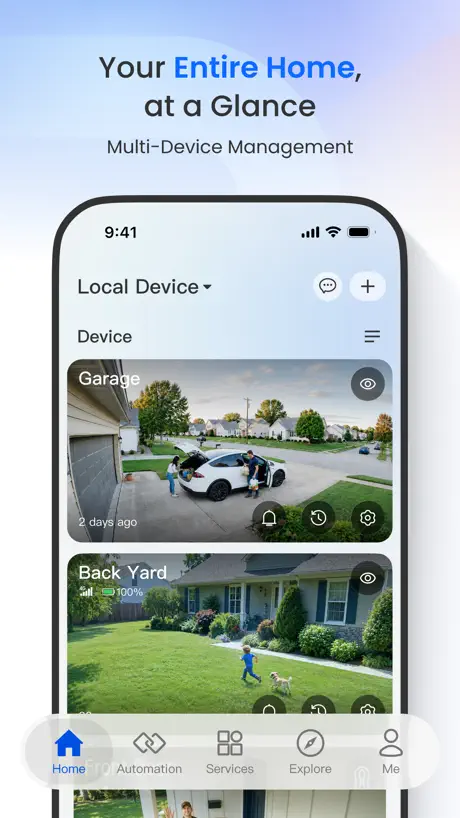
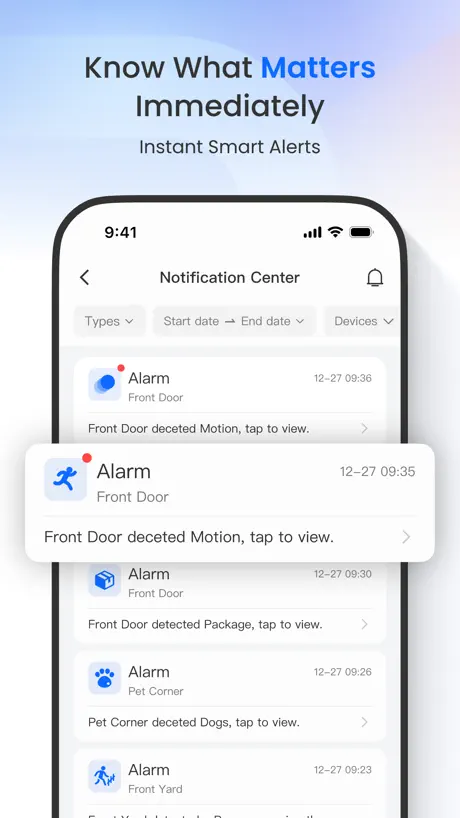
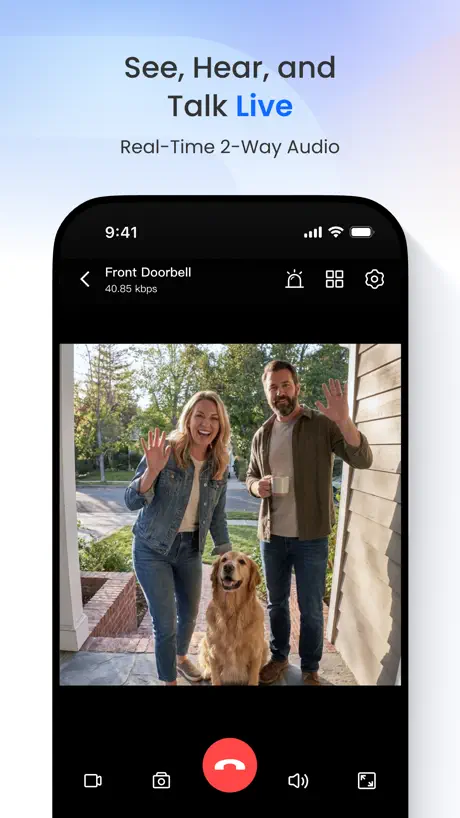
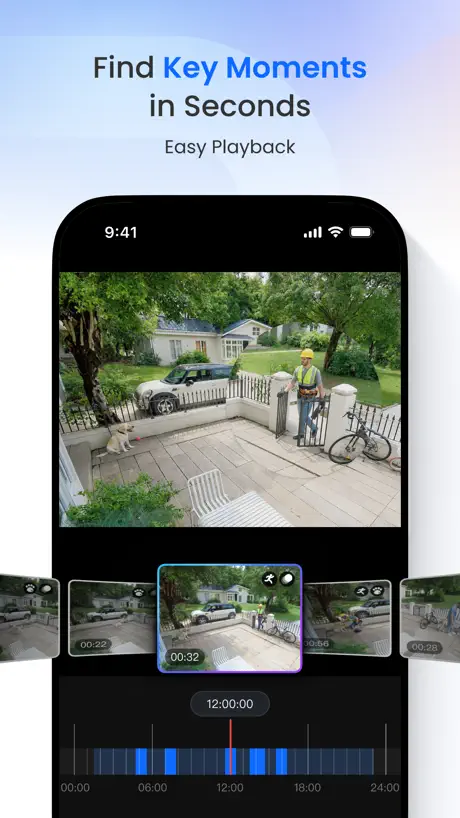
How much does Reolink cost?
Prices are current as of 8 Nov 2026.
Reolink has no in-app products on record in the United States.
10+ alternatives to Reolink
| Reolink |   NETGEAR Orbi - WiFi System App |   Ubiquiti WiFiman |   Rain Bird |   Mobile Link for Generators |   Anker Power |   My Leviton |   Security Camera App - CamScan | 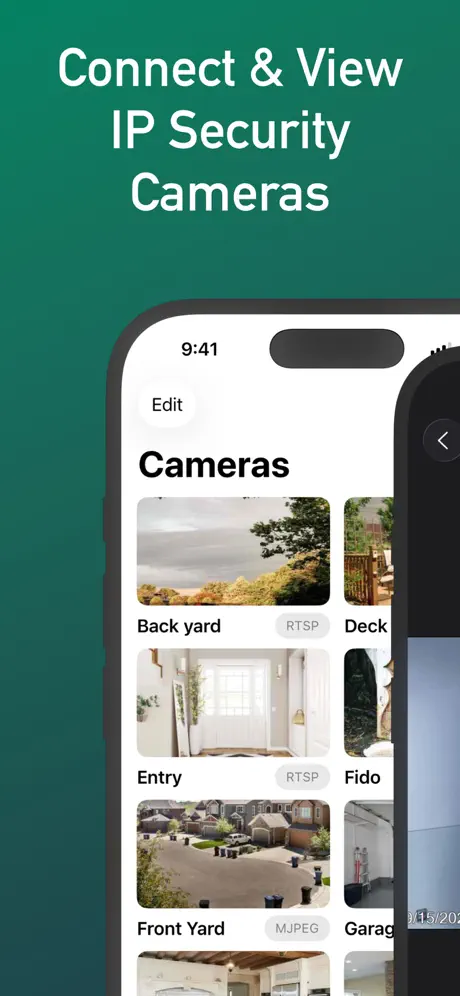  IP Camera Viewer - IPCams | 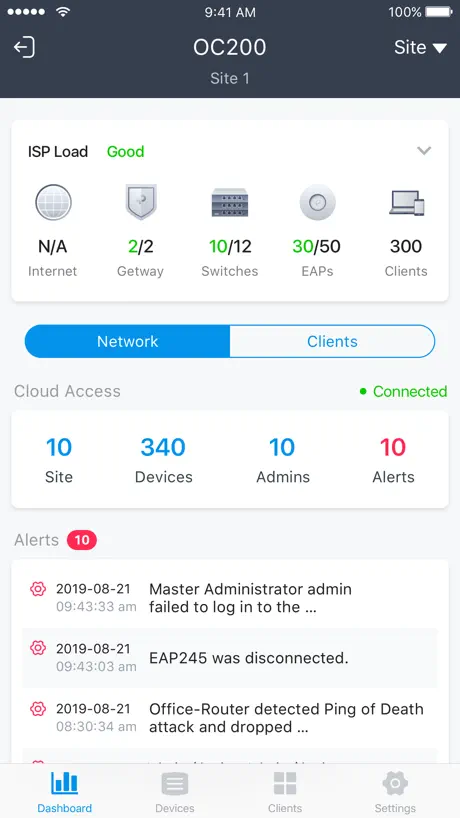  TP-Link Omada |   Sup-Anesok | |
|---|---|---|---|---|---|---|---|---|---|---|---|
| Rating / 5 | 4.2 | 4.7 | 4.8 | 4.7 | 4.8 | 4.5 | 4.5 | 4.2 | 4.2 | 4.6 | 2.6 |
| Reviews | 37K | 520K | 123K | 100K | 98K | 9.2K | 7.4K | 4.8K | 4.6K | 3.3K | 413 |
| Released | 2015 | 2016 | 2018 | 2016 | 2014 | 2022 | 2017 | 2024 | 2015 | 2018 | 2022 |
| Monthly price | — | — | — | — | $7.49 | — | — | — | $4.99 | — | — |
| Annual price | — | — | — | — | $74.99 | — | — | $29.99 | $59.99 | — | — |
| One-time price | — | — | — | — | — | — | — | $39.99 | $149.99 | — | — |
The going rate for each plan in United States, in its own currency, shaded from the cheapest price on the row to the dearest. Plans fewer than four in ten of the priced apps sell are left out.
Reolink reviews
4.2 out of 5, based on 37,444 reviews.
What people like
- Video quality is very nice
- Smart detection for people and cars works well
- Setup is quick and easy
- Customer support team is helpful
What they complain about
- Updates break camera connections
- Playback features get worse after updates
- Settings removed from easy home screen
- iPad layout is messy and unused
Reolink Utilities V4.63.3
This version was just released September 2026 and has updated and vastly improved the previous available 2019 “Client” version 3.5.6. It is now available for both OS and iOS devices.
Camera doesn’t load
My camera aren’t loading. It keeps saying the device is disconnected but it is connected, on and connected to the wifi
Both Amazing and Persnickety
Inexpensive beginner unit which touts several quality features. Activation, setup and mounting are a breeze. But you don’t know what its going to do; temperamental support techs…they are more interested in your id# and order# than your problem. I had to update app because it stopped working suddenly. New layout design with no instructs on new icons. Nighttime color is awesome. It sees through the dark. Outside its dark to naked eye. But on camera its photo/videos for easy clips with color and distance clarity; cars in 30+moh motion won’t be anything helpful… bc blur-streaks. But overall to get the quality it produces you’d need a tripod with long exposure shutter of 15+ seconds. Two non-wifi 4G LTE Cellular models have a bit of lag occasionally but it’s not terrible. You have to pay separately for data usage but can mount anywhere you want it. Access cameras ALL from one app with internet access smartphones. Cost is reasonable and you can find cellular data deals.
App
The app is always lagging
2026 update: they broke it Motion filter updates made this worse
2026 Oct review: Recent update disabled Smart detection controls for my cameras entirely. They’ve ruined my hardware investment with the software update. WTF. Old review: The new version of the app that filters playback motion by type has made this so much less usable. First, now I have to check boxes and then hit OK in order to filter, whereas I could simply tap the icons and it automatically filtered in the old version. Two steps note when it used to be one. Then the worst part is that in the old version when I had filtered to just people or vehicles I could quickly find an event, but then while reviewing just the short clip of the event could unfiltere while watching the video and it would take me to the larger 30 min clip. The motion detection isn’t perfect and so often it would cut an event off before it actually completed and I will need to see a bit before or after the motion capture event. And again, this new version makes that much more difficult. As now. I need to completely remove the filter and then go find the event again by time. This is a great example of a programmer or designer not actually using the app that they’re developing and reducing usability in favor of a change that perhaps looks nicer, but is way less functional. Please revert to the old filtering method or revise the new filtering method to allow to get back to the long 30 minute clip when unfiltered automatically.
More Notification Sounds
Overall a sound app and range of products. Just one gripe, please add more Doorbell notification sounds for the iPhone, a basic doorbell (Ding-Dong) sound would be a nice notification sound. Thanks
DO NOT UPDATE
The most recent updates have catastrophically failed and you can no longer view the cameras live. I may have to switch to a different company now. I have recommended this camera to many clients but will have to look elsewhere.
Good app but no horizontal viewing on iPad
Would be nice if I could view horizontal on the Home Screen not just when viewing a camera.
Recent updates
The last few updates have been poorly devised. And now with the latest one, if you're using an ipad you cannot access the playback anymore. You have to turn the iPad to a vertical position to access it. Really? This app was working well and easy to navigate. Now it's clunky and not user friendly. Sometimes it's best to leave things alone.
Needs some work
I just added a Reolink Wifi doorbell to a Reolink camera system and there is one unacceptable limitation in the app. When someone presses the button on the doorbell it initiates a video call to your phone, which is great if you want to talk to that person. The problem is that the only option on the phone is to swipe to accept/answer the video call, but there is no option to decline/dismiss it. You are forced to listen to the doorbell chime playing for 20 seconds or so with no way to stop it, regardless of what you were in the middle of when the doorbell button was pressed.
Dramatically improved UI
Overall I love the Reolink system and have an NVR with multiple cameras but I always really disliked the app - particularly the UI for viewing historical videos. They used to have this weirdly bifurcated experience of seeing live view or historical playback and the latter was segmented by the video chunking settings. It was clunky and downright painful to use. Version 4.63 completely overhauled this and made playback and scrubbing a breeze. It’s now finally well-designed and totally intuitive. This single update turned what was previously a 2 star app into a 5 star one. Well done.
Bad update
After updating all cameras are undetectable.
Lost a good playback feature
Last app update in September destroyed a good playback feature. Gone are the quick timeline clips that highlighted what motions caused the recording. Now a pinch zoom timeline so no indication of trigger motion until you zoom too far up to make it worthwhile. Bring back the other playback please !!!
Marginal, then latest update broke shortcuts
The Reolink app lets you manage NVRs and cameras. I have several Reolink NVRs and quite a few cameras. I like that the platform lets you manage alerts for people, animals and cars separately with a number of adjustments. In theory it’s a good app and most of the time it worked, with occasional rough usability spots. One gap it always had vs other platforms is very bad ability to temporarily turn off alerts. You had to use shortcuts. This sort of worked, though another gap was always that you could not activate a shortcut temporarily and have alerting revert to what you normally want. Still, you had to invoke a shortcut to stop push alerts, say, and then a different one to start them again. Useful for meetings, church etc. The latest app update seems to have completely broken shortcuts. Mine no longer work, no matter what I have tried. Remove and reinstall app and recreate shortcuts, fail. Install app on a different device, fail. The software side of Reolink, whether this convenience-fail app or their NVR platform which differs between web and direct access via keyboard, is far behind their hardware side. I used to manage my Reolink cameras via BlueIris and went to Reolink NVRs and app because of the human/animal/car granularity, but it’s time to go back to BlueIris with an external AI server for human/animal/car. BlueIris never gave all these convenience irritations, it just worked. Wish the Reolink software just worked.
Good Camera but.
The camera has worked well, having said that after recent updates to the app connection issues have become a problem. On average it now takes 3-4 tries to link to the cameras live feed, whereas it used to connect straight away.
Playback Update
This latest update (Sep ‘26 I think) has completely revamped our interface with playback. The old way was clunky and frustrating. The new interface is nothing short of spectacular. So quick and easy to get to the exact time you want to review. Skip forward and back with a simple swipe. Intuitive controls. Very thankful for this long needed update.
Recent update causing issues.
We have 10+ cameras. With the latest update, every few hours, the camera order gets scrambled and of all the cameras default back to low/fluent stream quality. I’ve set the “channel list” in the NVR settings to an order that makes sense when viewing the live view of all cameras simultaneously. Every few hours, the order gets reset to the default channel numbering, which scrambles the order of the cameras. Additionally, I have it set up where the “high/clear” streaming quality is the default, but that also gets reset to “low/fluent” every few hours. These cameras have worked flawlessly for the last nine months that I’ve had them, this is the first time that I’ve had an issue with the app.
Don’t update
App was great at the beginning,but every update seems to cause problems,
New upgrade is not user-friendly
New upgrade is not user-friendly, the playback is very frustrating
What Happened
Quit working 🥲 Ding ding ding ..won’t connect to wifi !!
Not connecting on cell connection.
The app does not work, iPhone 18 Pro Max on cell connection only on Wi-Fi on my older phone. I had the iPhone 16 Pro Max. I had no issues.
As of 10/3/2026 new version wipes all saved data
Big mistake updating to the latest new version functionality is the same but this version wipes months of saved data on the chip on three out of five cameras that was there 10 minutes before I updated
Pretty good app
The app is good and generally connects well. Occasionally it won't connect for no apparent reason, but only occasionally. Latest update has removed the button on the Home Screen to toggle on and off motion detection for each camera. Now you have to go to the settings for each individual camera, wait for the screen to load and then change the switch. Please bring back the button on the Home Screen!
iPad app
Please fix your app for use on an iPad in landscape mode. It’s a complete mess. I’m using an Omvi 3i.
No notifications at latest update
I didn't understand why my notifications weren't coming through all the sudden. I have my iPhone notifications on for Reolink App set to allow. I had to uninstall, then reinstall the app. Additionally, the Reolink app itself has multiple settings screens. If you're looking at the "Local Devices" screen on the app, there several different gear icons. You need to click the one for the NVR itself to enable push notifications. It would be better if users could access all their settings in one place rather than have to go to several different screens.
Great Security Cameras
I had several different brands of Security Cameras. Reolink so far out performs in their Cameras and their App. Would be nice to broadcast to our television sets!!!! Still interested in broadcasting to a TV!!!!
Update screwed up my system
Ever since the recent update all my cameras won’t connect to my NVR. I’ve tried multiple things and I can’t get it to reconnect. The last thing I want to do is have to go and reset up my entire system over a stupid update.
TrackMix Can’t Zoom
Latest update no longer shows zoom control for my TrackMix cameras. Otherwise nice app. Please fix this bug.
Not better
Unfortunately the latest is not the greatest. It seems as though developers just can’t leave things alone. The app worked quite well but now the added bells and whistles make it more time consuming to switch to a different camera and connectivity is quite lagging.
Poe camera extremely slow. WiFi cameras are good overall decent.
I have the 1tb nvr and four POE 4k cameras wire directly to it.(over 3 years)I also have five indoor Wi-Fi. Camera cameras.. on the IOS app the WiFi cameras load very quickly. The. POE camera that are wired to the nvr are quite slow to “load stream” Sometimes 15-30 seconds. Not sure if this is an app issue. But I would think that being hardwired would be quite fast instead vs Wi-Fi.
Good value
Now purchased three of these. Front of house that gives a full wide angle view of house and garden one for back garden that are solar powered. And a plug in for the boat. All different but all doing what they are meant to do. Highly recommend.
Doesn’t connect
What’s the point of having a security system if you can’t connect to it and remotely view the cameras? Works maybe 1/10 times and never after I initially connect and then try to again. Would not recommend this security system. Basically pointless except to review camera footage on the monitor the system is connected to
Good cameras good app
The cameras and the app are good, but after a recent update to the app, the ability to turn the PIR on and off from the Home interface has been removed. Please bring it back!
Latest update issue
The button on the top left of the screen to minimise the view to access another camera no longer works since latest update. Using IPad 17.6.1
Still no support for landscape mode on iPads
Most of the app is good. Just the annoying landscape/portrait madness. Half the program works in landscape and half not. Please fix this.
Nice job
Very nice quality video and great picture
Horrible…
*DO NOT UPDATE* my cameras were operating smoothly as was the app. I had a user glitch, so I tried updating the app. It’s horrible now. All cameras have glitches via the software (app) very erratic operation. The section where you paint over objects you don’t want to be detected is really bad. Sound is like an echo chamber and can’t understand if it’s speech or a dog. Everything about the latest update is bad. I came from using Yi cameras, but their app was very bad with ads, pop ups and super glitchy app operation. I now think Yi has a better app, and that is not saying much. You will want to throw away your Reolink cameras if you update. Once a camera is working ;which is very hard to do with the WiFi versions, the app is 90% of using it, and it needs to be smooth and seamless. With this new update, it is not. There are too many alternatives out there to buy, just not Reolink. I’m now in the process of finding that camera, and like many others, will toss these cameras along with the app where they belong, in the garbage
It was a pain …
Lol at first it was a pain to set up but now it works flawlesly, just take your to ajust the settings right ! Costomer support was really great !
Too clunky for 2026
Nearly any other app works better just to open an account. They give you a ten digit confirmation code that you can’t cut and paste from the email and so if you can’t remember ten digits you have to physically worry it down just to get a stupidest account, which I would not need in the first place if Reo allowed two people to access the same account without mining everyone’s personal data first. I do not recommend.
Could be good but a lot of features don’t work
I like the camera system. It’s very customizable. It takes some attention ans learning to avoid tons of false alarms. I’ve mine mine 2 years and finally feel I’m getting it dialed in. The iPhone app has important features that fail to load, that worked 2 versions ago - smart detection object size and sensitivity. For configuring It could be better, but works well for viewing.
As previous problem
Since the last update i have been unable to view my cameras as per the other user. They were working well but now i get the failed to load message. My husband and i are both using ipads.
Latest update screws up everything
Before the latest update, the app would play video back. Now it only displays the first frame of video after about :32 seconds after the minute. You only get this frame. Complete waste of an app now. I might as well pull the SD card out each time I want to view video.
problem with iPad
sound ok but no picture, possibly Apple problem?
Feedback on the iPad app layout and usability
Dear Support Team, The app looks great following the latest release. However, it remains difficult to use on an iPad. The layout leaves a lot of unused space and does not make full use of the screen. There is also no convenient way to view all channels together or adjust the layout to fit the screen. While the visual improvements are welcome, please consider improving the iPad experience through better use of screen space, easier channel browsing, and options to adjust the view. Thank you for considering this feedback.
Need some fix
I will love to Bendiciones able to fast forward with Home Hub Pro. Also the cameras keep disconnect even when I have the newest equipment
Why update
Excellent, fixed the Zoom Just superb for watching pets or elderly relatives 👍
Update wrecked it
Everything was great up until the last update. Why on earth would they arbitrarily move everything your muscle memory already knew how to find quickly? Why why why would they bury the ability to turn push notifications on/off? So awful.
SD cards
Since this last update both cams no longer recognise the SD cards. There was no problem before so please sort this out
Terrible update.
The app was good as it was before the last update in July 2026. Now when you move the camera position it moves so quickly even on the slowest speed setting, now you cannot get it positioned exactly where you want it. The “update position” has been move to a sub menu and needs confirming when you click on it, which is too many extra steps. Reolink, this isn’t an improvement, it’s a terrible update.
Mostly good but update broke connection to certain cameras
Looks like my RLC 420W camera no longer works over WiFi. Reset and everything but only works over Ethernet. Noticed my iPad hadn’t updated the camera is working fine in that app.
Reolink FAQ
- Is Reolink free?
- Yes. The app is free, in all 173 countries it sells in, and it sells nothing inside it.
- Does Reolink have a free trial?
- No. None of its offers (US) come with a free trial.
- What are the best alternatives to Reolink?
- NETGEAR Orbi - WiFi System App (4.7 from 520,105 reviews), Ubiquiti WiFiman (4.8 from 122,544 reviews) and Rain Bird (4.7 from 99,996 reviews).
Reolink download
Last updated 25 days ago.
Reolink sells in 173 countries. It was released 11 years and 5 months ago, on 6 Jun 2015. It holds a 4.2 rating from 37,444 reviews.
Supports 34 languages: English, Arabic, Bulgarian, Croatian, Czech, Danish, Dutch, Estonian, Finnish, French, German, Greek, Hebrew, Hungarian, Indonesian, Italian, Japanese, Korean, Latvian, Lithuanian, Norwegian Bokmål, Polish, Portuguese, Romanian, Russian, Serbian, Chinese, Slovenian, Spanish, Swedish, Thai, Turkish, Ukrainian, Vietnamese.
How much does Reolink make?
Third-party estimates for the last 30 days, worldwide — not the store's own figures, which Apple publishes for nobody.