
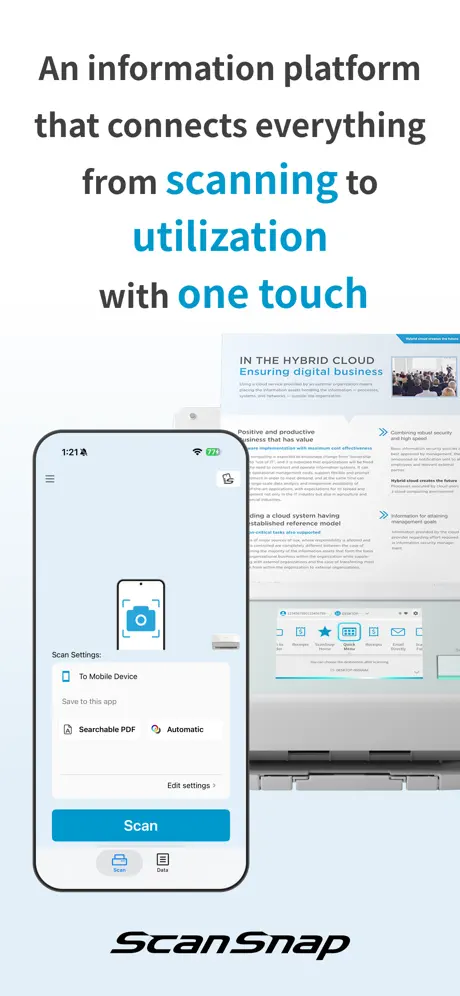
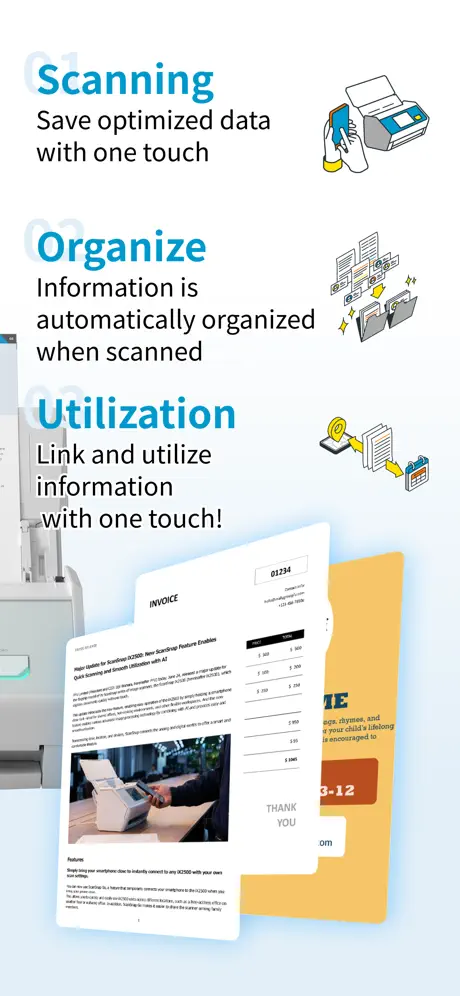
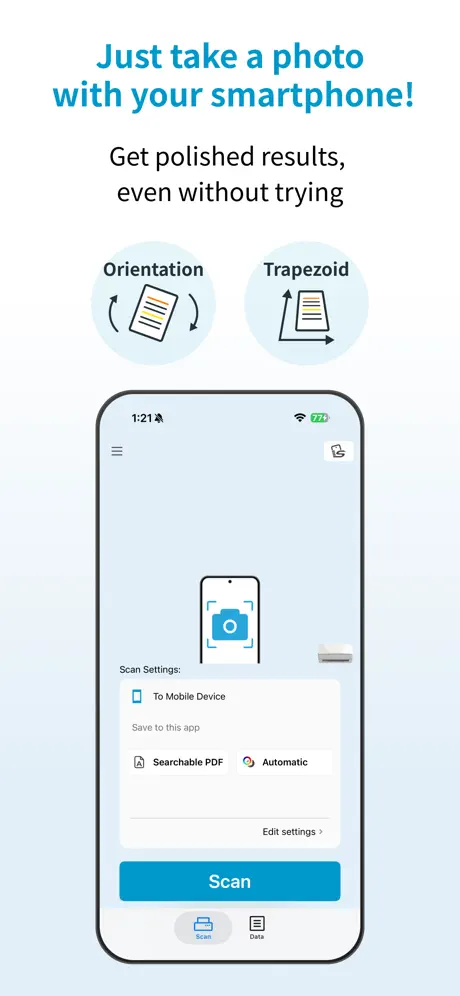
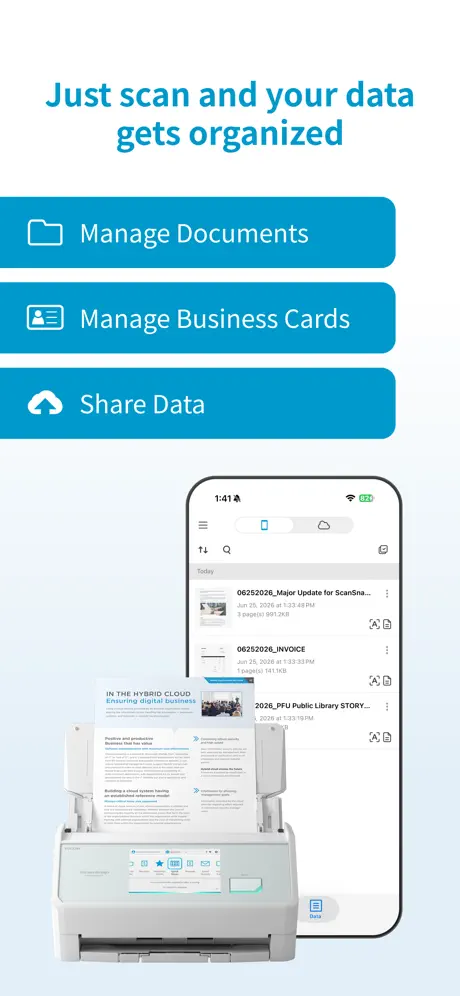
ScanSnap Home:Scan・PDF・OCR
Scan Crisp Documents Fast
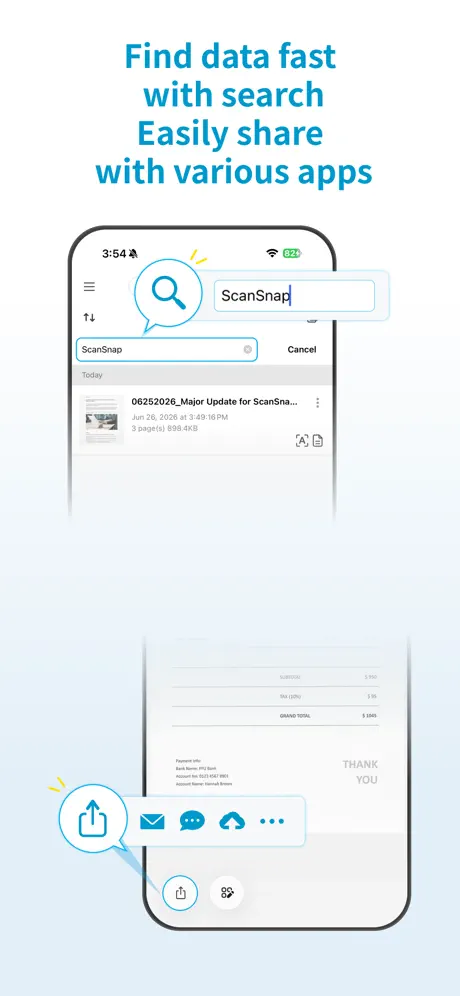
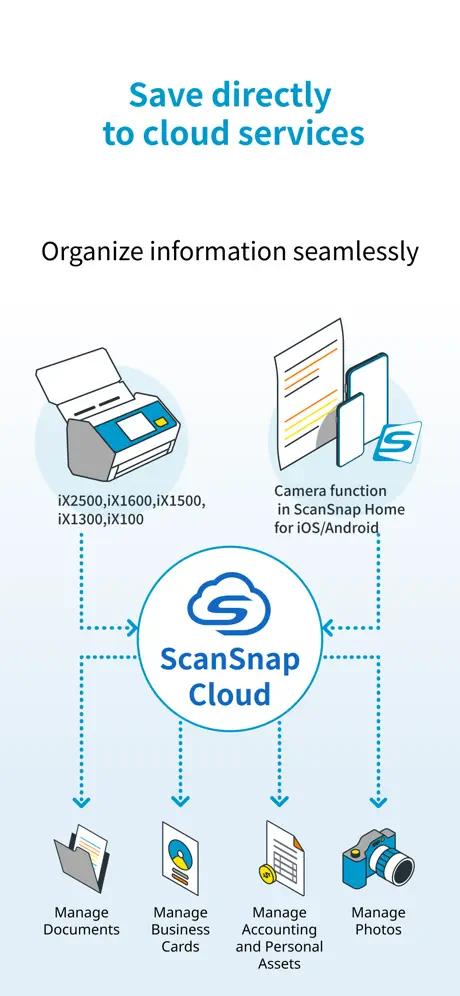
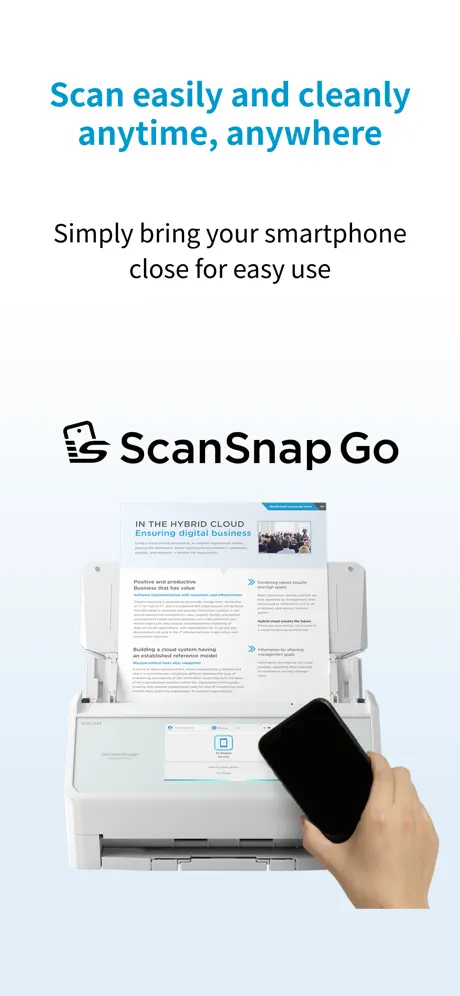
How much does ScanSnap Home:Scan・PDF・OCR cost?
Prices are current as of 3 Oct 2026.
ScanSnap Home:Scan・PDF・OCR has no in-app products on record in the United States.
10+ alternatives to ScanSnap Home:Scan・PDF・OCR
| ScanSnap Home:Scan・PDF・OCR |   Brother Mobile Connect Brother Mobile Connect |   Ubiquiti WiFiman Ubiquiti WiFiman |   Nature Home Nature Home |   Anker Nebula Anker Nebula |   Anker Anker |   Rakuten Link Office Rakuten Link Office |   DS finder DS finder |   Screens 5: VNC Remote Desktop Screens 5: VNC Remote Desktop |   日本通信アプリ 日本通信アプリ | |
|---|---|---|---|---|---|---|---|---|---|---|
| Rating / 5 | 4.6 | 4.7 | 4.8 | 4.2 | 4.3 | 4.5 | 4.0 | 2.9 | 4.2 | 1.5 |
| Reviews | 5.5K | 319K | 119K | 12K | 8.9K | 7.5K | 6K | 1.2K | 1.1K | 337 |
| Released | 2023 | 2021 | 2018 | 2017 | 2017 | 2022 | 2022 | 2011 | 2023 | 2023 |
| Monthly price | — | — | — | $0.99 | — | — | — | — | $3.99 | — |
| One-time price | — | — | — | — | $54.99 | — | — | — | $199.99 | — |
The going rate for each plan in United States, in its own currency, shaded from the cheapest price on the row to the dearest. Plans fewer than four in ten of the priced apps sell are left out.
ScanSnap Home:Scan・PDF・OCR reviews
4.6 out of 5, based on 5,491 reviews.
What people like
- Scans quickly and produces high quality images
- Works great on iPad without a computer
- Very helpful for users with disabilities
What they complain about
- Cloud naming and folder options are limited
- Older scanner models no longer work at all
- Connection drops and requires constant re-pairing
Love my ScanSnap
I’ve been using my ScanSnap iX100 for probably 15 years now and although the software app has changed my workflow hasn’t. I love the fact I can come home with receipts or items I want to store and just open the scanner and go, the files go straight to my Dropbox or other designated place of storage - Job done.
it never connect !
why make it simple when you can complicate ?
great little mobile scanner
Impressive lightweight fast scanner. Would be 5 star if scanner can remember to reconnect to different wifi networks. I had to remove the scanner then add it again for it to reconnect each time.
Scandalクラウド+高い
100ページで月980円は高すぎるvelatcanの方がいい
スキャン性能は言うことなし!ただ、、
毎回スマホと接続しなきゃいけないのが手間で、しかも接続に時間がかかりすぎる。 さらに、一度接続してメモリに入れてるはずなのに、1回接続を切ると次接続されない。エラーが何回も出る。 接続がストレスフリーでできれば完璧なのに、それのせいで気軽にスキャンできません。
Works great
Apps works great and hopefully in the future there would be Apple Shortcuts integration
Scan snap
First time it connected but after that no spent my hole day trying to figure out but nope
頑張れ、PFU
ブルーキャッツファンが長じて、PFUがスキャナーを展開していることを知った iPadと接続できて使いやすい 設定項目が少なすぎ?という感じもしないでもないが、必要最低限は用意されていると思った 使い込んでみて、必要に応じてレビューを調整したい
使い方がかわらない
cloudプラスに課金してみたけど、何も変わらない。設定の仕方が悪いのかもしれないけど、AI変換してもカレンダーへ追加も出来ないし、QRコードもそのまま。
iCloud Anbindung fehlt
Grundsätzlich erfüllt die App meine Erwartungen und ein essentielles Update war sicher schon überfällig. Umso weniger verstehe ich, wie man auf eine iCloud Anbindung als Auswahlmöglichkeit verzichten konnte. Daher nur 3*.
Greatly improved app
The latest update of this app is far superior to the previous version. The portable iX100 scanner does a great job of producing high quality images quickly. But the previous app often had difficulty connecting with the scanner. That has been resolved with this version. Tip: If you normally use a VPN on your device, it has to be turned off before connecting to the ScanSnap.
Does not support ix500
I deleted the old ScanSnap app that worked with the ix500 thinking this new app would be better to find it isn’t even supported. So now cannot even use the scanner from my phone anymore. Please bring support to the ix500.
あと一歩!
モバイルアプリでスキャン操作ができるのは便利で、ScanSnapの進化を感じます。ただ、本体だけで完結するのが理想なので、日々のスキャンは今も本体操作中心です。 アプリ内のOCR機能も便利ですが、保存先がスマホ内に限定されているので、是非ともOCR+ネットワーク保存ができるようにご検討をお願いします。 というのも、「ネットワークフォルダへの直接保存が可能になった」とのことでiX1500からiX1600に買い替えたのですが、直接保存時はOCRが使えないと後から知り、がっかりしました。OCRが本体で処理されていないことについては私の確認不足でもありますが、直接保存時はOCR非対応であることをもう少し明確に説明してほしかったと感じます。 とはいえ、ScanSnap製品はS1500の頃から15年近くのお付き合いで、今回で4台目になります。今後のアップデートでこうした点が改善されることを心から期待しています。
Horrible documentation and almost horrible Program
This doesn’t have to be this complicated and this buggy full of bugs. Some stuff works some stuff doesn’t if you have scans from the previous app good luck being able to see all of them or some of them. This is ready ridiculous. Can’t get two users on the same computer using this and sharing the same storage sub directory for the scans. I’m sure you can’t do a whole lot better by the way I’m not a beginner.
ix500
ix500を使ってるのだけど、アプリが使えない! もうサポートが、終わったのですか? iPadで使う方法を知りたいのですが! 返信、ありがとうございます。 だけど、ご指摘のリンク先をみてもどこからダウンロードできるのか全く分かりません。教えてください。 再度返信ありがとうございます。 ただ、リンク先におっしゃてるix500のダウンロードの表示がでません。もう、提供が終わってるのでしょうか?確認の程よろしくお願いいたします。
Excellent
Excellent
Does not support iX500
The older ScanSnap app worked flawlessly for my needs, but this new app does not support my scanner model. It has now become a useless giant paperweight.
Scan happy, but troubled storage
ScanSnap ix1600 is speedy, fast, really quick. Compact & quiet too. Makes your scanning chore fast, easy. Love it after scanning just 3 folders of documents. Suggestion: there must be a way to add documents to an already-scanned file—bc if you have different sized pages, or you exceed the pages fittable in the ADF, you end up w/documents in separate files when you wanted them all in 1 file. Complaint: ScanSnap shop on Amazon said the device has a USB port so you could scan directly to a thumb drive. Not so. There is an old fashioned plug in-cord-to usb end. There goes my ‘scan plan’-I just bought 10 thumbdrives for storage bc do not want to use the Cloud or store all these scans on my devices. I use Apple devices that do not have usb ports (iphone & iPad).
ix500ユーザーも…
他者のレビューの回答で旧アプリのダウンロードができることを確認しました ただ、ix500も対応してもらいたかったです…
Setzt sehr oft aus
Ganz tolle Sache, nur wenn ich manchmal eine Pause einlege, geht das Gerät auf Störung und ich muss den Stecker ziehen und wieder einstöpseln; suche noch den Fehler 🤷🏻♂️
WONDERFUL SCANNER!
I struggle with technology, in part due to my disability, but this awesome scanner is a GREAT & AWESOME TOOL that helps me in my office needs, as well as my picture hobbies! I am SO THANKFUL for this product!
Scansnap has worked for years. No more
New app and suddenly my older model scansnap is a paper weight
Functional
App just gets the job done. It’s too bad because the hardware is excellent. Would be nice if you added iCloud to the cloud service to be able to upload my scans directly there.
色々と痒いところに手が届かない
ワンタップで設定変えられるらしかったのでものすごく便利になると思ったけど、そんな言うほど細かくカスタマイズできない…明るさとかコントラストみたいなのも、プロファイルで指定して設定保存できればよいのですが…(どうやら古い機種では出来ていたようですが) また、外部サイト経由でのアカウント認証時(ドライブに繋ぐ時など)は初回設定を誤ると保存フォルダの指定ができなくなります。ヘルプに載っていないエラーコードが出てきましたが、Google側のサードパーティアプリ接続設定を消したりアプリ初期化したりして何とかなりました。 初回インストール時、言語設定によっては確認を求められるPDFへのリンク先が切れてたりする。読まれるのは想定されてないのかな…?Windows版アプリでもソーシャルログイン時に居住地として日本が選べなかったり…
WARUM???
Im Prinzip funktioniert die App problemlos, der Scanner wird im WLAN gleich gefunden und man kann los scannen. ABER: Warum glauben alle Hersteller, sie müssen noch eine eigene Cloud etablieren? Warum soll man sich noch einen Zugang merken? Warum kann man nicht einfach (voreingestellt!) die iCloud nutzen und somit die Dokumente gleich auf dem iPhone oder Mac verfügbar haben? Außerdem wäre eine OCR-Funktion noch hilfreich! Habe die App wegen der Cloud-Problematik gleich wider gelöscht.
Must have!
Really like this scanner. For me it works great.
Does set up easily
I have been trying for over four hours to get this stupid scanner set up to my Internet let alone to the iCloud. It will not set up. Do not buy this.
パスワードがかからない
iPadから使ってるんですけど、パスワード付きPDFにならないんです。以前使っていたアプリならできたんですけど、新しいScanSnap Homeに統合されてからできなくなってしまいました。 PCからだとできるようなんですけど、使い勝手がいいようにとiPadを導入したのに、そこが少し不便です。
iX500はどうなった?
以前までスマホに読み込み出来るアプリがあったが、再インストールしようとしたら見当たらないが、iX500はゴミ端末になるんでしょうか? まだまだ現役で使っているんだが、アプリがないと使えない。 どうなっているんだ??
In 2024, literal bare minimum functionality
Available scan functions do not provide enough options to edit or correct scans. The 2 scan output formats are another massive hinderance with only PDF or JPEG available. The additional formats of PNG, TIFF & with this an iOS/iPadOS app, I expect HEIC (high efficiency image coding) as available options. With Ricoh targeting ScanSnap devices at home or small home business markets, today’s digitizations demand higher fidelity thus additional formats & functions. It’s past 2 yrs now for Ricoh's purchase of Fujitsu's (PFU) scan devices division & an embarrassment how lacking the mobile vs. desktop devices app functionality compares. The world is not tied to a single desk/office & in many homes & jobs hasn’t been for nearly the last ¼ century. High time mobile apps reflect this reality.
ScanSnap iX100
I’m happy use the device. 28/10/2024
Can’t find scanner
Isn’t able to find scanner so program is totally useless. Why can’t we just manually input an IP?
PC版の様なA3印刷物をスキャンした後の繋ぎ合わせが設定できない
わざわざpcを起動せず、気軽にiPadでスキャンと資料のPDF化ができるのは便利なのですが、PC版ではできていたA3用紙を折り畳んでのスキャンとその合成ができないので結局PC版を使う事になり、このアプリの意義が薄れてしまってるのが非常に惜しいです。 機能の追加をお願いします。
端末に保存されたPDFはOCRが適用されない
色々実験してみた結果わかったことは、モバイルアプリを立ち上げてスキャンすると端末に保存されるらしいということ。端末に保存されるのか、クラウドに行くのかが曖昧な仕様は非常に使いにくい。端末に保存されたものを個別にDropboxなどのクラウドに飛ばせるのは便利かもしれないが、その際、OCR機能は適用されない。ただの画像PDF。致命的欠陥だと思います。これでは、iPhoneで写真に撮るのと大して変わらないし、大金を出している意味がはっきりいってなくなります。それから、スキャンして、どれくらいの時間を開ければ別ファイルとして認識されるのかがよく分からないのも困っています。また、余分にスキャンしてしまったところをトリミングできないのでしょうか。直感的に使えそうで痒いところに手が届かない感じです…。うーん。 それならMacに直接繋げてやるかと思いつつ、何回挑戦しても認識されないので本当に勘弁してほしいです。再起動などなどしてもダメ。ウェブ経由で反映されてはいるからそれで良いのか、イマイチよく分からないです。スキャナー自体は大変高品質でいいのですが、Mac用のソフトが石器時代みたいなレイアウトでダサいし、どこに何があるのかのロジックも意味が分からないし、謎な機能も多いし、お粗末すぎるのでそちらもなんとかしてほしいです…。どうしてこうなったの…。 4年前の記憶の中ではもう少しマシだったと思うのですが…。本体が高いのでモヤモヤ…。
Struggles to connect via Wi-fi
The Old App, which I use, connects much faster when scanning via wi-fi . This newer App often cannot connect (yes, on the same Wi-fi etc..)
I love the LANDSCAPE mode
Now I can work it on my iPad. You've done the best thing.
Expensify Connection Broken
Just says “missing connection” when attempting to do from iOS smartphone or Mac. Unclear who or how to contact support. Virtual agent just said “sorry.”
ファイル名変更時、全体が表示されない
iPadで横画面が使えるようになり、便利になりました。 ただ、ファイル名を変更する際に、画像全体が表示されないのが不便です。 文書やレシートでは、上の方にタイトル情報が表示されますので、改善を期待します。 (旧バージョンではファイル名変更時に全体表示になっていました)
PCで保存したデータを使いたい
PCでのScanSnap homeで制作したデータをiphoneに転送してiphoneから観覧、検索などできるようにして欲しい。 できないのであればあまり使い道がないと思います。
OCR出来ない?
ファイルによってはされているものもあるようで、仕様がよくわかりません。改善を強く希望します。 インターフェイスなどはわかりやすくて良いです。
Better than all the rest!
I have used another scanner and it drove me crazy. This scan snap is absolutely amazing! Worth every penny. Don’t hesitate. Buy it now.
Unable to connect to ix500
I have been using legacy ScanSnap but it now locks up when you sync to OneDrive. So I tried this version. It doesn’t connect to the ix500 at all.
This App is Really Really Close
I’ve been using ScanSnap products for more than 10 years and they have always be the best out there, but always also missing something for my use cases. This is no different. The utility of being able to scan something without needing to have the computer awake and ready to receive it is awesome. The utility of being able to push documents directly to the cloud is awesome. The challenge has always been with what those documents get named. Pushing the GoogleDrive or Dropbox button on the printer is awesome, but the file just gets a generic name and date. But by leveraging the iOS app, you can now name the files as you scan them. Incredible!!! But…there is a huge but… you can’t name the files in the app as your scan them if they are going to the cloud. You have to manually scan and then “share” the file with google drive and remember to manually change the name of the file. It works, but could work so much better. So, I recently stopped using Google Drive and instead have been using the scan to iPhone feature, but this also misses the mark because you can’t customize what folder on your iPhone you want to save to. So the ScanSnap app creates a “ScanSnap Home” folder on your iPhone, but you can switch it to a folder in your iCloud, or have both. Please fix this both of these issues. When you do, your printer and app solution will finally be all that it can be!
Nearly Useless in Portrait Mode
The old ScanSnap app allowed for landscape mode - which is the ONLY orientation I use with my iPad Pro. It’s the only orientation with which I can use the physical Apple keyboard. What a terrible experience this app provides because of this. Landscape mode should ALWAYS be supported.
Cleaner interface but no landscape support for iPad
As I use my iPad, I’m still forced to use the older app as the new one doesn’t support landscape mode. Please add landscape support for iPad as other reviewers have mentioned.
Great features and easy to use!
Highly recommend!
Password system totally screwed up
I’m desperately trying to set up an account. I reset the password six times. This is an awful awful experience.
原稿を入れる
原稿を入れる手頃にガイドが欲しい、巻き込みで、斜めに入ると原稿が詰まります
Unable to manually specify IP
The desktop app requires me to manually input the scanner’s IP. The mobile app has nowhere to input this, so it doesn’t work for me.
原稿の傾きの自動補正を解除したい
一辺が斜めになっている原稿だと誤認識してしまい、逆に傾いて補正されてしまいます。設定でOFFにできるようにして欲しいです。
ScanSnap Home:Scan・PDF・OCR FAQ
- Is ScanSnap Home:Scan・PDF・OCR free?
- Yes. The app is free, in all 159 countries it sells in, and it sells nothing inside it.
- Does ScanSnap Home:Scan・PDF・OCR have a free trial?
- No. None of its offers (US) come with a free trial.
- What are the best alternatives to ScanSnap Home:Scan・PDF・OCR?
- Brother Mobile Connect (4.7 from 318,844 reviews), Ubiquiti WiFiman (4.8 from 119,457 reviews) and Nature Home (4.2 from 12,162 reviews, premium from $0.99).
ScanSnap Home:Scan・PDF・OCR download
Last updated 9 days ago.
ScanSnap Home:Scan・PDF・OCR sells in 159 countries. It was released 3 years and 3 months ago, on 21 Jun 2023. It holds a 4.6 rating from 5,491 reviews.
Supports 10 languages: English, French, German, Italian, Japanese, Korean, Portuguese, Russian, Chinese, Spanish.
How much does ScanSnap Home:Scan・PDF・OCR make?
Third-party estimates for the last 30 days, worldwide — not the store's own figures, which Apple publishes for nobody.
Revenue by plan
- Monthly 76%
- One-time 24%
Revenue by country
- Japan 100%