Save2PDF
Convert it all to PDF!
How much does Save2PDF cost?
Prices are current as of 14 Nov 2026.
Save2PDF has no in-app products on record in the United States.
Save2PDF download price by country
| Country | Price |
|---|---|
| United States | $4.99 |
| Germany | €5.99 |
| Canada | CA$6.99 |
| Australia | A$7.99 |
| Italy | €5.99 |
| Switzerland | CHF 4.00 |
| Mexico | MX$99.00 |
| Netherlands | €5.99 |
| Brazil | R$29.90 |
| China | CN¥38.00 |
| Japan | ¥800 |
| Peru | PEN 22.90 |
| Portugal | €5.99 |
| Russia | RUB 449.00 |
| France | €5.99 |
| United Kingdom | £4.99 |
| Greece | €5.99 |
| Croatia | €5.99 |
| India | ₹499.00 |
| South Korea | ₩7,700 |
| Poland | PLN 24.99 |
| Romania | RON 29.99 |
| Sweden | SEK 69.00 |
| Singapore | SGD 6.98 |
| United Arab Emirates | AED 19.99 |
| Anguilla | $4.99 |
| Argentina | $4.99 |
| Austria | €5.99 |
| Belgium | €5.99 |
| Chile | CLP 5,990 |
| Colombia | COP 24,900 |
| Costa Rica | $4.99 |
| Cyprus | €5.99 |
| Denmark | DKK 39.00 |
| Egypt | EGP 249.99 |
| Spain | €5.99 |
| Finland | €5.99 |
| Hong Kong | HK$38.00 |
| Hungary | HUF 1,990 |
| Indonesia | IDR 99,000 |
| Ireland | €5.99 |
| Lebanon | $4.99 |
| Luxembourg | €5.99 |
| Latvia | €5.99 |
| Madagascar | $4.99 |
| Malaysia | MYR 22.90 |
| Norway | NOK 59.00 |
| New Zealand | NZ$9.99 |
| Panama | $4.99 |
| Philippines | ₱299.00 |
| Slovenia | €5.99 |
| Thailand | THB 199.00 |
| Turkey | TRY 249.99 |
| Taiwan | NT$150.00 |
| Venezuela | $4.99 |
| South Africa | ZAR 99.99 |
| Afghanistan | $4.99 |
| Antigua And Barbuda | $4.99 |
| Albania | $5.99 |
| Armenia | $5.99 |
| Angola | $4.99 |
| Azerbaijan | $5.99 |
| Bosnia & Herzegovina | €5.99 |
| Barbados | $5.99 |
| Burkina Faso | $4.99 |
| Bulgaria | €5.99 |
| Bahrain | $4.99 |
| Benin | $5.99 |
| Bermuda | $4.99 |
| Brunei Darussalam | $4.99 |
| Bolivia | $4.99 |
| Bahamas | $4.99 |
| Bhutan | $4.99 |
| Botswana | $4.99 |
| Belarus | $5.99 |
| Belize | $4.99 |
| Congo, Democratic Republic | $4.99 |
| Congo | $5.99 |
| Cote Divoire | $5.99 |
| Cameroon | $5.99 |
| Cape Verde | $4.99 |
| Czech Republic | CZK 129.00 |
| Dominica | $4.99 |
| Dominican Republic | $4.99 |
| Algeria | $4.99 |
| Ecuador | $4.99 |
| Estonia | €5.99 |
| Fiji | $4.99 |
| Micronesia | $4.99 |
| Gabon | $4.99 |
| Grenada | $4.99 |
| Georgia | $5.99 |
| Ghana | $5.99 |
| Gambia | $4.99 |
| Guatemala | $4.99 |
| Guinea-bissau | $4.99 |
| Guyana | $4.99 |
| Honduras | $4.99 |
| Israel | ₪14.90 |
| Iraq | $4.99 |
| Iceland | $5.99 |
| Jamaica | $4.99 |
| Jordan | $4.99 |
| Kenya | $5.99 |
| Kyrgyzstan | $4.99 |
| Cambodia | $4.99 |
| St. Kitts and Nevis | $4.99 |
| Kuwait | $4.99 |
| Cayman Islands | $4.99 |
| Kazakhstan | KZT 2,990.00 |
| Lao Peoples Democratic Republic | $4.99 |
| St. Lucia | $4.99 |
| Sri Lanka | $4.99 |
| Liberia | $4.99 |
| Lithuania | €5.99 |
| Libya | $4.99 |
| Morocco | $5.99 |
| Moldova | $5.99 |
| Montenegro | €4.99 |
| Macedonia | $4.99 |
| Mali | $4.99 |
| Myanmar | $4.99 |
| Mongolia | $4.99 |
| Macao | $4.99 |
| Mauritania | $4.99 |
| Montserrat | $4.99 |
| Malta | €5.99 |
| Mauritius | $5.99 |
| Maldives | $4.99 |
| Malawi | $4.99 |
| Mozambique | $4.99 |
| Namibia | $4.99 |
| Niger | $4.99 |
| Nigeria | NGN 7,900.00 |
| Nicaragua | $4.99 |
| Nepal | $5.99 |
| Nauru | $4.99 |
| Oman | $4.99 |
| Papua New Guinea | $4.99 |
| Pakistan | PKR 1,300 |
| Palau | $4.99 |
| Paraguay | $4.99 |
| Qatar | QAR 19.99 |
| Serbia | €5.99 |
| Rwanda | $4.99 |
| Saudi Arabia | SAR 19.99 |
| Solomon Islands | $4.99 |
| Seychelles | $4.99 |
| Slovakia | €5.99 |
| Sierra Leone | $4.99 |
| Senegal | $5.99 |
| Suriname | $4.99 |
| Sao Tome & Principe | $4.99 |
| El Salvador | $4.99 |
| Swaziland | $4.99 |
| Turks and Caicos | $4.99 |
| Chad | $4.99 |
| Tajikistan | $4.99 |
| Turkmenistan | $4.99 |
| Tunisia | $4.99 |
| Tonga | $4.99 |
| Trinidad and Tobago | $4.99 |
| Tanzania | TZS 14,900.00 |
| Ukraine | $5.99 |
| Uganda | $5.99 |
| Uruguay | $4.99 |
| Uzbekistan | $4.99 |
| St. Vincent & The Grenadines | $4.99 |
| British Virgin Islands | $4.99 |
| Vietnam | ₫149,000 |
| Vanuatu | $4.99 |
| Kosovo | €5.99 |
| Yemen | $4.99 |
| Zambia | $5.99 |
| Zimbabwe | $5.99 |
10+ alternatives to Save2PDF
| Save2PDF |   Encrypted Email - Proton Mail |   Smallpdf: Scanner & PDF Editor | 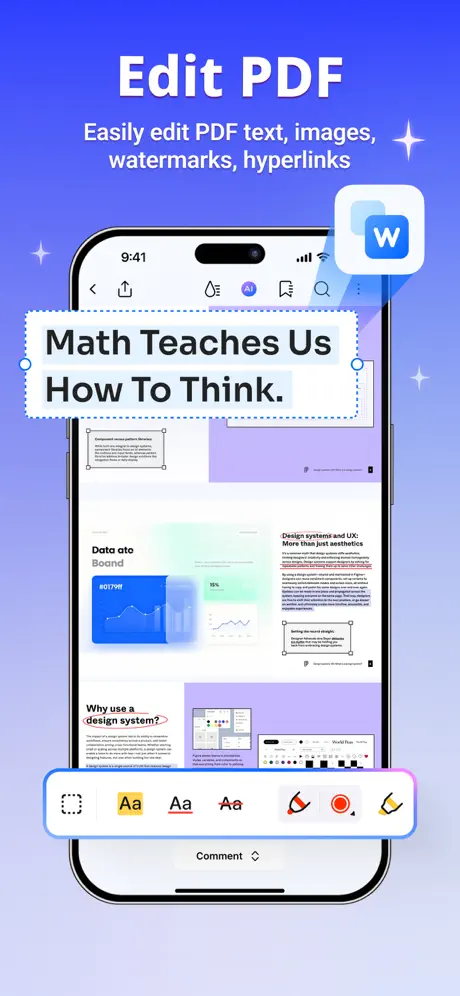  PDFelement: PDF Editor & Scan | 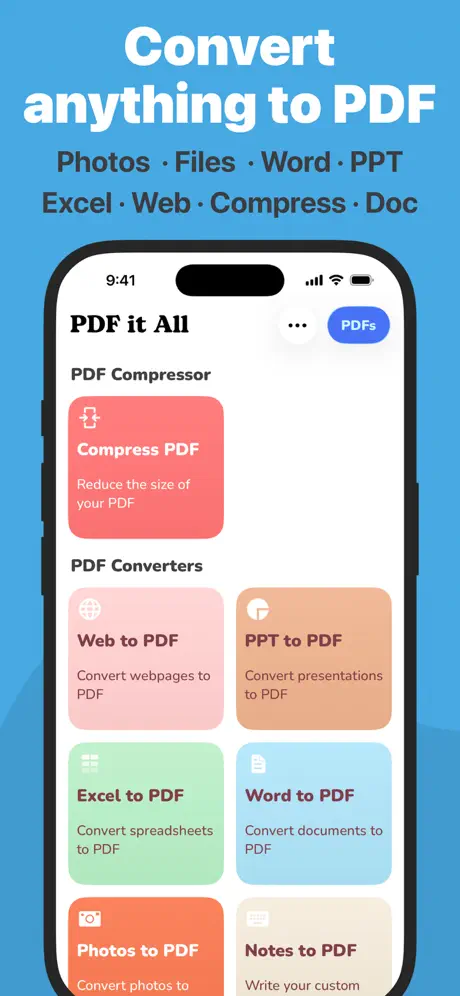  PDF it All Document Converter | 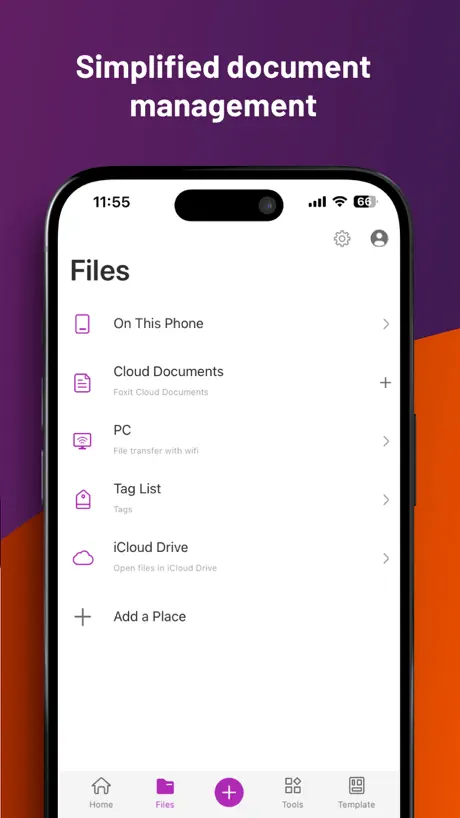  Foxit PDF Editor |   Obsidian - Connected Notes |   Network Toolbox Net security |   Proton Calendar: Secure Events |   Note Taker HD |   PDFConverter- Print to PDF | |
|---|---|---|---|---|---|---|---|---|---|---|---|
| Rating / 5 | 4.1 | 4.7 | 4.8 | 4.6 | 4.8 | 4.5 | 4.4 | 4.6 | 4.0 | 4.3 | 3.7 |
| Reviews | 186 | 108K | 62K | 46K | 30K | 29K | 10K | 6.6K | 4.5K | 296 | 12 |
| Released | 2010 | 2016 | 2019 | 2020 | 2013 | 2012 | 2021 | 2013 | 2022 | 2010 | 2024 |
| Monthly price | — | $5.99 | $11.99 | $6.99 | $2.99 | $6.99 | — | $9.99 | — | — | — |
| Annual price | — | $47.90 | $59.99 | $25.99 | $13.99 | $49.99 | — | $29.99 | — | — | — |
The going rate for each plan in United States, in its own currency, shaded from the cheapest price on the row to the dearest. Plans fewer than four in ten of the priced apps sell are left out.
Save2PDF reviews
4.1 out of 5, based on 186 reviews.
What people like
- It reliably converts web pages to PDF.
- Formatting looks better than most other apps.
- You get full control over margins and size.
- Customer support responds very quickly.
What they complain about
- Support ignores your emails completely.
- Links in the PDF are not clickable.
- The interface is clunky and confusing.
- It crashes constantly on newer devices.
works great
does what it says - converts to pdf - works great
Cannot edit a PDF
I don’t know what the $4.99 is for.. it does nothing more than the free Apple notes app
Crude but Effective!
This is the only app I have used that lets me make properly formatted, professional looking PDFs. Most of the other apps do the conversions fully automatically, but rarely get it right. This one has a very clunky and slow interface. Not particularly user-friendly, BUT since it lets me control settings for margins and size, and then lets me preview the results, I can tweak things to make the PDF look right. The whole point is to get a useable PDF. From there I can export to an app such as PDF Expert to fill fields, sign, email, edit, or whatever.
Print web pages
New update. I purchased this long time ago, now they deleted this app from iPhone App Store and charge again, calling this “for iPhone” Where is Restore my previous purchase? Like the latest versions, works as advertised. Used to print right from Safari, now only when you load the web page to Save2pdf internal browser. Apparently this is Apple issue, so all other PDF printers have this same issue. Internal browser works most of the time except if the page loaded in Safari has data attached to it (such as when you make an online payment and want to save the page to PDF), loading in the internal browser does not generate the same page. I will give it 5 stars once this function is back. Organizing PDF files is really good, I also use it to download PDF files, change default name and then open in iBook.
为什么中文全是乱码呢??
中文全是乱码!
The app is handy and reliable. Thank you for your thoughtful design of the many useful features.
WARNING WARNING. WARNING
This app crashes a lot. Nothing but trouble. A waste of money...
Looks good, but . . .
Difficult to figure out how to use this app. Inadequate instructions.
einzige App, die PDFs zusammenrechnen kann
Ich habe die App auf zwei Sterne abgewertet, weil sich der Support bewusst dumm stellt und immer nur Wortfetzen schickt anstatt komplette Antworten oder Konversationen, um was es überhaupt geht. Zum Beispiel nötigt man uns, von jedem normalen Vorgang einen Screenshot zu machen; hier stürzt die App nicht ab. Dann von der abgestürzten App. Was für ein Blödsinn, einen leeren Bildschirm zu fotografieren. Dann kommen Antworten ohne Bezug zur Fragestellung. Wenn man Bilder in maximaler Auflösung in PDFs wandelt, entstehen PDFs, die nicht lesbar sind in schlechter Auflösung. Nach mehreren Tagen falschen Versprechungen hier im App-Store ist dies die einzige App, die mehrere PDFs zusammenrechnen kann. Alle anderen versprechen nur das Zusammenfügen, verschweigen aber, dass sie mich nötigen, die PDFs zuvor auszudrucken und abzufotografieren. Was für ein Wahnsinn. Man braucht viele Versuche um wirklich den GANZEN Text im Ergebnis zu haben; manchmal fehlen die Ränder des Textes, manchmal sind 10 cm weisser Rand und in der Mitte der Seiten ist der Text. Es sollte eine Automatik geben, die Grösse der Vorlagen zu erkennen und das Ziel-Format drauf einzustellen. Oder notfalls ohne Automatik einfach das Ziel-PDF genauso gross wie das Original machen; wäre das zu viel verlangt? :-) Ich versuche gerade, einen Photo Stream in ein PDF zu wandeln. Mit dieser App geht das nicht. Man kann nur einzelne Fotos in ein PDF wandeln. .
Printing email as PDF is copy/paste
The app description hints that Save2PDF will show up as a printer. I hoped I could make a PDF of an email. The app requires selecting the email content and copying it, which is then put into a PDF for saving or printing when you open the app. That's clunky and about 75% of the solution. The header info (to/from, date) is not captured. It works, but is not as good as the "Print as PDF" printer option on my laptop that lets me save an email as a PDF file.
Good stuff
Useful for my work
Disappointed
I have a long web page I want to save, but don’t want to print 50+ pages. Went looking to see if I could get a .pdf printer to save it to a file. This one looked to be the best. It installed perfectly and immediately showed up as an option when I clicked Share on the webpage. But when I saved it and looked at it, it only saved the first 9 pages. And what was saved was NOT what was on the screen! I suspect it’s something the web page developer has done, but regardless, this app should be printing what I see, not what the web page thinks they should print. I will be asking for a refund.
Well worth it!
This is an excellent little App for producing PDF files from any source to print or save. Would be great to add wireless printing in addition to Apple Air.
Keine Konvertierung von E-Mails in PDF möglich!
Die in der Beschreibung beschriebene Möglichkeit, auch E-Mails in PDFs umzuwandeln, ist nicht gegeben! Nach Kontakt zum Support wurde mir empfohlen, das Postfach über den eingebauten Webbrowser aufzurufen, wenn es sich um einen Exchange-Account handeln sollte! Die App-Beschreibung ist irreführend und falsch!
Not fully capable
If you have a Word document that has equations and you use this app to make it a PDF, you will get blanks where the equations ought to be. So if you're a scientist or mathematician, forget it. Import to another app like Notability to get the correct PDF, or convert in Word itself. This is an app to shuffle around and manipulate existing PDFs, and not particularly for conversions to PDF.
Excellent all around.
Not lacking anything I need/use.
Useless
Waste of money would not convert anything I tried.
Update
Latest updates made this app easier to use!
Non-intuitive User Interface, and Bugs.
The non-intuitive User Interface is now even worse. (v1.8.1 Aug 12, 2013) 04-09-2013. ----- Non-intuitive User Interface, and Bugs. (v1.4 04-06-2012) 17-10-2012. 01. File sort buttons: Highlighting is barely visable. 02. File sort Alphabetic: Descending order is missing. 03. File sort Date/Time: Ascending order is missing. 04. "Open with App..." should read "Open in..." 05. "Open with App..." cut the FileName after a number of (27?) characters. When using the PDF button: 06. Orientation Landscape: Setting cannot be saved. 07. Orientation Portrait: Setting cannot be saved. 08. Landscape pages are rotated 90 degrees clockwise by default, instead of counter-clockwise. 09. The Orientation of the Paper and the Image cannot be set individually. 10. A function to Rotate images is missing. 11. Scale %: Setting cannot be saved. 12. Image size: Setting cannot be saved. 13. Margins (for images) work buggy. 14. Margins Left, Top, Right, Bottom: Settings cannot be saved. 15. Negative margins (to decrease existing margins) can be entered but do not work correctly. 16. In the output file.pdf: Clickable Links don't work. 17. In Files mode, when viewing an image.jpg: The image is incorrectly fitted in the view box. In the view box, undesired white borders are shown at the top, left and bottom, (not to the right side). 18. Button "New Folder" can create Child-folders. However, Files cannot be Moved or Saved to Child-folders, only to Parent-folders. 19. Folders are scattered (not sorted before or after files in the list). 20. File Save as: A warning "Duplicate file name" is missing. 21. "Open in..." is missing in the browser. 22. The app keeps insisting to write a review. Software should be debugged prior to release. Well, I think it's better to avoid this app until it's a proper app for the money (currently euro 4,99).
Can't rotate
I printed to pdf selected 24 x 36 sheets from a set of pdf drawings but they showed in portrait instead of landscape mode, and I can't rotate them. Also, If I zoom into a portion of the drawing I cannot print to PDF that view only; it has to the whole page.
Love this app
I’ve used this app for years (16). Its my go to for creating and saving web pages, recipes, emails and many other documents. Give it a try, you won’t be disappointed.
Terrible app
It has yet to create a pdf correctly and you could take a nap waiting for it to try
PDF Converter
Works on most files.
Umständliche App
Die erwartete Integration in die ios-Umgebung ist nicht vorhanden, es wird kein zusätzlicher Drucker z.B. Im safari angeboten. Statt dessen muss man die URL manipulieren. Es ist umständlich, PDF zu erzeugen. Wobei ich den Eindruck habe, das apple das System so abschottet, dass man wenig Chancen hat, die Integration vernünftig hinzukriegen
Not bad
This app is not bad but it doesn't deliver all that I expected. For example, it says it is RTF document compatible but I have yet to find a iPad app that will open an RTF document without messing up the formatting and this app is no different. Most documents seem to convert ok though. I do wonder why I need to pay extra for the iPhone version. That really bothers me too.
Wonderful
Great program for converting and storing documents from many sources
Worst APP EVER
Don’t waste your money!
Very handy.
I keep getting a memory error pop up but it's still save the page anyway when you dismiss it. Im sure it will be fixed in an update.
Yep
Doesn't print incoming e-mails, but does print web pages, PDFs, and pics to Epson wireless printer. Print N Share pro did the trick 4 me, you set up ur incoming and outgoing mail servers, the emails are imported into the app then you can print them. I think this app is made by the same mob as the interface is the same.
Update please!
This app has been very handy for printing on my wireless network. However it has stopped working since I installed iOS5. Can you please update this app?
Love It!
Really makes traveling easy.
Garbage. Does not work.
I bought Save2PDF to save an Amazon return label to PDF. I clicked Save2PDF from the web page showing the return label. The only thing it would save to PDF is an Amazon login screen, not the current web page. I tried to print other web pages and the formatting is completely off and the PDF produced useless. It does not work. Save your money. I do not recommend buying the Save2PDF app.
Good App
Very good app, used it for 5 years. This app and Dropbox are genius together. Only drawback is bring unable to remove the hordes of printers which seem to multiply.
Terrible
Doesn't format PDFs correctly. Cuts off parts of sentences between pages. Help desk unhelpful in finding a solution. Total waste of money.
Sehr langsam beim konvertieren
Das konvertieren geht ziemlich langsam, sonst ganz ok.App kann per " öffnen mit " von anderen Apps aufgerufen werden.
Great app.
Works really well! Has a lot of options. Newest edition working 100%!
Always Memory Error
Keeps getting memory error. Once got it to save first page of a website. But, gets "memory error" every time I try using it from other apps. Not usable on my iPad Air 2 until this gets fixed.
Not as pretty but works better!
Tried many PDF apps but I keep returning to this one. Its interface isn't perhaps as slick as some of its competitors. But it is simply more likely to work, quick and efficiently.
Kan niet toegevoegd worden als airprinter
App lijkt prima, maar sinds iOS5 wordt de pdf printer niet meer herkend bij de airprinters. Zonder dze feature heeft de app geen waarde. Ik hoop dat ze dit snel oplossen.
Need updating
I have been using this app very usefully. However, currently i can't use this app because it does't work with ios5. Need urgent updating.
Save2PDF great "work" tool
Works well and makes the iPad just that much more like a "work" computer. Well worth the price if you "print" PDFs from a web page or download PDF documents to read off line.
Older versions could annotate, ..this opens WritePDF instead
Older versions of Save2PDF (before v2.3) could also annotate, but the newer versions open WritePDF App instead, if it's also on the same iDevice (in my case iPad 2) That's sneaky..! What's going on developer?!? I opened Save2PDF ...not to have it open WritePDF as well...when I click the 'edit' button in Save2PDF..! I'm sure if people didn't have WritePDF, that Save2PDF would have some editing routines within itself...right? I remember it did, before I installed WritePDF. The older versions of Save2PDF had quite-a-few editing routines for the PDF it created, or opened, so why now remove them just because WritePDF is also installed?!? (What's up with that?) There's also some kind of BUG with the iCloud syncing, where it creates a duplicate file name when the same iCloud list is accessed by both Apps, either at the same time, or one after the other App, that creates a 're-naming' of the second file (adding the number 2 at the end of the original name) with usually zero(0) bytes of size. Thing is, it doesn't always happen...but it does happen, often enough ...to be annoying. I've told the developer, but always either got an excuse, or just ignored. So the claims of 'helpful developer' reviews are a bit over-stated. Watch me get BANNED (again) from their support site now, for just being honest, like they did with WritePDF App. (And ..NO.. I never was nasty to them. In fact, I was very helpful, sending bug reports and crash-logs...all the time) I guess they got too many from me, and also didn't like my reviews...because I can't review WritePDF any longer either..! The review doesn't go thru anymore, about the same time my eMail address got banned. They didn't send a confirmation eMail to me that I requested support with WritePDF, like I used to get, and they also never reply now, if I use that same original eMail address. I tested this out by actually using another eMail address, and the confirmation eMail went out to me, and they replied..! How 'bout that..huh?!? Nothing server related...just prejudice from them. I asked them why they banned my other eMail address, but they just avoided the question. That's nasty of them, if you ask me..! So...I just stopped helping them...and I found another BUG in newer versions of WritePDF too, that hasn't been fixed yet in any of the latest versions either. :-) I told them about it...and they asked me to send them a crash report log...but I told them 'WHY SHOULD I , when you banned my other eMail address'. So...this was funny...they didn't want my help, and banned my other eMail address, but they still want me to waste my time with them helping them fix this latest issue they couldn't find, without a crash-report from me. Hey...Euro-Smurf ...I told you how it happened on my iPad 2, so duplicate those actions...! I BAN *YOU* now. I don't work for you any longer...for FREE...! Bit of a sticky wicket...huh...? Insult your customers...then ask for their help again, without any apology from you..!?! Ha Ha Ha...I don't think so..! Bye...EuroNerds
Great app
Not as elegant as an Apple app but still very effective.
Has weird issues
While reading Multipage pdf files i found it constantly reset itself to page 1 if you happened to rotate your ipad to a different view angle. VERY frustrating when you have to scroll to somewhere around page 900 every 5-10 minutes. You have to keep your ipad perfectly still for fear of losing your page...
Gut
Das Programm läuft flüssig. Aus meiner Sicht fehlen jedoch einige Funktionen.
Great App Great Support
Not only is the app very useful but the support is exceptional.
Completely doesn't work since update
I have had this app for awhile now and when I updated it it completely stopped working. Now the only way to download my work PDF's is to use my laptop. The whole point of me getting this app was so that I wouldn't have to constantly use my laptop for the simple things like converting a PDF while on the go!! I have tried emailing them but to no avail. No response or fixes smh.
Solid pdf tool, excellent support.
I have tried several pdf conversion tools. This one works the best ... consistently. Other tools I have used distort the formatting. Save2pdf is feature-rich. As a result, the menu options take a little getting used to (where/how to invoke function needed within the tool), but overall this I a great tool. I am particularly impressed by the support. Tina responded almost immediately to a quick question I had.
web page links not clickable in pdf
When this app is used to create a pdf of a web page, the links in the pdf are not clickable. This renders this expensive app almost useless for my purposes, and I wish that this had been made clear before I bought it. However, it has quite a few features that may serve others well.
Grundsätzlich tut es, was es soll...
aber leider werden die Formate nicht wie in den Originaldokumenten eingehalten. Zeilenumbrüche verschwinden, Textformatierungen (Blocksatz, Schriftgröße etc.) werden geändert. Eigentlich eine super App. Wenn die Probleme behoben sind gibt es 5 Sterne.
Save2PDF FAQ
- Is Save2PDF free?
- No. Save2PDF costs $4.99 (US) to download.
- Does Save2PDF have a free trial?
- No. None of its offers (US) come with a free trial.
- What are the best alternatives to Save2PDF?
- Encrypted Email - Proton Mail (4.7 from 107,545 reviews, premium from $5.99), Smallpdf: Scanner & PDF Editor (4.8 from 61,804 reviews, premium from $7.99) and PDFelement: PDF Editor & Scan (4.6 from 46,428 reviews, premium from $3.99).
Save2PDF download
Last updated 7 months ago.
Save2PDF sells in 175 countries. It was released 15 years and 11 months ago, on 23 Nov 2010. It holds a 4.1 rating from 186 reviews.
Supports 7 languages: English, French, German, Italian, Japanese, Chinese, Spanish.
How much does Save2PDF make?
Third-party estimates for the last 30 days, worldwide — not the store's own figures, which Apple publishes for nobody.