
Midori (Japanese Dictionary)
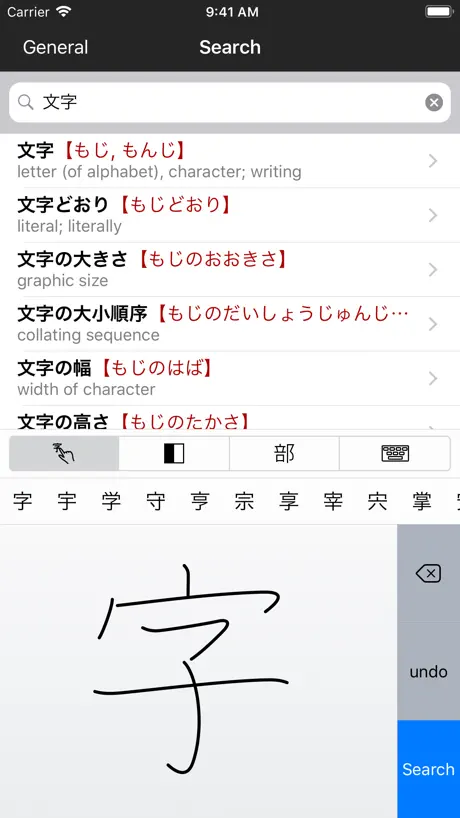
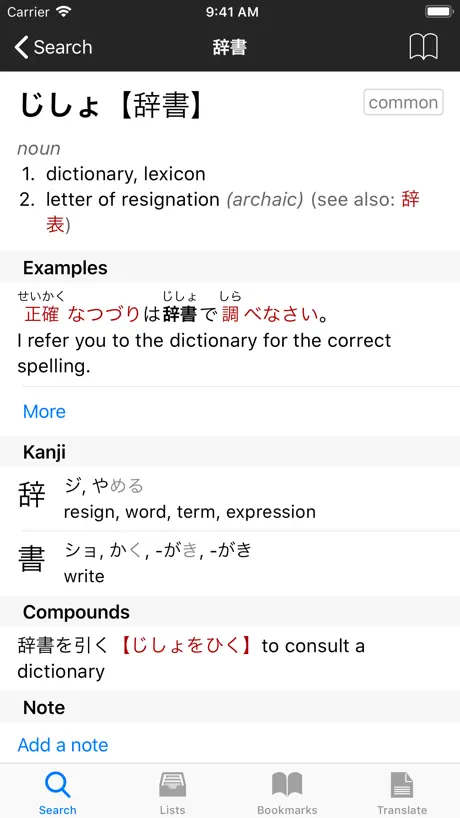
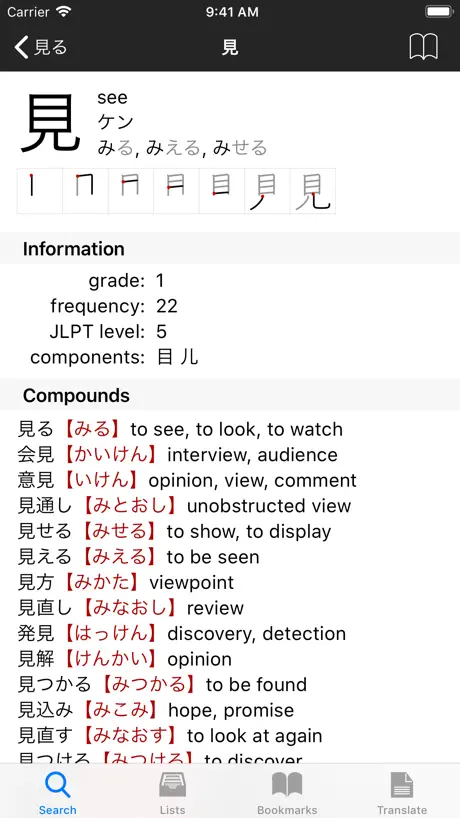
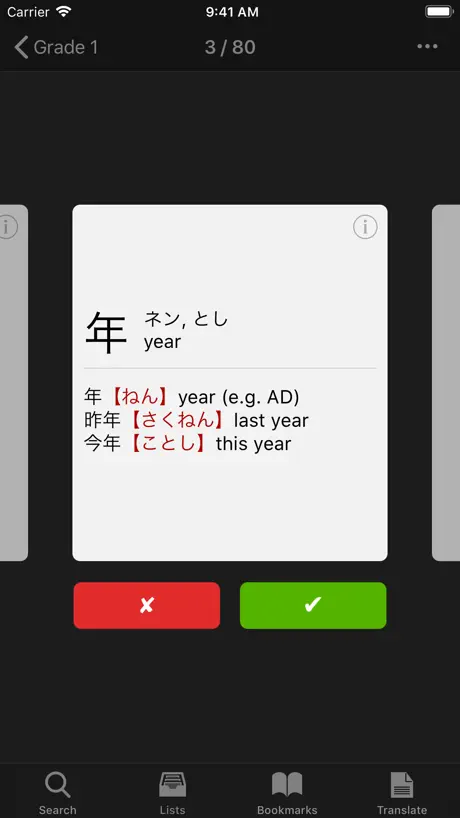
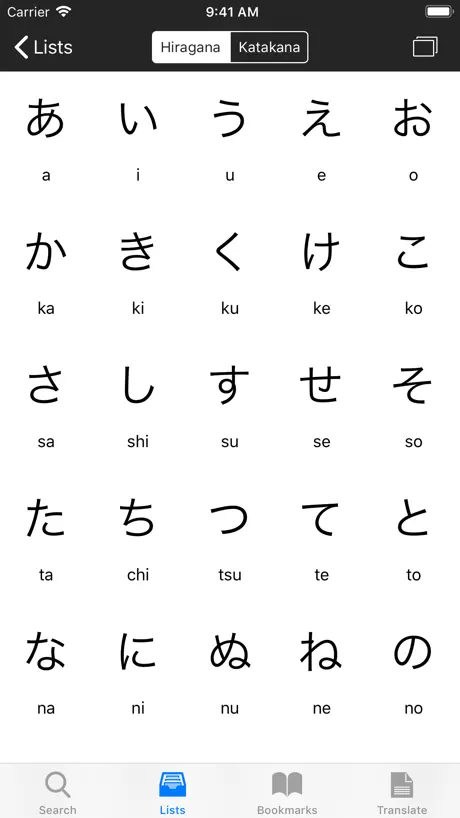
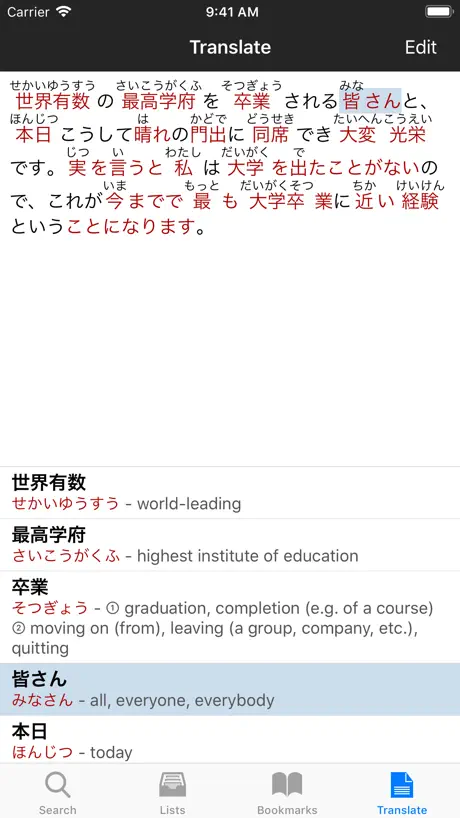
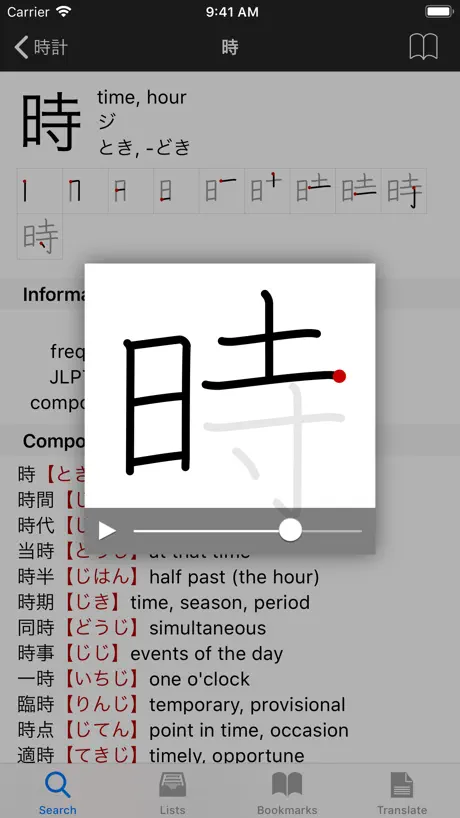
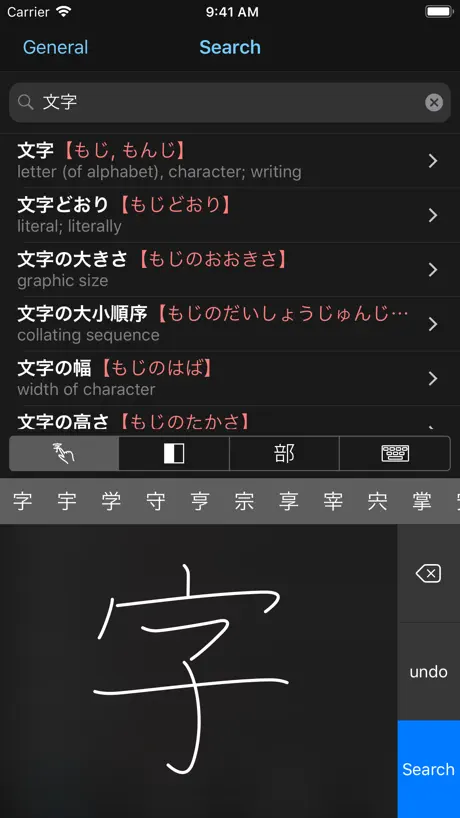
How much does Midori (Japanese Dictionary) cost?
Prices are current as of 11 Sept 2026.
Midori (Japanese Dictionary) has no in-app products on record in the United States.
10+ alternatives to Midori (Japanese Dictionary)
| Midori (Japanese Dictionary) | 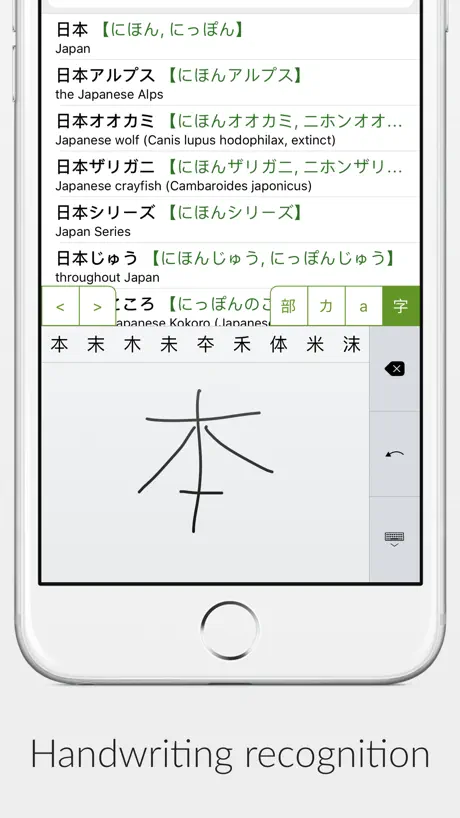  Shirabe Jisho Shirabe Jisho | 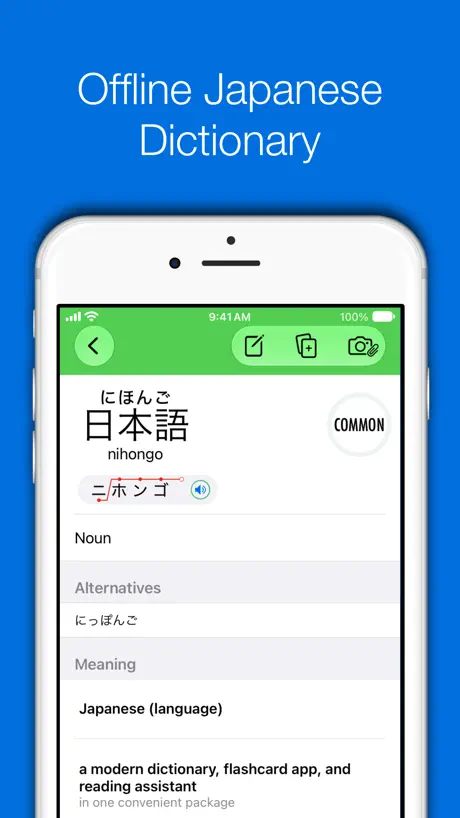  Japanese Dictionary - Nihongo Japanese Dictionary - Nihongo | 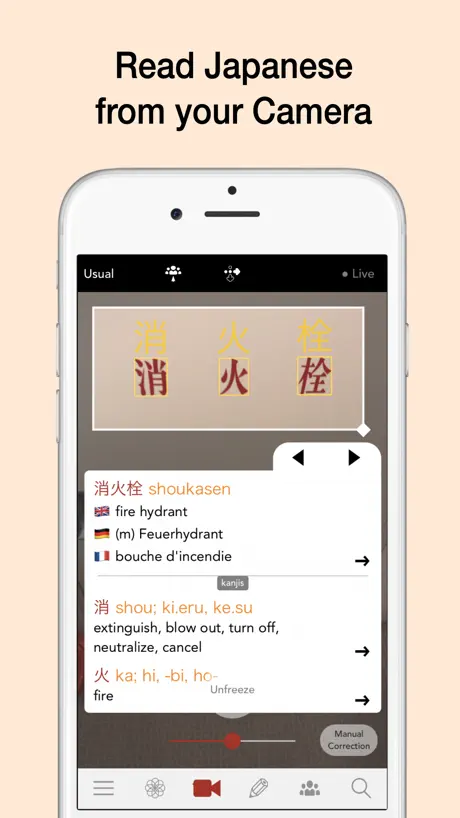  Yomiwa - Japanese Dictionary Yomiwa - Japanese Dictionary | 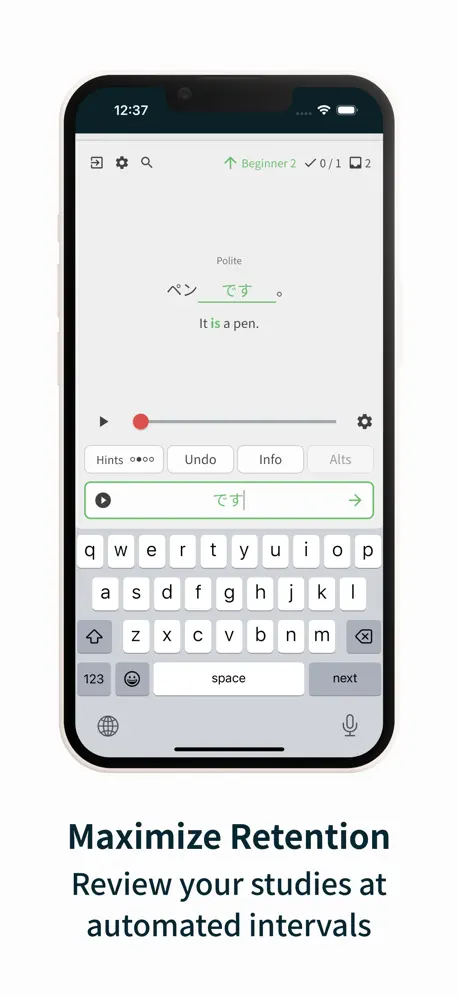  Bunpro Japanese SRS Bunpro Japanese SRS |   Dictionaries Dictionaries |   imiwa? imiwa? |   Terminology Terminology |   Learn Japanese: Manabi Reader Learn Japanese: Manabi Reader |   Satori Reader Satori Reader |   Nihongo Lessons Nihongo Lessons | |
|---|---|---|---|---|---|---|---|---|---|---|---|
| Rating / 5 | 4.8 | 4.9 | 4.8 | 4.7 | 4.9 | 3.4 | 4.7 | 4.7 | 4.6 | 4.8 | 4.7 |
| Reviews | 580 | 41K | 10K | 7.7K | 1.9K | 1.9K | 1.6K | 1.6K | 656 | 526 | 366 |
| Released | 2010 | 2015 | 2014 | 2013 | 2025 | 2019 | 2019 | 2013 | 2017 | 2018 | 2022 |
| Monthly price | — | — | $4.99 | $2.99 | — | — | $4.99 | — | — | $8.99 | — |
| Annual price | — | — | $49.99 | $19.99 | — | — | $19.99 | $7.99 | — | $89.99 | — |
| One-time price | — | $9.99 | $179.99 | $29.99 | $64.99 | $26.99 | $9.99 | $29.99 | — | — | — |
The going rate for each plan in United States, in its own currency, shaded from the cheapest price on the row to the dearest. Plans fewer than four in ten of the priced apps sell are left out.
Midori (Japanese Dictionary) reviews
4.8 out of 5, based on 580 reviews.
What people like
- Best dictionary app for iOS users
- Camera scan feature works really well
- Excellent step-by-step kanji writing support
- Very organized and easy to use
What they complain about
- No cloud sync between your devices
- Handwriting recognition misses many kanji
- Many words have no audio pronunciation
- Search fails for common Japanese words
Wish the camera could do vertical text
Can’t use it for novels/etc
Junk
Wow! Beyond disappointed, I can’t believe they can get away with charging money for this. I look up 信用 and the only answer is the name of a credit union! 突然 produces no answer even if I try totsuzen. This is junk don’t waste your money. No stars
Should be a 5 star app
Just don’t know how to invoke audio pronunciation. Other than that thank you for the developers’ hardwork.
Good features, lacking vocab
I could easily recommend this app to beginners, but not for anyone who wants to fill the gaps in their vocabulary. Most of the words I’ve searched don’t show results. Vocabulary related to specific topics (for example, government, science/medical, architecture, math, etc.) is absent. One way I try to acquire new vocabulary is to read books and jot down the words I don’t know, so I can look them up afterwards and commit them to memory. I want to find an app I can rely on without pulling out my denshi jisho, but this isn’t it. For the price, I was hoping for something more sophisticated.
This dictionary has no pronunciation
This dictionary has no pronunciation, not at all, so you find a word and you still don’t know how to read it
Camera Function is a significant upgrade
I have been using Midori for years but have to say that the “scan/photo” function that I have been using more recently has transformed its effectiveness
Got buggy,and no update
Couple months ago, when translating a text, the "delete" option dissapeared and now it has to be selected manually and then deleted. Next after that the feature of automatic jumping to translation when tapping on the word totally dissapeared. Now I have to manually search it by scrolling. I paid for this app and now I can’t use it normally for translation, as I used to. Contacted the developer by mail, no reply. I hope they can see the review and take care of the bugs.
Good but with some errors
This is a very extensive dictionary! However there are some issues: when I was looking up the verb nagusameru, it did not show up, even though it is a valid verb. In general it can sometimes not display all the possible words for a given definition (like not listing oyatsu as a word for snack) so it definitely needs some work.
No sound
What’s the point of this app if there’s not going to be any sound to help with pronounciation
Does Everything Japanese Does
I bought this at the suggestion of a friend. After a day of using it I discovered it’s just a paid version of the free Japanese Dictionary App that has everything it does, but even a few more functions that I’m looking for like listing what JLPT level each word is on the dictionary entry. Not really the all inclusive app I was hoping for. I don’t find the flash cards very useful without a voice playback either. Not really helpful for my ADHD learning style.
Amazing
Must have for traveling!
This app doesn’t backup your data to iCloud
Once you delete the app, your data (bookmarks, favorites, lists, flashcards, notes, etc) are gone.
Excellent
Fantastic app & dictionary, though I just have one issue - the iPhone version has pitch accent information, but I don’t see it anywhere in the iPad version. If this could be fixed, the app would be perfect for my uses!
Very little
This app has very little, about 50% of the time I can find something.
Speaking function no longer works on IPhone
Please fix this issue. It works on the iPad but not iPhone. Please fix this soon and I will change to 5 stars.
Best Japanese dictionary app on iOS!
Been using this dictionary app for years, definitely the best dictionary on iOS.
Keeps crashing
Keeps crashing when I try to save my bookmarks as a CSV and support never respond! Update: still the same error, DO NOT BUY THIS APP IF YOU WANT TO CONVERT YOUR SAVED WORDS TO FLASHCARDS
The Best
I love this app, I’ve used it for years and it helped me greatly in Japan. I’m only giving four stars because I’d like a sync across devices feature, but that’s my only complaint, after over 5 years of use.
Broken since last update
I liked this app very much. But since the last update rare kanjis are no longer found by handwriting. Frequently used kanjis I won't look up this often. Even worse, when I look up rare kanjis by radical these kanjis are written dank grey on light grey and are hardly readable.
Easy to use, but…
This app has some mistakes. 日本人でも間違った使い方してる人いるからね。
a truly magnificient app
i've been using this app for longer than i can remember (well over 10 years) and it has been wonderful and rock solid every time i've used it. the ruby text enhanced translation mode is a super power for anyone wanting to learn japanese and the kanji writing system. i give it 5 stars but it really deserves 5 hearts.
Lost my data after switching devices.
Please enable cloud sync and backup.
Essential for anyone using Japanese
This app is absolutely brilliant. I use it everyday and recommend it to all my friends that use Japanese for work or leisure. Its database is huge and very detailed. The “paste from clipboard” functionality is extremely handy. To the developer: iCloud sync would make this app a 5 stars app. It would be fantastic, specially for people who uses this app in more than one device. Being able to add a word to more than one bookmark at a time would be a great time saver too.
เพิ่มหัวข้อตัวอย่างสำนวนประโยค(例文)
อยากให้ยกตัวอย่างรูปประโยคให้มากกว่านี้ ก่อนหน้าที่จะอัพเดทเป็นเวอร์ชั่นล่าสุดนี้ สังเกตุว่าตัวอย่างรูปประโยคจะเยอะมาก อีกทั้งยังมีคำอ่านคันจิกำกับอยู่ ทำให้เข้าใจคำอ่านตัวอักษร และง่ายต่อการอ่านการจำ ซึ่งมีประโยชน์กับผู้เรียนเป็นอย่างมาก จึงอยากออกความคิดเห็นว่า อยากให้มีหัวข้อตัวอย่างประโยค(例文)ให้เหมือนเวอร์ชั่นเดิม ดิฉันเป็นผู้ศึกษาภาษาญี่ปุ่น และดาวน์โหลดappเกี่ยวกับภาษาญี่ปุ่นจำนวนมาก แต่appของmidoriจะแตกต่างและดีกว่าappอื่นคือ มีหัวข้อตัวอย่างประโยค ซึ่งง่ายต่อการหาข้อมูล เมื่อพิมพ์ประโยคที่เราต้องการค้นหา หน้าจอก็จะแสดงตัวอย่างประโยคขึ้นอัติโนมัติ ดิฉันจะใช้app midoriเป็นหลักในการค้นหาตัวอย่างรูปประโยค ถ้าเป็นไปได้ อยากให้เพิ่มหัวข้อตัวอย่างประโยค(例文) จึงอยากเสนอความคิดเห็นมาให้เพื่อพิจารณาในเรื่องดังกล่าวค่ะ ขอบคุณค่ะ ณัฐปภัสร์
Its good but quite inconvenient
Overall it’s good, it’s like a combination of Japanese and Imiwa. But it’s quite inconvenient because there is no option for an account. I get it that the users are able to save the words on the app on the device they’re using. But if I use both my phone and ipad, whenever I switch the device, I dont have any words to practice. Hopefully, this issue will be noticed and updated.
Exceptional
I have been using this app for years it is my go to Denshi jishou. (電子辞書) The new camera scan features rocks. 20 out of 10.
Expensive, no update and lost functionality
I used to be able to search for Japanese words and Midori just knew intuitively that I was inputting Japanese. Now I can't look up the word in Japanese or English.... Disappointing purchase
Great dictionary but lacks something invaluable
I’ve tried many Japanese dictionaries and Midori ended up being my favorite by far. Great functionality, minimalistic but easy to see design, good speed and the best kanji writing feature I’ve seen so far. However, there’s one thing that’s keeping me from giving 5 stars to this app: it lacks cloud sync, which is something other apps have. It’s very frustrating to have to save my bookmarks in dropbox on the phone and then open, extract and save them in my iPad’s app. This takes out a lot of time since I use both devices often daily. I’ve thought about picking other dictionaries before multiple times due to this particular feature missing. I sincerely hope this will be implemented soon.
Kanji recognition not useful
Kanji recognition is not useful for beginners: If you can't write them, Midori won't find them. Even a precise copy from the image of a unknown Kanji will not work (stroke order, etc)
เสียงอ่านเร็วไป
เสียงอ่านเร็วไปอะค่ะ ฟังยากมากเลย ปรับตรงไหนได้บ้างคะ
Incredible
This is the best dual language dictionary I’ve ever used. I have heavily studied 4 languages and never seen anything like this. Because Japanese is so complex, with multiple alphabets, so many sounds meaning so many different things, so many different ways to say things, it’s overwhelming. But this app is highly organized. You can approach from grade level, to most used words, can save words in different folders, make notes, it breaks down how to write characters step by step…I just keep discovering more abilities with this app, it’s so cool. One of my favorite things is that you don’t have to switch keyboards to look up a Japanese word, you can write out the sound/characters of the word/syllables using the English keyboard and it will present you with the Japanese characters
Lack of features.
This application can be further become good, if Midori technical team can provide a way to search ( Search feature inside list) any kanji inside of your bookmark. Or they can provide a way to edit the bookmark on your PC and further import the edited bookmark in Midori application. Though kanji flash are arrangement is available in the application, but this is not a useful feature of your bookmark list is big. Midori team should provide a more effective method to arrange the kanji flash card inside the bookmark list through PC.
Awesome app but need features
Awesome app but please let me practice kanji on the iPhone app just like the iPad app. Also, provide most common words used by kanji list
Great app but crashes on opening
Fantastic application! But, as of 2016-05-13, it crashes upon opening.
Great but one downside
Firstly, I really appreciate this sleek app. It makes looking up words and seeing examples so easy, and I really love the writing support. However, there is one thing that feels like a bug. I mainly use this app while using my ipad. I open Midori as a Slide Over app. When writing kanji, a fantastic mini window pops up for me to start writing, however when I use the apple pencil, after one stroke the window immediately expands into the full writing window taking up the bottom part of my screen. If I only use my finger to write in the mini window, there is no problem; it only happens when using the apple pencil. This isn’t the biggest deal, and I think you deserve 5 stars regardless. I’d love it if the apple pencil didn’t make the mini writing window expand, but it’s not going to stop me from using the app. Thanks again for the great app!
Merda
Mais uma grande merda que não traduz porra nenhuma, e não reconhece porra nenhuma! Jogue seu dinheiro no lixo e terá mais utilidade!!
Great but translate function needs improvement
The app is a great dictionary and reads drawn kanji well. The translate function only works on kanji which is annoying but other than that this app is great. For translation function it is better to get imiwa that app translates hiragana as well
iCloud sync
Next update please, I need sync with my another idevices.
Best
Truly the best JP dictionary app. I learn a lot through this. Worth every penny. Thank you dev for your hard work.
Complete scam
Don't waste your money on this. Had it for a few seconds and it couldn't even recognize a basic Japanese word like 完ぺき. Total scam!
Great app. Please add bookmark syncing!
This is by far the best English-Japanese dictionary out there. Do not hesitate to pay for this app. It is well worth the money! If the app offered syncing of bookmarks across devices it would be perfect!
stroke order is too strict!
love the app but the stroke order is too strict! the apple chinese kanji input is easier as it can guess what you trying to write even if the stroke Order is imcorrect.
Superb dictionary
I have used several dictionaries over the years. This is best one.
Lame...
Does not write the word in English alphabet. Completely useless for communication if it does not tell you how to say the word. If I knew Japanese then why would I need a dictionary?
Amazing app, my go to for all studies.
I use this app for everything, including the translate section for copy pasting NHK easy articles to gain reading practice. Having the handwriting recognition built in is also super useful. To the developer: it would be great to have support for toggling on a “dark theme” as the white background gets a bit tough on the eyes at times. Update: Downgraded current rating from 5 to 4 stars as the translate lookup functionality has some pretty glaring bugs. A good example is the following sentence: こちらは原先生です。The first word こちら exists in the dictionary itself but isn’t parsed during translate. I’ve seen many cases such as this requiring me to rely on additional apps. Please fix this.
Kanji recognition weak
This program is useful, however the handwriting recognition is not very good. The kanji lookup is based on number of strokes as opposed to the how the kanji actually looks. So this program cannot recognize natural handwriting which makes it very difficult to look up unknown kanji. However the other features of this app are amazing. You can organize kanji into bookmark folders. These folders can then be reviewed as flash cards. A great feature for anyone studying kanji.
Midori (Japanese Dictionary) FAQ
- Is Midori (Japanese Dictionary) free?
- Yes. The app is free, in all 175 countries it sells in, and it sells nothing inside it.
- Does Midori (Japanese Dictionary) have a free trial?
- No. None of its offers (US) come with a free trial.
- What are the best alternatives to Midori (Japanese Dictionary)?
- Shirabe Jisho (4.9 from 41,230 reviews, premium from $9.99), Japanese Dictionary - Nihongo (4.8 from 10,399 reviews, premium from $4.99) and Yomiwa - Japanese Dictionary (4.7 from 7,660 reviews, premium from $2.99).
Midori (Japanese Dictionary) download
Last updated 2 years ago.
Midori (Japanese Dictionary) sells in 175 countries. It was released 16 years and 1 month ago, on 10 Aug 2010. It holds a 4.8 rating from 580 reviews.
Supports 2 languages: English, Japanese.
How much does Midori (Japanese Dictionary) make?
Third-party estimates for the last 30 days, worldwide — not the store's own figures, which Apple publishes for nobody.