
Tweek: Minimal Weekly Planner
To Do List, Reminders & Tasks
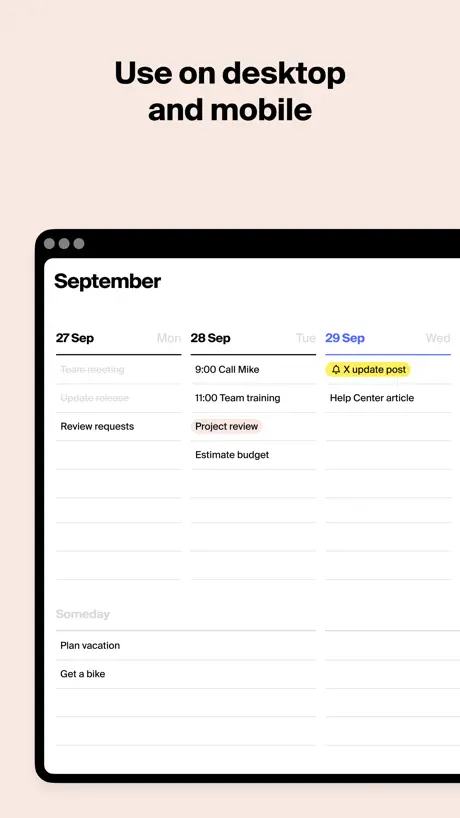
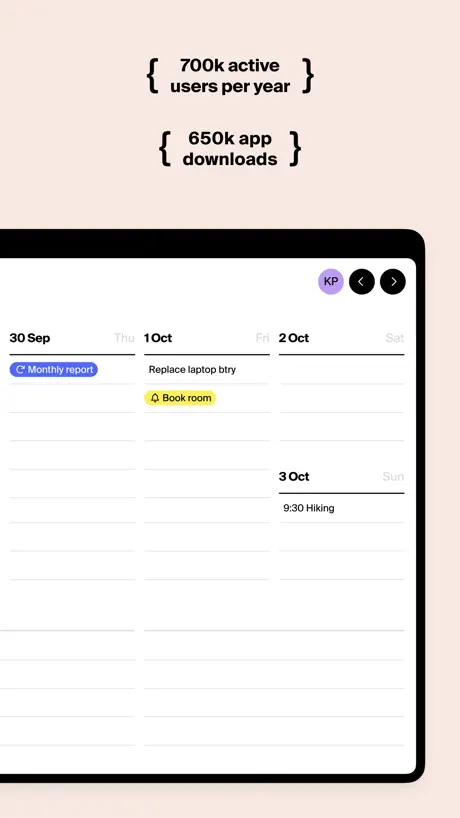
How much does Tweek: Minimal Weekly Planner cost?
Prices are current as of 27 Sept 2026.
4 subscriptions from $5.99
In the United States, Tweek: Minimal Weekly Planner has 4 subscriptions priced $5.99 – 89.99. It comes with a 14 days free trial.
| Subscription | Period | Price |
|---|---|---|
| Tweek Premium - Monthly | Monthly | $5.99 |
| Family Monthly | Monthly | $9.99 |
| Tweek Premium - Annual | AnnualTrial: 14 days | $49.99 |
| Family Annual | Annual | $89.99 |
See what Tweek: Minimal Weekly Planner costs in all 175 countries →
10+ alternatives to Tweek: Minimal Weekly Planner
| Tweek: Minimal Weekly Planner | 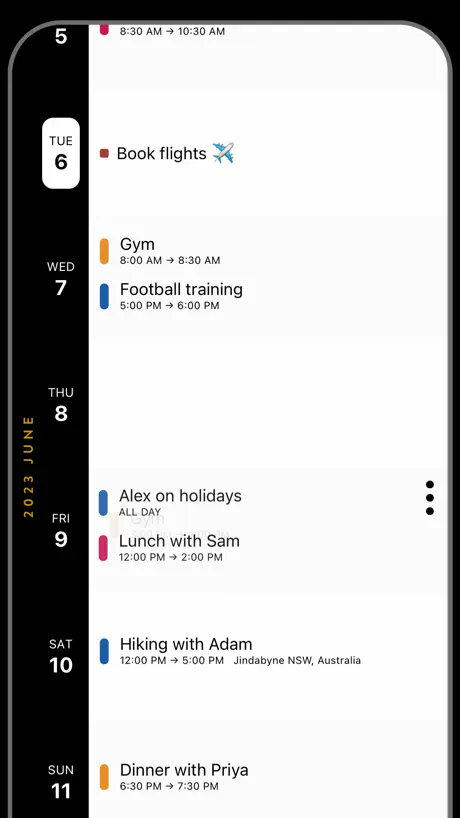  Timepage: Calendar Planner Timepage: Calendar Planner | 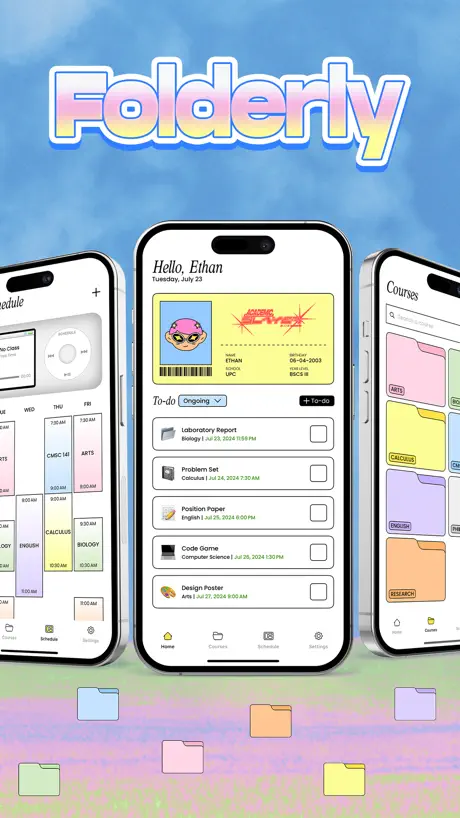  Folderly - Academic Organizer Folderly - Academic Organizer | 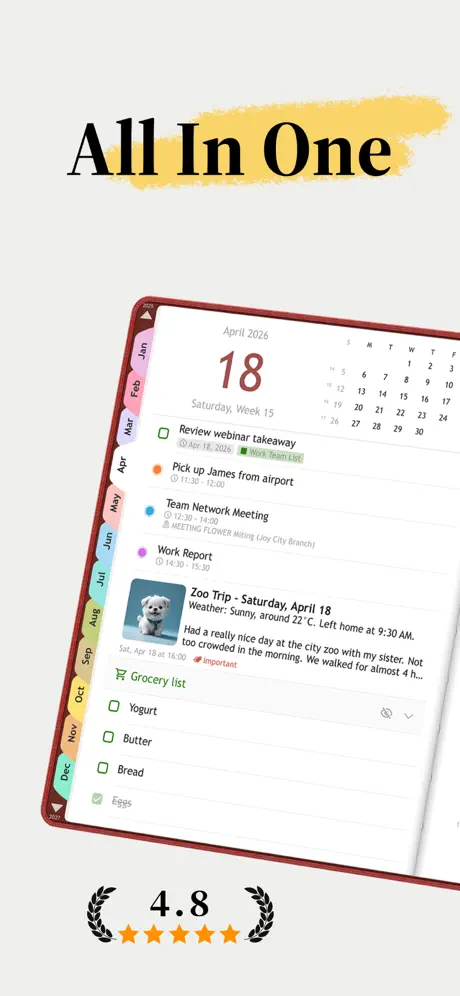  Planmore: Schedule Planner App Planmore: Schedule Planner App | 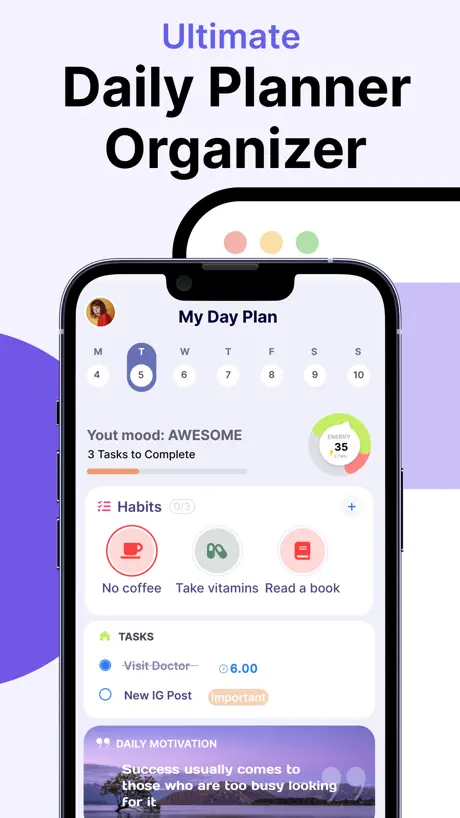  Daily Routine Planner - Brite Daily Routine Planner - Brite |   TimeBloc - Daily Planner TimeBloc - Daily Planner |   Habit Tracker - HabitKit Habit Tracker - HabitKit |   NoteCircle: To-Do List NoteCircle: To-Do List |   Mindlist — To Do List & Tasks Mindlist — To Do List & Tasks |   NotePlan - To-Do List & Notes NotePlan - To-Do List & Notes |   Superlist: To Do List & Team Superlist: To Do List & Team | |
|---|---|---|---|---|---|---|---|---|---|---|---|
| Rating / 5 | 4.8 | 4.6 | 4.8 | 4.7 | 4.6 | 4.3 | 4.8 | 4.6 | 4.6 | 4.7 | 4.5 |
| Reviews | 6.5K | 44K | 23K | 16K | 16K | 11K | 9.3K | 6K | 5.2K | 3.5K | 1.9K |
| Released | 2020 | 2015 | 2024 | 2022 | 2020 | 2019 | 2022 | 2020 | 2020 | 2020 | 2023 |
| Monthly price | $5.99 | $3.99 | $3.99 | $2.99 | $5.99 | $4.99 | $1.99 | $3.99 | — | $11.99 | $10.00 |
| Annual price | $49.99 | $29.99 | $19.99 | $14.99 | $39.99 | $39.99 | $11.99 | $29.99 | — | $99.99 | $59.00 |
| One-time price | — | $129.99 | $4.99 | $19.99 | $109.99 | $19.99 | $29.99 | $59.99 | $5.99 | — | — |
The going rate for each plan in United States, in its own currency, shaded from the cheapest price on the row to the dearest. Plans fewer than four in ten of the priced apps sell are left out.
Tweek: Minimal Weekly Planner reviews
4.8 out of 5, based on 6,509 reviews.
What people like
- Simple interface that is easy to use daily.
- Drag and drop makes planning very flexible.
- Looks great and feels clean on your screen.
- Works well across your phone and computer.
What they complain about
- Sync issues make tasks disappear or reappear.
- You have to pay to see the monthly view.
- Bugs stop you from dragging and dropping tasks.
- Support ignores your questions and complaints.
Simplistic but gets the job done
Soo easy to use and I love that it syncs across my devices!! I like color coding things and it’s just sooo helpful. I use it everyday for school lolll. I love how you can add sectioned notes too!! Only con is that it doesn’t let you see everything holistically through a calendar view Otherwise it’s amazing ❤️❤️
Poor software development
Though I have found the software really good to use, and love the roller over task to the next day, the bugs and glitches I have experienced in the last year, means I am likely not to renew my subscription. The task-roller stops, and then I have to create new tasks to get the same tasks to rollover. The mobile app buttons at the top disappeared, until a fairly recent update. On web/mob, to edit a task has a “double open” before you start typing. And lastly, there no development in tasks as a ‘project’. However small a project might be, there needs to be some movement on features to help manage a project and not just features to help a task or Mac intergration. For a little more money, Craft offers much much more. Or simply sticking to Mac’s Calendar & Reminder app and not paying anything at all.
really helpful pared down app
I’ve tried dozens of to-do lists and productivity apps but they either don’t have enough flexibility or they’re overwhelming in their range of options. Tweek lets you build a core of repeating tasks, things to get on with today, and a “someday” list so you don’t forget about all those maybe tasks. Major negative: I keep getting push notifications to upgrade to premium (I already have a subscription). I use notifications to remind myself about a particular task and really do not appreciate having marketing messages pushed through this way. Please fix that or I’ll have to find an alternative.
Can’t see monthly
Can see a list of daily tasks. Can’t see monthly without paying.
Great app when it works
I fell in love with this app the moment I downloaded it. I have a paper version of a to do list I’ve been using from Amazon but wanted to go digital and this was a damn near identical format. I happily paid for a year’s subscription and now I’ve come to regret it. When you sync a calendar to your to do list, the calendar DOES NOT stay synced. Every time I open the app I have to re-sync my calendars so that items will appear in my to do list days - very frustrating. For that reason alone, I’m no longer using this app and advise anyone else if you’re using it, only use it for the daily to do features. If you try to become efficient by syncing your calendars to it, save your money.
My favorite daily tool
I have used Tweek for a few years and it is hands down my favorite productivity and task management app. I have tried just about every task manager on the market and Tweek is my all-time favorite. I use it for both personal and work related tasks. I love its simplicity, but it also has the ability to scale in complexity if that is what a project needs. I love that I can use the app on my iPhone and also access it on my laptop computer. It’s the best!
Too discreet
If you don’t notice the notification alert the. You miss the whole point of this app. An alarm would be better. Wrote to the devs to ask them about this and was ignored. Tiimo is much better.
I love it but…
I keep getting a bug on the app where whenever i hit enter on a day other than the day it currently is it just moves the task to the current day or doesn’t finalize the task at all
Minimally Freemium
It’s a very beautiful and simple calendar, I like the fact there are no ads. But for the premium, for what’s it’s worth it too expensive for what it does. I’d rather spend the 6$ a month on a claude subscription and vibe code it myself.
Good but
This could really use a month overview, instead of just showing small dots.
Simple but powerful
I’ve been using this app for years, and I’m pretty sure I’ve already written at least one review, but it just asked for another so here it is… The interface works perfectly with my work and my personal life. For work, I always have a bunch of projects that I need to complete for clients and I’m able to write them all down as soon as they come in and drag them onto the day that I want to start working on them. If things go wrong I just dragged them to the next day. I’m kind of oversimplifying how I use it because there are a lot of really cool things that you can do to customize it such as color coding your entries, creating additional columns for notes such as what the color codes represent, entering bulleted sublists within each entry, etc. I bought a separate subscription for my wife who has ADHD and I connected our accounts so I can help her manage her to do list. i’ve tried so many apps and occasionally I test out new ones to see if they do something better than this one, but I’m pretty convinced that this is seriously the single app that does the best job for me personally.
PLS DO NOT GET
Doesn't sync. No option to ask for help. No customer service or anyone to answer questions.
Meh
I think it’s a good app. It’s free so that’s cool. Keeps me organized.
Very buggy
Not impressed, desktop app often buggy, also had issues with the phone app. I even tried the free trial. Disappointed. Seemed pretty basic, should have worked better
I wish features were not behind a paywall!
Tweek is good for tracking schoolwork but when it comes to the subscription it makes it a pain.
finally
minimal, functional, nice to look at, and exactly what i needed !!!
Annoying hidden costs
You have to pay to see the monthly view, which is the main function I needed. Pointless. Deleted app within 10 seconds.
Good, but
Love the app and use it daily. Another reviewer described it as perfectly restrained which is a great way of describing it. My only problem is that I duplicate a lot of tasks. When I tick a sub task in task 1 It is then ticked in any subsequent duplicated tasks which is obviously not what I want - can this please be updated
Okay app has potential.
Some annoying bugs that they won’t fix make the app worse. The bug being when you try to put your task in a certain order, it won’t let you sometimes, and it won’t let you hold down and drop it. If you drop it, it will go all the way to the bottom. Plus, you have to pay for some simple things and really overpay just to seek money. Those two things are what’s holding it from being a 5-star.
Desktop App not allowing drag and drop for tasks
I absolutely love Tweek and have been using it for a couple of years now but recently the desktop app has been having the weird issue of freezing up whenever I try to drag and drop a task which is one of my favorite features. I lokve Tweek and want to be able to use it seemlesly on my Mac but this issue makes the app hard to use because I love to reorder things :/
Simple
I like it. It is simple and keeps me organized
Doesn’t work
I use it in PC, it’s fine. But mobile app shows me infinite loading after I tried to log in via gmail.
Good but
I love the design but I want the other cal integrations without paying but it’s whatever
Not working
I’ve loved Tweek for so long, I use it everyday for the Lock Screen widget, but for the last few weeks there has been a bug that prevents entire usage of the app, it won’t let me add any new tasks anymore. When I click to add a new task for a day it just doesn’t register, I have to go back to a seemingly random date in the past, write it, then reschedule for today. Now having to delete and find another app as I was hoping it would be fixed in an update but no sign of that. It’s a shame because I genuinely think it’s such a good and simple app! I just want to open the app to today’s date and write my task, I don’t want to fiddle around going back and rescheduling :(
No widgets
I just started using but all the widgets have stopped working real bummer
Best to do app
I literally can’t live without it
Uncompleted tasks does not automatically move to next day.
I bought the yearly subscription only because of the move to next day uncompleted task feature. WASTE OF MONEY. Do not buy, it doesn’t work. I wasted my $$$ so you don’r have to, take your hard earned money to a better app.
Almost perfect!
Tweek is an incredible, simple to-do list app. Would love to have the option for the desktop layout on iOS/iPad app, as I use it on my Mac. The portrait layout isn’t as good on large screens. Also would love to see days that have already been disappear so the left-most/top-most day is always the current day.
Wish it would let me TYPE :(
Literally wont let me type. Only lets me type my tasks occasionally which is obviously not helpful. I refresh the app several times and it just does not let me do anything.
Convenient but
I have a free Calendar app on my iPhone so I don’t really need a second one but it’s nice to have a quick at a glance. The downfall is unless I want to pay for other features I cannot highlight a word and find it that way.
Simple & Delightful
Love how simple this app is and it gets the job done. Would love more widget options!
Нет подключения к интернету
Нет подключения к интернету, о интересно а как же я оставил этот отзыв
Use it every day
The simplest way to keep my life organized use it daily
So Close
This app is so close to everything I have been searching for in a digital planner. It has the reminders, the planner concept & the calendar. I really like the weekly review with the Someday spot. Think Bullet Journal meets iCal. But unless I am missing something, you can set a time for your reminders but you cannot add an event & it’s start time to that event in the app. Which means I have to go back to the original calendar to do all of that for it to show up on Tweek. But it’s advertised to support managing multiple calendars-how is that if it added multiple steps. I thought it was a feature of the subscription since that was when you can sync to Apple & Google but it’s not. Again, unless I am missing something but I read every question on Help & Support before posting this review. At this point, I feel like I jipped almost $40 for more work. Not very happy. A good 7-day trial would have been nice to try on. Also, you cannot select which calendar to place a task on when it is added. Finally-I would love to see Outlook syncing & saw that it is in the works since 2024 per Help & Support.
Horizontal desktop view for iPad?
I like the simplicity but i wish I can change view to horizontal one like on desktop days go from left to right . on App it's only vertical view?
Love it!
Been using this app to stay on track in grad school and it is AMAZING! Thank you tweek!
Выбор даты.
Вы молодцы, что сделали обновление, и теперь нельзя посмотреть, что было запланировано на месяц, — это ладно, бог с ним. Но почему Вы не смогли внести выбор даты, когда я хочу внести напоминание? Почему, чтобы поставить напоминание на март 2026 года, я должна листать по неделям? Может, я не понимаю, куда нажать надо, чтобы выбрать дату, или вы решили, что те, кто не хочет покупать подписку, должны страдать? Мне очень нравилось ваше детище, но, к сожалению, я вынуждена перейти в другой планер.
Worth exploring
Early days but this is very promising
No offline, monthly subscription
App doesn’t load when I’m offline. In addition the monthly subscription isn’t available only the yearly one is available. Other than that, I think Tweek best app for to do list I have ever used.
Love it!! However make some features free :/
I love this app! However I don’t know why picking colours for events in your day are premium, setting timers are premium, and a lot more features are premium! I got recommended this app saying it was free but now a bunch of things aren’t actually accessible! And I don’t have the money to be paying this app money to unlock features I need.
I Use It Every Day
I use it to track my online purchases and shows I’m watching on streaming services. I a separate calendar I track reservations for a local park as a backup. If park volunteer needs to know what is happening in the park I can share the calendar link.
Не удобно пользоваться
Раньше было удобно пользоваться календарем, но теперь из-за того, что нельзя посмотреть месячный режим и листать только по неделям перехожу в другой календарь. Это должна быть базовая настройка, а не только с вип подпиской за 499 рублей в месяц
Overall great app
I really like the ability to drag and drop tasks and that you can rename the task lists whatever you like. I’d like if there were more take colour options in the free version but it’s understandable why there isn’t. Overall I really like it for planing out my week because it makes it easy to rearrange things as they change.
Great app, but invasive review notifications
I use Tweek daily. It’s a great app for being able to organise your week and aside from some bugs around deleting recurring reminders and renaming someday lists it’s pretty solid. However today I opened the app to have a modal that couldn’t be dismissed blocking me interacting with the app, asking me to leave a review. Nothing out of the blue here as most apps pull this kinda nonsense but what was not cool was the immediate follow up email I received begging me to leave a review after I said I’d leave a review later. So here’s your review Tweek. You’re a good app but whoever created your social proof strategy needs a hug as clearly they’re needy as hell.
So much potential
I love the simplicity but definitely not worth the premium fee yet. Events don’t sync properly, you can’t edit a recurring event, you need to cancel and create again, some things just don’t sync. Event duration would be really helpful. Very buggy but so much potential
I love Tweek!!
I literally use Tweek to organize everything. I have not found a better task management app ever. I love how simple it is, I think a lot of the calendars I tried before Tweek were just too complicated and had too many overwhelming features. But Tweek is perfect. Everything is so aesthetic and I love how easily I can move tasks between days or even to my someday list. Tweek is the best way I have found to stay on top of my school assignments, I love Tweek!!!
Sync issues abound
This is a fantastic app, but recently has been plagued by consistent sync issues on mobile where tasks that you delete reappear, etc. it is terrible and needs to be fixed
Great app in general but problems with the update
This has been a great productivity tool for me however the new update makes has caused it to loose some useful features. 1. Recurring tasks now remain at the top of each day. This means that I am unable customise the order of recurring and ordinary tasks between each other to give a rough schedule to my day 2. Also after deleting a recurring task, when I move other recurring tasks there is a small delay where all the previously deleted tasks show up before adjusting to the new order.
Some concerns
A promising calendar/gtd app. Lovely simplicity and elegance. However, while the loading graphics are cute, it takes a long time to load - this is on a 2021 iPad Pro! I’d also prefer an in-app purchase, rather than being re-directed to an external website. Actually, I’d prefer to pay an outright amount, rather than a subscription. I’m deleting the app for now, but will see how things progress and re-consider accordingly.
Could even sign up properly
I tried to sign up with my gmail account because I use that for all my apps and I remember the password so It makes my life easier, but when I tried to log in it said “only Latin letters allowed”, really? You’ve got to be kidding, who programs their app so only Latin letters can be used, I know I’m coming off as harsh, but that’s just stupid. What’s sad is I’m sure it’d be a great app if it wasn't for that but I’ll never know, because of that stupid inconvenience
Tweek: Minimal Weekly Planner price by country
A monthly subscription costs $5.11 in Turkey and $9.62 in Colombia — 1.9× more for the same thing. Below is the going rate for each plan in every country that sells it — the middle price of what the app charges there, in the country's own currency with the dollar equivalent beneath it.
| Country | Monthly | Annual |
|---|---|---|
| Afghanistan | $5.99 | $49.99 |
| Albania | $5.99 | $49.99 |
| Algeria | $5.99 | $49.99 |
| Angola | $5.99 | $49.99 |
| Anguilla | $5.99 | $49.99 |
| Antigua And Barbuda | $5.99 | $49.99 |
| Argentina | $5.99 | $49.99 |
| Armenia | $5.99 | $49.99 |
| Australia | A$9.99$7.04 | A$77.99$54.92 |
| Austria | €5.99$6.82 | €49.99$56.94 |
| Azerbaijan | $5.99 | $49.99 |
| Bahamas | $5.99 | $49.99 |
| Bahrain | $5.99 | $49.99 |
| Barbados | $5.99 | $49.99 |
| Belarus | $5.99 | $49.99 |
| Belgium | €5.99$6.82 | €49.99$56.94 |
| Belize | $5.99 | $49.99 |
| Benin | $5.99 | $49.99 |
| Bermuda | $5.99 | $49.99 |
| Bhutan | $5.99 | $49.99 |
| Bolivia | $5.99 | $49.99 |
| Bosnia & Herzegovina | €5.99$6.82 | €49.99$56.94 |
| Botswana | $5.99 | $49.99 |
| Brazil | R$32.99$6.36 | R$279.90$53.93 |
| British Virgin Islands | $5.99 | $49.99 |
| Brunei Darussalam | $5.99 | $49.99 |
| Bulgaria | €4.99$5.68 | €49.99$56.94 |
| Burkina Faso | $5.99 | $49.99 |
| Cambodia | $5.99 | $49.99 |
| Cameroon | $5.99 | $49.99 |
| Canada | CA$7.99$5.67 | CA$69.99$49.64 |
| Cape Verde | $5.99 | $49.99 |
| Cayman Islands | $5.99 | $49.99 |
| Chad | $5.99 | $49.99 |
| Chile | CLP 6,990$7.26 | CLP 59,990$62.29 |
| China | CN¥38.00$5.65 | CN¥328.00$48.74 |
| Colombia | COP 29,900$9.62 | COP 229,900$73.96 |
| Congo | $5.99 | $49.99 |
| Congo, Democratic Republic | $5.99 | $49.99 |
| Costa Rica | $5.99 | $49.99 |
| Cote Divoire | $5.99 | $49.99 |
| Croatia | €5.99$6.82 | €49.99$56.94 |
| Cyprus | €5.99$6.82 | €49.99$56.94 |
| Czech Republic | CZK 129.00$6.03 | CZK 1,190.00$55.66 |
| Denmark | DKK 39.00$5.95 | DKK 399.00$60.82 |
| Dominica | $5.99 | $49.99 |
| Dominican Republic | $5.99 | $49.99 |
| Ecuador | $5.99 | $49.99 |
| Egypt | EGP 299.99$5.80 | EGP 2,499.99$48.31 |
| El Salvador | $5.99 | $49.99 |
| Estonia | €5.99$6.82 | €49.99$56.94 |
| Fiji | $5.99 | $49.99 |
| Finland | €5.99$6.82 | €49.99$56.94 |
| France | €5.99$6.82 | €49.99$56.94 |
| Gabon | $5.99 | $49.99 |
| Gambia | $5.99 | $49.99 |
| Georgia | $5.99 | $49.99 |
| Germany | €5.99$6.82 | €49.99$56.94 |
| Ghana | $5.99 | $49.99 |
| Greece | €5.99$6.82 | €49.99$56.94 |
| Grenada | $5.99 | $49.99 |
| Guatemala | $5.99 | $49.99 |
| Guinea-bissau | $5.99 | $49.99 |
| Guyana | $5.99 | $49.99 |
| Honduras | $5.99 | $49.99 |
| Hong Kong | HK$48.00$6.12 | HK$388.00$49.49 |
| Hungary | HUF 1,990$6.21 | HUF 19,990$62.37 |
| Iceland | $5.99 | $49.99 |
| India | ₹599.00$6.34 | ₹4,999.00$52.89 |
| Indonesia | IDR 99,000$5.53 | IDR 799,000$44.64 |
| Iraq | $5.99 | $49.99 |
| Ireland | €5.99$6.82 | €49.99$56.94 |
| Israel | ₪19.90$6.55 | ₪179.90$59.18 |
| Italy | €5.99$6.95 | €49.99$57.99 |
| Jamaica | $5.99 | $49.99 |
| Japan | ¥940$5.97 | ¥7,890$50.11 |
| Jordan | $5.99 | $49.99 |
| Kazakhstan | KZT 3,490.00$7.88 | KZT 29,990.00$67.68 |
| Kenya | $5.99 | $49.99 |
| Kosovo | €5.99$6.82 | €49.99$56.94 |
| Kuwait | $5.99 | $49.99 |
| Kyrgyzstan | $5.99 | $49.99 |
| Lao Peoples Democratic Republic | $5.99 | $49.99 |
| Latvia | €5.99$6.82 | €49.99$56.94 |
| Lebanon | $5.99 | $49.99 |
| Liberia | $5.99 | $49.99 |
| Libya | $5.99 | $49.99 |
| Lithuania | €5.99$6.82 | €49.99$56.94 |
| Luxembourg | €5.99$6.82 | €49.99$56.94 |
| Macao | $5.99 | $49.99 |
| Macedonia | $5.99 | $49.99 |
| Madagascar | $5.99 | $49.99 |
| Malawi | $5.99 | $49.99 |
| Malaysia | MYR 29.90$7.42 | MYR 229.90$57.05 |
| Maldives | $5.99 | $49.99 |
| Mali | $5.99 | $49.99 |
| Malta | €5.99$6.82 | €49.99$56.94 |
| Mauritania | $5.99 | $49.99 |
| Mauritius | $5.99 | $49.99 |
| Mexico | MX$112.00$6.33 | MX$999.00$56.47 |
| Micronesia | $5.99 | $49.99 |
| Moldova | $5.99 | $49.99 |
| Mongolia | $5.99 | $49.99 |
| Montenegro | €5.99$6.82 | €49.99$56.94 |
| Montserrat | $5.99 | $49.99 |
| Morocco | $5.99 | $49.99 |
| Mozambique | $5.99 | $49.99 |
| Myanmar | $5.99 | $49.99 |
| Namibia | $5.99 | $49.99 |
| Nauru | $5.99 | $49.99 |
| Nepal | $5.99 | $49.99 |
| Netherlands | €5.99$6.82 | €49.99$56.94 |
| New Zealand | NZ$9.99$5.64 | NZ$89.99$50.84 |
| Nicaragua | $5.99 | $49.99 |
| Niger | $5.99 | $49.99 |
| Nigeria | NGN 9,900.00$7.45 | NGN 79,900.00$60.13 |
| Norway | NOK 59.00$6.20 | NOK 599.00$62.99 |
| Oman | $5.99 | $49.99 |
| Pakistan | PKR 1,700$6.14 | PKR 12,900$46.57 |
| Palau | $5.99 | $49.99 |
| Panama | $5.99 | $49.99 |
| Papua New Guinea | $5.99 | $49.99 |
| Paraguay | $5.99 | $49.99 |
| Peru | PEN 24.90$7.43 | PEN 229.90$68.63 |
| Philippines | ₱399.00$6.38 | ₱2,990.00$47.83 |
| Poland | PLN 29.99$8.08 | PLN 214.99$57.95 |
| Portugal | €5.99$6.82 | €49.99$56.94 |
| Qatar | QAR 19.99$5.49 | QAR 199.99$54.94 |
| Romania | RON 29.99$6.48 | RON 249.99$53.99 |
| Russia | RUB 449.00$5.33 | RUB 4,550.00$53.99 |
| Rwanda | $5.99 | $49.99 |
| Sao Tome & Principe | $5.99 | $49.99 |
| Saudi Arabia | SAR 24.99$6.66 | SAR 199.99$53.33 |
| Senegal | $5.99 | $49.99 |
| Serbia | €5.99$6.82 | €49.99$56.94 |
| Seychelles | $5.99 | $49.99 |
| Sierra Leone | $5.99 | $49.99 |
| Singapore | SGD 7.88$6.16 | SGD 65.98$51.55 |
| Slovakia | €5.99$6.82 | €49.99$56.94 |
| Slovenia | €5.99$6.82 | €49.99$56.94 |
| Solomon Islands | $5.99 | $49.99 |
| South Africa | ZAR 119.99$7.36 | ZAR 999.99$61.31 |
| South Korea | ₩8,900$6.56 | ₩73,900$54.46 |
| Spain | €5.99$6.82 | €49.99$56.94 |
| Sri Lanka | $5.99 | $49.99 |
| St. Kitts and Nevis | $5.99 | $49.99 |
| St. Lucia | $5.99 | $49.99 |
| St. Vincent & The Grenadines | $5.99 | $49.99 |
| Suriname | $5.99 | $49.99 |
| Swaziland | $5.99 | $49.99 |
| Sweden | SEK 69.00$6.96 | SEK 599.00$60.44 |
| Switzerland | CHF 5.60$6.91 | CHF 46.95$57.96 |
| Taiwan | NT$190.00$5.98 | NT$1,490.00$46.91 |
| Tajikistan | $6.99 | $49.99 |
| Tanzania | TZS 17,900.00$6.74 | TZS 149,900.00$56.43 |
| Thailand | THB 199.00$5.96 | THB 1,990.00$59.60 |
| Tonga | $5.99 | $49.99 |
| Trinidad and Tobago | $5.99 | $49.99 |
| Tunisia | $5.99 | $49.99 |
| Turkey | TRY 249.99$5.11 | TRY 2,499.99$51.11 |
| Turkmenistan | $5.99 | $49.99 |
| Turks and Caicos | $5.99 | $49.99 |
| Uganda | $5.99 | $49.99 |
| Ukraine | $5.99 | $49.99 |
| United Arab Emirates | AED 22.99$6.26 | AED 199.99$54.49 |
| United Kingdom | £5.29$7.01 | £44.99$59.59 |
| United States | $5.99 | $49.99 |
| Uruguay | $5.99 | $49.99 |
| Uzbekistan | $5.99 | $49.99 |
| Vanuatu | $5.99 | $49.99 |
| Venezuela | $5.99 | $49.99 |
| Vietnam | ₫199,000$7.67 | ₫1,499,000$57.76 |
| Yemen | $5.99 | $49.99 |
| Zambia | $5.99 | $49.99 |
| Zimbabwe | $5.99 | $49.99 |
Tweek: Minimal Weekly Planner FAQ
- Is Tweek: Minimal Weekly Planner free?
- Yes. The app and its basic features are free, in all 175 countries it sells in. Premium features are paid: they start from $5.99 (US), across 4 subscriptions.
- How much does Tweek: Minimal Weekly Planner cost per month?
- Family Monthly is $5.99 – 9.99 (US). The annual plan works out cheaper per month: $49.99 – 89.99 a year.
- Does Tweek: Minimal Weekly Planner have a free trial?
- Yes — a 14 days free trial (US).
- Where is Tweek: Minimal Weekly Planner cheapest?
- A monthly subscription costs TRY 249.99 (≈$5.11) in Turkey and COP 29,900 (≈$9.62) in Colombia, its cheapest and dearest countries.
- What are the best alternatives to Tweek: Minimal Weekly Planner?
- Timepage: Calendar Planner (4.6 from 44,124 reviews, premium from $3.99), Folderly - Academic Organizer (4.8 from 23,272 reviews, premium from $2.99) and Planmore: Schedule Planner App (4.7 from 16,428 reviews, premium from $2.99).
Tweek: Minimal Weekly Planner download
Last updated 26 days ago.
Tweek: Minimal Weekly Planner sells in 175 countries. It was released 5 years and 11 months ago, on 13 Oct 2020. It holds a 4.8 rating from 6,509 reviews.
Supports 16 languages: English, Czech, Dutch, French, German, Hindi, Italian, Japanese, Korean, Polish, Portuguese, Russian, Chinese, Spanish, Swedish, Turkish.
How much does Tweek: Minimal Weekly Planner make?
Third-party estimates for the last 30 days, worldwide — not the store's own figures, which Apple publishes for nobody.
Revenue by plan
- Monthly 62%
- Annual 38%
Revenue by country
- United States 30%
- Russia 8%
- Germany 7%
- United Kingdom 5%