Pixaki 4 Pro
Pixel art studio
How much does Pixaki 4 Pro cost?
Prices are current as of 14 Nov 2026.
Pixaki 4 Pro has no in-app products on record in the United States.
Pixaki 4 Pro download price by country
| Country | Price |
|---|---|
| United States | $20.00 |
| Germany | €22.00 |
| Canada | CA$25.00 |
| United Kingdom | £20.00 |
| China | CN¥148.00 |
| Australia | A$30.00 |
| France | €22.00 |
| Italy | €22.00 |
| Mexico | MX$399.00 |
| Russia | RUB 1,790.00 |
| Japan | ¥3,000 |
| Netherlands | €22.00 |
| Philippines | ₱1,290.00 |
| Spain | €22.00 |
| Finland | €22.00 |
| Indonesia | IDR 399,000 |
| South Korea | ₩33,000 |
| Sweden | SEK 249.00 |
| Brazil | R$129.90 |
| Norway | NOK 249.00 |
| Ukraine | $25.00 |
| Switzerland | CHF 18.00 |
| Czech Republic | CZK 499.00 |
| Denmark | DKK 179.00 |
| Thailand | THB 699.00 |
| Turkey | TRY 999.99 |
| Taiwan | NT$690.00 |
| Argentina | $20.00 |
| Austria | €22.00 |
| Chile | CLP 22,990 |
| Colombia | COP 99,900 |
| India | ₹1,999.00 |
| New Zealand | NZ$40.00 |
| Peru | PEN 89.90 |
| Singapore | SGD 29.98 |
| South Africa | ZAR 399.99 |
| United Arab Emirates | AED 79.99 |
| Belgium | €22.00 |
| Belarus | $25.00 |
| Cyprus | €22.00 |
| Ecuador | $20.00 |
| Greece | €22.00 |
| Hong Kong | HK$148.00 |
| Croatia | €22.00 |
| Cambodia | $22.00 |
| Pakistan | PKR 4,900 |
| Poland | PLN 99.99 |
| Romania | RON 99.99 |
| Serbia | €22.00 |
| Saudi Arabia | SAR 89.99 |
| Uruguay | $20.00 |
| Vietnam | ₫599,000 |
| Afghanistan | $20.00 |
| Antigua And Barbuda | $20.00 |
| Anguilla | $20.00 |
| Albania | $25.00 |
| Armenia | $25.00 |
| Angola | $20.00 |
| Azerbaijan | $25.00 |
| Bosnia & Herzegovina | €22.00 |
| Barbados | $25.00 |
| Burkina Faso | $20.00 |
| Bulgaria | €22.00 |
| Bahrain | $22.00 |
| Benin | $25.00 |
| Bermuda | $20.00 |
| Brunei Darussalam | $20.00 |
| Bolivia | $20.00 |
| Bahamas | $22.00 |
| Bhutan | $20.00 |
| Botswana | $20.00 |
| Belize | $20.00 |
| Congo, Democratic Republic | $20.00 |
| Congo | $25.00 |
| Cote Divoire | $25.00 |
| Cameroon | $25.00 |
| Costa Rica | $20.00 |
| Cape Verde | $20.00 |
| Dominica | $20.00 |
| Dominican Republic | $20.00 |
| Algeria | $20.00 |
| Estonia | €22.00 |
| Egypt | EGP 999.99 |
| Fiji | $20.00 |
| Micronesia | $20.00 |
| Gabon | $20.00 |
| Grenada | $20.00 |
| Georgia | $25.00 |
| Ghana | $25.00 |
| Gambia | $20.00 |
| Guatemala | $20.00 |
| Guinea-bissau | $20.00 |
| Guyana | $20.00 |
| Honduras | $20.00 |
| Hungary | HUF 8,990 |
| Ireland | €22.00 |
| Israel | ₪59.90 |
| Iraq | $20.00 |
| Iceland | $25.00 |
| Jamaica | $20.00 |
| Jordan | $20.00 |
| Kenya | $25.00 |
| Kyrgyzstan | $22.00 |
| St. Kitts and Nevis | $20.00 |
| Kuwait | $20.00 |
| Cayman Islands | $20.00 |
| Kazakhstan | KZT 11,990.00 |
| Lao Peoples Democratic Republic | $22.00 |
| Lebanon | $20.00 |
| St. Lucia | $20.00 |
| Sri Lanka | $20.00 |
| Liberia | $20.00 |
| Lithuania | €22.00 |
| Luxembourg | €22.00 |
| Latvia | €22.00 |
| Libya | $20.00 |
| Morocco | $25.00 |
| Moldova | $25.00 |
| Montenegro | €20.00 |
| Madagascar | $20.00 |
| Macedonia | $20.00 |
| Mali | $20.00 |
| Myanmar | $20.00 |
| Mongolia | $20.00 |
| Macao | $20.00 |
| Mauritania | $20.00 |
| Montserrat | $20.00 |
| Malta | €22.00 |
| Mauritius | $25.00 |
| Maldives | $20.00 |
| Malawi | $20.00 |
| Malaysia | MYR 99.90 |
| Mozambique | $20.00 |
| Namibia | $20.00 |
| Niger | $20.00 |
| Nigeria | NGN 29,900.00 |
| Nicaragua | $20.00 |
| Nepal | $25.00 |
| Nauru | $20.00 |
| Oman | $20.00 |
| Panama | $20.00 |
| Papua New Guinea | $20.00 |
| Portugal | €22.00 |
| Palau | $20.00 |
| Paraguay | $20.00 |
| Qatar | QAR 69.99 |
| Rwanda | $20.00 |
| Solomon Islands | $20.00 |
| Seychelles | $20.00 |
| Slovenia | €22.00 |
| Slovakia | €22.00 |
| Sierra Leone | $20.00 |
| Senegal | $25.00 |
| Suriname | $22.00 |
| Sao Tome & Principe | $20.00 |
| El Salvador | $20.00 |
| Swaziland | $20.00 |
| Turks and Caicos | $20.00 |
| Chad | $20.00 |
| Tajikistan | $22.00 |
| Turkmenistan | $20.00 |
| Tunisia | $20.00 |
| Tonga | $20.00 |
| Trinidad and Tobago | $20.00 |
| Tanzania | TZS 59,900.00 |
| Uganda | $25.00 |
| Uzbekistan | $22.00 |
| St. Vincent & The Grenadines | $20.00 |
| Venezuela | $20.00 |
| British Virgin Islands | $20.00 |
| Vanuatu | $20.00 |
| Kosovo | €22.00 |
| Yemen | $20.00 |
| Zambia | $25.00 |
| Zimbabwe | $25.00 |
10+ alternatives to Pixaki 4 Pro
| Pixaki 4 Pro |   Pixquare - Pixel Art Studio | 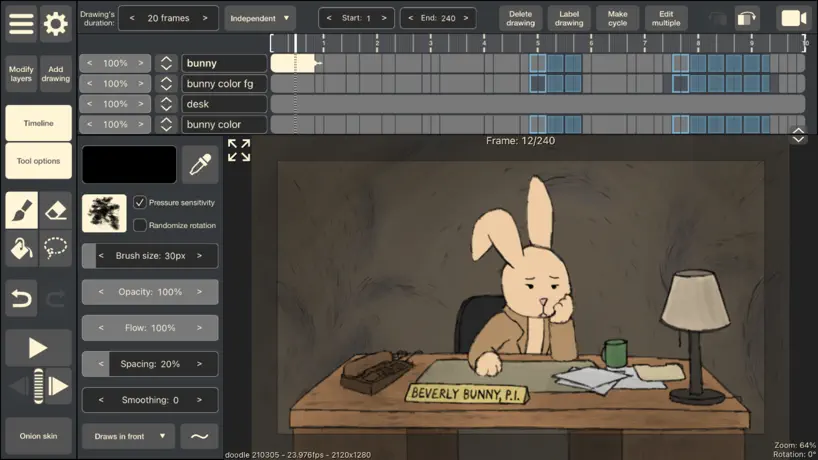  RoughAnimator - animation app | 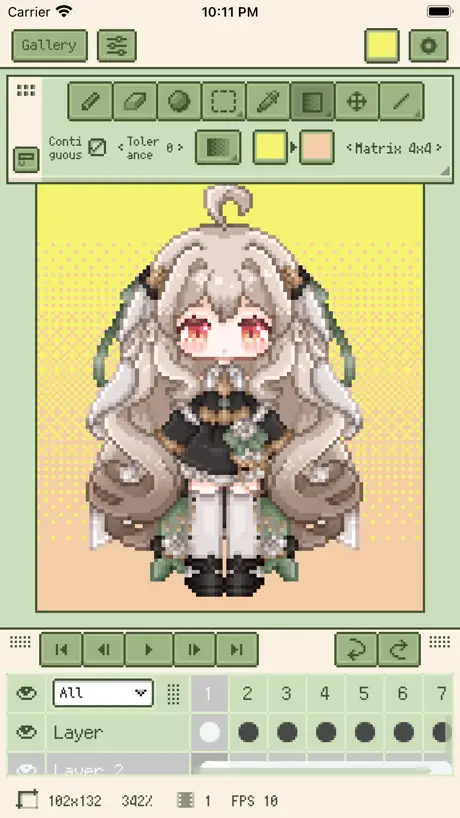  Resprite: pixel art studio |  ToonSquid |  Callipeg: 2D Animation App |   PixelPencil - Pixel art editor |  Feather: Draw in 3D |   Valence 3D |   Pixen - pixel art editor |   Voxel Max: 3D Modeling | |
|---|---|---|---|---|---|---|---|---|---|---|---|
| Rating / 5 | 4.1 | 4.8 | 4.7 | 4.8 | 4.6 | 3.8 | 4.7 | 4.1 | 4.2 | 4.7 | 4.7 |
| Reviews | 394 | 10K | 8K | 5.6K | 3.2K | 3.2K | 918 | 716 | 445 | 329 | 124 |
| Released | 2020 | 2023 | 2015 | 2023 | 2022 | 2020 | 2021 | 2024 | 2024 | 2016 | 2020 |
| One-time price | — | $12.99 | — | $24.99 | — | $12.99 | $4.99 | — | — | $9.99 | — |
The going rate for each plan in United States, in its own currency, shaded from the cheapest price on the row to the dearest. Plans fewer than four in ten of the priced apps sell are left out.
Pixaki 4 Pro reviews
4.1 out of 5, based on 394 reviews.
What people like
- Very intuitive and easy to learn
- Great for making pixel art on iPad
- Excellent customer support when issues arise
- Works well with Aseprite files
What they complain about
- Keeps crashing and losing your work
- File saving is buggy and unreliable
- Animation features are confusing and broken
- Missing essential tools like gradient or masks
My Favorite Pixel App So Far
I tried the demo version and had a multi layered animation by the end of my lunch break. I bought the full version right there. By the end of the day I updated the animation to 6 layers and 80+ frames. Never once did I have to look up how to do anything. This is the most intuitive pixel app I have ever used. I love the minimal interface, with no functional sacrifice. Most other pixel apps I used have functionality but are nowhere as easy to pick up. On top of this, the fact that it exports to and opens Aseprite files is amazing. For some things that are easier to do with a keyboard an mouse, I can easily bounce between my tablet and my computer thanks to iCloud saves. Top marks on this one!
几个严重问题
1. 图层内容在已选择的情况下复制当前帧有bug 2. 复制帧的时候经常会莫名其妙出现多余的帧,导致我300多帧的动画结尾多出来600多帧的空白帧 3. 没有批量删除帧的选项,六百多帧要我一个一个选来删除,真的很鬧心 这个价位的产品能不能认真做认证测啊,买pro的人很多都是当做生产工具的,这样的质量真的很失望
PLEASE PLEASE ADD I GRADIENT TOOL PLEAAASSSSEEEE I AMMBEGGING YOU
PLEASE I NEED THIS GIVE ME A GRADIENT TOOL IT ID SO ANNOYING TO MANUALLY GRADIENT THINGS IT LOOKS HORRIBLE I AM BEGGING YOU
Keeps crashing
When I am working in my files it keeps crashing along with when I set it to on iPad it keeps going to use iCloud
Useful, but buggy
Pixaki 4 has nice, easy to use features. The UX is a lot like Procreate, which is a plus. However, right now, after spending $20 on it, I can give it no more than 3 stars due to the bugs I’m experiencing. If these get fixed it will be 5 stars. Occasionally after drawing a line, or even a single pixel, the app appears to immediately undo it. It “won’t” create layers during this time either. I have to either exit the app or go back to gallery and tap my project again. After reopening the project, the last line I attempted to draw will appear and any layers I attempted to create will appear.
Overlooked
Game development is (obviously) a ton of asset generation. After trying everything under the sun it's a simple fact that a refined platform with all of the nuance needed and none that isn't provides clarity in vision and efficiency in production. Pixaki is perfect for development it just gets spoken about less because most people aren't using the software any more than the treadmill they bought so they parrot opinions from echo chambers.
Broken file management
The app doesn’t save files correctly, shows random files…. Fix asap!
First Time, it’s Decent
One of the primary reasons I’m only giving it 4 stars is because upon trying to use the color picker on a reference image it couldn’t detect a bright red, but browns and other colors were working fine. I recognize this app is made by a solo dev so you have to give them some slack, and other than this issue the app is great so far.
I want to like this app…
This app has a lot of great features, and i’ve been using it for years, but there are so many breaking bugs that at some points it’s just completely unusable. The animation feature often results in discrepancies in the artwork, where the animation that’s playing shows one thing, but the layer editor shows another. The select tool is also unintuitive, because you have to “confirm” a selection by switching to another tool before it will actually be pasted where you want it. Besides that, copy/pasting stuff between files and working on multiple files is such a slog that it’s almost unbearable, though that is partly an iOS problem so I can’t be too hard on them for that. Another breaking bug is that new files just won’t show up properly, so i have to close and reopen the app any time i want to work on a new file. For a paid app, that is just totally unacceptable. If the devs ever fixed these bugs, this would be a 4 or 5 star review, because other than that the app is great. But as-is it is barely functional.
Buggy
Buggy but nice when it actually works.
Amazing
Used for a couple years now, the best one.
Poubelle
Scandale ! Votre application bug ! Lors de l’enregistrement mon travail se dédouble ou s’efface. Résultat 4h de travail dans le vent. Franchement dégoûté c’est du foutage de g***** de payer ce prix pour avoir cette qualité d’application.
Pate keyframes
Absolutely love his app! Just wish there was a paste and copy keyframe option. It’s very tedious to copy and paste each keyframe individually. This is the perfect ON-THE-GO pixel app. I wonder if there is a way to incorporate sound into this app, that would really add to the animation.
Too many glitches
I only updated to the new version because the color picker in the old version is broken. The new version has loads of new features, but they aren’t worth it if the program isn’t fixed. When Something is pasted onto a layer and the blending mode is changed the layer will not change blending modes but twitches out and can something cause the app to crash. Images can be resized now but when pasting and zooming in it commonly resized the image as well. Even moving a pasted image can cause it to distort. This makes it hard to consistently copy and paste items that need to stay the same size. Importing files from the old version doesn’t work at all. There needs to be a way to turn off transformation tools. It feels like they tried to make this app more like photoshop, but now the tools are in bad locations instead if lined up on the bottom. Images cannot be made at screen size as the width of files are capped at 1048. Its so frustrating. Only good thing is this app is cheap and is only a 1 time payment. Please fix the bugs and make this a good program.
Apple Pencil Pro
Please support the Apple Pencil Pro's capabilities fully.
So far, so good
I haven’t had any issues with glitches, and because a lot of the UI and gestures are similar to Procreate it was easier for me to learn. My only criticism is more of a “wishlist” than anything. I’d like to see a stabilizer option for the brush for when I can’t/don’t want to use the line tool. I do love the pixel perfect option, as doing pixel art in Procreate was much more time consuming. Price is also pretty steep, and I think that’s a main detractor for a lot of people. However, if you want to do pixel art on an iPad, this is definitely one of the better apps.
Corrupted all saves when I upgraded
Apps fine but that really upset me
It’s still ok
It still works, but it has a little problems. Also, when you change into layers one part of it I couldn’t write on it. It still has a little mess up works. I still draw fine I have a problem grouping them together that might be a little problem in it. But I’m still using it. It’s great.
Crashing when exporting animated image
Keeps crashing and lagging while trying to export an animated image - I’ve given up! Next to impossible to animate as well.
Good App, bad file management
Literally lost an entire file because the ui was buggy when trying to move files…… unnacceptable
Favorite iOS Pixel Art App
Pixaki is intuitive and great to use. I love it. I’ve been using it for hobby work for an online art community for a couple of years now and have watched the app continue to improve. The animation controls are slick and easy, the brushes (and dithering) are nice, the palettes, layers and other controls are all easy to pick up. If you’re used to Aseprite, it has an Aseprite export function (that I haven’t tested much, so I can’t speak to how well it works). I had an issue with an animated project loading due to the animation being too long. The developer provided great support and information, and helped recover my project for me. Awesome support, and I’m looking forward to version 5!
Glitchy
I should have listened to the negative reviews. It has good features but I just lost hours of work. The pencil tool freezes on my iPad and even layer editing freezes.
Excellent Tool for iPad Pixel Artists
I have been making pixel art on my iPad exclusively for 4 years now. There are definitely more complete tools on PC and Mac, but I’ve been able to work on my game almost ENTIRELY from my iPad as far as the art goes.
Dumb changes
Why did you change the animation into this key frame mess and it won’t import all the colour palettes as promised only gimp. For such an expensive app. I expected more. Dropped down to two stars because the key frame system now is just STUPID. GET THE OTHER APPS TO ANIMATE. CRAP UX NOW
Select, copy zone
I would like to be able to select a zone and copy it as a layer to animate images easily
Best tool so far
The price is high, but if you’re a mid to high level pixel artist it’s def worth the price to incorporate it into your workflow.
Not good
Everytime i draw something the files are corrupted afterwards. I have to restart the App otherwise it shows the wrong names of the files and saves them completely random… It happened so many times that I drew something and when I closed the app- boom- file was gone or ive been drawing on an already existing picture. I do not recommend.
Pretty good
Works great but there seems to be a bug with syncing to the iCloud. I have lost some files. Also a file backup option would be great. If you like procreate, but really love pixels.. this is for you!
Awful glitches
Twice I have had my file glitch out and erase hours of work. I’ll save a nice tile set then open the project to make some tweaks and suddenly an entire layer is cleared for no reason with no way to get it back. Hundreds of frames lost in animations too. I don’t know what causes this but it is agonizing.
Importing palettes does not work
The online Help section says Pixaki supports. .gpl, .aco, and .pal files for importing palettes. I have downloaded each of those file types to my Files app on my iPad but Pixaki is unable to open any of them.
Magnificent
Nothing comes close to Pixaki. It’s powerful and intuitive and the latest version is packed with even more features. Honestly I would pay much, much more for this app, many days I’m using it for 4-8 hours at a time making art for games. This is a wonderful program for professionals and beginners and all in between!
Crashing
Constantly crashing, unable to work with this app. :(
Good but Steep Price
The app is well designed. I tried the free version before deciding to help development by buying the paid version but the price is very steep. 2x that of Procreate. I hope that the future brings enough features to make that price worth it.
Bien mais bugs récurrents
Franchement je l’utilise en daily donc &tuant dire je l’ai poncé… L’interface est claire et les fonctionnalités efficaces et simple d’utilisation. Je mettrai par contre un gros holà sur les bugs, lenteur 2 points négatifs, on ne peut pas faire de groupes de calques et parfois il est impossible de merger des calques, l’application crash 100% des cas c’est un problème qu’il vous faut régler car c’est insupportable
smoothing?
on my old ipad, it worked flawlessly. on my 10th gen, pixel perfect does not work and if zoomed out even a little the curves are lines and not much of a curve. same applies when pixel perfect is not on :(
Must-have pixel art program for iPad
Blows Adobe Fresco, Photoshop, and Procreate out of the water for pixel art on iPad. Pro version is worth every penny. This is a must-have app for the iPad!
没有汉化!!!!!!!!!!!!!!!!!!!!!!!
Why should it be listed in China without localization?
Is it so hard?
So far, all I ask is for a “multiple file export”… is it that hard? Thanks
Glitches Galore
I wanted to love this app. But for $30 so far all I’ve accomplished is losing hours of progress due to the app glitching
NEEDS A.I.
Add Ai to help us with navigating the menu, getting to tools faster. We can do the art (don’t touch that with A.i) but everything around the art.
App crashing on OS 16.3.1✓
Please fix!
Loses you files if you setup one drive as your cloud storage
It allows you to save to one drive in the settings but when you try and open from the one drive after closing the app it locks you out saying the storage is unsupported, lost hours of work thinking it was being saved. I hate this programme and apple’s iPad so much for this kind of thing
I know it’s not Photoshop but…
I’d be happy with one thing from that program: the ability to LOCK a layer to prevent it from sliding around or being accidentally painted on. I’m loving the app so far. I hope you develop it further.
Sadly lacking features. Hope dev sorts some.
This app could be ‘the’ pixel art app if only for these issues: -No clipping masks (I don’t call drawing only inside a selection a ‘mask’). -No highlight/shadow tool. -No gradient tool. -No simple tweening or key-framing. -No layer blend modes, just opacity. -Only 1 animation sequence per file, misleading in so far as having multiple drawing layers != to multiple animation tracks. Simple example: A gun sprite needs a simple light glint effect where a bar of white pixels move from left to right over the gun. Without clipping masks, this requires me to manually erase or re-draw pixels of the glint layer so that it conforms to the gun shape, frame by frame. This is needlessly destructive and just isn’t workable for even slightly more complex animation sequences. What about if I have multiple gun sprites I want to do this same animation for? Well that would require manually repeating the process of placing or erasing pixels to cover over the next gun, for each and every one. It is unreasonable to expect any kind of uniformity in design by doing this, so inevitably other software is needed. A simple clipping mask would let me clip the light layer to any gun sprite I want, so my animation goes from editing every frame over and over, to the software making the already animated moving light layer just clip any filled pixels under it. This is such a huge oversight which in combination with the inability to rotate in 1px increments makes the animation capabilities of this app present in name only, unless you like the idea of manually pushing pixels to repeat the same stuff over and over. Dear developer, I can work around the lack of key frames, effects, shaders, adjustment layers, a file having only 1 animation track, even simple position translations. But please for heavens sakes, implement layer masking. Thank you. Edit: dev implemented rotation update which addresses one of my issues, the day of my original review going live. Many thanks
Great potential, but crashes often
I’ve been interested in apps that exclusively handle pixel style art, and while this one seems excellent with its tools the constant crashing is too much. While it does have an auto save feature I still lose about 15 minutes of work which is just too much when it happens so often. It also lacks the palm detection and layer handling that other apps have. Documentation to properly learn the app is also severely lacking, and I’m unable to fully learn the features based on the dev documentation alone. There’s very little resources for Pixaki and while the direction seems good, I’ll likely be adapting procreate into a pixel art workflow and going from there.
Thanks
Thanks You will see me take over the world soon
Tools feel good but crashes and loses your work
Save your money. File saving system is junk, and app has crashed twice on me on a 2020 ipad pro. Absolute junk app
3.75 stars - Best pixel art app on iPad, missing key features
This app definitely lives up to the description of best pixel art app and I use it frequently; the UI is well conceived for touch/pen input and there is enough functionality to get real work done. It is missing certain functions that hold it back from being able to support an efficient workflow in my experience though— the most notable being -Layer groups / folders -Polygonal selection tool -Indexed color / palette swapping -Ability to control how opacity is handled when layers are flattened (the current behavior for flattening/ merging layers with varying opacity is clunky / borderline broken) Nice to have but secondary -key frames / tweening / multilayer timeline -Gradient / shading tools
Pixaki 4 bon programme, mais bug important
Je connais Pixaki depuis sa version 3 et maintenant 4, c’est une bonne application dans l’ensemble, mais possède un bug très embêtant et qui est présent depuis la version 3, mais ne semble pas avoir été corrigé dans la version 4. Il arrive très souvent que lorsque vous ouvrez un travail, que le contenu d’un ou plusieurs calques disparaissent totalement et ne puissent plus jamais être récupéré. À l’instant j’ai quatre calques qui ont vu leur contenu intégralement effacé par ce bug, vous aurez beau fermer le programme sans sauvegarder, il est déjà trop tard. J’avais exactement le même bug sur Pixaki 3. Pixaki 4 est un bon programme et simple de prise en main, mais un tel bug est vraiment gênant, sans ça j’aurais mis une meilleure note.
Good for single frame, bad for animations
For single frame/ non-animated projects, this seems to be a great app. But for animations, the confusing and downright nonsensical behavior of copy-paste from different frames or projects means that I cannot recommend this app for animations such as pixelart game animations. Shame, really, since I was looking forward to a one-in-all solution on the iPad
Pixaki 4 Pro FAQ
- Is Pixaki 4 Pro free?
- No. Pixaki 4 Pro costs $20.00 (US) to download.
- Does Pixaki 4 Pro have a free trial?
- No. None of its offers (US) come with a free trial.
- What are the best alternatives to Pixaki 4 Pro?
- Pixquare - Pixel Art Studio (4.8 from 9,962 reviews, premium from $1.99), RoughAnimator - animation app (4.7 from 7,981 reviews) and Resprite: pixel art studio (4.8 from 5,629 reviews, premium from $1.99).
Pixaki 4 Pro download
Last updated 1 year ago.
Pixaki 4 Pro sells in 175 countries. It was released 5 years and 11 months ago, on 16 Dec 2020. It holds a 4.1 rating from 394 reviews.
Supports 1 language: English.
How much does Pixaki 4 Pro make?
Third-party estimates for the last 30 days, worldwide — not the store's own figures, which Apple publishes for nobody.