Voxel Max: 3D Modeling
Pixel Art, Game Assets & AI
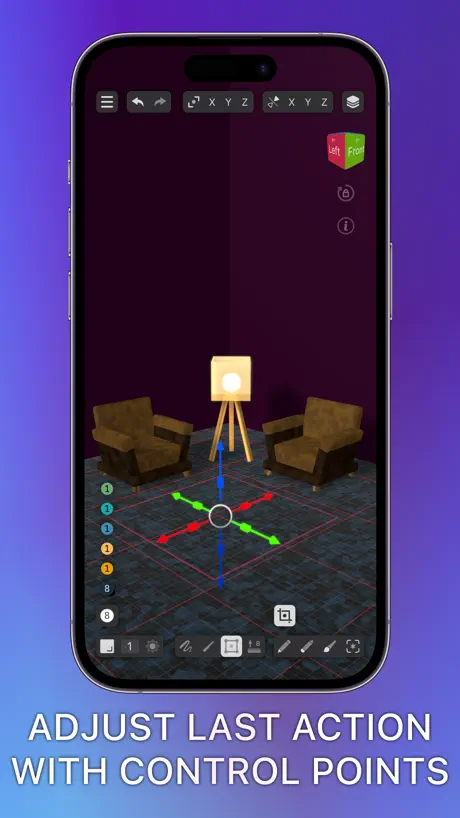
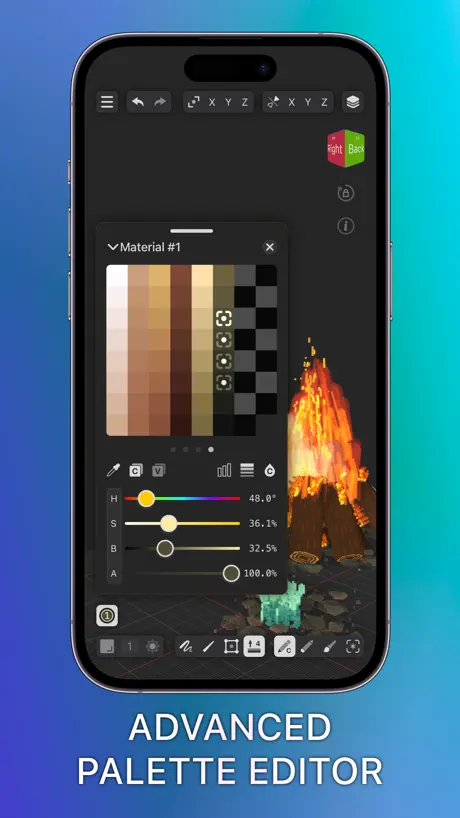
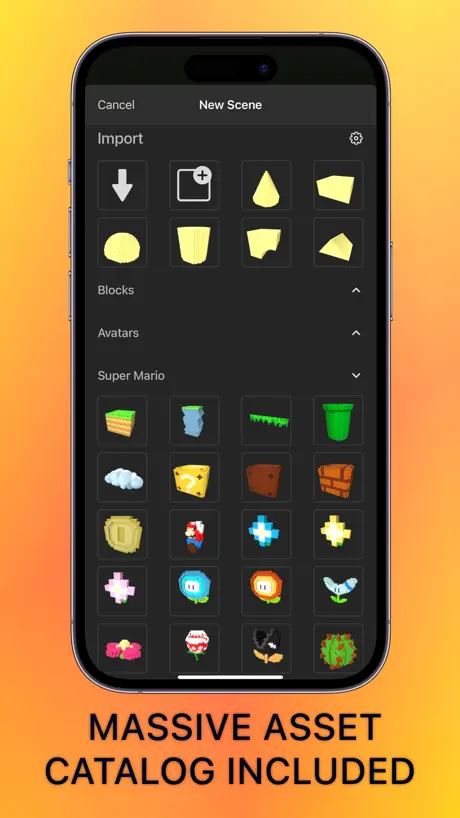
How much does Voxel Max: 3D Modeling cost?
Prices are current as of 8 Nov 2026.
Voxel Max: 3D Modeling has no in-app products on record in the United States.
Voxel Max: 3D Modeling download price by country
| Country | Price |
|---|---|
| United States | $9.99 |
| Germany | €9.99 |
| Japan | ¥1,500 |
| China | CN¥68.00 |
| Russia | RUB 899.00 |
| United Kingdom | £9.99 |
| Canada | CA$12.99 |
| France | €9.99 |
| South Korea | ₩17,000 |
| Netherlands | €9.99 |
| Ukraine | $11.99 |
| Austria | €9.99 |
| Indonesia | IDR 199,000 |
| India | ₹999.00 |
| Italy | €9.99 |
| Mexico | MX$199.00 |
| Norway | NOK 129.00 |
| Philippines | ₱599.00 |
| Portugal | €9.99 |
| Thailand | THB 399.00 |
| United Arab Emirates | AED 39.99 |
| Australia | A$14.99 |
| Costa Rica | $9.99 |
| Denmark | DKK 89.00 |
| Finland | €9.99 |
| Hungary | HUF 4,490 |
| Luxembourg | €9.99 |
| Malaysia | MYR 49.90 |
| Poland | PLN 49.99 |
| Romania | RON 49.99 |
| Turkey | TRY 499.99 |
| Vietnam | ₫299,000 |
| Afghanistan | $9.99 |
| Antigua And Barbuda | $9.99 |
| Anguilla | $9.99 |
| Albania | $11.99 |
| Armenia | $11.99 |
| Angola | $9.99 |
| Argentina | $9.99 |
| Azerbaijan | $11.99 |
| Bosnia & Herzegovina | €9.99 |
| Barbados | $11.99 |
| Belgium | €9.99 |
| Burkina Faso | $9.99 |
| Bulgaria | €9.99 |
| Bahrain | $9.99 |
| Benin | $11.99 |
| Bermuda | $9.99 |
| Brunei Darussalam | $9.99 |
| Bolivia | $9.99 |
| Brazil | R$59.90 |
| Bahamas | $9.99 |
| Bhutan | $9.99 |
| Botswana | $9.99 |
| Belarus | $11.99 |
| Belize | $9.99 |
| Congo, Democratic Republic | $9.99 |
| Congo | $11.99 |
| Switzerland | CHF 9.00 |
| Cote Divoire | $11.99 |
| Chile | CLP 9,990 |
| Cameroon | $11.99 |
| Colombia | COP 49,900 |
| Cape Verde | $9.99 |
| Cyprus | €9.99 |
| Czech Republic | CZK 249.00 |
| Dominica | $9.99 |
| Dominican Republic | $9.99 |
| Algeria | $9.99 |
| Ecuador | $9.99 |
| Estonia | €9.99 |
| Egypt | EGP 499.99 |
| Spain | €9.99 |
| Fiji | $9.99 |
| Micronesia | $9.99 |
| Gabon | $9.99 |
| Grenada | $9.99 |
| Georgia | $11.99 |
| Ghana | $11.99 |
| Gambia | $9.99 |
| Greece | €9.99 |
| Guatemala | $9.99 |
| Guinea-bissau | $9.99 |
| Guyana | $9.99 |
| Hong Kong | HK$88.00 |
| Honduras | $9.99 |
| Croatia | €9.99 |
| Ireland | €9.99 |
| Israel | ₪29.90 |
| Iraq | $9.99 |
| Iceland | $11.99 |
| Jamaica | $9.99 |
| Jordan | $9.99 |
| Kenya | $11.99 |
| Kyrgyzstan | $9.99 |
| Cambodia | $9.99 |
| St. Kitts and Nevis | $9.99 |
| Kuwait | $9.99 |
| Cayman Islands | $9.99 |
| Kazakhstan | KZT 5,990.00 |
| Lao Peoples Democratic Republic | $9.99 |
| Lebanon | $9.99 |
| St. Lucia | $9.99 |
| Sri Lanka | $9.99 |
| Liberia | $9.99 |
| Lithuania | €9.99 |
| Latvia | €9.99 |
| Libya | $9.99 |
| Morocco | $11.99 |
| Moldova | $11.99 |
| Montenegro | €9.99 |
| Madagascar | $9.99 |
| Macedonia | $9.99 |
| Mali | $9.99 |
| Myanmar | $9.99 |
| Mongolia | $9.99 |
| Macao | $9.99 |
| Mauritania | $9.99 |
| Montserrat | $9.99 |
| Malta | €9.99 |
| Mauritius | $11.99 |
| Maldives | $9.99 |
| Malawi | $9.99 |
| Mozambique | $9.99 |
| Namibia | $9.99 |
| Niger | $9.99 |
| Nigeria | NGN 14,900.00 |
| Nicaragua | $9.99 |
| Nepal | $11.99 |
| Nauru | $9.99 |
| New Zealand | NZ$19.99 |
| Oman | $9.99 |
| Panama | $9.99 |
| Peru | PEN 44.90 |
| Papua New Guinea | $9.99 |
| Pakistan | PKR 2,900 |
| Palau | $9.99 |
| Paraguay | $9.99 |
| Qatar | QAR 39.99 |
| Serbia | €9.99 |
| Rwanda | $9.99 |
| Saudi Arabia | SAR 39.99 |
| Solomon Islands | $9.99 |
| Seychelles | $9.99 |
| Sweden | SEK 129.00 |
| Singapore | SGD 14.98 |
| Slovenia | €9.99 |
| Slovakia | €9.99 |
| Sierra Leone | $9.99 |
| Senegal | $11.99 |
| Suriname | $9.99 |
| Sao Tome & Principe | $9.99 |
| El Salvador | $9.99 |
| Swaziland | $9.99 |
| Turks and Caicos | $9.99 |
| Chad | $9.99 |
| Tajikistan | $9.99 |
| Turkmenistan | $9.99 |
| Tunisia | $9.99 |
| Tonga | $9.99 |
| Trinidad and Tobago | $9.99 |
| Taiwan | NT$320.00 |
| Tanzania | TZS 29,900.00 |
| Uganda | $11.99 |
| Uruguay | $9.99 |
| Uzbekistan | $9.99 |
| St. Vincent & The Grenadines | $9.99 |
| Venezuela | $9.99 |
| British Virgin Islands | $9.99 |
| Vanuatu | $9.99 |
| Kosovo | €9.99 |
| Yemen | $9.99 |
| South Africa | ZAR 199.99 |
| Zambia | $11.99 |
| Zimbabwe | $11.99 |
10+ alternatives to Voxel Max: 3D Modeling
| Voxel Max: 3D Modeling |   Mega Voxels | 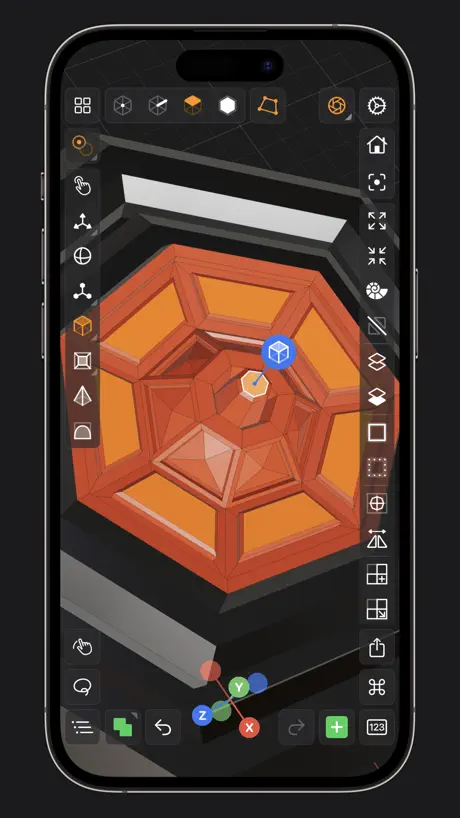  Valence 3D |  Pixaki 4 Pro |   Pixel Studio PRO: Pixel Editor |  Uniform - 3D Editor |   Morphin |   Plastic - 3D Modeling |  DGArt |   Voxel Paint (Ape Apps) |   ArtiMesh: 3D Modeling | |
|---|---|---|---|---|---|---|---|---|---|---|---|
| Rating / 5 | 4.7 | 4.8 | 4.2 | 4.1 | 4.6 | 3.4 | 4.3 | 4.2 | 2.9 | 3.6 | 4.3 |
| Reviews | 124 | 3K | 451 | 394 | 203 | 88 | 47 | 41 | 33 | 18 | 15 |
| Released | 2020 | 2021 | 2024 | 2020 | 2019 | 2024 | 2024 | 2023 | 2023 | 2020 | 2025 |
| Weekly price | — | $1.99 | — | — | — | — | — | — | — | — | — |
| Monthly price | — | $4.99 | — | — | $3.99 | — | — | — | — | — | — |
| Annual price | — | $49.99 | — | — | — | — | — | — | — | — | — |
| One-time price | — | — | — | — | $3.99 | — | — | — | — | — | — |
The going rate for each plan in United States, in its own currency, shaded from the cheapest price on the row to the dearest.
Voxel Max: 3D Modeling reviews
4.7 out of 5, based on 124 reviews.
What people like
- Developer fixes bugs quickly and personally
- No subscription needed for full features
- Great for creating voxel art on iPad
- In-app video tutorials are very helpful
What they complain about
- It crashes and loses your work
- Tools are confusing and hard to use
- Documentation is outdated and misleading
- Runs the device very hot
Brilliant Voxel App!
Thank you for providing such a great voxel toolset on the iPad, it’s much appreciated!
10$ for non functioning app
Does not work. Cant create any projects any more. No button works. Nothing, not even deinstalling fixes it
色板无法替换
每次新图都是默认色板。但默认色板无法替换成已设置好的色板。需要自己再一次调节颜色。这点很需要更改。
A Valiant Attempt, but Shy of Results
Voxel Max is a 3D modeler that seeks to help create voxel art for artists in both the indie games and art community. The app is cited as being a powerful experience, which is true to an extent. The first question you will ask yourself is if it is worth the money. The solid answer to this is no. Ten dollars as of writing is too much for this iPadOS tool. I will go into detail on this now. First off, you have to give the developer props to taking on a task such as making a modeler on the iPad. Most developers won't go that far and I understand that the developer needs to make a profit as well. But the reason why the price is not worth it is because of how both the tool and camera system works. There are plenty of tools that this app offers, some that I haven't seen other apps try to do. Unfortunately, these tools don’t work, and if they do, they don’t work well. For example, there was a tool that was said to subtract based off my selection based off my drawing tool. Slightly confusing, but I thought I could manage it. Nothing was subtracted off my mesh after 10 minutes of trying. Then, I went on my way to scale my model. The program has a resize tool but doesn’t elaborate well on how to use said tool. It should be straight forward, similar to the transform and rotate tool, but it is a completely separate part of the tool set. Not only this, but I could not get it to work either. I came to realize this app has a lot of features, yet none of them seem to work. Documentation is another problem you will have if you purchase this app. When I went to the blog for basic help, I was given tutorials on how to make a Star Wars scene or a snake model. While basic tutorials such as the donut or teapot models for most software show you the basics, all I needed to do was see how the rescale tool worked. When I had found an article that mentioned it, the article redirected me to a video that had shown me exactly what I wanted to do, but in MagicaVoxel (the most popular voxel modeling tool). They tried to show a comparison to the feature in this app but it simply didn’t work. Additionally, the tutorials and videos will have a different UI from what you have in the app, making it hard to navigate. The application has little settings to work with when it comes to editing. I could not disable touch drawing, which meant that if you use a stylus you will often find yourself accidentally drawing instead of zooming or moving. Additionally there was no option to solely focus on the center of the model, like magicavoxel. It would focus on the last voxel you placed. This meant if you erased that voxel, the camera pivot would for some reason be on the wall, making it hard to focus on your model. Overall, the tools are very buggy and unstable. Documentation needs to be fixed as well. As of now, I highly recommend installing MagicaVoxel over this program as it has more documentation and a solid build. But I would like to state that you should also potentially keep an eye on this product if it goes down in price in the coming years. I do believe this could be great, it just needs more time in the oven before you should pay $10 for it.
良い 日本語追加お願いします
安いのにいろんな機能がありいいが、日本語があるといいと思ったのと、aiの使い方がわかりません。
Had a problem, developer fixed it 5 stars!
I had an issue with the app no longer working and crashing on new scenes. To my surprise the developer contacted me in order to try to fix the problem in which they managed to fix. App works great and I love that I can actually buy the app vs having to pay yet another subscription. The developer is also open to hearing on any improvements for the app, so its a 5/5 star app for me!
can not export file
If the size of a design getting bigger, .vmax and .vox file is crashed on mac.
Could be better
Palette system is unintuitive. Good soft overall, definitely the choice for any voxelartist. But developers could put more effort into redesign
Excellent!
I absolutely love this app, it gets out of the way an lets your creativity run wild!
Looks good at first, but then it's a disaster
On first use it seems to have the requisite functions. But then... 1. It commits the cardinal sin of losing/dumping/dropping your work. You can save your file out as many times as you like, but if it glitches on you, you'll lose it all. (The glitch seems to happen early on in a working session, and prevents saving.) 2. It's very bugget throughout. Sometimes the tools just start doing the wrong things, and you have to close your file and re-open it to restore their function.
Almost Perfect
I’ve been using this app for a little bit now and I’ve been impressed with the features it does have, but one thing that is missing that was a huge part of my workflow in MagicaVoxel is the use of SHADERS. Shaders make foliage and other asset creation so much easier and quicker. I’m really hoping that Voxel Max adds support for the same shaders that MagicaVoxel supports. I love MagicaVoxel but sometimes I just want to take my iPad with me and create on the go. If shader support was added, then this would be the perfect app for me (and hopefully many others!). Anyway, I appreciate all the effort that has gone into this app’s development and extend a heartfelt thank you ^_^
🚨🚨🚨🚨🚨🚨🚨🚨🚨🚨🚨🚨🚨
This app is great, but it seriously needs to be optimized. Any little thing you do gets my M1 iPad Hot that’s not normal. Update.. ok thank you
Bad
Terribly inconvenient app. no tutorials on updated versions, no information about a lot of things. constant bugs, inconveniently located tools, a lot of delicate things are simply not there. not worth its price.
中文版中文版中文版!!!!!
能不能加个中文版啊啊啊!!!
Great Software
Easy to use and export. Amazing Augmented Reality file export & experience!
Not optimized for medium large files / bugs
Lot of bugs and not optimized.
Wont Let me Export to GLTF
Really good program, but it wont let me export GLTF and I kind of need it to
Loving it so far!
Great app for voxel editing with amazing performance on the new Apple Silicon Macbooks.
如何导入 Magica voxel 的格式
我想在手机上继续做 magicavoxel 的项目,希望可以导入 voxel 格式。
My GOD! where have you been?
Update Nov 2022 This app is still a powerhouse. I love the update, that the…. drag the “i” for information atop an icon you don’t understand, and a video plays providing you a video tutorial of what said icon tool is. Brilliant feature. I look forward to any what new nuggets maybe in store. Buy the app if you’re reading this. ———————-———————-———————- ORIGINAL POST: INCREDIBLE! _ It’s like using unity modeling editor but better UX. Create scenes, screen-cap it, take it to photoshop on iPad or in my case Affinity Photo on iPad - and go even further with photo manipulation. Dear Dev, Please stay updating, I will pay for future updates if you need income to sustain in life. This is amazing! Eventually you will get more exposure. I’m surprised I’m just finding you. Developer… ADD: video to your description. You Must show, this IN MOTION! I almost shrugged you off as “probably useless app” due to not enough reviews and no video. Your youtube brought me back after I searched you there. Marketing: ADD the following meta tags to your app so you can get discovered every where: app store, youtube channel, Instagram, Facebook, online.. etc: Art Previz Pre-Viz Modeling Graphics Sculpting 3D Modeling Game Graphics Computer Graphics Voxel Art Voxel Graphics Voxel Sculpting Voxel Game Graphics Go all out! you need more exposure. 👉 Voxel is Crack!!
Its ok!
A very powerful tool for voxel editing. The developer is friendly and super helpful. You can do pretty much anything with this software. The only drawback is that it is unintuitive. As a creative, i have used everything from photoshop to maya, and a lot of the rules in those programs do not apply here. As a windows user, a lot of other functions were also very confusing just because of how the apple systems function. If you are willing to learn this program it will be more then enough to build voxel models.
Absolutely amazing
A must-have for game developers, artists, or just anyone trying to have fun with Voxels :)
很不错的工具
当我在工具里面创建一个16*16*16的方块并上色,然后导出为FBX或者OBJ,最后再导入到Blender的时候,模型的贴图很模糊,不知道该怎么设置。
😱😱😱😱😍
The best app for hobbyist and professionals. This app is easy and fun to use. The best part you can pick it up on your iPad and computer 🥳🥳🥳🥳🥳
Interesting and different
I noticed this app whilst updating the Nomad app, and I have to say that it’s very interesting indeed. You can create blocky landscapes and all manner of 3D “Lego” type objects. These can be exported from Voxel Max and imported into Nomad as Obj or similar files which can be remodelled in any 3D app which accepts these type of files. The app is interesting to play with just on its own too. Great start of more creative type of much needed things on the iPad. Well done.
Great app, but…
I got this app because I was going off a free program for awhile and I didn't like the settings. When I first got this app all the settings were really good, and the rendering was fantastic. But the only thing which might sound stupid but once you start using it, this makes all the difference. Is when you try to tap and place the voxel slightly fast it doesn’t work (on mobile anyway) because it thinks your trying to double tap. So even if you disable the double tap settings it still doesn’t work. But with that aside it is easily the best voxel app I’ve played and I would highly recommend it!
不错,可以推荐
有点像MagicaVoxel,不过自由度更高,希望作者可以继续改善实时阴影质量。加油
Voxel Max: 3D Modeling FAQ
- Is Voxel Max: 3D Modeling free?
- No. Voxel Max: 3D Modeling costs $9.99 (US) to download.
- Does Voxel Max: 3D Modeling have a free trial?
- No. None of its offers (US) come with a free trial.
- What are the best alternatives to Voxel Max: 3D Modeling?
- Mega Voxels (4.8 from 3,029 reviews, premium from $1.99), Valence 3D (4.2 from 451 reviews) and Pixaki 4 Pro (4.1 from 394 reviews).
Voxel Max: 3D Modeling download
Last updated 1 month ago.
Voxel Max: 3D Modeling sells in 175 countries. It was released 6 years and 1 month ago, on 20 Oct 2020. It holds a 4.7 rating from 124 reviews.
Supports 1 language: English.