
Valence 3D
Polygon & Subdivision Modeling
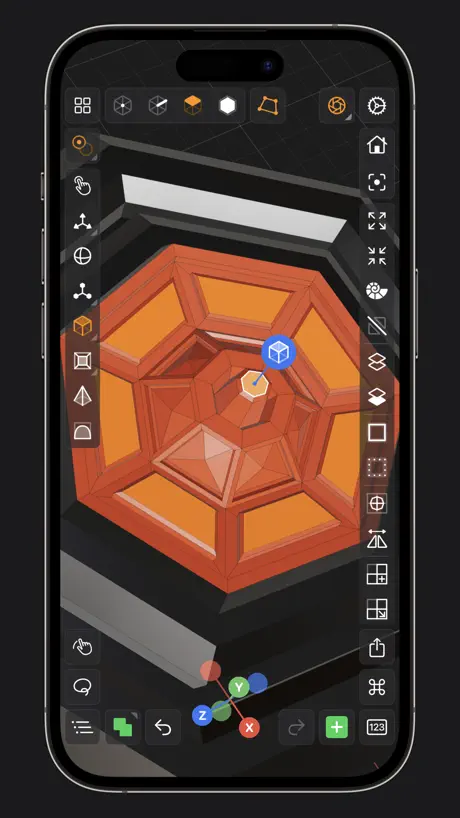
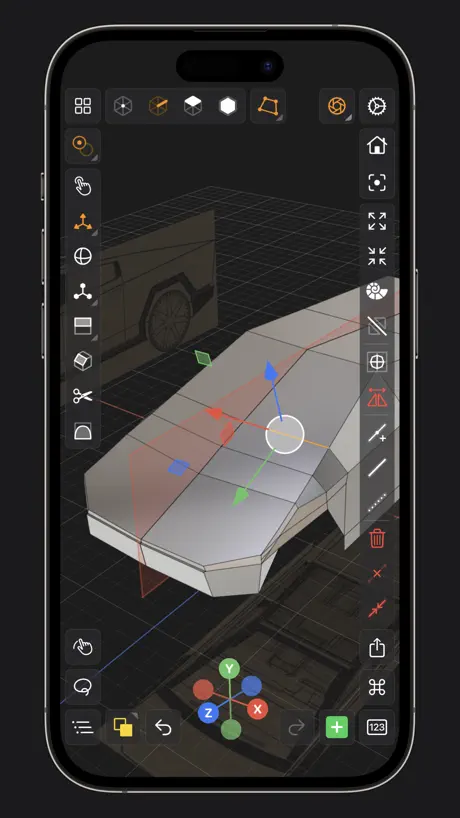
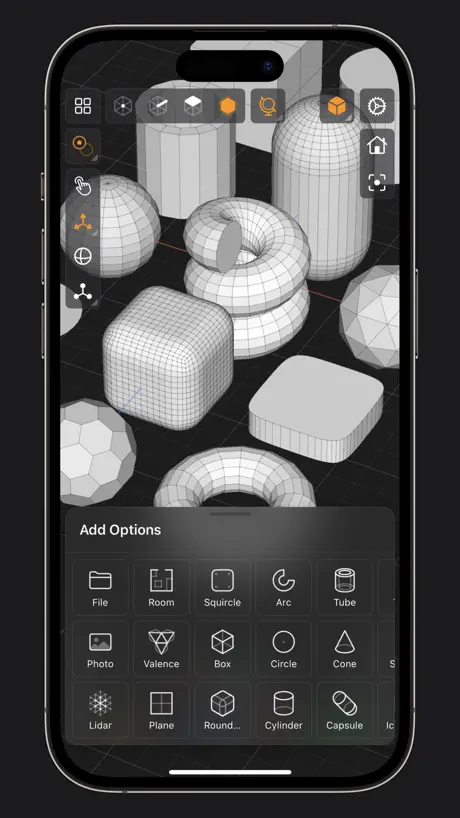
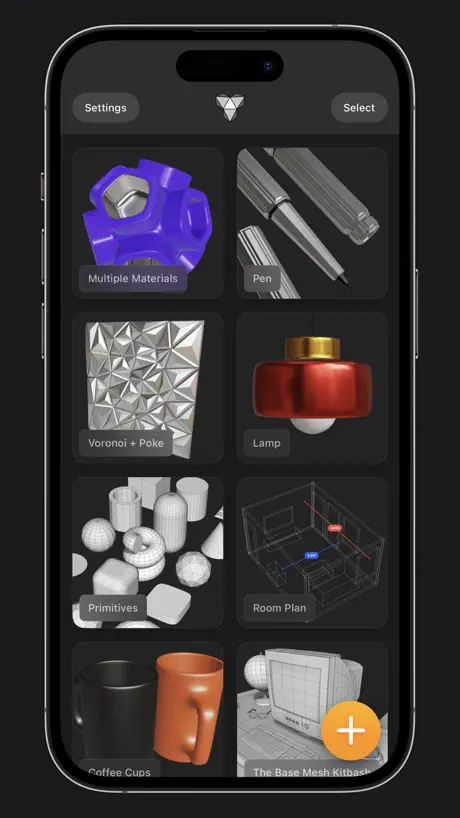
How much does Valence 3D cost?
Prices are current as of 10 Sept 2026.
Valence 3D has no in-app products on record in the United States.
Valence 3D download price by country
| Country | Price |
|---|---|
| United States | $19.99 |
| Japan | ¥3,000 |
| Germany | €22.99 |
| United Kingdom | £19.99 |
| Canada | CA$24.99 |
| Russia | RUB 1,790.00 |
| China | CN¥148.00 |
| France | €22.99 |
| Italy | €22.99 |
| Spain | €22.99 |
| Australia | A$29.99 |
| Czech Republic | CZK 499.00 |
| South Korea | ₩33,000 |
| Poland | PLN 99.99 |
| Sweden | SEK 249.00 |
| Ireland | €22.99 |
| India | ₹1,999.00 |
| United Arab Emirates | AED 79.99 |
| Brazil | R$129.90 |
| Switzerland | CHF 18.00 |
| Chile | CLP 22,990 |
| Netherlands | €22.99 |
| Norway | NOK 249.00 |
| Saudi Arabia | SAR 89.99 |
| Turkey | TRY 999.99 |
| Taiwan | NT$690.00 |
| Denmark | DKK 179.00 |
| Hong Kong | HK$148.00 |
| Mexico | MX$399.00 |
| Philippines | ₱1,290.00 |
| Ukraine | $22.99 |
| Vietnam | ₫599,000 |
| Hungary | HUF 8,990 |
| Malaysia | MYR 99.90 |
| Romania | RON 99.99 |
| Slovakia | €22.99 |
| Argentina | $19.99 |
| Austria | €22.99 |
| Belarus | $22.99 |
| Colombia | COP 99,900 |
| Costa Rica | $19.99 |
| Estonia | €22.99 |
| Finland | €22.99 |
| Ghana | $22.99 |
| Greece | €22.99 |
| Honduras | $19.99 |
| Cambodia | $19.99 |
| Kuwait | $19.99 |
| Macao | $19.99 |
| New Zealand | NZ$39.99 |
| Panama | $19.99 |
| Portugal | €22.99 |
| Singapore | SGD 29.98 |
| Slovenia | €22.99 |
| Thailand | THB 699.00 |
| Uruguay | $19.99 |
| South Africa | ZAR 399.99 |
| Afghanistan | $19.99 |
| Antigua And Barbuda | $19.99 |
| Anguilla | $19.99 |
| Albania | $22.99 |
| Armenia | $22.99 |
| Angola | $19.99 |
| Azerbaijan | $22.99 |
| Bosnia & Herzegovina | €22.99 |
| Barbados | $22.99 |
| Belgium | €22.99 |
| Burkina Faso | $19.99 |
| Bulgaria | €22.99 |
| Bahrain | $19.99 |
| Benin | $22.99 |
| Bermuda | $19.99 |
| Brunei Darussalam | $19.99 |
| Bolivia | $19.99 |
| Bahamas | $19.99 |
| Bhutan | $19.99 |
| Botswana | $19.99 |
| Belize | $19.99 |
| Congo, Democratic Republic | $19.99 |
| Congo | $19.99 |
| Cote Divoire | $22.99 |
| Cameroon | $22.99 |
| Cape Verde | $19.99 |
| Cyprus | €22.99 |
| Dominica | $19.99 |
| Dominican Republic | $19.99 |
| Algeria | $19.99 |
| Ecuador | $19.99 |
| Egypt | EGP 999.99 |
| Fiji | $19.99 |
| Micronesia | $19.99 |
| Gabon | $19.99 |
| Grenada | $19.99 |
| Georgia | $22.99 |
| Gambia | $19.99 |
| Guatemala | $19.99 |
| Guinea-bissau | $19.99 |
| Guyana | $19.99 |
| Croatia | €22.99 |
| Indonesia | IDR 349,000 |
| Israel | ₪69.90 |
| Iraq | $19.99 |
| Iceland | $22.99 |
| Jamaica | $19.99 |
| Jordan | $19.99 |
| Kenya | $22.99 |
| Kyrgyzstan | $19.99 |
| St. Kitts and Nevis | $19.99 |
| Cayman Islands | $19.99 |
| Kazakhstan | KZT 11,990.00 |
| Lao Peoples Democratic Republic | $19.99 |
| Lebanon | $19.99 |
| St. Lucia | $19.99 |
| Sri Lanka | $19.99 |
| Liberia | $19.99 |
| Lithuania | €22.99 |
| Luxembourg | €22.99 |
| Latvia | €22.99 |
| Libya | $19.99 |
| Morocco | $19.99 |
| Moldova | $22.99 |
| Montenegro | €19.99 |
| Madagascar | $19.99 |
| Macedonia | $19.99 |
| Mali | $19.99 |
| Myanmar | $19.99 |
| Mongolia | $19.99 |
| Mauritania | $19.99 |
| Montserrat | $19.99 |
| Malta | €22.99 |
| Mauritius | $22.99 |
| Maldives | $19.99 |
| Malawi | $19.99 |
| Mozambique | $19.99 |
| Namibia | $19.99 |
| Niger | $19.99 |
| Nigeria | NGN 29,900.00 |
| Nicaragua | $19.99 |
| Nepal | $22.99 |
| Nauru | $19.99 |
| Oman | $19.99 |
| Peru | PEN 89.90 |
| Papua New Guinea | $19.99 |
| Pakistan | PKR 4,900 |
| Palau | $19.99 |
| Paraguay | $19.99 |
| Qatar | QAR 69.99 |
| Serbia | €22.99 |
| Rwanda | $19.99 |
| Solomon Islands | $19.99 |
| Seychelles | $19.99 |
| Sierra Leone | $19.99 |
| Senegal | $22.99 |
| Suriname | $19.99 |
| Sao Tome & Principe | $19.99 |
| El Salvador | $19.99 |
| Swaziland | $19.99 |
| Turks and Caicos | $19.99 |
| Chad | $19.99 |
| Tajikistan | $19.99 |
| Turkmenistan | $19.99 |
| Tunisia | $19.99 |
| Tonga | $19.99 |
| Trinidad and Tobago | $19.99 |
| Tanzania | TZS 59,900.00 |
| Uganda | $22.99 |
| Uzbekistan | $19.99 |
| St. Vincent & The Grenadines | $19.99 |
| Venezuela | $19.99 |
| British Virgin Islands | $19.99 |
| Vanuatu | $19.99 |
| Kosovo | €22.99 |
| Yemen | $19.99 |
| Zambia | $22.99 |
| Zimbabwe | $22.99 |
10+ alternatives to Valence 3D
| Valence 3D |  CozyBlanket CozyBlanket |  Octane X Octane X |   Voxel Max - 3D Modeling Voxel Max - 3D Modeling |   ArmorPaint ArmorPaint |  Uniform - 3D Editor Uniform - 3D Editor |  Wafer - 3D Texture Paint Wafer - 3D Texture Paint |   Morphin Morphin |  DGArt DGArt |  Axiom Solver Axiom Solver |   3D modeling: ArtiMesh 3D modeling: ArtiMesh | |
|---|---|---|---|---|---|---|---|---|---|---|---|
| Rating / 5 | 4.2 | 3.5 | 4.0 | 4.7 | 2.6 | 3.5 | 4.0 | 4.3 | 3.0 | 3.0 | 4.5 |
| Reviews | 432 | 349 | 170 | 123 | 120 | 85 | 43 | 41 | 32 | 25 | 15 |
| Released | 2024 | 2022 | 2022 | 2020 | 2021 | 2024 | 2026 | 2024 | 2023 | 2023 | 2025 |
Valence 3D reviews
4.2 out of 5, based on 432 reviews.
What people like
- Great for hard surface blockouts.
- One time price, no subscription.
- Clean and intuitive user interface.
- Works well on iPad models.
What they complain about
- Crashes and freezes constantly.
- You can lose your work easily.
- Missing basic modeling tools like booleans.
- Selecting vertices is very fussy.
by far the best 3D Modeling software on iOS.
the perfect software for your 3D workflow. truly unrivaled in its respective category. loads seamlessly and never experienced any crashing—even on my iPad (9th gen), which is entry-level at best. far exceeded my expectations even upon its initial release. no need to look any further; unless, of course, your next download is a Sculptor or Animator! 😉
No updates within a year and 40$ for a clunky app
Joined the discord a year ago and haven’t seen any significant updates, app still very primitive and not 40$. Hopefully it becomes something worth its bite
Really Good
This app is awesome ,the only request from me would be to be able to import with textures.
インスタンス結合時の不具合
複数のインスタンスを結合しようとする際に結合中のダイアログが永遠にループされる。処理をキャンセルすると当該インスタンスの結合が出来なくなる。
Mech design
Not for mechanical assembly design.
This app is great
I’ve had so much fun on this app making little projects Feature requests: 2. Make the render fast
Ghosted this app
The app was doing great until it was getting more bugs. The developer hasn’t update since 8 months ago. So he pretty much just ghosted this app like I knew the developer would do. So I wouldn’t buy this app. Eventually it will be scam on the market without any fixes.
Terrific app with a couple of sticking points
This is almost the app I’ve been dreaming of for polymodeling on iPad. But the interface is a little hard to figure sometimes. I wish more people would borrow what the Affinity apps use, where there’s a question mark icon, and when you tap it, every icon shows its tooltip. It’s a great way to learn the interface. Or just let the icons show a tooltip when you hover over them with the pencil. Otherwise it’s a really nifty app. I hope people give it a try, so they can keep developing.
Potential But Sorely Lacking
I am a professional and this isn’t ready for prime time. It is missing a lot of key features to make it useful beyond the perimeters that it sets you in. It is unfortunate because I think it could get there, but it is a ways off. As others have mentioned pencil navigation is a deal breaker.
Powerful, but Buggy
App seems like a really promising version of Blender on iPad. The UI is great, but unfortunately it’s plagued with bugs. When I enter selection mode, the app gets stuck and won’t let me leave. Any movement causes the app to keep zooming out until my model is infinitesimally small. This has happened 3 times already. The reliance on gesture control keeps the UI clean at the cost of usability. I’d much prefer modifiers on the screen like Z brush
Great App- Feature Request!
Love the app- I know it’s not as powerful as something like Blender, but it’s pretty freaking good for 3D modeling. It would be nice to have what someone else was saying where you can view tool tips next to the different icons. Sometimes when I’m without a signal, I can’t pull up the webpage that lists what different buttons do, so having it built into the app would work wonders!
Don’t Waste Your Money
I’ve paid for this app. very early on, when it first came out, or nearly so. It wasn’t a great app., but I figured it would greatly improve. Sadly, this is not the case. As the app. stands today, it should be free. The interface is clunky and there is a major flaw that I have seen from early on. For some reason, when a file is saved, then reopened later, it sometimes reverts back to a primitive. I think a square. Even the built in designs do this. I have tried reinstalling the app., but the same thing happens. Valence 3D is the only app. I have file “corruption” issues with. Very disappointing. I originally paid for this, since it seemed to have more primitives, than Nomad Sculpt had. I planned on using it for the purpose of starting with a primitive in Valence, then working on it to a certain point, before moving it to Nomad for detailed work. Since Valence doesn’t work, I now use Autodesk Tinkercad for this purpose. I used this app. way before Valence was created, but Valence seemed to have a future, where the editing workflow would have been better. Since this major flaw with Valence, I have ditched it for Tinkercad long ago, but would try Valence every now and then to see if it satisfactorily improved and hoped it would become an awesome app. that I would use frequently. I’m giving up today and uninstalling.
Awesome but…
This app is awesome. It keeps getting better and better. I wish there were a way to disable moving the scene around with the pencil, like in nomad sculpt. Sometimes I’m trying to grab something at the edge of an object and the scene shifts is I press outside the object slightly. That’s a bit frustrating. There should be a feature that allows to move the scene with finger gestures or keyboard shortcuts only, again like nomad sculpt or blender.
まだまだ操作性に難あり?
辺を一周選択しようとするが選択出来る時と出来ない時の違いが良く分からない。 明確な操作ミスが分かれば対処のしようもありそうだけど、操作していて違いに気がつけない。 選択箇所が多いと、レントゲンで表示されてしまい誤った選択を誘発する。 色々と工夫を凝らしているがipadの限界を感じる。 使い方などまだあまりネット上にも少ないので、ユーザー数が増える事とこんな使い方があるなどこれから情報が増えていく事に期待する。
Good start, needs more customization
This it’s a pretty solid program and I look forward to see its progress. Right now it’s not “fun” to use and I find myself wanting to quit the program due to frustration. It’s clunky in a way that you cannot customize the interface. I am constantly selecting tools from all over, especially the ones I use the most. I would like to move tools around to better fit my work flow or alter the tool bar to a tool window which would have multiple short rows of tools instead of one long one that you have to scroll up to access all the tools. I feel that it takes me longer to model something low poly than it should. Right now I know a big part of it is the learning curve, but the other part is the limitations of the program. I find the gizmo gets in my way when trying to select vertexes. The orbital rotation feels off not sure if it’s reversed or just user error. All in all not bad and can’t wait for future updates.
Great UI
This is such a well thought out app. Great user interface for iPhone and iPad. What is truly beautiful is how common operations are surfaced with few taps, the planning that went into the experience of this app is inspiring. I love playing with it.
Unusable
This app is unable to perform very modest operations on very simple 3D objects with very few vertecies such as small clips, without suffering from freezing and crashing. In fact I was unable to do anything meaningful to the objects at all without a complete crash on an IPad Pro. Unacceptable given the cost.
Great 3D modeling on iPad
This is a great start to a 3D modeling package for iPad. I love that it's a single purchase price rather than an ongoing subscription like so many other 3D tools on iPad. If you are looking for a tool to read in .obj and export out .usdz on the iPad look no further. It works great for that. I have nocked off 1 star as the app did show up as unverified but runnable on an Apple Silicon Mac. It is NOT usable on a Silicon Mac (M1 MacBookPro or M2 MacMini) as of version 1.1.9. In fact it crashed both my Macs by locking up the system. I had to hard reboot both systems to do anything. So I wouldn't recommend running it on a M Series Mac currently.
Not Ready
Still a long way off from being ready for public use and for charging for this app. Still frustrating and useless. Looking forward to improvements and it being usable.
I would hold off until it’s in better state
Overall it’s a promising start but the app is plagued with bugs and has plenty of quirks as well as seemingly missing features. I’ve been using Maya and Blender for years and while my expectations were set pretty low, the bar ended up being below them. The good: The interface is clean and as an experienced user of 3D modeling software I did not need to watch any tutorials to figure it out. Most of the basic modeling functions such as extrude, edge cut and mirroring are present. Flipping normals is something I was pleasantly surprised by. Yes you can model on the go and you may even do somewhat complex hard surface pieces with it. A flat fee of 30$ is a good price for when this suite works. The bad: The app crashes on my iPad fairly frequently causing loss of progress and while the auto save feature somewhat helps as each time I lose minutes of progress it eventually adds up. Selecting individual verts with a pencil is incredibly fussy, with a finger, almost impossible. Selecting multiple adjacent verts is unreliable and time consuming. Continuous edge select is incredibly unreliable as it seems to select and deselect on a whim. There doesn’t seem to be any vert welding as far as I could tell and a google search didn’t yield any results. Similarly I was unable to find a way to delete an edge along with the verts on it. I can either delete the edge and the verts, leaving a hole behind, collapse the geo, or delete edge only and then have to perform manual vert cleanup. This wastes time and makes The ugly: The meshes occasionally get corrupted with geo becoming impossible to select and revert. Mesh repair worked once but in most cases it’s a lost cause. Get ready for some frustration and lost work. All in all. This is barebones and I am rather bewildered by the amount of 5 star reviews talking about the app’s potential. Yeah the potential is there but at its current state, this is not a 5 star product. It is also not a 4 star product given how prone it is to corruption and crashes.
Absolutely love it!
Use it for jewelry designs on the go! Awesome app! Worth every penny!
Well…
Change my rate to 1 stars. After about 6 months there are still no base(essential ) tools for modeling. Good luck at cups and mugs modeling.
High Hopes
This app is a really good start. I purchased it to support the developer. It is functional and I can get the basics done. I’m hoping we have a full blown mesh editor app on the iPad very soon!
Disappointed
Crashed on me several times, just bought this. Lost work every time. Latest ipad pro.
It’s a decent start, considering the complexity of the task…
As a programmer I can understand the state of the app, building a 3DC app from scratch has got to be a very intense task open to many bugs. That being said, as a former 3D artist I can also say that to be honest this tool is simply not in a state that allows it to be treated as a professional tool: many bugs simply ruin meshes and create “unselectable” topology which haunts you forever after appearing (not bring undoable either).. etc. I’ll try the app again in a few months hoping for some substantial upgrades in stability and bug-less behavior: it would be a 5 star then. A smooth selection tool would also be appreciated. Good luck dev 👍🏼 please keep up the updates.
Incredible. Period.
Amazing software. Feels like blender on my phone, which I hope is taken as a complement to the developer. I don’t do reviews often. This was worth my money. I can’t wait to see what future updates may include. Thank you
Not working. Waste of money.
Launched ones fine, but after that it just crashing on loading. iPad Pro.
Good start
I like most of the features, but is there a way that I can make X and Y lie on the grid, and make Z perpendicular to the grid. This convention feels more normal for me.
私も起動しなくなった
他の方も報告されていますが、初めは起動出来ましたが、2回目起動したら黒い画面にアプリのアイコンが出るだけで何も受け付けなくなりました。私の状況としてはファイルを開いて編集モードのままアプリを終了させたところ、起動出来なくなりました。OSから再起動すると起動できるようにはなりますが、バグだと思うのでもう少し待ちですね。
Accessibility
Please let us increase vert point size and increase edge thickness. Otherwise it’s a great tool, and I’m excited for its future.
Growing and Improving
Keep improving and add feature and you will always have 5 stars
Cant open the app
App just wont work, after a while it just goes to the home screen
Two updates fixed Problem 👍⭐️
UPDATE4/30/24 (Loading problem Fixed after 2 updates in a week. )🙏🧑💻 The developer found the problem and fixed it. So far it’s doing what it’s suppose to do. I will bring the stars back up. Because I love being able to poloy model on the go. So I will change the starts I will give it 4 stars until the iCloud issue is fixed. Only because I have lost work that is connected to the iCloud. Other then that the app works as intended now. I appreciate your comment to confirm it was fixed. We need more developers like you. That talk to the people to find the bugs and issues. And not just automatic message. Now I can use “Valence 3 in tandem with “Nomad Sculpt” in my workflow. ⭐️⭐️⭐️⭐️⭐️
Crashes on my 2019 iPad Pro
I’ve only been able to open up the app and get into a file 1 time in 4 days of having the app. And I’m pretty sure it’s slowing down my iPad, ever since I’ve downloaded this app. Not sure if they do refunds…
Needs a little more work
When the app works it’s great. The UI is clean and the program has most of the modeling features I need but there are issues. Currently I’m running into an issue where the app won’t load any files so I stare a blank screen forever. There is also the occasional crashes which are annoying.
Incredible app to go hand-in-hand with Blender
Very good UI, ships with its own renderer similar to Cycles. I’m extremely impressed with just the few minutes I’ve spent with it. Once this app supports booleans and reference images, it will rock for hard-surface blockouts and ideation. Tested a small model and exported to Blender just fine—needed 10x scale and rotate X.
Верните деньги
Пожалуйста верните деньги! Приложение после первого запуска зависает и не работает! Экспорт приводит к зависанию приложения и оно больше не запускается! Такое вижу впервые в Apple Store! Ни в коем случае не покупайте его!
Potential for Greatness
Let me just say that this app really has the makings and base of something that could become very powerful for iPadOS, the fact that we finally have something descent and intuitive with its tools shows the capability and possibilities of developers starting to see the iPad as another operating system for capability. That being said I would love to see support for Bluetooth mouse functionality like you would see when using blender making it also intuitive for blender users to be able to pickup and use on the go. Most apps are always scaled down tech of the desktop able ones but it would be great to see desktop capable performance on iPad os to show everyone the iPad is the next frontier of computing and functionality, Cheers to the Dev
Buggy
I love the idea of this app and was really excited to try it out. There are definitely some key features missing that I think the developers are working on. My main gripe is that’s it’s still pretty buggy and keeps crash on on my. I have to restart my iPad to get it to work. I hope this gets fixed ASAP as it’s making it unusable for me.
Looks promising
Initially and after the tutorial on YouTube I was excited about this app. It has a lot of great features that other 3D modeling apps don’t and the amount of primitives are great. However, the apps home screen stopped showing my saved work. Obviously this is extreme frustrating as I have spent a considerable amount of time to create them. I hope this gets fixed soon.
Yes
.
Keeps Crashing Trying to Open
I have an m1 iPad Pro and the app opened once, I didn’t create anything looked at the interface and closed the app. Now any time I try to open the app it crashes before it loads. I have tried deleting and reinstalling the app with the same effect. I may need to seek a refund if this cannot be resolved.
Solid for what it is, can be a little crashy
I already use Shapr on my iPad for hard surface modeling, but wanted to give this a shot since Shapr is a pretty pricey subscription and doesn’t really do vertex or face manipulation since it’s CAD software. It’s solid. You can get most of what you need done with its built in primitives and adding loops. The ui is solid enough and overall it works great. It really needs some simple Boolean tools though to round itself out and make it shine. It would also benefit from being able to extrude shapes on a curve. It’s snapping isn’t great but it gets the job done, and it could use a few more selection tools (like being able to select a loop easily). A way to inset a grid divide instead of just poke or inset would be great too instead of just have it to cut a bunch of loops. That said it feels like it could be for hard surface, low poly modeling what Nomad ended up being for sculpting with some time.
Needs a lot of work.
Can’t do simple things like select two vertices and create an edge between them. Tried selecting four vertices and making a face, no option for that. No option to extrude vertices either. Rotating the scene around the model could use some work, pull to one side or another and it automatically tilts as well.
For now it’s ok, but the mirroring is broken?
So far as far as I could tell as a sorta intermediate 3D modeler, the features works fine until I tried adding a mirror modifier for making a character. For something like extending a surface into a shape, the surface refuses to go with the surface into the shape. It wasn’t until I tried to achieve the same result without using the mirror and saw that it worked properly as well as the face surfaces becoming a bit more easier to select after doing a series of edge loop cuts. If there were more modeling video tutorials for using this app I could at least see if I was doing something wrong. But for now I guess I will avoid using the mirror until it gets fixed in a later version.
A Great Start
This is a terrific little app, especially for v1, and it should surpass SketchUp in no time if he continues to work on it. I had been wondering when someone was going to release a valid 3D app for iPad based on modeling, not sculpting, and here it is. It’s missing some features (it’s a pretty good app already, but I’m largely rating it on potential) such as lathe and lofting, but one in particular: UV Maps. The most popular art app on the iPad is Procreate, which can import 3d models (that have UV Maps) and paint on them directly. The killer iPad app is a 3d program that can export their models to Procreate for painting and texturing. That would be a game-changer, imo. It would give concept artists a legit tool for combining 3d and 2d without having to schlep a laptop around. I think Valence3d is missing a real opportunity by not including it right away. Still, it’s a great start and worth buying.
App is broken
First time it starts normally on my iPhone 15 pro max an on my iPad Pro M2 but after 10 minutes it just freeze up…after restart it give me blank grey screen with orange plus button in bottom right corner, if I press it - app just freeze again. Reinstall don’t helped.
How hard was that?!
How is it that no one has made a decent 3d poly modeling app for iOS before now??? I mean, all of them either stink, like formation, or they’re some sort of subscription based model like forger. I have to thank the developers of this app from the bottom of my heart for finally allowing me to do some poly modeling without having to boot up my PC, honestly this could be a game changer. I do have a few requests though: I’d love to see a multi-cut tool come to this app to allow for some topological tweaking, maybe a soft selection mode, and a merge vertices/edges option.
The App Does not Save the file. Every Time I Start the app my previous saved model is missing.
Please fix it. There is no point in making things for hours and missing the model.
First version, not bad, but can be better
Came across the app, and to support it bought it. Strikes me as leveraging blender engine, that’s good, but interface and intuitiveness can be improved. Looking forward to the journey… it can’t be this bad from now on.
Valence 3D FAQ
- Is Valence 3D free?
- No. Valence 3D costs $19.99 (US) to download.
- Does Valence 3D have a free trial?
- No. None of its offers (US) come with a free trial.
- What are the best alternatives to Valence 3D?
- CozyBlanket (3.5 from 349 reviews), Octane X (4.0 from 170 reviews) and Voxel Max - 3D Modeling (4.7 from 123 reviews).
Valence 3D download
Last updated 29 days ago.
Valence 3D sells in 175 countries. It was released 2 years and 6 months ago, on 14 Mar 2024. It holds a 4.2 rating from 432 reviews.
Supports 12 languages: English, Danish, French, German, Italian, Japanese, Korean, Portuguese, Russian, Chinese, Spanish, Swedish.
How much does Valence 3D make?
Third-party estimates for the last 30 days, worldwide — not the store's own figures, which Apple publishes for nobody.