PixelPencil - Pixel art editor
Pixel art editor
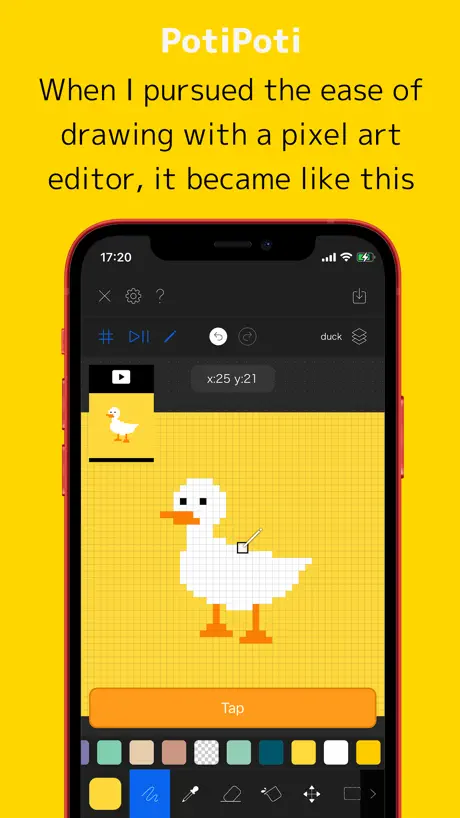
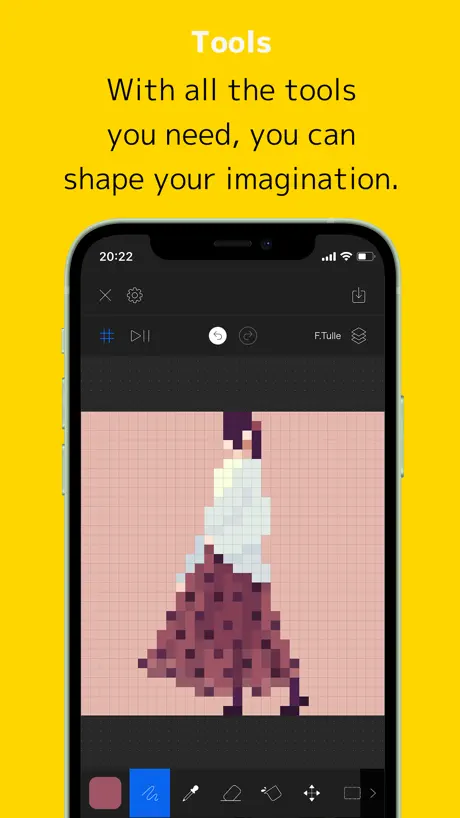
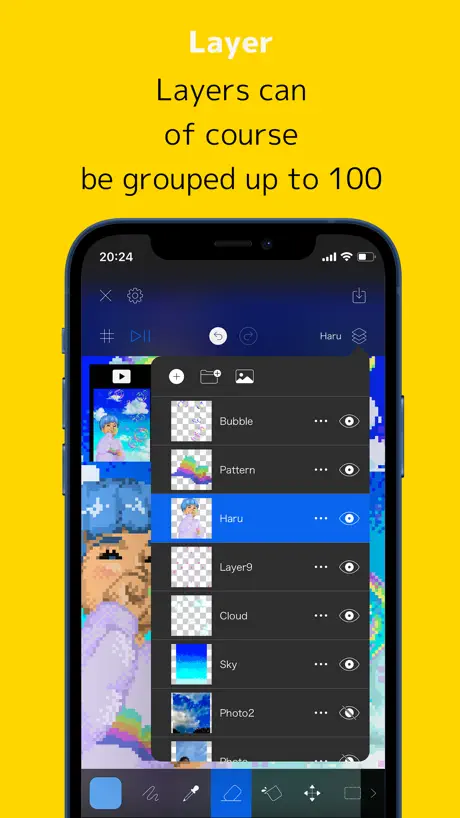
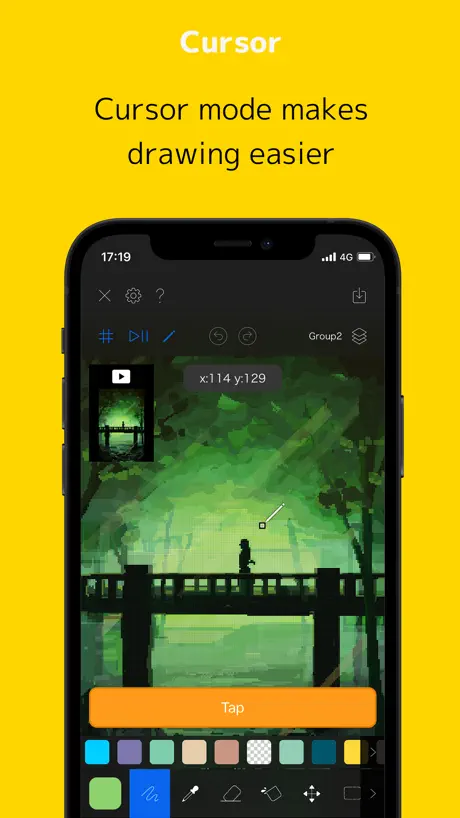
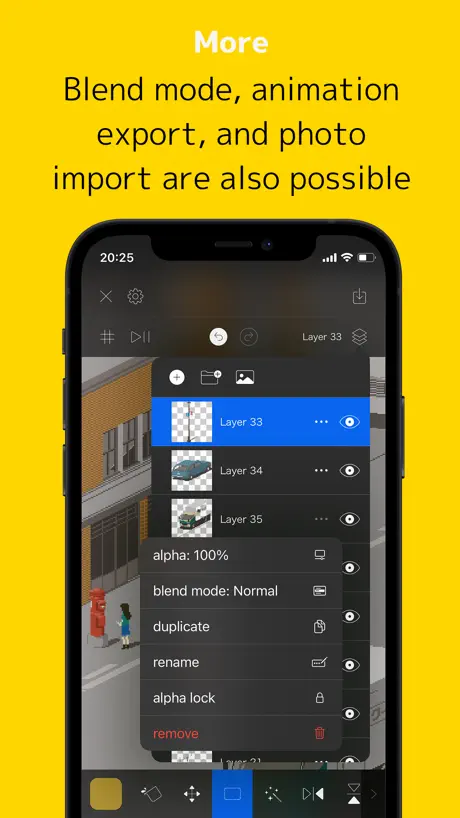
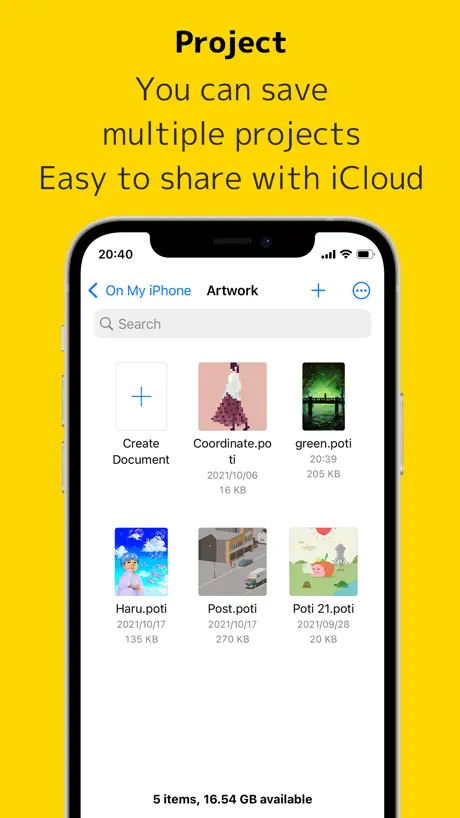
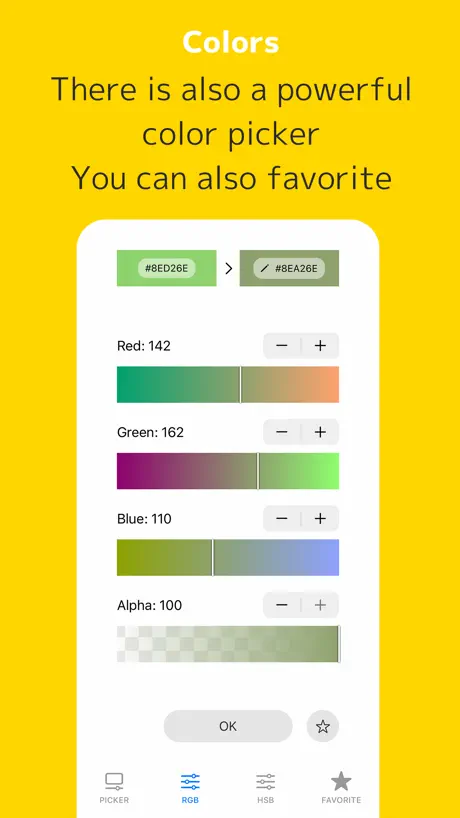
How much does PixelPencil - Pixel art editor cost?
Prices are current as of 1 Oct 2026.
1 one-time purchase from $4.99
In the United States, PixelPencil - Pixel art editor has 1 one-time purchase priced $4.99.
| Product | Price |
|---|---|
| Remove ads | $4.99 |
See what PixelPencil - Pixel art editor costs in all 175 countries →
10+ alternatives to PixelPencil - Pixel art editor
| PixelPencil - Pixel art editor |   Pixel Studio for pixel art Pixel Studio for pixel art |   Pixquare - Pixel Art Studio Pixquare - Pixel Art Studio |   Resprite: pixel art studio Resprite: pixel art studio |  Pastela Pastela |  Pixaki 4 Pro Pixaki 4 Pro |   Stitcher Pixel Art Stitcher Pixel Art |   Pixen - pixel art editor Pixen - pixel art editor |  Pixaki 4 Intro Pixaki 4 Intro |   Pixel art maker - Inktica Pixel art maker - Inktica |   Dot Marker - Stitch, Pixel art Dot Marker - Stitch, Pixel art | |
|---|---|---|---|---|---|---|---|---|---|---|---|
| Rating / 5 | 4.7 | 4.7 | 4.8 | 4.8 | 4.6 | 4.0 | 4.3 | 4.7 | 4.1 | 4.5 | 4.2 |
| Reviews | 916 | 16K | 9.5K | 5.4K | 2.9K | 392 | 362 | 309 | 137 | 82 | 28 |
| Released | 2021 | 2018 | 2023 | 2023 | 2024 | 2020 | 2019 | 2016 | 2021 | 2023 | 2022 |
| Monthly price | — | $3.99 | — | $1.99 | $7.99 | — | — | — | — | — | — |
| One-time price | $4.99 | $5.99 | $12.99 | $19.99 | — | — | — | — | — | — | — |
The going rate for each plan in United States, in its own currency, shaded from the cheapest price on the row to the dearest. Plans fewer than four in ten of the priced apps sell are left out.
PixelPencil - Pixel art editor reviews
4.7 out of 5, based on 916 reviews.
What people like
- Great for pixel art drawing
- Easy to use interface
- No monthly subscriptions required
- Layers and groups work well
What they complain about
- Exports look blurry and weird
- Missing PNG export support
- Renaming files locks you out
- Buggy copy paste and tools
This is helpful
This app is great but sometimes it locks you out of your art if you rename it. The file still exists but you can’t open it. If you want to open it you have to put .poti at then end of the name and it should let you back in.
Please help!
I got this app a few days ago and had been really liking it as it was easy and incredibly intuitive to use, but today I made the mistake of trying to rename one of the files I had created. For whatever reason, this locked me out of being able to further open and edit my art. By trying to rename the file it created a folder on my iPad which it then placed the file in, and then renamed the file to “cover”? I don’t understand why this happened or how to undo it, and I’m upset by this because I really don’t want to lose access to my art. Aside from this the app has been working well.
All the basics
Easy to use interface, no ads, very lightweight in a good way. The only thing I think is really missing is a way to save/load color palettes, since you may want to draw in different styles. (Gameboy palette, PICO-8 palette, etc)
does not open pngs
does not open pngs
塗りつぶし機能に不備あり
塗りつぶしをすると、対象に隣接する似たような色まで塗りつぶしてしまいます 何度やっても関係ないところまで塗りつぶします 自分の目で違いを判断できるからまだ良かったものの、気づかなかったら影響範囲は大きいので対応お願いしたいです
Best pixel art app
Would love to see image importing though
使えない
円とか表示されるドットと書かれるドットが違う 詳細設定も出来ない
アイコン以外最高
内容は申し分ないです。アイコンがもっとシンプルなドット絵らしいドット絵だったらテンションあがる
使い続けてみようと思う
①カラーパレットを予めいくつか用意しておいてほしいです。web216とかAppleの色鉛筆みたいなものとか、もっと減らしてセピアカラー8色とか。デフォルトがスライダーはキツい。 ②描画色は、色1、色2の2カラーを設定して、色1の点をタップしたら色2に置き換える。Win3.1のペイントの挙動。色2には透明色も設定可能、ができたらより便利かと思います。 それが実装されるまでは使い続けてみようかと思います。
wooo
a potipoti parteeeey
Thanks for deleting my stufftalk about a downgrade
You could have at least fixed the bugs in the superior previous version. Mirror? Centre line? Non buggy copy and paste?
Neat app with some flaws
Sometimes it tries too hard to do an extra step for me, and most of the time I have to correct those using extra steps: 1. Creates a new layer whenever I copy a selection. I don't need a new layer. 2. Switches to Move tool whenever I create a new rectangle. I don't need to move it. 3. Switches to Draw tool, rather than Select tool, after using Move tool. I don't need to draw yet. It will be great to have settings to turn those off.
概ね好みのアプリだが
ツールを使う度になぜか移動ツールも開かれてテンポが悪く、使いづらい
Goodbye, Freemium!
This app has been wonderful to use. The number of tools you have at your disposal, the ability to make groups and layers, and the ease of access make this seem like something you’d need to pay for in order to use to its full potential, but that couldn’t be more untrue. The little bar at the bottom for ads is so non-intrusive, and it isn’t constantly pestering you to give the app your money. Instead, sitting neatly among the list of settings is a simple “in-app purchases” tab, and the only thing it has is remove ads for $4.99. Although that may sound like a ton to just remove ads, it’s better to see this as a way to support the developer of this amazing app. Even if you don’t purchase this, the ads are relegated to the bottom of the screen, so the whole experience remains uninterrupted (unless you accidentally tap the banner). This is by far the best free app I have ever seen on the App Store, ever.
残念
512以上ないのが残念です。非常に使いやすいので気に入っていましたが、削除します。
Needs more tools
Please add curve line tool, additional tools could be a polygon that can have the corners moved and given a custom amount of edges, and the same but with rounded edges to make custom rounded shapes.
アイコンは前の方が良い。
使い易さなど機能面はなにも問題はないです。 アイコンは以前のドット絵アヒルの方が親しみやすく、ドット絵エディターのイメージにも合ってたと思います。 ドット絵っぽくない絵に変わってしまって残念です…。
Please fix this!! 😳
I love the app wonderful and great for coloring and drawing but hold up…. 👀 seriously, whenever I save/ export a drawing to my camera roll it’s all blurry and weird, and I compare it to my other photos/screenshots and it looks 5 times worse! It’s not a super big problem because I can always screenshot but I prefer saving it.
…
Annoying das
めちゃくちゃいい!
めちゃくちゃ使いやすいです! 1点だけ、透過pngの出力に対応して欲しいです! jpg出力しかできないと思うので、そこだけが残念。
シンプルで必要十分
使えるツールはほぼ不足なく、レイヤー機能も、アニメーション機能も十分に使えて便利です。 ただ、スマホを扱う人体との兼ね合いというか、アクセシビリティに少し難があります。 ・画面上部に触れるのはアクセスし難いので、設定画面からではなく、ツール選択のところでペンの太さを選べる機能が欲しい。 ・2本指での拡大縮小は、直感的な操作感があるけれども、スマホの持ち方を変えるために1アクション挟まなければならないので、1本指で拡大縮小出来たら便利だと思う。 ・実際にドットを打っている部分は指で隠れてしまうため、タッチした場所から塗る場所を上にズラすような、インターバルを設けるツールが必要。
Best pixel app on the App Store!
Very efficient pixel art, easy to navigate. My main art program Procreate cannot handle pixel art well so I decided to download this and I don’t regret it! Colours are easy to pick and I love the small detail of giving a small guide of the tool when clicking on it for the first time. Overall, an amazingly made tool for pixel art.
Lol
Why do you keep making pixel art apps just update one of them
Option to Organize Starred Colors
I really love this app and use it a lot. It's straightforward and convenient, allows you to do a lot without being overwhelming. I only ask that you make it so we can drag and organize our favourited/starred colours, and also that we can reupload pixel animations. But mostly the first. It's really frustrating to have to reorganize everything but deleting and restarring. But otherwise, good app.
not enough
There are many features for making colors but less to use them nicely. It would be an huge advancement to just add a tool with you can easily bright or dark an chosen space and also an customizable interface like an color tablet.
The best
Great for creating.free and no Monthly subscriptions
すんごくいい!
wi-fiない環境でも描けて邪魔な広告も無し! 範囲選択、レイヤー操作もやりやすいです。デフォルトでパレットに色がないので自分でお気に入りに入れないと毎回作ることになります。最後に作った絵を写真として保存すると少しぼやけてしまいます。できればなんとかして欲しいです。
Animation
How do you animate
素晴らしい!
使い易いッス
512x512 of glory
Whenever I look at other apps they have “pixel art” freedom. It doesn’t allow you to save it in a higher resolution. With this app I feel like I create create a lot of cool different things. :) Now I’m just waiting for the version where I can do 1024 x 1024 pixels. 😝✌️ lol. (i’d also like to add that I do also use “Pixelable” when I’m creating my arts which is awesome made by the same creator.)
I love it but…
I love the apps interface & It is very functional but really wish I could export files in diffrent formats ( More specifically png)
Pretty dope
Bro can we get a paid version with no ads
Decent!
Good job on the development of this app! I think it functions pretty well for basic pixel art creation and I look forward to the future improvements. The UI is much better compared to the last pixel art app you created! The only suggestions I have are: 1) add a function where pinching can rotate the canvas as well (although I thought it’s already implemented according to your app description, so it might be a bug?) 2) add a color palette function - it was in the previous app if Ikm not mistaken, and I think it helps a lot 3) the color selection resets to “picker A” every time you want to select a new color even if the user want to make it stay on RGBA or HSBA, if possible please make it stay on whichever option the user last used Best of luck!
PixelPencil - Pixel art editor price by country
A one-time purchase costs $4.68 in Pakistan and $7.93 in Colombia — 1.7× more for the same thing. Below is the going rate for each plan in every country that sells it — the middle price of what the app charges there, in the country's own currency with the dollar equivalent beneath it.
| Country | One-time |
|---|---|
| Afghanistan | $4.99 |
| Albania | $5.99 |
| Algeria | $4.99 |
| Angola | $4.99 |
| Anguilla | $4.99 |
| Antigua And Barbuda | $4.99 |
| Argentina | $4.99 |
| Armenia | $5.99 |
| Australia | A$7.99$5.75 |
| Austria | €5.99$6.96 |
| Azerbaijan | $5.99 |
| Bahamas | $4.99 |
| Bahrain | $4.99 |
| Barbados | $5.99 |
| Belarus | $5.99 |
| Belgium | €5.99$6.96 |
| Belize | $4.99 |
| Benin | $5.99 |
| Bermuda | $4.99 |
| Bhutan | $4.99 |
| Bolivia | $4.99 |
| Bosnia & Herzegovina | €5.99$6.96 |
| Botswana | $4.99 |
| Brazil | R$29.90$5.84 |
| British Virgin Islands | $4.99 |
| Brunei Darussalam | $4.99 |
| Bulgaria | €5.99$6.96 |
| Burkina Faso | $4.99 |
| Cambodia | $4.99 |
| Cameroon | $5.99 |
| Canada | CA$6.99$5.07 |
| Cape Verde | $4.99 |
| Cayman Islands | $4.99 |
| Chad | $4.99 |
| Chile | CLP 5,990$6.42 |
| China | CN¥38.00$5.65 |
| Colombia | COP 24,900$7.93 |
| Congo | $4.99 |
| Congo, Democratic Republic | $4.99 |
| Costa Rica | $4.99 |
| Cote Divoire | $5.99 |
| Croatia | €5.99$6.96 |
| Cyprus | €5.99$6.96 |
| Czech Republic | CZK 129.00$6.19 |
| Denmark | DKK 39.00$6.07 |
| Dominica | $4.99 |
| Dominican Republic | $4.99 |
| Ecuador | $4.99 |
| Egypt | EGP 249.99$4.91 |
| El Salvador | $4.99 |
| Estonia | €5.99$6.96 |
| Fiji | $4.99 |
| Finland | €5.99$6.96 |
| France | €5.99$6.96 |
| Gabon | $4.99 |
| Gambia | $4.99 |
| Georgia | $5.99 |
| Germany | €5.99$6.96 |
| Ghana | $5.99 |
| Greece | €5.99$6.96 |
| Grenada | $4.99 |
| Guatemala | $4.99 |
| Guinea-bissau | $4.99 |
| Guyana | $4.99 |
| Honduras | $4.99 |
| Hong Kong | HK$38.00$4.85 |
| Hungary | HUF 1,990$6.38 |
| Iceland | $5.99 |
| India | ₹499.00$5.28 |
| Indonesia | IDR 89,000$5.04 |
| Iraq | $4.99 |
| Ireland | €5.99$6.96 |
| Israel | ₪17.90$5.95 |
| Italy | €5.99$6.96 |
| Jamaica | $4.99 |
| Japan | ¥800$5.08 |
| Jordan | $4.99 |
| Kazakhstan | KZT 2,990.00$6.57 |
| Kenya | $5.99 |
| Kosovo | €5.99$6.96 |
| Kuwait | $4.99 |
| Kyrgyzstan | $4.99 |
| Lao Peoples Democratic Republic | $4.99 |
| Latvia | €5.99$6.96 |
| Lebanon | $4.99 |
| Liberia | $4.99 |
| Libya | $4.99 |
| Lithuania | €5.99$6.96 |
| Luxembourg | €5.99$6.96 |
| Macao | $4.99 |
| Macedonia | $4.99 |
| Madagascar | $4.99 |
| Malawi | $4.99 |
| Malaysia | MYR 22.90$5.67 |
| Maldives | $4.99 |
| Mali | $4.99 |
| Malta | €5.99$6.96 |
| Mauritania | $4.99 |
| Mauritius | $5.99 |
| Mexico | MX$99.00$5.86 |
| Micronesia | $4.99 |
| Moldova | $5.99 |
| Mongolia | $4.99 |
| Montenegro | €4.99$5.80 |
| Montserrat | $4.99 |
| Morocco | $4.99 |
| Mozambique | $4.99 |
| Myanmar | $4.99 |
| Namibia | $4.99 |
| Nauru | $4.99 |
| Nepal | $5.99 |
| Netherlands | €5.99$6.96 |
| New Zealand | NZ$9.99$5.88 |
| Nicaragua | $4.99 |
| Niger | $4.99 |
| Nigeria | NGN 7,900.00$5.98 |
| Norway | NOK 59.00$6.34 |
| Oman | $4.99 |
| Pakistan | PKR 1,300$4.68 |
| Palau | $4.99 |
| Panama | $4.99 |
| Papua New Guinea | $4.99 |
| Paraguay | $4.99 |
| Peru | PEN 22.90$6.82 |
| Philippines | ₱299.00$4.77 |
| Poland | PLN 24.99$6.74 |
| Portugal | €5.99$6.96 |
| Qatar | QAR 19.99$5.49 |
| Romania | RON 29.99$6.63 |
| Russia | RUB 449.00$5.22 |
| Rwanda | $4.99 |
| Sao Tome & Principe | $4.99 |
| Saudi Arabia | SAR 19.99$5.33 |
| Senegal | $5.99 |
| Serbia | €5.99$6.96 |
| Seychelles | $4.99 |
| Sierra Leone | $4.99 |
| Singapore | SGD 6.98$5.50 |
| Slovakia | €5.99$6.96 |
| Slovenia | €5.99$6.96 |
| Solomon Islands | $4.99 |
| South Africa | ZAR 99.99$6.27 |
| South Korea | ₩7,700$5.72 |
| Spain | €5.99$6.96 |
| Sri Lanka | $4.99 |
| St. Kitts and Nevis | $4.99 |
| St. Lucia | $4.99 |
| St. Vincent & The Grenadines | $4.99 |
| Suriname | $4.99 |
| Swaziland | $4.99 |
| Sweden | SEK 69.00$7.21 |
| Switzerland | CHF 4.00$4.94 |
| Taiwan | NT$150.00$4.74 |
| Tajikistan | $4.99 |
| Tanzania | TZS 14,900.00$5.64 |
| Thailand | THB 199.00$6.04 |
| Tonga | $4.99 |
| Trinidad and Tobago | $4.99 |
| Tunisia | $4.99 |
| Turkey | TRY 249.99$5.16 |
| Turkmenistan | $4.99 |
| Turks and Caicos | $4.99 |
| Uganda | $5.99 |
| Ukraine | $5.99 |
| United Arab Emirates | AED 19.99$5.45 |
| United Kingdom | £4.99$6.74 |
| United States | $4.99 |
| Uruguay | $4.99 |
| Uzbekistan | $4.99 |
| Vanuatu | $4.99 |
| Venezuela | $4.99 |
| Vietnam | ₫149,000$5.73 |
| Yemen | $4.99 |
| Zambia | $5.99 |
| Zimbabwe | $5.99 |
PixelPencil - Pixel art editor FAQ
- Is PixelPencil - Pixel art editor free?
- Yes. The app and its basic features are free, in all 175 countries it sells in. Premium features are paid: they start from $4.99 (US), across 1 one-time purchase.
- Does PixelPencil - Pixel art editor have a free trial?
- No. None of its offers (US) come with a free trial.
- Where is PixelPencil - Pixel art editor cheapest?
- A one-time purchase costs PKR 1,300 (≈$4.68) in Pakistan and COP 24,900 (≈$7.93) in Colombia, its cheapest and dearest countries.
- What are the best alternatives to PixelPencil - Pixel art editor?
- Pixel Studio for pixel art (4.7 from 16,138 reviews, premium from $0.99), Pixquare - Pixel Art Studio (4.8 from 9,455 reviews, premium from $1.99) and Resprite: pixel art studio (4.8 from 5,375 reviews, premium from $1.99).
PixelPencil - Pixel art editor download
Last updated 2 years ago.
PixelPencil - Pixel art editor sells in 175 countries. It was released 5 years and 1 month ago, on 7 Sept 2021. It holds a 4.7 rating from 916 reviews.
Supports 2 languages: English, Japanese.
How much does PixelPencil - Pixel art editor make?
Third-party estimates for the last 30 days, worldwide — not the store's own figures, which Apple publishes for nobody.
Revenue by plan
- One-time 100%
Revenue by country
- Japan 46%
- United States 19%
- South Korea 6%
- Germany 4%