Sprite Pencil
Create Pixel Art
How much does Sprite Pencil cost?
Prices are current as of 25 Oct 2026.
Sprite Pencil has no in-app products on record in the United States.
10+ alternatives to Sprite Pencil
| Sprite Pencil |   PixelPencil - Pixel art editor |   Sprite Creator | 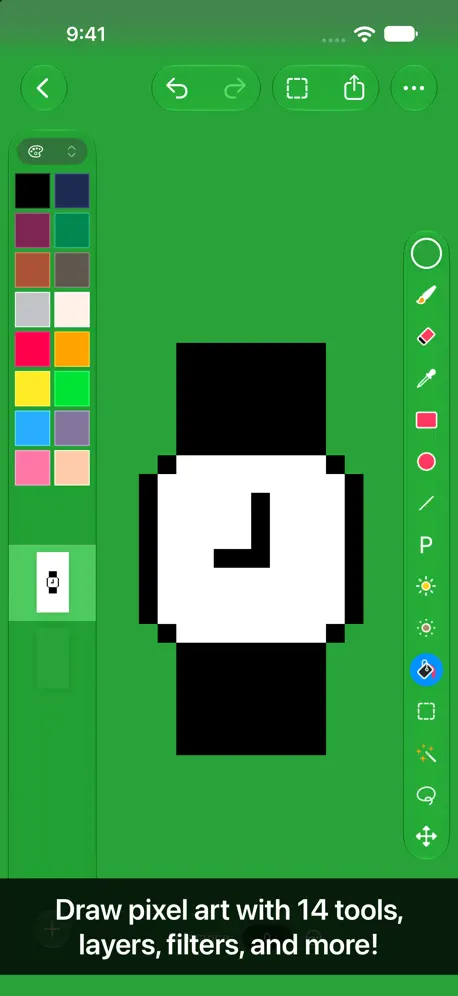  Pixen - pixel art editor |   Screenshot Editor - SnapIt |   JPG Converter. |   Litur - Color Library |   DS Card - Markdown text card |   Pixel art maker - Inktica |   Sprite Tight |   Sprite Artisan Pixel Art | |
|---|---|---|---|---|---|---|---|---|---|---|---|
| Rating / 5 | 4.5 | 4.7 | 4.6 | 4.7 | 4.7 | 4.9 | 4.5 | 4.5 | 4.5 | 5.0 | 5.0 |
| Reviews | 203 | 918 | 349 | 329 | 301 | 182 | 108 | 102 | 85 | 2 | 1 |
| Released | 2018 | 2021 | 2016 | 2016 | 2025 | 2024 | 2019 | 2025 | 2023 | 2023 | 2024 |
| One-time price | — | $4.99 | — | $9.99 | $19.99 | — | — | $4.99 | — | — | — |
The going rate for each plan in United States, in its own currency, shaded from the cheapest price on the row to the dearest. Plans fewer than four in ten of the priced apps sell are left out.
Sprite Pencil reviews
4.5 out of 5, based on 203 reviews.
What people like
- The interface looks beautiful and runs very smoothly.
- It is super easy for beginners to pick up.
- The developer replies quickly to user feedback and emails.
What they complain about
- It crashes when you try to save or export.
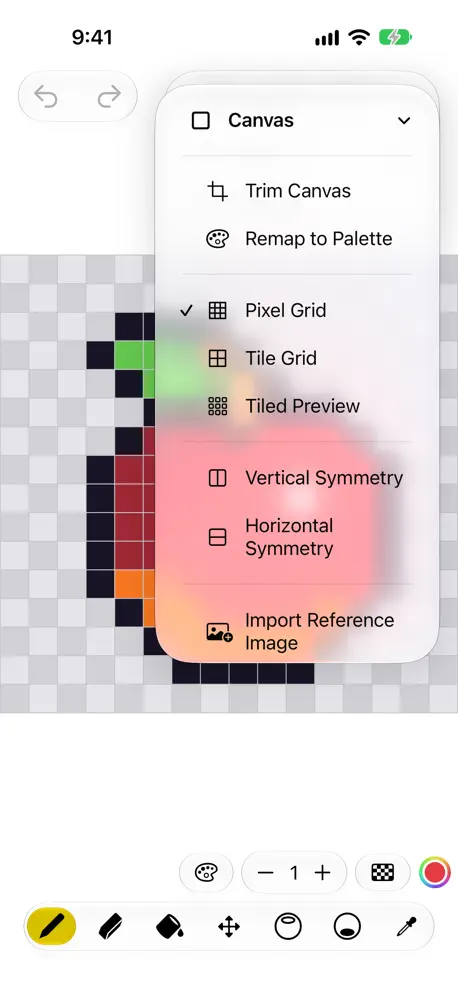
- You cannot zoom in to see small details clearly.
- There is no undo button for your mistakes.
- Transparency leaves ugly white backgrounds behind the pixels.
Best pixel art app ever
Wow just wow I used to have the 32 pixel art app when I got this ‘good bye 32 out the window you go’The UI great Tools great app in general great I think you’d should also make a pixel animation software as well I hope you see this and like this review.👾👾👾👾
No Undo … Not ready for prime time.
Table stakes for an image editor is undo. Must be able to map it to a keystroke or action. The tool looks interesting otherwise, would love to revise this review if the product meets the minimum bar.
Animating
Seems pretty good, but is there a way I could animate with it?
Didn’t save
It asked to save. Chose save. It didn’t save.
I CANT ANIMATE
I can’t animate my phones screen is to small to see the animate stuff can you PLEASE HELP my making it where you can scroll to see the animation stuff
I love
10 out of 10 except for one thing. I’m trying to upload one of my sprites in the import tab but when I click the button it doesn’t do anything. I still love this app and it’s great for making simple sprites for coding games or animations
Poor Quality. Crashes, Transparency Wrong
This is a very poor app. The Transparency leaves colours behinds, so it actually creates a grid, not a tranparency, making it impossible to craft sprites. Further, just creating a new document seems to crash the app. I think this is the first time I will have ever had to ask Apple for a Refund.
good but there are some small issues
It works well but there is no undo button, zooming in/out is weird and doesn't work with a mouse.
闪退
点什么工具都闪退,望改正
Reported a bug and got it fixed within a week
Read title. The guy who makes this is fairly responsive.
Das ist zu wenig
Es it zwar nicht teuer, aber es kan einfach zu wenig. Keine Ebenen, sodass man schlecht etwas verschieben oder anpassen kann. Es ist kein Zoomen möglich. Es fehlen die grundlegenden Dinge. Das ist einfach zu wenig.
Almost the Best
This sprite editor is phenomenal, but is missing some features that even free pixel art apps have. Here are some suggestions that I have. 1. Resize canvas / art This is probably the most basic one. Just being able to resize the canvas would be great. 2. Import photo Maybe be able to import a picture from inside the editor or something? 3. Animation? I’ve seen two apps so far that support animation within the app. That is all. 4. issue sprites won’t export as transparent That’s all I have. Other than these (especially number 1), this is a great app!
Where is my colour picker??
I have no issues with anything else in the software but where is my colour picker?! Why do I have to use the colours that are preset for me?? Plz add this feature because in my opinion it is integral for this kind of app.
Straight Forward, intuitive, and simple
Does exactly what you want it to do and it does it well.
Crashes when creating a new document
Using macOS Ventura the app crashes when creating new documents.
一点小建议
可否导入图片来做临摹,新手画不好勾线。
Simple but completely functional
This app is very simple to use, but it does everything that I was hoping it could and more! It is well worth the money.
Crashes when opening a simple PNG file.
No more to say, couldn't use it further.
Great
I like the pixels in and it helps me draw, but the only thing I wish it had was where you can make an animation with the pixels, like an old video game. But it overall a great drawing app. Thank you for making this.
wow
Wow
App crashes upon launch.
When I attempt to launch the app on my Mac (OS is Monterey version 12.2.1) the app crashes less than a second after the sprite editor screen loads. I attempted to reach out to the developer through the email provided on the support page of their website, however the email apparently doesn't exist as my message was bounced back to me. I would really like to use this app as it seems like it could be extremely useful if it were to work, so I will happily change my review if a solution is brought to my attention. Thanks
great pixel art app
Very good, hope to continue to update new features.
Amazing app.
Not sure how this became free, I’ve been meaning too buy it for a month however, I checked today however and it became free. Have been working on textures all day and I love using this app, it would have been well worth the purchase if I had, it’s a breeze and very easy too use. Some of the icons overlap on iPhone SE, not important but worth a note.
쓰레기 버그투성이 앱
삭제하셈 걍
Almost There !
I wish there is an animation tool .. and more updates .. Keep going
The best spire app on the App Store
Dev, you have done a remarkable job. This app has a gorgeous UI and runs like butter. Thanks so much for blessing us with this great app!
Failed to import sprite
Just got this app and it is unusable. When you click the + icon to create a new sprite it says failed to import sprite.
Really good app!
This is a really good pixel art app! It is perfect for beginners, and pros alike! I didn’t get the app for what I am about to report, but I wanna say this anyway so maybe you can fix it. Whenever I search for something, using search, it crashes. This is the same case for my brother too, so maybe you can fix it in the future! But overall, 5 star app except the crashing.
Awesome!
I highly recommend this app if you want to practice pixel art, or do some easy game design ideas. Very easy to use.
不能放大缩小图纸
点击移动,超出图纸的图片就会消失
Not bad
Would be perfect if you could make custom palettes rather than having to use one of the three defaults, apart from that quite nice to use!
Great!
Please add animation and saving animation!
Disappointing
Not enough features to be considered anything more than a sprite doodling canvas. Your money would be better invested in a pad of grid paper and some coloured markers, Not worth the price.
Great, but could improve
I just got this app and it’s definitely amazing what I can do with it but there’s a few glaring flaws that hold me back with what I make that I’d love to see improved upon. I gave this app 4 stars mostly because it could easily be a 5 star rated app with a few simple improvements. 1. Exporting Sprites: the app crashes for me whenever I try to export a finished sprite. I’m capable or screenshotting and saving it myself or even changing it to a transparent image, but that shouldn’t be on me to change. 2. Scrolling: using the scroll tool to move your sprite around the canvas is nice on paper, but it doesn’t tell you that anything you move off screen is deleted. I unfortunately had to redo a sprite cuz it was mostly cut off due to this. A little border or buffer to stop you from moving it off screen would be nice to avoid this 3. Zoom Tool, or lack thereof: working with extremely small sprites is difficult. I personally feel like I could make MASSIVE improvements in what I make if I had the ability to zoom in and work on smaller details. That would be a MASSIVE quality of life change, to be able to zoom in and work closely on pieces that use large layouts and small pixels that are normally unusable with my finger on an iPhone screen. Most importantly, if you take my advice on implementing this tool, PLEASE make it so zooming in would NOT delete the sprites that move off screen like the movement tool does currently. 4. More colors: after my other suggestions this one may seem small but I think adding a color wheel option would greatly improve how much could be done with this app. I know photo editing apps that offer an entire color wheel of the color spectrum, and that app is free. It would be nice to see that implemented here. If a developer happens to be reading this: thank you for your time and your effort. You’ve done great so far on this app but there is so much potential for improvement. This app has allowed me to make sprite art for original characters who I never before had the ability to represent visually (as someone with very little artistic skill with a pen and paper, using a pixel canvas gives me a lot more room to work.) I would absolutely love to see this app expand so I could put more time into it and just increase the detail and quality of my work and for once be able to make actual art
Sprite Pencil FAQ
- Is Sprite Pencil free?
- Yes. The app is free, in all 173 countries it sells in, and it sells nothing inside it.
- Does Sprite Pencil have a free trial?
- No. None of its offers (US) come with a free trial.
- What are the best alternatives to Sprite Pencil?
- PixelPencil - Pixel art editor (4.7 from 918 reviews, premium from $4.99), Sprite Creator (4.6 from 349 reviews) and Pixen - pixel art editor (4.7 from 329 reviews, premium from $9.99).
Sprite Pencil download
Last updated 1 year ago.
Sprite Pencil sells in 173 countries. It was released 8 years and 1 month ago, on 14 Oct 2018. It holds a 4.5 rating from 203 reviews.
Supports 3 languages: English, Russian, Chinese.
How much does Sprite Pencil make?
Third-party estimates for the last 30 days, worldwide — not the store's own figures, which Apple publishes for nobody.