
ServiceNow Agent
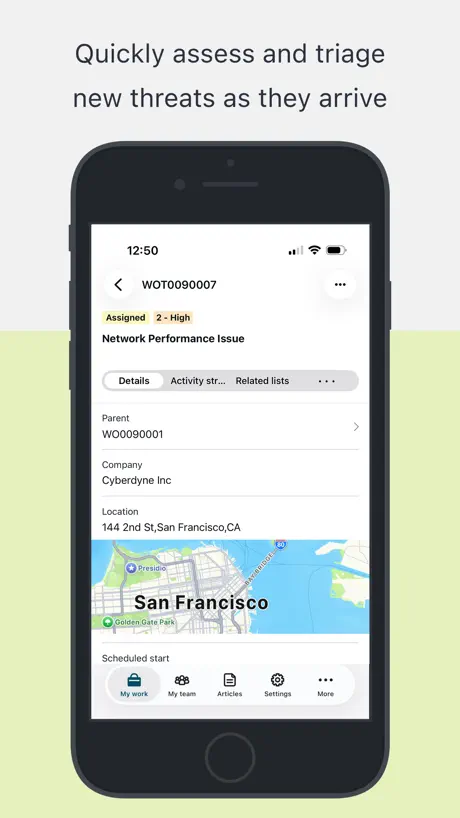
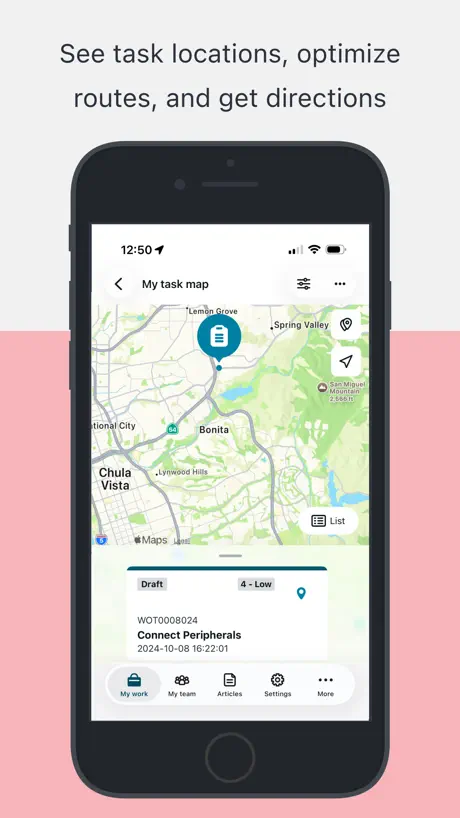
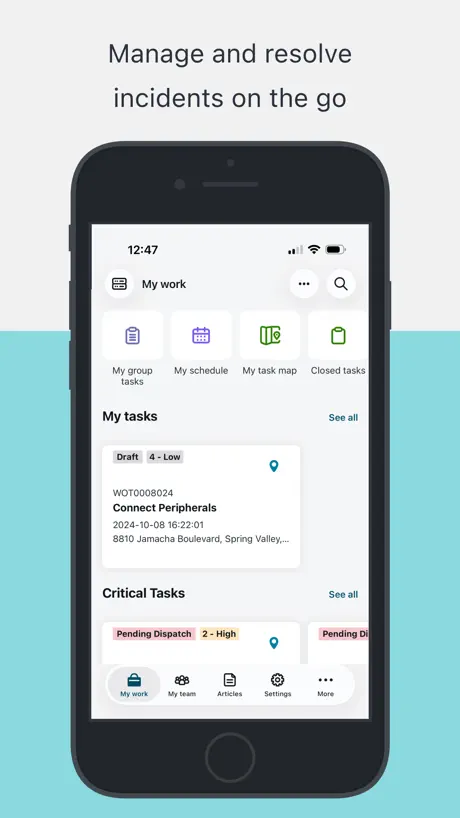
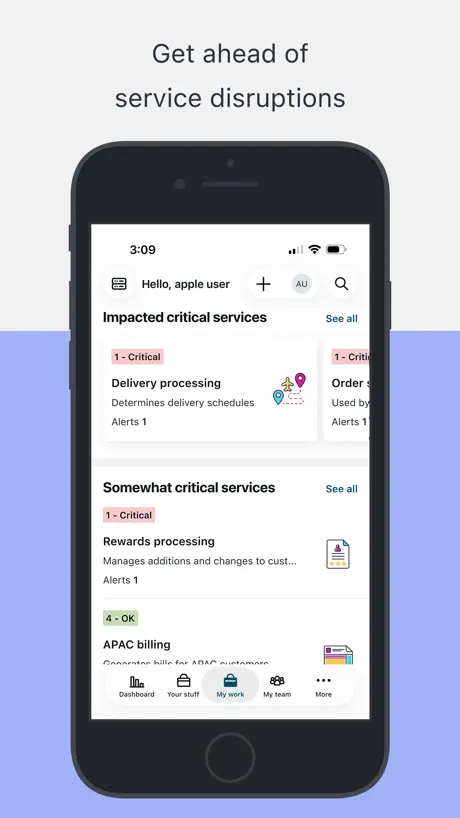
Get Work Done on the Go
How much does ServiceNow Agent cost?
Prices are current as of 8 Nov 2026.
ServiceNow Agent has no in-app products on record in the United States.
10+ alternatives to ServiceNow Agent
| ServiceNow Agent |   Cisco Jabber |   Microsoft Loop |   GlobalProtect™ |   Microsoft Azure |   Confluence Cloud |   Wheels Mobile Assistant |   Zscaler Client Connector |   ElaraCare – Team Connections |   xMatters |   My ServiceNow | |
|---|---|---|---|---|---|---|---|---|---|---|---|
| Rating / 5 | 4.5 | 4.5 | 4.5 | 4.4 | 4.8 | 4.6 | 3.2 | 2.6 | 4.4 | 2.9 | 4.7 |
| Reviews | 5.7K | 49K | 18K | 13K | 12K | 12K | 731 | 476 | 467 | 129 | 48 |
| Released | 2019 | 2011 | 2023 | 2018 | 2017 | 2016 | 2017 | 2017 | 2022 | 2010 | 2023 |
| Monthly price | — | — | $9.99 | — | — | — | — | — | — | — | — |
| Annual price | — | — | $99.99 | — | — | — | — | — | — | — | — |
The going rate for each plan in United States, in its own currency, shaded from the cheapest price on the row to the dearest.
ServiceNow Agent reviews
4.5 out of 5, based on 5,687 reviews.
What people like
- Makes managing tickets much faster.
- Super easy to use and navigate.
- Great for checking work on the go.
What they complain about
- Notifications never clear or update properly.
- You cannot change ticket priority on mobile.
- App is slow and crashes often.
Nice app
Easy to update the comments
Dark Mode battery
Maps is wrong, it uses coordinates not the address that’s right next to it and generally gets it wrong Why is iPhone classic invert better then your dark mode for readability? Need to be able to use dark mode for saving battery Also if favorites has a max of 20 that should be said somewhere in the app and not gaslight us that it’s an app issue
Effective Alternative to the Desktop App
This app is super helpful in tracking tickets in multiple OU’s. I just wish it was a bit more User Friendly. Not easy to navigate or find features in a small phone screen.
Missing functionality
So where are unassigned tasks in my group? I don't see anything like that. This app looks focused on incidents and approvals only? The SNOW classic app was much better and had everything.
Stupid pop-up asking if I like the app.
I hate Popps asking if I like the app. The pop up prevented me from closing out a task. I had to tap the pop-up, wait for it to go to the App Store, just so I could go back to the app and close the task. This is also a new device and I haven’t used the app but a few moments before the pop-up. Please do better.
Brand Enhancement Technician
Works great
QR scan issue
Camera not opening to scan QR codes
MobileOSVerison
I use this for work. It has less than half the features on ServiceNow website online. I’ve used SNOW for years so everything else is great so far.
Notifications view broken
You broke the notifications view a few releases ago; tapping on Notifications works but after a second or two, you’re switched to the My Work tab automatically and away from the Notifications tab you tapped on- please fix this!
Neet Time picker only
Please provide time picker to enter time just like date/time picker and also fix login issues
Rendering is obviously not mobile native and is janky…
…but this flow for discovering, editing, authoring is faster and better focused than the classic desktop browser format… and an order of magnitude better than the previous mobile version. The rendering accuracy and efficiency should be light years better given the resources ServiceNow has—but given how much better this is than what was available 6 months ago, I’m giving the rare 5 stars. Sometimes going from unusable to usable is much more rewarding than going from very good to great.
Can’t open
Will not open
Pretty good so far.
I like it so far. Fast response. A lot of data in one spot and organized. 2 drawbacks. Can the number of work order tasks be shown somewhere so I don’t have to physically count them Also can the physical address of the location be placed in the header. Makes it easier to plan route and identify site.
Notifications keep climbing
Notifications never clear
Service now
Still learning to use it
Great app
so am able to respond and fill out tickets while on the go.
Doesn’t open after last update
Also just sucks to use when it does work
Not bad
App works great
Used to be average
Used to be an average app now the biometrics cause white screen of death. Not sure who’s testing the updates but now an absolute shocking buggy app with more cons that the single pro
It’s ok
This app is nice in that it allows you to see tickets assigned to you or your group. I find that it doesn’t allow you to do enough editing though. I can’t change priority and I can’t put tickets on hold. So if I am on the road and someone mistakenly assigned a ticket at a high priority, the sla is too short and won’t stop and I can’t do anything about it.
A great app to do work on the go
The ServiceNow Agent app is a great resource to have for job productivity and service management on the go. It has useful features that enhance the ability for professionals to get their work done efficiently, easily, and quickly.
Companies stay away
Not helpful for field work.
System Engineer
I never make reviews but this is worth it. This has made my job 5x easier. Just wish I could edit a few other fields but overall this is great!
Easy to use
Overall it has worked well but can get unstable at times. Recently has been plagued by time out issues very annoying
Quick and easy, can be more streamlined.
Quick and easy access to tickets in the move and the fly. I find navigation a little bit confusing and could be a limitation on the iPhone. Maybe iPad is better but didn’t get the chance to try it there.
Excellent service experience
The technician responded promptly, demonstrated strong technical expertise, and accurately diagnosed the issue following a system surge event. Troubleshooting was methodical, including validation of media playback, signal path testing, and cross-screen verification to isolate the failure. System functionality was restored where possible, and the remaining issue was clearly identified as a hardware backlight failure rather than a content or player issue. Clear communication was maintained throughout, and all results were documented professionally. System is now stable and operating as expected aside from the identified hardware component requiring repair/replacement. Highly recommended.
Who created this? Barely functional.
Why is the app so bad? Can you please add a filter to sort cases by created or updated date. Also case activity stream is out of order, should display the latest activity, why do I need to scroll through all the updates to them bottom to see the latest activity? Please add an option for notifications to enable notifications for additional comments or work notes, just add more options for different notifications..
MST
Please allow an option for us techs to see the store address instead of just showing the store number. A lot of us go based off of address rather than store number
Bring back some of the functionalities of the old version
I thought the visuals are great- this is a nice clean version, but I used to be able to update the incident state, post a visible message to the client, and enter in work notes all at the same time but now I’m having to navigate and change them on different screens. Additionally, if I had to send the URL link to another colleague as I needed to collaborate with them, I could. Now, I’ve got to login to the computer to do so- defeats the purpose of a mobile app.
Not Bad
The app is great for viewing incidents and on call schedules, but I'd love to see unassigned tasks. Being able to see and work on Change Requests and GSR's would also be helpful.
nice work flow
it just works
Not able to see more details in my tickets
Not able to see more details in my tickets
Case Prioritization
Is there an edit capability to modify the submitter’s prioritization of the case? That would be very useful for correctly addressing and dispositioning cases.
Needs a search function
It’s really difficult to lookup tickets in the field. A search bar like the one in the desktop site would make this way more useful.
Marginally better than mobile website
The app works ok but has some unfinished features. I come into the app because of notifications but there’s no way to get to the notifications directly, I have to go into the more menu then notifications and then I have to force refresh to see them. The notification list isn’t updated to “read” when you process the item in the list directly so you have to go into notifications all the time to clear them. Also the notification list has no search or sort or filter for the work and notifications aren’t customizable. The actual UI failed to load and display some information properly and I usually have to use the web page to get stuff done. Things like attached documents are spotty at best.
SNOW is the GOAT!
Makes IT look easy!
Frustrating app has limited functionality
When Using the app to look at a catalog service request I can see the Description of the issue, If the requestor added more information later to the ticket in the comments you cant see this information in the app. You also cant add comments to the ticket you will need to use the laptop for these features and kinda defeats the purpose of downloading the app. App only allows you to view the original description and close out the ticket.
Sr. Manager, cloud Platforms & Services
Quick and Easy!
Very slow
Terribly slow with minimal functionality.
My group Incident data is not reflected.
In incident section my group incident data is not reflected.
Technical account engineer
Works great. It would be great if I could assign tickets to myself via the mobile app.
Useless
I don’t know if this app is supposed to be integrated with or by our service now administration team but for me personally it is junk. I have taken the advice of all the other field service team members and just use the desktop version in a web browser on our phone or laptops.
Great service now tracking app
I have seen a few improvements on the app that makes worth while having it on your phone. The notifications, and now you can post responses, comments to open tickets
Notifications Issue
Once I get a notification about an incident, open it right from the notification panel. I can’t action the ticket just opens like a read-only copy just to view the info. I cannot approve it out go back to the main console of the app. Totally needs fix!!
Features missing
Good app, but still missing some features, like changing priority. If the feature to change severity level, priority and status, it will be more useful.
Great app
Super easy to use
Need better authentication model
Wish it had Face ID. I’ve to log into app every time I open it.
Ticketing
Great practice
Reload issues
The application sometime doesn’t load up with the developments made. Need to reinstall and reloading.
Ticket assignment
Unable to assign ticket to myself from notification tab
ServiceNow Agent FAQ
- Is ServiceNow Agent free?
- Yes. The app is free, in all 175 countries it sells in, and it sells nothing inside it.
- Does ServiceNow Agent have a free trial?
- No. None of its offers (US) come with a free trial.
- What are the best alternatives to ServiceNow Agent?
- Cisco Jabber (4.5 from 48,935 reviews), Microsoft Loop (4.5 from 17,521 reviews, premium from $9.99) and GlobalProtect™ (4.4 from 12,700 reviews).
ServiceNow Agent download
Last updated 19 days ago.
ServiceNow Agent sells in 175 countries. It was released 7 years and 9 months ago, on 2 Feb 2019. It holds a 4.5 rating from 5,687 reviews.
Supports 25 languages: English, Arabic, Bulgarian, Croatian, Czech, Dutch, Finnish, French, German, Hebrew, Hungarian, Italian, Japanese, Korean, Norwegian Bokmål, Polish, Portuguese, Romanian, Russian, Chinese, Slovak, Spanish, Swedish, Thai, Turkish.
How much does ServiceNow Agent make?
Third-party estimates for the last 30 days, worldwide — not the store's own figures, which Apple publishes for nobody.