Qu-Pad
Wireless control for Qu mixers
How much does Qu-Pad cost?
Prices are current as of 27 Oct 2026.
Qu-Pad has no in-app products on record in the United States.
10+ alternatives to Qu-Pad
| Qu-Pad |   OnSong 2026 |  Dorico - Compose Music |   Spectrum Analyzer: Spectrogram |  Soundcraft ViSi Remote |   StagePlot Guru |   Smart Assist |  MX-Mix | 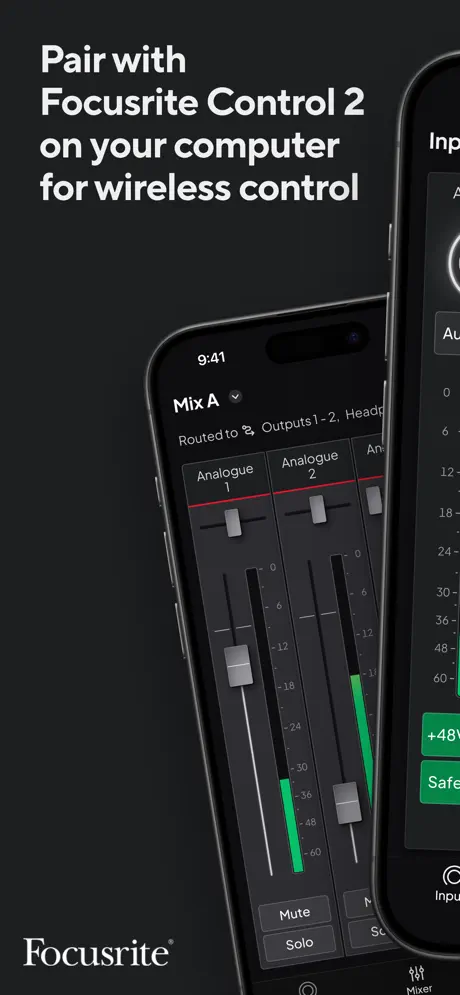  Focusrite Control 2 |  HD-Mix |  DiGiCo Quantum V2 | |
|---|---|---|---|---|---|---|---|---|---|---|---|
| Rating / 5 | 3.9 | 4.5 | 4.6 | 4.2 | 2.8 | 2.6 | 3.5 | 2.4 | 3.1 | 2.6 | 2.6 |
| Reviews | 340 | 9.8K | 7.5K | 1.2K | 379 | 302 | 148 | 138 | 113 | 20 | 5 |
| Released | 2013 | 2020 | 2021 | 2015 | 2012 | 2014 | 2021 | 2023 | 2024 | 2025 | 2024 |
| Monthly price | — | $3.99 | $5.99 | $9.99 | — | — | — | — | — | — | — |
| Annual price | — | $29.99 | $49.99 | $19.99 | — | — | — | — | — | — | — |
| One-time price | — | — | $119.99 | $19.99 | — | $4.99 | — | — | — | — | — |
The going rate for each plan in United States, in its own currency, shaded from the cheapest price on the row to the dearest. Plans fewer than four in ten of the priced apps sell are left out.
Qu-Pad reviews
3.9 out of 5, based on 340 reviews.
What people like
- Powerful remote mixing control.
- Easy to use layout.
- Free demo mode available.
What they complain about
- Logs you out constantly.
- App and board versions must match.
- Connectivity issues frustrate users.
Any ios15 update?
Love the app but any update on when iPad os 15 will be updated? The sizing is off and the fader names get cut off. Still functional but just a little annoying. Thanks!
Won’t connect- useless error message
Glad I bought this mixer with a non functional apple only app.
Great, But Missing One Important Thing
Great, but for the life of me I cannot find in the app where you can choose “who” to send the Talk signal to. This appears to only be selectable on the QU desk itself. Being that this can be critical during a sound check and highly helpful even during a performance, I feel this should be available on the app as well. This also appears to be missing on the new QU Mix as well.
An sich, aber naja die Details
Leider haben die Entwickler nicht verstanden, dass man nicht nur eine gute App bauen muss, sondern diese auch gut funktionieren muss. PERMANENT kommt die Warnung "Connection lost", obwohl sich das iPad max. 4m Luftlinie befindet und die WiFi Verbindung äußerst gut ist. Sobald man das iPad sperrt oder in eine andere App wechselt wird man ausgeloggt. Nett, aber so sehr an den Details gespart, dass es im Alltag einfach nur nervt.
Update, Please
This app is tired and outdated. One look at the X-32 is all you need. At minimum, why is there no RTA on the channel EQs? Third party apps have them, so, clearly, the data is there.
Superb Mixing App
Name one app that comes even close to this in the world of digital mixing. I’m trained on YAMAHA, Midas/Behringer, AVID, Soundcraft, QSC +, and I guarantee Allen and Heath provides the easiest and most logically functional mixing system, especially this main engineering app. The layout makes sense, just like their boards, and seems to be designed by real live engineers. The custom strips allow a lot of flexibility and you can make your life easier by creating a functional layout per your needs. The app is actually more powerful than the standard capability of the Qu mixers. I never like to mix without it, and I actually prefer to have hands on the board AND iPad to make mixing the easiest and smoothest. I’ve never had the issues that others complain about in some of these reviews. If WiFi is failing it has little to do with the mixer or app, and most likely the quality and setup of the router. Netgear is recommended but I’ve had success with several other brands. A+A+A+
No longer works
QU pad software Worked great for 3 yrs, now its useless,doesnt connect to router. Reset of mixer or software doesnt fix it. WTH? AH better get their act together, or start losing customers. Im ready to sell it and get ipad mixer app thats stable.
Qu32c v1.97
Just purchase new QU-32C with v1.97 my iPad Qu-Pad is v1.95 will not connect to this version, all QU16, 24 & 32 with v1.93& v1.95 works as design but not with v1.97. I email A&H, no response, I email my supplier with no help he told me what I already knew. Checked QU pad again still no new update version. I cannot use my iPad with a mixing board that it was intended for. other than that, the QU pad work perfect just not on this new version.
Issue with GEQ(QuSB)
Hi, I can't see the frequencies on the GEQ part on the new update
Viewable channel strips
Don’t get me wrong, I love this app and my QU SB, but, I absolutely hate the latest version of the app due to it adding more channel strips viewable on the screen. You should have the ability to choose how many are viewable, such as the historic 8 channel strips, which have been in place from the start. I also noticed that, since the latest update, the screen is not as sensitive to touch as before. Please consider adding a function to allow users to pick how many strips are viewable on their screens.
Qu-32 Working great!
No problems with my Qu-32 v1.95
QU Pad 1.95
I don’t like the graphics. 1.93 graphics were much better. I never had any problems with 1.93 and want to stay with it but I don’t have the option to download it from the App Store only the new version. Make 1.93 still available for those who want it please and thank you!!! I’m a long time Allen & Heath user who doesn’t want anything else in his audio arsenal… just Allen & Heath!!!
No frequency labels on 31-band GEQ?
I’ve used this app for years and love the workflow. It is miles ahead of other consoles that offer iPad control. The newest 2022 update finally made the app fit my iPad Pro screen without black bars on the side. Looks even better! BUT, I was re-tuning my monitors today and noticed when I went to the 31-band GEQ all of the frequencies are not labeled. Now when I hear a specific frequency like 2k or 1.6k I can’t just pull it out looking at the GEQ. Now I have to guess where my frequencies are. This is kind of a bad oversight on A&H if you ask me. The previous versions of this app had abbreviated frequencies listed below the faders on the 31-band GEQ. Now it is blank. Even the apps sample photos show the GEQ without frequencies listed. Hopefully A&H releases a revision of their new update. Other than that, it is the best iPad app for controlling Qu digital mixing systems. Aside from the new SQ app.
Needs Work
For starters some of the functions are cut off like the mute buttons… Why can’t you color code the vocals from the drums and so on…
RTA? LOW CUT? COLORING? DIFFERENT MONITORING LEVELS?
Overall a decently solid app, but the discrepancies between its PC counterpart are a little frustrating. Color Coding, RTA on every channel, Low Cut are non existent. There is also a discrepancy between the PC App monitor level and the Apps (could be user error) Also the EQ is very touchy. Besides these things the app gets the job done. Also add support for more than 2 devices active at a time please.
Overall Very Good
I like the layout just a little better than the Behringer App; However, I really miss the onboard real time analyzer that the Behringer has. Could you add that functionality eventually? That would pretty much make yours the winner in a shootout between the two. As it is, there’s features on both that I like though I think the Allen and Heath is just a little easier to use. It also is the most visually appealing but that’s kind of trivial. Figuring out how to put reverbs on your AUX sends is equally challenging for both boards.
App No Longer Maintained
Look at the version history. This app is no longer supported. Doesn’t display properly on newer iPads.
Yeah! Finally updated.
I’ve been waiting for an update to fix the layout problems. Finally it’s fixed. Thank you programmers.
Keeps kicking you out
This app would easily "good enough" if it would stop kicking you out of the board every time the screen times out. You can be running around talking with an artists or speaker and the screen times out. You go back to make a quick adjustment and its logged back into the list of boards screen. Now you have to select the board, assuming it is even listed. If it isn't, you have to hit "other" and click through the IP field screen, then choose a user, then maybe enter a pass, and then you are finally in. Every...single..time...you let the screen time out. Not cool. Drives us completely nuts.
It’s wireless
Great that there is an option to work wirelessly. But this app has both a mute button and an on/off button for each channel. While the console only has a mute button. Turning a channel off on the iPad makes a really easy way to shoot yourself in the foot.
Wonderful App! Needs Monitor Setting!
This app is absolutely amazing! Works great, but it does need one thing, a feature for plugging headphones in and listening to what is going on! Like an in-ear monitor! This would makes it so much better!
App not connecting to iPad 14.2
Please issue an update. iPad no longer connecting to qupac after 14.0 software update.
iPad Air issue
Love the app on the regular iPad. But I recently got the iPad Air 4 and the mute button is cut off. Looks like everything got shifted up because of the swipe up line.
Great app but Issues with usability
When attempting to connect this app with the Qu-24(v1.95), I keep running into connection errors unless I log out of the mixer and then connect the app before logging back into the mixer. Even then, I can’t use the mixer as I normally will as the app disconnects several seconds after logging back into the mixer and refuses to connect until running the steps mentioned before. Please update this app.
Update the app
Keep up with the firmware updates
Top 3 reason I own an IPad Air2
I have used this Qu-Pad App successfully for 2+ years now for live events with a Qu-16 mixer. I use it regularly, approximately once a week. It has solved many logistical concerns of needing control but not having a perfect scenario as far as to where the FOH can be located. Make sure your App version matches the firmware version. And I highly recommend paying for a high quality router or wireless access point. I also like that they allow you to download the app for free in demo mode. I also think a RTA / parametric EQ view would be helpful for ringing out monitor mixes,etc... Overall I use my IPad more with this App than for any other purpose. Highly recommended!!
Not connecting after iPad update 14.0.1
App will not connect to Qu_Pac after last update 14.0.1
Works great.
Works great when the firmware and app match. Our mixer is running 1.90 and this app will not connect because of the firmware and app mismatch.
Need upgrade.
I want to give this app four stars or five stars. But I’m on able to give 2 because my firmware is 1.93 on my brand new Qu-32 board. And the app is 1.92 I need the app updated quickly I can use it today. Next 10 minutes it’s not too soon. :-)
Good but needs updating for larger screen
The app works well apart from having to re-login every time you change apps and that it doesn’t support the larger screens of the iPad pros as you can see as much on the 13” screen as you can on the 8” screen on the mini it just has larger buttons.
I don't touch the board anymore
Very powerful and easy to use. There is little reason to touch the board. I haven't run a snake more than three times in over a year. Wouldn't mind a "sends on fader option".
Out of date
1.94 firmware was released 11 months ago. App won’t connect since its version 1.93.
Very nice except....
I love everything about it except since I prefer to have my iPad update apps automatically I am always dead in the water when I find my self unable to login because my app updated and can no longer interface with the board until we update the board also. Why not some limited backward compatibility? I lead music in a church and things are already tightly scheduled without having to do an unplanned emergency update in the middle of rehearsal. Other than that a fabulous tool.
Watch out for upgrades!!!
I almost love the app (four star)mbut I set up some custom layouts on Saturday and on Sunday morning I was greeted with a new login screen and the updated app would not run with out updating firmware on the board. I'm not going to do that an hour before the service starts. Big Fail (Zero stars). Come on A&H if your update is going to break unless we do something additional, WARN US. Because Apple won't let us easily go backward. This brings me to the frustration. I have come to rely on doing the monitor mix from stage which is really nice. No more yelling back and forth with ambiguous hand gestures and musicians not knowing what they are really hearing. I can be up there and hear it myself. So now I'm scrambling to remix the monitors because the drummer missed the rehearsal and I have to go back to "old school" mixing from the back and I'm running out of time. This band only plays once a month so having the ability to create a custom layout to group their sliders on one page is so helpful. The channel order doesn't matter much with the iPad but having the band spread all over the mixer made it tedious to mix from the console. I would have plugged in differently if I thought the iPad was going to break. I chose the QU series because this is our first digital board. The QU is enough like analog that the old timers can make the transition without having to completely relearn a workflow. My biggest complaint with A&H is documentation. The old Mackie documentation was great. It was clear with plenty of examples and very complete with a little humor thrown in (differences between US & UK?). A&H describes each section ok but you can't easily tell how to make sections work together. The iPad is worse in that there are NO instructions. But it seems to be easier to "discover" functionality with trial and error since the screens group related controls together. I figured out group mutes on the iPad first and then could see how it worked on the console. I'm still discovering and will update as I get deeper. But PLEASE A&H don't get me to rely on something and take it away an hour before showtime. Do it again and it goes on ebay!
Hasn't been working since..
I updated my iPad 2 to the current version of IOS 9 and since then my QU app is not working. It works on my phone but it doesn't have all the features so... I love the app but can't use it right now
Amazing Sensitivity and Response
Totally enjoyed the remote control over Ipad. The response and sensitivity is just amazing. At this point still learning how to maximize the pad.
Where is upgrade for version 1.94?!?!
Just bought a new Qu16 and can’t use the app. What gives??!?? Remote access for sound checks was one of the main reasons I got this! I chose this over the Behringer but having 2nd thoughts now....
Works but...
Works great on even iPad mini, but I do wish the RTA monitoring screens were better. No way of adjusting view. Would really be great if there were an RTA underlaying the parametric EQ.
QU-PAC Stunning - App Irritating
Well not much choice really can't use the desk very easily without it. You can but it's .....long. Would be great if there was a CCK cable hook up....setting up a router every time is tedious. Some features not in the app. Go to a different app and it logs you out and you have log back in again...... Every single time...... Aaaargh.... If you use you iPad for a variety of different tasks at gigs it becomes fudgingly irritating and completely impractical.
Needs iPad Pro update.
The app works well for controlling the Qu-Pac, but it needs an update to take advantage of the additional iPad Pro screen area instead of just letting the OS do dumb scaling.
Qu-Pad is Versatile
I use Qu-Pad to give me extra screens for mixing. Like quick access to DCAs, monitor mixes andFX processing when I don't want to constantly shuffle around the layers. It's even useful to help ring out the monitors.
Connection errors
I get connection errors at least twice a service. Not sure what the issues are with both the mixer and apps being up to date. The mixer is hardwired via Ethernet.
Shoroc
Qu-Pad is the near perfect bridge between me the Qu-16 and iOS. It helped me to grasped my head around the hardware much much faster. Qu-Pad is very stables and very well calibrated with the hardware.
Firmware update
I have heard nothing but great things about the app but I am unable to use it. The firmware on my QU-32 is 1.82 but the firmware on the app is 1.81. I have been unsuccessful connecting my iPad to the board because of that, as per the operators manual. Can anyone help me with this???
Needs direct connect option
Please make this app also work by direct USB connection, wifi is fine but it would be much better if it could also connect via USB using the CCK.
The Truth
I just recently bought the Allen & Heath QU-16 mixer for our group of 7 vocals and 4 instruments and the board is the best I've had by far, and the app for the iPad was fantastic and truthfully I almost preferred using the app rather than the mixer but after the new update it won't let me log in. It brings up a "version error" message, now this don't mean the app is bad due to one thing or mistake! I just hope they get it fixed so I can use it for our group again since I'm running our PA with it. All in all I still think this is THEE must have for any QU-16 and QU-24 mixers!
Older IOS
I loved using my I-pad for remote "tweking" ... Can't use my older I-Pad now... New upgrade needs new IOS that I cannot load into OLD I-Pad...... Any work arounds?? Otherwise will have to save up for a new I-pad but won't be right away!! No remote tweaking until then.......
Qu-Pad App V1.4
The app works quite well for me on an iPad Air, especially with the lighter weight of the Air! ;-)Functionality works quite well, and at times is a bit more intuitive than the mixers' screen. Definitely like the channel naming, and for my memories' sake, I just do screen captures on the iPad. Only problem I've found, and it's not a huge deal, is that after swiping to the next faders, it takes a second or 2 to draw the next batch! All in all, a great job, A& H!
Decent start, lacks a lot.
Mimicking the board lay out in the app would be a good place to start. The addition of effect send l and r allowing the full use the fx engine would be a plus. The app lessens my enthusiasm towards the mixer.
Good, but missing some essential features
This app is still in its early stages having only been released a few months ago. It's well well designed like it's big brother - the GLD app but is missing some essential features which other brands have had from the start. My biggest gripe and it's biggest flaw in my opinion is the lack of being able to label the channels. Mackie's master fader app app not only let's you label each channel, but it also lets you assign a JPEG or other preset picture for every channel. - Great idea! Without channel labels it makes things pretty tricky, especially when mixing with all 22 channels. It's impossible to remember what is what! The other lacking feature is that you can currently only use one iPad at a time with it. Presonus and Mackie's apps allow multiple devices to all be connected at the same time. Including iPods and iPhones and allowing restricted access where required so you don't have band members messing with the wrong mixes. This is a great feature as each band member can create their own auxiliary mix which is a massive bonus and part of the reason I bought the qu-16 mixing desk. I'm hoping that after reading my review that Allen & Heath will be able to include the features soon - especially the channel labelling! With these features included this app will be excellent, I just hope it doesn't take too long! I personally feel they are taking way too long to get these essential updates done. With an app half as good as Mackie's or Presonus' they would be well onto a winning formula and make this one of the best selling mixers in the world. They'll need to get a move on though as they are currently well behind!
Qu-Pad FAQ
- Is Qu-Pad free?
- Yes. The app is free, in all 175 countries it sells in, and it sells nothing inside it.
- Does Qu-Pad have a free trial?
- No. None of its offers (US) come with a free trial.
- What are the best alternatives to Qu-Pad?
- OnSong 2026 (4.5 from 9,804 reviews, premium from $3.99), Dorico - Compose Music (4.6 from 7,488 reviews, premium from $5.99) and Spectrum Analyzer: Spectrogram (4.2 from 1,234 reviews, premium from $4.99).
Qu-Pad download
Last updated 2 months ago.
Qu-Pad sells in 175 countries. It was released 13 years and 2 months ago, on 19 Sept 2013. It holds a 3.9 rating from 340 reviews.
Supports 1 language: English.
How much does Qu-Pad make?
Third-party estimates for the last 30 days, worldwide — not the store's own figures, which Apple publishes for nobody.