
Zoho Desk
Customer Service Software
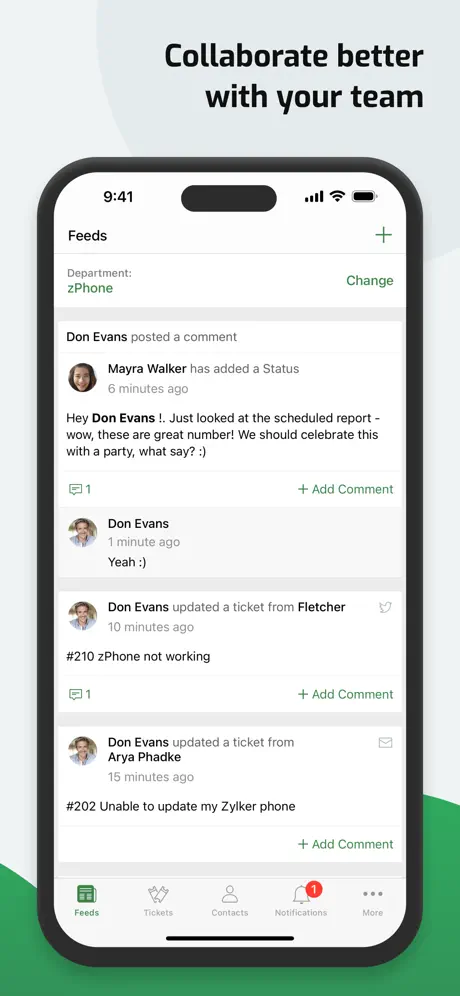
How much does Zoho Desk cost?
Prices are current as of 6 Nov 2026.
Zoho Desk has no in-app products on record in the United States.
10+ alternatives to Zoho Desk
| Zoho Desk |   Microsoft 365 Admin |   Zendesk Support | 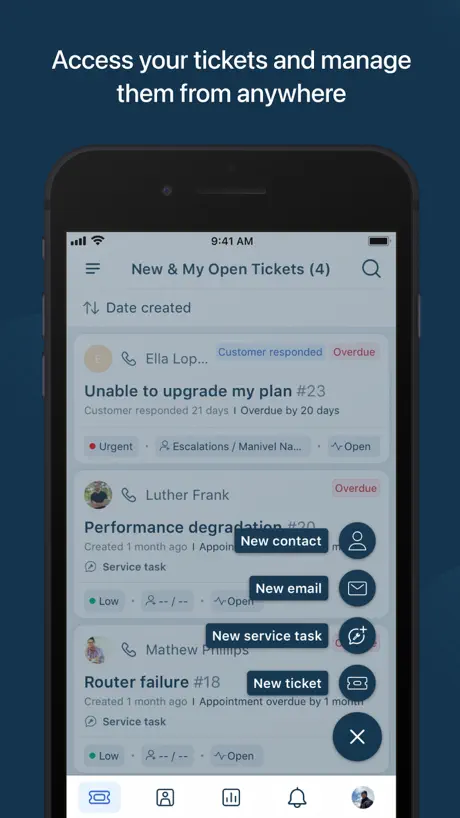  Freshdesk |   UniFi Access |   Intercom Conversations |   NinjaOne Mobile |   Spiceworks Help Desk |   HPE Instant On |   NinjaRMM Screenshare Utility |   UniFi Design | |
|---|---|---|---|---|---|---|---|---|---|---|---|
| Rating / 5 | 4.7 | 4.6 | 4.5 | 4.5 | 4.9 | 2.4 | 2.6 | 2.0 | 3.6 | 2.8 | 4.1 |
| Reviews | 5K | 21K | 9.3K | 9.1K | 8.8K | 598 | 139 | 85 | 81 | 34 | 17 |
| Released | 2013 | 2013 | 2016 | 2014 | 2021 | 2013 | 2019 | 2022 | 2025 | 2021 | 2024 |
Zoho Desk reviews
4.7 out of 5, based on 5,024 reviews.
What people like
- Easy to use and affordable
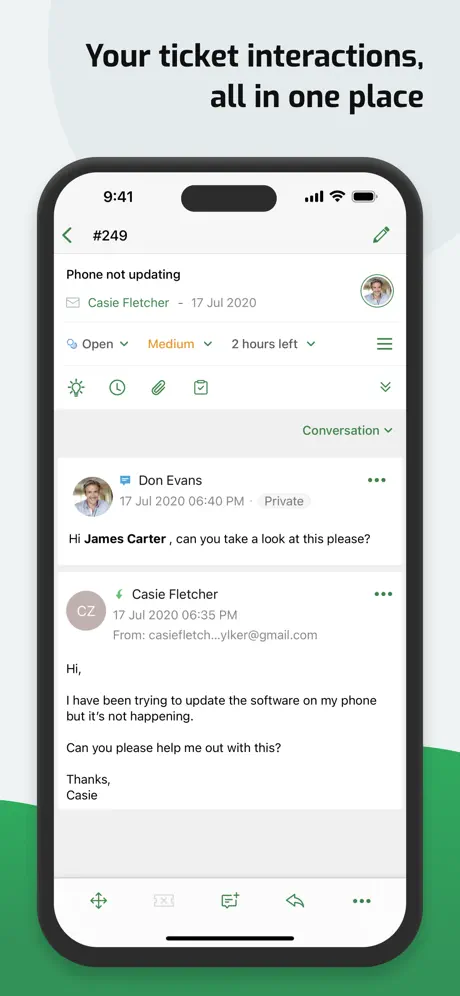
- Great for checking tickets on the go
- Good interface and integrations
What they complain about
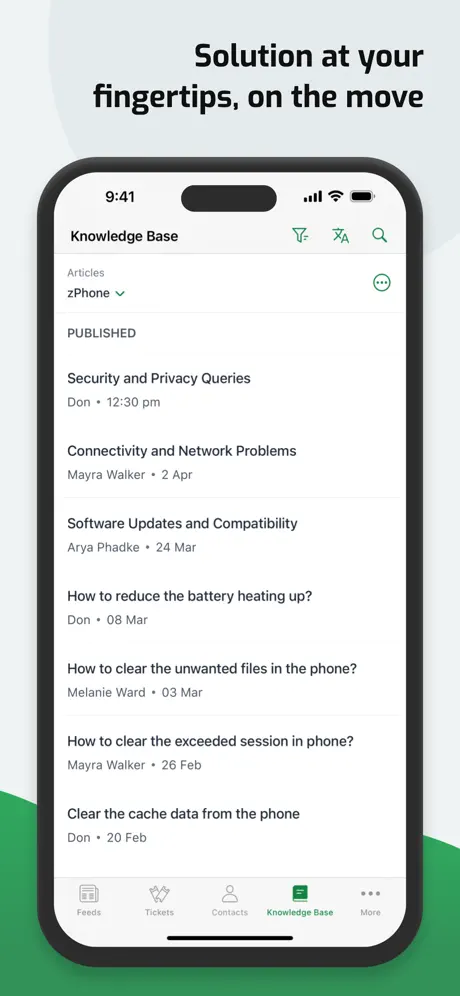
- Knowledge base not in the app
- Push notifications often stop working
- Missing features compared to web version
Desk to the rescue
Desk keeps my team deeply aligned with our customers needs. Without it we would be missing key details needed to keep our customers serviced an happy.
Update app to Liquid Glass
Update the app to Liquid Glass or make it look more modern. Looks like an app from 2010. Paying $50 a month for it to look like this is crazy
Needs Drag & Drop and Inline Support
The app is well designed and supports high-quality production; however, there are several missing features that would significantly enhance overall productivity. Specifically, the app lacks drag-and-drop functionality for inserting images and other data into emails, as well as the ability to drag and drop images inline within emails during composing. These are basic features already available on the Zoho Desk Web App, and their inclusion in the mobile app would greatly improve usability. Implementing these capabilities would make the app far more practical for completing work in situations where a desktop or laptop is not available.
Not great
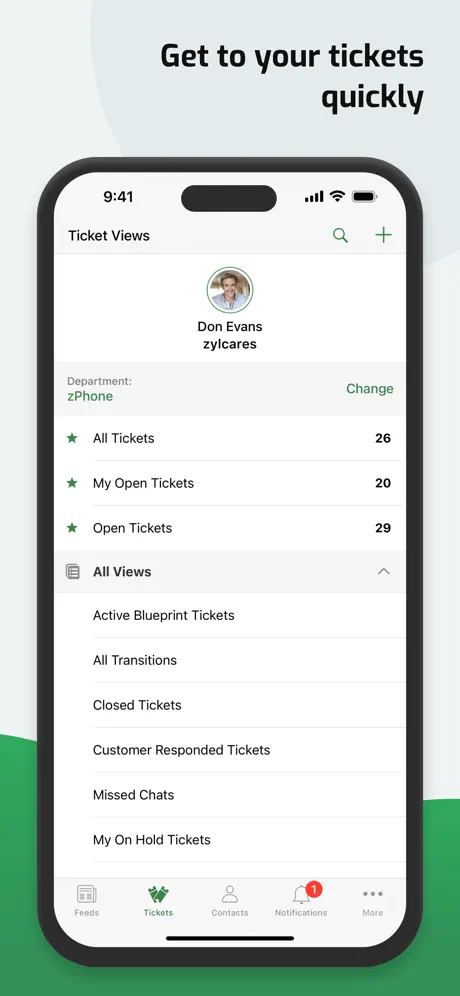
A lot of limitations with the iPhone and iPad apps. iPhone, even more than the iPad. Custom Views remain unavailable on the iPhone. Neither allow for typing the Snippet title and pressing Tab to insert the Snippet. Overall, very clunky, too many button presses to see what you want, and feels very ‘Last Thought’ design work here.
Unreliable
The iPhone app, just like the desktop version, is glitchy and unreliable. The cache refresh always has issues making recent records unavailable in searches sometimes for hours. Notifications are rarely delivered in real time, and push notifications sometimes just stop without the settings being turned off on the phone. When making changes to the properties of a ticket and saving, almost always at least one category doesn’t actually save. The app, as well as the desktop version, really need a lot of work to be considered a top tier product in my opinion.
تجربتي
اكثر من رائع لتطوير الأعمال انصح بة
Good but needs same as web
Missing a lot of key features from the web app. This includes contracts, support plans, agent collisions. These need added
I dont want to login zoho.com.cn
How can i login zoho.com on this app?
Well made but lacks key features
Overall great experience but lacks key notification adjustments. For instance, there is no ability to schedule when the app should notify of new tickets and there is no ability to specify who is notified of unassigned tickets. Support is responsive but extremely unhelpful.
App crashes when I try to open your Help Center
… and the reason I was trying this, was to report a bug. We are using multiple languages in our own Zoho help center. But when I try to add an article in a different language to a ticket response, it always ends up in the default language. Can you please fix this? Apart from that, the app gets better and better.
Zoho Desk App
The app works for us but has some bugs such as crashing sometime when you attempt to reply
Seriously lacks customization options
Something as basic as what appears on your homepage when you open the app is missing. Please put some more thought into the customer use cases, and adjust the app so that the customer more quickly gets to the information that they need.
Access to Knowledge Base
Please we need to have access to Knowledge base directly on the mobile app… Please look into this.
Good to use when on the road, but notifications stopped working
This is a great app to use when I am not working in my usual office setup, but notifications stopped going through months ago. I was able to get notifications when a customer responded or a new ticket came in, but not they just don’t show up at all. Very frustrating.
Half-baked, usually not worth your time
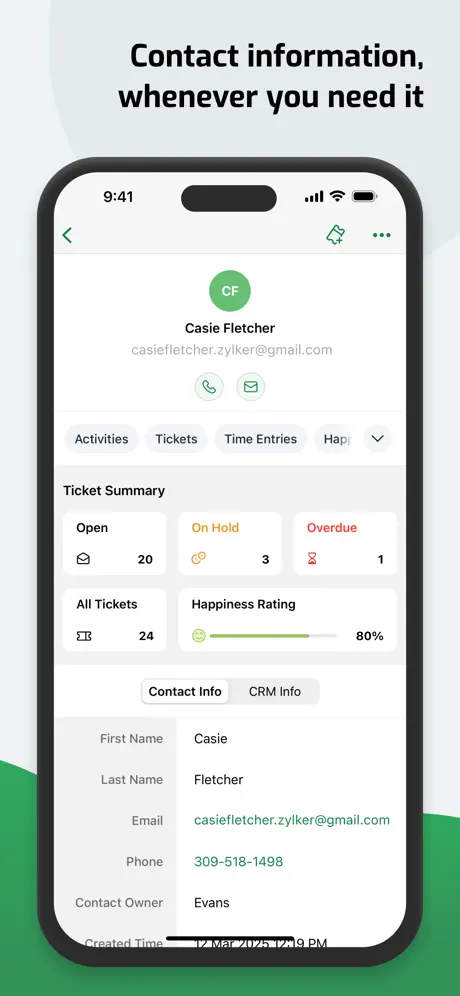
The Zoho Desk app is about 50% or less of the desktop/web version. That is nearly crippling for any work outside of the most basic interactions with tickets. No Products, no Accounts/Contacts, no real settings for the system itself (only the app). It is frequently out of sync with the web version in terms of what Accounts/Contacts or ticket settings/views are present. Manual synchronization of portal metadata seems to do nothing, or it isn’t communicating clearly what it does do. If all you need to do is create or edit tickets, it works fine. Anything else, you’d better just go to your computer or open a web browser to get to the real thing.
Near parity between web and mobile.
Really enjoying this app as I use desk for work and this makes it easier to step away should I need to send an email or two away from my computer. The main features I use in the web version of desk are all available and work the way I’d expect on mobile as well.
Beware of this kind of app
Scammers are using this app to get your financial information and data to scam you
Decent
Decent app but sometimes hard to find tickets and notification sometimes led nowhere.
No push notifications for IPhones
At some point along the way, push notifications for iPhones stoped working. I attempted to work with support on this and did not get very far with it. We’re at about nearly a year later and here I am hoping that a latest zoho desk update would fix this issue.
Widget Not Working
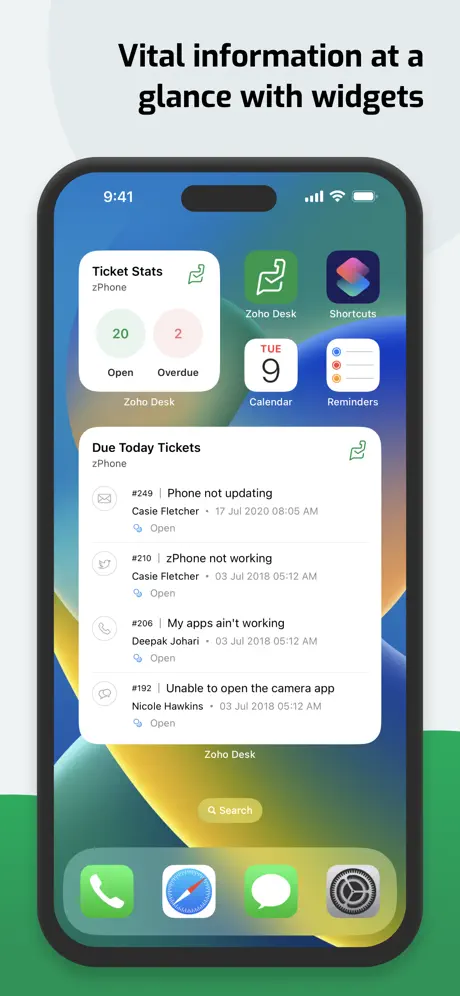
Cool app especially for easy access to all my tickets while I’m on the go. Only issues is the iOS widget is not working fine it is supposed to show you the number of tickets based on ticket status and selected department but that is not filtering through correctly. Please fix this!
Help Desk Essential
Get this App amazing as Help Desk
Scammers. DO NOT DOWNLOAD!
These folks are scammers!
Decent ticketing program
Too many things basic features behind a Paywall that requires an enterprise edition for half the features I’d never use
Notificaciones
No sirven notificaciones en iOS 17
Not accessible
This app has so much potential. However, all of the controls that are required to manage tickets are on labeled/in accessible. As a Tier II support person who happens to be visually impaired, I am unable to use this app and must rely on the desktop/web browser experience for now.
Love Zoho
I own a number of businesses and just migrated to Zoho desk to make things easier and more affordable. Not a problem nearly two weeks in almost and cheaper than the competition and offers just a tad more. I also love that there is a chat function, knowledge base, and I can easily communicate with my remote people from their desks. Zoho has made the migration to fully remote really easy so thanks.
Customer Service is Bad
Honestly the ticket program is good but being in IT and changing phones or going through different computers getting back into your account is near impossible. You can’t get in without being signed in your account. When I ask for assistance to get a code or access you don’t hear back for several days if not over a week and with silly responses like “You have back up codes. Use those.” If I had them I would so there is a response back with another several days without a response. I haven’t been in my system for about 6 days now and with the worst customer service available I can’t see myself using them moving forward. After I’m done with them I will move to another ticket method for our company.
Inconsistencia en la app
Tengo la versión 2.6.4 y me esta fallando mucho , jamás me había fallado la aplicación , tienen algún comentario?
PLEASE allow notification sound changes in app
ios17 default notification is the softest most quiet option. Please allow notification sound changes so it can be changed to a louder sound. We need to be able to hear ticket notifications 🤓
It’s come a long way...and is almost there.
The Zoho development team has brought nearly all of the most needed features to the mobile app, and it is truly an effective way to manage tickets in the field at this point...with one painful exception—the timer does not work at all. If the screen is locked, or if you switch apps, it either pauses (which depending on how long you’re away from it can result in MASSIVELY inaccurate time records) or just loses track of the running timer altogether. I realize this is largely due to how aggressively iOS kills background tasks, but this is something the devs should work around, as iOS will never change its behavior on this front. Please just use time stamps to mark the timer start and calculate elapsed time from that rather than attempt to run a clock that is destined to fail. Fix this and I’ll give it five stars happily. Thanks to the devs for their ongoing efforts!
Easy to use
Love that the application is easy to use and that I still have access to many of the tagging features of the web browser. My only complaint is that ticket links don’t auto open the app. Still a great app.
It's a world of difference compared to the Android version.
I can't stand this stupid UI.Many features are available on the Android version, but not on this ios version.
Appreciation
Simple user interface and it is very nice
System error
Every time I’m going into a ticket, and I click the tab “Tasks” the app closes or in other words it crashes.
Coud not find tagging option in app
Please enable tagging option in app
No push notifications
The push notification toggle button does not allow me to set it to the on position. This means I have to constantly visit the app to check on new tickets. If this can be remedied please let me know.
Extremely disappointed
There's something wrong with the notifications system, one day I just stopped receiving notifications and only some would come through instead of all of them, usually when the tickets are already late. I checked and all notifications are turned on on my iphone, I went to the app settings and saw that one of the only 2 options were turned off... I only enter this app to answer tickets and do not touch any settings ever if this is my issue why was it turned off? This very nearly cost me my job if not already did... thank you
Need Tasks Tab
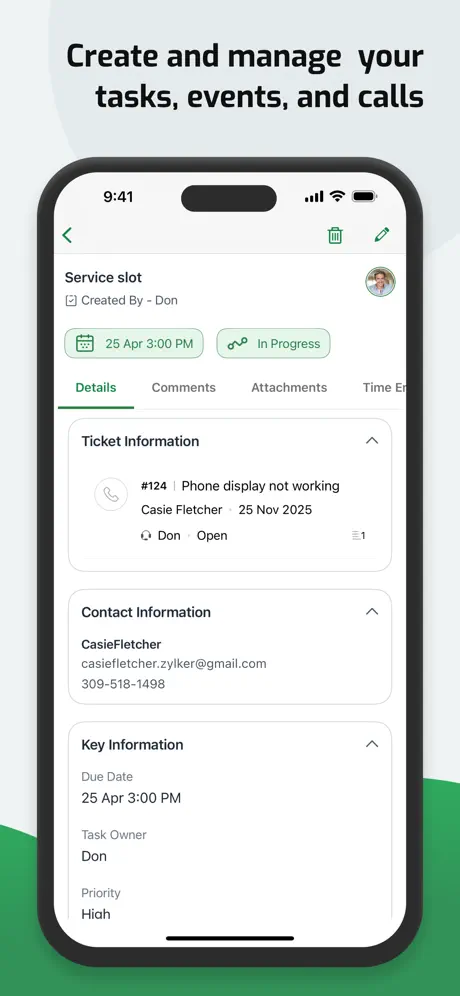
I need to be able to create and manage tasks without ticket. My company uses Desk for all its project communications and task management and I need a tab like “Activities” on the desktop version where I can manage my tasks independent of any ticket. As soon as this feature comes out this gets a 5 star because everything else in this app is wonderful!
Push notifications have stopped working
For the past week or two, the push notifications for the app are not working. I’ve tried toggling them off and back on, reinstalling the app, restarting my phone, re-syncing the app and checking the notify settings on the web client but nothing has worked. It’s extremely inconvenient to not be receiving push notifications when tickets are submitted, to the point where the app is basically useless for me now. Please patch this bug
Great start!
Mobile apps are a must have for any software, specially for SaaS, so it's great to finally have it for Zoho Support! The thing is this first version does not cover all features of the web version (tasks and reports, for instance), thus the 3 stars. I hope the future versions have it all.
Nice tool
I provide support to a community of retired folks … I also am a resident. We help each other and use Zoho to track what we do. I would like it a lot if the knowledge base was also available but I have to open a browser to get the knowledge base.
垃圾软件
垃圾软件
Refresh & Notification Sound
Two Questions... Is there a way to have the ticket screen auto refresh? Is there a way to enable sounds on new ticket notifications?
Ok, But Not Complete!
For any app you should be able to do everything you can do with the desktop version. Can’t do approvals on ZOHO Desk mobile app. Menus in all ZOHO One Apps are typically not the same. This is no exception. ZOHO programmers must program in a bubble without regard for any consistency access all ZOHO One apps.
Best helpdesk I have used
After my 20+ years of using different service desk software, I have finally found one that I can fully use and endorse. The interface is very nice on web and mobile apps. The integrations are amazing. Way to many good things to list.
Horrible customer service.
I called customer Service with a problem. They were completely unable to help me.
Works well
Constantly being updated to resolve bugs and enhanced with functionality to mimic the desktop variant, good tool for on the go work
App doesn’t work if the Desk instance is hosted in China
One of our Desk instances is hosted in China and this app, unfortunately, won’t let me log into that portal. It’s a bummer. I was hoping I could run my China business the same way I could run my other businesses outside of China. 😔
Zoho Desk FAQ
- Is Zoho Desk free?
- Yes. The app is free, in all 175 countries it sells in, and it sells nothing inside it.
- Does Zoho Desk have a free trial?
- No. None of its offers (US) come with a free trial.
- What are the best alternatives to Zoho Desk?
- Microsoft 365 Admin (4.6 from 20,601 reviews), Zendesk Support (4.5 from 9,293 reviews) and Freshdesk (4.5 from 9,114 reviews).
Zoho Desk download
Last updated 23 days ago.
Zoho Desk sells in 175 countries. It was released 13 years and 2 months ago, on 4 Sept 2013. It holds a 4.7 rating from 5,024 reviews.
Supports 26 languages: English, Arabic, Bangla, Danish, Dutch, French, German, Hebrew, Hindi, Icelandic, Italian, Japanese, Kazakh, Korean, Marathi, Norwegian Bokmål, Odia, Portuguese, Russian, Chinese, Spanish, Tamil, Telugu, Thai, Turkish, Vietnamese.
How much does Zoho Desk make?
Third-party estimates for the last 30 days, worldwide — not the store's own figures, which Apple publishes for nobody.