
NinjaOne Mobile
All-in-One RMM Platform
How much does NinjaOne Mobile cost?
Prices are current as of 11 Nov 2026.
NinjaOne Mobile has no in-app products on record in the United States.
10+ alternatives to NinjaOne Mobile
| NinjaOne Mobile | 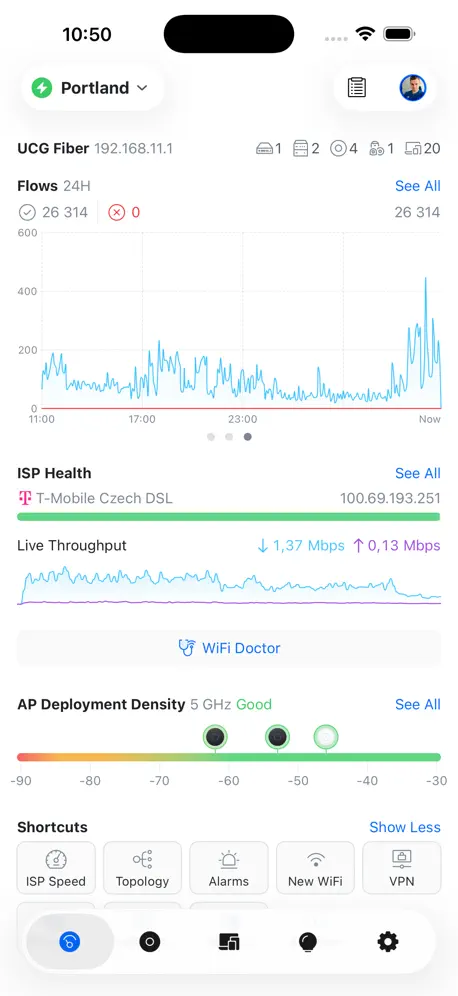  UniFi | 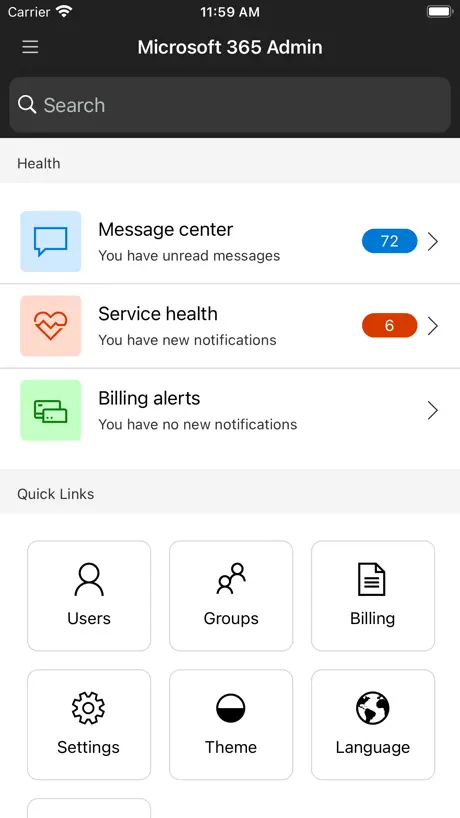  Microsoft 365 Admin | 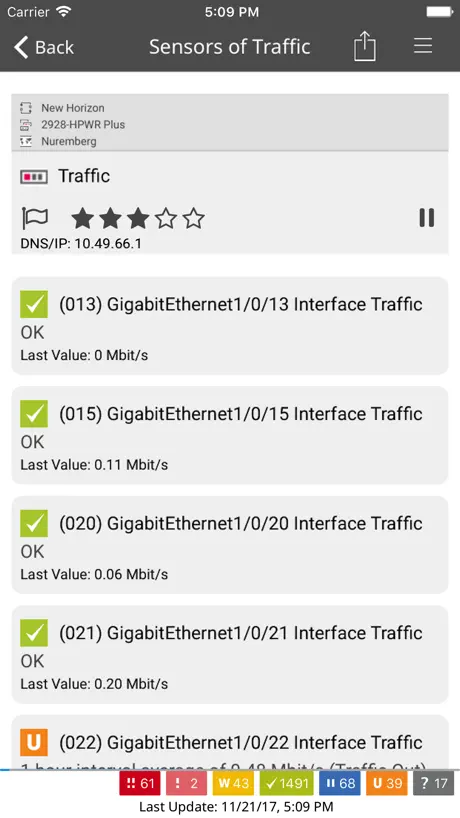  PRTG - Monitoring |   UISP Mobile |   Pulseway |   Yubico Authenticator |   HPE Instant On |   IT Glue |   UniFi Design |   Hudu Mobile | |
|---|---|---|---|---|---|---|---|---|---|---|---|
| Rating / 5 | 2.6 | 4.7 | 4.6 | 4.7 | 4.5 | 4.5 | 3.7 | 3.6 | 3.0 | 4.1 | 3.5 |
| Reviews | 139 | 66K | 21K | 11K | 4K | 1.5K | 892 | 81 | 19 | 17 | 11 |
| Released | 2019 | 2015 | 2013 | 2009 | 2016 | 2010 | 2019 | 2025 | 2017 | 2024 | 2023 |
NinjaOne Mobile reviews
2.6 out of 5, based on 139 reviews.
What people like
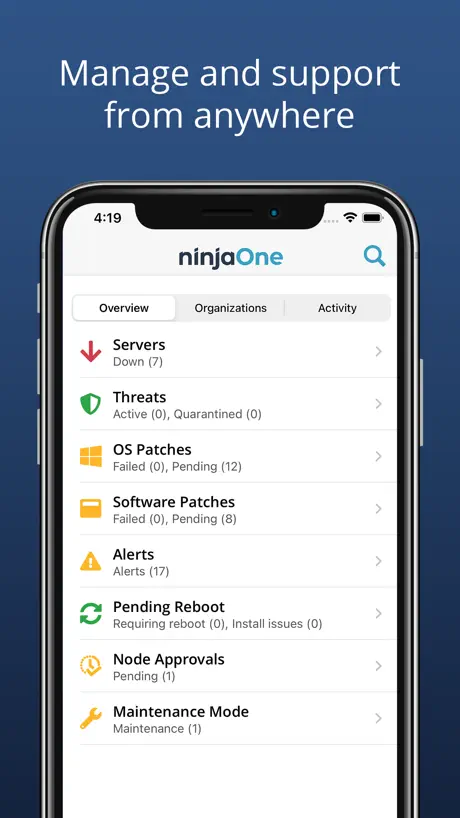
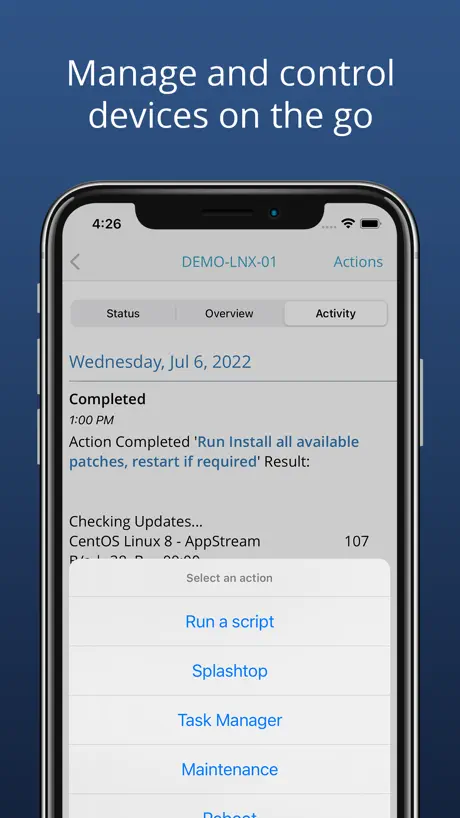
- Remote control works very well.
- Great for checking alerts on the go.
- Easy to use and reliable.
- Support fixes issues quickly.
What they complain about
- Login breaks constantly with SSO.
- App signs you out too fast.
- Search function often fails completely.
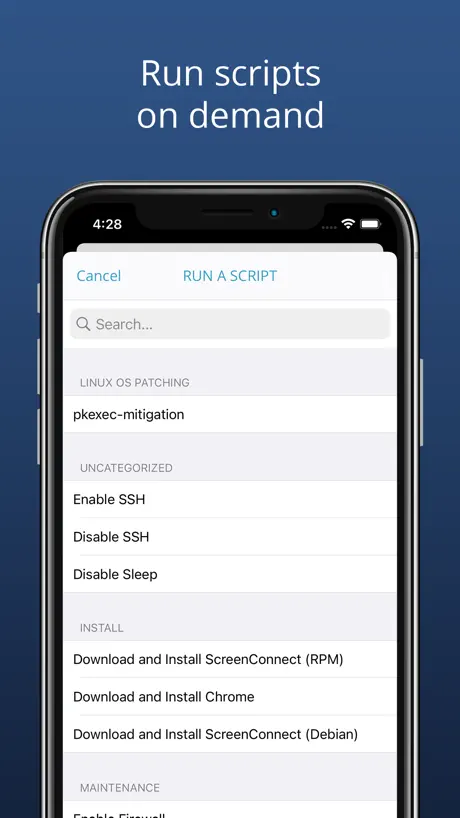
- Scripts simply do not work here.
Läuft
Die App macht das was sie soll. Wer sich beschwert wegen dem Login, sollte sich mit der App beschäftigen bevor eine schlechte Bewertung abgegeben wird.
Can’t sign in
Will not allow signing in though Entrance
Love the App (apart from the login experience)
Great app that has helped us while on the go. I wished the login experience was better. We have to go through numerous screens to successfully login. The initial app login screen still returns you to a webpage where you need to enter your login credentials again, then you are directed to another screen to give app permissions to work offline. Would love it if there was a way to access devices terminal/cmd/powersehll
Missing Some Key Device Details
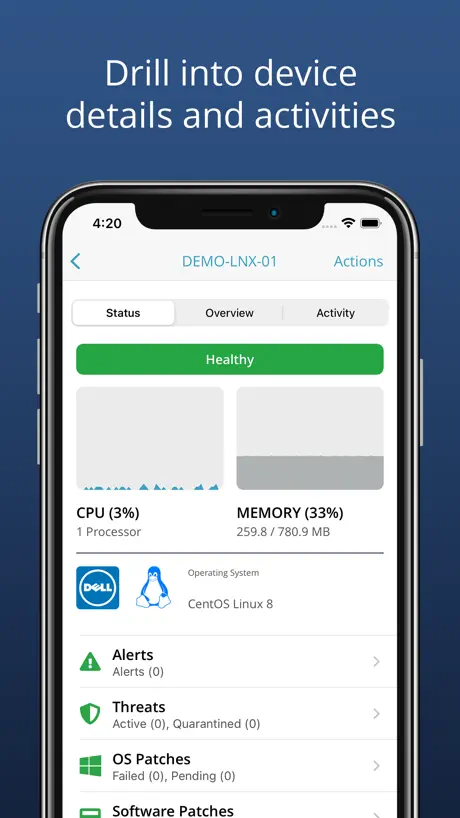
Key Details Devices need to show (which are currently missing): 1. Storage Drive Capacity / Utilization 2. Windows Version e.g. 22H2 (not just the build 19045) 3. Processor Make Model 4. Graphics Card Make / Model 5. Scripts need to be sorted Alphabetically Please add these to the Device Details. Devices / Organizations also need to be sorted Alphabetically. Thanks!
One Step Forward, Two Steps Back
This app used to be much more functional before version 3 was released. Now, each time it is updated, something is broken. The latest update fixed a few minor issues but now the list of scripts is empty (only shows categories) and push notifications stopped working again. The QA team needs to do a better job before pushing out updates. A simple checklist of testing critical features would do the trick.
Very handy
I use on a mac every day. I hate the new update where the remote control options spread across the screen left to right instead of up and down, but good app over all. I wish there was a way to hide the teamviewer welcome opening screen, but that's not a ninja issue i don't think
Waiting for Better
Love NinjaOne as an MSP. Hate it on an iPad. Only useable path is to open it in Safari and then go back to the app if you need to remote to a machine. The app fails miserably in comparison to the abilities on my MacBook Pro. Waiting for an update. Promised an update.
La aplicación es genial
La aplicación es muy buena, pero tiene un bug en el overview de un dispositivo, se queda el reloj en medio cargando constantemente aún mostrando la información actualizada y es molesto. Por el resto es muy buena, cuando solucionen ese bug, le doy 5 estrellas.
Really disappointing
Ninja is an awesome platform but their mobile app is really underwhelming. SSO support is totally broken on iOS, ticketing is unintuitive, search doesn’t work in 80% of searches. Site and location management isn’t present. Generally due for a full overhaul.
Hit or Miss
This app is useful until you need it to do something. Now after the latest update, you can’t stay logged on. When searching for something, it can’t find anything. You have to sign out then back in for it to see anything.
Phone App
Does exactly what I would expect. Missing some of the more advanced tasks, but it’s a mobile app. Realistically I want to see if my servers are up, and remote into a device when I’m away from a computer.
Garbage
Pure garbage
pratique et synthétique
première utilisation ça fonctionne très bien, l’interface est bien synthétiser et se coordonne très bien avec les autres applications de prises en main à distance. Je suis encore en train de tester mais c’est déjà très bien même si il y’a des choses à améliorer ou le besoin de l’ajout de certains réglages dans le menu paramètres.
Notifications never work
I’m an MSP that uses this platform and this app is trash. I’ve opened so many tickets with them to figure out why the app continually signs out and forces me to log back in even within the four hour maximum period. And then notifications never ever work. I have to always be using my laptop or desktop to do anything with the website and customers.
No push notification sound
I think this app has great potential and it is on its way to be one of my favorites. One thing that I would really like to see is an option to play an alert sound with the push notification. Right now I have to keep my sms alerts on so I’m notified of a down server. Please add the push notification sound and the ability for us to change the alert sound.
Sehr gut
vielen Dank für das tolle Werkzeug. Top
Login is a nightmare
I truly don’t know how ninja can be so amazing yet can have one of the worst apps ever made. I’m not one to give a bad review, but two years of optimism that they would fix the broken login experience has finally given way to despair. Trying to use entra to logon - best case means you’re going to login every single time you open the app. Worst case after the latest update it’s just completely broken. The authenticator never calls back, rendering it completely unusable.
Please be detailed about the bug fixes
It would be really helpful if you would include detailed information about the bug fix improvements The task manager functionality is still not working
Constantly have to sign in.
Would be really nice to have facial recognition with this app. I believe it’s doable but no one can tell me how. Please help! Finally was able add audio notification so that, as a runner, I am notified as soon as a new run is posted. Had to have Apple help me with that though. My IT department didn’t know how to do it. Anybody know how to activate “facial recognition “ on the iPhone (14)?
Task manager
Disk Space under task manager is reporting wrong! - Would like to see full access to event viewer for both desktop and mobile.
The best for your money and time!!
I have been using the NinjaRMM for several months now. I have not been disappointed whatsoever in the product as it is very reliable. As an MSP, we are always busy multitasking and it’s so nice to have an RM that does his job in the monitoring and patching. Love the real live updates for the workstations and Servers.There is nothing really to dislike about NinjaRMM. I would like to suggest that within the app that there are more options to do things as you can in the web interface.I have been able to focus on bigger task without having to worry about patching and network connectivity loss. To get notified immediately when a server is off-line is exactly what I need. Not to mention the amount of smooth selling our clients receive. The positive comments coming back from our clients is enough for us to stay with Ninja.
Unable to sign in
Unfortunately, due to an MFA issue with the app, I am unable to verify account in order to sign in. This was on iOS 26.3, using us2.ninjaone.com environment
Bug d’approbation
L’approbation est inversée. Approuver un poste le rejette et inversement, c’est assez problématique.
Broken scripting
Scripts do not work at.
Great App!
I love it, works as expected and lets me watch progress of updates, see alerts and remote into the machines we manage. I personally have not had any issues but from what I can see from some others they respond and repair the issues quickly.
Keyboard issue
Keyboard keeps popping up and gets in the way when trying to navigate since the last update. Also action and function key bar disappeared as well. Doesn’t work.
Hard drive monitoring & scheduled scripts needed
Really liking the app but it’s missing a few useful things, it’d be awesome to see hard drive space and the ability to run “policies: scheduled scripts”. It seems like you can only access the script library currently. Another great feature would be command line, even being able to quickly ping a server is useful.
Not useful at all
While the core product is great the mobile app is awful. Just one example: all devices from different locations are dumped under the organization. You can not group devices and perform bulk action like running a script. Mobile app is more to use as an overview and there is no real functionality. I’m not sure what developers where thinking. Disappointed.
Great for monitoring enterprise environment
I really like this app because it gives me the ability to monitor my patch deployments as well as my devices from anywhere. Its great because I run patches on the weekend and its nice to follow the progress without needing to get out my laptop. I hope they introduce more functionality in the future so I can scan and deploy patches from the app as well.
Almost
Pretty worthless if you use SSO. Wont stay logged in and if the wrong account is on the sso login screen, there’s no way to change it.
Broken if using SSO
We have tied in Microsoft Entra ID SSO a week ago and ever since then the mobile app is unusable. The login screen for the app launches Safari and then endless pop ups asking to launch the web browser for login. QA is seriously lacking.
Great addition to great solution!
The iPhone app has been a great addition to what NinjaRMM has to offer. It’s nice to have a snapshot view of what’s going on when out of the office.
Log In Every 20 Seconds
Have to log in every 20 seconds… phone app is supposed to be “quick” otherwise I’d just be at my desktop!
Buggy, lacks usability
While the platform accessed via desktop is great, the mobile app lacks in many respects. I’ve had a persistent issue with it being willing to leave me signed in to my account, wherein I have to go through the entire sign in process every time I want to use it , if it’s been longer than 20 minutes since I opened it. Moreover, standard things that should be simple enough, like resetting a user password for servers running Active Directory either seem to be spotty when they do want to open, or they act like they are loading details only to present nothing on the screen. In that same vein, unless it’s veiled somewhere deep in a menu, I don’t think there’s a basic feature to allow you to unlock a user account from the app, which is hyper annoying
Best mobile RMM app
After checking out many other RMMs, we settled on Ninja a while back. It is super easy to use and understand and it does what it says it can do, most have false promises. Being an Apple and mobile first IT company, having an iOS app to be able to assist our customers is key! They really knocked it out of the park with this FIRST version. It is easily better than others on the market. Perfect no, but better absolutely. Idk why these other guys are giving it negative reviews because this app makes your life better.
Doesn’t work with authentication codes
It will let me log in using SMS, which Ninja reminds you is less secure. But if I use MFA codes, it gives me an error. The app is totally unusable for me. Tech support has been working on fixing it for a month, supposedly.
Bring back old version
New UI is too bulky and limits information vs old version, and can’t run any scripts because it appears the credentials selection field is broken— can’t select any credentials. For the love of god, please stop breaking the script functionality.
NinjaRMM - Great APP!
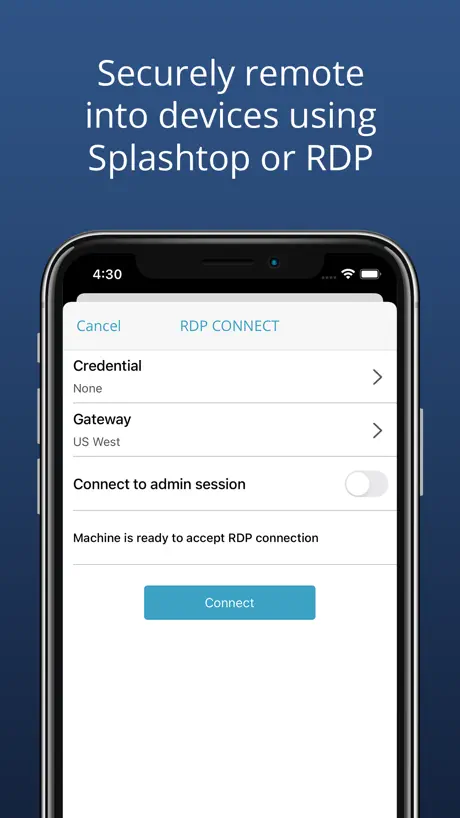
I’ve been a long time Customer of NinjaRMM and highly anticipating this release. Splashtop integration works! Cloud RDP integration works! Scripts, Reboots, and Taskmgr all work! It’s really quick and responsive. This will make management much easier moving forward. I’m looking forward to regular app enhancements.
MFA worked once
Was good but haven’t been able to use it since 3 updates ago, desktop has no issue but logging in on mobile is impossible
Not compatible with iPad
Unfortunately we use this to remote in from home from our computers but we also purchased iPad pros for entire office to have them in court and be able to connect remotely and now find loot from our tech team it is not compatible
NinjaOne Mobile FAQ
- Is NinjaOne Mobile free?
- Yes. The app is free, in all 175 countries it sells in, and it sells nothing inside it.
- Does NinjaOne Mobile have a free trial?
- No. None of its offers (US) come with a free trial.
- What are the best alternatives to NinjaOne Mobile?
- UniFi (4.7 from 66,466 reviews), Microsoft 365 Admin (4.6 from 20,601 reviews) and PRTG - Monitoring (4.7 from 10,551 reviews).
NinjaOne Mobile download
Last updated 2 months ago.
NinjaOne Mobile sells in 175 countries. It was released 7 years and 3 months ago, on 17 Aug 2019. It holds a 2.6 rating from 139 reviews.
Supports 1 language: English.