MoviePro - Pro Video Camera
Cinematic 4K & Manual Control
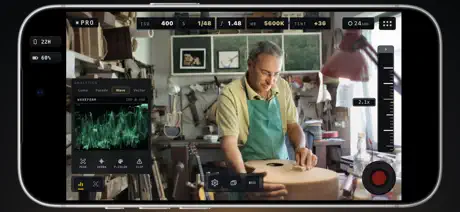
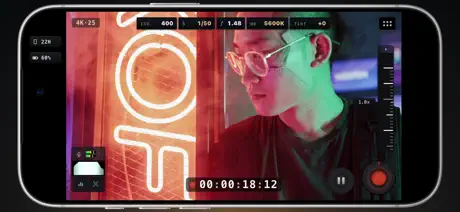
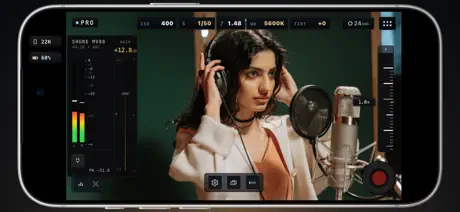
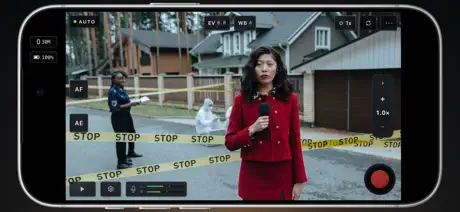
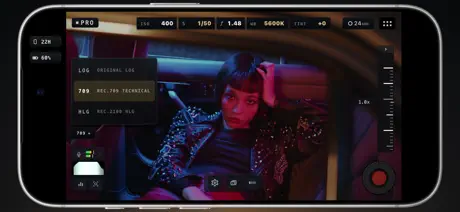
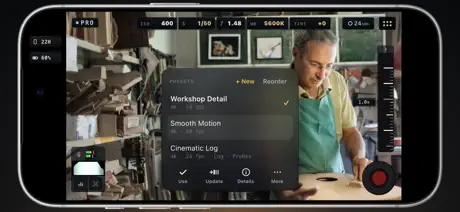
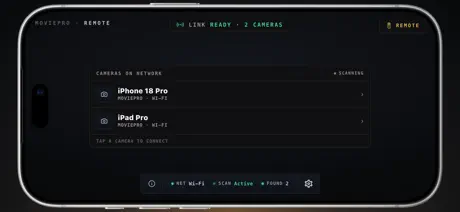
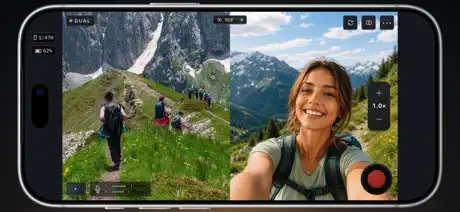
How much does MoviePro - Pro Video Camera cost?
Prices are current as of 2 Oct 2026.
1 subscription from $9.99
In the United States, MoviePro - Pro Video Camera has 1 subscription priced $9.99. It comes with a 3 days free trial.
| Subscription | Period | Price |
|---|---|---|
| Annual | AnnualTrial: 3 days | $9.99 |
2 one-time purchases from $2.99
In the United States, MoviePro - Pro Video Camera has 2 one-time purchases priced $2.99 – 14.99.
| Product | Price |
|---|---|
| Pro 7-Day Pass | $2.99 |
| Lifetime | $14.99 |
See what MoviePro - Pro Video Camera costs in all 175 countries →
10+ alternatives to MoviePro - Pro Video Camera
| MoviePro - Pro Video Camera |   ProMovie Recorder ProMovie Recorder |   ProCam - Pro Camera ProCam - Pro Camera |   Filmic Pro-Video Camera Filmic Pro-Video Camera |   Face Pro - Face & Body Editor Face Pro - Face & Body Editor |   Telepromptr Telepromptr |   Slideshow Master Pro - Maker Slideshow Master Pro - Maker |   Blur Video & Photo -AI Pix App Blur Video & Photo -AI Pix App |   Photo AI Eraser-Object Removal Photo AI Eraser-Object Removal |   Pictura - AI Photo Enhancer Pictura - AI Photo Enhancer |   PicsBeauty: Restore Old Photos PicsBeauty: Restore Old Photos | |
|---|---|---|---|---|---|---|---|---|---|---|---|
| Rating / 5 | 4.4 | 4.7 | 4.6 | 3.5 | 4.6 | 4.6 | 4.7 | 4.6 | 4.6 | 4.6 | 4.7 |
| Reviews | 4.6K | 226K | 187K | 38K | 7.3K | 4.2K | 3.8K | 3.4K | 3.3K | 2.1K | 2K |
| Released | 2012 | 2016 | 2013 | 2011 | 2023 | 2012 | 2017 | 2021 | 2021 | 2023 | 2023 |
| Weekly price | — | — | — | $2.99 | $3.99 | — | — | $5.99 | — | $12.99 | — |
| Monthly price | — | — | — | — | $7.99 | — | — | $5.99 | $0.99 | $34.99 | — |
| Annual price | $9.99 | — | — | $39.99 | $23.99 | $19.99 | — | $29.99 | $4.99 | — | — |
| One-time price | $2.99 | $2.99 | $1.99 | $13.99 | $1.99 | $59.99 | — | $29.99 | $6.99 | — | — |
The going rate for each plan in United States, in its own currency, shaded from the cheapest price on the row to the dearest. Plans fewer than four in ten of the priced apps sell are left out.
MoviePro - Pro Video Camera reviews
4.4 out of 5, based on 4,608 reviews.
What people like
- Lets you pause and resume clips.
- Remote control works well with iPad.
- Gives full manual camera controls.
- Developer fixes bugs quickly when asked.
What they complain about
- Updates remove features you paid for.
- App crashes and lags during recording.
- Support ignores your emails completely.
- Audio often gets out of sync.
❤️ MoviePro!
MoviePro is a great app for movie-makers, novices and pros, alike! So many options, easy to use, and knowledgeable and responsive customer support, if needed! Thanks, MoviePro!
PIP no longer works
I’m actually using this on an iPad. Maybe that’s my problem. But, the picture in picture functionality no longer works. When I’m recording, I can position my picture on the screen in any of the four corners or even in the middle, but when I look at the recorded video, It usually shows it in a different place or filling up either half of the screen or being cut off. I guess what I’m trying to say is the recorded version does not match what I’m seeing on the screen while I’m recording…
Overall good app - Audio Meter Not Working
Been using this app for a long time and had been good. Just used it today for the first time in a while and the first since getting a phone with USB-C instead of lighting. I connect a USB-C to XLR to send sound from an audio rig to the recording. I didn’t think I was getting any sound because the audio meter wasn’t working in the app. This is a problem because I have no idea the levels coming in so I was guessing at gain setting with a bunch of testing. The audio meter used to work really well and one reason I used the app. Another issue, and I’m not sure if this is the app or nature of the device now, is I couldn’t play back audio with the USB connected. It thought the USB device was also headphones. It would be nice if the app allowed you to select the audio output.
Everything feature I purchased this app for has been either obscured, removed, or worsened
Initially, the key reason I purchased this app was because I wanted to have the available feature to switch camera lenses mid-recording. Now that has been REMOVED. Much of my preference for this app was flexibility in the workflow, and this included quick switching from face cam to what I’m seeing in a vlog type of format. My app auto-updated without warning and now I’m left without it. Then, the feature that made me love the app was ALSO REMOVED, that being the ability to set custom resolutions. Now I’m locked into 16:9 it seems, because even though “framing guides” are said to be available these are NOT functioning properly. I wanted to exclusively shoot in 4:3, and it was working for a period after updating but now both the crop and framing guide options aren’t even appearing. Before my workflow was to use 1440x1080 at 60fps but not this isn’t working or seeming to appear. I’ve also noticed there’s very little functionality even with the customization that’s left. I often will try and run different resolutions with different frame-rates and the app just freezes or displays a black screen. This is poor design. If it doesn’t work there should be conflict notifications before even allowing the user to set them. But I have a feeling it’s supposed to work and doesn’t, because it USED TO WORK. It also doesn’t seem to let me pick a custom audio sample rate at all. What’s the deal with that? Has the options displaying but when I tap… nothing happens. Just stays on auto. Everything being, “you can only record this way with these settings,” when this was not the case before and everything worked fine is super annoying. Further, one added feature that should be toggle-able rather than default is the pop-up providing recording information on the shot. I do not want to have to close out a window every time I finish recording before I can start the next shot. It’s nice to be able to instantly open a preview, but it shouldn’t be so obtrusive that I can’t instantly start recording the next shot. Instead I have to press stop, film next shot, then start again. Just another unneeded tap in the workflow that could potentially prevent me from missing a shot. One leftover feature that I’m glad carried over is the ability to designate which microphone is recording the audio. I always tend to use the “Front (Top)” option since I’m recording voice much of the time. However, I think it would be cool if the app were capable of recording multiple microphones and saving the files and separate audio tracks like other cameras do; then you could choose later from the mics you had selected. But I don’t know if this is possible with iPhone. And, admittedly, I do like how the “Stabilize” toggle has been moved to be accessible via the main interface rather than requiring I enter settings to change it. I don’t remember the original placement of the “Torch” toggle but I like where its placement is as well. Very easy to access mid-recording. Overall I’m really disappointed but perhaps these are fixable issues. If not, I’d like to seek a refund, especially if I find another app to be more suitable and containing the features I need and have incorporated into my workflow. However, the request refund feature from within the app doesn’t even seem to work? I’d really really like you to bring back the ability to switch lenses mid recording, even if it means putting an “Unstable” warning when activating the feature. Because I know I’m the past it would sometimes crash when you tried flipping the camera but it would work often enough that consideration of the crash was incorporated into my workflow. EDIT: After playing around more I got the frame-guide to reappear. However, I had to go into Auto Mode then back into Pro. It wasn’t not instantly refreshing upon updating setting as it was supposed to. Or, the app just wasn’t loading it properly until leaving the mode, I don’t know. And it does seem that the desired resolution I had is now appearing again once 4:3 is selected, but it wasn’t before. So I think there might be issues with loading in the proper settings in the interface. Or I really don’t know why it works now. I swapped to the YouTube Studio preset first so maybe that’s part of it?
Hoping for more
It’s really recent so I know it has a lot of potential to get better with the glitches. So far after testing the stabilization modes (after it was fixed last week) it is far better than other apps I’ve used before for recording. Although true, I cannot continue using the app because although I select to record HEVC with Apple log 2, it still creates huge files. Saving these huge recording to my camera roll I can see they are still ProRes. So now I’m back to blackmagic until they fix this.
Support
With the latest update I panicked because I thought my videos had been deleted. Before I thought it through, I reached out to support and received respectful, clear responses and they were quick. Also my videos were there, just hiding. A+
Pause and camera switching is not an option
I used to be able to record and switch cameras from front to rear and also pause and now I can only do the pausing if I’m in the pro mode but not switch cameras, but in the dual mode I cannot pause, but I can switch cameras. This feature was available before without any issues not now.
Best video recorder for IPhone
With the possibility to use the P3 color space, 24 FPS and more importantly, a pause button, this is to me the best option.
Now it’s a little generic and lost features.
[Before Update] Everything about the app was almost perfect already, from custom resolution usage (like 2560 x 1440, or a low 320 x 180) to any Frame Rate under 60 (or more above if you use 1080p) and even video bitrate control, including presets, this app was almost the best camera app in the iPhone ever. You could even switch the cameras while filming! The only issues were that it sometimes crashed, but its video did save in-app, and the worst part is, you cannot start the app fresh and use it without Internet. It’ll show “Loading products…” forever and not load until Wi-Fi or Cellular is used. [After Update] This app severely downgraded to any old generic camera app with the same features I can find everywhere else. No more custom resolution selections, no more custom frame rates, no more bitrate control, and no more presets. The camera lags so much and drops frames unless you enable Long-Record Mode, but then the preview (viewfinder) is all a black screen as the camera is unresponsive. I also can no longer switch the camera while recording at the same time.
WTH😔
WHY AM I SEEING A BLACK SCREEN..? Not a good start, and there is no way to report the bugs I'm encountering.
Great for Actor Self-Tapes!
I’m an actor who constantly has the need to film myself for self-tape auditions. I found this app because I was looking for an app that would allow me to control my iPhone camera from my iPad (companion app called MoviePro Remote) I’ve been using these apps for a few years and still love them. When you pair your iPad to your phone you can control every feature as though you were standing behind the camera. This allows you to ensure proper zoom, framing and all the other things you can’t see if you’re having to tape alone, or want to be the one making the decisions. I will also say that recently, when an iOS update caused the audio meter bars to stop functioning, I contacted the developer and within 2 or 3 days of them responding, the issue was fixed. I can’t remember what the cost of the App and the Remote bundle is (I know it’s not very expensive) but it’s money well spent. *as a side note… I also just discovered there’s an Apple Watch app too. The remote is very delayed and only allows stopping and starting but it’s pretty cool if you need that option in a pinch.
UPDATE IS AWFUL
I have used this app for years to produce videos for work. The new update has ruined all capability of using the front camera. Completely awful!
Vector scope doesn’t have any reference points
I love that this app has scopes. That said, here’s my wish list: -Log mode of some kind -Reference points on the vector scope -Full screen scopes
This was fairly good, but now doesn’t work at all.
I ran into an issue with this app where I can no longer use it to record. I’ve tried shutting my device down and restarting, and I tried looking for an update, but there’s nothing. I just keep getting an error code. This was the easiest for me to use and I paid for it to work. I email support, but I still haven’t heard back. I keep running into this issue with them and I now regret purchasing it.
Glitches :(
So before this last update, whenever I would reopen the app, it would enable the headphones to hear the microphone. And then with this new update, now I can't even have the regular microphone when I have a Bluetooth microphone connected to it via my headphones. And each time I enter the app it does like this call ended stuff and call started stuff and it makes like this annoying noise. Each and every single time that I look at videos it does the exact same thing. Before this wasn't an issue.
I love Movie Pro
This is the best camera app I’ve ever had! I’ve been using this for at least seven years. I’ve done videography with professional cameras and this app turns your phone into a professional camera. I highly recommend this app for everyone.
New version is very much a let down
The new update seems to have lost the features and flexibilty I loved about this app. My gripes reflect modern technology and being forced into the newest software update everytime. Really hoped this app was just gonna remain archaic yet compatable with my phone. Oh well.
Monitor quality
Great app, used it for a test video. I hope to see improved monitor quality in app when paired with the remote app. The quality looks great from my phone but not the picture with the iPad I’m using for as a remote. The color seems to look off as well when I look back at the footage vs live recording.
Laggy
When you first take the video it’s fine but then it get really laggy.
Accessing Control Center stops recording
All those time I thought I was recording but no I wasn’t, because I opened up Control Center to brighten up the display. The stock Camera app keeps recording, why can’t this app? Also, grid lines keep getting disabled on app relaunch. And please make zoom speed slider more and all the buttons more sensitive/responsive.
FIXED!
UPDATE: Latest update fixed everything! Nice work! Thank you! I loved it for years. Went to use it the other day and it doesn’t work anymore. Recorded video will not play back it’s just a dark screen. Audio continues to play. It’s got lots of glitches now. I’ll update the review if they fix the app
bait and switch update
the latest update removes all the “pro” functionality and makes it virtually useless, and they released a new paid app with the old interface and functionality. this kind of forced paid update should not be allowed in the app store.
Great app but latest version has a big bug…
Great app, picks up remaining functionality where apples basic camera app severely lacks. However, I am noticing a bug; the audio/video is no longer in sync when doing a pause/record video. Audio is way ahead of video for some bizarre reason. EDIT: developer emailed me back, saying that it had been fixed for the latest update, I thought I had it, but I guess I did not, but I have tested it and everything work so far, great app, the only one of its kind on the App Store — a native android function thatallow you to pause and record video!
It won’t switch camera
One of the features - and the reason I downloaded it - is the ability to switch to the other camera while recording. It doesn’t DO that. You select it in settings, click done and it isn’t!
Beware
Great app, but it only works with internet, yes you can't record video without internet, not a app for travel videos
Awesome Movie App!
This is a very capable app to record fantastic video with quality audio. I absolutely love it!
trash update
completely broke the app with an update won’t even record now
Speed control and editing not ideal
I purchased this app with the intent of recoding at a low fps rate so videos would show at high speed. I cannot see how to do this correctly as playback continually shows the video at a constant despite recording at 3 fps. I’ve watched a few videos and cannot see how to edit videos as shown on one of the videos. The instructions on the video say, “now let’s look at edit features” but there is nowhere on my screen that looks remotely the same. I want to love this app (pause and zoom features are great) but there’s so much that is unclear. Open to link suggestions to learn more about these specific features.
It’s packed with features but messy UI.
As it has so many features it can be very fiddly and not intuitive to use the features most commonly used while shooting. Like manual focus, exposure and shutter speed. Very messy UI, which could take lot of getting use to before being comfortable with using the app.
Is there a problem with audio sync now
Did a recent recording and I noticed that the audio was out of sync with the video in Sonoma after copying it from my iPhone 14 Pro, is there a problem now?
YES!!!
I have been using this for three years now to do all my videos for my YouTube channel. This is the only camera app I can find that you can start pause and restart file so you do not have all separate video files. it makes it a dream your. Photo folder on your phone doesn’t have all these different clips. It’s just one file.
Revamp ruined this app
Before the revamp I had all my settings set precisely as I needed. The revamp did not transfer my old settings, so I was forced to learn how to use this unintuitive update before I could start filming. The font is so tiny I can barely see what each setting is. The update has completely ruined every reason I used this app. I am now forced to use Long-Record mode (otherwise it cuts clips, which the old app never did). But this option forces you to use Apple’s basic camera processing - completely defeating the reason I bought this app! My front view camera mode will not stop flipping the image, no matter which option I choose for the “Mirror Front Camera” setting. I also can no longer capture wide angles using the front camera, as the previous version allowed. I can no longer adjust the temperature with a single preset click using the Auto setting - it can only be adjusted using the Pro setting, which is MUCH more complicated to use. I hate the revamp. They have ruined a very good app, and there are no replacements for what they’ve destroyed.
Amazing - only a few minor quibbles
The largest one, and really the cost of one star, is the lack of decent documentation. And let’s not forget the instructional video blasting an, “I love the 70s”, guitar riff at nearly the same volume as the narrator. Unless that’s your thing, you have to grit your teeth just to get through the instructions. I actually skimmed the content so I wouldn’t have to hear more of the guitar riff than absolutely necessary. Hard fail, guys. BUT, I also own two of their competitors in this app space, and this one is my favourite, hands down.
Laggy
I’ve just spent £9.99 on this app and would like a refund. It’s incredibly laggy and glitchy running on my iPhone 11pro. The screen can’t keep up with the camera’s movement. Please rectify this! There’s no reason this should be happening on this device.
How to rename the file easily?
I need to take a lot of videos everyday at work. I liked the app very much and recommended it to many colleges. The main reason we chose this app was because the filename can be changed quickly according our own order just after the video token. But now we just don’t know how to rename so many files easily according special date or event? Really hope we do not need to find another app.
Why is this not more popular!
I’ve been trying for several months to find a useful and functional remote camera app for use with my iPhone and iPad. I have looked online, on the App Store, on YouTube and other online places but this app never seemed to pop up as an option. I can’t believe how well this works between two iPhones, or an iPhone and iPad, and every time I’ve tested it they connect quickly and seamlessly. It has always surprised me how dysfunctional the iPhone system is that it doesn’t let one device mirror another, or if it does the functionality is crappy. This app doesn’t just mirror the connected camera, it provides full control and functionality of the remote camera. I can’t believe it took me this long to find this app.
No sound
No sound after iOS update to 16 plus. Terrible , recent updates have not fixed the app. Seems messed up forever. I would not recommend. 4/13/23. After updating movie pro and the remote app, it no longer works. 8/11/2026 prolly the worst update I’ve ever seen on an app. Basically changed everything , appears removed the remote feature or is inoperable. Very bad update. Need a 50 page book just to understand all the changes.
Movie Pro
Sorry guys that was a mistake that sent the review a second time. I take it u can’t upload videos from your camera roll.. okay
App crashing
*App Crashes* Annoying because I’ve got loads of footage for a short film I’m making which I’ve not transferred to my photo gallery yet and I cannot access! Update needed to fix this issue!!! ***** FIX THE CRASHES ****** ***** FIX THE CRASHES ****** ***** FIX THE CRASHES ******
Glitchy
I like that a app for short videos. Unfortunately, the camera starts to glitch after awhile and it only corrects itself if I reboot my phone. That’s not conducive to filming a kids basketball game. You miss a lot of action that way. I hope they fix this.
Volume up and down to pause recording.
The ability to use the volume up and down buttons to pause recording on iphone would be magical.
stupid
you have to pay to record
So very awesome
It may seem like a small feature but the ability to use this app with AirPods is a huge step in portability. Now... figure out a way to make it record from both AirPods simultaneously within the app for better stereo sound and the ability to hand one AirPod to an interviewee and voila, this app gets 5 stars from me (at that point I’d try to give it 7 stars if I could!). You nailed the claim for being the first (no longer ONLY, Filmic Pro is our there too) to record audio via Bluetooth... now Beat them to the punch and give me two stereo recording AirPods to blow my mind. :) Also really love the minimalist approach. Menus super easy to navigate. The editor is hard to use on a phone but pretty good on an iPad.
Sadly, it doesn't do what is promised
Certain functionality has been removed, but it hasn't been widely publicised. The developers don't bother replying or responding. Very disappointing.
Wireless mic issues
Love the app. With ios 17 update. My wireless moc no longer works. Its an amazon one that has a reciever that goes into the lightning port and connects wirelessly to a lavalier mic. Any solutions??? Ive rebooted. Updated. Turned on off bluetooth mic. Tried all compressions etc.
Great app and easy to use!
I love this app. I used to use filmic pro all the time but I have recently switched over to Movie Pro. I have to say, I think I like this app much better. It gives me all the control that I want as well as good quality video for projects I’m working on. I would definitely recommend this to anybody who wants to get into video or filmmaking with your smart device.
I don’t really like it
So when I first saw the app because I couldn’t cause on my camera roll and I saw it on YouTube and I looked at the reviews in Missouri good but when I got the app and I went in it, it wanted me to start a free trial and all that and I was like no I’m not going to so I was trying to record and it kept on pushing me to start every trial so I don’t really like this app that much but yeah I wouldn’t recommend getting it
not bad but needs histogram
... for exposure pesition
Using the app makes iPhone overheat!
Using the phone for 10 mins and it turn off with the overheat message !
Good app with a stuttering preview
MoviePro is a good alternative to FilmicPro and offers some features the other doesn’t: 1) Dual zoom mode - switches seamlessly between cameras 2) Zoom button with speed adjustment - Filmic uses a hard-to-use slider 3) Better implementation of presets. That said, the reason it gets 3 stars is that this app stutters significantly while recording. The video *recording* itself doesn’t stutter… just the screen preview. This lowers your confidence while using the app.
MoviePro - Pro Video Camera price by country
An annual subscription costs $9.15 in Canada and $14.97 in Colombia — 1.6× more for the same thing. Below is the going rate for each plan in every country that sells it — the middle price of what the app charges there, in the country's own currency with the dollar equivalent beneath it.
| Country | Annual | One-time |
|---|---|---|
| Afghanistan | $9.99 | $2.99 |
| Albania | $11.99 | $3.99 |
| Algeria | $9.99 | $2.99 |
| Angola | $9.99 | $2.99 |
| Anguilla | $9.99 | $2.99 |
| Antigua And Barbuda | $9.99 | $2.99 |
| Argentina | $9.99 | $2.99 |
| Armenia | $11.99 | $3.99 |
| Australia | A$14.99$10.41 | A$4.99$3.47 |
| Austria | €9.99$11.33 | €2.99$3.39 |
| Azerbaijan | $11.99 | $3.99 |
| Bahamas | $9.99 | $2.99 |
| Bahrain | $9.99 | $2.99 |
| Barbados | $11.99 | $3.99 |
| Belarus | $11.99 | $3.99 |
| Belgium | €9.99$11.33 | €2.99$3.39 |
| Belize | $9.99 | $2.99 |
| Benin | $11.99 | $3.99 |
| Bermuda | $9.99 | $2.99 |
| Bhutan | $9.99 | $2.99 |
| Bolivia | $9.99 | $2.99 |
| Bosnia & Herzegovina | €9.99$11.33 | €2.99$3.39 |
| Botswana | $9.99 | $2.99 |
| Brazil | R$59.90$11.52 | R$19.90$3.83 |
| British Virgin Islands | $9.99 | $2.99 |
| Brunei Darussalam | $9.99 | $2.99 |
| Bulgaria | €9.99$11.33 | €2.99$3.39 |
| Burkina Faso | $9.99 | $2.99 |
| Cambodia | $9.99 | $2.99 |
| Cameroon | $11.99 | $3.99 |
| Canada | CA$12.99$9.15 | CA$3.99$2.81 |
| Cape Verde | $9.99 | $2.99 |
| Cayman Islands | $9.99 | $2.99 |
| Chad | $9.99 | $2.99 |
| Chile | CLP 9,990$10.26 | CLP 2,990$3.07 |
| China | CN¥68.00$10.12 | CN¥22.00$3.27 |
| Colombia | COP 49,900$14.97 | COP 14,900$4.47 |
| Congo | $9.99 | $3.99 |
| Congo, Democratic Republic | $9.99 | $2.99 |
| Costa Rica | $9.99 | $2.99 |
| Cote Divoire | $11.99 | $3.99 |
| Croatia | €9.99$11.33 | €2.99$3.39 |
| Cyprus | €9.99$11.33 | €2.99$3.39 |
| Czech Republic | CZK 249.00$11.55 | CZK 79.00$3.67 |
| Denmark | DKK 89.00$13.51 | DKK 29.00$4.40 |
| Dominica | $9.99 | $2.99 |
| Dominican Republic | $9.99 | $2.99 |
| Ecuador | $9.99 | $2.99 |
| Egypt | EGP 499.99$9.62 | EGP 149.99$2.89 |
| El Salvador | $9.99 | $2.99 |
| Estonia | €9.99$11.33 | €2.99$3.39 |
| Fiji | $9.99 | $2.99 |
| Finland | €9.99$11.33 | €2.99$3.39 |
| France | €9.99$11.33 | €2.99$3.39 |
| Gabon | $9.99 | $2.99 |
| Gambia | $9.99 | $2.99 |
| Georgia | $11.99 | $3.99 |
| Germany | €9.99$11.33 | €2.99$3.39 |
| Ghana | $11.99 | $3.99 |
| Greece | €9.99$11.33 | €2.99$3.39 |
| Grenada | $9.99 | $2.99 |
| Guatemala | $9.99 | $2.99 |
| Guinea-bissau | $9.99 | $2.99 |
| Guyana | $9.99 | $2.99 |
| Honduras | $9.99 | $2.99 |
| Hong Kong | HK$88.00$11.21 | HK$22.00$2.80 |
| Hungary | HUF 4,490$13.90 | HUF 1,490$4.61 |
| Iceland | $11.99 | $3.99 |
| India | ₹999.00$10.41 | ₹299.00$3.11 |
| Indonesia | IDR 169,000$9.44 | IDR 59,000$3.30 |
| Iraq | $9.99 | $2.99 |
| Ireland | €9.99$11.33 | €2.99$3.39 |
| Israel | ₪34.90$11.37 | ₪9.90$3.22 |
| Italy | €9.99$11.33 | €2.99$3.39 |
| Jamaica | $9.99 | $2.99 |
| Japan | ¥1,500$9.54 | ¥500$3.18 |
| Jordan | $9.99 | $2.99 |
| Kazakhstan | KZT 5,990.00$13.62 | KZT 1,790.00$4.07 |
| Kenya | $11.99 | $3.99 |
| Kosovo | €9.99$11.33 | €2.99$3.39 |
| Kuwait | $9.99 | $2.99 |
| Kyrgyzstan | $9.99 | $2.99 |
| Lao Peoples Democratic Republic | $9.99 | $2.99 |
| Latvia | €9.99$11.33 | €2.99$3.39 |
| Lebanon | $9.99 | $2.99 |
| Liberia | $9.99 | $2.99 |
| Libya | $9.99 | $2.99 |
| Lithuania | €9.99$11.33 | €2.99$3.39 |
| Luxembourg | €9.99$11.33 | €2.99$3.39 |
| Macao | $9.99 | $2.99 |
| Macedonia | $9.99 | $2.99 |
| Madagascar | $9.99 | $2.99 |
| Malawi | $9.99 | $2.99 |
| Malaysia | MYR 49.90$12.23 | MYR 14.90$3.65 |
| Maldives | $9.99 | $2.99 |
| Mali | $9.99 | $2.99 |
| Malta | €9.99$11.33 | €2.99$3.39 |
| Mauritania | $9.99 | $2.99 |
| Mauritius | $9.99 | $3.99 |
| Mexico | MX$199.00$11.01 | MX$69.00$3.82 |
| Micronesia | $9.99 | $2.99 |
| Moldova | $11.99 | $3.99 |
| Mongolia | $9.99 | $2.99 |
| Montenegro | €9.99$11.33 | €2.99$3.39 |
| Montserrat | $9.99 | $2.99 |
| Morocco | $9.99 | $3.99 |
| Mozambique | $9.99 | $2.99 |
| Myanmar | $9.99 | $2.99 |
| Namibia | $9.99 | $2.99 |
| Nauru | $9.99 | $2.99 |
| Nepal | $11.99 | $3.99 |
| Netherlands | €9.99$11.33 | €2.99$3.39 |
| New Zealand | NZ$19.99$11.29 | NZ$4.99$2.82 |
| Nicaragua | $9.99 | $2.99 |
| Niger | $9.99 | $2.99 |
| Nigeria | NGN 14,900.00$11.21 | NGN 4,900.00$3.69 |
| Norway | NOK 129.00$13.42 | NOK 39.00$4.06 |
| Oman | $9.99 | $2.99 |
| Pakistan | PKR 2,900$10.47 | PKR 900$3.25 |
| Palau | $9.99 | $2.99 |
| Panama | $9.99 | $2.99 |
| Papua New Guinea | $9.99 | $2.99 |
| Paraguay | $9.99 | $2.99 |
| Peru | PEN 44.90$13.05 | PEN 12.90$3.75 |
| Philippines | ₱599.00$9.55 | ₱199.00$3.17 |
| Poland | PLN 49.99$12.98 | PLN 14.99$3.89 |
| Portugal | €9.99$11.33 | €2.99$3.39 |
| Qatar | QAR 39.99$10.99 | QAR 9.99$2.74 |
| Romania | RON 49.99$10.75 | RON 14.99$3.22 |
| Russia | RUB 899.00$10.74 | RUB 249.00$2.98 |
| Rwanda | $9.99 | $2.99 |
| Sao Tome & Principe | $9.99 | $2.99 |
| Saudi Arabia | SAR 39.99$10.66 | SAR 12.99$3.46 |
| Senegal | $11.99 | $3.99 |
| Serbia | €9.99$11.33 | €2.99$3.39 |
| Seychelles | $9.99 | $2.99 |
| Sierra Leone | $9.99 | $2.99 |
| Singapore | SGD 14.98$11.70 | SGD 3.98$3.11 |
| Slovakia | €9.99$11.33 | €2.99$3.39 |
| Slovenia | €9.99$11.33 | €2.99$3.39 |
| Solomon Islands | $9.99 | $2.99 |
| South Africa | ZAR 199.99$12.18 | ZAR 59.99$3.65 |
| South Korea | ₩14,000$10.33 | ₩4,400$3.25 |
| Spain | €9.99$11.33 | €2.99$3.39 |
| Sri Lanka | $9.99 | $2.99 |
| St. Kitts and Nevis | $9.99 | $2.99 |
| St. Lucia | $9.99 | $2.99 |
| St. Vincent & The Grenadines | $9.99 | $2.99 |
| Suriname | $9.99 | $2.99 |
| Swaziland | $9.99 | $2.99 |
| Sweden | SEK 129.00$12.90 | SEK 39.00$3.90 |
| Switzerland | CHF 9.00$10.78 | CHF 3.00$3.59 |
| Taiwan | NT$320.00$10.03 | NT$90.00$2.82 |
| Tajikistan | $9.99 | $2.99 |
| Tanzania | TZS 29,900.00$11.28 | TZS 9,900.00$3.74 |
| Thailand | THB 399.00$11.88 | THB 99.00$2.95 |
| Tonga | $9.99 | $2.99 |
| Trinidad and Tobago | $9.99 | $2.99 |
| Tunisia | $9.99 | $2.99 |
| Turkey | TRY 499.99$10.19 | TRY 149.99$3.06 |
| Turkmenistan | $9.99 | $2.99 |
| Turks and Caicos | $9.99 | $2.99 |
| Uganda | $11.99 | $3.99 |
| Ukraine | $11.99 | $3.99 |
| United Arab Emirates | AED 39.99$10.90 | AED 12.99$3.54 |
| United Kingdom | £9.99$13.25 | £2.99$3.97 |
| United States | $9.99 | $2.99 |
| Uruguay | $9.99 | $2.99 |
| Uzbekistan | $9.99 | $2.99 |
| Vanuatu | $9.99 | $2.99 |
| Venezuela | $9.99 | $2.99 |
| Vietnam | ₫299,000$11.53 | ₫99,000$3.82 |
| Yemen | $9.99 | $2.99 |
| Zambia | $11.99 | $3.99 |
| Zimbabwe | $11.99 | $3.99 |
MoviePro - Pro Video Camera FAQ
- Is MoviePro - Pro Video Camera free?
- Yes. The app and its basic features are free, in all 175 countries it sells in. Premium features are paid: they start from $9.99 (US), across 1 subscription and 2 one-time purchases.
- Does MoviePro - Pro Video Camera have a free trial?
- Yes — a 3 days free trial (US).
- Where is MoviePro - Pro Video Camera cheapest?
- An annual subscription costs CA$12.99 (≈$9.15) in Canada and COP 49,900 (≈$14.97) in Colombia, its cheapest and dearest countries.
- What are the best alternatives to MoviePro - Pro Video Camera?
- ProMovie Recorder (4.7 from 225,585 reviews, premium from $2.99), ProCam - Pro Camera (4.6 from 187,030 reviews, premium from $0.99) and Filmic Pro-Video Camera (3.5 from 38,051 reviews, premium from $1.99).
MoviePro - Pro Video Camera download
Last updated 7 days ago.
MoviePro - Pro Video Camera sells in 175 countries. It was released 14 years and 1 month ago, on 29 Aug 2012. It holds a 4.4 rating from 4,608 reviews.
Supports 1 language: English.
How much does MoviePro - Pro Video Camera make?
Third-party estimates for the last 30 days, worldwide — not the store's own figures, which Apple publishes for nobody.
Revenue by plan
- Annual 70%
- One-time 30%
Revenue by country
- United States 51%
- Germany 5%
- Canada 4%
- United Kingdom 4%