Art Tools
Design, Grid and Value tool
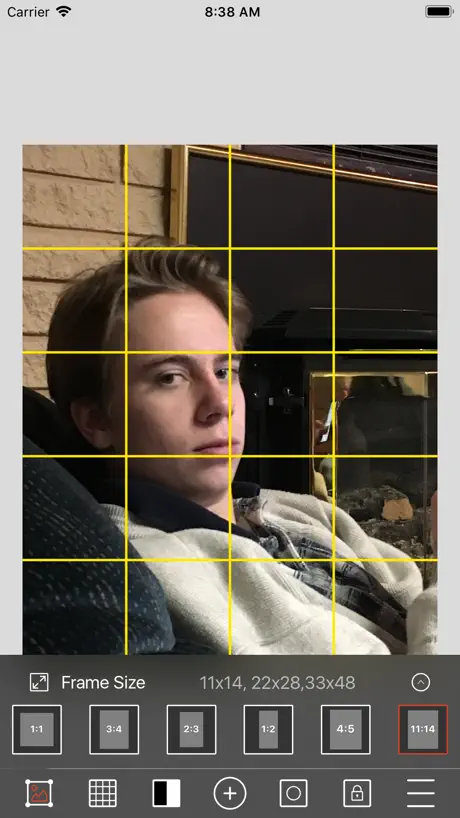
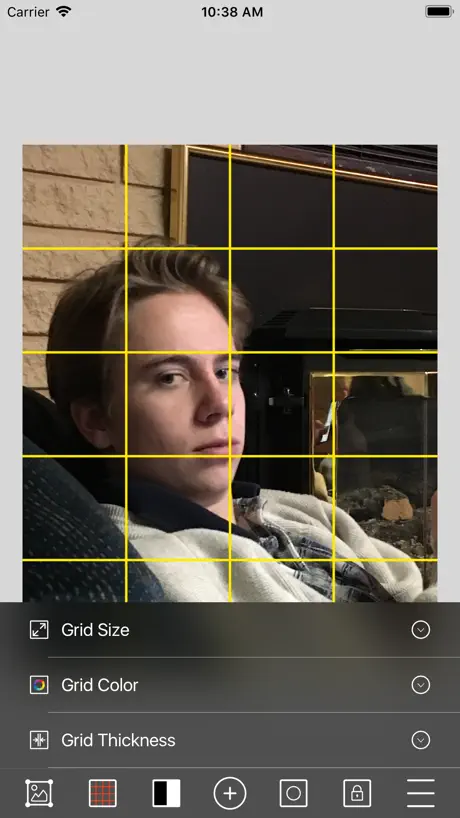
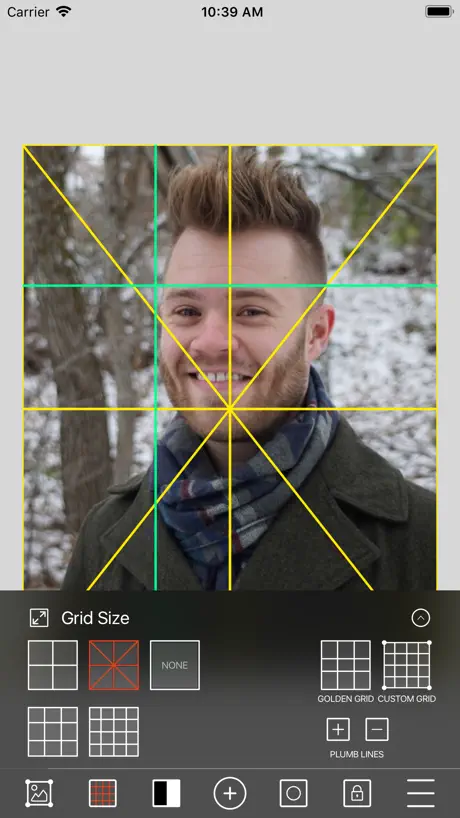
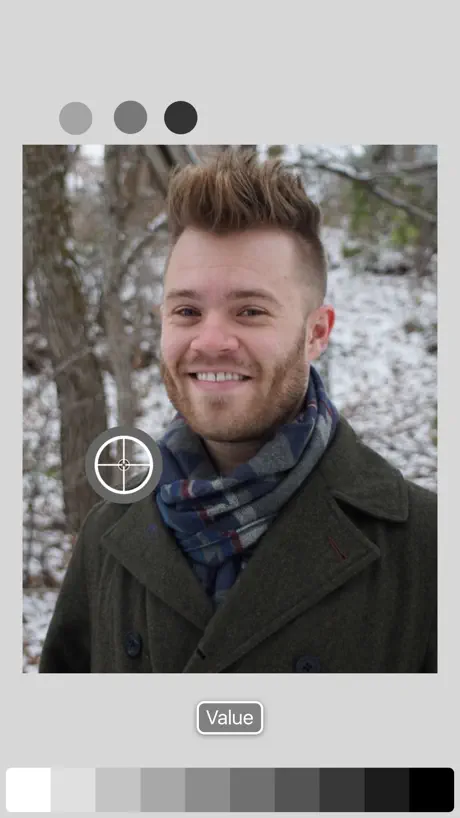
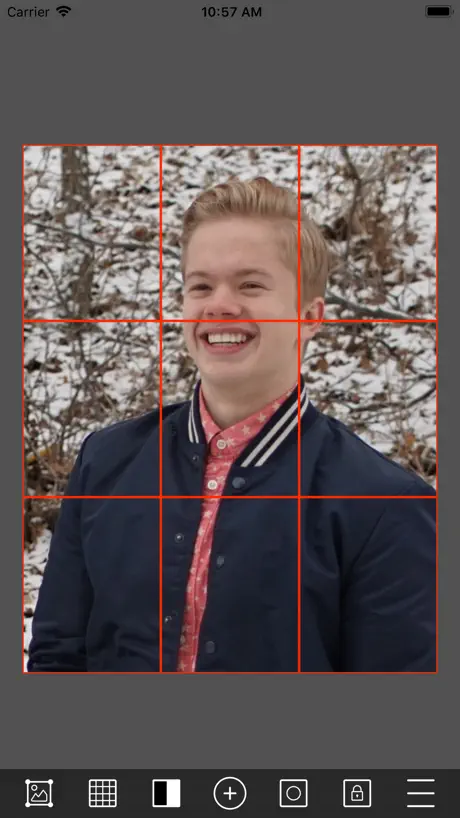
How much does Art Tools cost?
Prices are current as of 6 Oct 2026.
1 one-time purchase from $2.99
In the United States, Art Tools has 1 one-time purchase priced $2.99.
| Product | Price |
|---|---|
| Art Tools Pro | $2.99 |
Art Tools download price by country
| Country | Price |
|---|---|
| United States | $2.99 |
| United Kingdom | Free |
| Canada | Free |
| Saudi Arabia | Free |
| Australia | Free |
| Germany | Free |
| India | Free |
| Mexico | Free |
| France | Free |
| Ireland | Free |
| United Arab Emirates | Free |
| Austria | Free |
| Brazil | Free |
| Switzerland | Free |
| Denmark | Free |
| Israel | Free |
| Italy | Free |
| Nigeria | Free |
| Netherlands | Free |
| New Zealand | Free |
| Qatar | Free |
| Sweden | Free |
| Albania | Free |
| Chile | Free |
| Cameroon | Free |
| China | Free |
| Spain | Free |
| Ghana | Free |
| Japan | Free |
| Sri Lanka | Free |
| Myanmar | Free |
| Norway | Free |
| Oman | Free |
| Philippines | Free |
| Russia | Free |
| Thailand | Free |
| Turkey | Free |
| Uganda | Free |
| Vietnam | Free |
| Afghanistan | Free |
| Antigua And Barbuda | Free |
| Anguilla | Free |
| Armenia | Free |
| Angola | Free |
| Argentina | Free |
| Azerbaijan | Free |
| Bosnia & Herzegovina | Free |
| Barbados | Free |
| Belgium | Free |
| Burkina Faso | Free |
| Bulgaria | Free |
| Bahrain | Free |
| Benin | Free |
| Bermuda | Free |
| Brunei Darussalam | Free |
| Bolivia | Free |
| Bahamas | Free |
| Bhutan | Free |
| Botswana | Free |
| Belarus | Free |
| Belize | Free |
| Congo, Democratic Republic | Free |
| Congo | Free |
| Cote Divoire | Free |
| Colombia | Free |
| Costa Rica | Free |
| Cape Verde | Free |
| Cyprus | Free |
| Czech Republic | Free |
| Dominica | Free |
| Dominican Republic | Free |
| Algeria | Free |
| Ecuador | Free |
| Estonia | Free |
| Egypt | Free |
| Finland | Free |
| Fiji | Free |
| Micronesia | Free |
| Gabon | Free |
| Grenada | Free |
| Georgia | Free |
| Gambia | Free |
| Greece | Free |
| Guatemala | Free |
| Guinea-bissau | Free |
| Guyana | Free |
| Hong Kong | Free |
| Honduras | Free |
| Croatia | Free |
| Hungary | Free |
| Indonesia | Free |
| Iraq | Free |
| Iceland | Free |
| Jamaica | Free |
| Jordan | Free |
| Kenya | Free |
| Kyrgyzstan | Free |
| Cambodia | Free |
| St. Kitts and Nevis | Free |
| South Korea | Free |
| Kuwait | Free |
| Cayman Islands | Free |
| Kazakhstan | Free |
| Lao Peoples Democratic Republic | Free |
| Lebanon | Free |
| St. Lucia | Free |
| Liberia | Free |
| Lithuania | Free |
| Luxembourg | Free |
| Latvia | Free |
| Libya | Free |
| Morocco | Free |
| Moldova | Free |
| Montenegro | Free |
| Madagascar | Free |
| Macedonia | Free |
| Mali | Free |
| Mongolia | Free |
| Macao | Free |
| Mauritania | Free |
| Montserrat | Free |
| Malta | Free |
| Mauritius | Free |
| Maldives | Free |
| Malawi | Free |
| Malaysia | Free |
| Mozambique | Free |
| Namibia | Free |
| Niger | Free |
| Nicaragua | Free |
| Nepal | Free |
| Nauru | Free |
| Panama | Free |
| Peru | Free |
| Papua New Guinea | Free |
| Pakistan | Free |
| Poland | Free |
| Portugal | Free |
| Palau | Free |
| Paraguay | Free |
| Romania | Free |
| Serbia | Free |
| Rwanda | Free |
| Solomon Islands | Free |
| Seychelles | Free |
| Singapore | Free |
| Slovenia | Free |
| Slovakia | Free |
| Sierra Leone | Free |
| Senegal | Free |
| Suriname | Free |
| Sao Tome & Principe | Free |
| El Salvador | Free |
| Swaziland | Free |
| Turks and Caicos | Free |
| Chad | Free |
| Tajikistan | Free |
| Turkmenistan | Free |
| Tunisia | Free |
| Tonga | Free |
| Trinidad and Tobago | Free |
| Taiwan | Free |
| Tanzania | Free |
| Ukraine | Free |
| Uruguay | Free |
| Uzbekistan | Free |
| St. Vincent & The Grenadines | Free |
| Venezuela | Free |
| British Virgin Islands | Free |
| Vanuatu | Free |
| Kosovo | Free |
| Yemen | Free |
| South Africa | Free |
| Zambia | Free |
| Zimbabwe | Free |
10+ alternatives to Art Tools
| Art Tools |   Google Arts & Culture Google Arts & Culture |   Domestika - Online courses Domestika - Online courses |   Teachable online courses Teachable online courses |   Art History & Painting - Artly Art History & Painting - Artly |   Lingopie: Learn a Language Lingopie: Learn a Language |   Milan Art Milan Art |   Colored Pencil Picker Colored Pencil Picker |   Craftsy Craftsy | 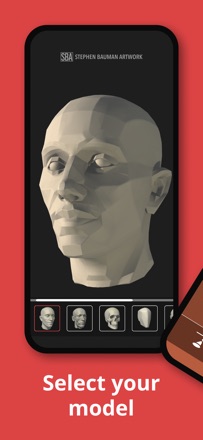  Head Study Head Study | 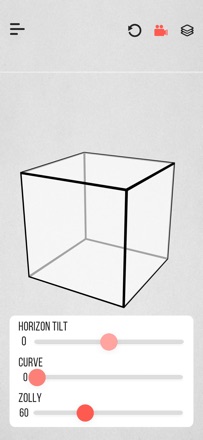  Zolly - Perspective Models Zolly - Perspective Models | |
|---|---|---|---|---|---|---|---|---|---|---|---|
| Rating / 5 | 3.5 | 4.6 | 4.8 | 4.5 | 4.7 | 4.3 | 4.9 | 4.6 | 1.9 | 4.4 | 5.0 |
| Reviews | 410 | 235K | 79K | 18K | 11K | 3.8K | 1.7K | 1.4K | 368 | 72 | 28 |
| Released | 2010 | 2015 | 2019 | 2017 | 2020 | 2021 | 2024 | 2018 | 2021 | 2023 | 2025 |
| Monthly price | — | — | $19.99 | — | $4.99 | $11.99 | — | — | — | — | — |
| Annual price | — | — | — | — | $19.99 | $71.99 | — | — | — | — | — |
| One-time price | $2.99 | — | $10.99 | — | $44.99 | — | — | $7.99 | — | — | — |
The going rate for each plan in United States, in its own currency, shaded from the cheapest price on the row to the dearest. Plans fewer than four in ten of the priced apps sell are left out.
Art Tools reviews
3.5 out of 5, based on 410 reviews.
What people like
- Value checker helps with tonal decisions
- Great for plein air painting outdoors
- Grid system aids composition accuracy
- Developers respond well to feedback
What they complain about
- Keeps crashing when you open it
- No instructions on how to use it
- Ads interrupt you constantly
- Difficult to buy the pro version
This is a very useful app for artist. I hate it is no longer available:(
Thanks
Art tools
Not user friendly
It is very helpful.
Would give it a 5 star rating but I confident the new app will be even better.
Printing project with the grid
I cannot figure out how to print my project with the grid so I can work on it therefore I gave it a low rating
Grid size
This is a great little app at a brilliant price point. But it doesn’t offer more than a 4x4 set grid which isn’t so useful. Rather than selecting 2,3,4 square grids, why not have a slider which allows as many squares as the artist wants?
I didn’t realize the grid is scalable…
I was about to delete this app because I could not figure out how to make the grid denser. As another reviewer said, you have to lock the photo, then enable custom grid to be able to pinch and zoom in the grid to get more lines. I gave it a two star review because I didn’t know that feature existed. I think you guys should make that part of the little intro pages to let people understand because it is absolutely not clear. It also will not let me update to the paid version. When I go to the settings and try and upgrade, it sends me to a website. I’d like to pay you guys, but can’t figure out how!
Plumb line and grid
I have no idea how to add vertical and diagonal lines to my picture. It’s frustrating.
Would help if shop was open
I have tried four times today to buy the pro version ie without ads. No connection made each time Perhaps Sever Down Perhaps No Longer Supporting App ?!?!?!
Great if it wasn't abandoned
I think this app has a ton of potential. However nothing has changed in 3 years. If they implement the suggestions given to them by the actual users, this app would have a perfect score. Unfortunately I am pretty sure it's been abandoned by the developers.
Good basic app but no support or help
I’m posing a question here because I can’t find anywhere in the app or the Acurasee website that even offers a place to search help. How do you use a grid frame in landscape mode? It’s taking a landscape oriented photo and adapting it to portrait mode.
A real tool for real painters
I love this app! Accurasee has helped me with MANY a composition. It’s very useful while Plein air painting. I like to save multiple compositions and then compare them in the projects tab. I just wish it would include a feature to rotate photos by 90 degree increments, and a “fit to frame” button. I would have the FTF button toggle between fitting height, width and last manual size adjustment. Oh, I wouldn’t mind golden ratio harmonics, and a spiral grid either! Thank you so much to the developers!
App will not function
I can’t upload another photo
Plumb lines.
Art Tools is a great app to help with drawing, values, and composition, but why isn’t there a way to create vertical plumb lines? By definition, plumb lines determine the verticals. Horizontal lines would be more accurately called “level” lines. If vertical plumb lines ARE available… how do you create them? I don’t see any way to do that.
Not enough grids
No rectangular options
Good tool but trouble on iPad Pro in split view
I am having trouble with this application when used in split screen mode with Procreate. Move, rotate and pinch and stretch are very stuttery and very hard to control. Otherwise I would give it 5 stars
To thank
it's really helpful app ever
Enlarge
Once you get the grid right, you can’t enlarge the picture
Proportions
I am a beginning painter and this tool helps me keep my proportions accurate. I do wish there would be an option for square paintings, and for paintings that are horizontal. When I try to rotate the picture I am copying I goof it all up!
Could be good
If it would let you move your photos to fit the grid it would work, but can only move certain lines to fit the photo. Does not benefit me at all.
Like this app but super buggy
Really find this app useful except it constantly freezes when I open a photo, check and adjust in the grid, save then try to open another. Freezes ever single time. Very frustrating app. Like it when it works though. Now I can get it to work. And I'm in the field and need it. Aaaarregggg.
Most Useful Drawing App Available
This app is simply amazing!! It allows you to overlay a drawing grid on any photo in your camera roll. Using one of the many available grids, you can then accurately transfer the photo to your drawing paper. The app includes many useful tools such as a “value checker” that allows you to properly place tonal values into the correct zone. I could go on and on but suffice it to say, this is the most useful app I have ever purchased.
What are the steps to use this spp
I can’t figure out how to use it. There are no instructions.
Plumb lines, grid
I wish that you had more plumb lines to work with. The grid is fixed and you have to move the picture to line things up, wish you could move the grid instead of overall . This is an excellent app for artist’s a possible game changer and an excellent companion tool. If you use proportional dividers this will boost your drawing abilities if they make the small changes to the app this will be a 5 star plus app!!
Cannot see pics
Importing photos with ipad does not work, only see empty thumbnails
Yes, but ...
I like this app and want to use it. It has a good interface and I love the value finder. Bravo for that feature! So, yes, this is a good app if you use certain sized canvases or paper, but it's not so hot if you prefer custom sized. You can manipulate the photo to fit into a pre-sized frame and grid as best as it can via two finger sizing, but I'm not sure how to transfer a pre-sized grid onto a custom sized sheet of paper in a useful way, because it comes down to guessing at that point, which is what I wanted to avoid by using a grid in the first place. And speaking of two fingered sizing, wow, does that ever need to be more stable! Maybe you could give us the vertical, horizontal, and diagonal sizing separately. As it is now, trying to maneuver them all at the same time is like trying to land a helicopter on a postage stamp!
Easy to use and useful tools!
Really helps clarify your values in your work; we all can't be like Corot and be able to set up 20 values. Grid system and framing system work together to help with your composition issues. I really wish that it had a few more features such as a color picker similar to the value picker. Along with the color picker some color tools such as a color scheme helper that can yield the complement / split complement, etc. would be nice. I got a bunch more ideas...
Poor replacement for value viewer
I used value viewer for years both in field and studio to design my work for painting. The developers didn’t update it to keep pace with changing iOS requirements. Instead they came up with this chunky about unusable garbage. Too much information. Too much to manipulate. Worthless. They should have updated the other.
Great Freaking App!!!!!
This is an awesome App, works great and has few really cool things the other apps like this doesn’t have! Only thing I have a problem with is, it really doesn’t tell you how to use the app! Gotta mess with all the stuff and kinda figure it out on your own! I still don’t know how to use everything lol.
I really love this app but..
Years ago when I first got this app it was a life saver, but has my devices have got older they can no longer keep up with the updates. I really love this app but it crashes my iPad and iPhone when uploading photos, turning photos and saving photos. I really need this app to work, so please, please fix it! When it was working I would have given it a million stars.
Custom grid and locking photo
I wrote a review and didn’t realize I needed to lock the photo to use custom grid and move it around. I’ve used the app for 20 minutes but love it for my phone pics. I can very quickly the tilt of head and eyes and proportions. The movable value scale is wonderful. If you’re not using this little app to go from phone photos to drawing them larger and seeing scale quickly you should be. Can’t wait to get my proportional divider to check my observation skills. I’ve never liked the pencil method so happy to try this.
Only portrait mode - no landscape mode
Only portrait mode - no landscape mode that I can figure out👎
Nice
Very useful👍🏼
Sba
Love this app! Great for plein air painting to speed things up and help you focus. The new updated version is wonderful, I look forward to using it in the much nicer format.
No update since 2013
Just purchased and when I clicked on app it said it needed to be updated or wouldn't work right. So guess I just lost 1.99.
Adore this app!
UPDATE: on the iPad mini, my back/white function doesn’t work. Also difficulty seeing the options for sizing, grids and more. Hope the bugs get worked out - this is such a great tool.
The best composing app I’ve seen
They just did an update and this is a most helpful tool in composing in painting and drawing. Just amazing. Thanks!
Good idea, but...
Keeps crashing, buttons don't always work.
Easy to use
Use it to enlarge photos for transfer onto canvas
Art Pro Staple
I can’t imagine any art pros or educators not using this tool on a regular basis! Just a no-brainer. The various common framing sizes’ aspect ratio correlations alone are worth it for me, but my favorite feature is The value tool, in which you can compare for example a value in the sky too one in some light grass to find out quickly and intuitively which really is lighter or darker when making those key value relationship decisions. I also just have to say the developer is very responsive to feedback, highly recommend!
Not available for iPad need adobe flash
Heard fabulous reports for this app. However I Purchased for cell phone because not available for iPad. and now find adobe flash is needed plus locks up when trying to move through screens.on Apple 6 and iPad Air a no go....
Love it, BUT
Editing feature has blank screen for saved projects. Suggestions?
Art Tools price by country
A one-time purchase costs $2.74 in Qatar and $4.76 in Colombia — 1.7× more for the same thing. Below is the going rate for each plan in every country that sells it — the middle price of what the app charges there, in the country's own currency with the dollar equivalent beneath it.
| Country | One-time |
|---|---|
| Afghanistan | $2.99 |
| Albania | $3.99 |
| Algeria | $2.99 |
| Angola | $2.99 |
| Anguilla | $2.99 |
| Antigua And Barbuda | $2.99 |
| Argentina | $2.99 |
| Armenia | $3.99 |
| Australia | A$4.99$3.59 |
| Austria | €2.99$3.48 |
| Azerbaijan | $3.99 |
| Bahamas | $2.99 |
| Bahrain | $2.99 |
| Barbados | $3.99 |
| Belarus | $3.99 |
| Belgium | €2.99$3.48 |
| Belize | $2.99 |
| Benin | $3.99 |
| Bermuda | $2.99 |
| Bhutan | $2.99 |
| Bolivia | $2.99 |
| Bosnia & Herzegovina | €2.99$3.48 |
| Botswana | $2.99 |
| Brazil | R$19.90$3.90 |
| British Virgin Islands | $2.99 |
| Brunei Darussalam | $2.99 |
| Bulgaria | €2.99$3.48 |
| Burkina Faso | $2.99 |
| Cambodia | $2.99 |
| Cameroon | $3.99 |
| Canada | CA$3.99$2.89 |
| Cape Verde | $2.99 |
| Cayman Islands | $2.99 |
| Chad | $2.99 |
| Chile | CLP 2,990$3.20 |
| China | CN¥22.00$3.27 |
| Colombia | COP 14,900$4.76 |
| Congo | $2.99 |
| Congo, Democratic Republic | $2.99 |
| Costa Rica | $2.99 |
| Cote Divoire | $3.99 |
| Croatia | €2.99$3.48 |
| Cyprus | €2.99$3.48 |
| Czech Republic | CZK 79.00$3.79 |
| Denmark | DKK 29.00$4.51 |
| Dominica | $2.99 |
| Dominican Republic | $2.99 |
| Ecuador | $2.99 |
| Egypt | EGP 149.99$2.94 |
| El Salvador | $2.99 |
| Estonia | €2.99$3.48 |
| Fiji | $2.99 |
| Finland | €2.99$3.48 |
| France | €2.99$3.48 |
| Gabon | $2.99 |
| Gambia | $2.99 |
| Georgia | $3.99 |
| Germany | €2.99$3.48 |
| Ghana | $3.99 |
| Greece | €2.99$3.48 |
| Grenada | $2.99 |
| Guatemala | $2.99 |
| Guinea-bissau | $2.99 |
| Guyana | $2.99 |
| Honduras | $2.99 |
| Hong Kong | HK$22.00$2.81 |
| Hungary | HUF 1,490$4.76 |
| Iceland | $3.99 |
| India | ₹299.00$3.15 |
| Indonesia | IDR 49,000$2.78 |
| Iraq | $2.99 |
| Ireland | €2.99$3.48 |
| Israel | ₪9.90$3.28 |
| Italy | €2.99$3.48 |
| Jamaica | $2.99 |
| Japan | ¥500$3.25 |
| Jordan | $2.99 |
| Kazakhstan | KZT 1,790.00$3.94 |
| Kenya | $3.99 |
| Kosovo | €2.99$3.48 |
| Kuwait | $2.99 |
| Kyrgyzstan | $2.99 |
| Lao Peoples Democratic Republic | $2.99 |
| Latvia | €2.99$3.48 |
| Lebanon | $2.99 |
| Liberia | $2.99 |
| Libya | $2.99 |
| Lithuania | €2.99$3.48 |
| Luxembourg | €2.99$3.48 |
| Macao | $2.99 |
| Macedonia | $2.99 |
| Madagascar | $2.99 |
| Malawi | $2.99 |
| Malaysia | MYR 14.90$3.67 |
| Maldives | $2.99 |
| Mali | $2.99 |
| Malta | €2.99$3.48 |
| Mauritania | $2.99 |
| Mauritius | $3.99 |
| Mexico | MX$69.00$4.08 |
| Micronesia | $2.99 |
| Moldova | $3.99 |
| Mongolia | $2.99 |
| Montenegro | €2.99$3.48 |
| Montserrat | $2.99 |
| Morocco | $2.99 |
| Mozambique | $2.99 |
| Myanmar | $2.99 |
| Namibia | $2.99 |
| Nauru | $2.99 |
| Nepal | $3.99 |
| Netherlands | €2.99$3.48 |
| New Zealand | NZ$4.99$2.92 |
| Nicaragua | $2.99 |
| Niger | $2.99 |
| Nigeria | NGN 4,900.00$3.71 |
| Norway | NOK 39.00$4.22 |
| Oman | $2.99 |
| Pakistan | PKR 900$3.24 |
| Palau | $2.99 |
| Panama | $2.99 |
| Papua New Guinea | $2.99 |
| Paraguay | $2.99 |
| Peru | PEN 12.90$3.85 |
| Philippines | ₱199.00$3.18 |
| Poland | PLN 14.99$4.04 |
| Portugal | €2.99$3.48 |
| Qatar | QAR 9.99$2.74 |
| Romania | RON 14.99$3.32 |
| Russia | RUB 249.00$2.88 |
| Rwanda | $2.99 |
| Sao Tome & Principe | $2.99 |
| Saudi Arabia | SAR 12.99$3.46 |
| Senegal | $3.99 |
| Serbia | €2.99$3.48 |
| Seychelles | $2.99 |
| Sierra Leone | $2.99 |
| Singapore | SGD 3.98$3.16 |
| Slovakia | €2.99$3.48 |
| Slovenia | €2.99$3.48 |
| Solomon Islands | $2.99 |
| South Africa | ZAR 59.99$3.75 |
| South Korea | ₩4,400$3.28 |
| Spain | €2.99$3.48 |
| Sri Lanka | $2.99 |
| St. Kitts and Nevis | $2.99 |
| St. Lucia | $2.99 |
| St. Vincent & The Grenadines | $2.99 |
| Suriname | $2.99 |
| Swaziland | $2.99 |
| Sweden | SEK 39.00$4.07 |
| Switzerland | CHF 3.00$3.70 |
| Taiwan | NT$90.00$2.86 |
| Tajikistan | $2.99 |
| Tanzania | TZS 9,900.00$3.74 |
| Thailand | THB 99.00$3.01 |
| Tonga | $2.99 |
| Trinidad and Tobago | $2.99 |
| Tunisia | $2.99 |
| Turkey | TRY 149.99$3.09 |
| Turkmenistan | $2.99 |
| Turks and Caicos | $2.99 |
| Uganda | $3.99 |
| Ukraine | $3.99 |
| United Arab Emirates | AED 12.99$3.54 |
| United Kingdom | £2.99$4.05 |
| United States | $2.99 |
| Uruguay | $2.99 |
| Uzbekistan | $2.99 |
| Vanuatu | $2.99 |
| Venezuela | $2.99 |
| Vietnam | ₫99,000$3.82 |
| Yemen | $2.99 |
| Zambia | $3.99 |
| Zimbabwe | $3.99 |
Art Tools FAQ
- Is Art Tools free?
- No. Art Tools costs $2.99 (US) to download, and its premium features are extra: 1 one-time purchase starting from $2.99.
- Does Art Tools have a free trial?
- No. None of its offers (US) come with a free trial.
- Where is Art Tools cheapest?
- A one-time purchase costs QAR 9.99 (≈$2.74) in Qatar and COP 14,900 (≈$4.76) in Colombia, its cheapest and dearest countries.
- What are the best alternatives to Art Tools?
- Google Arts & Culture (4.6 from 234,913 reviews), Domestika - Online courses (4.8 from 79,356 reviews, premium from $5.99) and Teachable online courses (4.5 from 17,808 reviews).
Art Tools download
Last updated 8 months ago.
Art Tools sells in 175 countries. It was released 15 years and 9 months ago, on 11 Dec 2010. It holds a 3.5 rating from 410 reviews.
Supports 1 language: English.
How much does Art Tools make?
Third-party estimates for the last 30 days, worldwide — not the store's own figures, which Apple publishes for nobody.
Revenue by plan
- One-time 100%
Revenue by country
- United States 72%
- United Kingdom 6%
- Canada 5%
- Saudi Arabia 3%