SketchClub: Draw & Paint
Daily drawing challenges
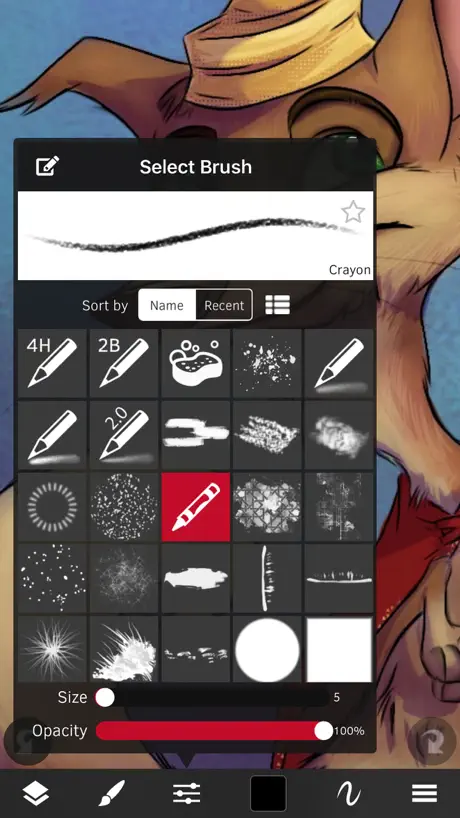
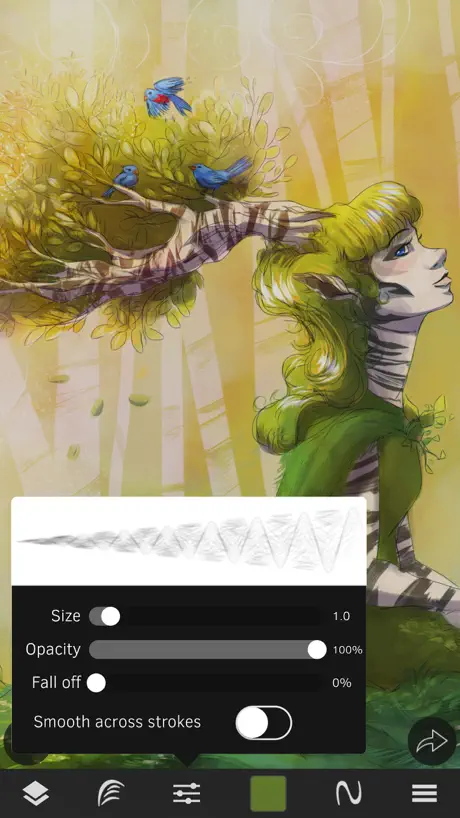
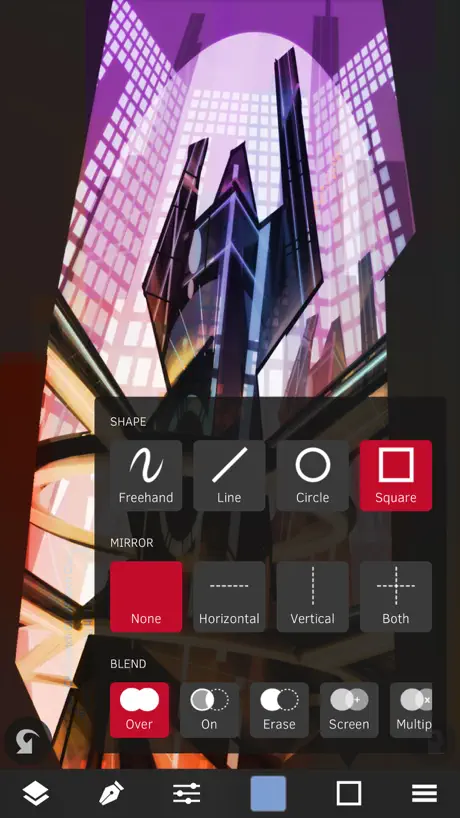
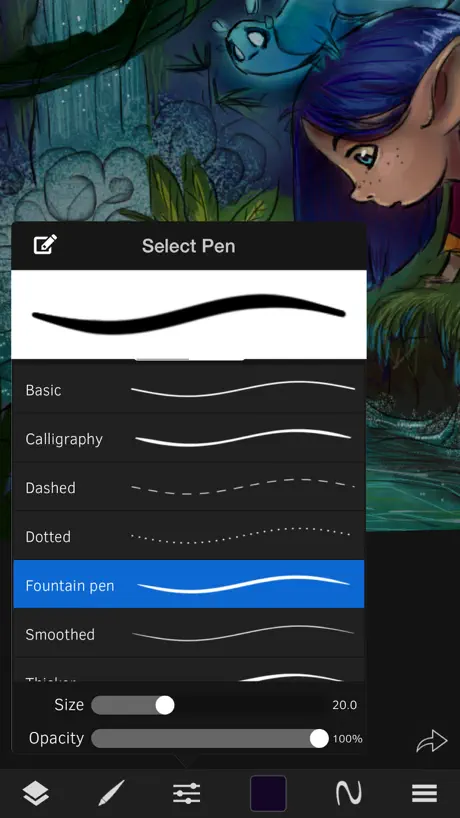
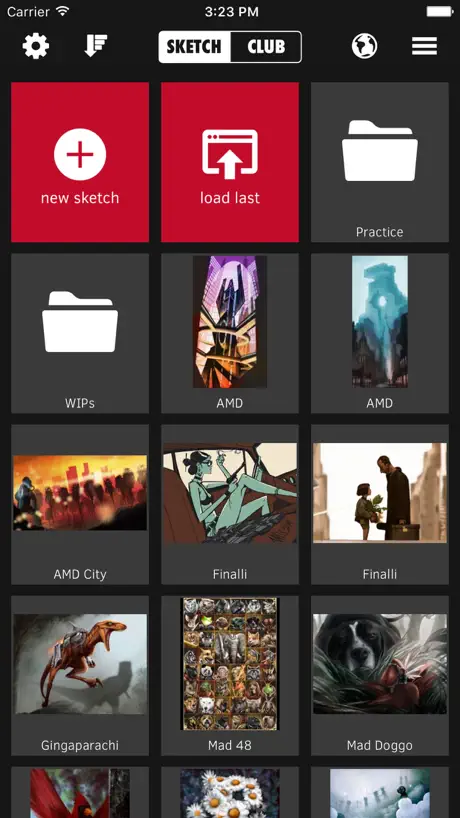
How much does SketchClub: Draw & Paint cost?
Prices are current as of 6 Nov 2026.
SketchClub: Draw & Paint has no in-app products on record in the United States.
SketchClub: Draw & Paint download price by country
| Country | Price |
|---|---|
| United States | $2.99 |
| United Kingdom | £2.99 |
| Canada | CA$3.99 |
| Australia | A$4.99 |
| China | CN¥22.00 |
| Germany | €2.99 |
| Japan | ¥500 |
| Netherlands | €2.99 |
| Mexico | MX$69.00 |
| France | €2.99 |
| Thailand | THB 99.00 |
| Spain | €2.99 |
| Italy | €2.99 |
| Denmark | DKK 29.00 |
| Sweden | SEK 39.00 |
| Russia | RUB 249.00 |
| Norway | NOK 39.00 |
| Brazil | R$19.90 |
| Switzerland | CHF 3.00 |
| India | ₹299.00 |
| Belgium | €2.99 |
| Turkey | TRY 149.99 |
| Israel | ₪9.90 |
| Taiwan | NT$90.00 |
| Poland | PLN 14.99 |
| Czech Republic | CZK 79.00 |
| Saudi Arabia | SAR 12.99 |
| United Arab Emirates | AED 12.99 |
| Austria | €2.99 |
| South Korea | ₩4,400 |
| New Zealand | NZ$4.99 |
| Chile | CLP 2,990 |
| Portugal | €2.99 |
| Singapore | SGD 3.98 |
| Argentina | $2.99 |
| Colombia | COP 14,900 |
| Hong Kong | HK$22.00 |
| Ireland | €2.99 |
| Ukraine | $3.99 |
| Hungary | HUF 1,490 |
| South Africa | ZAR 59.99 |
| Malaysia | MYR 14.90 |
| Finland | €2.99 |
| Vietnam | ₫99,000 |
| Croatia | €2.99 |
| Philippines | ₱199.00 |
| Qatar | QAR 9.99 |
| Bulgaria | €2.99 |
| Costa Rica | $2.99 |
| Estonia | €2.99 |
| Greece | €2.99 |
| Indonesia | IDR 59,000 |
| Egypt | EGP 149.99 |
| Jordan | $2.99 |
| Lithuania | €2.99 |
| Nicaragua | $2.99 |
| Peru | PEN 12.90 |
| Romania | RON 14.99 |
| Slovenia | €2.99 |
| Slovakia | €2.99 |
| Cyprus | €2.99 |
| Kuwait | $2.99 |
| Sri Lanka | $2.99 |
| Luxembourg | €2.99 |
| Oman | $2.99 |
| Pakistan | PKR 900 |
| Armenia | $3.99 |
| Bermuda | $2.99 |
| Dominican Republic | $2.99 |
| Ecuador | $2.99 |
| Guatemala | $2.99 |
| Honduras | $2.99 |
| Jamaica | $2.99 |
| Cambodia | $2.99 |
| Kazakhstan | KZT 1,790.00 |
| Latvia | €2.99 |
| Malta | €2.99 |
| Mauritius | $3.99 |
| Nigeria | NGN 4,900.00 |
| Serbia | €2.99 |
| El Salvador | $2.99 |
| Tunisia | $2.99 |
| Trinidad and Tobago | $2.99 |
| Uzbekistan | $2.99 |
| Antigua And Barbuda | $2.99 |
| Anguilla | $2.99 |
| Albania | $3.99 |
| Angola | $2.99 |
| Azerbaijan | $3.99 |
| Bosnia & Herzegovina | €2.99 |
| Barbados | $3.99 |
| Burkina Faso | $2.99 |
| Bahrain | $2.99 |
| Benin | $3.99 |
| Brunei Darussalam | $2.99 |
| Bolivia | $2.99 |
| Bahamas | $2.99 |
| Bhutan | $2.99 |
| Botswana | $2.99 |
| Belarus | $3.99 |
| Belize | $2.99 |
| Congo, Democratic Republic | $2.99 |
| Congo | $3.99 |
| Cote Divoire | $3.99 |
| Cameroon | $3.99 |
| Cape Verde | $2.99 |
| Dominica | $2.99 |
| Algeria | $2.99 |
| Fiji | $2.99 |
| Micronesia | $2.99 |
| Gabon | $2.99 |
| Grenada | $2.99 |
| Georgia | $3.99 |
| Ghana | $3.99 |
| Gambia | $2.99 |
| Guinea-bissau | $2.99 |
| Guyana | $2.99 |
| Iraq | $2.99 |
| Iceland | $3.99 |
| Kenya | $3.99 |
| Kyrgyzstan | $2.99 |
| St. Kitts and Nevis | $2.99 |
| Cayman Islands | $2.99 |
| Lao Peoples Democratic Republic | $2.99 |
| Lebanon | $2.99 |
| St. Lucia | $2.99 |
| Liberia | $2.99 |
| Libya | $2.99 |
| Moldova | $3.99 |
| Montenegro | €2.99 |
| Madagascar | $2.99 |
| Macedonia | $2.99 |
| Mali | $2.99 |
| Myanmar | $2.99 |
| Mongolia | $2.99 |
| Macao | $2.99 |
| Mauritania | $2.99 |
| Montserrat | $2.99 |
| Maldives | $2.99 |
| Malawi | $2.99 |
| Mozambique | $2.99 |
| Namibia | $2.99 |
| Niger | $2.99 |
| Nepal | $3.99 |
| Nauru | $2.99 |
| Panama | $2.99 |
| Papua New Guinea | $2.99 |
| Palau | $2.99 |
| Paraguay | $2.99 |
| Rwanda | $2.99 |
| Solomon Islands | $2.99 |
| Seychelles | $2.99 |
| Sierra Leone | $2.99 |
| Senegal | $3.99 |
| Suriname | $2.99 |
| Sao Tome & Principe | $2.99 |
| Swaziland | $2.99 |
| Turks and Caicos | $2.99 |
| Chad | $2.99 |
| Tajikistan | $2.99 |
| Turkmenistan | $2.99 |
| Tonga | $2.99 |
| Tanzania | TZS 9,900.00 |
| Uganda | $3.99 |
| Uruguay | $2.99 |
| St. Vincent & The Grenadines | $2.99 |
| Venezuela | $2.99 |
| British Virgin Islands | $2.99 |
| Vanuatu | $2.99 |
| Kosovo | €2.99 |
| Yemen | $2.99 |
| Zambia | $3.99 |
| Zimbabwe | $3.99 |
10+ alternatives to SketchClub: Draw & Paint
| SketchClub: Draw & Paint |  Realistic Paint Studio |  Paintstorm Studio |   Brushes |   Daydream Doodler |   HuePaint |   Looom | 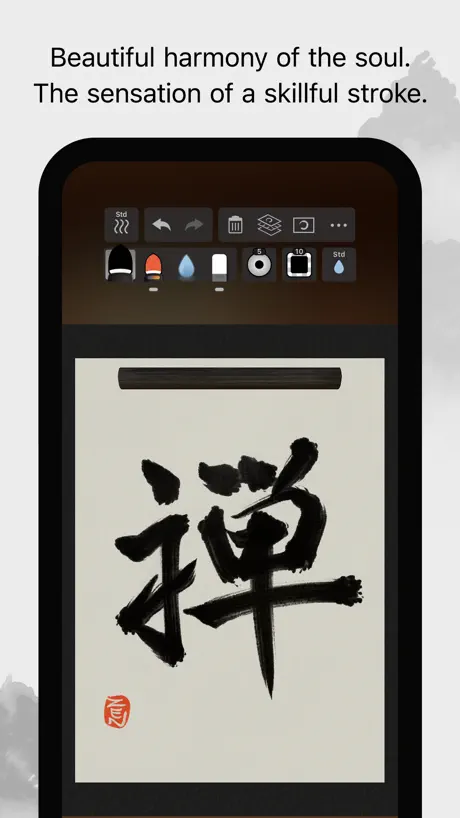  Zen Brush 3 | 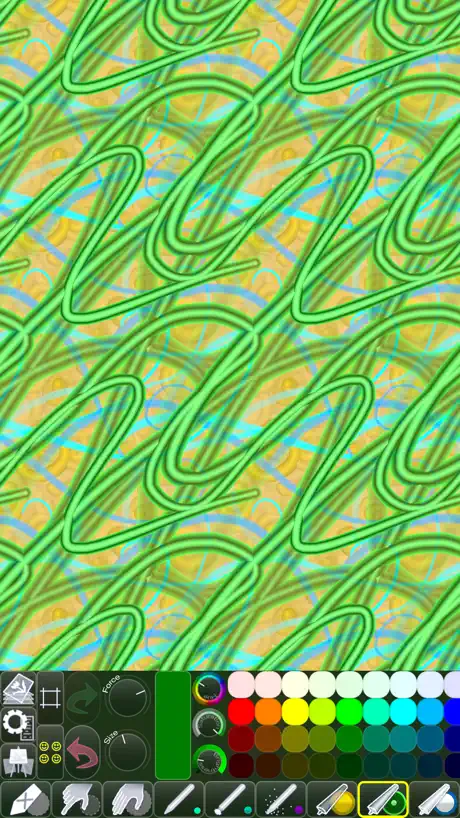  WowPaint |   Art of Weird |   FocalPaint | |
|---|---|---|---|---|---|---|---|---|---|---|---|
| Rating / 5 | 4.7 | 4.6 | 4.4 | 4.4 | 4.6 | 4.5 | 4.0 | 4.1 | 4.5 | 4.6 | 4.2 |
| Reviews | 4.6K | 6.1K | 1.6K | 839 | 711 | 570 | 414 | 361 | 307 | 297 | 38 |
| Released | 2010 | 2020 | 2016 | 2018 | 2011 | 2012 | 2020 | 2020 | 2011 | 2012 | 2022 |
| One-time price | — | — | — | — | $4.00 | $5.00 | — | — | $5.00 | $5.00 | — |
The going rate for each plan in United States, in its own currency, shaded from the cheapest price on the row to the dearest.
SketchClub: Draw & Paint reviews
4.7 out of 5, based on 4,649 reviews.
What people like
- Friendly and supportive artist community
- Very affordable with no ads
- Lots of tools and brushes
What they complain about
- App crashes and deletes your work
- Community has toxic behavior and predators
- Updates break features and cause bugs
Sketch Clubber
Provides a comprehensive and easy to understand interface to help get the most out of your smartphone as an illustrator. Fun adjustable tools and a logical layer system.
Club cliquey and bullies
App is well designed but the club is very abusive and don’t fix the issue. Predators on the app
Pretty good 🧘🏾♀️🧘🏾♀️🧘🏾♀️🧘🏾♀️🧘🏽🧘🏽🧘🏽🙂🙂🙂🙂🙃🙃🙃
It’s very fun and cool but IDK How to post drawings It’s my 2#😍art app followed by procreate (check that out too )
Things not working as they should
I’ve been using sketch club for a very long time, but recently text overlay is completely gone which renders the application useless to me now! So disappointing 😢I’ve tried everything to get it to return with no luck!
Great Overall, But Could Be Improved.
No subscriptions, and lots of flexibility to what you can do within the app. Love that there is a community for the artists to connect and show support as well. Here’s the problem.. if you delete the app all of your artwork files get erased in your lobby. You have to go into the setting and Do Not Delete the app, but choose offload app in Setting-General-Storage-SketchClub. Also Make Sure everything is saved either in the iCloud or some where usb, iTunes.. somewhere! If you don’t everything will delete of your files except what is on the community and you will not be able to retrieve it. *How they could make this better.. 2 things. First thing -When you select your image, it’s great feature, but if you start changing the size of what is selected the pixel quality diminishes. You should be able to lock the image so you can alter the selection without dismissing the quality of your Art. Second thing- There should be a better way to save your files in the app like an auto backup of your lobby to your account just as how they save your Art in the community section so if people delete the app by accident or your iPad glitches messes things up and you delete it thinking everything will be restored to your default layout everything wont be gone as it’s tied and saved to your account.
necessary app!
I use this app for all of my mock-ups for my artwork. it allows me to see how things will look before i put my first brush to canvas. using transparencies and layers that allow me to overlay! brilliant app, i have used since it came out and still use every single day.
Screen record function?
Used to have options to show/record layers, canvas zoom and turning, and add music. Those are gone now? Also, the option to add music still technically exists but doesn’t work.
Needs option for auto save
Option to auto save or cloud syncing. Only reason for 4 stars
Crashing
After I updated to the later iOS update it would crash when I would zoom in and use vector tool
Okay interface, horrid community
The drawing interface is quite intuitive and easy to use, makes it great to edit photos or draw art on your phone or iPad, however the community side of the app is awful. It should be rated at least 12+, if not 17+. Children can easily access settings to view “mature sketches” e.g. artistic nudity, while other parts of the community/website functions are extremely clunky and don’t mesh well together. The community itself is very toxic, art theft is rampant, there is an ugly divide between younger and adult artists, which the developer doesn’t lift a finger to stop despite his activity within the community. Yes, I’m talking about you, Jim. Arbitrary censorship for swear words does not fix these issues. The community feature can be turned off from the settings app, but again, that is accessible to children to turn back on. Do not let your preteens use this app.
Fun way to express myself
I do not use all the tools and do not understand all the great ways to layer etc,. But I have a lot of fun just playing and making shapes, and drawing fauve like paintings- this helps me relieve stress- also I am a plein air painter and sometimes I revisit the subject I just painted and redo it here on sketch club. Love it.
PLEASE FIX! ZOOM GLITCH!
Every time I try and zoom in, the app freezes and crashes. Or restarts my phone. PLEASE FIX
Popular isn’t always in re re pop
It Ain’t always There
Crashing
I’ve been using this app for years now and right after I updated my phone to iOS 18.2, the app has started crashing on any drawing bigger than 1 MB. Needless to say, I am frustrated. I used to use this app almost every day. I don’t know what to do now.
Looks great, but crashes on Adonit pen
I bought this app because the reviews looked good and it seems to have everything I’m looking for in a drawing app. I am just a beginner working on an old iPad, but whenever I switch to certain tools like the eraser while using the Adonit Pixel stylus, the whole thing crashes. The app works fine with a finger for some reason though. I don’t mind pay a little for a good drawing app, but I’d like be able to use it with my stylus
Easy, Fun, Enjoyable!
This app allows me to be 95% creative and 5% figuring out how to do it!
Crashing
After the latest update the app crashes and force restarts my phone if I zoom in too close in the canvas ):
Fab-a-roo
I've been using this app since the first version and seen many little improvements. Top marks to the dev for not wrecking the original clarity of vision/design. Not tried many other iPad drawing apps - this one handles almost everything I want and has decent tutorials. Soon I hope to release an illustrated Ebook and I will credit this app as it has made it possible for me to hack away and make nice illustrations from my decidedly unprofessional approach :) been saying this for years. :) Many years later : still love SketchClub, have taught my sprog to use vector to draw her stuff, and allow her to splash colour around. 20 minutes’ peace. Just one thing I want improved - the layer transform always blurs a little. I don’t see why because the image is sharp right up until the transform is completed.
Problems with the new update
I use this drawing app regularly but recently the latest update has made my lines more pixelated and less smooth than before. For more information; I use the fountain pen. Please fix this soon
Difficult
I find it very difficult to understand how to use the equipments or how to do anything. I was introduced by a friend who said it takes time to familiarize.
FAVORITE ART APP
I’ve been using this app on my iPad Pro for many years. I often try other apps, but I can never find the same functionality that this one offers. I don’t engage with the community; I simply use it as a drawing tool, and I absolutely love it. I highly recommend it! 10/10.00%.
Breaks More with Each Update
I’ve had this app since 2012? 2013? Long time. Mostly drawn on my phone, and I dread every update because something new breaks that they won’t fix. Fill button used to coat everything with no missing pixels esp at 99% threshold, that changed about a year ago. Still not fixed. Select tool used to perfectly color in everything and not have jutting lines. That also changed about two years ago. Not fixed either. Color wheel sometimes randomly shrinks and I have to restart the app. Now latest, sometimes when I am trying to change the size of the brush, it doesn’t pull the bar up all the way so I have to select another tool to reset or just plain restart. It’s made art more tedious because of these glitches they never bother fixing.
Great for sketching
I love the layout of this app. Makes sketching very easy. A few things I would like to see added: ~Lock the transparency of the layer. ~Be able to move the mirror center - it defaults to the center of the document. ~Magic wand to select colors Otherwise, a really good app.
Troubleshooting menu needed
After I erase my pencil won’t work!!! So my drawing is half done. Very frustrating. Should be a troubleshooting page.
Ok
It’s a great app drawing wise, a great range of brushes etc you can really let your imagination flow. However it has a clique and if you aren’t in it you don’t get noticed. It is always the same people getting featured and winning competitions who are surprise surprise in the clique. I have seen some fantastic drawings by people but because they aren’t in the clique they hardly get any likes never mind getting featured. It is like being at school and true talent doesn’t get the recognition it deserves. Overall great app, shame that some people ruin it for others.
Amazing for the price
I seen how cheap this app was so I thought I’d try it. It surprised me to be a really good digital art app, I love the custom brushes, I love how there is a built in community, and even a public chat. Iv never seen an app you can do ur art and chat with others. It is definitely worth the price.
Bad Customer Service
I have sent several emails asking for help, over several months now. None of them have gotten a response. I even tagged them on Twitter hoping for a response, and didn’t get one on there, either. I am just trying to get my old account deleted, as it has a lot of old art and old information on there that I don’t wish to be up anymore. But I have no way to access it otherwise. If I get the help I need, I will leave a better rating. But good luck if you have any account issues.
great but some issues
ive been using sketchclub for seven years now and it definitely has its pros and cons on the terms of the making art side it does have a LOT of brushes and options but unfortunately it can get overwhelming and sometimes drawing on here can get difficult i prefer to use sketchclub for lil sketches i make for fun instead of full illustrations because the user interface is simple and easy to use but prefer other platforms like medibang for making full illustrations since it has better options for making finished art easier like clipping mask and locking layers on the topic of the community aspect while most of the community is rather nice and you get to see some gorgeous art and black pawn (the developer) is easy to get in contact with and talk to there is a severe lack of moderation and most of the time moderation has been taken into the hands of the children and teenagers of the community which can obviously be an issue also there is a bias issue within the moderation if you’re a bigger artist on here you can do no wrong which is upsetting most youll get is a slap on the wrist but no real punishment while if you’re smaller (and somehow actually get caught) youll be banned but these things happen rarely now n days so while the app has some issues i do think its good for beginners because of its simple ui and verity of brushes and the built in community of fellow artists who are rather nice and adore new artists
Difficult to master
I’ve had this for some months and Im struggling with its complexity. The learning curve is too much. It’s probably very good, but all I want to do is draw, not try to fathom out how the bloody thing works!
UGH
My completed art has gone missing, cant find it. Pretty mad!!! Spent about 1/2 hours on it and i didnt even save it!!!!!
Best App Ever!!!!
I am using this app on my iPad Pro every day! This by far is the best drawing / art app offered today! This app is so good that if they started charging $100 for the app i am buying it. But for real, if you like to draw then use this app! I promise you will have a hard time closing the app after the first use. Fan for life Mike Coatesville, PA
Crashed
Just crashed and lost a ton of my drawings!!! :(
Great App For Cheap
An awesome app for super cheap, no ads or in-app purchases! Friendly community and easy to use controls for easy pickup. Only issue is it’s for IOS only.
?
为什么我打开软件什么都没有
Very nice app...
Great app. I am a new to drawing but like so many others, the community aspect spoils a good thing. Unless you are just into socialising the community adds nothing. No critique of any note and not much else. Stick to the nuts and bolts and leave the rest to Facebook etc. If you want to draw, this is great. Go get it.
My fave
Hands down my favorite app for creating art on the iPad. Lots of tools, plus a supportive online community (if you want to be part of it). 👍🏻👍🏻
Really capable and artistic art app
Lovely range of brushes and effects
Best App Ever! However...
I love this app. I've been using it since 2018 and it's been part of my creative growth ever since. I've never had any complaints but ever since the new IOS update I haven't been able to use a large chunk of the features. The split-screen option (shows as three dots) interferes with the tool options. I see this being a major problem with many users, so please fix it!
不会用啊求教
我怎么找不到app上第一张图里的 几B铅笔那个都有的那一页
Wrong price stated
Bought this app 2 days ago and the price said $4.49. Found out later the price shown is US dollars not AU dollars. Beware!!!
Awesome App
Been using for years, only wish they had updates and new brushes as well as sound of pen/pencil as well as other papers.
No
Sorry not that impressed had for 2 days how do I get a refund
Brilliant for digital art beginners.
A great app! I've always wanted to get into digital art and this is great for beginners. I've resisted going digital for years but I've become a convert. Recommended.
Crashes way too much when not using ipad
Not recommended for serious artists who spend more than 10 minutes on a drawing on iphone/ipad, as it crashes far too much; usually corrupting or deleting your saved file. Not fun to constantly lose extremely difficult corrections and/or drawings. Good community but nobody seems to report art theft.
Fix the pinching zoom glitch!
I have been using this app for over 2 years and i Love it! But recently it was updated and now when i pinch and zoom it freaks out and goes across the screen then to the center, then to the top then bottom. Etc. I hate it and you need to fix it! (Using iPod 5)
great drawing tool, even better community
A really nice drawing and digital party, backed by a friendly supportive community of artists very around the world. Even has a community whiteboard to scribble on. 🙂
Limited
I was sadly disappointed with the app. I have used most but this art tool is very limited. Sadly I have just wasted £2.99.gutted! Sam
Addictive Art App!
Been using it for several months and I love it. The community is great – encouraging and inspiring in equal measure. Straightforward and intuitive to use (though you have to save, it's not done automatically.) Nice balance of complexity (tools, layers etc) and ease of use. Would like support for Pencil by 53 (supports Apple Pencil). But I am using this app together with Paper by 53 and love both equally. Well worth the money.
.
前回のアプデでUIが新しくなったのはいいと思いますが、Bluetoothをオンにしていてもアクセサリが接続できなくなりました。改善願います。
Amazing but
It's amazing but somethings happened the size and the bar next to it have disappeared and I haven't touched the settings I don't know what's going on
SketchClub: Draw & Paint FAQ
- Is SketchClub: Draw & Paint free?
- No. SketchClub: Draw & Paint costs $2.99 (US) to download.
- Does SketchClub: Draw & Paint have a free trial?
- No. None of its offers (US) come with a free trial.
- What are the best alternatives to SketchClub: Draw & Paint?
- Realistic Paint Studio (4.6 from 6,053 reviews), Paintstorm Studio (4.4 from 1,639 reviews) and Brushes (4.4 from 839 reviews).
SketchClub: Draw & Paint download
Last updated 19 days ago.
SketchClub: Draw & Paint sells in 173 countries. It was released 16 years ago, on 23 Nov 2010. It holds a 4.7 rating from 4,649 reviews.
Supports 5 languages: English, French, Japanese, Chinese, Spanish.
How much does SketchClub: Draw & Paint make?
Third-party estimates for the last 30 days, worldwide — not the store's own figures, which Apple publishes for nobody.