
Paintstorm Studio
Professional drawing
How much does Paintstorm Studio cost?
Prices are current as of 17 Nov 2026.
Paintstorm Studio has no in-app products on record in the United States.
Paintstorm Studio download price by country
| Country | Price |
|---|---|
| United States | $12.99 |
| China | CN¥88.00 |
| Japan | ¥2,000 |
| Russia | RUB 999.00 |
| Germany | €14.99 |
| United Kingdom | £12.99 |
| Brazil | R$79.90 |
| Canada | CA$17.99 |
| Netherlands | €14.99 |
| Spain | €14.99 |
| France | €14.99 |
| South Korea | ₩22,000 |
| Argentina | $12.99 |
| Mexico | MX$299.00 |
| Poland | PLN 59.99 |
| Italy | €14.99 |
| Australia | A$19.99 |
| Ukraine | $14.99 |
| Taiwan | NT$390.00 |
| India | ₹1,299.00 |
| Switzerland | CHF 10.00 |
| Hong Kong | HK$98.00 |
| Greece | €14.99 |
| Thailand | THB 499.00 |
| Belgium | €14.99 |
| Czech Republic | CZK 349.00 |
| Norway | NOK 179.00 |
| Sweden | SEK 179.00 |
| Colombia | COP 59,900 |
| Ireland | €14.99 |
| United Arab Emirates | AED 49.99 |
| Austria | €14.99 |
| Finland | €14.99 |
| Israel | ₪39.90 |
| Turkey | TRY 699.99 |
| South Africa | ZAR 249.99 |
| Belarus | $14.99 |
| Chile | CLP 14,990 |
| Lithuania | €14.99 |
| New Zealand | NZ$22.99 |
| Philippines | ₱799.00 |
| Singapore | SGD 19.98 |
| Bulgaria | €14.99 |
| Denmark | DKK 99.00 |
| Hungary | HUF 5,990 |
| Portugal | €14.99 |
| Romania | RON 69.99 |
| Slovakia | €14.99 |
| Vietnam | ₫399,000 |
| Costa Rica | $12.99 |
| Honduras | $12.99 |
| Indonesia | IDR 249,000 |
| Iceland | $14.99 |
| Kazakhstan | KZT 7,990.00 |
| Latvia | €14.99 |
| Peru | PEN 59.90 |
| El Salvador | $12.99 |
| Cyprus | €14.99 |
| Ecuador | $12.99 |
| Estonia | €14.99 |
| Croatia | €14.99 |
| Luxembourg | €14.99 |
| Malaysia | MYR 59.90 |
| Pakistan | PKR 3,500 |
| Saudi Arabia | SAR 59.99 |
| Senegal | $14.99 |
| Trinidad and Tobago | $12.99 |
| Uzbekistan | $14.99 |
| Afghanistan | $12.99 |
| Antigua And Barbuda | $12.99 |
| Anguilla | $12.99 |
| Albania | $14.99 |
| Armenia | $14.99 |
| Angola | $12.99 |
| Azerbaijan | $14.99 |
| Bosnia & Herzegovina | €14.99 |
| Barbados | $14.99 |
| Burkina Faso | $12.99 |
| Bahrain | $14.99 |
| Benin | $14.99 |
| Bermuda | $12.99 |
| Brunei Darussalam | $12.99 |
| Bolivia | $12.99 |
| Bahamas | $14.99 |
| Bhutan | $12.99 |
| Botswana | $12.99 |
| Belize | $12.99 |
| Congo, Democratic Republic | $12.99 |
| Congo | $14.99 |
| Cote Divoire | $14.99 |
| Cameroon | $14.99 |
| Cape Verde | $12.99 |
| Dominica | $12.99 |
| Dominican Republic | $12.99 |
| Algeria | $12.99 |
| Egypt | EGP 699.99 |
| Fiji | $12.99 |
| Micronesia | $12.99 |
| Gabon | $12.99 |
| Grenada | $12.99 |
| Georgia | $14.99 |
| Ghana | $14.99 |
| Gambia | $12.99 |
| Guatemala | $12.99 |
| Guinea-bissau | $12.99 |
| Guyana | $12.99 |
| Iraq | $12.99 |
| Jamaica | $12.99 |
| Jordan | $12.99 |
| Kenya | $14.99 |
| Kyrgyzstan | $14.99 |
| Cambodia | $14.99 |
| St. Kitts and Nevis | $12.99 |
| Kuwait | $12.99 |
| Cayman Islands | $12.99 |
| Lao Peoples Democratic Republic | $14.99 |
| Lebanon | $12.99 |
| St. Lucia | $12.99 |
| Sri Lanka | $12.99 |
| Liberia | $12.99 |
| Libya | $12.99 |
| Morocco | $14.99 |
| Moldova | $14.99 |
| Montenegro | €11.99 |
| Madagascar | $12.99 |
| Macedonia | $12.99 |
| Mali | $12.99 |
| Myanmar | $12.99 |
| Mongolia | $12.99 |
| Macao | $12.99 |
| Mauritania | $12.99 |
| Montserrat | $12.99 |
| Malta | €14.99 |
| Mauritius | $14.99 |
| Maldives | $12.99 |
| Malawi | $12.99 |
| Mozambique | $12.99 |
| Namibia | $12.99 |
| Niger | $12.99 |
| Nigeria | NGN 19,900.00 |
| Nicaragua | $12.99 |
| Nepal | $14.99 |
| Nauru | $12.99 |
| Oman | $12.99 |
| Panama | $12.99 |
| Papua New Guinea | $12.99 |
| Palau | $12.99 |
| Paraguay | $12.99 |
| Qatar | QAR 49.99 |
| Serbia | €14.99 |
| Rwanda | $12.99 |
| Solomon Islands | $12.99 |
| Seychelles | $12.99 |
| Slovenia | €14.99 |
| Sierra Leone | $12.99 |
| Suriname | $14.99 |
| Sao Tome & Principe | $12.99 |
| Swaziland | $12.99 |
| Turks and Caicos | $12.99 |
| Chad | $12.99 |
| Tajikistan | $14.99 |
| Turkmenistan | $12.99 |
| Tunisia | $12.99 |
| Tonga | $12.99 |
| Tanzania | TZS 39,900.00 |
| Uganda | $14.99 |
| Uruguay | $12.99 |
| St. Vincent & The Grenadines | $12.99 |
| Venezuela | $12.99 |
| British Virgin Islands | $12.99 |
| Vanuatu | $12.99 |
| Kosovo | €14.99 |
| Yemen | $12.99 |
| Zambia | $14.99 |
| Zimbabwe | $14.99 |
10+ alternatives to Paintstorm Studio
| Paintstorm Studio |  Realistic Paint Studio |   SketchClub: Draw & Paint |  iOrnament Pro – art, fun, calm |   Brushes |   HuePaint |   Zen Brush 3 | 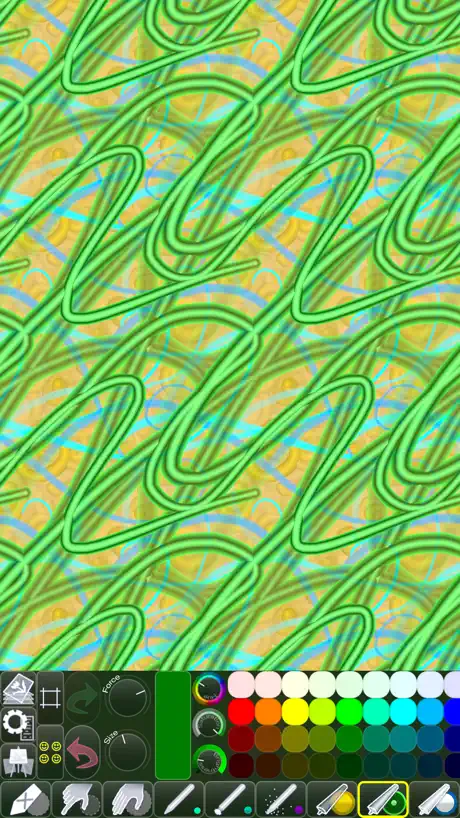  WowPaint |  Uniform - 3D Editor |   FocalPaint |   Vesica Studio: Sacred Geometry | |
|---|---|---|---|---|---|---|---|---|---|---|---|
| Rating / 5 | 4.4 | 4.6 | 4.7 | 4.7 | 4.4 | 4.5 | 4.1 | 4.5 | 3.4 | 4.2 | 3.7 |
| Reviews | 1.6K | 6.1K | 4.6K | 1.4K | 839 | 570 | 361 | 307 | 88 | 38 | 6 |
| Released | 2016 | 2020 | 2010 | 2020 | 2018 | 2012 | 2020 | 2011 | 2024 | 2022 | 2026 |
| One-time price | — | — | — | $6.99 | — | $5.00 | — | $5.00 | — | — | — |
The going rate for each plan in United States, in its own currency, shaded from the cheapest price on the row to the dearest.
Paintstorm Studio reviews
4.4 out of 5, based on 1,639 reviews.
What people like
- Feels like a full desktop program on mobile.
- Highly customizable brushes with smooth blending options.
- Great alternative to expensive traditional painting software.
- You can see the brush shape before drawing.
What they complain about
- App crashes and loses your work often.
- Brushes lag and feel very slow on iPad.
- Uses too much memory and drains battery fast.
- Interface feels cluttered and outdated for touch screens.
Please make it so that we can angle the camera with our fingers
First time trying the app, haven’t messed with many of the tools that I’ve been given, but one thing in particular I’ve noticed is that I can’t angle the screen with my fingers, I have to do it with a scale. I’m an artist who angles the screen all the time. It’s just more comfortable for me. Love the app so far though.
Doesn't work well
Zero stars . Doesn't work well with the new iPad Pro. The desktop is not stable. Your canvas move around on its own, and the system freezes, losing any work that you may have done. It's turning into being more trouble than it was worth. You may feel you are saving money, but how much is it worth to you to have to go back and fourth with redrawing. I guess you could draw a line and then save, then draw a line and then save.I'm sure Apple will not let me give no stars, but that's all it's worth.
优化笔刷的流畅度
笔刷真的是延迟卡顿严重,优化
What’s happened! Not good on iPad now
There are so many small problems it’s no fun using Paintstorm anymore
左下角那一堆该死的圆形悬浮按钮能不能去掉?
咱就说左下角那一堆该死的圆形悬浮工具能不能自行设置隐藏或者显示,烦死了,本来平板界面就比电脑小,还一堆重复的工具挡在那里,看得我强迫症都犯了
Soft Blender brush and I can see the brush shape
I really like the Soft Blender brush because you can get a nice smooth blend between colors. Other painting app's blenders smear too much and/or add too much noise and jitter. Which is fine but the lack of any sort of very smooth blender is a glaring omission. I also like that you can see the brush shape before you start painting. Other painting apps don’t have a brush shape at all, so you’re basically painting almost blind. Those two little things mean a lot to me because they are a big help. 5 well deserved stars ⭐️
App ABR import error? No separation of importing reference images?
There’s a couple of bugs, the recent update broke the brush import features and you can only use reference images if you open a separate document. Please fix this.
Great hindered by overly complicated UI
If the UI were cleaned up, this would awesome.
Would Not Recommend
I recently purchased this program for use on my iPad and my iMac, based on the reviews and the brush engine. I was excited to get into both. Although not terribly expensive, the programs are not worth the price as they are extremely slow. The brush strokes are not real time and you have to wait for some brushes to catch up. On the Mac, you cannot “hide” the program and have to quit to get out of it. Then, you have to find the project as the “recent” does not work either. I believe the programs were originally developed for use on Windows. Paintstorm may be fine on that OS, but doesn’t work well on the iOS. I will keep working with it, however, and hopefully, with some more development, it will prove to be worthwhile. I just can’t recommend it now.
Great app but slow and buggy
At its core, I’m incredibly impressed. It is the most desktop-like app I’ve worked with outside of a traditional computer environment. I’m running this on a 2020 iPad Pro 12.9 and the larger screen is much needed for all that’s going on with the interface. The good: The paint simulation is as good as anything else out there, including ArtRage, in my opinion. The amount of customization that can be done with the interface is superb. A lot of companies could learn from this design. Creating new documents with canvas textures is a breeze and looks great. Customization of brushes is, again, staggeringly good. There’s almost nothing you can’t change to your liking. The bad: Forget about working at high resolution. The app cannot handle anything beyond mid-rez sizes. At high resolutions, the app slows down to be completely unusable. Even at mid-size resolutions, once the brush gets large, it lags to the point of being unworkable. The app crashes more than any other app I’ve worked with. The interface freezes sometimes and other times certain functions cease to work without a complete restart. Despite the amazingly detailed interface, there are a lot of things that are pretty clunky. Working with a reference image in a separate panel, for example, is so convoluted. I don’t know why I can’t just pull in an image from my photo library like ArtRage. There have been very few recent updates and none over the past few years have addressed the serious lag while using bigger brushes. That leads me to believe it will not be addressed in software. Maybe the M1 and M2 iPads are not having the slowdown problem. With all of these negatives, I still love the app. If the lag issues could be resolved, it would be almost perfect. UPDATE: After using this app for a few weeks, I have decided to abandon it. While it has some amazing functionality, the crashes and bugs and sluggishness is way too anxiety-inducing.
Love it
Paintstorm has a definite place in my production cycle as a professional creative and might be my “go to” for starting new projects. Serious artists, don’t skip this one.
iPad Pro 2015
It’s so slow and laggy on the higher mandala settings and brush settings, it’s way to complicated and the interface is far from simple. It’s all scattered about.
Attention: program crashes
First, let me say that I love this app. The interface and number of options are unique and fun to use. The only complaint I have at the moment is the brush lag, where the brush stroke comes behind where the Apple Pencil is on the screen. If this is fixed, I will likely give a five star rating. I don’t think I have seen any updates for this app in a couple of years, at least. Which is a shame, because it is a great app.
Just Another Digital Painting App
I’ve had this app for two days and while it was fun to explore its potential I’m now having memory warning issues and it’s getting worse with screen freezes and “jittering”. Spending $12.99 for this app I expected A lot more in terms of stability and tool panel design but if continues to perform as poorly as it is I’ll be forced to remove it. I downloaded this app because I saw it being used on the show Inkmaster.
不能导入笔刷!导入就出错。
希望尽快解决
My go to ipad art program
paintstorm is awesome, lightweight and worth trying even if you use procreate. i have both and i very much prefer paintstorm.
Can Not Save Artwork
Overall I like the app using it for about a year. Been able to save work until today can’t save anything. Tried SAVE AND SAVE AS. IN ORDERED TO COMPLETE THIS PROJECT, I need to complete it on my MacBook Pro. Now it won’t save anything. I restarted my iPad, still the problem continues. Horrible.
lag
The speed the brush strokes get put on is not good. To much lag,but will still work with it anyway since this program runs my Bob Ross painting course.
Not acceptable
Simple ways to enable non-wacom graphics tablets never attempted for the Linux pc paid version, and moved from PSS a long time ago, but, on the iPad, briefly trying some apps while not able to use usual setup, the Pencil doesn't work properly. Too many bugs; not possible, or pleasant, to use.
Um..
Just bought this, pretty new iPad Pro; but it freezes and paints super slow. I mean really really slow. Oh, wait, it is only that star thing that is slow.
Лучшая среди всех!
Самая лучшая программа для рисования на айпаде, функционала намного больше чем у конкурентов и что самое главное есть возможность устанавливать горячие клавиши на клавиатуре, в других программах такого нет. С клавиатурой это полноценная замена пк для рисования.
Paintstorm is trash
The menu is inaccessible. The tools and the UI are trash it used to be great now I can’t even use it. Fix it and I’ll re review for higher rating.
Love it but...
I’m a tattoo artist. I use this app almost exclusively. The functions is almost seamless. The font o-toon could be a little more dependable. It worked for a while but now it doesn’t. I can’t take the time to learn the popular drawing app right now so, I’ll stick this for now. I’d love to see improvements though
Good app but crashes and is slow
This app was one of my favourites but the app has seemed to slow down and crashes, when I reload the app I have lost my drawings. Can the developers sort this out? It has only recently started happening.
閃退
求求你把閃退問題解決了吧 我生日這天難得畫畫我結果快勾完的線我閃退全沒了 全沒了!!!! 我現在一邊哭一邊重畫༼༎ຶ෴༎ຶ༽
Daimond in the Rough
This is a wonderful painting app. I use the desktop version and when it was announced Hangmoon had made a version for IPad I was so excited. This app works a lot like the desktop version. Update: Still been using this app for almost a year and still my go to for working on my IPad. Small issue I'm running into with recent updates is memory. I used to have no memory problems before using this app but recently it's lagging and slow due to using up my memory when I've only just started a new painting and no other apps open. I hope this can be fixed. Other than that this program is a gem! Keep up the awesome work. Update: 03/01/22. Annoying bug I have run into is that the app is auto closing on me every time I try putting a reference image up. It’s really annoying. I then have to reopen everything and then once again the app just shuts down on me. Hope you can fix this.
Menu glitch
This app is a mess. Right now there’s a menu glitch on ipad pro 3. It’s so messed up you can’t read anything.
I can’t use any the tools. Eye dropper tool won’t let me.
There’s a new bug where the eye dropper keeps me from using any tool in the application. I know you worked hard and fixed the glitch in top menu, but this glitch has appeared now. I do love this application so just fix this glitch and I’ll give you the best rating.
What is going on with this app?
The lite was ok. I thought when making a 24x36 inch canvas I was getting the file to large error because it was limited for the free version. NO, the full version won’t let me create a poster sized work and don’t even expect to go above 72dpi. Want it make a portrait style canvas? Expect the app to fail and close every single time. If this keeps up I want a refund. I paint primarily in portrait mode and this app apparently cant offer that .
更新IOS14后菜单栏出现乱码
菜单栏出现了杂点一样的乱码,无法正常识别文字,更换语言无法改善。功能界面不受影响 请尽快修复
Awesome.
I use this professionally for illustrations. Works great on ipad and desktop. Zero complaints. No regrets. Get it.
Why oh Why...
Some of the brushes are a drag on the iPad, but totally fine on the computer? Why shouldn’t an app (any app), when ported from a computer version, to iOS, not work somewhat properly? I’m not talking bugs. There’s no such thing as bug free apps. I’m talking of something that’s right in the face. 🙄
Extremely underrated, however, a few bugs
(Edit 1/25/20) I’ve been using this program for 3+ years now, and one problem that’s very close to making me find another program is my work being completely erased. So many times I’m drawing, I’ll close the app for a second, and when I return to it, all of my progress is gone. This is starting to get very frustrating to deal with, especially when I’m working on a commission and I have to start from scratch. I absolutely love this program, but please fix this! (Edit) Problem was fixed!! I appreciate it! It’s much easier to use now I’ve been using Paintstorm for almost 2 years now, and let me say I absolutely adore it! It works very well, however there are bugs that I hope will be fixed in the future. 1. Using certain brushes at a large size makes the program extremely slow. Not a huge problem, however it is annoying when drawing a simple background 2. I sometimes lose all progress. I’ll leave the app, then come back, and everything is gone. This doesn’t happen often, but I hope the auto save feature will be improved in the future 3. Colors disappearing when coloring. This is probably the most annoying thing that brought me here. When I’m coloring, the color will sometimes randomly delete and show the bottom layer. Usually I can get rid of it by simply pressing “undo”, however sometimes that even doesn’t work. Then, I’ll have to use the fill tool, and that only sometimes work. It gets to the point where I am designing or shading a character, and there is this huge, random gap. It’s a pain to deal with and I really hope this gets fixed.
Love it but the glitches
I love this app but every time I make a custom category with custom brushes it eventually screws up and never turns back into the brushes I made. They change into random default brushes and it’s horrible and I need this fixed please.
Save folder needed ?
First I’m using this on my iPad Pro not sure if it makes any difference on what platform its used. But when I go to save my drawing it saves it as jpeg /png or to iTunes or icloud but I feel it should have its own folder so it’s not relaying on network .If I make a load of layers, one would like to save them on the system your using. The lay out of the tools needs an update its a bit clutter up plus there a good bit of lag when using some of its brushes and maybe a bit to many that kind of do the same thing . It’s got a lot of good brushes all the same and a good amount of tools for editing. It’s not to say it’s a bad software but needs a bit of declutter and a more simple design . But keep rocking team.
Alternative to painter
Paintstorm Studio is a software on Windows/Mac OS that made its way to mobile. It is an affordable app on the ipad that is an alternative to Corel painter. It is the desktop version that works as an app. You can also add brushes to this and export files as PSD if you want to transfer them to another software or app. For the price, well worth it, the dev team is working on improving the software.
Still not useable
Bought on Black Friday. I was getting an “out of memory” error right out the gate . I’d then get it every minute or so after that. I come back to the app months later after some updates and I am still getting the error so the app is still unusable. I’m on an iPad Pro with 6gb of memory. If it doesn’t work on my iPad then it doesn’t work on any of them. Unfortunately literally unusable
Almost perfect.
Only thing missing is the ability to save anywhere. Only options are iTunes, icloud, or camera roll. I want to use Dropbox, or literally anything else. If that gets added this app is 5 stars easily.
Memory sucker
I can see this app has great potential and I'd love to rate it higher but it draws a lot of the memory from my iPad pro. I can't get the available memory to increase therefore for me this app is unusable.
new update broke fill tool
good for most stuff, but new update broke fill tool which is very important to me. fill with respect to reference layer no longer works. app isn't worth using without that feature.
Best Realistic Brushes
Intuitive Freedom from costly paints and canvas in the analog world.
Abr brushes
Not able to import brushes it says need to use abr file which I am. Not happy especially that I paid for the app. I really like having lots of types of brushes.
Great potential, needs some love though
I gravitated towards this app because it’s most similar to Corel Painter. And for drawing and painting, it’s fantastic. However, there are some issues. My primary issue is the autosave, paired with the canvas size and limits. It saves in “iTunes” but I’m not exactly sure where it keeps that file. So if I want to open it elsewhere (when the program inevitably crashes) I cannot. If you create 10 layers, you will go over the limit of layers- you will get a warning telling you so- but it still allows you to create it. This will cause the program to crash.
I'll considered desk-top port
If what your really want is an old fashioned, albeit reasonably spec'd, desktop painting app on your iPad then this could be for you. However if you want a modern painting app tailor made for a touch interface then get Procreate.
It won’t even open anymore
I have done absolutely everything to get this app to open, nothing works at all since the update. I have used this app for 2 years, and now it won’t even open. I am very sad and disappointed because I have loved this app since I got it. Please fix.
Perfect
This is better than Photoshop ... *(love) Thanks ...
Crashes and A Blast from the Past
This app does not utilize the iPad power with gesture controls. It is outdated and feels like it was written for a desktop then adapted to fit on the iPad. Remind me of the Corel paint program I used in the 90’s. Have given up trying to use it as it crashes all the time. Wish I could get my $10 back.
Changes
I really love this app, there’s a couple of things that could be changed though in order to make work easier for artist. 1. A way to see the files/works done on the app and the ability to duplicate them. There’s not much of a way to see the files you’ve worked on unless you’re saving them or opening them up.
Crashing
It keeps crashing, as a paid app this not acceptable Can you patch this ASAP *avoid app till fixed*
Great app but
Need to be sorted the fix is so bad please keep fixing stuff
Paintstorm Studio FAQ
- Is Paintstorm Studio free?
- No. Paintstorm Studio costs $12.99 (US) to download.
- Does Paintstorm Studio have a free trial?
- No. None of its offers (US) come with a free trial.
- What are the best alternatives to Paintstorm Studio?
- Realistic Paint Studio (4.6 from 6,053 reviews), SketchClub: Draw & Paint (4.7 from 4,649 reviews) and iOrnament Pro – art, fun, calm (4.7 from 1,371 reviews, premium from $4.99).
Paintstorm Studio download
Last updated 9 months ago.
Paintstorm Studio sells in 175 countries. It was released 10 years and 9 months ago, on 29 Jan 2016. It holds a 4.4 rating from 1,639 reviews.
Supports 1 language: English.
How much does Paintstorm Studio make?
Third-party estimates for the last 30 days, worldwide — not the store's own figures, which Apple publishes for nobody.