Zen Brush 3
How much does Zen Brush 3 cost?
Prices are current as of 7 Nov 2026.
Zen Brush 3 has no in-app products on record in the United States.
Zen Brush 3 download price by country
| Country | Price |
|---|---|
| China | CN¥38.00 |
| United States | $4.99 |
| Japan | ¥800 |
| Germany | €5.99 |
| United Kingdom | £4.99 |
| France | €5.99 |
| Taiwan | NT$150.00 |
| Australia | A$7.99 |
| South Korea | ₩7,700 |
| Canada | CA$6.99 |
| Italy | €5.99 |
| Russia | RUB 449.00 |
| Spain | €5.99 |
| Hong Kong | HK$38.00 |
| India | ₹499.00 |
| Netherlands | €5.99 |
| Switzerland | CHF 4.00 |
| Philippines | ₱299.00 |
| Sweden | SEK 69.00 |
| Thailand | THB 199.00 |
| Turkey | TRY 249.99 |
| Brazil | R$29.90 |
| Finland | €5.99 |
| Israel | ₪14.90 |
| Mexico | MX$99.00 |
| Belgium | €5.99 |
| Bulgaria | €5.99 |
| Denmark | DKK 39.00 |
| Malaysia | MYR 22.90 |
| New Zealand | NZ$9.99 |
| Ukraine | $5.99 |
| Vietnam | ₫149,000 |
| Austria | €5.99 |
| Chile | CLP 5,990 |
| Czech Republic | CZK 129.00 |
| Greece | €5.99 |
| Norway | NOK 59.00 |
| Peru | PEN 22.90 |
| Poland | PLN 24.99 |
| Romania | RON 29.99 |
| United Arab Emirates | AED 19.99 |
| Afghanistan | $4.99 |
| Antigua And Barbuda | $4.99 |
| Anguilla | $4.99 |
| Albania | $5.99 |
| Armenia | $5.99 |
| Angola | $4.99 |
| Argentina | $4.99 |
| Azerbaijan | $5.99 |
| Bosnia & Herzegovina | €5.99 |
| Barbados | $5.99 |
| Burkina Faso | $4.99 |
| Bahrain | $4.99 |
| Benin | $5.99 |
| Bermuda | $4.99 |
| Brunei Darussalam | $4.99 |
| Bolivia | $4.99 |
| Bahamas | $4.99 |
| Bhutan | $4.99 |
| Botswana | $4.99 |
| Belarus | $5.99 |
| Belize | $4.99 |
| Congo, Democratic Republic | $4.99 |
| Congo | $5.99 |
| Cote Divoire | $5.99 |
| Cameroon | $5.99 |
| Colombia | COP 24,900 |
| Costa Rica | $4.99 |
| Cape Verde | $4.99 |
| Cyprus | €5.99 |
| Dominica | $4.99 |
| Dominican Republic | $4.99 |
| Algeria | $4.99 |
| Ecuador | $4.99 |
| Estonia | €5.99 |
| Egypt | EGP 249.99 |
| Fiji | $4.99 |
| Micronesia | $4.99 |
| Gabon | $4.99 |
| Grenada | $4.99 |
| Georgia | $5.99 |
| Ghana | $5.99 |
| Gambia | $4.99 |
| Guatemala | $4.99 |
| Guinea-bissau | $4.99 |
| Guyana | $4.99 |
| Honduras | $4.99 |
| Croatia | €5.99 |
| Hungary | HUF 1,990 |
| Indonesia | IDR 99,000 |
| Ireland | €5.99 |
| Iraq | $4.99 |
| Iceland | $5.99 |
| Jamaica | $4.99 |
| Jordan | $4.99 |
| Kenya | $5.99 |
| Kyrgyzstan | $4.99 |
| Cambodia | $4.99 |
| St. Kitts and Nevis | $4.99 |
| Kuwait | $4.99 |
| Cayman Islands | $4.99 |
| Kazakhstan | KZT 2,990.00 |
| Lao Peoples Democratic Republic | $4.99 |
| Lebanon | $4.99 |
| St. Lucia | $4.99 |
| Sri Lanka | $4.99 |
| Liberia | $4.99 |
| Lithuania | €5.99 |
| Luxembourg | €5.99 |
| Latvia | €5.99 |
| Libya | $4.99 |
| Morocco | $5.99 |
| Moldova | $5.99 |
| Montenegro | €4.99 |
| Madagascar | $4.99 |
| Macedonia | $4.99 |
| Mali | $4.99 |
| Myanmar | $4.99 |
| Mongolia | $4.99 |
| Macao | $4.99 |
| Mauritania | $4.99 |
| Montserrat | $4.99 |
| Malta | €5.99 |
| Mauritius | $5.99 |
| Maldives | $4.99 |
| Malawi | $4.99 |
| Mozambique | $4.99 |
| Namibia | $4.99 |
| Niger | $4.99 |
| Nigeria | NGN 7,900.00 |
| Nicaragua | $4.99 |
| Nepal | $5.99 |
| Nauru | $4.99 |
| Oman | $4.99 |
| Panama | $4.99 |
| Papua New Guinea | $4.99 |
| Pakistan | PKR 1,300 |
| Portugal | €5.99 |
| Palau | $4.99 |
| Paraguay | $4.99 |
| Qatar | QAR 19.99 |
| Serbia | €5.99 |
| Rwanda | $4.99 |
| Saudi Arabia | SAR 19.99 |
| Solomon Islands | $4.99 |
| Seychelles | $4.99 |
| Singapore | SGD 6.98 |
| Slovenia | €5.99 |
| Slovakia | €5.99 |
| Sierra Leone | $4.99 |
| Senegal | $5.99 |
| Suriname | $4.99 |
| Sao Tome & Principe | $4.99 |
| El Salvador | $4.99 |
| Swaziland | $4.99 |
| Turks and Caicos | $4.99 |
| Chad | $4.99 |
| Tajikistan | $4.99 |
| Turkmenistan | $4.99 |
| Tunisia | $4.99 |
| Tonga | $4.99 |
| Trinidad and Tobago | $4.99 |
| Tanzania | TZS 14,900.00 |
| Uganda | $5.99 |
| Uruguay | $4.99 |
| Uzbekistan | $4.99 |
| St. Vincent & The Grenadines | $4.99 |
| Venezuela | $4.99 |
| British Virgin Islands | $4.99 |
| Vanuatu | $4.99 |
| Kosovo | €5.99 |
| Yemen | $4.99 |
| South Africa | ZAR 99.99 |
| Zambia | $5.99 |
| Zimbabwe | $5.99 |
10+ alternatives to Zen Brush 3
| Zen Brush 3 |   Tayasui Watercolor & Painting |   ibis Paint |  Realistic Paint Studio |   SketchClub: Draw & Paint |  Paintstorm Studio |   Brushes |   Valence 3D |  TourBox Console |   Calligraphy Calm - Ink Brush |  1BitPencil | |
|---|---|---|---|---|---|---|---|---|---|---|---|
| Rating / 5 | 4.1 | 4.6 | 4.8 | 4.6 | 4.7 | 4.4 | 4.4 | 4.2 | 3.0 | 3.4 | 4.3 |
| Reviews | 361 | 25K | 18K | 6.1K | 4.6K | 1.6K | 839 | 451 | 161 | 146 | 42 |
| Released | 2020 | 2014 | 2011 | 2020 | 2010 | 2016 | 2018 | 2024 | 2024 | 2018 | 2024 |
| Monthly price | — | $2.99 | $4.49 | — | — | — | — | — | — | — | — |
| Annual price | — | $9.99 | $27.99 | — | — | — | — | — | — | — | — |
| One-time price | — | $1.99 | $23.99 | — | — | — | — | — | — | $2.99 | — |
The going rate for each plan in United States, in its own currency, shaded from the cheapest price on the row to the dearest. Plans fewer than four in ten of the priced apps sell are left out.
Zen Brush 3 reviews
4.1 out of 5, based on 361 reviews.
What people like
- Incredible realistic ink and water simulation
- Excellent developer support and responsiveness
- Perfect for relaxing calligraphy practice
- Smooth feel like real brush on paper
What they complain about
- Laggy and unresponsive to the stylus
- App crashes frequently and loses work
- Very limited undo history available
- Confusing layer system is hard to use
Zen Brush 3
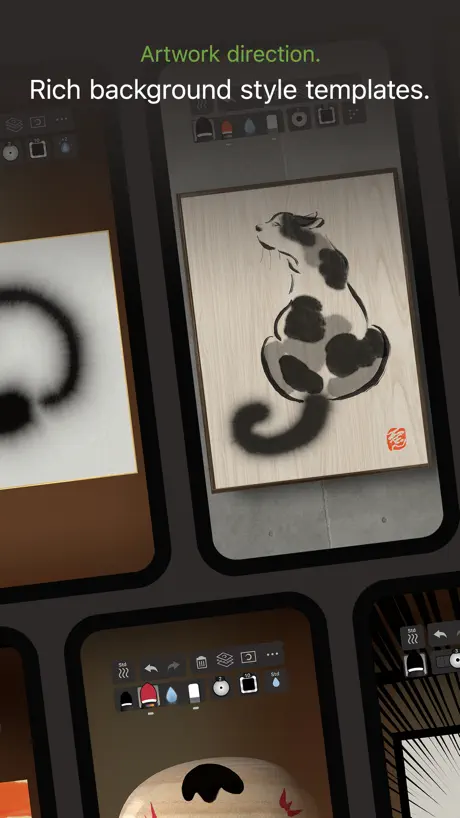
The most superb brush art app. Fabulous.
LPLEASE FIX
I I really resent the intrusive. as for Zen brush 3 that makes zen brush 2 unyseable.
Almost perfect for kanji practice
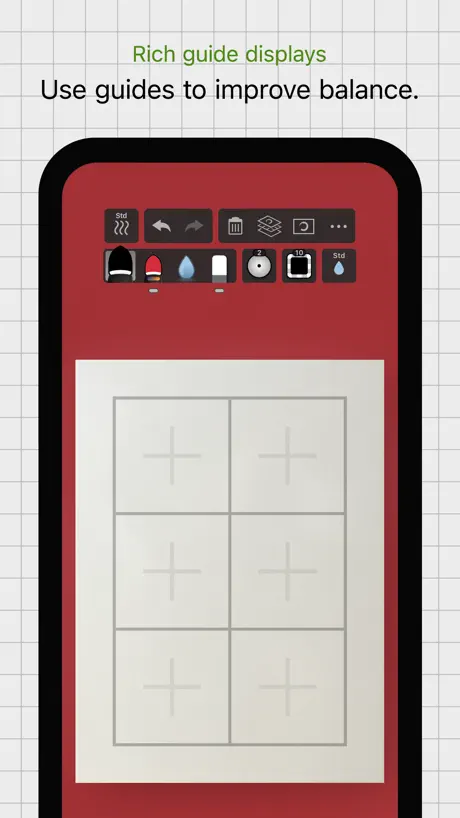
I’ve been using this app to practice writing kanji, and it had a lot of great features and the brush reacts very naturally. If I could add or change anything it would be instant erase. There is an animation that plays when you delete your drawing space that gets annoying and slows down practice. The delete key is also quite small and can be a difficult targets to hit. My workaround is to practice writing in water mode with fast drying, but adding a finger swipe to delete or a “black water” (disappearing ink) function would make it perfect to crank out hundreds of kanji. Also, the grid layer is nice, but even at the largest grid, to get a quadrant you need to zoom in. An extra large grid or paper background would be appreciated.
What
I dont get it. Zen2 was great. Then they did 3 and its terrible. They also seem to have 0 support and has this been abandoned? I think unfortunately they’ve just taking in money on the reputation of 2 and created 3 just to look as if they’re doing something. 3 is garbage. Going back to 2.
Fun
I love this art app because it’s focused on eastern old world artist tools in water color on different mediums. I find it sometimes difficult to remember how to navigate off a current project & begin a new one as it is not obviously evident how to close one project & open a fresh page. For this I will give it a 3 star rating.
Super Fun
Delightful tool to practice, experiment and imagine with - using it is a vast improvement over doom scrolling.
软件逻辑性错误太多
最起码的文件保存逻辑非常反人类! 图层不能重命名!图层透明度调节有问题!软件半年不更新修改,估计这软件废了!
Much better when you increase the resolution.
At first I was perplexed as to why the brushes were so much more ‘mushy’ in 3 than in 2, until I realized the default canvas resolution in 3 is much smaller than in 2! Increasing from 768x1024 to 2400x3200 fixes the problem of the dithering being too large and immediately highlights the improvements of the brush engine in 3 over 2. I imagine the reason the default is so low is for better battery life / FPS on lower spec iPads. The user should be prompted to pick a resolution on first launch to make it more obvious that there are multiple quality modes.
バッテリーが異常に減る
iPad Pro 12.9(m2/Gen6)熱くなりバッテリーの減りが異常に速い。
筆の感じは好きだが。とにかく他のアプリで勉強して欲しい
2の方が筆の感じが好き。カラーが選べるようになったのは嬉しい。 しかしもう少し、ユーザーに寄り添った作りにして欲しい。1のアンドゥ無しの頃から比べるとマシだが。 操作法が独特すぎる。 レイヤーの扱い方が分からない。 製作側の自己満足だけでなく、もっと他のアプリを勉強して欲しい。 ユーザーがどういう操作法、機能を望んでいるのかとか。
Unique App + Support that delivers!
“ Greetings! I have to say “Thank you!” The quality of your support reply to my question(s) was just excellent! Now, along with your great Zen Brush 3 app, I must add that it is from a company that provides meaningful support to its customers! That’s a perfect combination. Keep it alive!” Sharing what I wrote back to PSOFT, the developer of this app. -Reg
不建议
延迟太严重,橡皮擦不干净这点确实够模拟的,但并不想要,然后笔刷特别僵硬,,,,,,好气,,,我买了个寂寞
THE ERASER
This app is really cool and worth getting but THe ErAseR PleASe! The eraser dosen’t really work and on the old one it’s SO MUCH BETTER! Please can we have back the old eraser, But apart from that it’s really good JUST FIX THE ERASER!
有升有降!希望优化!
和2代相比,的确增加了不少功能,但撤销撤销次数只比2代的4次多了1次,这样的升级实在不够,以现在iPad的性能,至少可以撤销10到20次,另外没有中文,这是语言歧视吗?然后图层功能很鸡肋,图层只能用于参考,并不能锁定,一旦删除就全没了,还有2代有一个红色背景金色粉末的背景,在3代却没有了,以往过年都用这个背景写春联,画年画,现在却被淘汰,很失望,希望开发者能增加这些被淘汰的背景,保持前代的优点,继续优化功能!
画面需要有旋转功能,另外撤回键需要设置无限次撤回,还需要有调色功能,笔刷可以多设置几款如毛笔,gouxia
uuu
Great app for ink painting and brush lettering
This app has beautiful brush dynamics and ink simulation, and when I reached out to the developers to report a small bug they responded right away and had a fix out in no time. Thanks!
Each update is worse than the previous version
This is no longer fun, or user friendly. No instructions, the first version was really great, but when I went to use it, was forced to up grade, that was another bad upgrade, so I deleted said app, then saw an add, went back to version 2, it then said I had to upgrade to three. Now it’s basically useless. Deleting again. Zero instructions, played for an hour just trying to get it to do what the original did. Just not even usable! I’d look else where. I’ve seriously never seen any developer actually ruin a good app to render it useless.
Paper
Hay guys can you please add the old paper from your previous app ; Japanese paper 3 used it all the time as it’s a nice paper effect. But as disappointed it was in this app . Thanks
Need support- support link goes to blank screen
I recently purchased Zen Brush 3 for my IPad mini 5. Love it except for the fact I cannot open a new canvas. I’ve searched everywhere but cannot find an answer for my specific need. Also app kicks me out often when I click to add a layer or the button beside it- losing ALL my work. Will increase stars when I can begin a second project and crashing is fixed. Thank you.
没有录屏功能吗
想保留住写字的过程,保存到相册里是体现笔画流动的录屏视频
So Creamy
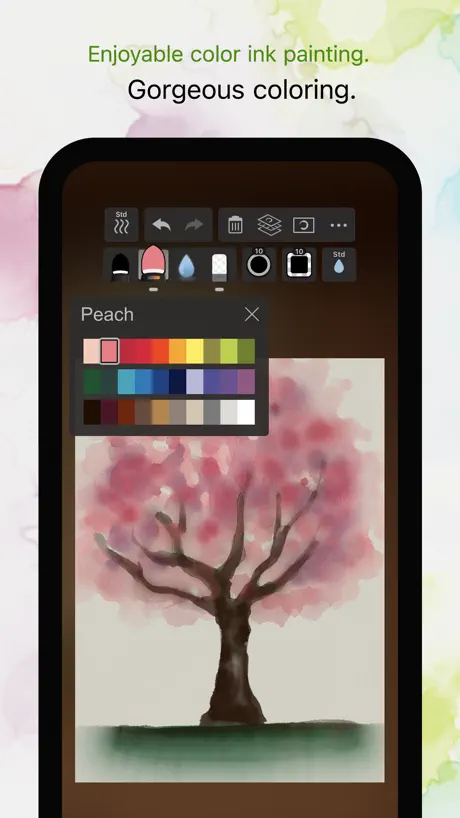
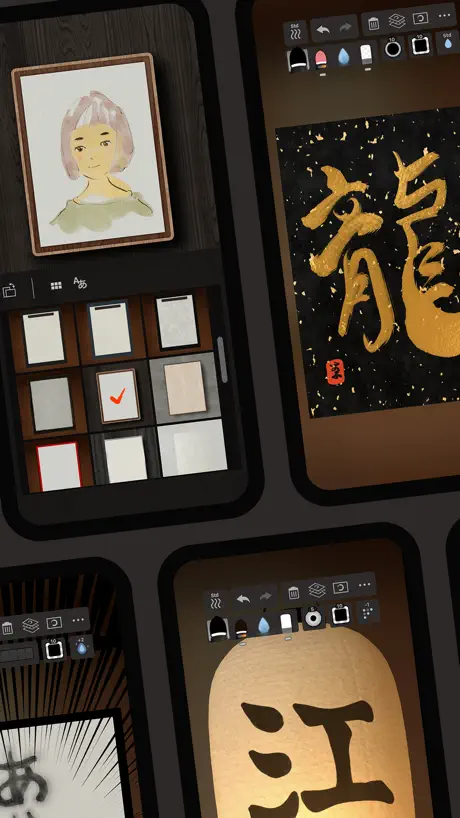
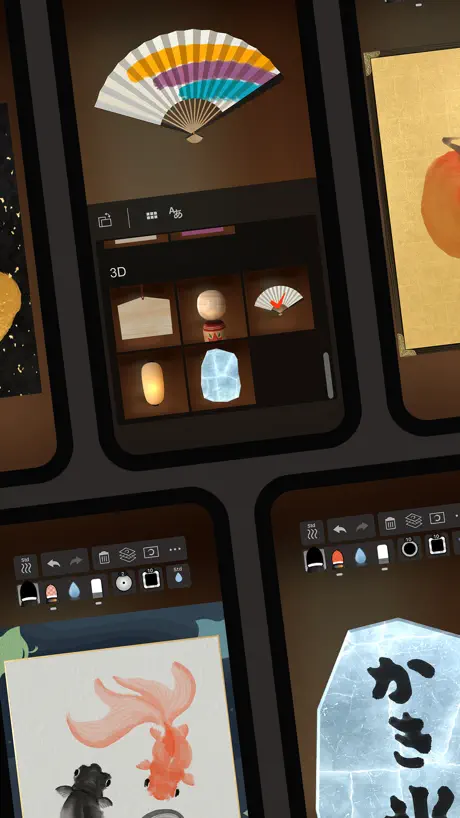
The app is sooo smooth, it feels like butter. You slide your finger across the page, and you can almost feel the ink from the brush absorbing into the paper. You can add colored paint, change the brush sizes and opacities, but my favorite part is adding water. I’ve never seen it in any other art programs before, but you can add pure water onto the canvas with your finger and watch the ink bleed all over the paper. And the graphics, oh, the graphics, they look super realistic too. I wish the developers changed all the fonts so they would match the default Apple font, but the actual drawing tools and paper look extremely realistic. It reacts to water in real time, so you can watch the paper/ink dry, or dry it quicker with a button. You can also turn off drying completely, so the paper will stay wet. The app doesn’t give you any tutorials, so you slowly figure everything out as you go through the app. And honestly that approach makes the app better, because you keep finding new things by exploring! You can: - add photos - choose paper - choose 3D objects to draw on - add layers and move stuff around - change the size, opacity, and wetness of your brush - there’s 30 different colors and they all blend together nicely - there’s different shades of black so you can make grayscale drawings - it works with apple pencil - when you hold down your brush on the paper for a while, it’ll make an imprint/dent in the paper - when you tilt your device the whole background moves so it feels immersive - the ink and paper also responds when you tilt the device (reflections and such) - you can move the toolbar around - you can change the resolution to see every detail I wouldn’t recommend this app for serious drawings or sketches, as the actual brushes feel a bit laggy (on purpose). I’d recommend this app if you like to doodle, experiment with ink and water, or, as the app mainly focuses on, calligraphy.
闪退
为什么老是闪退
Great
Great, but a bit frustrated with only being able to undo 5 times! Would be nice if this was increased. Nice app though.
Still not able to delete a Saved work
I sent my inquiry about deleting Saved works to the support 2 times without answer.
干枯感
笔刷的干枯感没有2效果好
OK it’s back to five stars
OK the papers on the right hand side with the Zen rotation I can and only the red brush gives you multiple colors if you hold onto it I guess or drag down from it and the eraser changes if you drag down to a bloody eraser which I don’t understand yet blatting not bloody whatever… And it looks like they erased my criticisms oh well from my previous review that’s OK what’s my one big issue… I try to do a circle and I get this lag or it goes into tilt mode or something and I get this weird straight lines on my curves and gestures that would be a dealbreaker for a real calligrapher artist! Once you buy the app it’s hard to tell how much you paid for unless you work and I’m lazy but I guess it must’ve been cheap enough if I bought it… Pretty good even if some of the 3-D backgrounds are pretty lame better to use a photo of your own of wood or something and this will be much better if you can get the texture going on with the paper and the dry brush is much better in the brush 2! Knouff said… said the Marvel comic guy…Stanley I just remembered… Stan Lee…
What a waste.
More like an overall downgrade than an upgrade. Honestly haven’t gave this bad of a review to an app I once enjoy so much.
尺寸再大2倍就好了,
像素分辨率低,尺寸再大2倍就好了。谢谢🙏
流畅度和二代差远了
笔记不跟手,掉帧严重,体验比上一代差很多
Not recommended for apple pencil users
The app is optimized for fingers on touch screens. It does capture pressure/tilt of pencil, but does not apply them faithfully for ink simulation creating a very awkward feeling. With rapid strokes, ink lightens regardless how much pressure you apply, and the brush continues to shoot forward due to some sort of motion prediction. So it works fine only if you write at snail speed and totally breaks down as you speed up no good for cursive script. @app author, please offer a mode disabling finger heuristic/optimizations for pencil users.
It needs a tutorial
But fun to play with and an interesting thing to use for art block. Rules loosen the mind and make you think more creatively. So I’m impressed with how well it mimics traditional brushes. For line art you can import a sketch and pant it in. The colors are a great addition. The brush sizing bar needs some work and maybe add some cool special effect like salt to the paint, or liquid frisk. You could take this further by adding natural fabric backgrounds and melted wax to mimic batik silk painting since they traditionally use the same brushes. Don’t mind the art major rambling but it’s a mess free way to play with calligraphy brushes which run about $20-$30 per brush plush the solid ink sets with the grinding stone. This app is a fun time.
上当了,差评!
花钱买了,手感体验很差,不跟手,手提起来了,笔画自己还顺势跑一段距离……
请问怎么新建画布。 啊啊啊好急
请问怎么新建画布。 啊啊啊好急
Badly butchered app
Zen Brush 2 improved on a great simple program with an intuitive interface by adding multiple undos. Sadly, ZenBrush 3 loses whatever made the original program so excellent. The dry brush effect so brilliantly nuanced, textured and expressive in Zen Brush 2 has been softened and weakened in ZenBrush 3. Equally, the intuitive interface of version 2 has been complicated and butchered in Zen Brush 3. For instance, the Layer function in v3 leaves you scratching your head wondering how the application of something so intuitive and straightforward in so many other apps like Procreate and ArtRage could be so badly blundered that it is unintelligible. That is a shame. I’ve always seen ZenBrush as being much more than a calligraphy app. The expressive quality of the brush strokes in the original lent themselves to abstract art or illustrative purposes. That expressive flexible utility has been blunted in version 3.
2 simple additions would make it perfect
It’s a lovely app and the brush engine is genuinely very good, particularly the natural blending of colour and wet inks. But there’s no way to rotate the canvas while painting - there’s pinch gestures to move and zoom, but the lack of rotation is frustrating. I know you can just turn the iPad, but I can’t when it’s on it’s angled stand. ‘Undo’ is limited to 5, which is also unfortunately frustrating and often not enough. I love the simplicity, but these two additions would make it much better.
Highly expressive and useful
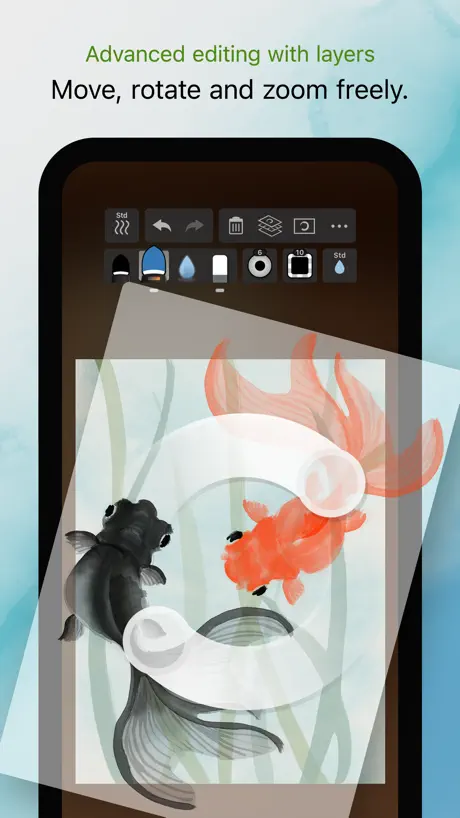
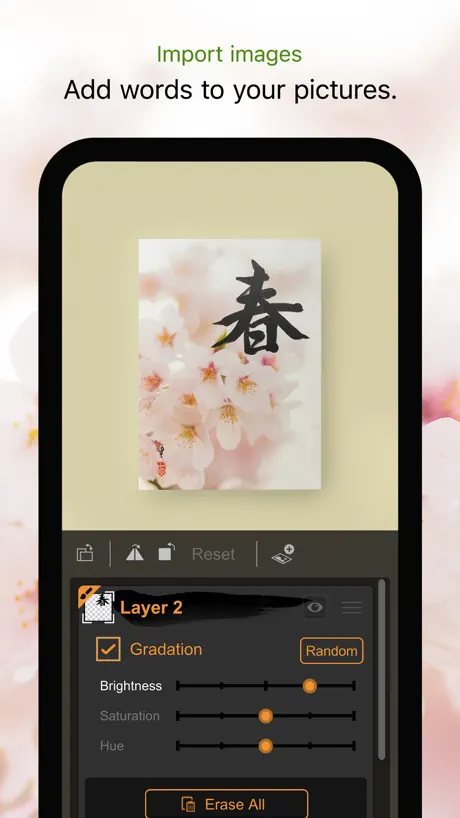
While you might think this is a silly app, just to simulate brush strokes, it’s much more than that. The ability to bring in artwork from other programs via layers, control the drying time, work wet, all quite amazing and unmatched. You just cannot do what this does in any other program. I do wish you could have custom color palettes; then close to perfect. Doomo arigato gozaimasu!
根本不如2
改了些个什么乱七八糟的
Not bad at all…
It’s a nice little app that works well on my iPad Pro. It would be nice if there was a bit more to the “undo” function, as it only allows for a few. Other than that it works nicely and has a good feel to it. Thanks dev. 🙂
比起2来说不适合写字
不适合用来写字。倒是画画感觉还可以。写字的话 阻力太飘了
撤回次数太少了!!!
强烈建议增加撤回次数,真的太少了
Absolutely brilliant
I have got to say that I’ve been watching this app for a long time and it is one of my all-time favorite brushes and yes it does make you feel relief from the stress of doing other stuff but the fact that they added layers just changes the whole thing absolutely brilliant please keep up the good work as you are amazing.
掉帧
掉帧!掉帧!
Amazing app held back by major omission
This is an awesome, unique, and fun app that easily could have been a must buy for every artist where it not for one glaring, major omission. There is no way to import photos or files. I’ve used countless apps on IPad and PC for art for years and every single one of them has the ability to import works in progress. If that basic function is added I will gladly change my rating to five stars and consider this app mandatory for anyone interested in art on the iPad. As it stands, though, this is more of an entertaining novelty than a serious tool.
不建议购买,笔触掉帧,极不自然,远不如二代
一看到出了三代,我啪的一声就买了,很快啊!然后上来就是一个选笔,一个调色,一个永字。我全部打出去了。打出去之后平板书法自然是点到为止,右手拿着pencil,没继续写。两分多钟以后,看着一个弯上有好几个折线段。当时流眼泪了。年轻人你们不讲唔得,不好好优化二代,开新坑来骗、来坑我这个老同志,这好吗?这不好。我劝你们年轻人,耗子尾汁,好好反思,不要再犯这样的葱鸣,啊,小葱鸣啊!谢谢朋友们。
失望
对于使用二代很长时间的我来说,本来对这个版本还是抱着很大期望的,毕竟更新了很多颜色,纸张也有不少更新。 但问题是,基本的质量下降了,对于这个软件,最喜欢的就是用毛笔的感觉,掉帧导致这个感觉完全不对了,感觉还是回到二代吧,什么时候真正更新好了,再用新版本吧……
Great improvement over Zen 2
This iteration is really a fantastic improvement. Just to add to the wish list 1. please add a save guard to the trash can, ie. like another yes/no step before everything just vanishes 2. It is great to be able add additional layers, and to import images; however there seems to be no way to edit the new layers, or be able to draw on them?
非常难用
远不及第二版。掉帧,卡顿,笔的颜色也不正,不跟笔,写书法的千万别买
No iMessage function?
This app has a lot of improvements over version 2, but really irritated the iMessage function was removed. I used it a lot to make custom stickers and having extra colors would’ve been great.
体验不如第二个版本
第三版增加了3D背景,除此之外笔刷的体验上远远比不上第二版,而且价格更贵,希望继续改进体验。
掉帧掉帧掉帧
解决这个问题!!!! !!!!!!
Zen Brush 3 FAQ
- Is Zen Brush 3 free?
- No. Zen Brush 3 costs $4.99 (US) to download.
- Does Zen Brush 3 have a free trial?
- No. None of its offers (US) come with a free trial.
- What are the best alternatives to Zen Brush 3?
- Tayasui Watercolor & Painting (4.6 from 24,558 reviews, premium from $1.99), ibis Paint (4.8 from 17,755 reviews, premium from $2.99) and Realistic Paint Studio (4.6 from 6,053 reviews).
Zen Brush 3 download
Last updated 6 months ago.
Zen Brush 3 sells in 175 countries. It was released 6 years and 1 month ago, on 29 Sept 2020. It holds a 4.1 rating from 361 reviews.
Supports 4 languages: English, Japanese, Korean, Chinese.