
Looom
Animation Playground

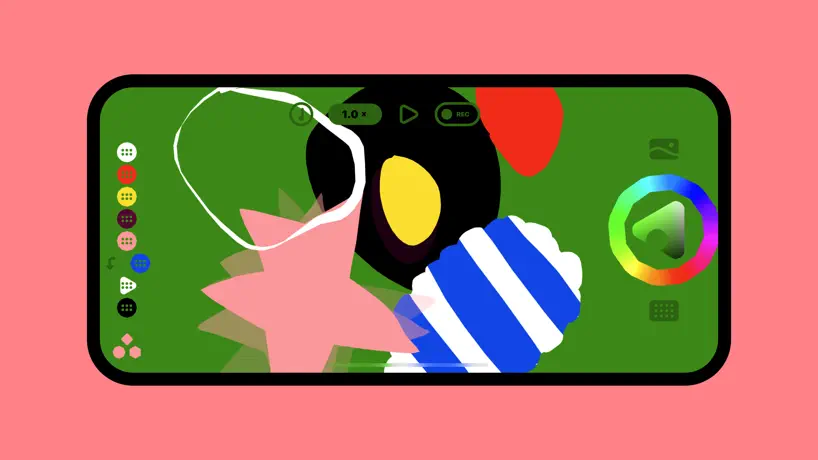
How much does Looom cost?
Prices are current as of 5 Nov 2026.
Looom has no in-app products on record in the United States.
Looom download price by country
| Country | Price |
|---|---|
| United States | $9.99 |
| Germany | €9.99 |
| United Kingdom | £9.99 |
| France | €9.99 |
| Canada | CA$12.99 |
| Japan | ¥1,500 |
| China | CN¥68.00 |
| South Korea | ₩17,000 |
| Mexico | MX$199.00 |
| Australia | A$14.99 |
| India | ₹999.00 |
| South Africa | ZAR 199.99 |
| Brazil | R$59.90 |
| Netherlands | €9.99 |
| Turkey | TRY 499.99 |
| Indonesia | IDR 199,000 |
| Russia | RUB 899.00 |
| Ukraine | $11.99 |
| Spain | €9.99 |
| Italy | €9.99 |
| Argentina | $9.99 |
| Switzerland | CHF 9.00 |
| Chile | CLP 9,990 |
| Israel | ₪29.90 |
| Philippines | ₱599.00 |
| Sweden | SEK 129.00 |
| Finland | €9.99 |
| Greece | €9.99 |
| New Zealand | NZ$19.99 |
| Poland | PLN 49.99 |
| Azerbaijan | $11.99 |
| Colombia | COP 49,900 |
| Czech Republic | CZK 249.00 |
| Denmark | DKK 89.00 |
| Estonia | €9.99 |
| Hungary | HUF 4,490 |
| Malaysia | MYR 49.90 |
| Pakistan | PKR 2,900 |
| Slovenia | €9.99 |
| Taiwan | NT$320.00 |
| United Arab Emirates | AED 39.99 |
| Austria | €9.99 |
| Bulgaria | €9.99 |
| Belarus | $11.99 |
| Costa Rica | $9.99 |
| Egypt | EGP 499.99 |
| Ghana | $11.99 |
| Hong Kong | HK$88.00 |
| Honduras | $9.99 |
| Ireland | €9.99 |
| Jamaica | $9.99 |
| Kazakhstan | KZT 5,990.00 |
| Lithuania | €9.99 |
| Peru | PEN 44.90 |
| Romania | RON 49.99 |
| Saudi Arabia | SAR 39.99 |
| Singapore | SGD 14.98 |
| Thailand | THB 399.00 |
| Vietnam | ₫299,000 |
| Afghanistan | $9.99 |
| Antigua And Barbuda | $9.99 |
| Anguilla | $9.99 |
| Albania | $11.99 |
| Armenia | $11.99 |
| Angola | $9.99 |
| Bosnia & Herzegovina | €9.99 |
| Barbados | $11.99 |
| Belgium | €9.99 |
| Burkina Faso | $9.99 |
| Bahrain | $9.99 |
| Benin | $11.99 |
| Bermuda | $9.99 |
| Brunei Darussalam | $9.99 |
| Bolivia | $9.99 |
| Bahamas | $9.99 |
| Bhutan | $9.99 |
| Botswana | $9.99 |
| Belize | $9.99 |
| Congo, Democratic Republic | $9.99 |
| Congo | $11.99 |
| Cote Divoire | $11.99 |
| Cameroon | $11.99 |
| Cape Verde | $9.99 |
| Cyprus | €9.99 |
| Dominica | $9.99 |
| Dominican Republic | $9.99 |
| Algeria | $9.99 |
| Ecuador | $9.99 |
| Fiji | $9.99 |
| Micronesia | $9.99 |
| Gabon | $9.99 |
| Grenada | $9.99 |
| Georgia | $11.99 |
| Gambia | $9.99 |
| Guatemala | $9.99 |
| Guinea-bissau | $9.99 |
| Guyana | $9.99 |
| Croatia | €9.99 |
| Iraq | $9.99 |
| Iceland | $11.99 |
| Jordan | $9.99 |
| Kenya | $11.99 |
| Kyrgyzstan | $9.99 |
| Cambodia | $9.99 |
| St. Kitts and Nevis | $9.99 |
| Kuwait | $9.99 |
| Cayman Islands | $9.99 |
| Lao Peoples Democratic Republic | $9.99 |
| Lebanon | $9.99 |
| St. Lucia | $9.99 |
| Sri Lanka | $9.99 |
| Liberia | $9.99 |
| Luxembourg | €9.99 |
| Latvia | €9.99 |
| Libya | $9.99 |
| Morocco | $11.99 |
| Moldova | $11.99 |
| Montenegro | €9.99 |
| Madagascar | $9.99 |
| Macedonia | $9.99 |
| Mali | $9.99 |
| Myanmar | $9.99 |
| Mongolia | $9.99 |
| Macao | $9.99 |
| Mauritania | $9.99 |
| Montserrat | $9.99 |
| Malta | €9.99 |
| Mauritius | $11.99 |
| Maldives | $9.99 |
| Malawi | $9.99 |
| Mozambique | $9.99 |
| Namibia | $9.99 |
| Niger | $9.99 |
| Nigeria | NGN 14,900.00 |
| Nicaragua | $9.99 |
| Norway | NOK 129.00 |
| Nepal | $11.99 |
| Nauru | $9.99 |
| Oman | $9.99 |
| Panama | $9.99 |
| Papua New Guinea | $9.99 |
| Portugal | €9.99 |
| Palau | $9.99 |
| Paraguay | $9.99 |
| Qatar | QAR 39.99 |
| Serbia | €9.99 |
| Rwanda | $9.99 |
| Solomon Islands | $9.99 |
| Seychelles | $9.99 |
| Slovakia | €9.99 |
| Sierra Leone | $9.99 |
| Senegal | $11.99 |
| Suriname | $9.99 |
| Sao Tome & Principe | $9.99 |
| El Salvador | $9.99 |
| Swaziland | $9.99 |
| Turks and Caicos | $9.99 |
| Chad | $9.99 |
| Tajikistan | $9.99 |
| Turkmenistan | $9.99 |
| Tunisia | $9.99 |
| Tonga | $9.99 |
| Trinidad and Tobago | $9.99 |
| Tanzania | TZS 29,900.00 |
| Uganda | $11.99 |
| Uruguay | $9.99 |
| Uzbekistan | $9.99 |
| St. Vincent & The Grenadines | $9.99 |
| Venezuela | $9.99 |
| British Virgin Islands | $9.99 |
| Vanuatu | $9.99 |
| Kosovo | €9.99 |
| Yemen | $9.99 |
| Zambia | $11.99 |
| Zimbabwe | $11.99 |
10+ alternatives to Looom
| Looom |   RoughAnimator - animation app |  Callipeg: 2D Animation App | 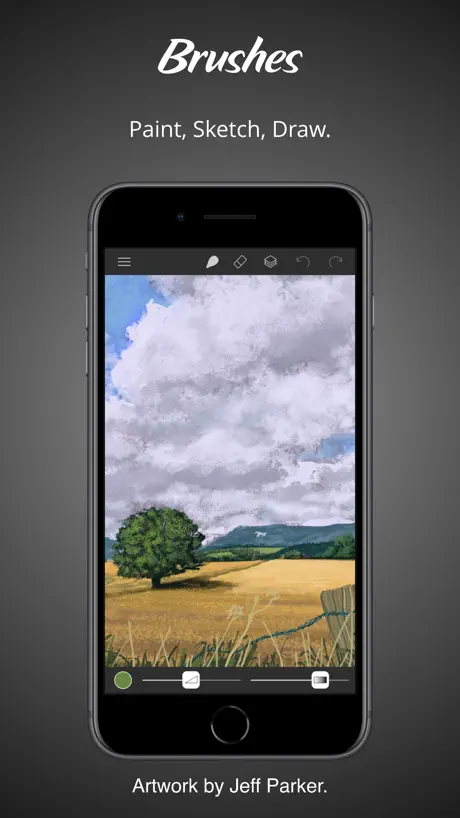  Brushes | 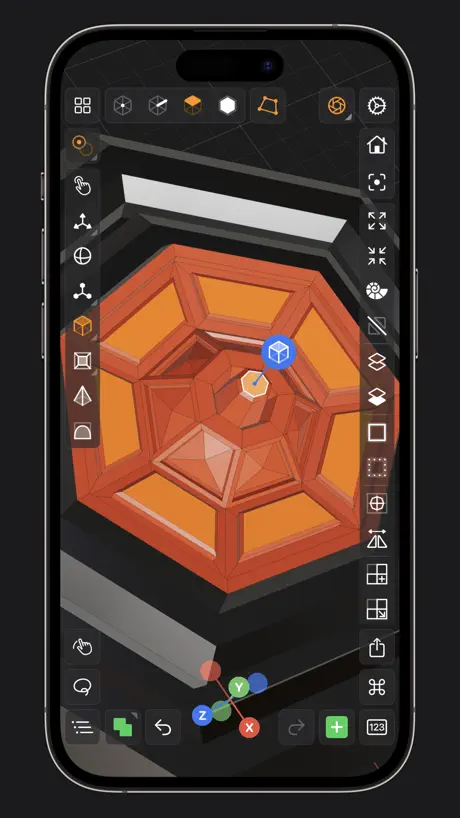  Valence 3D |  Pixaki 4 Pro |   Zen Brush 3 |   Voxel Max: 3D Modeling |  Uniform - 3D Editor |   Callipeg mini: Animation App |   AnimCreate | |
|---|---|---|---|---|---|---|---|---|---|---|---|
| Rating / 5 | 4.0 | 4.7 | 3.8 | 4.4 | 4.2 | 4.1 | 4.1 | 4.7 | 3.4 | 4.3 | 3.5 |
| Reviews | 414 | 8K | 3.2K | 839 | 451 | 394 | 361 | 124 | 88 | 54 | 14 |
| Released | 2020 | 2015 | 2020 | 2018 | 2024 | 2020 | 2020 | 2020 | 2024 | 2024 | 2024 |
| One-time price | — | — | $12.99 | — | — | — | — | — | — | — | — |
The going rate for each plan in United States, in its own currency, shaded from the cheapest price on the row to the dearest.
Looom reviews
4.0 out of 5, based on 414 reviews.
What people like
- Fun and joyful way to animate
- Unique interface that feels innovative
- Great for quick creative ideas
- Works well anywhere on your device
What they complain about
- Hard to figure out how to use it
- Exporting animations is tedious and difficult
- Limited layers and frame count options
- Lacks basic tools like erasers and shapes
So good
Unbelievably unique.
1 star I can’t even draw
DO NOT DOWNLOAD THIS GAME I AM ABOUT TO DELETE IT FROM MY CLOUD
It’s been a long time
The app is amazing. And I can make crazy animation ANYWHERE! But I saw the latest update that was 1 year ago. Please don’t cancel the project. I love this app! And I have a few suggestions if there will be a 1.8 update. (And that kinda rimes) can there be a normal animation mode instead of it being basically a gif. I know it has infinite frames, but you know how there are threads? How about there are scenes and on each sene, there could be 7 threads. I want to at least make a simple 3 minute animation with this app.
Potential
The mechanics of the app are a little unique, in a good way. But are not sensitive or accurate enough, it makes it frustrating trying to turn pages when it goes the wrong way every time. Itll flip through all the frames in the wrong direction no matter which way i swipe or where im swiping at. I wish there were more settings as well like being able to double tap your apple pen to switch to the eraser. Or being able to change pen size of just your pen and not the size of the lines youve already drawn entirely. I see a lot of potential in this app but it definitely needs some tweaking, im not sure how new it is either so ill give it that. Also please add layers 🙏🙏🙏🙏🙏
?
Everything seems simplistic but I’m having a hard time trying to just draw a line, what am I missing here?
Still loooove this tool!
I love all the feature updates that have been added like images and auto frames. The only thing I would love to see is a frame photo export, so you can export the individual frames as images! This would speed up my workflow a lot vs having to screenshot each frame. Thanks for making such an innovative and intuitive tool!
Overrated and expensive junk!!!
Can’t believe this piece of junk is so highly recommended! Can I re-arrange the order of frames? No. Is it easy to operate the controls without accidentally making unintended markings on the page? Hah! No way! Can I onion-skin forward as well as background to do decent in-between frames (a necessity if you want to do animation right)? Well - if there is a way to do that, I sure couldn’t find it. Just save your money - don’t buy this crap —- and shame on whoever gave it good reviews.
Good, but I wish it could download
Love the way it animates but I want to download it and upload it but there’s no feature that does that.
24 frames max
When it said go as deep or as far as you want I didn’t know that meant within 24 frames.. I’m not sure what to do with that. It should say that somewhere I can’t even make a dvd screen saver that isn’t choppy. Maybe if you could stitch the projects together or swipe to the next one or switch with midi triggers that would be ideal. If you could bind a project to a cc message this app would be awesome. Until then I feel duped
Intuitive Software with a lot of features missing
The app is really enjoyable to use but not usable for professional workflow because of essential tools missing. Please add support to import images and a proper way to export animations!
Fun
Are you going to create your next masterpiece in this app? No. It lacks quite a bit … but what evokes is joy. It’s fun to animate in this and that means the world to me! Solid! Wish it had an easier way to export.
Garbage
What an absolute waste of $10. This is not a professional app for artists, or even functional at all. I had a terrible time figuring out how to use it, it’s not intuitive and the touch aspect of it is terrible. Maybe I’m just used to procreate, but this app seems to have NO brushes, only one crappy one. Wth? If I can get a refund, I will.
It’s a little confusing
I love the concept and effects but it is a little hard to control and Not worth 10$ at least on a very experienced artists point of view but like I said I do like the effects.
Looked fun but hard to use
I spent 15 minutes trying to figure out how to use it before giving up. The UI is very sensitive and hard to control. Not a fan. Too bad. It did look fun from the demos.
Great fun… exporting your anim is pretty clumsy
This app is a fun novelty that could be so much more if it had some export options that weren’t so tedious. Any old timers who remember animating in dpaint on the Amiga will enjoy :)
thank you
I love this app. When i am introducing animation to my students I use this app because it cuts out a lot of the nonsense that makes traditional animation so tedious. Really happy about update 1.6
Insane UI
I like the concept, but it’s an incredibly bad design. It’s not buggy; it appears to be purposely designed this way. In trying to be unique they’ve made something that’s completely unintuitive.. or rather, anti-intuitive. Even just using the eraser is the most frustrating process I’ve ever encountered in any illustration app in my entire life. Innovative UIs are nice but there’s a reason that so many apps & software have similar button behaviors & patterns. This UI design is pure insanity. Also, it’s incredibly inaccessible. The app designers should study some accessibility guidelines and make a more usable interface. Especially if people have to pay for this.
Cumbersome but has awesome potential!
Why must we hold a thread down to access menus? And why not double tap the pencil to toggle the eraser? [The eraser does not work on my ipad]. And why only 5 threads? So many questions. This is such a clever app. Whoever thought of it is clearly brilliant. Hope it is still being developed
No good way to export hi~Rez
The in-app record feature looks like it recorded on a convenience store security cam. How do I export my final project full-resolution?
Not bad but needs a little more
I wanna give it 5 stars too but I need to control the timing of the sequence and to be able to change the color of my pen. Or clear directions on how to do so. I’ll keep it but I’m hoping you guys update it so I can use it later
Feature request: set photo as background
It would be nice to use Looom to make animations on top of some of my photographs. A way to set an image from the camera roll as the background would be great!
It won’t even open.
I was really excited about this app, but once I spent the money and downloaded it, I opened it and it was just a grey screen. I tried restarting the app, restarting my ipad, and even deleted and redos loaded the app. Pretty disappointing.
Great app!
I find this to be an amazing app. Could you add export to camera roll with support for alpha channel (transparent background). So you users can layer their animations in other projects.
Disappointing
I’m sorry, but the interface is not user friendly. Too awkward to use and not a patch on Procreate and Flipaclip. It’s too simple and you can’t really draw anything apart from moving blobs. Not for artists who want to create something more complex.
Lacking one key feature
The app is really easy and fun to use which is both strengthened and damaged by its simplicity. Looom is extremely easy to pick up after a a short time playing around. What hurts it the most is the hoops you have to jump through to export your animation. There is no real easy way to export your animations or share them directly. Fun to use but you can’t easily share or see what others are creating.
Really cool!
So i use flipaclip for animating, and i have my own channel and someone told me about looom, i was interested so looked into it, its a really fun app! It was hard to understand at first but I love the app, although i have one suggestion can you add more layers? I am satisfied with 5 but it would be really cool if you could make up to like…. 10? Love the app! I recommend this app for you if your into animating, and don't give up!
Very disappointed
I’m very disappointed by the fact that each Thread (layer) can consist with only one color, and you can create up to only 5 threads. The eraser tool force you to remove the entire component rather than allowing you to remove just a tiny bit of that line or object. I would also like to see improvements towards line/ fill toggle. I can’t make a shape with both a solid outline with a different fill color at the same time, unless I create a separate thread for that purpose. But again....it only allows you to have 5 maximum threads (aka 5 colors throughout the entire project). I can see the team put some creative thoughts into the user interaction part of the app interface. To me, it’s way too much. Line weight adjustment, the color hue is really hard to control ( not precise at all). As a designer myself, ProCreate can do the same thing with way more features and way better layer management and control on everything. Despite on the comments above, I do like the fact that this app allows you to create different threads with different frame amounts for your animation. I see a lot potential in it. But with the current design and user interface, I wouldn't spend $ just yet. I do hope that the development team can perhaps listen to some of the suggestions and comments and make improvements in the near future. I’m looking forward to those changes.
exportinghzuzhzs
it’s really good but you need export option
Not intuitive
I was hoping to give this app to a young child but the interface is so non-intuitive I had a hard time figuring it out myself. First it only recognizes a pencil unless you go into settings to change this, but it doesn’t tell you about this. There’s only a cryptic drawing clue about it. Then you have to hold down a button and keep it held down while you press another button to advance to the next slide. There’s so much screen real estate and they chose not to use it to have a few useful buttons on it. I wish the app would have chosen to be useful and intuitive rather than looking artsy and minimalist.
Promising
It’s a shiny but very limited toy for those who want to get a feel for creating short animations. I wish they had said that in the description. They have a maximum length of 24 frames. And only 1 brush option. It’s very minimalist but not as intuitive as it thinks it is. No tutorials on the app. Check the developer’s website for instructions. Export options are bad. You can press play, screen record and trim into a compressed video that is un-loopable. You’ll need a separate, high quality conversion app. Or you can fish out an .svg file if you can connect to a PC and have appropriate software. Nevertheless, it’s a simple and beautiful app that is sweet and well made. I’m really looking forward to future updates. Longer animations and better export options would make this 5 stars.
Awesome but needs some improvement
When I make closed objects in Looom like circles I wish I don’t have to color it in and you just click on a button which fills up the object with your choice of color. 😍😍🥰🥰🥰😍😍😍😍😍😍😍😍😍😍😍😍😍😍😍😍😍😍😍😍😍😍😎
horrible
• Disappearing art. I choose a thread, then add a frame by tapping on the + then draw a new animation, repeat it. Then when I tap play on the thread, it doesn’t play and somehow my art disappears. I’m on iPad Pro 12.9 (2020 Model) * No tutorial, no way to ease new comers who have never done this stuff in their life. Dead YouTube channel w/ no commentary videos (to teach how use this app) Go to Callipeg better there at least they have a YouTube get started guide - getting my refund with this disappointment.
almost perfect...
this app is amazing, it has almost everything i need... but, there are many things i am looking for in further updates to improve this app. 1. i wish there was an eraser that erases what you want, not the whole line. 2. i am hoping for a copy and paste feature 3. if you zoom the drawing in, if you accidentally zoom to far in and can’t go back to where it was, i wish the undo button would move it back, instead of only undoing the drawing. 4. expand the amount of fps 5. just in general make the finger version more smooth and easier to work with. Needs some minor bug fixes. These concerns are for the finger version. I haven’t tried the Apple Pencil version yet, so this is my review for the finger side. I enjoyed the simplicity of this app, although it’s also quite confusing. Overall, this is a good app for anyone in the animation community.
Not what I was expecting.
First off, I thought the app was very colorful and looked exciting, getting your motivation up for some animating. But when I opened a new project, I was unable to draw, erase, or do anything except change what frame I was on... it was extremely disappointing, even though I looked through everything and watched tutorials, it still didn’t work. I’m giving it two stars for presentation, being relatively simple, and having a good price range for young artist like me. I’m hoping for solution soon, so I can get my money’s worth and animate.
Cannot record
This app is pretty cool and I see some pretty creative potentials. That said I cannot figure out how to record and export my creation. I think there is suppose to be a record button by the play button but I don’t see one...
Very Fun
Fun
Bad
I can’t even draw all that happens is a stupid wheel shows up which just spins when I try to use my non apple pen I would have much rather used procreate which is better even though it’s no teen ment for animation just straight trash.
Excellent but needs more features
This app. is impressive!! I usually don’t write reviews but I have to appreciate the efforts put in this app.. But it still needs some features or I really hope developers can add these features: 1. A shape tool which can help users to draw shapes like squares, ellipses and circles. 2. Capability to name different threads. When I use this app., usually I don’t remember which thread is for what with multiple threads. 3. Capability to hide threads. It would be great to let users hide certain threads to focus on only one thread. 4. Please match the functionality of Apple Pencil to switch between pen and eraser. I must require too much, but I really hope these will be achieved. Thanks.
It’s a toy app, not a tool
Downloaded this hoping to add some interesting ways to add some more svg animations to my projects. While it’s fun and easy to use, it has no import for reference, or easy export. So if you want a toy to play with, it is a lot of fun. But a serious UX tool it is not. Maybe down the road they can add some functionality but don’t think this will bring anything to your professional game.
Great app but
I found it so easy to animate on this app but then I accidentally clicked on the home browser button and the thing I spent days animating deleted itself and I have no way of getting it back. Now I’m sat here crying. I just want a function like on the apple photos app where you can view your recently deleted animations and recover it.
👍😍
“Amazing”
This app was not for me.
I did not enjoy the interface of this app. It feels like they sacrificed function for aesthetic. It might just be my own personal preference but I found this application difficult to use and understand. The tutorials provided were very unhelpful as was the user guide in the website.
Looking for new features
2 More drawing option for each frame. I can just change color for all the frame in one layer. Also looking forward to more brushes 3 copy and edit frame so that users don’t need to draw same thing again and again 4 two fingers tap to undo
I wanted to love this, but...
If I’m missing something please let me know. I just can’t stand having to redraw every single thing from scratch for every single frame. It would be a thousand times better if I could copy a frame, erase part of it, and redraw the parts I want to move. The controls are a bit finicky. I hope there will be updates soon. Otherwise I kind of feel like I wasted $10. I’ll be happy to improve my rating if anything changes...
Creative but needs work!
A beautiful way to conceptualize animation, but needs work to reach a standard for industry use.. main features needed would be brushes and color galettes similar to procreate, at least the ability to use a hex code color, and ability to export layers to files for use in after effects. Cool concept and fun to play around with!
I have a question...
So this is a pretty good app both how do I draw
Simple and expensive
Lack of option for brusher Too expensive for something so simple There is one that has a free version and has more options than this. Don’t make my same mistake, don’t pay for this
Different is good
This thing is so cool. If you are looking to shock and amaze your friends with minimal effort, look no further - Looom is freaky and wonderful. Definitely the kind of program that will push you in weird directions. I really enjoy the interface, and I want to use this in a project so bad, but... I need better FPS control. Specifically, right now I need 7 and 14 FPS as options (I’m a musician matching a BPM). I would love to have all the integers up to a point, and maybe even 32 frames per layer, so I can do 32nd notes. Guys, seriously, this app already feels like a sequencer for my synths. Just a little more flexibility would go such a long way. I want to give it five stars so bad. Maybe even just an “advanced” mode that you can turn on and off in settings could be used to implement a few more options while avoiding extra clutter for those who just want a toy. Anyway, I think this app is doing something interesting, and it might even be super useful to you, depending on the context. Keep your fingers crossed for me.(come on, guys... ;)
Could be great, but isn’t
This app lacks any onboarding or proper tutorials so it’s really hard to figure out. The tutorial section was extremely unhelpful and the website user guide was equally useless.
Lovely idea
It’s a great start, I would love to see this being developed further into a refined animation tool. At the moment it feels rather like a toy for kids to get interested in animation which is cool too an it is a bit too expensive for what it offers. Personally I’d love to see it getting some feature updates like the following in the future: increased maximum frame count (longer animations), optimized performance, duplicate frame button, frame counter, timeline, import reference images in background, pressure sensitivity, more descriptive ui (overlay describing the buttons). A mixture between Mischief, Procreate and Looom would be great!
Looom FAQ
- Is Looom free?
- No. Looom costs $9.99 (US) to download.
- Does Looom have a free trial?
- No. None of its offers (US) come with a free trial.
- What are the best alternatives to Looom?
- RoughAnimator - animation app (4.7 from 7,981 reviews), Callipeg: 2D Animation App (3.8 from 3,193 reviews, premium from $12.99) and Brushes (4.4 from 839 reviews).
Looom download
Last updated 3 years ago.
Looom sells in 175 countries. It was released 6 years and 8 months ago, on 28 Feb 2020. It holds a 4.0 rating from 414 reviews.
Supports 1 language: English.
How much does Looom make?
Third-party estimates for the last 30 days, worldwide — not the store's own figures, which Apple publishes for nobody.