Gira HomeServer/FacilityServer
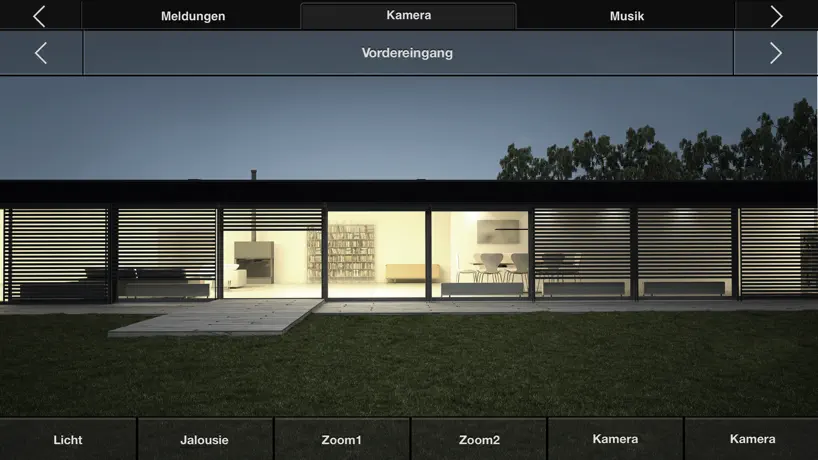
How much does Gira HomeServer/FacilityServer cost?
Prices are current as of 22 Oct 2026.
Gira HomeServer/FacilityServer has no in-app products on record in the United States.
10+ alternatives to Gira HomeServer/FacilityServer
| Gira HomeServer/FacilityServer |   Busch-Welcome Busch-Welcome |   Siedle App Siedle App |   domovea domovea |   JUNG HOME JUNG HOME |   Occhio air Occhio air |   KNX APP-Control KNX APP-Control |   Basalte Home Basalte Home |   Smart Visu Server Smart Visu Server |   Clever Config Clever Config |   VisuControl II for KNX VisuControl II for KNX | |
|---|---|---|---|---|---|---|---|---|---|---|---|
| Rating / 5 | 2.9 | 3.7 | 2.8 | 3.5 | 3.7 | 1.8 | 2.7 | 4.6 | 3.2 | 3.0 | 4.0 |
| Reviews | 218 | 2K | 184 | 175 | 136 | 114 | 105 | 100 | 77 | 34 | 22 |
| Released | 2010 | 2014 | 2019 | 2019 | 2023 | 2016 | 2016 | 2016 | 2018 | 2018 | 2023 |
Gira HomeServer/FacilityServer reviews
2.9 out of 5, based on 218 reviews.
What people like
- Controls your home system reliably.
- Works well over mobile data.
- Setup is easier with new updates.
What they complain about
- Connection drops constantly and randomly.
- App crashes frequently without warning.
- You must pay extra for each device.
Gira software
Ist nicht sehr sauber programmiert, leider immer wieder Verbindungsprobleme. Was ausserdem sehr wünschenswert wäre, wenn man lediglich Teilfunktionen an andere Teilnehmer freigeben könnte !! Z. B die Kinder nur ihre eigenen Jalousien, Lichter usw. Sehr schade, dass man noch nicht erkannt hat, dass die Smartphone-App eines der wichtigsten Kaufkriterien für den Gira-Server ist !! und wo bleibt die App für die Applewatch ??? Jungs und Mädels, strengt Euch bitte mehr an, dann habt ihr auch ein tolles Produkt, welches man weitermepfehlen kann. Fünf Sterne nur wegen der blöden Rangfolge der Bewertungen. 1 Stern für die app und 4 Sterne für den Gira-Server sind eigentlich richtig
Unreliable and poorly designed
We had our system updated and the new app installed. We have it in our smart phones and a tablet in our house. It worked for a month or so and now is unresponsive. There are no instructions to help trouble shoot.
Läuft. Seit 12 Jahren problemlos...
Seit Ewigkeiten läuft die App und auch wenn man sie manchmal neu starten muss und sie vom Design mal aufgefrischt werden könnte: ich mag sie!
Wie aus 2009
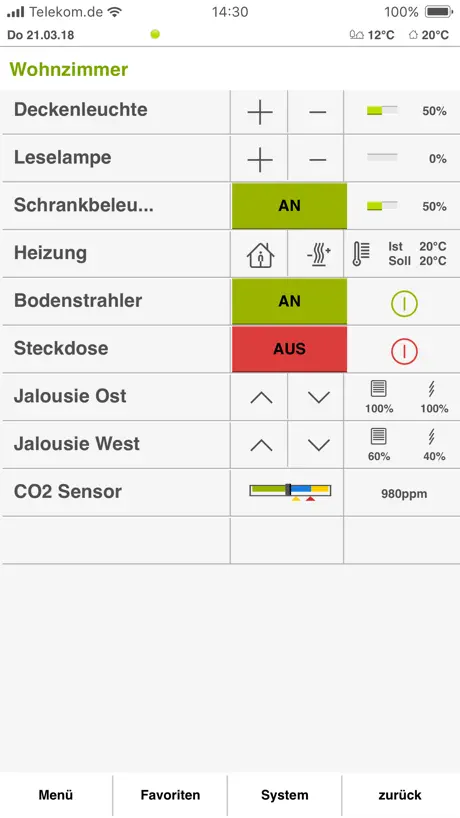
Die App hängt sich leider regelmäßig auf. Die Benutzeroberfläche sieht aus wie für ein IPhone 4 aus 2009.
Prinzipiell gut
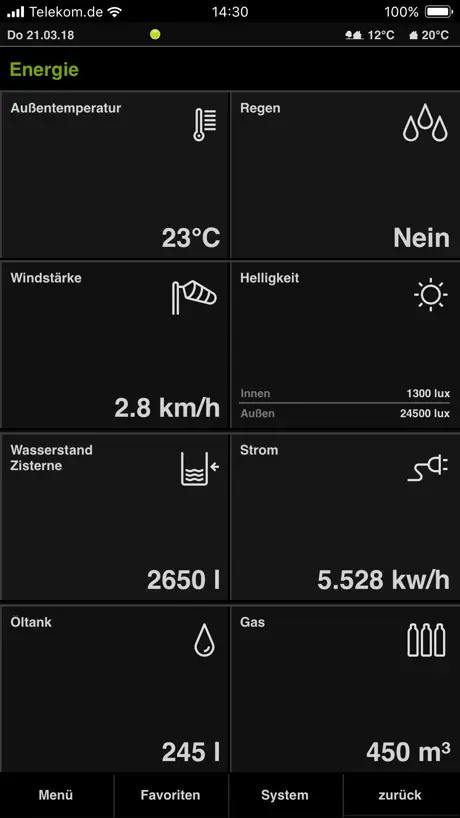
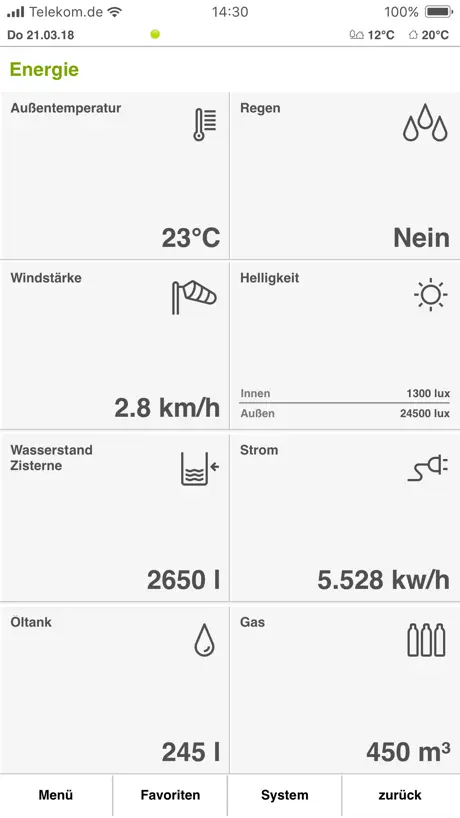
Im Prinzip finde ich die App ziemlich gut. Normal tut sie, was sie soll. Seit dem letzten Update kann man allerdings nicht mehr zwischen dem hellen und dunklen Design wechseln. Selbst wenn man auf helles Design stellt, bleibt es dunkel. Das ist schade.
Jetzt auch für iPad
Erst war ich genervt weil die HD Version abgekündigt wurde. Ich sah mich schon beim langwierigen neu konfigurieren. Doch, oh Wunder, einfach Profil transferieren und fertig! Ob jetzt alles weiter funktioniert wie bisher weiss ich zwar noch nicht, aber warum nicht? Bisher hat bei mir alles super funktioniert - zumindest was die App angeht.
Katastrophe
Die App geht schon seit mehr als einem Jahr nicht, da Sie nicht für die ARM-Macs angepasst wurde. Es wird mal Zeit Gira, dass ihr es endlich in den Griff bekommt eure Software aktuell zu halten und nicht bei jedem Update das totale Chaos zu produzieren.
Mega-App, tolles neues Design!!!
Es ist toll, wenn hochwertige/ teure Produkte auch wirklich lange halten und auch über die gesamte Laufzeit erweitert werden. Technologie made in Germany
App nervt mit Verbindungssbbrüchem
Tolle App, wenn man sie nutzen könnte. Alle 3s wird die Verbindung zum Homeserver neu aufgebaut, ob wohl im WLAN. Über VPN geht es super. Angeblich kommt die App mit bestimmten WLAN Systemen nicht zurecht. Das liegt aber an der App. Andere Apps und das Betriebssystem kriegen das doch auch hin. Bitte Gira; fixt das endlich!
Sortierung der Profile
Leider vermisse ich immer noch das Sortieren der Profile. Wenn man in der App mehrere Profile hinterlegt hat, wäre es gut man kann sie nicht nur löschen, sondern die Reihenfolge selbst bestimmen kann. Oder finde ich einfach die Funktion nicht?
Neues Design!
Das Design wurde überarbeitet und im HomeServer die Einrichtung sowie Diagnose gewaltig vereinfacht. Nach wie vor ein Musthave für jedes seriöse KNX SMARTHOME.
immer noch kein MacOS Supprt
Leider funktioniert die App noch immer nicht unter MacOS. Die funktionierende Alternative Homeserver HD ist leider seit 4.12.0 nicht mehr benutzbar unter Mac OS ...
Mittlerweile Top
Die App funktioniert mittlerweile super und auch der Verbindungsaufbau zum HS4 klappt mittlerweile flott. Weiter so! Was mir nicht gefällt ist das neue, mit 4.11 eingeführte Design. Hier wünsche ich mir eine Auswahloption in der App um auf das alte, Design mit farbigen Symbolen zu wechseln (bei alter AppVersion wird ja noch das alte Design verwendet, das ist auf dem HS also auch mit 4.11 noch vorhanden). Wenn das noch geht gibt es 5 Sterne
Gar nicht benutzerfreundlich
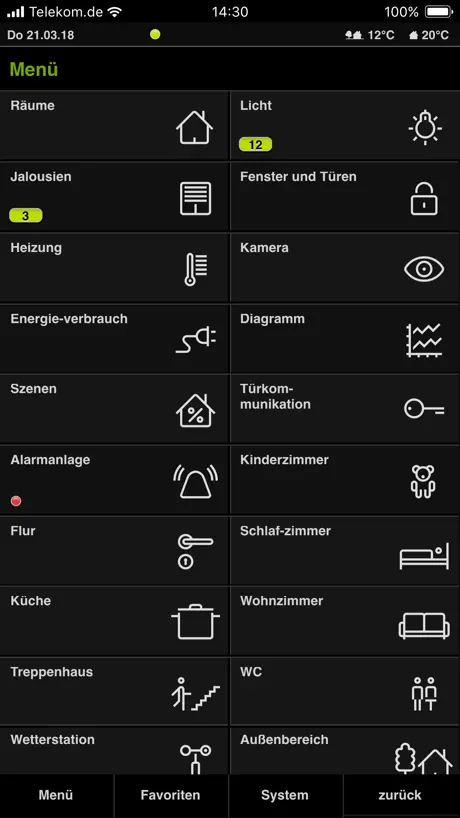
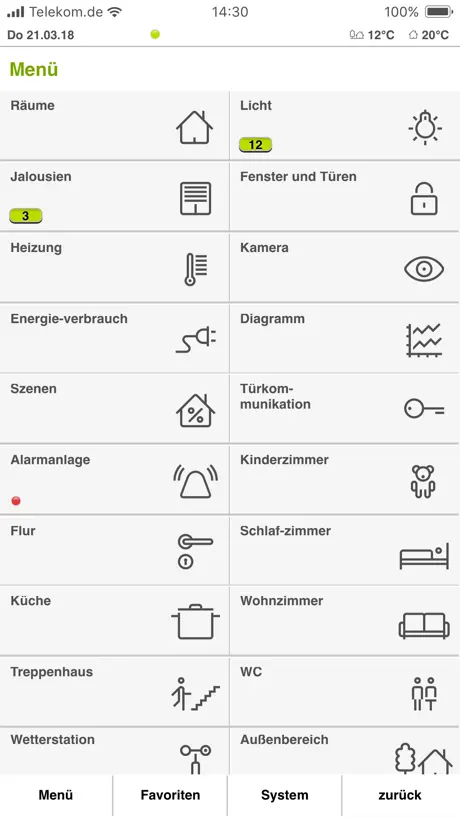
Als Anwender kann man weder Menüsymbole noch Menüeinträge selbst anordnen. Ja nicht einmal in den Favoriten kann man die Reihenfolge nachträglich ändern, geschweige denn Namen und/oder Beschreibungen anpassen. Man kann keine raumübergreifenden Szenen erstellen. Die in der Übersicht angezeigte Raumtemperatur stimmt nicht mit der Temperatur in der Sollwertvorgabe überein. Die App ist technisch auf dem Niveau des Jahres 2010. Sie ist durchwegs statisch und vom Benutzer nicht anpassbar. Eine benutzerfreundliche App sieht heutzutage anders aus. Ohne Elektirker/KNX-Programmierer kann man de facto gar nichts machen. Das schlimmste ist aber, dass GIRA rein gar nichts in die Weiterentwicklung investiert.
Reconnect Probleme
Seit Jahren nervt mich die App mit Verbindungensproblemen und kein Update löste das Problem substantiell. Die Verbindungen werden seit dem letzten Update schneller, aber die Probleme sind geblieben. Viele User haben das Problem und gira sollte es mit prio 1 lösen sonst sind andere Hersteller einfach erfolgreicher. 1) app bleibt beim reconnect hängen. Neustart hilft. 2) die Verbindung geht nach kurzer Zeit verloren. Dann muss man wieder das Profil auswählen. Liebe Entwickler: wenn man ein Problem nicht reproduzieren kann, sucht man eine Testumgebung wo das Problem reproduziert werden kann. Bitte bitte löst das endlich!
Sehr komfortabel
Die App funktioniert sehr gut und tut was sie soll. Auch der Umstieg von der HD App hat sehr gut geklappt.
Please make it available in all countries
Great App, but please make it available in all AppStores I’m missing Bulgaria for instance
Update layout
Great device love it. The layout of the app is out dated and should be revamped to fit a more aesthetically pleasing experience with the app for the consumer to look at.
Keine Erweiterung in einer Dekade
Man hat es bei Gira fertig gebracht, diese App seit einem Jahrzehnt nicht zu erweitern oder verändern. Man sollte der Fairness halber erwähnen, dass sie das Icon verändert worden. Es ist jetzt hässlich. Vorher ging‘s. Tut aber bei der Verwendung nichts zur Sache. Sehr schade. Der HomeServer ist ja nicht gerade billig.
Na ja
Auf dem iPhone kann ich all Ions (z.B. Rollläden rauf runter,...) sehen, auf dem iPad fehlen da ist es nur schwarz. Da die App auf dem iPhone funktioniert, weiß ich wo die sind und kann die App nutzen. Dies ist leider seit dem es die HD Version nicht mehr gibt. Anscheinend gibt es immer noch kein Update, dass das behebt. Schade.
Top-Programm mit Fernzugriff
Die Stabilität hat sich deutlich verbessert in letzter Zeit auch das die ganze Oberfläche mit allen Buttons auf dem Display Platz findet, ohne das man scrollen muss. Wünschenswert wäre noch, dass es die App auch für die iwatch gäbe :-)
Great app but I can not get it from Bulgarian App Store
The only reason I’m putting one star is because the you can not get it from some European country as Bulgarian App Store. I can have it on Android from Bulgarian Google Play but still not available in Bulgarian App Store. Hope it is in the works.
Super Bugfix
Eine Reihe von nervigen Bugs wurde behoben. - Raumtemperatur nun mit Nachkommastelle - Direkter Wechsel zwischen Diagrammen Usw. Im Vergleich zum Homeserver selbst ist jedoch noch einiges zu tun. Hoffentlich lässt das nächste Update nicht mehr zu lange auf sich warten.
Remote Zugriff nicht mehr möglich seit 4.11.1
Seit dem letzten Update der APP ist der Remote Zugriff via HTTPS Forwarding auf dem HomeServer nicht mehr möglich. Ich muss mir jetzt über VPN Zugriff behelfen, aber das ist umständlich und mühsam. Es wäre schön, wenn das geklärt wird, warum das Port Forwarding in den Internet Router& Firewalls nicht mehr geht. Gibt es eine Anleitung für die Einrichtung mit FRITZ!Box oder anderen Standard Routern ?
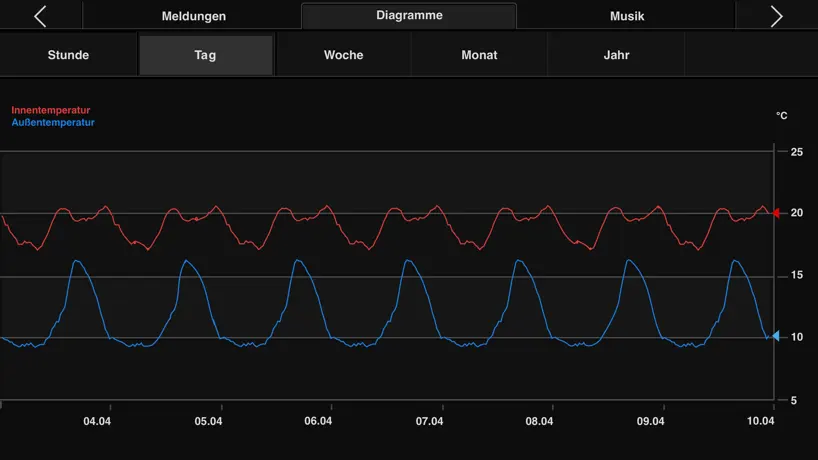
Seit dem letzen Update kein Diagramm Beschriftung mehr
Seit dem letzten Update fehlen die Beschriftungen der Diagramme dafür funktioniert die Verbindung zum Server etwas bessser.
Funktioniert tadellos!
Mit meinen iPhone 5s klappt alles ganz wunderbar!! Sollte es allerdings auch um diesen Preis 😃😃
Profil nicht mehr abrufbar
Funktioniert auf einmal nicht mehr… vlt. Wegen Systemupdate auf iOS 16.4 ? Sehr ärgerlich…
Works as specified but awaiting 4.2 push and othe functions.
Stable version, on iPad and iPhone Ios 8.1.3. But still waiting on news about 4.2 avail
Verbindungsprobleme
Nach dem verbinden mit dem Home Server bricht sofort die Verbindung ab.Bei einer Smart Homesteuerung sollte die Verbindung mit dem Smartphone schon funktionieren, sonst ist das ganze System unbrauchbar … schade Gira
So ganz gut, aber Verbindung instabil
Die App ist gut, aber ich muss die täglich manuell beenden weil die Verbindung zum Server nicht wieder aufgebaut wird. Sehr nervig.
Sehr gut für iphone
Diese App funktioniert wirklich sehr gut Benutze IOS (Apple)
Startet nicht
App stürzt beim Start direkt ab
Just the licensing is an issue
I am a happy user of this software and have been for many months. I can connect over wifi or anywhere by 3G and see what is going on back at the house and control everything I need to. I am only just starting to see the full potential of this app but am also totally confident that it will grow with the needs of the house. In my eyes, Gira is at the top end of quality when it comes to KNX products, whether it be the switches on the wall or this software. Latest update looks interesting and it's nice to see active maintenance. Now to the bad: I can understand the high price tag. If you have taken the plunge into the world of KNX and the Gira Homeserver then you have already invested a lot in home automation. But I do not like to pay for an app twice. It should be universal. This would mean I can install it on my iPad and get the benefit I have paid for, but if the wife wants a copy then she pays a licence again which seems fair. Making me pay for an iPad version actually means I just keep my more useful iPhone version and I have a slightly sour taste in the mouth from Gira's approach. If they fixed this I'm actually more likely to prompt the wife to buy her copy, which right now I am not doing.
Connect Probleme
Wie schon einige vor mir bemängele auch ich, dass es konstant zu Verbindungsproblemen mit dem Homeserver kommt und offensichtlich die Entwickler das nicht in den Griff bekommen; es ist ausgeschlossen, dass dies an dem Wlan bei mir zu Hause liegt.
Funktioniert nicht komplett zufriedenstellend
Leider wird der Alarm des Rauchmelders nur kurz akustisch gemeldet, aber es erfolgt keine optische Meldung per Mitteilung. Bitte dringend nachbessern.
Tolle App,..
funktioniert tadellos. Professionell kein Spielzeug.
Absolut unbrauchbar
Nachdem die neue App im Hintergrund installiert wurde, habe ich keinen Zugriff mehr auf mein System. Die Profile wurden zwar von der alten App übernommen, die neue App schafft es aber nicht mehr die Verbindung zum Server aufzubauen. Danke dass ich jetzt mein System nicht mehr über die App programmieren kann. So einen Schrott braucht wirklich niemand.
Great app, licensing lets it down.
I would not normally write a review but in the interest of balance I feel I should as the previous comment is more indicative of sub standard installer than problems with the app itself. Overall the app is brilliant, with an easy to use and understand menu structure. Interaction with the KNX system is in real time, two way with absolutely no delay what so ever. All functions of a KNX installation can be operated, be it lighting, blinds, climate, view cameras etc. The app itself can not be directly integrated with the Gira door comms system which is frustrating, but they have since overcome this with Skype interaction. The app can be used globally, using a 3g or 4g connection, depending on your installers willingness to provide its full functionality (it takes very minimal time and networking knowledge). The app is not user configurable in any significant way, but I cant think of a single, reputable home automation app on the market worth having that is. The licensing issue is poor, with multiple payments required for different accounts or device types. Overall a good solid, reliable app, but like all home automation systems, only as good as the person who programs it. If you are interested in Gira, or KNX in general, feel free to visit us at www.sagarsmarthomes.co.uk for more information or advice.
Abstürzte ohne Ende
Wir haben bereits mehrere Gira FS im Einsatz. Diese gehen auch sehr gut. Aber die App dazu ist eine Katastrophe. Abstürzte ohne Ende. Es macht einfach Blub und die App ist weg.
Traurig!
Die Gira App ist die einzige unter meinen 300 Apps die es geschafft hat kontinuierlich die letzten 5 Jahre trotz zahlreicher Updates regelmäßig abzustürzen. Glückwunsch für dieses Kunststück und Meisterleistung, die nicht annähernd im Verhältnis zu den Kosten eines Gira Homeserver samt Installation und Konfiguration steht! Der ganze billige China-Kram funktioniert hingegen ohne Probleme und ohne Frust. Kommt mal endlich in die Puschen und lasst Profis arbeiten. Einfach nur peinlich! Wo ist nur der Anspruch Deutscher Wertarbeit geblieben? 😑
Language fail in current version
Something weong with the language in the last version. It is Arab or something. Otherwise an a superb app for my homeserver.
Reboot, reboot reboot
Have to turn my iPhone 11 off and back on every time I need to make any change to heating. Had this happen on earlier iPhone too. Deleting App and reloading does fix it either. Really, really frustrating.
Gira
Goede app met helaas nog wel wat te problemen Zie. Www.vanmaanendomotica.nl
Update
Ich habe seit dem letzten Update Darstellungsprobleme. Symbole werden nicht mehr angezeigt
Abstürze Apple Watch Integration
App stürzt teilweise ab, Außerdem stimmt die Zeitlinie in der Wochenansicht der Temperatur nicht. In der Nacht ist es draußen am wärmsten.?? Eine kleine App für die Apple Watch wäre ein Wahnsinn. So könnte man im Auto z.B. schnell mal das Garagentor oder ähnliches öffnen.
Gira KNX Domotica App
Haal meer uit je KNX installatie met de Gira HomeServer en deze app. Zowel binnenhuis als buitenshuis je installatie bedienen via de iPhone. Zie ook www.dopro.nl
Unfortunately This App Does Not Work
I have not been able to get this app to work, infact it just hangs and won't log in. I expected it to be really smooth with the very minumum of a help button or someway of learning how to use it or report an error. I assume that the download has not worked correctly or being the first version there is a problem, however there does not seem to be a fix or anyway of contacting Gira for support via the app. AT £59 THIS REALLY MUST BE AVOIDED UNTIL SOMEONE FIXES THE APP. If I find out why it does not work I will post again
Mr smarthouse
Looks very good and works!!
App stürzt wenn man Kameraarchive aufruft sofort ab!
Der Vorgänger hatte schon Probleme mit dem Kameraarchiv Plugin. Wenn ich jetzt nur über das Archiv gehe und weiter klicke stürzt die App sofort ab. Entschuldigung Gira das wird immer schlimmer. Wann bekommt ihr mal eure Apps in den Griff?
OK but...
This app enables one to do most, but not all operations that are available on a Gira client panel, and it is nice to be able to have another device to control one's house. However, one wonders why one must pay for this app at all. After spending thousands on a Gira system, one would expect this to be part of the package, but Gira seems intent on capturing more of our money with this app. Although technically one should be able to download multiple copies of the app, this is nonsense because users with different IDs and different devices (iPhone, iPad) all require a separate paid download. (if you have an iPhone and an iPad, this will require two paid app downloads; furthermore if your partner has a different ID for their iPhone this will require an additonal paid download!) The app will enable one to see cctv video next to the server with wifi connection, but not when travelling. Furthermore, the app seems to freeze quite often in the "system" setting. There is no meaningful documentation anywhere, and the costumization of output, e.g., graphs is in the hand of the systems integrator, and not the user of this app. The app only works with wifi connection, and doesnt do anything useful in a 3G or 4G. In essence, it is a limited app, with some bugs, and one is expected to pay multiple times to download it according to the number of users and devices in one's house. This isn’t a very enlightened licensing policy for this very expensive app.
Gira HomeServer/FacilityServer FAQ
- Is Gira HomeServer/FacilityServer free?
- Yes. The app is free, in all 46 countries it sells in, and it sells nothing inside it.
- Does Gira HomeServer/FacilityServer have a free trial?
- No. None of its offers (US) come with a free trial.
- What are the best alternatives to Gira HomeServer/FacilityServer?
- Busch-Welcome (3.7 from 1,967 reviews), Siedle App (2.8 from 184 reviews) and domovea (3.5 from 175 reviews).
Gira HomeServer/FacilityServer download
Last updated 10 months ago.
Gira HomeServer/FacilityServer sells in 46 countries. It was released 16 years and 2 months ago, on 4 Aug 2010. It holds a 2.9 rating from 218 reviews.
Supports 22 languages: English, Czech, Danish, Dutch, Finnish, French, German, Greek, Hungarian, Icelandic, Italian, Latvian, Norwegian Bokmål, Polish, Portuguese, Romanian, Russian, Chinese, Slovak, Slovenian, Spanish, Swedish.