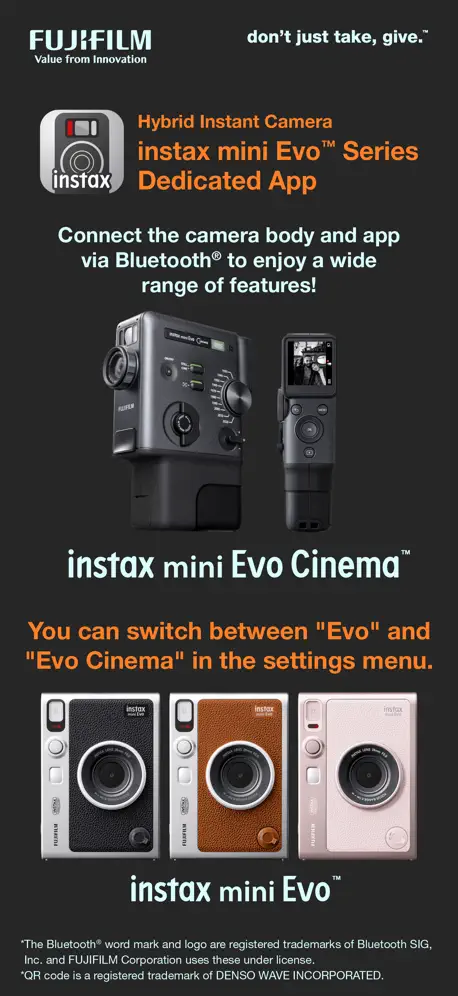
instax mini Evo
How much does instax mini Evo cost?
Prices are current as of 6 Nov 2026.
instax mini Evo has no in-app products on record in the United States.
10+ alternatives to instax mini Evo
| instax mini Evo |   Philips Hue |   MyDyson™ |   PETKIT |   CASETiFY Colab |   Aqara Home |   Cosmos: Search & Discover |   IKEA Home smart |   Petlibro |   Indyx: Wardrobe & Outfit App |   ROLA - Smart Robot | |
|---|---|---|---|---|---|---|---|---|---|---|---|
| Rating / 5 | 4.8 | 4.7 | 4.6 | 4.6 | 4.8 | 4.6 | 4.8 | 4.4 | 4.3 | 4.8 | 3.1 |
| Reviews | 24K | 464K | 193K | 92K | 65K | 50K | 27K | 25K | 9.3K | 3.3K | 1.4K |
| Released | 2021 | 2016 | 2015 | 2015 | 2021 | 2018 | 2022 | 2022 | 2023 | 2022 | 2019 |
| Monthly price | — | $3.99 | — | — | — | — | $8.00 | — | $11.99 | $12.99 | — |
| Annual price | — | $39.99 | — | — | — | — | $72.00 | — | $59.99 | $74.99 | — |
The going rate for each plan in United States, in its own currency, shaded from the cheapest price on the row to the dearest. Plans fewer than four in ten of the priced apps sell are left out.
instax mini Evo reviews
4.8 out of 5, based on 24,178 reviews.
What people like
- Easy to use and free
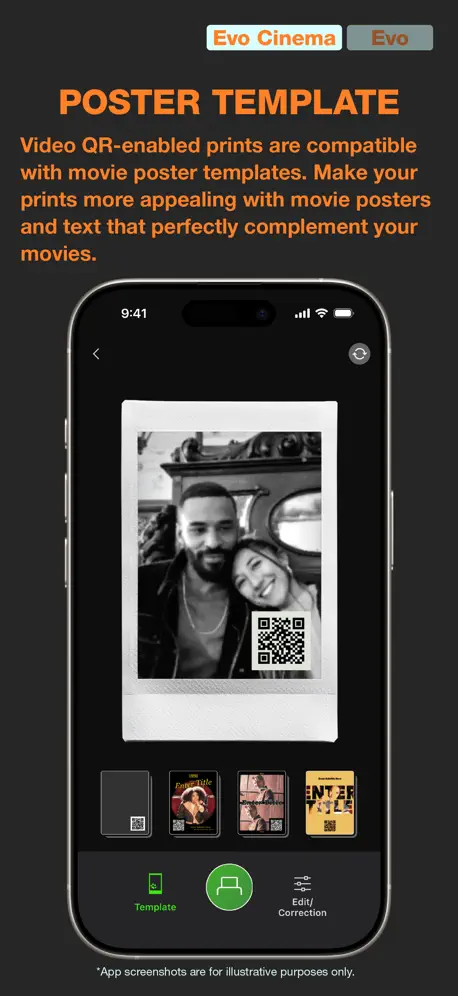
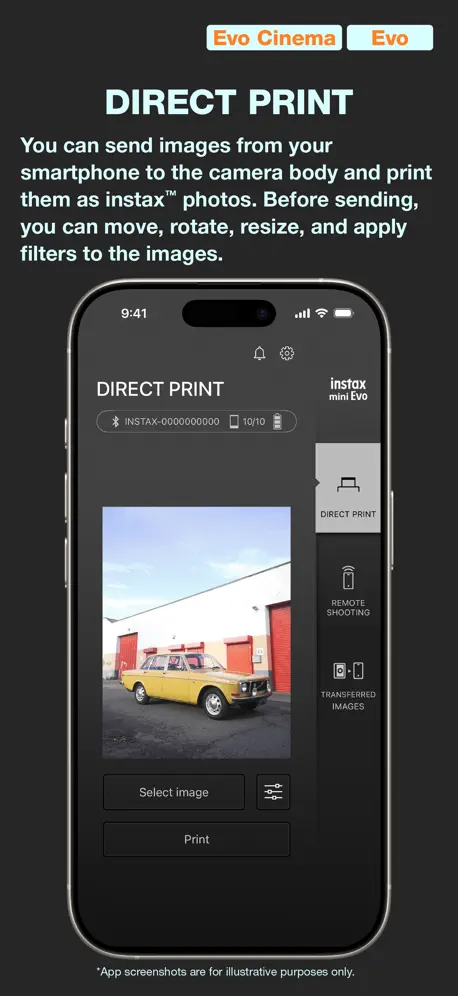
- Prints photos from your phone gallery
- Fast printing speed once connected
What they complain about
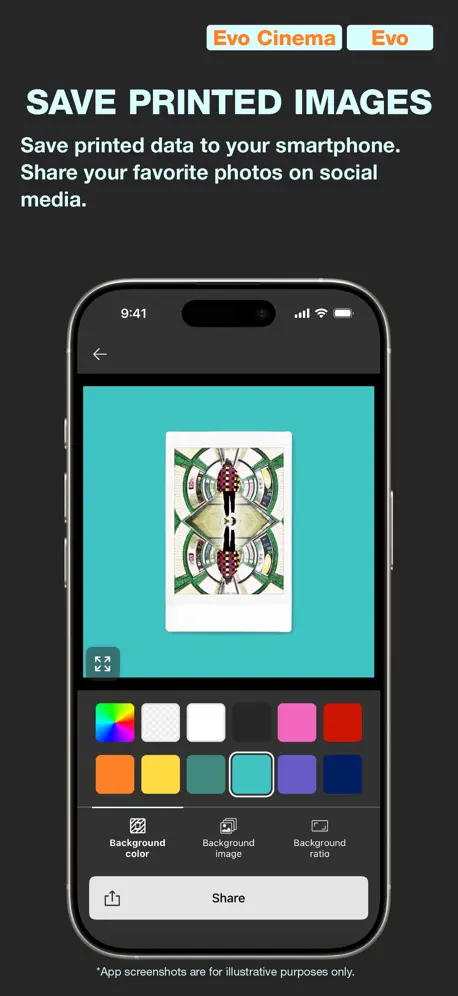
- Can't save photos without printing them first
- Bluetooth connection fails or drops randomly
- App crashes frequently during use
recommend it
works great!
Poor quality prints
I was excited about this camera and the ability to print photos from my phone. My first photo print was poor quality and I thought that was a fluke but after printing another and doing some test it was clear that when using the app it was printing the photos in a lower resolution. Unfortunately these images are printed at half the resolution of printing the native images from the Mini Evo's camera itself. Print resolution directly from the Mini Evo camera is 1600x600 dots (25 dots/mm), however it is only 800x600 dots (12.5 dots/mm) printing from the app. If this issue was resolved it would be a 5 star app but as it is today it's worthless.
Amazing, but some issues
It’s a good app and has some cool features, but I find it inconvenient that I have to pay for expensive film to print my images to then see the pictures. Can you make it so I can just transfer images that aren’t printed?
Barely Usable
For the price point of the Instax Mini Evo Cinema, I was extremely disappointed to discover that the app does not support data-cable transfer or provide a simple way to save video files directly to my phone’s photo gallery. These are basic features I would expect from a device in this price range, and their absence makes the app feel unnecessarily and frustratingly limited. Please address this. I would also strongly encourage Fujifilm to improve the quality of the Era Effects. The 2020 effect is passable, but unfortunately, most of the others are so heavily processed that I find the resulting footage nearly unwatchable. More importantly, many of the effects do not convincingly resemble the actual film and video characteristics of the eras they are supposed to represent. If these effects are marketed around specific decades, they should reflect those periods with a reasonable degree of authenticity rather than simply applying exaggerated filters. I genuinely like the concept behind the Mini Evo Cinema, which is why these limitations are so frustrating. At this price, I expected considerably more refinement in both the app and the Era Effects. Please improve the software and effects to better match the quality and promise of the hardware. Otherwise, I feel as though I paid a premium price for a product with only half of the functionality and quality I reasonably expected.
П
Ничего не поняла все на китайском, нет выбора языка то есть один вариант на китайском) а самом приложении сказать ничего не могу)) 😢😢😢
Making memories
I love and best purchase I enjoy using during the holidays
Very disappointing Fujifilm
I bought a Fujifilm Mini Evo Cinema and tried to take photos from it using my phone. Firstly - the app is filled with unnecessary things - and wants you to agree to all sorts of terms and access all your photos just to connect. Secondly, you cannot transfer photos from the camera to your phone using the app (you cannot even export from the app). It wants you to share via cloud etc. thirdly you will be majorly frustrated at the editor when you try to create a film to share with your friends. Very bad practices by Fujifilm - considering this could be an amazing product experience if they tried. Instead it feels like a separate agency took over. I wish they just enabled connection via Fujifilm camera remote app and let us share how we want. Everything feels like they want to just mine data on young people trying to have fun. I will only use MicroSD transfer manually from now on - I will never update the camera as well. YOU CAN DO BETTER FUJIFILM!
I was wrong you can save photos/videos.
I like the product but it’s crashed on me twice in the four times I’ve used it. Hopefully it’ll be fixed with an update or something
使えます
レビュー書いてくださいの表示がしつこすぎたので書きました-_-b
Let us save images to our phones from “my gallery”.
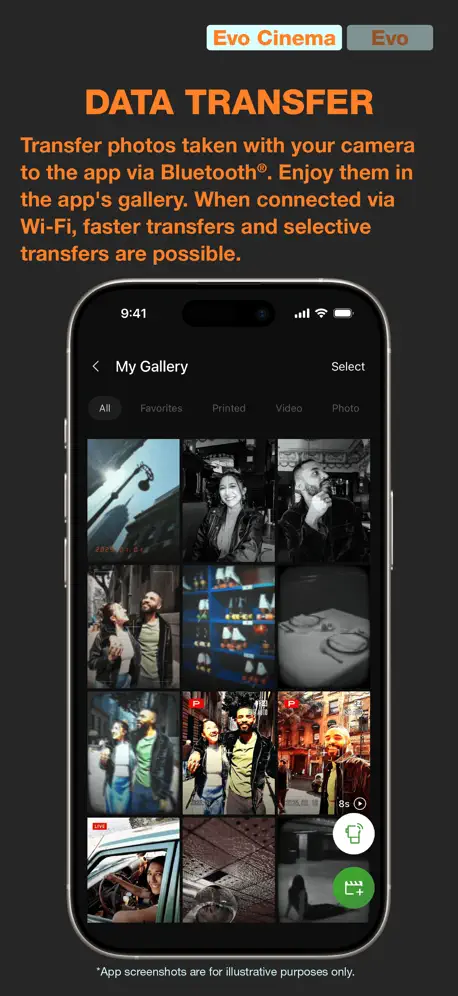
Hello, The cameras good, apps ok. One issues I have is why photos cannot be saved to iPhone photos unless it’s been printed. The photos transfer from the camera to the app very easily but saving them on the iPhone gallery is not working for normal photos taken on the camera. I can only save the printed photos, why? Even then it has the ugly frame around it. I have spent $500 on a camera that doesn’t let me access my photos. Just let us save the original image to photos without it being printed. Thanks.
Great and easy to use
I have used this app for years now and it makes printing my pictures so easy
Instax Mini Evo Cinema
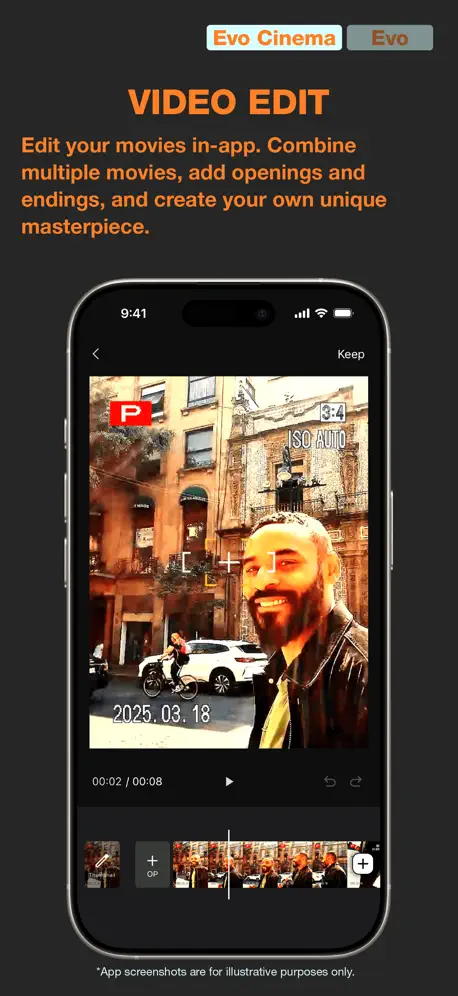
I’m using this app with the Mini Evo Cinema camera so this review is specific to those products. In the year of our lord 2026 FujiFilm expects you to either use a Micro SD reader to export your videos OR to physically print an instax photo (≈ $2.50 USD) with a QR code so that you can then download whatever video you’ve shot. Again, you are physically using a dedicated app to connect to the Mini Evo Cinema to handle the photo/ video files BUT you cannot simply just export from the app to your photo gallery. It’s a toy camera priced like a tool, with app infrastructure that feels like it was spec’d by a marketing department that never actually used the product. The QR video workflow exists so they can make it look cool in ads, not because it serves the person holding the camera. Honestly at $410 you’re paying for the dial and the vibes. Which is fine if you know that going in, but the export situation should be in 72-point font on the box. Do better Fuji.
Generally fine
Generally it is a decent app with quick printing time from the phone. However, do not always believe it when it says there is no film left. I picked it up after not using it for a month, it said it was empty so I went to change it, it was completely FULL and it wasted an entire pack of film. The coloring was also wildly off today. Up until now, it’s been fine. This glitch was very frustrating.
连接不上
重新下载很多次都连接不了cinema
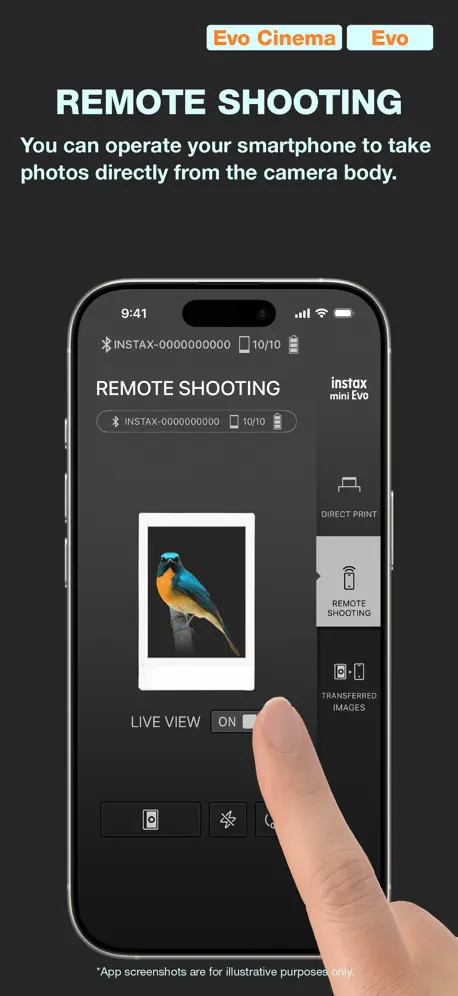
遥控拍摄界面太小了,取景操作不便,严重影响使用
建议优化遥控拍摄界面,将实时画面区域放大,适配设备屏幕,提升遥控拍摄的实用性
Amazing
The best, and compact printer and I can transfer pictures from my phone.
Annoying
I have been trying to save videos and images to my photo album on my iPhone and this app looks like it will not let this function they only want you to do everything in the app sorry this is bad design
Almost perfect
I love this camera and how cute and easy it is to use. I don’t like that you can’t transfer a photo to your phone without first printing it. 1.00 or more per photo to print can be very expensive
Terrible—No Way to Save Photos to iPhone Photos
The app transfers images from the camera (Mini EVO Cinema) but once resident in the app, they are captive in the app. There is no way to save them to Photo Library, text/e-mail them, or post to social media. It’s really quite useless.
使いづらい
EVOcinemaで使ってますがスマホに保存や動画のアップロードがプリントしないと出来ないのがめっちゃ不便。フィルム買わせたいのか知りませんがそれくらいさせて貰えませんかね?
My favorite App
Works really well with printing photos and loading real quick. One thing I wish is that I can just transfer photos from my camera without having to always print them 😭
Doesn’t work
Have to buy a new one I guess? Less than a year old
Good, does the job
Works great but after a bit of printing crashes so you gotta close the app and open it again.
QRを後日有効化できない?
Cinemaを購入したので導入。先日友人にオフラインの状態でQR生成したプリントを手渡し、後日動画をアップロードしてQRリンクを有効にしようとしたらデータがプリント済として認識されず、結局手渡したQRは再生できないままの状態です。 その場でアプリ介してQR生成して手渡しすればいいのですが、そのような時間が取れない場面では不便に感じました。 今回のようにオフラインの状態で動画QR付でプリントした場合、後日アップロードして動画リンクを有効にすることは可能なのでしょうか? オフラインの状態でもQR付きで印刷できるということは後日アップロードは不可ではないと思うのですが、時間制限などあるのかも気になります。 開発担当の方ご覧でしたら是非ご回答をお願いいします。
誰かの記念日にあると便利
素人ながら楽しく遊んでいます。 チェキフィルムが手に入りにくいのが 最大の欠点です
Love it
Love how it stamps the time
Won’t connect to iPhone
I can’t print anything from this app on my camera as it won’t connect anymore.
蓝牙问题
不知道是手机还是相机的问题 蓝牙一直连不上
プリントエラー
私の機械だけかもしれないけど、プリントエラーになることが多い
Not user friendly
Why can I not transfer every image taken instead of just printed photos
Feedback
I like it lol it’s not much but I love how you can transfer pictures taken on the camera to the app onto your phone. Dope.
Bluetooth settings
Trying to connect my camera to my phone via Bluetooth and it doesn’t show up. Downloaded the app, settings do not have “connect bluetooth” instead it sends me to the iPhone settings where there isn’t even an option to give access to Bluetooth settings. The app itself doesn’t ask for permission.
プリント済みの写真スマホ転送
プリント済みのスマホ転送について、以前、出来なくなった旨わレビューしましたが、間違いでした。 すみません。しばらく使用していない時期があり、操作方法を間違えていました。 スマホ転送出来ました。
拍照
遥控拍照非常模糊
要望
プリントしなくてもアプリへ転送できるようにしてほしいです。それ以外はすごく良いです!
Easy & beautiful
I can choose any picture on my phone - that I captured - and use the ‘auto’ filter setting to print perfect memories every time.
Impressive
I love how there’s no features to bog down the UI. I especially love that I can’t just transfer photos to my phone in case I don’t wanna print them! Saves on iCloud storage!
整体还行,为什么不可以把所有照片传到手机上?
售后服务提升空间很大,总部电话很难打
Photos from camera save in a film frame on your phone
The app works great, but I dislike how when transferring a photo from the camera to your phone, it saves as the photo inside a frame. I just want the photo, and the ability to transfer photos as is from your camera to your phone is one of the main reasons i bought this camera. It would be great if you added this feature, so we can choose how we want to save the photo - with or without the frame!
Not working for somehow
I did successfully connect my phone to the app but accidentally deleted my device out of the camera. Now, I tried many times to re-connect it but won’t work.
Good App
The app is really easy to use and is free
Not connecting to phone
I would give this 5 stars however after the second time i tried to pair this with my camera it would not work. Every single time I try to connect it, it would take a couple seconds and then a message would appear saying it cannot connect. I have no idea what to do and i thought this app would be pretty neat to upload some images but now i cannot do it :(
Good app
The app itself is good & works very well and quickly! However, for the transferred photos section I wish it would put the dates above or atleast the month that the photos were printed, it would make it so much easier to go through!!
Does this app support landscape mode ?
Trying to use a tablet on a tripod and my mount doesn’t allow me to hold the iPad vertically. Trying to view the live view on the screen in the correct orientation. Trying to setup a photo booth of sorts.. with the insta Fuji Evo camera on a tripod as well. Any suggestions would be great.
Privacy Concerns?
I understand that the app collects and shares data; almost all modern apps do now. However, one of the items marked as collected is ‘User Content’ (photos and videos; per Apple’s privacy note). Is this app collecting/sending all of the photos printed out to Fuji’s cloud?
Mini evo
Idk but like I accidentally removed my smart phone from the camera and I tried. To pair it and it won’t I even deleted the app n re downloaded it again and it won’t connect my Bluetooth is on. Okay the problem was taking it off my actually settings it works now
Pairing Problems
We frequently struggle with pairing this device, with no success. When will this problem be resolved. It’s been an ongoing problem since purchase at end of 2022. Please do better Fuji corporation, and care more about your reputation.
Connection error
Yeah so I paired my phone to this app once and then when I went on to print photos the second Tim it got disconnected to I went to the internet to see if I could fix it I did everything they said but nothing works now for no reason my phone cannot connect to the camera and it’s being annoying
Cannot pair to my phone once unpaired
I paired my phone before and my partner want to pair it so I unpair my phone. Now when I want to pair it again, it did not work
スマホ転送
プリントした写真じゃないとスマホに画像を転送できないのが困ります。チェキも値段がするのでアップロードでプリントしてない画像もスマホに転送出来るようにして欲しいです💦
instax mini Evo FAQ
- Is instax mini Evo free?
- Yes. The app is free, in all 172 countries it sells in, and it sells nothing inside it.
- Does instax mini Evo have a free trial?
- No. None of its offers (US) come with a free trial.
- What are the best alternatives to instax mini Evo?
- Philips Hue (4.7 from 464,296 reviews, premium from $0.99), MyDyson™ (4.6 from 193,338 reviews) and PETKIT (4.6 from 92,459 reviews).
instax mini Evo download
Last updated 1 month ago.
instax mini Evo sells in 172 countries. It was released 5 years ago, on 15 Nov 2021. It holds a 4.8 rating from 24,178 reviews.
Supports 9 languages: English, French, German, Italian, Japanese, Korean, Portuguese, Chinese, Spanish.
How much does instax mini Evo make?
Third-party estimates for the last 30 days, worldwide — not the store's own figures, which Apple publishes for nobody.