
Cooleer
How much does Cooleer cost?
Prices are current as of 14 Nov 2026.
Cooleer has no in-app products on record in the United States.
10+ alternatives to Cooleer
| Cooleer |   iTiMO |   EndscopeTool |   Soulear |   Xlife |   EarVision |   YW tool |   UseeEar | 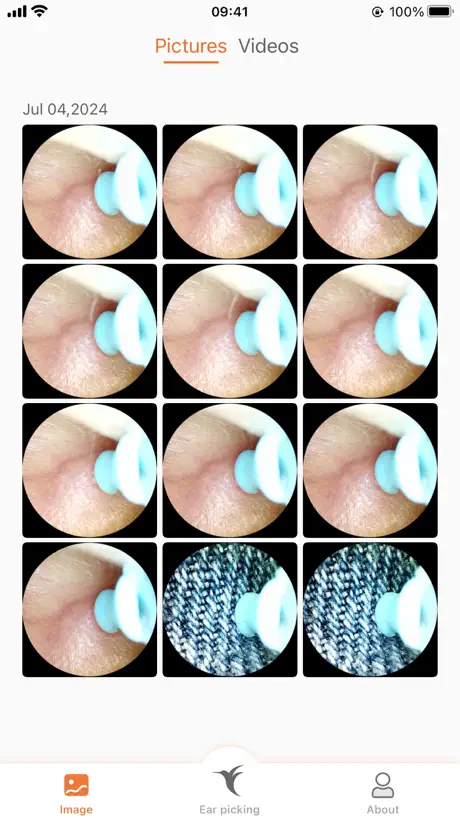  Bebird |   Cleankit |   WIFI Tooth | |
|---|---|---|---|---|---|---|---|---|---|---|---|
| Rating / 5 | 1.8 | 1.9 | 2.9 | 2.8 | 2.8 | 2.7 | 1.8 | 3.2 | 2.7 | 2.5 | 2.0 |
| Reviews | 442 | 985 | 809 | 603 | 446 | 318 | 279 | 272 | 132 | 68 | 21 |
| Released | 2020 | 2020 | 2019 | 2022 | 2021 | 2023 | 2024 | 2021 | 2018 | 2022 | 2021 |
Cooleer reviews
1.8 out of 5, based on 442 reviews.
What people like
- Super clear camera image once connected
- Easy to use after learning setup
- Works well for checking ear health
What they complain about
- Video keeps freezing and disconnecting
- Camera image tilts wrongly when twisted
- Image quality is blurry and bad
- Setup process is confusing and hard
MUST GET THIS APP
Very helpful gives you free Wi-Fi when u need it MUST TRYYY
Worse than garbage
This app is infuriatingly terrible. Every time you want to use the device you have to delete the app and redownload it just to get it to connect at all. Then, once you do have it connected it keeps disconnecting itself every 5-10 seconds and you have to fully restart the device every time. There’s a very specific order you have to turn everything on or it won’t work. And there’s no indication of that anywhere, you just have to trial and error until you get it (open app, turn on device, turn on WiFi, go back to app, connect the camera) absolutely garbage. I hate this device so much.
Smart ear spoonにて動作OK
Temuで購入した「Smart ear spoon」で動作しました。 本機の説明書が全て中国語系だったので、試しにメーカー名であるこのCooleerというアプリを入れてみたところ、ビンゴ! アプリ自体は日本語対応しており、接続にやや手間取りましたが、無事動作しています。 Smart ear spoonの電池残量も分かり、使い勝手はまずまずです。
Peggiorato col tempo
Inizialmente era una buona app, in abbinamento con endoscopio Xoali. Con l’ultimo aggiornamento, hanno deciso di bloccare la visuale del cucchiaio dell’endoscopio anche quando questo viene ruotato, facendo sì che invece sia il solo condotto uditivo a ruotare. Questo rende estremamente difficile, per non dire impossibile, controllare i movimenti della testa dell’endoscopio all’interno dell’orecchio. Da utile ad inutilizzabile. Spero correggano presto perché lo reputo un bug di usabilità molto grave per un prodotto del genere
.
Sad that the battery life doesn’t last that long before you must recharge it.
Ear camera works great!
Easy to set up and super clear image. Great deal
Camera Image Terrible!
The image of the camera to the app is horrendous! It doesn’t auto focus.
Connect to device as if it’s a WiFi router
It’s not clear immediately, but when the device is turned on it acts as a WiFi hub. So you connect to it as if it’s a WiFi, then connect through app. Works like a charm
繋がりにくい
カメラに繋がったり繋がらなかったり使いにくいアプリです
Alright
The app is just poorly made. Works but, unclear instructions, and is faulty time to time.
I Looked on Tik Tok, YouTube and here!!!
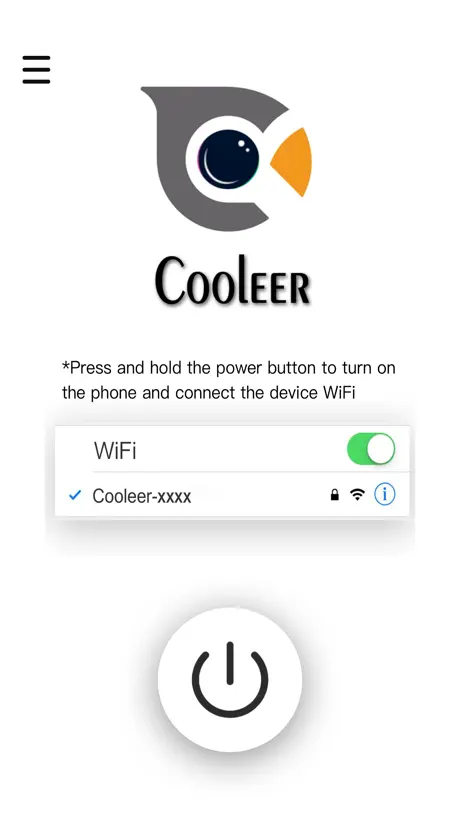
Step 1. Download the app by scanning the instructions booklet. Step 2. Charge the device it will not connect without being charged. (Trust me this was the issue I had.) Step 3. Click the button at the bottom on the devices to turn it on.( it will blank with a blue light until you connect it to wifi Step 4. Go to settings on your phone Step 5. connect the Wi-Fi click on whatever says cooleer it should have a few numbers beside it as well Step 6. Give the app permission with a pop up notification read it carefully so you do it correctly Step 7. When you open the cooleer app up again it should switch from saying Wi-Fi not connected to Wi-Fi connected Step 8. Click power button it should turn green Step 9. You’re all set I definitely had to do this about 10 times I almost said forget but patience is a virtue lol Hope this helps don’t send it back it just take a little minute to get connected🫶🏽🫶🏽
Not connecting
I did EVERYTHING the app said to do. Would not connect to my iPhone. So the item was useless
Works amazing, but starts to hurt a bit
So this is a really nice product, but if you push to hard on the sides of the ear (which is really easy to do) it starts to hurt a lot. Its most likely user error but other than that it works amazingly! I like the product a lot but I’m confused by what the extra things are for. If someone could please explain what they are for it would be greatly appreciated!
カメラできない
お金はもったいない
Works great
For the people have problems connecting… u have to connect the scope as a wifi connection in settings then press the power button within the app. Hopefully this will help.
Worst freaking app EVER
The device’s Wi-Fi keeps on disconnecting every 5 seconds each time I try to venture deep into my ears. I’m beyond angered that I spent $5.83 on this sucky tool!
I got it to work
My experience: Important, the iPhone will prompt for the app to have access to devices on the network. You must allow this, as the device and app must communicate in order to see an image on your phone. No password is needed. Just join the network created by the device. I found connecting to be easier if I’m in airplane mode for some reason. The created network obviously doesn’t have internet, and I think the setting for backing up Wi-Fi with cellular data may be causing a hiccup. Be warned, you might not actually want to see what is in your ears. As for allowing an app documented in a language you may not be able to read, is your call. Not sure about blindly trusting the fruit company or the people’s republic.
Feature fix needed
Please allow this to not tilt when the camera wand is twisted. With the picture self levelling on multiple occasions it made it really difficult to orientate the scoop within the ear canal. Please remove this feature to allow the picture to move as a true representation of the camera wand being twisted.
使いやすい‼️‼️‼️‼️❣️
とても使いやすくて気持ちがいいです
Product Not Good
The pen didn’t work with me.
Can connect to device wifi but the app won’t work
Wifi shows up as YanXi-2113-90EE instead of cooleer-xxxx. Password 12345678 works. When I press the button in the app whole connected, it won’t connect and show the video.
Connect with no issue here’s how I did it
1 Turn on the camera 2 open the app 3 minimize the app and open your WiFi settings 4 connect to the WiFi named after your device 5 go back to the app 6 Click to initialize your device 7 use your device Simple and works great takes some practice to get the hang of using it but I like it so far And like I showed above connecting is simple with no password required just like they said
Awful app Average product
I have used a vacuum section cleaner from Panasonic years ago and it worked perfectly up until the battery just gave out. With this device, I got it to work with the camera once and then it was such a pain to set up and do again that I just avoided using the product.. Here it is a year or so later and I tried to hook it up to get the camera working again and it does not work. Is still working it section is average to poor. I would recommend avoiding this product until they improve things which I don’t think they’re going to do.
Wi-Fi password
The Wi-Fi password was on the paper instruction with smaller fond. It is 12345678. I saw one user complained the wrong password of 1234567 which missed a 8 at the end. Once I found this correct password, the device connected via Wi-Fi. Good luck!
Works great, a little confusing to set up
At first, I was like most people here who were having trouble connecting it to the app, but after watching a TikTok tutorial, I found out you have to look for “Cooleer” under WiFi/networks on your device, not Bluetooth like I assumed. After I did that, it connected just fine!
Complete trash
Will not connect to iPhone the people saying it does clearly were paid and or fake reviews. I have tried everything restarted my phone this is the biggest scam out there right now.
Been great
It’s worked well for me and connected fine. Will say the camera and light on the actual product get a little warm other than it’s all good.
Garbage does not work
This does not ask for permission on to use local devices. Also in WiFi I have e not seen any network come up to connect. All in all definitely shows made in China.
Figured it out in under a minute
A lot of the one star reviews are saying they can't figure out how to connect the device but it is very simple 🤦 you have to allow permission and then connect to it's personal wi-fi. it gives instructions right when you open the app!
App and Device Are Terrible
I bought the device and downloaded the app. I set up the app using the Wi-Fi to the device as described in the manual. The video doesn’t work very well as it keeps getting frozen. The device itself is useless. It hasn’t no real results at all. Don’t buy the product and don’t bother. Downloading this app.
Great!
Worked flawlessly for me, and I found a cavity with it.
Waste of Money
It won’t initialize. Bluetooth is non existent. No help in the app for trouble shooting. I might as well just toss my money out the window. Thanks for nothing.
Cooleer FAQ
- Is Cooleer free?
- Yes. The app is free, in all 175 countries it sells in, and it sells nothing inside it.
- Does Cooleer have a free trial?
- No. None of its offers (US) come with a free trial.
- What are the best alternatives to Cooleer?
- iTiMO (1.9 from 985 reviews), EndscopeTool (2.9 from 809 reviews) and Soulear (2.8 from 603 reviews).
Cooleer download
Last updated 1 month ago.
Cooleer sells in 175 countries. It was released 6 years ago, on 1 Nov 2020. It holds a 1.8 rating from 442 reviews.
Supports 10 languages: English, French, German, Italian, Japanese, Korean, Russian, Chinese, Spanish, Turkish.