
Sched
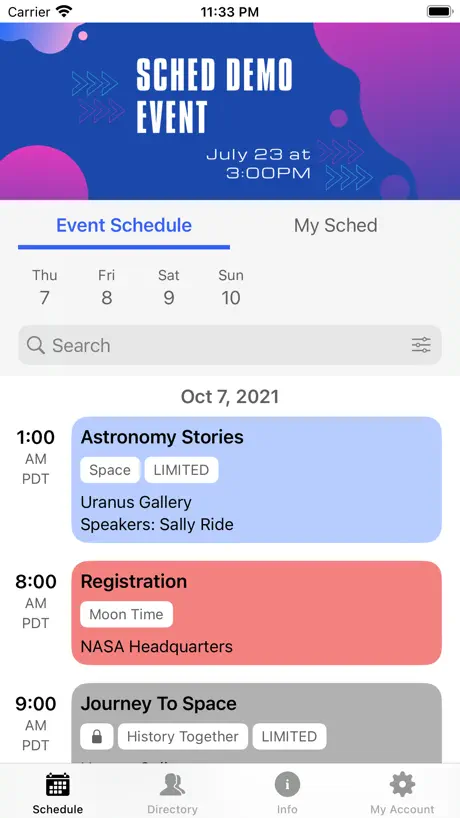
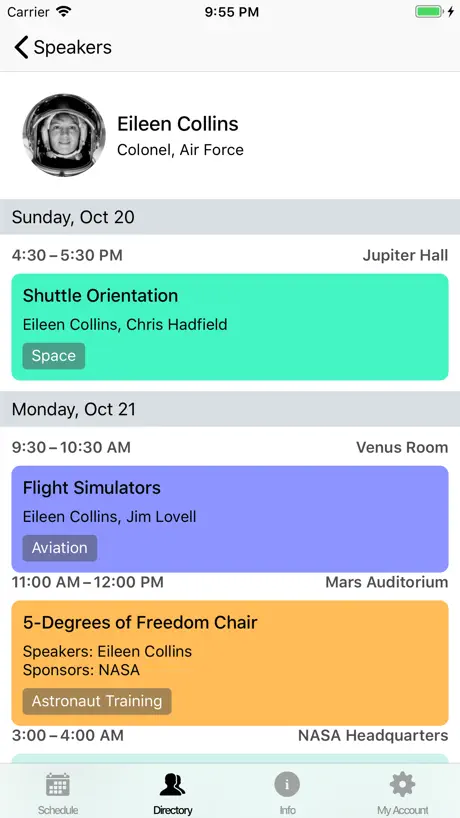
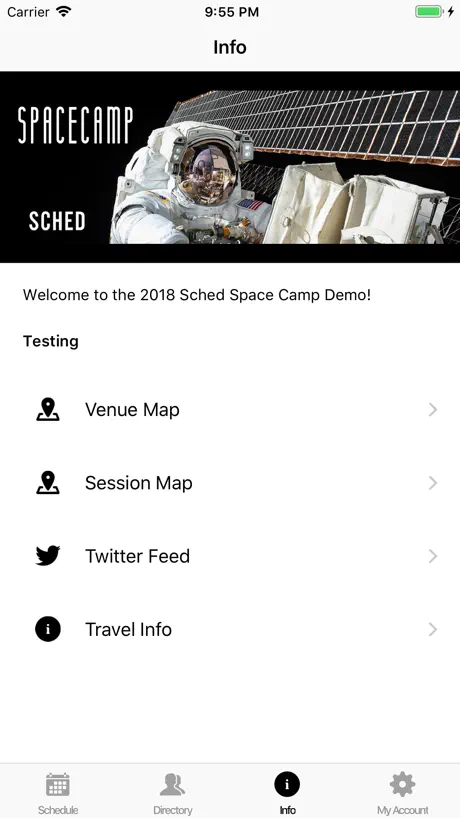
View your event schedule
How much does Sched cost?
Prices are current as of 8 Sept 2026.
Sched has no in-app products on record in the United States.
10+ alternatives to Sched
| Sched | 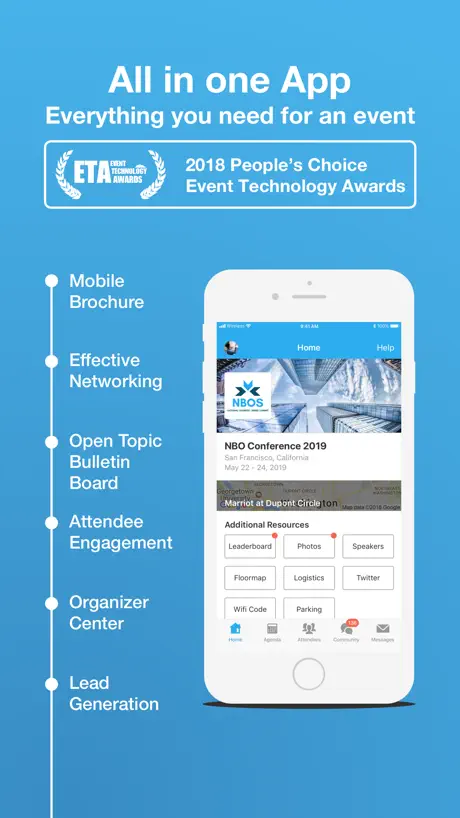  Whova - Event & Conference App Whova - Event & Conference App | 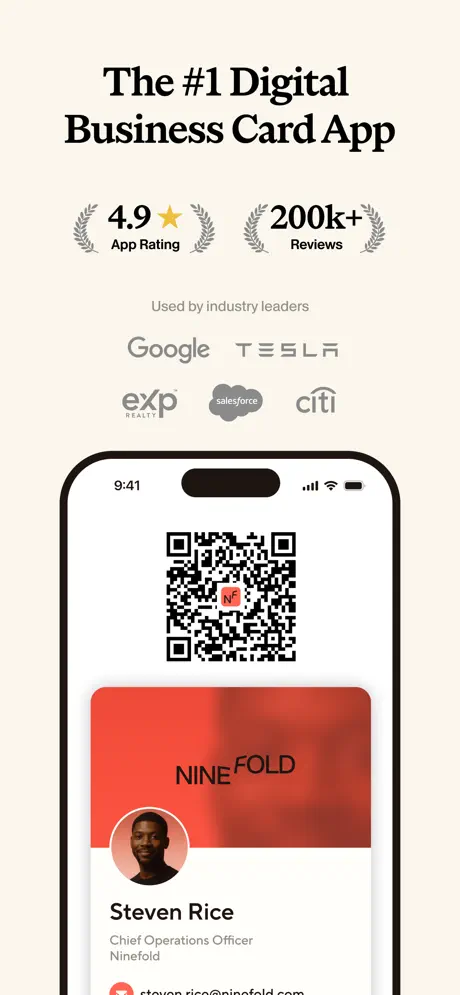  Blinq: Digital Business Card Blinq: Digital Business Card |   AFmobile® AFmobile® |   HiHello: Digital Business Card HiHello: Digital Business Card |   Cvent Events Cvent Events |   Guidebook Guidebook |   MiniVAN Touch MiniVAN Touch |   Event App by EventMobi Event App by EventMobi |   Yapp Yapp |   Attendee Mobile Attendee Mobile | |
|---|---|---|---|---|---|---|---|---|---|---|---|
| Rating / 5 | 4.7 | 4.8 | 4.9 | 4.8 | 4.9 | 4.8 | 4.7 | 3.4 | 3.6 | 3.7 | 2.8 |
| Reviews | 5.1K | 326K | 159K | 83K | 58K | 46K | 4.5K | 307 | 242 | 147 | 94 |
| Released | 2018 | 2013 | 2017 | 2013 | 2018 | 2020 | 2011 | 2010 | 2017 | 2012 | 2017 |
| Weekly price | — | — | $6.99 | — | — | — | — | — | — | — | — |
| Monthly price | — | — | $9.99 | — | $9.00 | — | — | — | — | — | — |
| Annual price | — | — | $87.99 | — | $84.00 | — | — | — | — | — | — |
The going rate for each plan in United States, in its own currency, shaded from the cheapest price on the row to the dearest.
Sched reviews
4.7 out of 5, based on 5,103 reviews.
What people like
- Easy to build a personal schedule
- Quick and easy check-in process
- Simple interface for viewing the agenda
What they complain about
- Crashes when you try to sign in
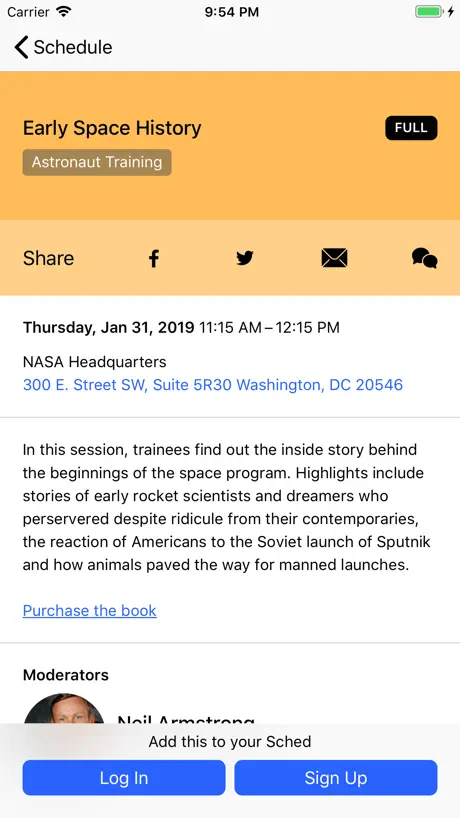
- Can’t go back after tapping an event
- Schedule loses your saved selections often
- Hard to scroll through long day lists
Very useful
Enjoyed using this app throughout the conference to check in, review schedule, and change a workshop. In addition submitting reviews were very easy. Great conference
Bad App
Why do you have to select a conference/event before being able to log in? That's not well designed
Checkin confirmation
We have used Sched for two large group events in our school district. Love the ease of use with one exception. When checking in for a session from the website, a confirmation pops up. On an iPhone there is no notification that the checkin was complete.
SO GLITCHY
Fix your code. App will not sync with desktop version. App stuck on screens of random events happening now but won’t show me MY profile or MY EVENTS
Pls fix correlation with Apple brightness
Unable to use the app with phone in “dark” mode on Apple, as the app does not adapt
Thank you
This provided me with everything I needed to stay on track.
Doesn’t work
I don’t know if it’s a bug, but the app doesn’t work at all right now. When I search for anything it just says “We ran into an error. Please try again.”
Works fine, needs a jump to Now button
Sched is fine as long as your event loads all the data into it correctly. The biggest thing it’s missing is a “jump to now” button that shows you what events/sessions are happening at the current TIME on the current day. As it is, the best you can do is jump to a day boundary and scroll scroll SCROLL.
Buggy interface for schedule building
I’ve loved this app in the past for making it easy to build my conference schedule for the day or the week. But it has been very frustrating this time because the app loses a key navigation feature regularly, which requires shutting down the app and starting over. When I’m reviewing a session, trying to decide whether to add it to my schedule or not, the option to navigate back to the main schedule just disappears. The only fix is to shut the app down and start over.
No dark mode, seriously?
Would be nice to have an event app that, you know, could use at an event where lights may be down so my phone isn't a giant flashlight. I just use the web version and a dark mode extension.
Latest Update Success
Sched devs QUICKLY issued an immediate update in less than 24 hours and all is well again under iOS 13.1. Thank you Sched team! (Prior text: My Sched app is now literally dead. Updated under iOS 13, and Boom. Sched won’t even open. Please issue an emergency update or go back to prior.)
Pretty useless
This app is pretty poorly developed. Can’t access prior conferences and schedules and I accidentally clicked on a conference that I have nothing to do with. It auto populated all my sessions and papers. Talk about NIAI-non intelligent AI (assuming they have tried it)
Could use a map feature
I really like using this app for conferences. Being able to see a map of the conference rooms would be extremely helpful
Basic schedule view and constant errors.
Finding your event is simple, though it seems odd to show all events publicly this way—maybe that's just me. Login works fine, and the form gave no issues with password manager auto-fill (you'd be surprised how often that's a problem). The main event schedule loads, and tapping on a schedule item for more details is fine. Actually doing anything (like tapping the "Add to Sched" button) produces error messages. It's effectively a read-only view.
Sync issues
At a recent event the app was delayed and out of sync with the web page. Also visibility on attendees was limited and inconsistent. Otherwise a good solution and app.
Freedom Fest 2019
This worked great for me! Not only did I see the whole schedule of the event, but also could build my own personal schedule. Very helpful!
terrible
your app is horrible bro
Now button
There is no “Now” button in the Android App. The clock symbol that is at the place where the “Now” button is on the iPhone doesn’t work.
No back button?
It seems a bug to me that there’s no way to return to the previous page. The top navigation is missing on my phone. Once you slightly side-slide a session trying to come back and then release to cancel, the return button disappears and the page isn’t responsible to slides any more.
Little Buggy
Seems to lose checked items on the main schedule when you go to My Sched. Also, deleting something from My Sched requires adding it in a second time, then deleting. Otherwise working well.
Problems seem fixed.
Whatever caused the old bad reviews seems fixed now. Works perfectly for me.
Nothing works
The app simply does not work. Not only can I not open my upcoming event (ComicCon), but I can’t open any event it presents. Tapping anything just results in an error message. Website works fine though.
Good-But can’t copy text
Good app, but it bothers me that we can’t copy session titles.
Slow
App is slow to start and run
Great but needs notes section
Everything was fine, except there was no ability to take notes on it.
This app doesn’t work
I’m not able to click on my event and see any information about it. I’m considering not even attending because the organizers chose to use this app.
good app, no dark support yet though
I have to switch out of dark mode on iOS to use the app. Other than that this app is fantastic.
Almost completely useless
Just about the worst app I’ve ever tried. Be very careful, if you accidentally click on an event you don’t want, there is no way to get back out of it or to get to any other event. You literally have to delete the app and all it’s data and redownload it. Then, the schedule is just one great big long list that you have to scroll from the top of every time you want to find something. Don’t expect to find any friend’s schedules either—you can’t get to them from this. I thought this might be easier then just paper or a simple note taking app, but it is actually worse. Their website is pretty good, but not their app. I only gave an extra star since at least there is a schedule and you can check mark the ones you are interested in, but, again, there are easier ways
Great app
Didn’t love having to download and set up a profile to view schedule but helpful once I was in!
Looks good but highly unreliable
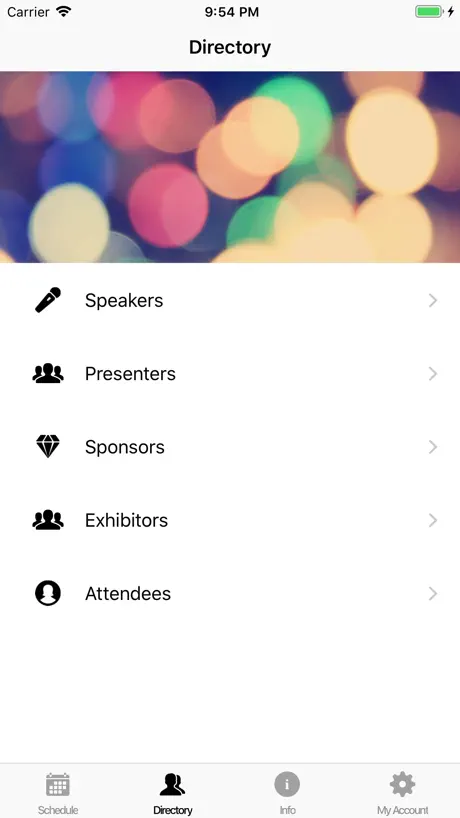
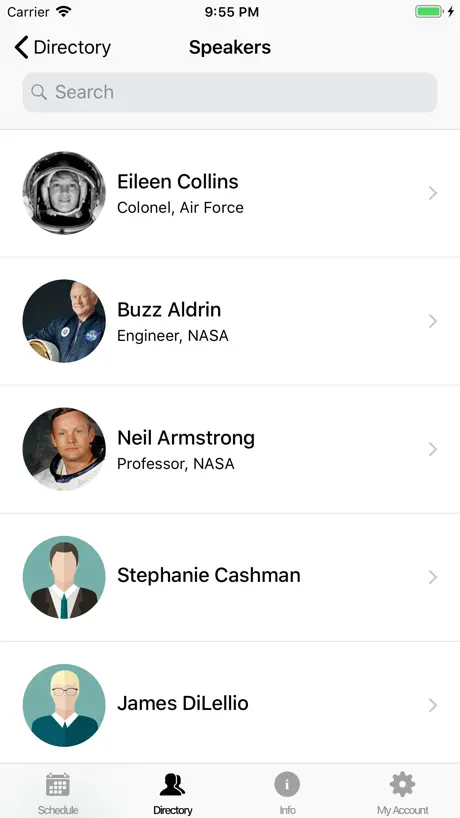
Don’t be fooled by the slick looks. The app design is fantastic, but it does not work well. This is my second year using Sched and the second year it has been barely functional. Last year, the chat feature was broken beyond belief. Messages would disappear, not be delivered, and people would not get notifications. Information could not be reliably communicated to attendees. This year our conference ditched the chat feature but other problems remain. Profiles don’t update automatically. Each person has to go in and click a button to manually refresh data. If you search for a user the last couple people will be unreachable because they’ll be covered the keyboard. If you close the app, some of the data gets lost and you have to manually refresh after opening it. Every time. You can’t copy email addresses. If you need a reliable app for your attendees to interact with each other then this app is not a good option. If you only need to show a basic schedule and view speaker information then the app will work fine.
Extremely confusing in initial download
You get to this app because some conference asks you to download it. First their mobile website doesn’t even have a link to find the app and then once you get it it’s just a bunch of icons with random conferences and no particular way to sign in or find your event. You will a waste a ton of time finding your event so then you can sign in and get the details you need. Poor ux execution.
Good, but with simple things left to be desired.
Good so far, but some features are non-functional. I’d love to change my profile photo so my directory entry could be more accurate, but the app won’t allow me to even select the photo circle, let alone edit it.
Events Don’t Open
Can’t open events. Can search for and find event, but tapping on it to open doesn’t do anything.
Awful for multi day events
Had a week long event & stopped using the app on day 2 because it was too cumbersome to scroll through every single day to see what is happening in the future. Adding to schedule helps, but still, it’s too cumbersome to navigate. Would like to see tabs for different days.
App not on my phone?
I’ve downloaded the app but it doesn’t show up on my iPhone. I have to go into the app icon and open it from there every time I want to use it. Not sure what I’m doing wrong but this sort of thing has never happened before. Other than that massive inconvenience, the app is very useful in every way.
App keeps crashing
I can’t sign in, every time I go to type it crashes. I have uninstalled and reinstalled multiple times and it still won’t work :(
Doesn’t do much
This app doesn’t do much but they decided to put in a built in web browser. The web browser doesn’t work like it’s supposed to. My video won’t rotate. Why waste your time on a crappy web browser? I want to use my own browser. Nefarious purpose? So many other conference or schedule apps are so much better.
Privacy Clarity and Unintuitive Schedules
I immediately noticed is that my name showed up on events’ list of attendees despite setting my profile to private (turned off “Public Profile & Schedule”). This made it appear that the privacy setting didn’t work at all, but after reaching out to Sched support, I confirmed that my username on those lists is only visible to myself when logged in. Hopefully, a future version of Sched will somehow indicate this fact to improve the clarity of this feature. (Note: Above paragraph edited and rating improved from 2 to 3 stars.) As for building a personal schedule, you’d think that a service specifically designed for that purpose would be good at that. Although there’s a bubble circle next to each event that will indicate with a check mark if you’ve added that event to your schedule, you can’t toggle that check mark. You are forced to view the event’s full description to add/remove from your schedule, preventing quick on-the-fly updates. Please, make the check box a toggle, or perhaps allow swiping left/right to remove/add events to your schedule... Something! At least all the event details appear correct... Lastly, a list of events is the only view available. There’s not way view the timeline of events as a calendar, would would allow easy discovery of schedule conflicts or open times. A scheduling app should be intuitive for buildings schedules.
Doesn’t work
App shows event banner, but absolutely nothing happened when’s you touch the banner. Nothing opens at all. Useless.
Paul G
Can’t find a way to add photo on mobile phone.
Good, but could be better
1. Don’t take me back to the first day of the conference and make me scroll tot the third day. Start on the day of the week and I can go back if I choose to. 2. You should display both the sessions I chose and the rest of the sessions in Schedule. That way I can compare what I chose and what I might be missing.
Sched FAQ
- Is Sched free?
- Yes. The app is free, in all 175 countries it sells in, and it sells nothing inside it.
- Does Sched have a free trial?
- No. None of its offers (US) come with a free trial.
- What are the best alternatives to Sched?
- Whova - Event & Conference App (4.8 from 325,827 reviews), Blinq: Digital Business Card (4.9 from 158,856 reviews, premium from $2.99) and AFmobile® (4.8 from 83,308 reviews).
Sched download
Last updated 1 month ago.
Sched sells in 175 countries. It was released 8 years and 5 months ago, on 3 May 2018. It holds a 4.7 rating from 5,103 reviews.
Supports 1 language: English.
How much does Sched make?
Third-party estimates for the last 30 days, worldwide — not the store's own figures, which Apple publishes for nobody.