SignalSupervisor
How much does SignalSupervisor cost?
Prices are current as of 15 Nov 2026.
SignalSupervisor has no in-app products on record in the United States.
10+ alternatives to SignalSupervisor
| SignalSupervisor |   Speed Test SpeedSmart Internet |   Opensignal Speed Test Ad Free |   TP-Link Omada |   Renogy |   Coverage Map |   Cell Tower Locator & Map |   Cell Tower Finder & Locator |   weBoost |   UniFi Connect |   Cell Towers: 5G Antenna Map | |
|---|---|---|---|---|---|---|---|---|---|---|---|
| Rating / 5 | 2.9 | 4.7 | 4.5 | 4.6 | 3.6 | 4.7 | 4.3 | 4.3 | 3.1 | 4.2 | 4.6 |
| Reviews | 131 | 178K | 50K | 3.3K | 1.6K | 872 | 868 | 82 | 70 | 31 | 5 |
| Released | 2017 | 2010 | 2013 | 2018 | 2020 | 2023 | 2024 | 2025 | 2022 | 2023 | 2014 |
| Monthly price | — | $1.99 | — | — | — | — | $7.99 | — | — | — | $0.49 |
| Annual price | — | $11.99 | — | — | — | — | $29.99 | — | — | — | $14.99 |
The going rate for each plan in United States, in its own currency, shaded from the cheapest price on the row to the dearest. Plans fewer than four in ten of the priced apps sell are left out.
SignalSupervisor reviews
2.9 out of 5, based on 131 reviews.
What people like
- Support team actually helps solve your issues.
- It finally fixes dropped calls and bad signal.
- Works great once you get it installed right.
What they complain about
- Updates are too slow to be useful.
- Text color is impossible to read clearly.
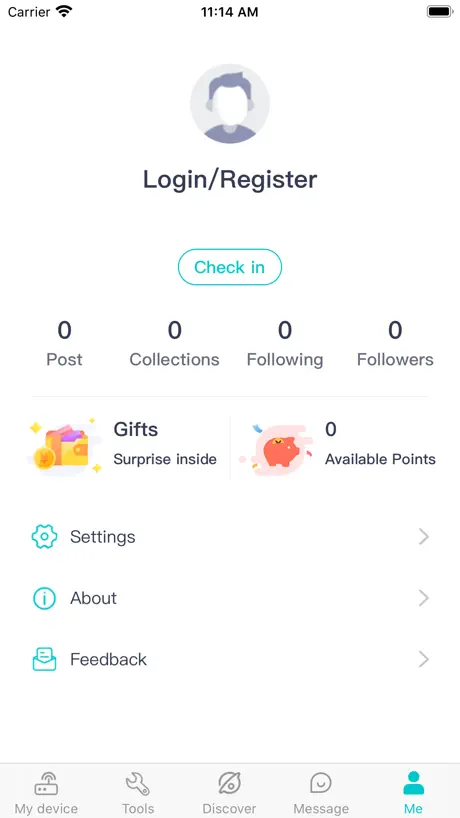
- You must create an account to use it.
Works great when correctly connected
I couldn’t get it to work at all with Bluetooth or WiFi. Then I plugged in the indoor antenna and everything works perfectly. Sorry I gave such a bad review first time when I was frustrated.
Horrific can’t use any password
Can’t create account
App not formatted for iPad
Realize made for phone but would be nice to use from iPad.
Can’t read the type due to color
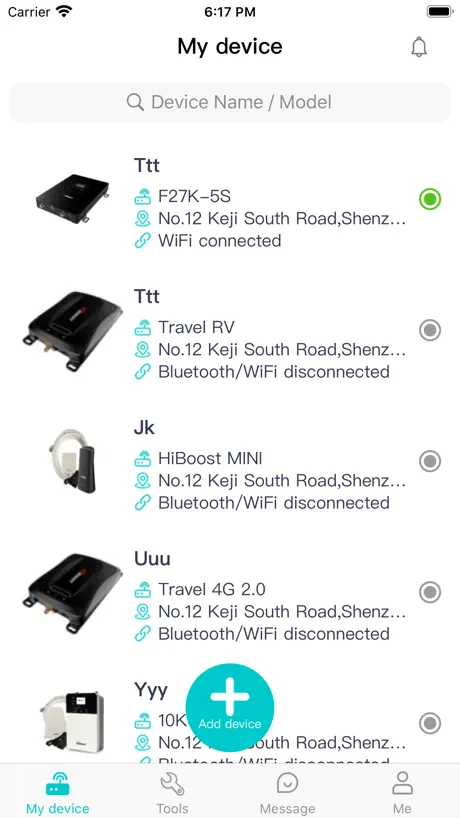
The white type color on light teal background is extremely hard to read or unreadable. Can this be fixed??
Some suggestions
Some suggestions to make it work better. The screen is hardly readable due to the colors used for text and background, and I do not seem to be able to change the location from Saudi Arabia to my actual location. Beyond that it seems to work well.
My Feeling
The last time I registered my device, I didn't have a Bluetooth connection. I contacted the customer service, and then I realized that I was using the Bluetooth in my mobile phone instead of the Bluetooth connection in the app. I made a big oolong, and the customer service was very patient and very good
Wait of time
Won’t even let me create a account this is the biggest waist of a app I’ve ever seen absolute garbage!!! Do better
Not impressed
The app uses bluetooth to connect to the device, which is fine. But the app requires you to create a cloud acc’t as a condition of use and sending who knows what personal data to the mother ship, which is ridiculous. It’s impossible to use the app without creating a cloud acc’t, so the device can’t be configured. Deleted.
Don’t listen to the bad reviews
If you’re somewhat intelligent you can figure this thing out. It pumps out 4 different radio frequencies so the best thing to do in my situation is turn off the signals that aren’t performing well. And make sure your antenna is pointed/installed in the best possible spot. It’ll show less bars when turning off the other signals, but I have lightning speed with 1-2 bars, and have zero service with full bars and lte. Just use your brain and troubleshoot and this thing will do the trick for you. Don’t be dumb then jump on here to insult it because you’re not capable/smart enough. Rant over
App is really hard to use and see
I was barely able to see the app because the color contrast are so terrible. They have light gray on a slightly darker gray background, making it almost impossible to read. Then the app itself wasn't reading any of the signals in the bands from the booster, even after connecting and registering it over Wi-Fi. Now the tech support I'm getting is painfully slow because they only want to text and this is wasting an entire workday to set up.
Font colors
The app loaded and works as expected. However, there was severe latency when the antenna was moved before the app showed any change. Also, the light blue font is very difficult to read when showing the dB numbers within the round gauges. They need to be a different color or outlined in black to be easier to read.
Pleasantly surprised.
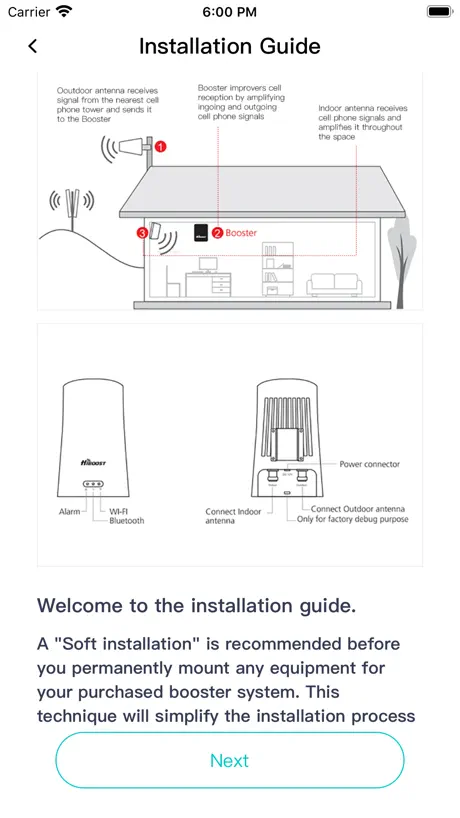
After the learning curve and setting it up, I was really pleased with the results. If you’re not very tech savvy, save yourself the frustration and hire an installer. it’s fairly easy to install once you wrap your head around it.
Invalid captcha
Can’t create an account with the app. Says invalid Captcha. 🤷🏻♂️
Nice Product and APP
The app with a signal booster help me get the the best signal ever. APP is OK and it provided useful assistance. But it needs to be optimized, developer . Look forward for an update.
Useless to me
I could not find any instructions on how to use the app. There is a video on how to configure the app but I could not find any on how to use it. I am not sure if I am doing anything wrong since my iphone went from 1 tak to 1 tak.
Great customer service, happy with the result!
At the very first beginning, I purchased and installed a 4K Plus booster but unfortunately, there was no difference in my signal strength. I contacted the online support and was asked to send a screenshot on the signal gauge on the app. It turned out that the outdoor antenna was not pointing a Verizon cell tower with a strong and constant outside signal. Followed support’s instruction and now I’ve got reliable service! The app is helpful since the screenshot helped them locate my issue shortly get it solved. Overall, happy with the product!!
No
Don’t use this app. Its rubbish
Magically turned my weak signal into full frame, the money is worth it
A novel APP with a good user experience, making people feel comfortable
Highly unreliable and infrequently updates signal strength in-app
I was in dismay and highly frustrated by the frequency of external antenna strength updates. It made installation a nightmare. I ended up having to enlist additional help when on site performing the installation, which was embarrassing when the app was supposed to work in this capacity. It simply does not work. Updates do not happen frequently enough compared to the LCD screen of the unit itself. PLEASE fix this. We need AT LEAST 1 second update intervals, otherwise this doesn’t work. We need a constant visualization and a graph would also be helpful to see an easy reference record of when we’re moving it. In my case I was installing in a -1 to -9 dB service area and every bit of strength counted and required some “micro adjustments” and this app just does NOT work, especially when you’re up in the air 20 feet and the unit is inside of the building below you and you have to try to use a walkie talkie to relay signal strength! Additionally, after installation it is not at all reliable in reporting signal strength. I am now getting -12dB being reported remotely (it was reporting -4 regularly), but on the LCD it is still moving around at -6 to -1 dB and so there is a connection and the device is working well, but the app is just garbage.
Good device
It’s a good product. For my family to solve the cell issues,we all like it very much,highly recommend.
SmartLink no longer supported
Circa late 2020... SmartLink 4000K could be paired with phone. Helped with initial kit install. Was using iOS (v.XX) on iPhone 7, connected via Bluetooth + WiFi simultaneously. Allowed rough antenna placement, band amplification level setting, and signal strength monitoring. That was in late 2020. No pairing now.
More than expected!
Finally, we successfully installed it! Signal reception gets better, we’re enjoying more constant connection now, no more dropped calls and save more time when downloading a big file. But indeed, it needs some time and patience to install. But the customer service is helpful and help me settle all out. We’re happy with the result, a little expensive though. But it worths.
Don’t send data to China
I’m very skeptical of this and don’t want a Chinese company to have my data required to use this app
Signal reception improved
We live in the rural area and occasionally get unreliable cell service. We bought Hiboost to boost our bars. Have some issues when we install but get them solved after contacting the support. Signal reception get improved, we’re now released from dropped calls and slow data. It works great but it needs some patience for proper installation.
Server errors
Can’t creat account. Never sends verification code over SMS or email. Not sure how to setup hibost device using the blue light method. Nothing seems to work
SignalSupervisor FAQ
- Is SignalSupervisor free?
- Yes. The app is free, in all 174 countries it sells in, and it sells nothing inside it.
- Does SignalSupervisor have a free trial?
- No. None of its offers (US) come with a free trial.
- What are the best alternatives to SignalSupervisor?
- Speed Test SpeedSmart Internet (4.7 from 177,753 reviews, premium from $1.99), Opensignal Speed Test Ad Free (4.5 from 50,215 reviews) and TP-Link Omada (4.6 from 3,313 reviews).
SignalSupervisor download
Last updated 17 days ago.
SignalSupervisor sells in 174 countries. It was released 9 years and 2 months ago, on 14 Sept 2017. It holds a 2.9 rating from 131 reviews.
Supports 2 languages: English, Chinese.
How much does SignalSupervisor make?
Third-party estimates for the last 30 days, worldwide — not the store's own figures, which Apple publishes for nobody.