RAW Power
JPEG / RAW Editor & Manager
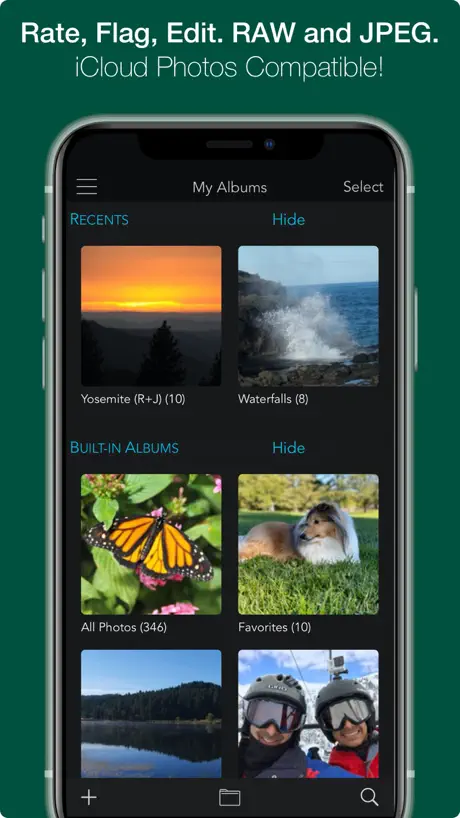
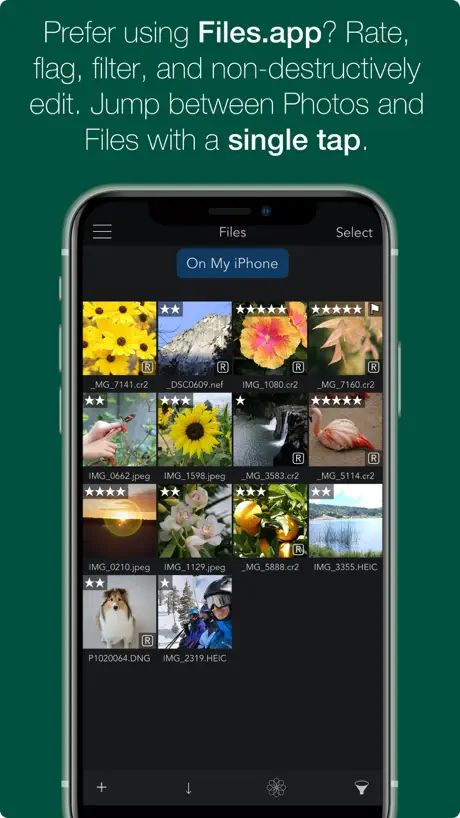
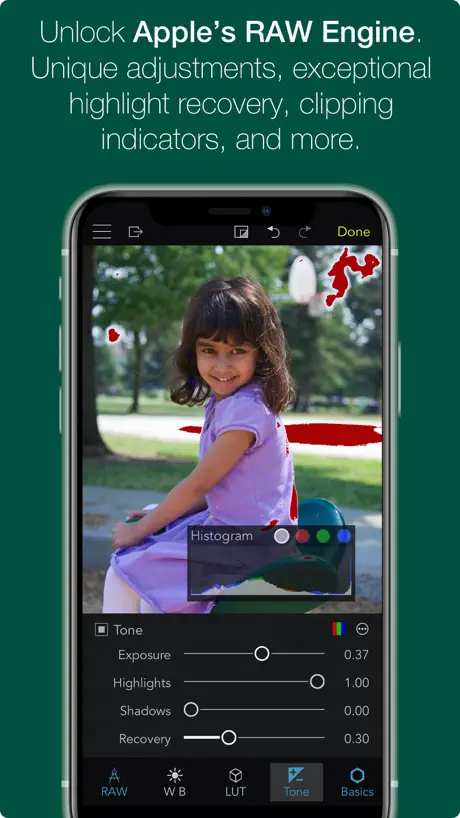
How much does RAW Power cost?
Prices are current as of 10 Sept 2026.
RAW Power has no in-app products on record in the United States.
RAW Power download price by country
| Country | Price |
|---|---|
| United States | $12.99 |
| Germany | €14.99 |
| United Kingdom | £12.99 |
| China | CN¥88.00 |
| Canada | CA$17.99 |
| Australia | A$19.99 |
| France | €14.99 |
| Italy | €14.99 |
| Switzerland | CHF 10.00 |
| Netherlands | €14.99 |
| South Korea | ₩22,000 |
| Russia | RUB 999.00 |
| Poland | PLN 59.99 |
| Spain | €14.99 |
| Sweden | SEK 179.00 |
| Austria | €14.99 |
| Taiwan | NT$390.00 |
| Japan | ¥2,000 |
| Belgium | €14.99 |
| Hong Kong | HK$98.00 |
| Vietnam | ₫399,000 |
| Brazil | R$79.90 |
| Czech Republic | CZK 349.00 |
| Finland | €14.99 |
| Norway | NOK 179.00 |
| Thailand | THB 499.00 |
| India | ₹1,299.00 |
| New Zealand | NZ$22.99 |
| Portugal | €14.99 |
| Mexico | MX$299.00 |
| Malaysia | MYR 59.90 |
| Singapore | SGD 19.98 |
| Greece | €14.99 |
| Indonesia | IDR 229,000 |
| Ukraine | $14.99 |
| Turkey | TRY 699.99 |
| Denmark | DKK 99.00 |
| Ireland | €14.99 |
| Philippines | ₱799.00 |
| Slovakia | €14.99 |
| Hungary | HUF 5,990 |
| Romania | RON 69.99 |
| Israel | ₪49.90 |
| Saudi Arabia | SAR 59.99 |
| United Arab Emirates | AED 49.99 |
| Bulgaria | €14.99 |
| Colombia | COP 59,900 |
| Egypt | EGP 699.99 |
| Croatia | €14.99 |
| South Africa | ZAR 249.99 |
| Ghana | $14.99 |
| Guatemala | $12.99 |
| Luxembourg | €14.99 |
| Pakistan | PKR 3,500 |
| Albania | $14.99 |
| Estonia | €14.99 |
| Cambodia | $14.99 |
| Sri Lanka | $12.99 |
| Lithuania | €14.99 |
| Moldova | $14.99 |
| Slovenia | €14.99 |
| Armenia | $14.99 |
| Argentina | $12.99 |
| Barbados | $14.99 |
| Congo, Democratic Republic | $12.99 |
| Cyprus | €14.99 |
| Iceland | $14.99 |
| Jordan | $12.99 |
| Kuwait | $12.99 |
| Morocco | $12.99 |
| Madagascar | $12.99 |
| Malta | €14.99 |
| Oman | $12.99 |
| Qatar | QAR 49.99 |
| Senegal | $14.99 |
| Zimbabwe | $14.99 |
| Afghanistan | $12.99 |
| Antigua And Barbuda | $12.99 |
| Anguilla | $12.99 |
| Angola | $12.99 |
| Azerbaijan | $14.99 |
| Bosnia & Herzegovina | €14.99 |
| Burkina Faso | $12.99 |
| Bahrain | $14.99 |
| Benin | $14.99 |
| Bermuda | $12.99 |
| Brunei Darussalam | $12.99 |
| Bolivia | $12.99 |
| Bahamas | $14.99 |
| Bhutan | $12.99 |
| Botswana | $12.99 |
| Belarus | $14.99 |
| Belize | $12.99 |
| Congo | $12.99 |
| Cote Divoire | $14.99 |
| Chile | CLP 14,990 |
| Cameroon | $14.99 |
| Costa Rica | $12.99 |
| Cape Verde | $12.99 |
| Dominica | $12.99 |
| Dominican Republic | $12.99 |
| Algeria | $12.99 |
| Ecuador | $12.99 |
| Fiji | $12.99 |
| Micronesia | $12.99 |
| Gabon | $12.99 |
| Grenada | $12.99 |
| Georgia | $14.99 |
| Gambia | $12.99 |
| Guinea-bissau | $12.99 |
| Guyana | $12.99 |
| Honduras | $12.99 |
| Iraq | $12.99 |
| Jamaica | $12.99 |
| Kenya | $14.99 |
| Kyrgyzstan | $14.99 |
| St. Kitts and Nevis | $12.99 |
| Cayman Islands | $12.99 |
| Kazakhstan | KZT 7,990.00 |
| Lao Peoples Democratic Republic | $14.99 |
| Lebanon | $12.99 |
| St. Lucia | $12.99 |
| Liberia | $12.99 |
| Latvia | €14.99 |
| Libya | $12.99 |
| Montenegro | €11.99 |
| Macedonia | $12.99 |
| Mali | $12.99 |
| Myanmar | $12.99 |
| Mongolia | $12.99 |
| Macao | $12.99 |
| Mauritania | $12.99 |
| Montserrat | $12.99 |
| Mauritius | $14.99 |
| Maldives | $12.99 |
| Malawi | $12.99 |
| Mozambique | $12.99 |
| Namibia | $12.99 |
| Niger | $12.99 |
| Nigeria | NGN 19,900.00 |
| Nicaragua | $12.99 |
| Nepal | $14.99 |
| Nauru | $12.99 |
| Panama | $12.99 |
| Peru | PEN 59.90 |
| Papua New Guinea | $12.99 |
| Palau | $12.99 |
| Paraguay | $12.99 |
| Serbia | €14.99 |
| Rwanda | $12.99 |
| Solomon Islands | $12.99 |
| Seychelles | $12.99 |
| Sierra Leone | $12.99 |
| Suriname | $14.99 |
| Sao Tome & Principe | $12.99 |
| El Salvador | $12.99 |
| Swaziland | $12.99 |
| Turks and Caicos | $12.99 |
| Chad | $12.99 |
| Tajikistan | $14.99 |
| Turkmenistan | $12.99 |
| Tunisia | $12.99 |
| Tonga | $12.99 |
| Trinidad and Tobago | $12.99 |
| Tanzania | TZS 39,900.00 |
| Uganda | $14.99 |
| Uruguay | $12.99 |
| Uzbekistan | $14.99 |
| St. Vincent & The Grenadines | $12.99 |
| Venezuela | $12.99 |
| British Virgin Islands | $12.99 |
| Vanuatu | $12.99 |
| Kosovo | €14.99 |
| Yemen | $12.99 |
| Zambia | $14.99 |
10+ alternatives to RAW Power
| RAW Power |   Classic Camera by Hipstamatic Classic Camera by Hipstamatic |   EXIF Viewer by Fluntro EXIF Viewer by Fluntro |   Photo Manager Pro Photo Manager Pro | 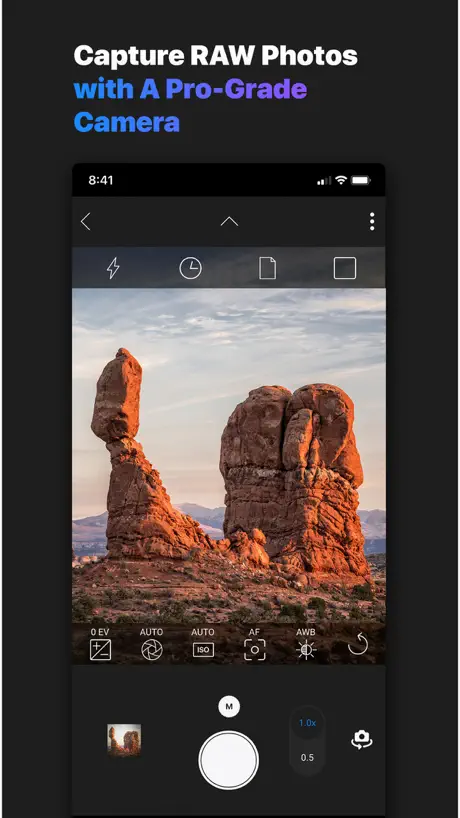  ON1 Photo RAW for Mobile ON1 Photo RAW for Mobile | 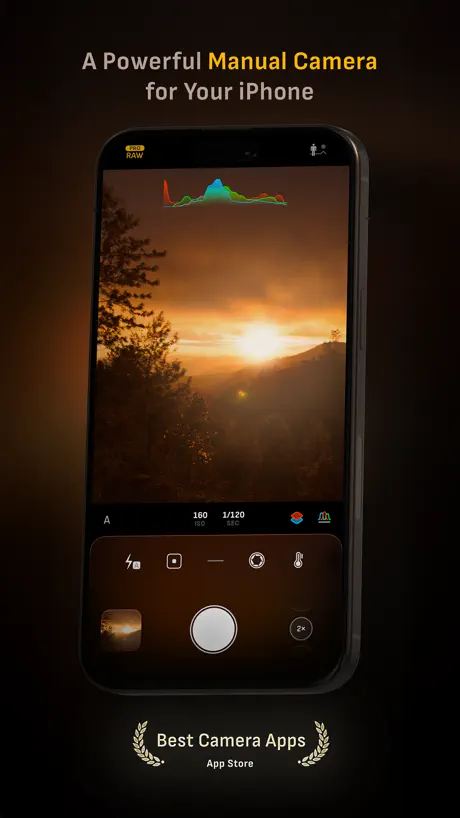  Camera M - Pro Manual Camera Camera M - Pro Manual Camera | 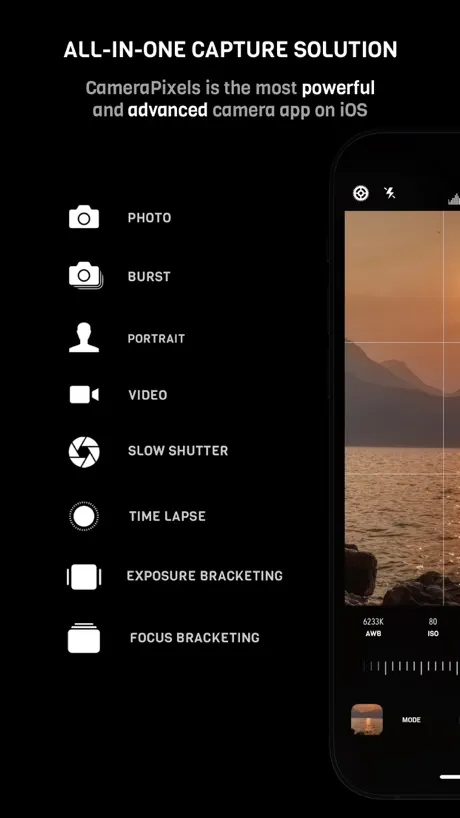  CameraPixels PRO CameraPixels PRO | 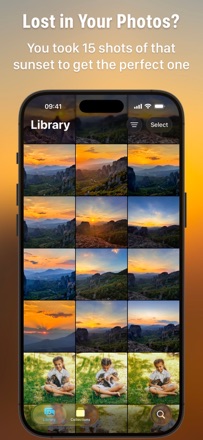  Photoscope: Best Photo Picker Photoscope: Best Photo Picker | 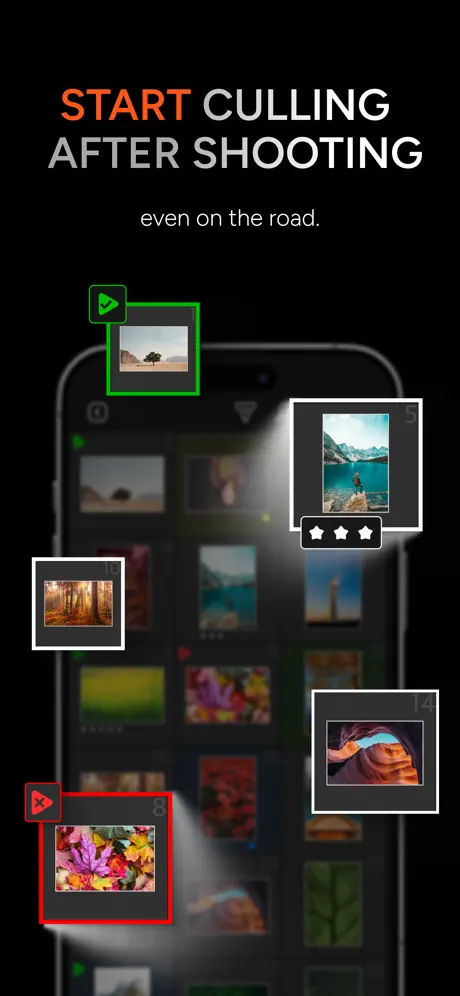  AI Photo Culling — PhotoPicker AI Photo Culling — PhotoPicker |   Pixigy: RAW Photo Editor Pixigy: RAW Photo Editor |  Photo Workflow Lite Photo Workflow Lite | |
|---|---|---|---|---|---|---|---|---|---|---|---|
| Rating / 5 | 4.5 | 4.7 | 4.7 | 4.5 | 4.4 | 4.5 | 4.4 | 4.7 | 4.4 | 4.1 | 3.0 |
| Reviews | 3.1K | 17K | 9.8K | 6.3K | 3.7K | 3.5K | 474 | 443 | 262 | 7 | 1 |
| Released | 2017 | 2009 | 2015 | 2016 | 2020 | 2017 | 2016 | 2024 | 2013 | 2022 | 2023 |
| Monthly price | — | — | — | — | $4.99 | — | — | — | $9.99 | — | — |
| Annual price | — | — | — | — | $49.99 | — | — | — | $29.99 | — | — |
| One-time price | — | $0.99 | — | — | — | — | — | — | $79.99 | — | — |
The going rate for each plan in United States, in its own currency, shaded from the cheapest price on the row to the dearest. Plans fewer than four in ten of the priced apps sell are left out.
RAW Power reviews
4.5 out of 5, based on 3,125 reviews.
What people like
- Much cheaper than monthly subscription services
- Fast performance and very flexible editing
- Simple interface that is easy to learn
- Great for viewing and culling images quickly
- Developer provides helpful and quick support
What they complain about
- Crashes constantly on launch and use
- Does not support many camera RAW formats
- Cannot view files from cloud or network drives
- Editing changes disappear after saving the photo
- Missing basic tools like healing brush
This has the makings of a great photo review and edit app
This app seems to have a lot of potential. It says it will import images from a folder on the iPad but I can’t seem to get that to work. I think I’m following the steps but after going to the folder in files with the image files, selecting them all hitting done nothing seems to have been imported or connected to RAW Power. May 22, 2024 I have learned how to access image files in folders on my iPad and also external drives plugged into the iPad. That makes Raw power a very versatile photo viewing and editing system for RAW files.
Not Saving Ratings
I was looking for an app to use for culling. Unfortunately, this one doesn’t reliably save flags or ratings. Some, yes. But I don’t want to “some” of my ratings saved. In some cases, immediately after rating an image, I swipe to another one and then go back to check the rating on the first image, but no rating is shown.
Regressions
Dev wants you to move to the new app, and sadly this one has started to have regressions. If you don’t give full photos library access, the app works fine with file system + export. But every launch, the app forces you to the settings menu to adjust permissions. Similarly, after editing a photo and exporting and then saving, some options such as luminance / equal rgb in levels and gamma in curves disappear from the UI. Still better than Nitro though.
Privacy
Preciously this app worked without full access to my photo library, but no longer. Bye bye.
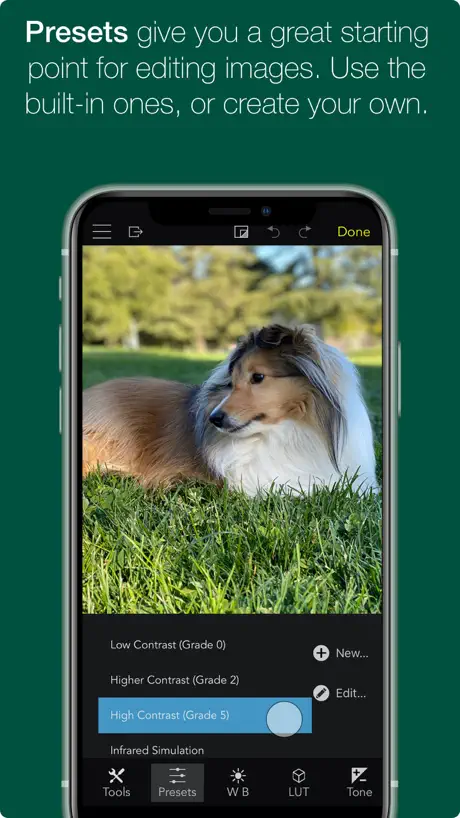
I tried Presets-and it acted very weird-Probably they freeze
I tried Presets-and it acted very weird-Probably they freeze sometimes My device: iPad Pro 12.9” (3rd generation, 2018) OS: iPadOS 15.5 or later Note: I regularly update my review/rating for this application.
Underrated
In the world of subscription based services, for people that does photography here and there, a $10/month lightroom subscription seems excessive. I just want to make some few tweaks on pictures I occasionally take. I’m just surprised that this app doesn’t get the recognition it deserves
Not even launch in iPadOS 16.3.1
Crash every time in my iPad Air 4th running iPadOS 16.3.1. please fix it
Good, but has some issues
A good peice of software, but needs the ability to save raw files and to remove red eye
Can’t read LUT file names and overall bad UI
I bought this app to apply custom LUTs. I imported them, they have long filenames (necessary to properly categorize them) but they are all indistinguishable because their filenames are cropped. In order to use this app I have to rename all LUTs with short names, which is inconvenient. Overall this app UI feels very unpolished on iPhones, everything feels too unoptimized and unfamiliar for the platform.
Missing some key stuff
Would be great to get some of the AI stuff we see in Adobe and Luminar. But most important please add the capability to use external cloud storage/file servers
Great range of adjustments
I have used this app for a few years and find the range of adjustments and ease of use perfect for my needs. Hoping for future versions to have masks and repair functionality.
SD Card Support
The one thing I was hoping this app would do is not supported. I would love to be able to view ratings of images on an sd card before importing, unfortunately it took me spending $10 to find out that this is not possible.
Masks PLEASE
Awesome app, just needs masks to make it my everything image app.
crashing
Crash every minute
Almost
Pros: You can view, rate and cull your images before import using an SD card reader. Which means my client can go through their photos on location, and pick their favorites. The raw processor is also great. The price is very reasonable as of this writing. Cons: The magic keyboard doesn’t seem to be well supported. The only key that works for me is the \ for flagging. There is no focus peaking view. You will have to zoom into every photo to verify that it is in focus. I am still going to purchase, as it hits the mark toward my niche needs better than any other app I have tried.
Best RAW photo editor for iOS!
Update: Still working great! Since I've traded in my old iPhone for the newest iPhone Pro 13 with RAW-capture ability, I'm now getting into RAW photography and editing. This app does it all! It's especially handy for sharpening photos. No user manual needed (like many photo editor apps); UI is simple to use and efficient. Highly recommended!
No SD support
Not useful for reviewing RAW from camera, since it requires copying files over.
Pretend it’s Aperture for iPad
If the UI would have done some refinements, I could pretend it is Aperture for iPad
Super Buggy…but has potential
I am no pro by any means. I’m mainly commenting because of some general issues the app displays: 1. Zoom in on an image, and it jumps to some other part of the photo. It is impossible to zoom in on any part of the image without it moving to some other part. 2. After the application of 2 or more changes, the app quits and no changes have been saved, causing a complete start-over of the editing process. This is just frustrating. If the answer is to have to do a manual save every 5 seconds in order to not lose your work…the app should be pulled and re-worked. 3. Some combination of slides cause the image to show nothing but data lines. I haven’t found a consistent pattern of sliders to report as a bug, but so far this has happened on every image I’ve tried editing. Overall: the potential is there, but much like the majority of Apple products these days, there is a rush to release and be “first”. The embedded Photos app interaction is great! My hat is off to Gentlemen Coders for developing this, but it definitely needs work OR better tutorials. I have starting logging in the app and will be submitting the logs to try and help. As of right now, I wish I would’ve kept my $10.
Ok
Ok but not good enough.
Fantastic App
Love this app. Super fast, and very flexible. //August 25, 2022 update: still an excellent app. I use it every week as a part of my photo editing work flow.
Why are you punishing old users?
Purchased this app a couple weeks ago for $9.99. Which I was okay with. The app works as advertised. Could be a bit more user friendly but i can work around the user interface. I was happy using this app over Lightroom. Then today, June 1, 2021, I get a pop up window telling me that i needed to pay another $9.99 because I purchased a Trial Version? Huh? Do not download or purchase!
If it could just…
If it could just use lcp files this would be perfect. Great app & fast, helpful support too.
Unusable with more than a couple of images
I wanted to use this app for initial review of my photos. A huge selling point was that it can show you the embedded JPEG in raw photos, which is nice especially on fujifilm. However, the app hangs a lot when I open a folder with more than a couple of photos. So while it’s reading the photos, you can’t do anything. My assumption is that it is doing a lot of work in the UI thread and not managing memory very well. Sadly, this makes the app totally unusable for me. I am running it on a 2018 iPad pro, so maybe on an M1/ M2 the experience would be better.
No Direct Editing in iCloud Files Locations (other than with Apple Photos), No Healing Tools
I was about to dump LR in favor of using a completely mobile, iOS process with RawPower, and just discovered that all edits need to happen in your local Files storage on your device. Seems RawPower has to download the files locally to effect edits. Of course, if you use the Apple Photos app to manage your assets within RawPower, then RawPower edits can happen “in the cloud”. But that’s not what I’m looking for. Also, as many others have mentioned, the lack of healing tools is a huge letdown. I really like this app, but without those two features (direct cloud editing w/o Apple photos, and healing), its just not ready to be a serious replacement for LR. Its a shame.
Good for culling external files
I bought this app after so many folks notes how well it works with images in the files app. You can add these folders under the External Storage tab for viewing and culling.
Update Added IAP
I downloaded this app when I was told that the price went from $9.99 to Free, presumably as a Memorial Day sale. About an hour later, there’s an update and now the app is free to use but places a large watermark on the image unless you pay the $9.99 to unlock the full version. While I understand that trials are a good way to have people test out an app before they decide to pay for it, dropping the price of an app to free and then essentially neutering it with an update that, for many people, automatically is downloaded and installed seems like a bit of an underhanded and deceptive way to go about things.
Bug fixed.
Update: per the dev response, they fixed the bug! Purchase restore now works. Looks like this is becoming free to recharge people to remove water mark. What about people who got it before this change?
Good but not without problems..
The app itself works very well, offering an excellent array of controls for developing RAW files but by far its biggest problem is that it cannot see content on network drives, cloud storage etc and is restricted to working on only what’s on your iPad. It’s a real shame as most people who buy it will be using network / cloud storage to store their files. The author offers excellent support so perhaps he could fix this as other apps, which I have already (Pixelmator Photo, for example) have been able to utilise network storage for years!
More speed and utility needed
This is a good concept: base your workflow around Apple Photos, rather than Adobe. Apple photo storage is much cheaper than Adobe’s and relying on Apple’s raw engineering means that the app is likely to support more cameras and be more robust. Unfortunately, Adobe seems to have pulled its finger out and made Lightroom on the iPad a much more usable app. It is much faster (click auto, for example), than this App and uses less battery, even on 45Mpx files (on an iPad Pro from a couple of years ago). It also takes fewer clicks and scrolls to get stuff done, particularly when working with a series of photos. Lightroom also has local edits and better auto upright transformation. This means that the pain of living within 20Gb of online Adobe storage is worth it, compared to the Apple ecosystem. This is a pity., as I’d love to ditch Adobe and save some $€¥£
Winner Winner Chicken Dinner
Big compliments on RAW Power. It's better than Darkroom, better than Pixelmator Photo, and more user-friendly and more intuitive than Affinity Photo for developing RAW files. Very well done!
Not Very Useful...
And here’s why. Can not edit Nikon Z50 RAW files. Can import them but there is no thumbnail view and then the app crashes and will crash every time I try to open it again. I had to delete the app and reinstall. Could be an iOS bug as this version of iOS, 13.6, does not support Z50 RAW files.
Restore purchases now working
This has been fixed. Thanks to the developer for the quick fix! ___ Restore purchases does NOT work so your only option is to buy it again unless you want reduced features!
Excellent idea, weak execution
Nice and simple app with better management options compared to Photos.app and vastly cheaper than Lightroom. However, it keeps on crashing when trying to batch auto-enhance any meaningful number of JPEGs (24MP from my X100F) which makes the app almost pointless for me as I want to make my workflow as simple as possible. I love the simplicity but there is a reason why better apps like Lightroom are made by such huge companies – the controls aren’t always obvious with Raw Power and the UI somehow manages to be convoluted for both touch use and when using it with a keyboard and mouse. I dislike Lightroom so I’m going to stick with it but it’s far from a perfect alternative.
No Support for Sony
This software works ok with my Nikon NEF (raw) files, but there is no support for Sony ARW (raw) files. I have the Sony Zv1 which is basically an Rx100viii, but features more for vlogging. I am a hybrid shooter and need support for Sony ARW as that camera is with me all the time. You can see the image when importing, but try to edit and it will say unsupported. Sad I paid $10 for an app that does not support my main camera, only my backup camera. This app came highly recommended.
Fantastic app
I have an iPad Pro M1 a canon 5D Mark four, canon EOSR, canon EOSR6, any 6D Mark two, I edit all my photos on this app and it’s amazing
Batch presets not working, can’t use
I want to like this app, but I bought it specifically to do batches on presets and it doesn’t work. The presets I apply via batch don’t “stick”. No update on the image or thumbnail, and the changes aren’t visible after the image is exported. The support site won’t send me a confirmation email to get help, so I consider it a total loss until something changes.
Pretty good.
Wish it had a healing tool. Otherwise a decent editing app
Looked nice, bought the one time purchase feature, won’t work.
It’s a shame, confirmed purchase on my credit card, but the app continues to tell me there was no purchase made, and I am still locked in the “free trial mode”, which insists on putting a watermark on any photo it is used to work on. Glad I didn’t test this on any photos I really cared about. So what’s going on here? Will call the App Store first thing after the holiday.
Link to photos
Really wanted to like this but only being able to load images from Apple photos is a problem for me. Why not allow images to be loaded from iCloud?
Excellent App
Raw Power is an excellent App. It reminds me of the Aperture App that used to be available for Mac OS.
iPhone XS Max Problems
The app does not recognize Nikon d810, D850’s, or SonyRX10iv raw Files on iPhone XS Max and just does the loading spinning icon. It worked on the ipad but that’s not the device I purchased it for. I’d really like it to work with the IPhone, also I’d like the option to keep hidden photos hidden.
Love the app
I have been a Lightroom user for so many years, and recently I have been trying to move my workflow to use iPad without any luck until I found this wonderful app. I love how I can import my images to either photos or files app and flag, rate my pictures. I just have a couple suggestions to make, would be wonderful if we could have a folder system on the files part of the app, that way we can organize by events. As of right now the only bad thing about the app is a weird bug where the sorting option is not working, on the settings there’s an option to force sort by creation date but when I deselect that it still do the same. Would be very cool if we can sort by name. Edit: woohoo we just got HSL color edit feature plus other good stuff on an update, I love how this app gets better and better
🚨🚨🚨🚨🚨🚨🚨🚨🚨🚨🚨🚨🚨🚨
I just purchased this and it’s crashing like no tomorrow.. please fix iPad 6gen
With great power...
comes some time consuming options. Nothing beats RAW Power for flexibility, control, and integration with the OS. Though sometimes I just want to make a quick adjustment and then tweak the highlights or white balance. If this app had an Auto button and Profiles like Adobe LR, then this app would be perfect. (Note RAW Power provides presets, which are great, but the aren’t the same as auto and profiles)
RAW POWER
I have been using RAW POWER on my Desktop for almost 2 years (McBook Pro). I like it a lot. I have also used PhotoShop (liked it a lot). Tried Lightroom but gave it up. Raw Power was my solution because I gave up trying to XFR my Adobe Photoshop license from my 10 yr old computer to my MacBook Pro. I rescently purchased an iPhone 15 Pro Max and found out that Raw Power on my new iPhone was delightful to use to edit my Raw iPhone photos in place on my new iPhone.
Does NOT Have Noise Reduction!
I only purchased this because a couple articles boasting the “batch noise reduction” capabilities. Turns out its completely non-existent since Im unable to find any noise reduction feature at all. There is a “feature” to ADD NOISE (grain) but nothing for noice for removal or smoothing. BUMMER
Good editor but has a few issues
Love the editor and what it can do. I do notice when I am zoomed in and try to drag the adjustment bars it lags to where I have to zoom out to have any fluidity. I also noticed an issue today where when I finish editing a raw photo and try to copy the option, the screen darkens to where I can’t see much if anything but the bar at the top and IPad itself is at the brightness I set. Would love for the devs to look at this
Doesn’t appear to work correctly or me
It looks like this app could be great but it fails to ‘keep’ the edits. My source files are Nikon D90 Raw + Jpg uploaded directly to my camera roll from the sd card adapter. If I press edit/adjust I can see the raw changes instantly pop up, if it then crop the image and save it goes back to the original unprocessed version. If I go back in to edit the changes are lost. If instead of crop I change the boost value and save I get the iOS dialog confirming the file will be changed, I say yes, and the viewer again changes to the original unprocessed look. If I go back in now, the editor shows the edits and reapplied them but only while in edit view. Overall it unfortunately doesn’t work, at least not for my raw files.
Version 2 crashes
When trying to edit an iPhone XS DNG with the latest iOS 12, right after the edit button is pressed.
RAW Power FAQ
- Is RAW Power free?
- No. RAW Power costs $12.99 (US) to download.
- Does RAW Power have a free trial?
- No. None of its offers (US) come with a free trial.
- What are the best alternatives to RAW Power?
- Classic Camera by Hipstamatic (4.7 from 16,703 reviews, premium from $0.99), EXIF Viewer by Fluntro (4.7 from 9,806 reviews) and Photo Manager Pro (4.5 from 6,310 reviews).
RAW Power download
Last updated 2 months ago.
RAW Power sells in 175 countries. It was released 8 years and 10 months ago, on 14 Nov 2017. It holds a 4.5 rating from 3,125 reviews.
Supports 5 languages: English, French, German, Chinese, Spanish.
How much does RAW Power make?
Third-party estimates for the last 30 days, worldwide — not the store's own figures, which Apple publishes for nobody.