EXIF Viewer by Fluntro
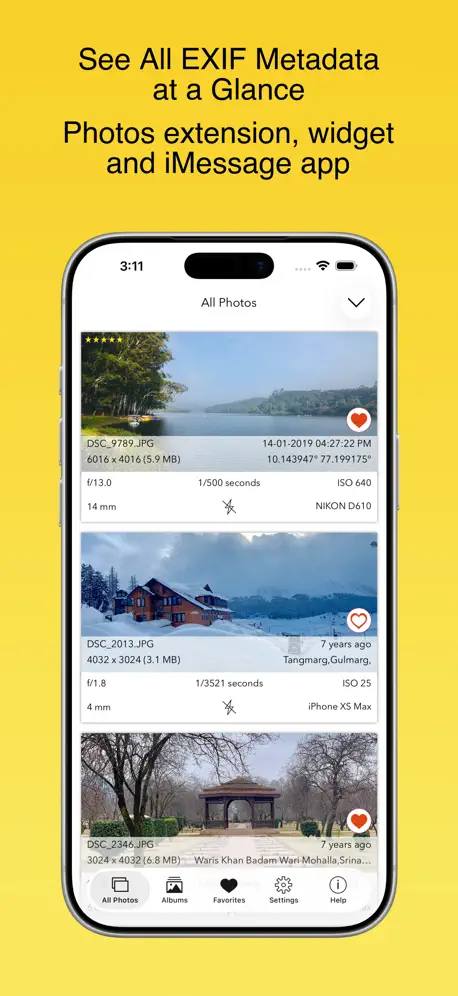
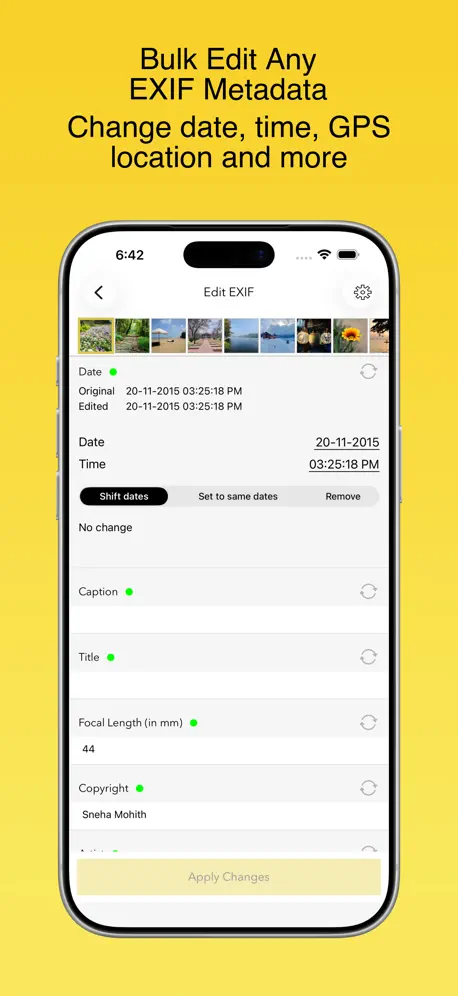
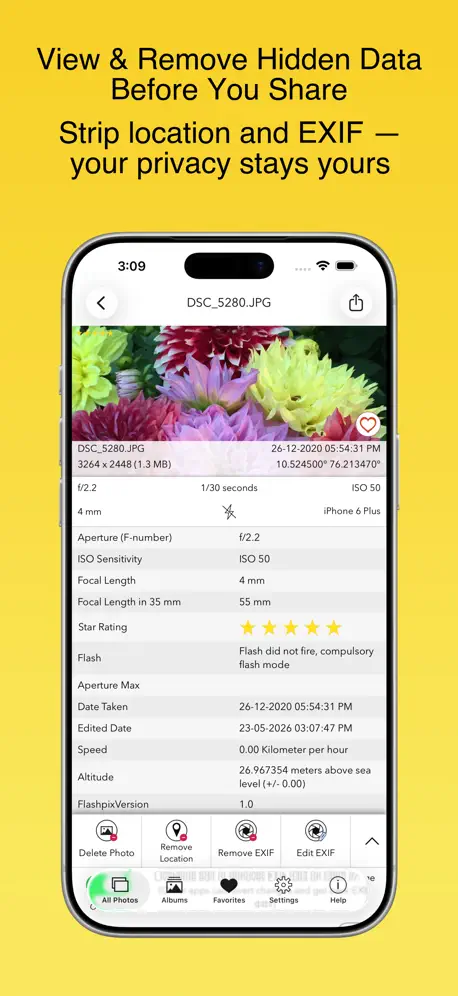
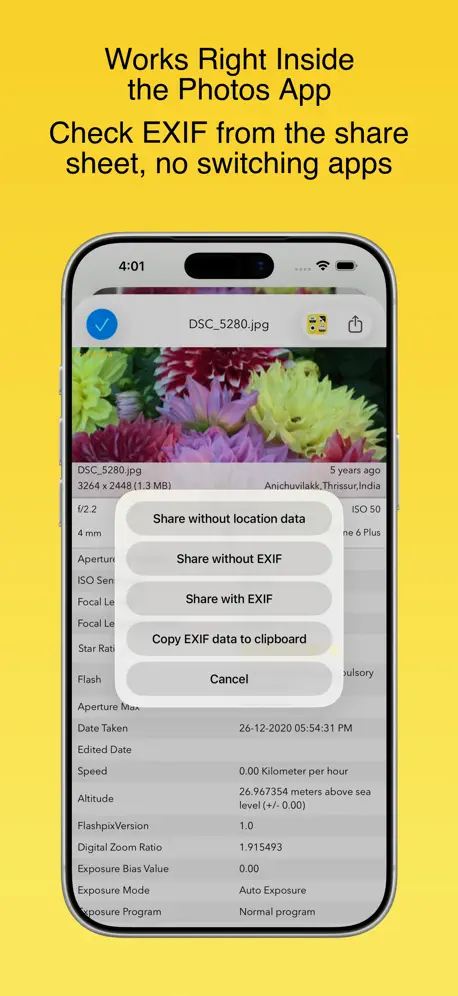
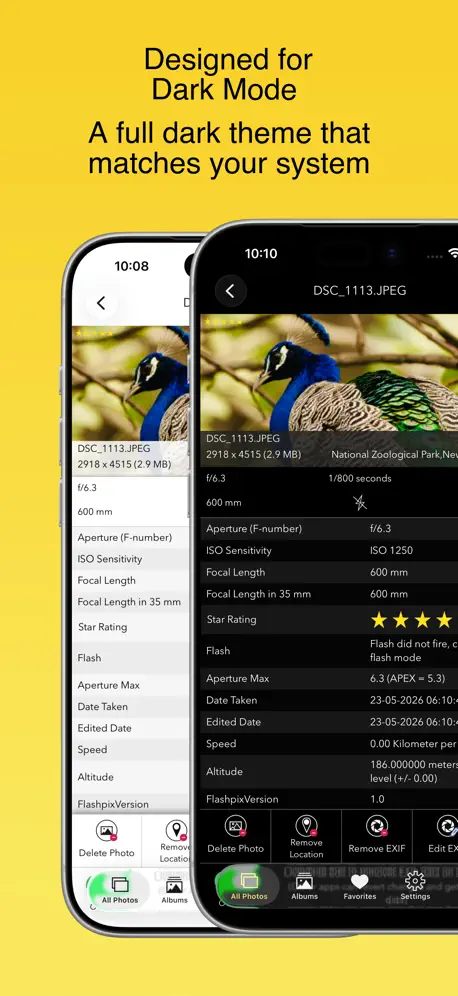

How much does EXIF Viewer by Fluntro cost?
Prices are current as of 7 Nov 2026.
EXIF Viewer by Fluntro has no in-app products on record in the United States.
EXIF Viewer by Fluntro download price by country
| Country | Price |
|---|---|
| China | CN¥48.00 |
| United States | $6.99 |
| Germany | €7.99 |
| Japan | ¥1,100 |
| Taiwan | NT$220.00 |
| Thailand | THB 249.00 |
| South Korea | ₩11,000 |
| Russia | RUB 599.00 |
| United Kingdom | £6.99 |
| France | €7.99 |
| Italy | €7.99 |
| Canada | CA$9.99 |
| Hong Kong | HK$58.00 |
| Netherlands | €7.99 |
| Spain | €7.99 |
| Australia | A$9.99 |
| Vietnam | ₫199,000 |
| Switzerland | CHF 6.00 |
| Brazil | R$49.90 |
| Austria | €7.99 |
| Mexico | MX$149.00 |
| India | ₹699.00 |
| Poland | PLN 29.99 |
| Czech Republic | CZK 199.00 |
| Ukraine | $7.99 |
| Belgium | €7.99 |
| Saudi Arabia | SAR 29.99 |
| Turkey | TRY 399.99 |
| Sweden | SEK 99.00 |
| Indonesia | IDR 149,000 |
| Hungary | HUF 2,990 |
| Malaysia | MYR 29.90 |
| Singapore | SGD 9.98 |
| Slovakia | €7.99 |
| Argentina | $6.99 |
| Greece | €7.99 |
| Israel | ₪19.90 |
| Portugal | €7.99 |
| Colombia | COP 29,900 |
| Chile | CLP 7,990 |
| Denmark | DKK 59.00 |
| United Arab Emirates | AED 24.99 |
| Finland | €7.99 |
| New Zealand | NZ$12.99 |
| Norway | NOK 89.00 |
| Croatia | €7.99 |
| Macao | $6.99 |
| Romania | RON 39.99 |
| Luxembourg | €7.99 |
| Peru | PEN 29.90 |
| Egypt | EGP 399.99 |
| Bulgaria | €7.99 |
| Belarus | $7.99 |
| Algeria | $6.99 |
| Kuwait | $6.99 |
| Latvia | €7.99 |
| Philippines | ₱449.00 |
| Slovenia | €7.99 |
| South Africa | ZAR 149.99 |
| Albania | $7.99 |
| Bahrain | $7.99 |
| Dominican Republic | $6.99 |
| Ecuador | $6.99 |
| Armenia | $7.99 |
| Cambodia | $7.99 |
| Kazakhstan | KZT 3,990.00 |
| Lebanon | $6.99 |
| Lithuania | €7.99 |
| Oman | $6.99 |
| Bolivia | $6.99 |
| Honduras | $6.99 |
| Sri Lanka | $6.99 |
| Mauritius | $7.99 |
| Pakistan | PKR 1,900 |
| Costa Rica | $6.99 |
| Estonia | €7.99 |
| Guatemala | $6.99 |
| Ireland | €7.99 |
| Moldova | $7.99 |
| Macedonia | $6.99 |
| Panama | $6.99 |
| Qatar | QAR 24.99 |
| El Salvador | $6.99 |
| Uruguay | $6.99 |
| Barbados | $7.99 |
| Benin | $7.99 |
| Cyprus | €7.99 |
| Ghana | $7.99 |
| Jordan | $6.99 |
| Kenya | $7.99 |
| Morocco | $7.99 |
| Nigeria | NGN 9,900.00 |
| Trinidad and Tobago | $6.99 |
| Uzbekistan | $7.99 |
| Yemen | $6.99 |
| Afghanistan | $6.99 |
| Antigua And Barbuda | $6.99 |
| Anguilla | $6.99 |
| Angola | $6.99 |
| Azerbaijan | $7.99 |
| Bosnia & Herzegovina | €7.99 |
| Burkina Faso | $6.99 |
| Bermuda | $6.99 |
| Brunei Darussalam | $6.99 |
| Bahamas | $7.99 |
| Bhutan | $6.99 |
| Botswana | $6.99 |
| Belize | $6.99 |
| Congo, Democratic Republic | $6.99 |
| Congo | $7.99 |
| Cote Divoire | $7.99 |
| Cameroon | $7.99 |
| Cape Verde | $6.99 |
| Dominica | $6.99 |
| Fiji | $6.99 |
| Micronesia | $6.99 |
| Gabon | $6.99 |
| Grenada | $6.99 |
| Georgia | $7.99 |
| Gambia | $6.99 |
| Guinea-bissau | $6.99 |
| Guyana | $6.99 |
| Iraq | $6.99 |
| Iceland | $7.99 |
| Jamaica | $6.99 |
| Kyrgyzstan | $7.99 |
| St. Kitts and Nevis | $6.99 |
| Cayman Islands | $6.99 |
| Lao Peoples Democratic Republic | $7.99 |
| St. Lucia | $6.99 |
| Liberia | $6.99 |
| Libya | $6.99 |
| Montenegro | €6.99 |
| Madagascar | $6.99 |
| Mali | $6.99 |
| Myanmar | $6.99 |
| Mongolia | $6.99 |
| Mauritania | $6.99 |
| Montserrat | $6.99 |
| Malta | €7.99 |
| Maldives | $6.99 |
| Malawi | $6.99 |
| Mozambique | $6.99 |
| Namibia | $6.99 |
| Niger | $6.99 |
| Nicaragua | $6.99 |
| Nepal | $7.99 |
| Nauru | $6.99 |
| Papua New Guinea | $6.99 |
| Palau | $6.99 |
| Paraguay | $6.99 |
| Serbia | €7.99 |
| Rwanda | $6.99 |
| Solomon Islands | $6.99 |
| Seychelles | $6.99 |
| Sierra Leone | $6.99 |
| Senegal | $7.99 |
| Suriname | $7.99 |
| Sao Tome & Principe | $6.99 |
| Swaziland | $6.99 |
| Turks and Caicos | $6.99 |
| Chad | $6.99 |
| Tajikistan | $7.99 |
| Turkmenistan | $6.99 |
| Tunisia | $6.99 |
| Tonga | $6.99 |
| Tanzania | TZS 19,900.00 |
| Uganda | $7.99 |
| St. Vincent & The Grenadines | $6.99 |
| Venezuela | $6.99 |
| British Virgin Islands | $6.99 |
| Vanuatu | $6.99 |
| Kosovo | €7.99 |
| Zambia | $7.99 |
| Zimbabwe | $7.99 |
10+ alternatives to EXIF Viewer by Fluntro
| EXIF Viewer by Fluntro | 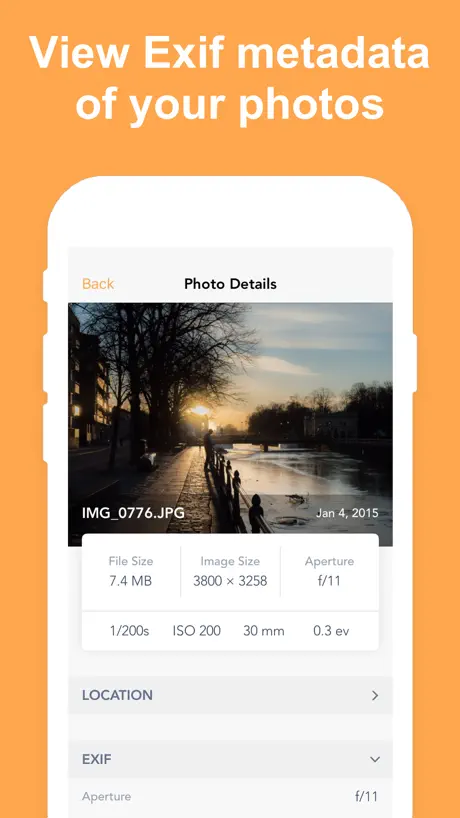  Exif Metadata | 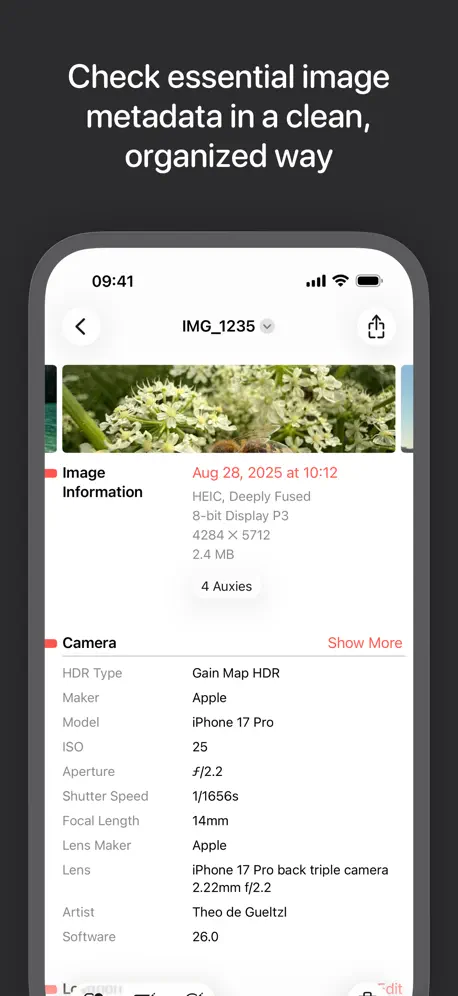  Metapho | 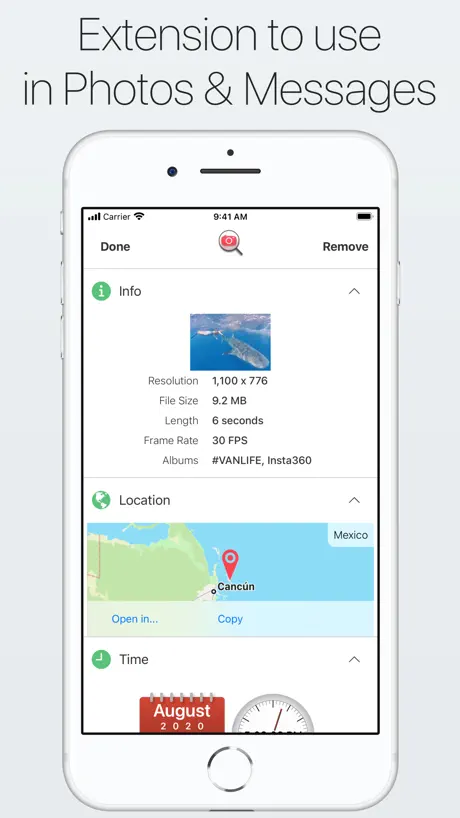  Photo Investigator: GPS & EXIF | 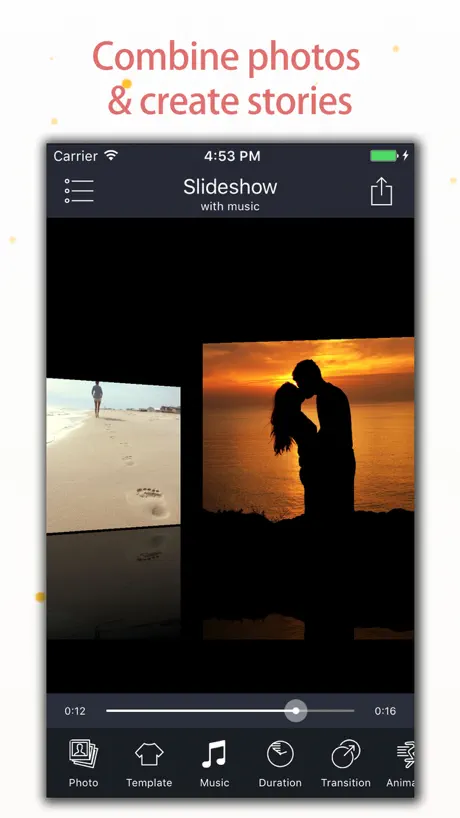  Slideshow Master Pro - Maker | 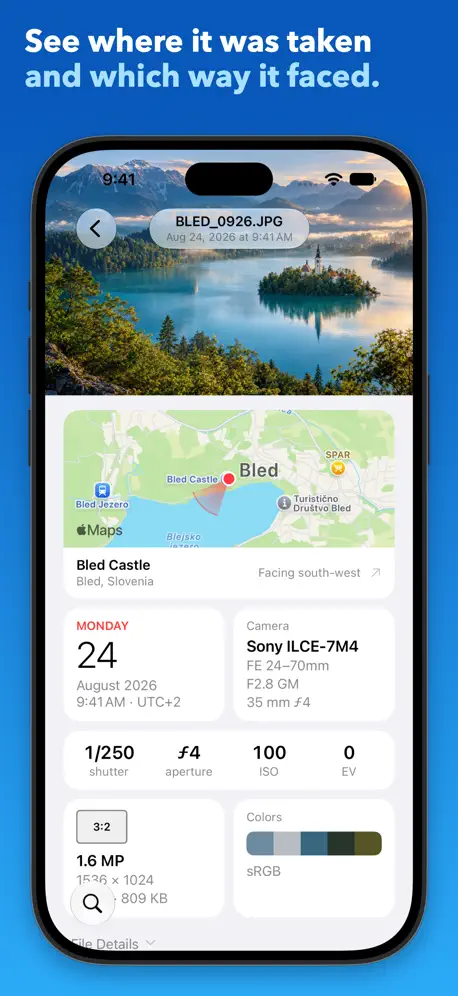  Photo Metadata EXIF Viewer | 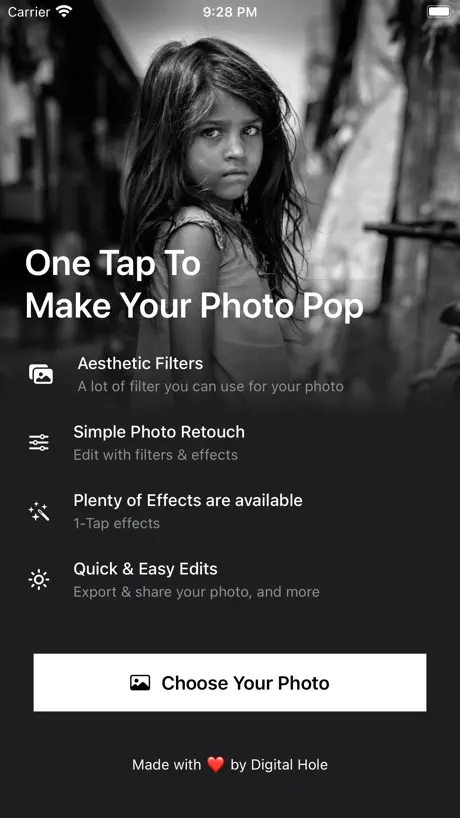  Luca - Photo Editor & Filters |   ViewExif | 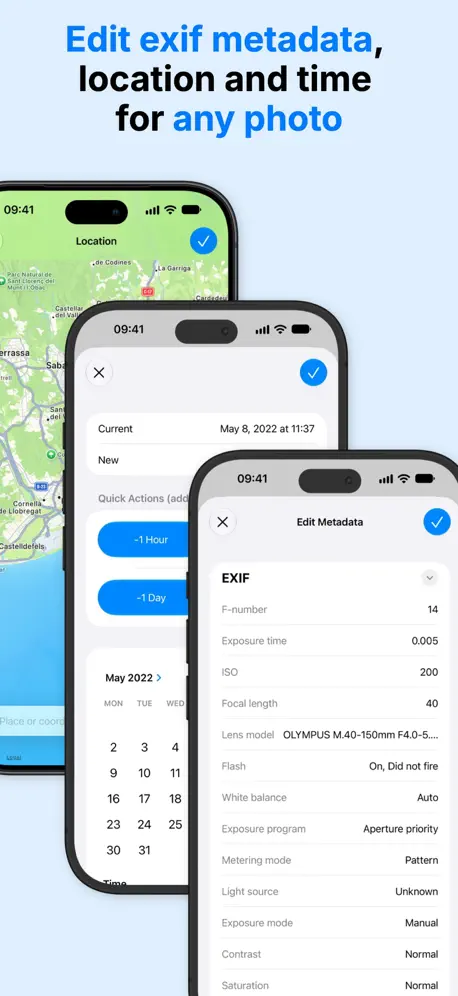  EXIF Metadata Editor & IPTC |   Exif Metadata Remover Viewer |   Exif Manager | |
|---|---|---|---|---|---|---|---|---|---|---|---|
| Rating / 5 | 4.7 | 4.6 | 4.6 | 4.3 | 4.7 | 4.6 | 4.7 | 4.4 | 4.4 | 4.5 | 3.9 |
| Reviews | 9.8K | 14K | 6.3K | 4.2K | 3.8K | 3.3K | 1.4K | 1.1K | 911 | 701 | 89 |
| Released | 2015 | 2019 | 2014 | 2012 | 2017 | 2016 | 2022 | 2014 | 2022 | 2021 | 2014 |
| Monthly price | — | $4.99 | — | — | — | — | — | — | $3.49 | $4.99 | — |
| Annual price | — | $9.99 | $19.99 | — | — | — | — | — | $14.99 | $24.99 | — |
| One-time price | — | $19.99 | $59.99 | $2.99 | — | — | — | — | $59.99 | $49.99 | — |
The going rate for each plan in United States, in its own currency, shaded from the cheapest price on the row to the dearest.
EXIF Viewer by Fluntro reviews
4.7 out of 5, based on 9,825 reviews.
What people like
- Removes metadata quickly and easily
- Great for editing bulk photo data
- One-time price with no subscription fees
- Shows detailed camera settings clearly
What they complain about
- Crashes when handling large or many photos
- Converts HEIC images to JPEG losing quality
- Shows wrong shutter count for professional cameras
- No search function makes finding photos hard
Text blank/missing in iOS 27
With iOS 27 the text within most of the app appears to be missing, please fix! Edit: fixed!
Doesn’t work on iPad M4
I loved this app on my older iPad, but on my new iPad M4 running iPadOS 26.4, EXIF Viewer version 6.4 (641) doesn’t work. I was able to edit one photo, but after that, whichever photo I select is shown briefly in the edit window and then immediately replaced by the most recent item in my photo library, whatever that happens to be. This renders the software useless, as far as I can tell.
A bug on iPadOS
When I open any photo in any album, it always shows me the latest one in that album.
Some videos still have EXIF datas (e.g., locations) like slow motion MOVs.
Also, app needs to refresh for new and updated medias. Bad usability. Long streaks make app slower to show statistics.
在浏览所有图片的过程中(已经开启筛选GPS的图片)选择除第一张以外的任意照片,想要点进照片看都会默认跳到第一张照片
请作者尽快修复
能出添加文件夹功能吗
文件夹
Waste of Money
Downloaded to remove EXIF from video. Unable to then save the video to my camera roll. Only saves as a photo.
Great app one small complaint
For some reason the latest version of the app the icon is black and white. Hard to find on dark mode. Please go back to yellow!
No longer updated??
I purchased the paid version a few years ago. It worked great then. But in 2026, mid-May, it’s completely unusable. It will show the EXIF data…mostly, although there are times I edit the data elsewhere and it never shows in this app. Another app here will pick it up immediately. I’m not sure if the developers are still actively working on this project, but I would find another app that is currently being updated to work with the newer versions of iOS. This was written on 19May2026, on a iPhone 17 ProMax, running iOS v26.4.2.
Not good for film scans
I bought this hoping to add film info to metadata on digital scans of 35mm film. I was able to add camera and lens info, but there is no field for adding film data. I also tried the “Share With EXIF” button and it didn’t work.
Back to 5 stars
This developer listens to feedback and fixes issues with the app. This app does what SHOULD be a native feature in Photos: remove or adjust EXIF, and it does so flawlessly. And they’re not charging a subscription fee. Glad to support a developer like this and would contribute if they want to add a tip jar feature to the app.
Need way to create templates for lenses
Looking for a way to create certain lenses as templates and then select a lens and auto-assign the meta data to multiple photos… (where lens info is missing) rather than having to enter the same lenses in by hand over and over.
Great but need some tweaks to editing GPS
This is an absolutely greta app among all the other alternatives. Tried snd bunch and settled on this one. But one issue I have is that the GPS editor only allows 6 digits after the decimal which is not sufficient to accurately locate a certain venue. This most definitely needs refinement to make it useful.
Bugs
I have used the app with success in the past but lately it tends to crash when trying to save/remove data or it doesn’t remove all data.
Clumsy, slow to update recent shots, could be much better.
Slow to update for more recent pictures, often times will pull up a different picture than the selected one, quite annoying. Still, useful to a certain degree.
Fix lỗi giúp admin ơi
Không mở được google map, chỉ xài được apple map. Nhờ admin fix lại dùm nhé, mình đã test iphone pro max, 13,14,15,17 điều không xài được google map.
No search function? Really?
I just paid $2.99 for this app so that I could edit keywords on my iPhone. Little did I know how difficult it would be to find the photo I wanted to edit, because there is no search function. He basically just have to scroll down to your photo and find it amongst the thousands and thousands of other photos that you have on your phone. Not cool, guys. If you fix this, I will make this a five star review but without search, it’s fairly useless.
Has great potential but missing one minor detail
As a person in the tech field, I use these types of apps in greater detail than the average person so I may have the potential to notice things most people don’t. For me, this app is visually striking and has tons of awesome information. It has feature you don’t get with most apps of this kind. That being said, I’ve been evaluating a few of these alpps to pick the best one for my needs and this was the only one I had to pay for and I’m not really happy I did because it’s missing data that I was able to get from two other FREE apps. What’s missing? The app only pulls the original data from each photo. It does not pull modified data which often reveals deception. Here’s what I mean: In iOS 15, anyone can look at a photo and swipe up to modify the date and time and even the location without using an exit data viewer app. I took a photo and modified it for today’s date and then went in iPhone and changed the date to two weeks before. This app only shows the original date which is today. Most people only care about the original date but if someone is trying to deceive you, you can’t know if you use this app. The other apps that are free with limited features show the new date the photo was modified to and then in the Exif data, it shows the date the photo was digitized which is the original date. So essentially, you can instantly tell that the person changed the date and time of the photo. Having this information can be crucial in an investigation because it shows that the person who took the photo modified the date to make it appear as though that was the date it was taken. I wish I didn’t have to pay to find that this doesn’t quite suit my needs because that one feature is important enough to not use the app. At least for me but it is well designed and will suit the needs of most.
Disappointed
On the plus side you can download the free Lite version to test this out on a few photos, maybe it will do what you need. But of little use to me, I can edit a photo’s title and caption (aka description) using iCloud photos but these don’t reliably carry across into this app and back again. The app also silently changes images from HEIC to JPG (haven’t tested what it does to live or burst photos) - apparently this behaviour is forced on third party apps by Apple Photos. Note also that iOS (16) indexes captions but not titles or keywords from what I can make out. Seems that this app is just a cash cow. Haven’t found a better app yet (even Hashphotos can’t handle keywords properly on iOS) so will use the “ZZ keyword” caption hack for now. Rather annoying that Apple have crippled photo management on iPhones and iPads.
Good app but has its limitations
Good app but has its limitations, no option to change the file name, and no way to copy exif data from one image and paste it onto another.
Awesome quick and easy
I wanted to send a picture to someone but didn’t want to include the meta data. I downloaded this app and it was quick and easy. Two clicks and it was done. It even saved the finished work in its own newly created folder. I wish it had the option to save it as a copy without altering the original. (Maybe it does I just have not checked yet). Thanks for this quick and easy app appreciated
Awkward
Hard to use. Deleted this app.
Excellent app all around with a few desired improvements.
For self-taken photos, this app offers incredible tracking and detail that once was only was only available through a pen/paper chart when using a 35mm camera (yes, I started that way in a college forensic photography course eons ago). Two downfalls I’ve found, though admittedly one could be considered act of privacy, but when the other other party does not have EXIF installed, personally I fell it shouldn’t fall under any privacy act and should provide the data I seek as a professional trying to gain professional knowledge regarding details of a particular photograph I find interesting enough to attempt to emulate later, either via iPhone or my professional camera’s manual settings. 2.) The second downfall of this app is the inability to select to share or not share the EXIF data per individual share of a photograph to an individual via message or other app, email, etc (speaking specifically in reference to the iPhone Xs version 15.0.1) and the EXIF Viewer by Fluntro Version 6.1.(611). I would really appreciate the opportunity when selecting a photo or video I wish to share (regardless of what medium I chose to share it through, Facebook, Instagram, Twitter, Snapchat, email, Whatsapp, Signal, TikTok, Tinder, Google, Zoom, Skype, etc) to be prompted by EXIF Viewer with all available options for data attached to the file for me to select or deselect for the recipient(s) to obtain access to, regardless of their pre-existing access to EXIF data or any assumed purged or deletion of data from the file as a standard procedure with the platform of use for transmission. Call me a control freak, but I prefer to take that extra step each and every time in full scale. Most particularly in the event that I occasionally do wish to share such information (despite how unlikely and i frequently those occurrences may be, I will still like to have that option to override the standard and know I chose to do so manually). Should these two issues get resolved, a five stars would be an understatement as I would attempt to review twice for a total of ten stars for achieving such something so incredible behind the scenes on the back end that I well know involves integration with other big companies’ back ends. However “they” could be persuaded with a convincing argument and successful prototype of a working example for how their own clients could similarly partake as I am asking (or simply by updating their privacy policy in masse as they often do which no one ever reads and it just gets accepts…..either way, I’m willing to be the first gineau pig to pitch the integration and prove not only success but the potential for great forward thinking ahead of the competition that will further increase current market value, expected growth, and significantly improve serious failing public faith and stocks and values in Facebook and subsidiaries in particular. Just fruit for thought. Under penalty of federal and state law, these ideas and belong solely to the author, Trista Lynn Carr, and are not permissible to be used, enacted, or portrayed as those of as any other person, entity, corporation, group, consultant, or any other acting on behalf of another without sole and explicit permission and direct involvement leading any and all efforts in relation to the Miss Carr’s suggestions and recommendations, per patent regulations and appropriate reimbursements as applicable upon any contract entered.
Keywords not working with macOS
Keywords entered in photos on macOS are searchable on the iOS photos app- but this app does not let you display or edit them.
Please Fix
Hi this app is amazing loving it to view Exif. However can you please adjust the following when copying Exif data. Please add these fields in the ‘Share Settings’ thank you. * Can you remove the first group of digits before the - and only keep the 1/400 seconds please. This is what it looks like when copied. 0.002500 - ( 1/400 seconds ). Can you change it so it looks like this when copied 1/400 seconds. Or if you could add Shutter Speed & keep still the Exposure Time with both options. 1/400 seconds * Can you also remove the (35 mm format) after the 70 mm. This is what it looks like when copied. 70 mm (35 mm format). Can you change it so it looks like this when copied 70 mm. Please could you make these changes as it looks much cleaner and less editing after copying and pasting it somewhere else. I will definitely re-adjust my ratings once these have been amended Thank you and keep up the great work.
Professional App
This app has worked flawless to change photo meta data on the iPad with images stored in the Apple Photos app.
Not accurate
Not accurate Not user-friendly
Awesome, with some quirks
It’s well done and works well, if you get used to a couple of weird quirks. I edit photos and will have multiple versions of the same. If I click View Exif on an image, and then open the app from there, the image itself does not open, but the app does. If I repeat the exact steps a 2nd time, the app will open the original photo, when I was asking it to open a photo that is an edited version of the original. I then swipe to the one I want and proceed but you can see how this gets a little tedious. All in all, I still recommend because these are minor things that I feel have to do with the changes that iOS keeps making to the albums and camera roll and recent photos sorting. Multiple apps I own have problems pulling up Recent Photos in order saved now (separate issue but I feel this probably causes some issues for developers).
Difficult to use
No longer can export from apple photos app to this app. And the only way to import and edit a photo is scroll through tons of pictures to find what you’re looking for.
没见过 「编辑功能」隐藏这么深的!
编辑作为一个基本功能,要经过匪夷所思的步骤才能调出来,无语。。。
The best of its kind
There are not many apps that allow you to edit every single field that this one does. The action extension is an awesome touch, too.
Useless
There’s hardly ever, actually never has this App produced any information worth a penny. Waste of money
Meh
I like but can be better, as in, NO DATA exposed.
App not working for ORF files
Doesn’t show correct Exif data. Instead shows that which iOS provides after it’s converted. Don’t waste your money.
Good Exif viewer, no file integration on iOS
On IOS new IPad, Exif viewing works great but poor file synchronization. Images were imported en mass first time I used it, but do not show additions or removals of photos in IPhoto cloud
nice app for EXIF
at first was not seeing images on Iphone 8 but working now working after phone restart allows removal or edit of EXIF data nice app
Misleading!!!!
I read this app shows shouter count. Nope it either is left blank or shows 0!! Don’t buy if you need for professional camera!! I want a refund! 😡
Location info update
App is great but would make it excellent by adding the following to update Location info: - access to my contacts so that I can enter their name and have the address prepopulated rather than having to enter it again - using same location as prior edit - using same location as another photo selected from My Photos or any of its albums Thanks for your consideration.
little use for video
I bought this hoping to see details of video shutter speed, ISO etc and not just file size and fps. How else can you learn about video settings and what influences motion blur, for example..? All I get for .mov files is "EXIF data is not available" qualified by "Photos saved to Camera roll from some social networking and photo editing apps remove their EXIF data. Saving Photos from Airdrop or Mail app retains EXIF data". Disappointing...
Need satellite map view and more
The primary purpose for my use is to add location data. Not only is the map view primitive, there is not a method that I can find to add longitude and latitude. Please give a method to add exact location data, or if it’s there, tell me how. I need to find a location by which tree.
Just What I Needed
I needed to verify the shutter count on my DSLR. I know there is at least one web site that I could use that would look at an uploaded picture to find the information, but that shouldn’t be necessary. With all the EXIF viewers out there, I should have been able to use one to find the count directly. I had no luck finding one that worked until I came across this app. For a one-time cheap price, this app was able to give the count I needed and also a lot more EXIF information. In addition to including all EXIF data, the user interface is well done and easy to use. It’s very easy for me to highly recommend this app.
Only sorts by date
I bought this program to help me find and delete duplicate pictures in my collection. Unfortunately it only sorts the picture by date taken and in need to sort by size.
Brilliant
Since buying this app I’ve never had any problems with I use it every time even before uploading a photo on to media you can’t go wrong with this app ( spot on )
Missing filtering feature
Bought app to edit Exif to about 8k pictures that are missing a date. There is no way to filter the ones without dates. My library has 78k reduced images.
Exif Modifications force re-encode to JPEG
I purchased this because I really do enjoy and like having its EXIF viewing abilities (which are top notch). I tried the exif editing functions and found that in all cases, the image was re-saved as JPEG (it was originally HEIC), which means exif edits also cause an image reencode which means a loss of data. I’m not sure if that’s an iOS limitation (or if it would be worth doing manual byte edits on an image), but would like for such actions to not need to edit more than is necessary. Still wish iOS could do lossless cropping and rotation.
Sweet.
Really. Very nice ;)
Not work with iOS 14
Needs to be updated
Does it all
I’ve been looking hard for an app that does it all. This is it. Easy interface and will do bulk changes which is what I wanted more than anything. So if you need to edit Exif on one image or hundreds (like I needed to) then look no further. A tipped hat to the developers.
Accuracy?
All the data becomes questionable when it seems to get x1 and x2 focal lengths wrong on iPhone 8 Plus.
Crashes
I bought this app today. I love the idea of this app! It displays the information well and the full preview pinch to zoom will make deciding which to keep and develop vs which to delete easier. I am running a 3rd gen iPad Pro 12 inch. The pictures I am dealing with are 13-50mb each. If I swipe through too fast the app crashes. I thought it might be a fluke but I was able to recreate it every time even after restarting my iPad. This has to potential to be the best EXIF app on the store. And please add support for RAW .NEF from Nikon D780. 😁
EXIF Viewer by Fluntro FAQ
- Is EXIF Viewer by Fluntro free?
- No. EXIF Viewer by Fluntro costs $6.99 (US) to download.
- Does EXIF Viewer by Fluntro have a free trial?
- No. None of its offers (US) come with a free trial.
- What are the best alternatives to EXIF Viewer by Fluntro?
- Exif Metadata (4.6 from 14,355 reviews, premium from $4.99), Metapho (4.6 from 6,280 reviews, premium from $19.99) and Photo Investigator: GPS & EXIF (4.3 from 4,180 reviews, premium from $2.99).
EXIF Viewer by Fluntro download
Last updated 26 days ago.
EXIF Viewer by Fluntro sells in 175 countries. It was released 11 years and 10 months ago, on 11 Jan 2015. It holds a 4.7 rating from 9,825 reviews.
Supports 39 languages: English, Arabic, Bulgarian, Catalan, Danish, Dutch, Estonian, Finnish, French, German, Greek, Hebrew, Hindi, Hungarian, Indonesian, Italian, Japanese, Korean, Latvian, Lithuanian, Malay, Malayalam, Norwegian Bokmål, Persian, Polish, Portuguese, Romanian, Russian, Serbian, Chinese, Slovak, Slovenian, Spanish, Swedish, Tamil, Thai, Turkish, Ukrainian, Urdu.
How much does EXIF Viewer by Fluntro make?
Third-party estimates for the last 30 days, worldwide — not the store's own figures, which Apple publishes for nobody.