
Photo Investigator: GPS & EXIF
Edit Metadata + Detect AI Art
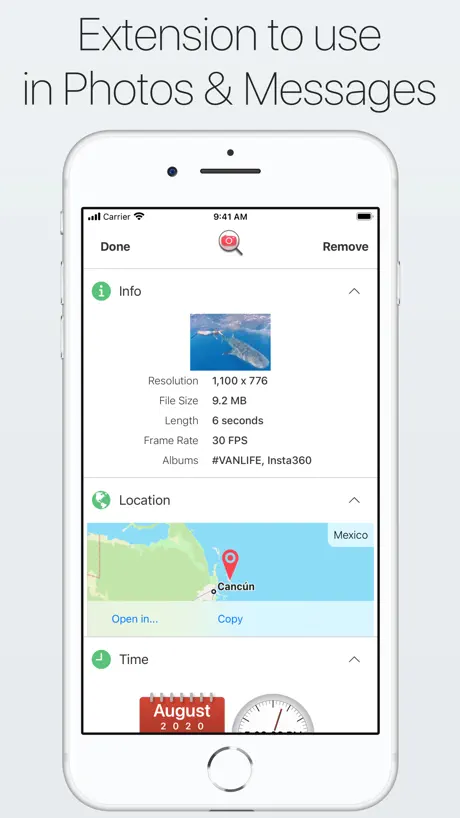
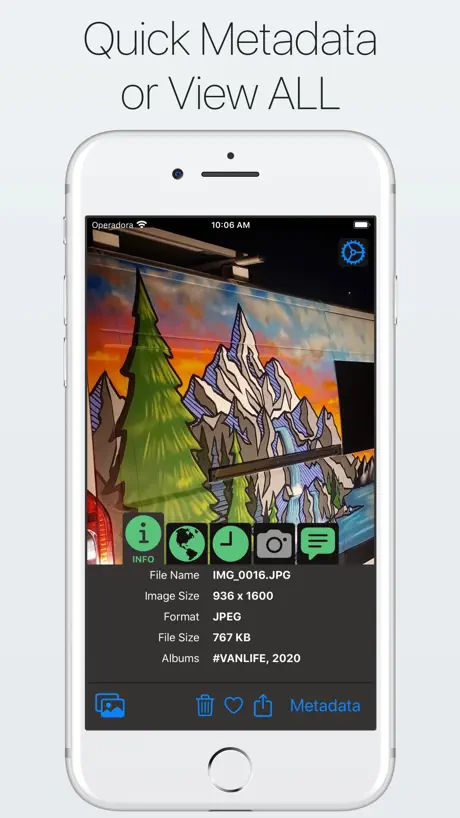
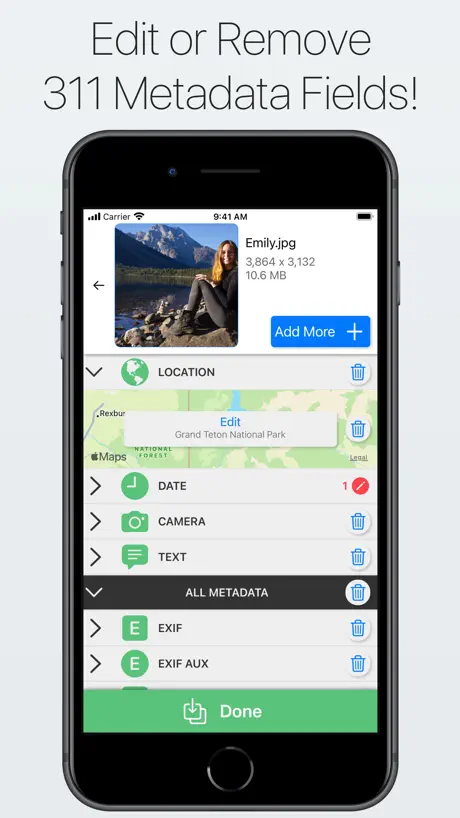
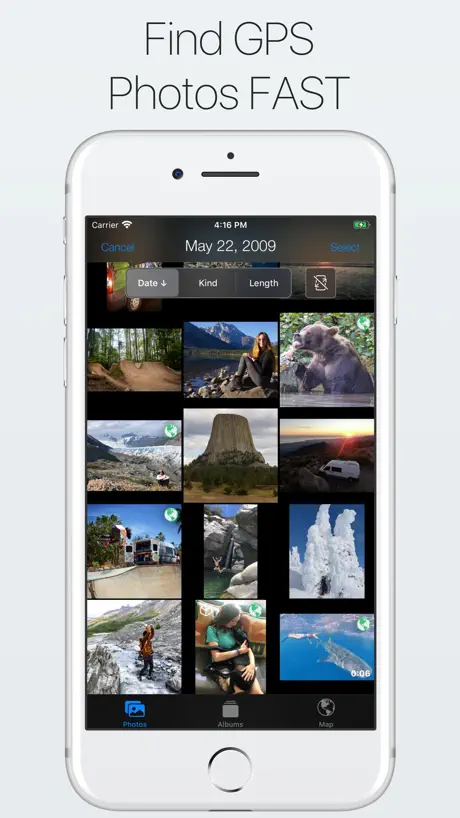
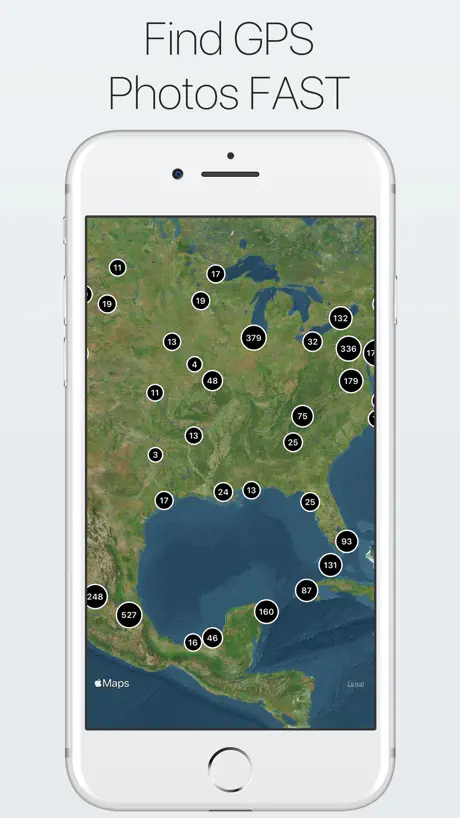
How much does Photo Investigator: GPS & EXIF cost?
Prices are current as of 6 Oct 2026.
3 one-time purchases from $2.99
In the United States, Photo Investigator: GPS & EXIF has 3 one-time purchases priced $2.99 – 4.99.
| Product | Price |
|---|---|
| 7.0 Loyalty Unlock | $2.99 |
| Complete Unlock | $2.99 |
| Photo Investigator 7.0 Unlock | $4.99 |
See what Photo Investigator: GPS & EXIF costs in all 175 countries →
10+ alternatives to Photo Investigator: GPS & EXIF
| Photo Investigator: GPS & EXIF |   Exif Metadata Exif Metadata |   EXIF Viewer by Fluntro EXIF Viewer by Fluntro |   Metapho Metapho | 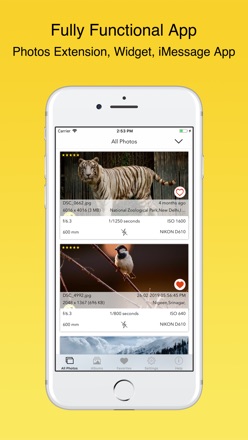  EXIF Viewer LITE by Fluntro EXIF Viewer LITE by Fluntro |   Photo Metadata Viewer Photo Metadata Viewer |   PhotoMapper: GPS EXIF Editor PhotoMapper: GPS EXIF Editor |   Exif Metadata Editor & IPTC Exif Metadata Editor & IPTC |   Exif Metadata Remover Viewer Exif Metadata Remover Viewer |   Photo Metadata EXIF Remover Photo Metadata EXIF Remover |   Exif Metadata Editor - Images Exif Metadata Editor - Images | |
|---|---|---|---|---|---|---|---|---|---|---|---|
| Rating / 5 | 4.3 | 4.6 | 4.7 | 4.6 | 4.6 | 4.6 | 4.3 | 4.3 | 4.5 | 4.1 | 4.4 |
| Reviews | 4.2K | 14K | 9.8K | 6.3K | 5.3K | 3.3K | 973 | 895 | 695 | 376 | 212 |
| Released | 2012 | 2019 | 2015 | 2014 | 2015 | 2016 | 2018 | 2022 | 2021 | 2016 | 2021 |
| Monthly price | — | $4.99 | — | — | — | — | — | — | — | — | — |
| Annual price | — | $9.99 | — | $19.99 | — | — | — | — | — | — | — |
| One-time price | $2.99 | $19.99 | — | $59.99 | — | — | — | — | — | — | — |
The going rate for each plan in United States, in its own currency, shaded from the cheapest price on the row to the dearest.
Photo Investigator: GPS & EXIF reviews
4.3 out of 5, based on 4,172 reviews.
What people like
- Shows all metadata fields clearly
- Very intuitive and clean user interface
- Developer responds quickly to issues
- Maps show photo locations accurately
What they complain about
- You must pay to edit metadata
- Ads interrupt you constantly
- Saved photos get much larger in size
- Bulk editing multiple photos is missing
Indispensable - I use this every day!
This utlilty beats any other EXIF app I've tried and I've tried about 20 of the best I could find! (Metapho, View EXIF, PhotoMeta, EXIF Wizard Pro, etc) This is the only one to truly show all the stuff! I absolutely CAN’T LIVE WITHOUT IT. Trust me, THIS IS THE ONE YOU WANT. Also - buy the upgrade. I did just to help encourage this developer to keep this app going for years to come because I can’t imagine not having it. 10Y Update: I’ve had this app over 10 years now! Still use it every day.
吃二茬,吃翔吧,真恶心
吃二茬,吃翔吧,真恶心
Awesome but would love a bulk edit
Works well but would love the ability to do more than one photo at a time
I like this, but ..
Update: Changed to different mobile phone but unable to restore my purchase. ——————- Easy to use, and does what it promises. Kudos to developer(s)
getting there but a few issues
Thank you for quickly dealing with the Files issue, but there’s a couple of things (one quite crucial) that are a problem for my work. 1] To open from Files, we have to allow Photos access in System Settings or else the open dialogue won’t load - so in Settings I have to set Photos access to ‘Limited Access’ to keep my photos private (ok so far), but then what happens is upon opening the App it shows all the thumbnails of Recent Files - which is a big no go for me as I work on multiple cases and often have clients looking at my screen. 2] Much less important a problem, but the ‘Saved From’ field shown on all images says: Investigator (which doesn’t seem right?)
Great app, responsive dev
Previous build's bug fixed, plus at least one of my suggestions implemented--thanks! A useful, fast, sleeper app. 👌
It’s a clone app for you guys
Third apps getting information about your location and your phone number and how much time you’re spending in them to fight a government scam.need a new phone with a different name
Very Useful App
Tag Multiple Images In One Go; Excellent Support
It's not free
It will charge you £4.99 in case you want to edit metadata fields and remove the advertisements
Only works with Photos app
Unfortunately I can’t use or even test this app as it only opens images that are in your Photos app, and not in Files (where all of the images are that I need to check). The images I want to check are client related and will never be in my Photos app I’m afraid. Having said that, it looks well made and if you only use your Photos app then this should be ok for you. I tried it on my MacBook too.
Indispensable for Photographers
Photo Investigator has been my go-to when it comes to searching/indexing my photos online. For example, though VSCO embeds information that allows quick searches using Google Photos or Flickr, Snapseed does not. Photo Investigator allows me to create a template that embeds that info, all while preserving location data, etc. It’s been my most commonly used app, tbh. The developer has also been very responsive when I reported any issues.
broken heart
Until a couple of days ago, this app enabled me to get the "IMG_nnnn" name that Apple refuses to provide for iMovie videos saved to our iPad camera rolls...... Then I updated with the last "Photo Investigator" update and I can no longer do that. My heart is broken. It has been the only feature I needed this app for, and it saved the day. Before finding the app, I had despaired of ever being able to determine the iPad "IMG_nnnn". And I used this app all the time. It mattered to me. And now the feature is unavailable from the Apple camera roll. Sad.
Room for Improvement
This is a great app but I’m surprised it lacks one important feature: the ability to import any of the metadata (time stamp, gps, etc.) as a displayed caption.
Useful at start
Used it successfully for a few months then I couldn’t access the ability to scrub metadata. No on screen instructions as to why. Poor ‘FAQ’ section too
Ehhh not worth the money tbh
So apple can natively edit meta data. This app does not really hold all that much value. Now if it could see the edited or removed meta data from an image or at the very least see that it was edited then that would be a slightly different story.
Doesn’t work for Photos to be posted to FB.
Converter photo. Used the web version of FB with Google Chrome as browser but not displayed as 3D photo.
Useless
I can’t see any location in any pic except for the ones I take. And that feature is already available on iOS
Photos extension gone missing!
I’ve been using your app to quickly review metadata from within the Photos app but with this latest update it’s now missing. Please fix! Thanks
(Was) Outstanding! [edit written after updating]
The best app I've found for my purposes, completely free of irrelevant, distracting junk. THANKYOU ! [Edit: I'm very annoyed with myself for trusting that the update would remain clean and free of crummy advertising. Big error on my part and I'm now left disillusioned. As can be seen from my earlier review (above), the lack of advertising was a huge part of why I liked this app so much.]
I have paid for the upgrade three times in past two years.
Hi - it is asking me to purchase upgrade for the 3rd time. I have been using this app for a few years. I think it is because of these Enterprise MDM enrolments that use side loading without telling the end user. I guess Apple thinks we should pay for books, apps, and upgrades every time they sell our account “supervision’ without any transparency to us. I assume that’s where the money is so in the meantime I will have to request (kindly) that you authorise my already-paid upgrade. Thank you. #applebusinessmanager ABM #volumepurchaseprogram VPP
Old and Useful Friend
Dunno know how long I’ve used this app for the purpose of adding, editing, and deleting metadata. Map is very usefully to jiggle a marker onto just the right location. Never a fail or mess up experienced on this rock solid app. Do appreciate the idea of simple edits UI and in-depth option. Absolutely worth the shekels the developer requests for this primo editing app. Thanks VanDersons!
After I paid to edit metadata it asks me to pay again!
Why would you do this? I’m not paying twice! The first I paid was a mistake because it didn’t even let me do what I wanted. Everyone just save your money.
Pretty good
Could do with bulk editing, and loses a star as it doesn’t handle dark mode properly, but otherwise good.
Wieso nochmal zahlen?
Die App war super bisher. Kurz mal gelöscht und jetzt soll ich nochmal bezahlen? Wieso? Aber diesmal werde ich sie nicht mehr kaufen. Da mittlerweile auch beim iPhone über iOS Daten bearbeiten zulässt.
Didn’t do what I need
Please cancel my purchase
One of the all-time best apps!
This app is in a league of its own. So many quick and easy uses!
did not work
☹️
Does what I looked for but is not perfect
Great app, thanks a lot. I like that it's able to show live pictures. There is no file size and camera Informations in slow mo videos and not a lot camera details for normal videos. Apart from that it looks like a great app.
Geotagging
Extremely easy to add geotagging, but must be done very inefficiently. I compared untagged photos and once geotag location is added, the photo size became four times larger. I also compared a photo that was originally geotagged when the photo was first taken and then I edited the location using this app. The photo with the edited location was nearly three times larger. I won’t be using the app very much as a result.
Provides a good look at metadata
This app gives you a detailed look into the metadata for image files stored either on your device or in Apple Photos. That metadata isn't usually visible in iOS like it is in macOS, so The Photo Investigator is a very useful tool. Editing the metadata is quite straightforward, with a friendly UI that makes the task fast and easy.
Really cool
Great for beginners that don’t know what meditate is and is a nice resource, I love it
Doesn’t work
After editing the metadata of a picture or video, it takes forever and gets stuck on the loading circle to save it as new
Free, but sluggish
Does as advertised. Sure you need to pay to edit meta, but fixing the omission ios has for just a small amount of advertising is great, it's free after all. I want be paying for it though until it can read the data much quicker, some photos can take up to 30 secs, while most take about 5-10. Wish apple would display meta, it's crazy ios doesn't have this.
Grad mal drei Fotos kann man der Arbeit
Drei Fotos danach abzocke
Cool app but…
When I save an image after deleting all metadata, it saves the new image at about twice the original size of the photo. For instance, a photo that starts around 4mb, ends up around 8mb. So the photos are taking up so much more space on my device. I’ve looked for a solution to this on FAQ’s and in settings, but am not finding it. Happy to update the rating if there is a simple way to overcome this that I am overlooking. Love the concept of the app!
Great app!
This app does its job well and the UI is very intuitive and clean.
Look, won't touch
Very handy for seeing what the current meta data of a pic. However, you must pay to do anything else whatsoever.
Very Good GPS Viewer and Editor
Downloaded Investigator in order to add GPS coordinates to photos taken with my Sony a350 DSLR Camera in 2015. The interface needs polish, but the app does what it says it will. I like the fact that it displays file sizes and file dimensions (which other apps don’t).
Great App but no longer works
Used to be a great app but the latest version of IOS (11.2) does not allow it to work. Tried to contact the developer twice but have had no response. Also app now shows ads even though it was fully paid for some time ago! Very disappointing!!!!!
Not trustworthy for video size.
Ive been using this for a few years and its my go to Exif viewer, but recently I’m seeing wrong info from video. For example, a video that is 433MB is being reported as 173MB by this app, and only this app. Other methods show the actual size. I have a few that act like this. If this could be fixed I’d give it 5 stars.
Great app, very helpful
Well made indie app. Super helpful
I installed this by mistake, app is useless and I can’t figure out how to cancel
I installed this by mistake when searching apps in my App Store, and now I’m terrified after the “free trial” it gives you that I’m going to be charged. I didn’t even want this app; I installed it by mistake! It is extremely vague and ambiguous and gives you ZERO info about how to cancel. Now I’m going to be charged for something I can’t afford and didn’t even want in the first place! Apps like this are manipulative, exploitive, and purposely hide info so they can profit off of you. DO NOT DOWNLOAD
I like it
It may have a modest UI and you will need to make a small contribution to unlock all features and remove ads, but this app does exactly what it claims. I'm a big fan. If you've a need for this kind of tool, this app will not disappoint.
Misleading
You MUST buy it if you want to manipulate or remove the metadata. This shows you lots of advertisements but does nothing until you pay $$$. :-(
Great idea but...
Great idea but unfortunately the lack of being able to edit IPTC Title means it’s pretty much unusable for what I require.
No me deja borrar todos los datos
No sé por qué no los borra antes si
No sirve
No te dice que fecha fue tomada las doro perdida de tiempo
Did what I wanted but wasn't cheap
Wanted to change the date on a few pictures I imported, had to pay for the full version. As the title says it did what I wanted but just to change the date on a few photos it wasn't cheap.
The 'free' app is a bit of a con as it expects you to pay £2.49 to make it work
The 'free' app is a bit of a con as it expects you to pay £2.49 to make it work. That is a bit above the cost of other apps, but even if it is a good product (no way to test) then the disingenuous approach is off-putting. It isn't even a demo version as you can't edit anything without paying the unlock fee. Of the Exif fields, it appears there are only three that would be editable. Even the display-only fields have less info than some comparable apps. Programmers: it might be a sound investment to invest in the customer a little bit more. Offering a free app that isn't, charging a higher than average fee, loading it up with lots of advertising and not even allowing a trial run - none of these things endear customers to invest their hard-earned cash in your product. Other than that, best of luck.
Quite good
I'm only rating this as quite good because the location mapping is wrong in China. This is a common fault of many western sourced maps like Google, Here etc which place locations about 500m from there true location. If it used a Chinese map it would be fine, as is Apple Maps.
Photo Investigator: GPS & EXIF price by country
A one-time purchase costs $2.74 in Qatar and $4.55 in Hungary — 1.7× more for the same thing. Below is the going rate for each plan in every country that sells it — the middle price of what the app charges there, in the country's own currency with the dollar equivalent beneath it.
| Country | One-time |
|---|---|
| Afghanistan | $2.99 |
| Albania | $3.99 |
| Algeria | $2.99 |
| Angola | $2.99 |
| Anguilla | $2.99 |
| Antigua And Barbuda | $2.99 |
| Argentina | $2.99 |
| Armenia | $3.99 |
| Australia | A$4.99$3.47 |
| Austria | €2.99$3.36 |
| Azerbaijan | $3.99 |
| Bahamas | $2.99 |
| Bahrain | $2.99 |
| Barbados | $3.99 |
| Belarus | $3.99 |
| Belgium | €2.99$3.36 |
| Belize | $2.99 |
| Benin | $3.99 |
| Bermuda | $2.99 |
| Bhutan | $2.99 |
| Bolivia | $2.99 |
| Bosnia & Herzegovina | €2.99$3.36 |
| Botswana | $2.99 |
| Brazil | R$19.90$3.81 |
| British Virgin Islands | $2.99 |
| Brunei Darussalam | $2.99 |
| Bulgaria | €2.99$3.36 |
| Burkina Faso | $2.99 |
| Cambodia | $2.99 |
| Cameroon | $3.99 |
| Canada | CA$3.99$2.81 |
| Cape Verde | $2.99 |
| Cayman Islands | $2.99 |
| Chad | $2.99 |
| Chile | CLP 2,990$3.03 |
| China | CN¥22.00$3.28 |
| Colombia | COP 14,900$4.50 |
| Congo | $3.99 |
| Congo, Democratic Republic | $2.99 |
| Costa Rica | $2.99 |
| Cote Divoire | $3.99 |
| Croatia | €2.99$3.36 |
| Cyprus | €2.99$3.36 |
| Czech Republic | CZK 79.00$3.64 |
| Denmark | DKK 29.00$4.36 |
| Dominica | $2.99 |
| Dominican Republic | $2.99 |
| Ecuador | $2.99 |
| Egypt | EGP 149.99$2.87 |
| El Salvador | $2.99 |
| Estonia | €2.99$3.36 |
| Fiji | $2.99 |
| Finland | €2.99$3.36 |
| France | €2.99$3.36 |
| Gabon | $2.99 |
| Gambia | $2.99 |
| Georgia | $3.99 |
| Germany | €2.99$3.36 |
| Ghana | $3.99 |
| Greece | €2.99$3.36 |
| Grenada | $2.99 |
| Guatemala | $2.99 |
| Guinea-bissau | $2.99 |
| Guyana | $2.99 |
| Honduras | $2.99 |
| Hong Kong | HK$22.00$2.80 |
| Hungary | HUF 1,490$4.55 |
| Iceland | $3.99 |
| India | ₹299.00$3.10 |
| Indonesia | IDR 59,000$3.29 |
| Iraq | $2.99 |
| Ireland | €2.99$3.36 |
| Israel | ₪9.90$3.26 |
| Italy | €2.99$3.36 |
| Jamaica | $2.99 |
| Japan | ¥500$3.17 |
| Jordan | $2.99 |
| Kazakhstan | KZT 1,790.00$3.99 |
| Kenya | $3.99 |
| Kosovo | €2.99$3.36 |
| Kuwait | $2.99 |
| Kyrgyzstan | $2.99 |
| Lao Peoples Democratic Republic | $2.99 |
| Latvia | €2.99$3.36 |
| Lebanon | $2.99 |
| Liberia | $2.99 |
| Libya | $2.99 |
| Lithuania | €2.99$3.36 |
| Luxembourg | €2.99$3.36 |
| Macao | $2.99 |
| Macedonia | $2.99 |
| Madagascar | $2.99 |
| Malawi | $2.99 |
| Malaysia | MYR 14.90$3.65 |
| Maldives | $2.99 |
| Mali | $2.99 |
| Malta | €2.99$3.36 |
| Mauritania | $2.99 |
| Mauritius | $3.99 |
| Mexico | MX$69.00$3.79 |
| Micronesia | $2.99 |
| Moldova | $3.99 |
| Mongolia | $2.99 |
| Montenegro | €2.99$3.36 |
| Montserrat | $2.99 |
| Morocco | $3.99 |
| Mozambique | $2.99 |
| Myanmar | $2.99 |
| Namibia | $2.99 |
| Nauru | $2.99 |
| Nepal | $3.99 |
| Netherlands | €2.99$3.36 |
| New Zealand | NZ$4.99$2.80 |
| Nicaragua | $2.99 |
| Niger | $2.99 |
| Nigeria | NGN 4,900.00$3.68 |
| Norway | NOK 39.00$4.05 |
| Oman | $2.99 |
| Pakistan | PKR 900$3.24 |
| Palau | $2.99 |
| Panama | $2.99 |
| Papua New Guinea | $2.99 |
| Paraguay | $2.99 |
| Peru | PEN 12.90$3.73 |
| Philippines | ₱199.00$3.18 |
| Poland | PLN 14.99$3.84 |
| Portugal | €2.99$3.36 |
| Qatar | QAR 9.99$2.74 |
| Romania | RON 14.99$3.16 |
| Russia | RUB 249.00$2.97 |
| Rwanda | $2.99 |
| Sao Tome & Principe | $2.99 |
| Saudi Arabia | SAR 12.99$3.46 |
| Senegal | $3.99 |
| Serbia | €2.99$3.36 |
| Seychelles | $2.99 |
| Sierra Leone | $2.99 |
| Singapore | SGD 3.98$3.11 |
| Slovakia | €2.99$3.36 |
| Slovenia | €2.99$3.36 |
| Solomon Islands | $2.99 |
| South Africa | ZAR 59.99$3.60 |
| South Korea | ₩4,400$3.27 |
| Spain | €2.99$3.36 |
| Sri Lanka | $2.99 |
| St. Kitts and Nevis | $2.99 |
| St. Lucia | $2.99 |
| St. Vincent & The Grenadines | $2.99 |
| Suriname | $2.99 |
| Swaziland | $2.99 |
| Sweden | SEK 39.00$3.88 |
| Switzerland | CHF 3.00$3.62 |
| Taiwan | NT$90.00$2.82 |
| Tajikistan | $2.99 |
| Tanzania | TZS 9,900.00$3.74 |
| Thailand | THB 99.00$2.95 |
| Tonga | $2.99 |
| Trinidad and Tobago | $2.99 |
| Tunisia | $2.99 |
| Turkey | TRY 149.99$3.05 |
| Turkmenistan | $2.99 |
| Turks and Caicos | $2.99 |
| Uganda | $3.99 |
| Ukraine | $3.99 |
| United Arab Emirates | AED 12.99$3.54 |
| United Kingdom | £2.99$3.96 |
| United States | $2.99 |
| Uruguay | $2.99 |
| Uzbekistan | $2.99 |
| Vanuatu | $2.99 |
| Venezuela | $2.99 |
| Vietnam | ₫99,000$3.82 |
| Yemen | $2.99 |
| Zambia | $3.99 |
| Zimbabwe | $3.99 |
Photo Investigator: GPS & EXIF FAQ
- Is Photo Investigator: GPS & EXIF free?
- Yes. The app and its basic features are free, in all 175 countries it sells in. Premium features are paid: they start from $2.99 (US), across 3 one-time purchases.
- Does Photo Investigator: GPS & EXIF have a free trial?
- No. None of its offers (US) come with a free trial.
- Where is Photo Investigator: GPS & EXIF cheapest?
- A one-time purchase costs QAR 9.99 (≈$2.74) in Qatar and HUF 1,490 (≈$4.55) in Hungary, its cheapest and dearest countries.
- What are the best alternatives to Photo Investigator: GPS & EXIF?
- Exif Metadata (4.6 from 14,252 reviews, premium from $4.99), EXIF Viewer by Fluntro (4.7 from 9,806 reviews) and Metapho (4.6 from 6,262 reviews, premium from $19.99).
Photo Investigator: GPS & EXIF download
Last updated 3 months ago.
Photo Investigator: GPS & EXIF sells in 175 countries. It was released 13 years and 10 months ago, on 26 Nov 2012. It holds a 4.3 rating from 4,172 reviews.
Supports 22 languages: English, Arabic, Catalan, Danish, Dutch, Finnish, French, German, Hebrew, Hindi, Indonesian, Italian, Japanese, Korean, Norwegian Bokmål, Portuguese, Russian, Chinese, Spanish, Swedish, Thai, Turkish.
How much does Photo Investigator: GPS & EXIF make?
Third-party estimates for the last 30 days, worldwide — not the store's own figures, which Apple publishes for nobody.
Revenue by plan
- One-time 100%
Revenue by country
- United States 44%
- Germany 10%
- United Kingdom 5%
- Australia 4%