
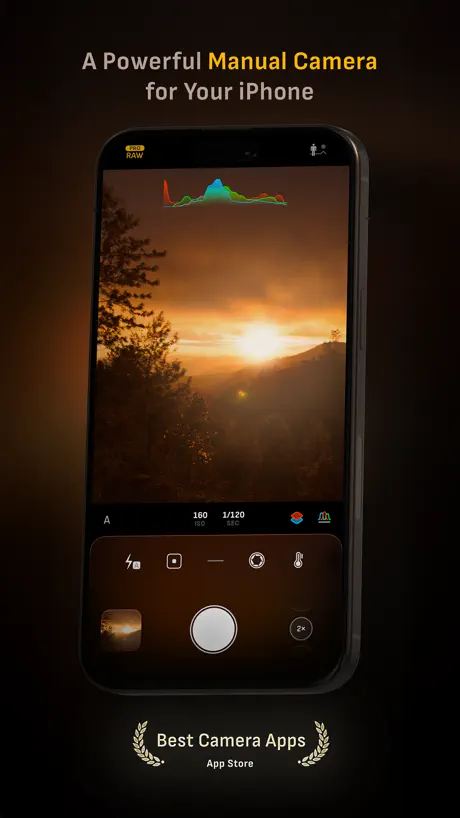
Camera M - Pro Manual Camera
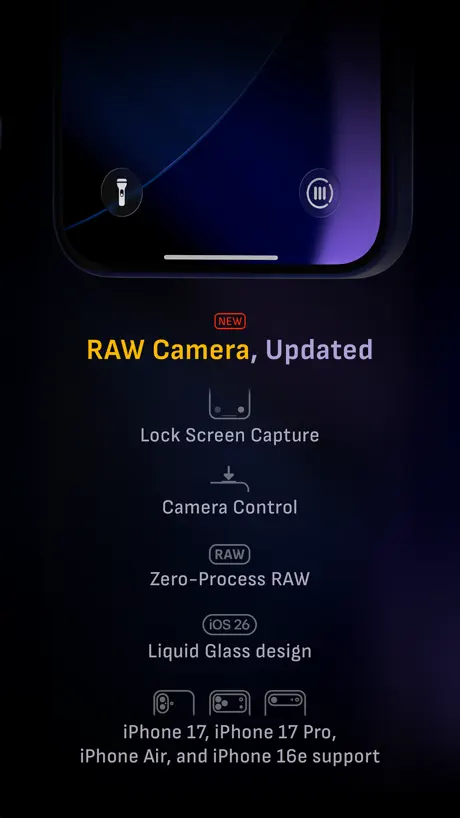
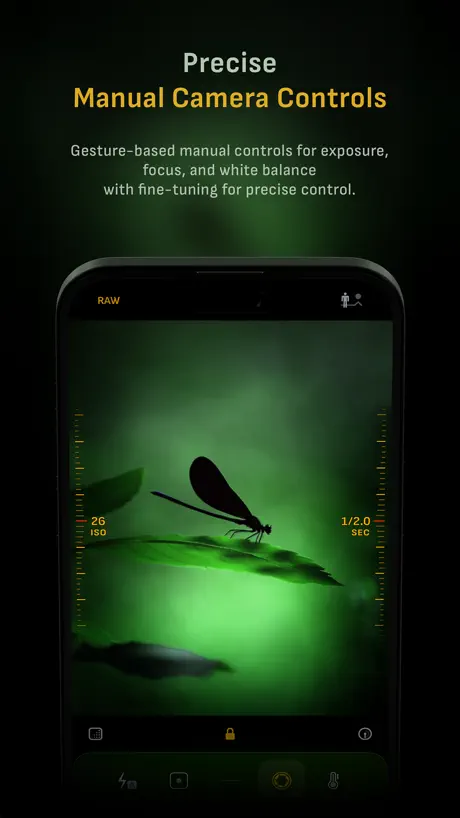
RAW, ProRAW, Bracket, & Macro
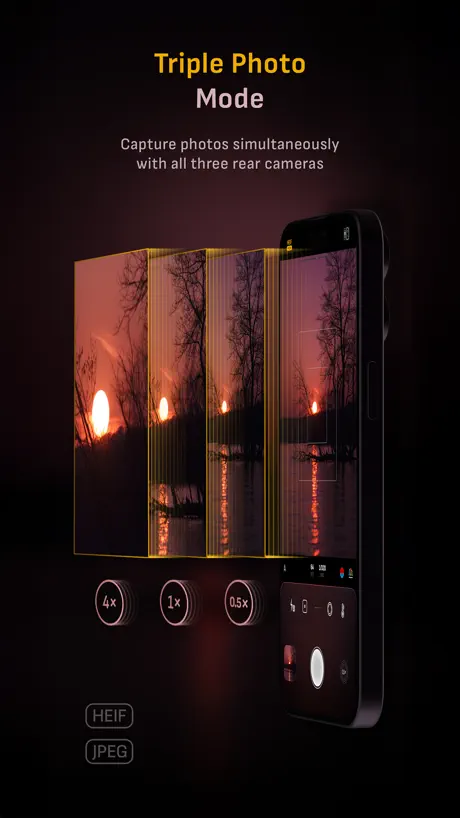
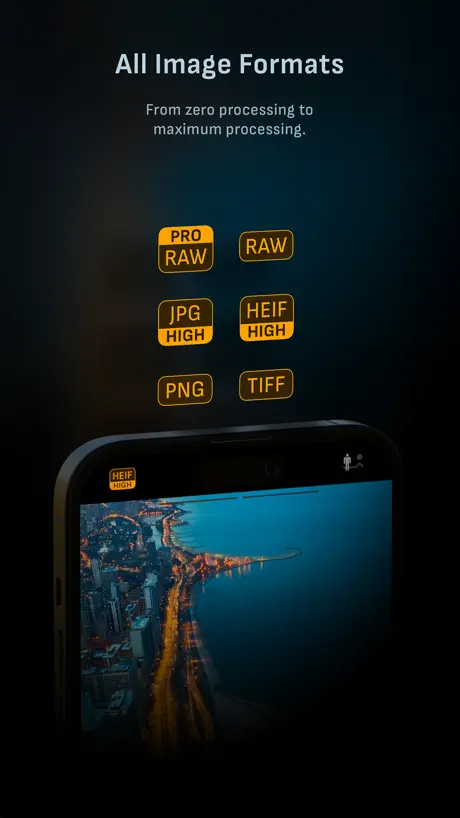
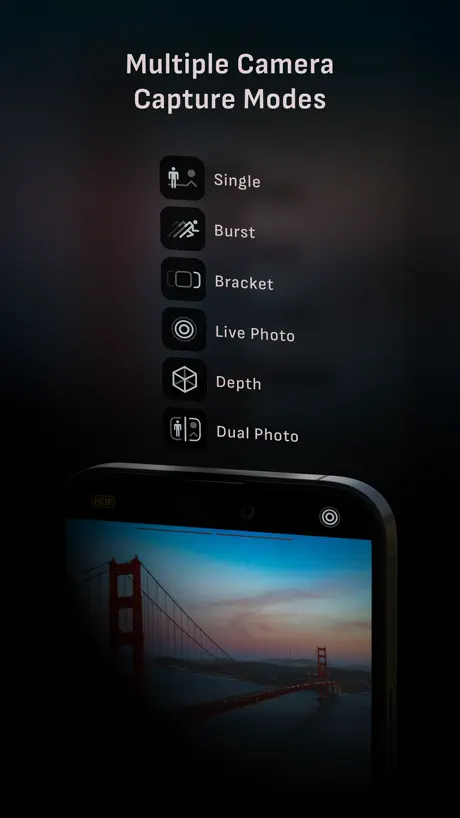
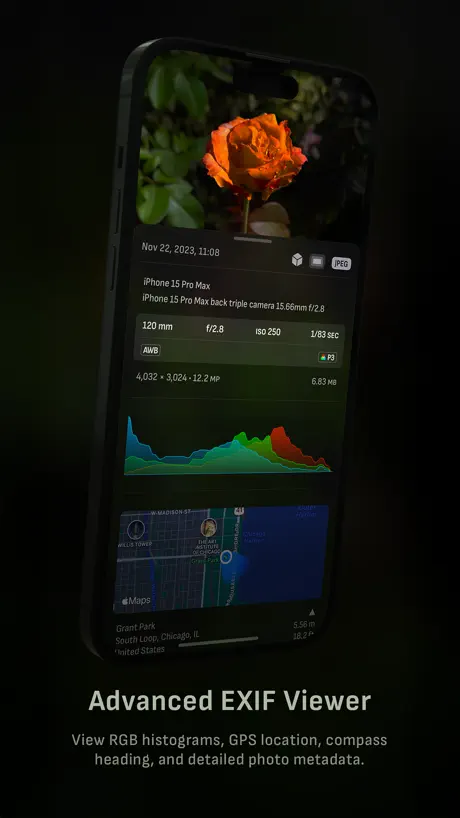
How much does Camera M - Pro Manual Camera cost?
Prices are current as of 9 Sept 2026.
Camera M - Pro Manual Camera has no in-app products on record in the United States.
Camera M - Pro Manual Camera download price by country
| Country | Price |
|---|---|
| United States | $7.99 |
| China | CN¥58.00 |
| Germany | €8.99 |
| Japan | ¥1,300 |
| Canada | CA$9.99 |
| Russia | RUB 699.00 |
| United Kingdom | £7.99 |
| Spain | €8.99 |
| Switzerland | CHF 7.00 |
| South Korea | ₩12,000 |
| Italy | €8.99 |
| Australia | A$12.99 |
| Thailand | THB 299.00 |
| Netherlands | €8.99 |
| Poland | PLN 39.99 |
| Mexico | MX$179.00 |
| France | €8.99 |
| Austria | €8.99 |
| Sweden | SEK 99.00 |
| India | ₹799.00 |
| Czech Republic | CZK 199.00 |
| Hong Kong | HK$58.00 |
| Turkey | TRY 399.99 |
| Ukraine | $9.99 |
| Taiwan | NT$290.00 |
| Brazil | R$49.90 |
| Norway | NOK 99.00 |
| Denmark | DKK 69.00 |
| Belgium | €8.99 |
| Israel | ₪29.90 |
| Chile | CLP 9,990 |
| Portugal | €8.99 |
| Vietnam | ₫249,000 |
| Indonesia | IDR 129,000 |
| Greece | €8.99 |
| Finland | €8.99 |
| Hungary | HUF 3,490 |
| Singapore | SGD 9.98 |
| Slovakia | €8.99 |
| Saudi Arabia | SAR 34.99 |
| Malaysia | MYR 39.90 |
| New Zealand | NZ$14.99 |
| Bulgaria | €8.99 |
| Dominican Republic | $7.99 |
| Argentina | $7.99 |
| Croatia | €8.99 |
| Romania | RON 39.99 |
| South Africa | ZAR 149.99 |
| Colombia | COP 39,900 |
| Panama | $7.99 |
| Lebanon | $7.99 |
| Sri Lanka | $7.99 |
| Peru | PEN 34.90 |
| Philippines | ₱499.00 |
| Costa Rica | $7.99 |
| Ecuador | $7.99 |
| Kazakhstan | KZT 4,990.00 |
| Luxembourg | €8.99 |
| El Salvador | $7.99 |
| Azerbaijan | $9.99 |
| Bolivia | $7.99 |
| Belarus | $9.99 |
| Ireland | €8.99 |
| Cambodia | $8.99 |
| Lithuania | €8.99 |
| Pakistan | PKR 2,200 |
| Senegal | $9.99 |
| Uzbekistan | $8.99 |
| United Arab Emirates | AED 29.99 |
| Armenia | $9.99 |
| Bahrain | $8.99 |
| Georgia | $9.99 |
| Guatemala | $7.99 |
| Iceland | $9.99 |
| Kyrgyzstan | $8.99 |
| Latvia | €8.99 |
| Moldova | $9.99 |
| Macedonia | $7.99 |
| Macao | $7.99 |
| Malta | €8.99 |
| Mauritius | $9.99 |
| Serbia | €8.99 |
| Slovenia | €8.99 |
| Afghanistan | $7.99 |
| Antigua And Barbuda | $7.99 |
| Anguilla | $7.99 |
| Albania | $9.99 |
| Angola | $7.99 |
| Bosnia & Herzegovina | €8.99 |
| Barbados | $9.99 |
| Burkina Faso | $7.99 |
| Benin | $9.99 |
| Bermuda | $7.99 |
| Brunei Darussalam | $7.99 |
| Bahamas | $8.99 |
| Bhutan | $7.99 |
| Botswana | $7.99 |
| Belize | $7.99 |
| Congo, Democratic Republic | $7.99 |
| Congo | $7.99 |
| Cote Divoire | $9.99 |
| Cameroon | $9.99 |
| Cape Verde | $7.99 |
| Cyprus | €8.99 |
| Dominica | $7.99 |
| Algeria | $7.99 |
| Estonia | €8.99 |
| Egypt | EGP 399.99 |
| Fiji | $7.99 |
| Micronesia | $7.99 |
| Gabon | $7.99 |
| Grenada | $7.99 |
| Ghana | $9.99 |
| Gambia | $7.99 |
| Guinea-bissau | $7.99 |
| Guyana | $7.99 |
| Honduras | $7.99 |
| Iraq | $7.99 |
| Jamaica | $7.99 |
| Jordan | $7.99 |
| Kenya | $9.99 |
| St. Kitts and Nevis | $7.99 |
| Kuwait | $7.99 |
| Cayman Islands | $7.99 |
| Lao Peoples Democratic Republic | $8.99 |
| St. Lucia | $7.99 |
| Liberia | $7.99 |
| Libya | $7.99 |
| Morocco | $7.99 |
| Montenegro | €6.99 |
| Madagascar | $7.99 |
| Mali | $7.99 |
| Myanmar | $7.99 |
| Mongolia | $7.99 |
| Mauritania | $7.99 |
| Montserrat | $7.99 |
| Maldives | $7.99 |
| Malawi | $7.99 |
| Mozambique | $7.99 |
| Namibia | $7.99 |
| Niger | $7.99 |
| Nigeria | NGN 12,900.00 |
| Nicaragua | $7.99 |
| Nepal | $9.99 |
| Nauru | $7.99 |
| Oman | $7.99 |
| Papua New Guinea | $7.99 |
| Palau | $7.99 |
| Paraguay | $7.99 |
| Qatar | QAR 29.99 |
| Rwanda | $7.99 |
| Solomon Islands | $7.99 |
| Seychelles | $7.99 |
| Sierra Leone | $7.99 |
| Suriname | $8.99 |
| Sao Tome & Principe | $7.99 |
| Swaziland | $7.99 |
| Turks and Caicos | $7.99 |
| Chad | $7.99 |
| Tajikistan | $8.99 |
| Turkmenistan | $7.99 |
| Tunisia | $7.99 |
| Tonga | $7.99 |
| Trinidad and Tobago | $7.99 |
| Tanzania | TZS 22,900.00 |
| Uganda | $9.99 |
| Uruguay | $7.99 |
| St. Vincent & The Grenadines | $7.99 |
| Venezuela | $7.99 |
| British Virgin Islands | $7.99 |
| Vanuatu | $7.99 |
| Kosovo | €8.99 |
| Yemen | $7.99 |
| Zambia | $9.99 |
| Zimbabwe | $9.99 |
10+ alternatives to Camera M - Pro Manual Camera
| Camera M - Pro Manual Camera |   DSLR Camera DSLR Camera |   ProShot ProShot |   Pro Camera - Reeflex Pro Camera - Reeflex | 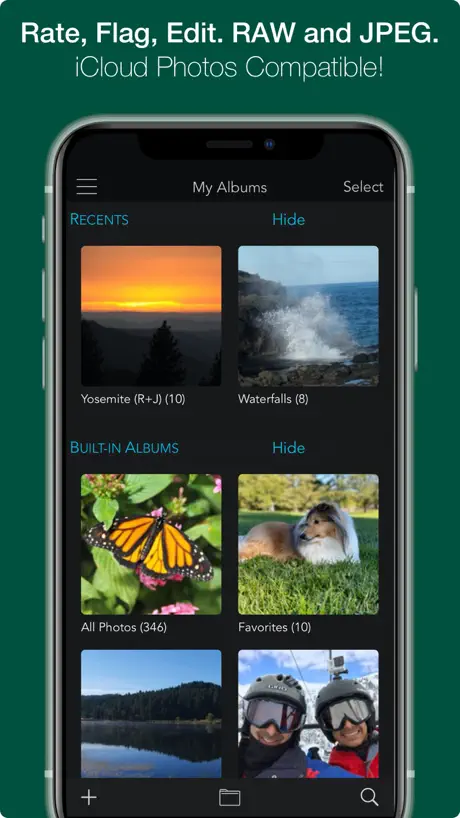  RAW Power RAW Power |   Luwian Luwian |   CameraPixels PRO CameraPixels PRO |   Macro Mode Macro Mode |   Light Stack Camera Light Stack Camera |   AuraHDR Camera AuraHDR Camera |   Total RAW Camera + Editor Total RAW Camera + Editor | |
|---|---|---|---|---|---|---|---|---|---|---|---|
| Rating / 5 | 4.5 | 4.5 | 4.5 | 4.4 | 4.5 | 4.5 | 4.4 | 4.2 | 4.6 | 2.4 | 2.2 |
| Reviews | 3.5K | 23K | 6.1K | 4.2K | 3.1K | 1.3K | 474 | 317 | 124 | 62 | 23 |
| Released | 2017 | 2014 | 2014 | 2021 | 2017 | 2020 | 2016 | 2021 | 2023 | 2018 | 2019 |
| Annual price | — | — | — | $6.99 | — | $14.99 | — | — | — | — | — |
| One-time price | — | $0.99 | $0.99 | $24.99 | — | — | — | — | — | — | — |
The going rate for each plan in United States, in its own currency, shaded from the cheapest price on the row to the dearest. Plans fewer than four in ten of the priced apps sell are left out.
Camera M - Pro Manual Camera reviews
4.5 out of 5, based on 3,473 reviews.
What people like
- One-time purchase with no subscription required
- Intuitive interface easy to learn quickly
- Manual focus works perfectly for macro shots
- Professional photographer highly recommends this app
What they complain about
- App crashes frequently when changing settings
- Exposure display does not match final photo
- No support for iPhone 16 Camera Control
- Developer contact email address does not work
The Airbrusher
Keeps getting better 👍
Garbage
Trash
Used to be my go to camera app
Love the app, if you could adjust the default exposure values that would be great. There’s a few times where the shot looks good then I take the picture and the exposure is higher than it looked before taking the shot. Other than that I love the app
The “enjoying Camera M” popup is very annoying
I’m trying to take a picture with manual settings. I don’t need to be asked every two seconds if I like the app. Now I like it a lot less than I did.
Almost
You can’t control the f stop.
Wow!
Smooth, thoughtfully designed. The tool I utilize most often day to day. Second nature now … Thank you!!
Manual focus doesn’t work
The sole reason I paid for this app was so I could set focus to infinity when taking pictures through glass etc. However, when I set focus to infinity (while leaving all other settings on auto), the pictures come out unusably blurry
It’s good!
Edit Jan 2026 - the latest update leveled this app with other contenders and has addressed many of my complaints. While I had moved on to using other apps, I’m going to spend some time again with Camera M and see if it will stay on my main page. Second impressions are good, although there are still some silly bugs here and there, especially if you’re trying to replace the iPhone camera from your lock screen. For the price, this is really a good camera app and also one of the rare ones that has optical image stabilization.
Went from Fine to Flop.
I've been using this since my iPhone 11. I have a 13 Pro Max, and it seemed to be fine. It's great for quick photos, the UI is a bit overdone for this yet for anything close to manual it absolutely does not work out. Don't download this for manual photography, it's counter intuitive. Raw support is lacking. I finally found a camera app for that- and manual style usage- and my usage dwindled for this app. Recently I decided to use it again for quick, simple stuff. For some reason the viewfinder is extremely under exposed, even in automatic. I have to manually adjust it, which totally defeats its purpose. Then when I set the exposure on lock, it auto corrects to being over-exposed. But it won't show up until you view the photo. So, both ways are terrible- ether under exposed or over, and it's so bad you cant edit it out. For this reason I'd not trust the exposer bracketing feature. TDLR:; exposure is terrible any way.
PLEASE, PLEASE
I was ready to rag on how mundane this major update is, but after reading that you guys are a two person development team, I have changed my tune. You guys are freaking amazing given the limited resources. Keep pushing forward and I’m wishing you all the best. The graphical design interface in this app is absolutely one of the best I’ve seen. I’m hoping for true ISO and Shutter speed priority modes that adapt automatically to varying exposures in the future maybe? 🤷🏾♂️🤔 Anyway keep up the good work.
Updated: Best camera app around
Update: Thanks for the response! You helped solve my problem, had to add the Siri shortcut through the Camera M app for a shortcut with the “Switch to Telephoto Camera” action to appear. It’s not available as an action to add to shortcuts otherwise which caused my confusion as it seemed like it should be given the widget for it and since there are other Camera M actions available without adding Siri shortcuts so that may be something for the devs to look at. I had been using the Camera M control button to replace the normal camera control on the lock screen/pull down control center, but wanted to open directly to the telephoto camera and exposure screen, which I can now do by adding the Siri shortcuts for both, pasting the action from one into the other, and replacing the lock screen/control center button with it. Really speeds things up, important when there’s a moment you want to capture, and doesn’t require Siri, a widget, or an automation. Thanks! (Would be cool to have a shortcut/shortcut action to set a particular ISO too since I almost always use a very low one to reduce noise, part of why I love this app is being able to control ISO, but that’s probably a pretty niche request)
Burst mode broken
Purchased to use burst mode, ideally with apple watch. Burst mode does not work outright even in app.
Camera Control!!!
I love this app and all its manual shooting features but I’d really love it even more if they finally added camera Control support! I have an iPhone 16 pro max and use this app to shoot with manual and I love it. The UI is great, elegantly user friendly. I just wish this was the app that opened for my when I click my camera access button on my phone.
Don’t ask so early and so often
Good app. Probably. Too early to tell. Why is the developer harassing users every time we change tools to review?
Doesn’t work on iPhone 16e?
Bought this originally for a 16 Pro Max, that phone however met an untimely end so I had to downgrade, and it literally does not open at all on the 16e. Reinstalling and system updates don’t help, no error message, just fails to start entirely. It’s a shame, this was the best balance of usability and features of all the premium cameras but it looks like it’s not receiving support anymore given no updates in over a year…
FEBRUARY 2026 still:DATA NOT COLLECTED! that's what you should know first
EXCELLENT CAMERA! can other apps say the same? love it had it for years,i own it no subscription loooove it! way better than the famous competition pushed by some podcasters. if you DON'T LIKE HALIDE, then this app is for you 😊 if i was the developer i'd lean heavy on "DATA NOT COLLECTED"
Didn’t work
I bought it and I can’t even open the app
One Downfall - Shutter Speed
iPhone’s native camera app allows you to set shutter speeds as slow as five seconds. Camera M goes down to one second, so I have to jump back to native for long exposures, which is awful because I can’t set the ISO or f-stop over there.
Noch viel Luft nach oben
Hätte da einige Verbesserungsvorschläge Danach wäre die App perfekt ;)
Decent app, slow support?
The app is good, but I wish it would be actually updated to make use of iOS 18 and the camera control. Come on guys, it’s been months.
Useless
Doesn’t do anything and I think I got charged for it…shutter speed is the same as the phone. You do not need this app with an IPhone.
Bad quality
Terrible decision! There’s not a try before purchase. I tried it and quality is bad! Deleted
Clean UI & Feature-Rich
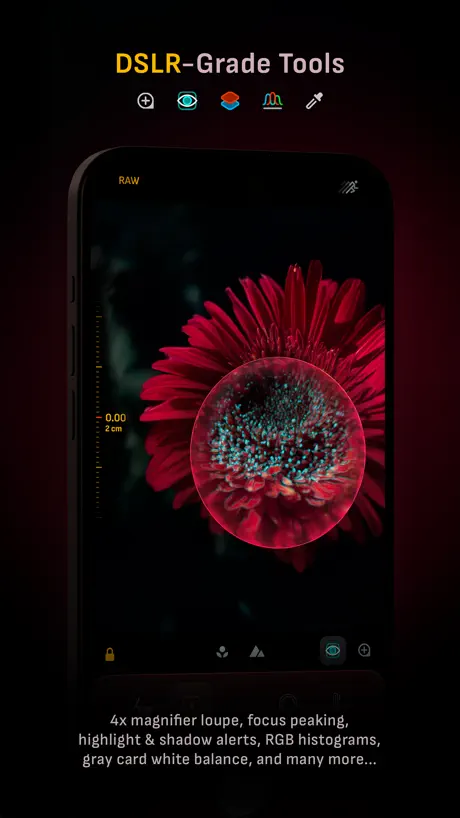
Easily the best manual-control camera app I’ve used, and I’ve tried most of them. The UI is intuitive and, I imagine, easy to learn even if you don’t know much about photography. There’s also a guide to teach you if you’re lost. It offers a handful of quality-of-life features absent from other apps. These include a white-balance color picker, easy histogram toggling, focus peaking in a loupe, constant flashlight activation, and a level that shows pitch. All of that without a subscription model and without collecting user data! However, it’s not without flaw. Problems: 1. A screen will occasionally freeze, which can be fixed with a restart. Not a dealbreaker, but annoying when it happens. 2. The email address to contact the developers doesn’t work. It’s listed in the app settings and on their website, but trying to email it gives an error. 3. There’s no shortcut to add Camera M to the lock screen or control center. In iOS 18, this makes some other camera apps more convenient to access quickly. I’d be thrilled if these issues were resolved and I could add another star to my rating! Wishing the devs all the best!
切换拍摄模式就卡死
iPhonexs.切换拍摄模式就卡死,发热严重,能不能优化好点
Great, But…
This is a really strong, useful app. Currently, it is not ready for iPhone 16 Pro, there are a handful of annoying, minor bugs, and the developers are not responsive. Otherwise, this would be a solid five. Later: I wrote this review a couple days ago. I can’t understand how the developer’s response was seven years ago (?!?) and refers to a one star rating. If you want to make a great app, you MUST listen to your users and respect what they say.
Still Professional Photo Dedicated
As a professional photographer who sold all his mirrorless pro gear to go strictly mobile, this app deserves to be on top of the stack of shooting apps. I’ve tried the highest reviewed and chose now to use the best performing!
It’s a crasher!
This app seems like it’s great and has a lot of time invested into it but is horrible for me. Every time I change/adjust settings it crashes making the experience horrible.
Nice interface, missing one feature I need
I want a camera app that overrides the default iOS camera and its terrible over-processing that results in flattened and harsh skin tones and extreme HDR. I still want Live Photos, a level, and everything else that can be enabled with the default app. It’s ridiculous that I need to buy an app to fix this problem… and no way am I paying for a subscription! Camera M at least is reasonably priced. It has an option to reduce processing, yet it seems still only the RAW image yields the appealing photographs that I want. I’d like to capture Live Photos in JPEG/HEIC that lack over-processing. Is this possible? If Camera M can achieve this, five stars!
bug有点多
很多参数看不见,图标看不懂什么意思
It’s okay. A number of issues.
I don’t like the way it handles burst mode. When I use the Apple iOS stock camera app and take burst photos they show up as one photo containing many. I can press “select” in the iOS camera album and select only the ones I want to keep. I cannot do that on this app. It saves every burst picture as a separate photo. So It’s very cumbersome. And it struggles to focus in poor light, where the Apple stock photo app easily focuses. I’m not sure why this is. I’m thinking of getting a refund because to me it’s not worth £7.99. A shame. I love the layout, but unless these things are ironed out then it’s not for me.
Take pictures
Recording
Pas de mode Raw
Ma grande déception, on ne mentionne aucunement que le mode Raw n’est pas disponible dans la version du Ipad. J’avais acheté cette app pour cette raison.
Great
Great
反馈
苹果6s拍不了景深图
15 Pro Max
Update: 7.3.1 still the same issue. Action button does nothing, volume down changes cameras. IOS17.2.1 so should be working.
Lovely! A great way to get the most out of my phone camera. I do have wishes though
I am not sure if it is possible but I would absolutely love to have longer shutter times than 1s. I understand if it is an Apple issue. But if there is any way to increase it I would be so so so happy. Thank you!
Not very user friendly
Tried to look up how to use on you tube as it very difficult to operate. I can’t even seem to be able to find the f button for depth and field. Unfortunately I wanted to love this but I don’t
Excellent! Aperture Adjustment?
Great app! However, I’ve not been able find how to adjust aperture… are there plans to add this in a future update? Would love to see the exposure screen offer the ability to adjust exposure time shutter speed, aperture and ISO.
Keeps crashing
I have ip7 + app crashes around 1 in 5 times I’m using it . Is this normal ?
Brilliant but with a few easily fixable flaws
Out of the various apps I used for photography, this one tops them all as a main camera app. The interface is on point and that is the reason that got me to purchase it. To be very honest, all photography apps claim some improvements in the image quality compared to the regular built in camera app, but that is just not true. They are all using Apple’s official APIs (and this is no exception) thus image quality will be very comparable to the regular camera app. What this app does do is improve usability and add manual controls over the stock camera app which are enough for me to actually want to use the camera more often. Easy to use in portrait, easy to use in landscape on the tripod. Having said that, it is not perfect, and I noticed a few things that the developers can improve upon. - First thing are the random crashes. I installed the app and in the first 10 minutes I got 5 or so crashes. One was from switching lenses, the other was the flashlight light output switcher, and a few more from the exif viewer and white balance picker. - Second, and this to me is a big one, is the fact that whatever I see on the screen, does not match the end result. I am a RAW shooter and all Raw modes -Raw, ProRaw, and TIFF that I’ve tried produce a different image than the one you see at capture. Since this is a digital camera, it should have no issues providing an accurate view… Note that this was not long exposure, for which it would make sense. If the developers read this I hope you guys can have these fixed with an update. Other than that, I highly recommend this app and if the above are addressed this app will be 5 stars.
Best app
I love this app
iPhone 8. Very Low Quality Production.—Disappointed
IPhone 8. I am really disappointed to have wasted money in this app.— Very Low Quality Production in all what it is claiming to do.—Even the person who wrote an outstanding review about this app is not true.—I have hundreds of great cámaras but this one falls short in its claimed.—A horrible yellow background, there is no way to enlighten the app for a nice depth photograph or a regular photograph.—For a Camara still in need of developments it is expensive.— The control buttons don’t offer great controls and commands are not aligned.— I am completely disappointed for just a cámara incapable of even balancing normal color settings.—Cámara M needs more developments for such expensive price.—
Glitching me out
U heard me
Shutter Speed Keeps Resetting
Shutter speed seems to reset to 1/15 on my iPhone 7 Plus after taking a shot. Happens when using either wide or telephoto. Overall it’s good other than the minor annoyance.
Excellent camera app for iPhone!
I love this app. For the longest time I was bummed my iPhone camera app didn’t have manual focus. This app provides that option perfectly. A bit of background, if you want the closest possible focus distance (2cm in macro mode) zoom out to 0.5x. I love being able to fiddle with manual settings now. If you want to as well, get this app!
Not as good as you think
I think I wasted my money on this. There are so many way better camera apps, go with camera+ or something else
Helpful…
Just downloaded this am… I am relatively new to using the app and I like the results so far. My major complaint is that it frequently shuts down after taking a shot and doesn't save the image… than i have to retake the picture… help?
Buggy depth map
The depth map seems very buggy outputting quite strange blurred areas. Further the advertised mat layers I cannot discovered anywhere in the application. The rest of the app is quite well but I bought it because of the mat layers thus three stars.
Camera M - Pro Manual Camera FAQ
- Is Camera M - Pro Manual Camera free?
- No. Camera M - Pro Manual Camera costs $7.99 (US) to download.
- Does Camera M - Pro Manual Camera have a free trial?
- No. None of its offers (US) come with a free trial.
- What are the best alternatives to Camera M - Pro Manual Camera?
- DSLR Camera (4.5 from 23,398 reviews, premium from $0.99), ProShot (4.5 from 6,065 reviews, premium from $0.99) and Pro Camera - Reeflex (4.4 from 4,221 reviews, premium from $6.99).
Camera M - Pro Manual Camera download
Last updated 4 months ago.
Camera M - Pro Manual Camera sells in 175 countries. It was released 9 years and 2 months ago, on 3 Aug 2017. It holds a 4.5 rating from 3,473 reviews.
Supports 5 languages: English, German, Japanese, Chinese, Spanish.
How much does Camera M - Pro Manual Camera make?
Third-party estimates for the last 30 days, worldwide — not the store's own figures, which Apple publishes for nobody.