PolyNome Pro: Drum Sequencer
Metronome & Practice Log

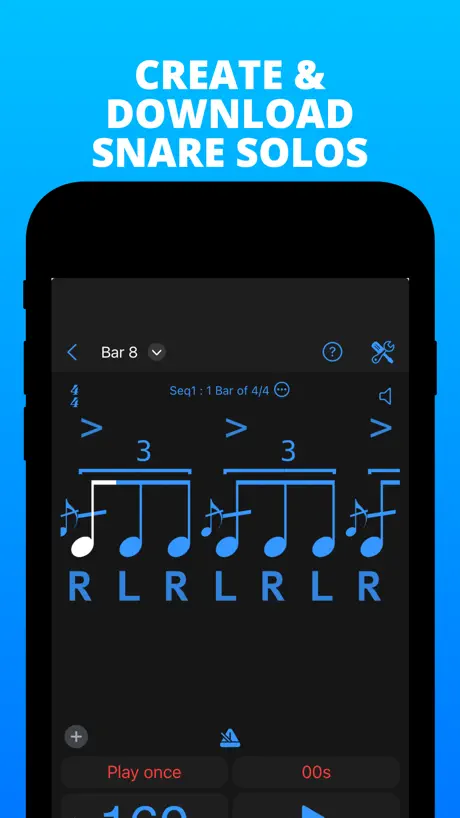
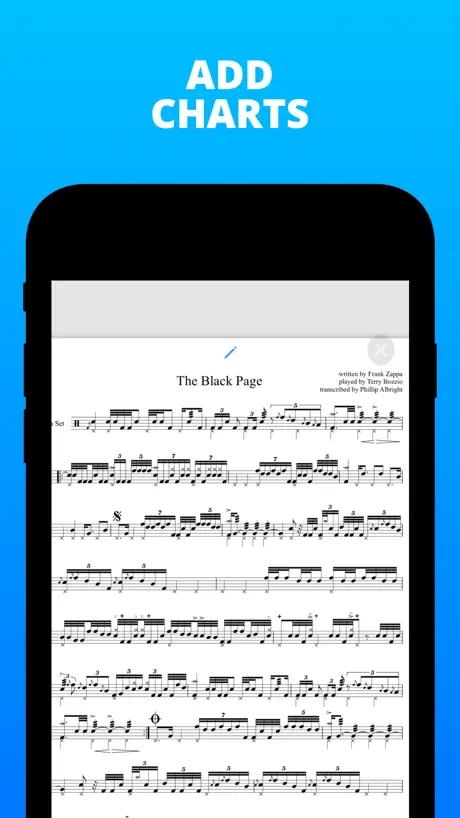
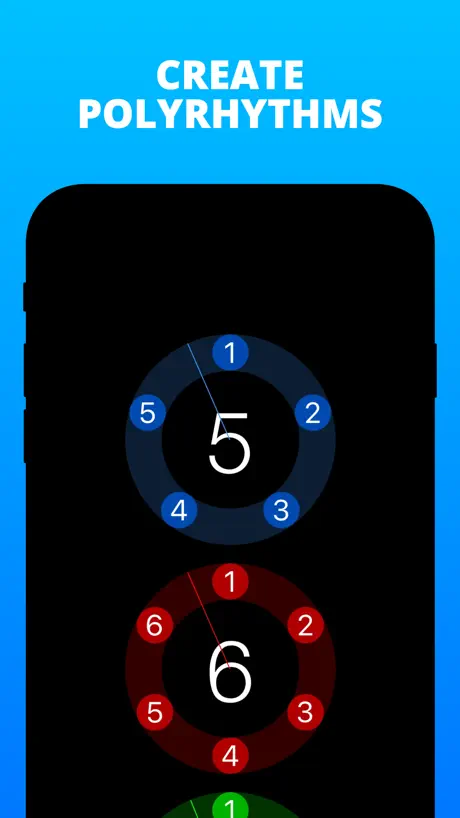
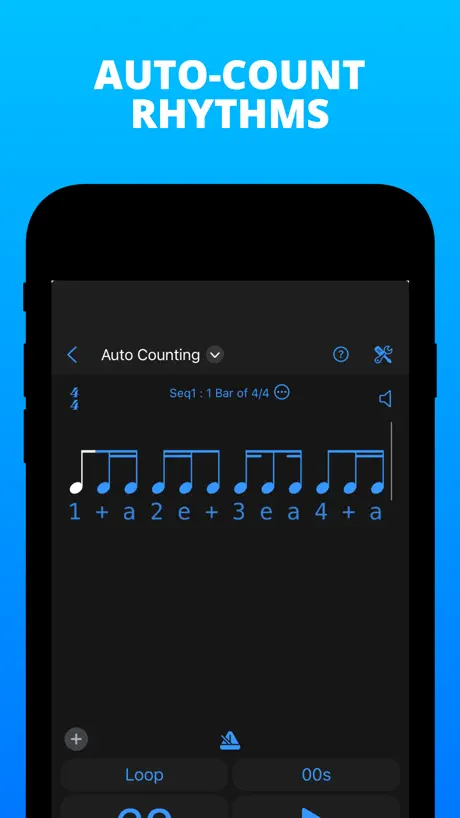

How much does PolyNome Pro: Drum Sequencer cost?
Prices are current as of 29 Sept 2026.
2 subscriptions from $7.99
In the United States, PolyNome Pro: Drum Sequencer has 2 subscriptions priced $7.99 – 32.00. Free trials run 7 days or 1 month.
| Subscription | Period | Price |
|---|---|---|
| Premium - 1 Month | MonthlyTrial: 1 month | $7.99 |
| Premium - 1 Year | AnnualTrial: 7 days, 1 month | $32.00 |
1 one-time purchase from $99.99
In the United States, PolyNome Pro: Drum Sequencer has 1 one-time purchase priced $99.99.
| Product | Price |
|---|---|
| Premium | $99.99 |
See what PolyNome Pro: Drum Sequencer costs in all 175 countries →
PolyNome Pro: Drum Sequencer download price by country
| Country | Price |
|---|---|
| United States | $59.99 |
| Germany | €69.99 |
| Italy | €69.99 |
| France | €69.99 |
| Canada | CA$79.99 |
| United Kingdom | £59.99 |
| China | CN¥398.00 |
| Australia | A$99.99 |
| Switzerland | CHF 50.00 |
| Sweden | SEK 799.00 |
| Spain | €69.99 |
| Japan | ¥10,000 |
| Brazil | R$399.90 |
| Taiwan | NT$1,990.00 |
| Netherlands | €69.99 |
| Belgium | €69.99 |
| Poland | PLN 299.99 |
| Mexico | MX$1,299.00 |
| Norway | NOK 799.00 |
| Denmark | DKK 499.00 |
| Greece | €69.99 |
| Ireland | €69.99 |
| Turkey | TRY 2,999.99 |
| Argentina | $59.99 |
| Thailand | THB 1,990.00 |
| Austria | €69.99 |
| Finland | €69.99 |
| Israel | ₪199.90 |
| Philippines | ₱3,990.00 |
| Portugal | €69.99 |
| Russia | RUB 4,990.00 |
| Ukraine | $69.99 |
| South Africa | ZAR 1,199.99 |
| United Arab Emirates | AED 229.99 |
| Honduras | $59.99 |
| India | ₹5,900.00 |
| Iceland | $69.99 |
| Saudi Arabia | SAR 249.99 |
| Singapore | SGD 89.98 |
| Belarus | $69.99 |
| Chile | CLP 69,990 |
| Colombia | COP 299,900 |
| Czech Republic | CZK 1,490.00 |
| Dominican Republic | $59.99 |
| Estonia | €69.99 |
| Egypt | EGP 2,999.99 |
| Guatemala | $59.99 |
| Hong Kong | HK$488.00 |
| Hungary | HUF 24,990 |
| South Korea | ₩99,000 |
| Latvia | €69.99 |
| Macao | $59.99 |
| Malta | €69.99 |
| Malaysia | MYR 299.90 |
| New Zealand | NZ$99.99 |
| Peru | PEN 249.90 |
| Serbia | €69.99 |
| Slovenia | €69.99 |
| Tunisia | $59.99 |
| Afghanistan | $59.99 |
| Antigua And Barbuda | $59.99 |
| Anguilla | $59.99 |
| Albania | $69.99 |
| Armenia | $69.99 |
| Angola | $59.99 |
| Azerbaijan | $69.99 |
| Bosnia & Herzegovina | €69.99 |
| Barbados | $69.99 |
| Burkina Faso | $59.99 |
| Bulgaria | €69.99 |
| Bahrain | $69.99 |
| Benin | $69.99 |
| Bermuda | $59.99 |
| Brunei Darussalam | $59.99 |
| Bolivia | $59.99 |
| Bahamas | $69.99 |
| Bhutan | $59.99 |
| Botswana | $59.99 |
| Belize | $59.99 |
| Congo, Democratic Republic | $59.99 |
| Congo | $69.99 |
| Cote Divoire | $69.99 |
| Cameroon | $69.99 |
| Costa Rica | $59.99 |
| Cape Verde | $59.99 |
| Cyprus | €69.99 |
| Dominica | $59.99 |
| Algeria | $59.99 |
| Ecuador | $59.99 |
| Fiji | $59.99 |
| Micronesia | $59.99 |
| Gabon | $59.99 |
| Grenada | $59.99 |
| Georgia | $69.99 |
| Ghana | $69.99 |
| Gambia | $59.99 |
| Guinea-bissau | $59.99 |
| Guyana | $59.99 |
| Croatia | €69.99 |
| Indonesia | IDR 1,199,000 |
| Iraq | $59.99 |
| Jamaica | $59.99 |
| Jordan | $59.99 |
| Kenya | $69.99 |
| Kyrgyzstan | $69.99 |
| Cambodia | $69.99 |
| St. Kitts and Nevis | $59.99 |
| Kuwait | $59.99 |
| Cayman Islands | $59.99 |
| Kazakhstan | KZT 34,990.00 |
| Lao Peoples Democratic Republic | $69.99 |
| Lebanon | $59.99 |
| St. Lucia | $59.99 |
| Sri Lanka | $59.99 |
| Liberia | $59.99 |
| Lithuania | €69.99 |
| Luxembourg | €69.99 |
| Libya | $59.99 |
| Morocco | $69.99 |
| Moldova | $69.99 |
| Montenegro | €59.99 |
| Madagascar | $59.99 |
| Macedonia | $59.99 |
| Mali | $59.99 |
| Myanmar | $59.99 |
| Mongolia | $59.99 |
| Mauritania | $59.99 |
| Montserrat | $59.99 |
| Mauritius | $69.99 |
| Maldives | $59.99 |
| Malawi | $59.99 |
| Mozambique | $59.99 |
| Namibia | $59.99 |
| Niger | $59.99 |
| Nigeria | NGN 99,900.00 |
| Nicaragua | $59.99 |
| Nepal | $69.99 |
| Nauru | $59.99 |
| Oman | $59.99 |
| Panama | $59.99 |
| Papua New Guinea | $59.99 |
| Pakistan | PKR 14,900 |
| Palau | $59.99 |
| Paraguay | $59.99 |
| Qatar | QAR 199.99 |
| Romania | RON 299.99 |
| Rwanda | $59.99 |
| Solomon Islands | $59.99 |
| Seychelles | $59.99 |
| Slovakia | €69.99 |
| Sierra Leone | $59.99 |
| Senegal | $69.99 |
| Suriname | $69.99 |
| Sao Tome & Principe | $59.99 |
| El Salvador | $59.99 |
| Swaziland | $59.99 |
| Turks and Caicos | $59.99 |
| Chad | $59.99 |
| Tajikistan | $69.99 |
| Turkmenistan | $59.99 |
| Tonga | $59.99 |
| Trinidad and Tobago | $59.99 |
| Tanzania | TZS 179,900.00 |
| Uganda | $69.99 |
| Uruguay | $59.99 |
| Uzbekistan | $69.99 |
| St. Vincent & The Grenadines | $59.99 |
| Venezuela | $59.99 |
| British Virgin Islands | $59.99 |
| Vietnam | ₫1,999,000 |
| Vanuatu | $59.99 |
| Kosovo | €69.99 |
| Yemen | $59.99 |
| Zambia | $69.99 |
| Zimbabwe | $69.99 |
10+ alternatives to PolyNome Pro: Drum Sequencer
| PolyNome Pro: Drum Sequencer |   forScore forScore |   Music Rhythm Trainer Music Rhythm Trainer |   Tempo - Metronome with Setlist Tempo - Metronome with Setlist |   Slow Down Music | Transcribe+ Slow Down Music | Transcribe+ |   OnSong 2026 OnSong 2026 |  Dorico - Compose Music Dorico - Compose Music |   Drum Tuner - iDrumTune Pro Drum Tuner - iDrumTune Pro |   Drummer ITP - Rudiment Trainer Drummer ITP - Rudiment Trainer |   Drum Notes: Beats & Notation Drum Notes: Beats & Notation |   Drummit Drummit | |
|---|---|---|---|---|---|---|---|---|---|---|---|
| Rating / 5 | 4.8 | 4.8 | 4.8 | 4.8 | 4.5 | 4.5 | 4.6 | 4.6 | 4.5 | 4.7 | 3.9 |
| Reviews | 807 | 92K | 16K | 12K | 10K | 9.5K | 7.3K | 4.8K | 1.3K | 769 | 132 |
| Released | 2016 | 2010 | 2018 | 2009 | 2016 | 2020 | 2021 | 2017 | 2019 | 2020 | 2020 |
| Monthly price | $7.99 | — | $4.99 | — | $9.99 | $3.99 | $4.99 | — | — | — | — |
| Annual price | $32.00 | $14.99 | — | — | $39.99 | $29.99 | $49.99 | — | — | — | — |
| One-time price | $99.99 | $0.99 | — | $0.99 | $79.99 | — | $119.99 | — | — | — | — |
The going rate for each plan in United States, in its own currency, shaded from the cheapest price on the row to the dearest.
PolyNome Pro: Drum Sequencer reviews
4.8 out of 5, based on 807 reviews.
What people like
- Developer support is very responsive and helpful.
- Great for practicing complex polyrhythms.
- Excellent for live gigs and setlists.
- Lots of customizable sound options.
What they complain about
- They changed to a subscription model.
- It is hard to learn quickly.
- Messages keep pushing you to pay.
- Some features are hidden behind paywalls.
The best setlist / click app!
I have been using PolyNome Pro since 2023. I keep all of my charts on it. Making set lists is super easy. I use it for my click track. This app is so deep. There are so many functions that I don’t use and but this is absolutely worth getting if you’re looking for an app to generate click from your setlist during a gig. Their customer service is stellar!!
Yah I bought PolyNome now it says I don’t have it
I purchased PolyNome pro and had my metronome . Now they did something new .now I can’t use anything . Says I have to go premium. Not cool . They should grandfather people in . Or something just not delete them. Won’t be buying this or using it anymore. Scam!!!!
Awesome on iOS
Great on iOS. Can we please get it in windows
The scourge of subscriptions claims another one.
I paid for this once great app because you could just buy it. As time goes on, they’ve switched to a subscription model, and the app has become more and more frustrating to use. Constant messages from the maintenance team urging you to subscribe. Increasing changes a convoluted main screen. So much of the functionality is now hidden behind a paywall on what is supposed to be a paid for pro app. The functionality is still there, but you’re constantly having to relearn something you were already using regularly. This simple professional’s tool has now become yet another thing constantly pestering you to give it money all the time. Convenience is becoming inconvenient enough that analogue may be the way forward. This used to be a 5 star review.
Bait
Fantastic app but you I couldn’t get auto voice count on normal version so I decided to go for pro, and now I’ll have to pay for subscription to access it
Amazingly Powerful
This app is really well thought out. It’s complicated in the best way. Once you get used to it, it’s very intuitive. Joe is very responsive and eager to solve any issues you might run into. As a band leader and non drummer, it is perfect for catching a new band member up to speed or keeping live shows on track.
Not intuitive
The app is not intuitive and difficult to use.
First Impressions
I just got the app today & I absolutely love it so far. It is very feature rich. I only wish this awesome application has a few features as I'm a self taught classical pianist, I no expert with rhythm but some features I would like are: 1. A 2nd flash bar. I find the flash really helpful. This critical feature would be for seq2 (having it for polyrhythms would be a super nice touch too) I need practice polyrhythms. seening where the flashes line up and the length of the flash bar indicating how long to hold the note(beat) would be nice. 2. I'm not sure if it's possible yet, but for the metronome, the ability to adjust the beat value of the metronome. (1, 2 ,4, 8, 16 and adding in dotted versions. [32nd notes? im trying to learn to trill]. For example seeing and hearing 8th notes in 4/4 time, If we have the 2nd flash bar we, can subdivide seq2 to play 16th notes [32nd if possible :)] I think that may be easier to set up more things to see when playing. (A song example is Bumble Bee Boogie. Its in 4/4, the left hand plays 8th notes and the Right hand has a lot of 16th notes) I think I can get the same effect setting the time signature to 8/8 but not sure, and you would have to do more math with tempo either doubling or halving it to get the tempo you want. 3. Not a biggie and its ok if it's not there, adding the 32nd note subdivision if possible. If there is a way to count them I don't know yet (I'll search later) but so far no other electronic metronome I researched has this feature It doesn't have to be for all tempos. if that is an issue. but it would be great! Thanks again for this application its just what the doctor ordered!
Horribly complicated and then my purchase is deprecated to support a new subscription model
Though I'm not a drummer, apps like this interest me. What drew me to it was that someone had programmed Zappa's The Black Page into it and it looked fairly accurate. So I was intrigued. I buy the app and then find out that the Black Page thing he's using to advertise the app is something I have to pay extra for. Disappointing, but whatever. I'm happy to have something I might be able to do my own version. But the method of programming things into this, chaining measures together and other weird contortions, is really becoming as much work as learning a new instrument. I don't want to spend all my time learning a tool that will assist me in doing what I want to do, playing music with progressive rhythm. Then, shortly after making my purchase of the app, the developer announces that he's switching to a subscription model and that my original purchase will basically be deprecated and to continue to benefit from application improvements, I will need to pony up a monthly fee or I would have to buy a lifelong subscription that costs 4 or 5 times what I originally paid for the app. So based on that experience, I don't really think this app is worth it.
Loving the App
I’m beginner at drums and intermediate at guitar. I love the voice option. 1 e + a 2 e + a....etc! And it records all my practice times and you can print them out in PDF! Like a report! You can easily track your practices. How long. What you did or what bpm u worked on yesterday or last week! Everything is recorded with the Polynome. I just back it up and it’s stored! I got the $20. Well worth it. Even though I have free metronome apps. I haven’t even scratched the surface with this thing. Just what I was looking for!!! Only thing missing is a bigger PAUSE BUTTON!!! Thanks for the quick email replies Joe!!!!
This must be graphically optimized for a larger screen
I have an iPhone12 and small fingers. Yet when I try to stop the metronome and click on help so I can watch the videos to learn how to use it, it starts the metronome clicking again! I just wasted an hour I didn’t have fighting with what seems like click accuracy issues.
Great product a bit hard to use
Love this thing but want to use it for gigs to set tempos. It’s a bit hard for us technically challenged drummers. I thought at one point that I was able to use a Spotify play list to get BPMs but I haven’t been able to get them again?
Not intuitive!
It’s easy to make a pattern. Elementary programing. If that’s what you do. But...TOO HARD TO MAKE IT DO WHAT YOU WANT IT TOO! TOO TIME CONSUMING!
Amazing reading practice for bassist and more
Amazing way to learn, read and hear polyrhythms to improve my reading for bass. Also, great rehabilitation/therapy for helping regain coordination all while learning to play the drums. I love that I can do rudimentary work on a snare and tapping my feet to an additional rhythm. Not doing polyrhythms like that yet...yet. But I’m gonna try and work my way there. Great playlists for rudiment work. Thanks.
Exceptional functionality…Way too complicated…
There needs to be a simpler way to get up to speed with basic functionality…
The best
PolyNome is the best thing for help you improve your drumming. I love it.
Truly the ultimate metronome
Speaking as a pianist and not a drummer, I discovered PolyNome when searching for apps to help with impossibly complex polyrhythms (3 against 4 against 5 against 7, all at once!) for a new piece I was set to premiere. Playing these polyrhythms accurately would have literally been impossible without such a tool. It turns out that PolyNome is capable of playing such complex rhythms and much more. The developer, Joe, was more than kind enough to help me get started, since this piece was a more advanced application of the app. PolyNome made it possible for me to learn the piece accurately in time for the premiere (after which I fell over brain-dead in exhaustion!). Since then it's proved itself as the ultimate metronome and a helpful practice tool. Enthusiastically recommended to any musician who needs to practice complex rhythms as well as simple ones.
Mid measure rhythm changes
I really love this app, but it really awesome if you guys could add mid measure rhythm changes( I.e starting in 4/4 for 6 measures then switching to 6/8 then back to 4/4 )
One of a Kind
This app has many features that may seem intimidating at first, however, once you get used to them this app easily becomes one, if not the best metronome-type app out there. This app is worth every penny and I’m very happy with my purchase!
Incredibly Useful for Drummers Running Click For Bands
As a gigging drummer, I was searching for a highly customizable tool for click generation for live performance. After experimenting with a variety of apps (Tempo Advance, Pro Metronome), I discovered PolyNome Pro, and although I’m only scratching the surface of its features, I must say that this metronome app is one of a kind. In fact to call this a metronome app understates its capabilities because of the sequencer programming functions. Let me highlight just two features that make this app immediately useful for a drummer who is running a click track to send to band members in a live performance context. First, most metronome apps will only give you a handful of click tones that your bandmates will not find pleasing to have in their mix. Polynome offers an amazing library of sounds to use for click, from digital beeps to layers of percussion. You will find something palatable for everyone among these sounds. Second, Polynome enables you to create customizable voice count-ins for songs. For a band with all members on in-ear monitors, the ability to start a song with a “silent “count off is a game changer that will improve transitions between songs and professionalize the presentation of your stage show. All from a simple iphone or iPad Mini. I would encourage any drummer using click in a band to give Polynome a try before deploying bulkier and costlier setups.
Every rehearsal, every gig
I use PolyNome constantly, and it is the only thing that keeps me sane when my bands rearrange setlists at the last minute, want to tweak tempos when we have guest musicians sit in, or are trying to remember that song we played 10 gigs ago. I use the Big Number to help me keep track of the “1” on tricky tunes, and set up more complex rhythms for tunes with their own thing going on. Can’t gig without it!
Best metronome - and more
I'm just a humble guitarist, so don't make as much use as I could. For learning polyrhythms, nothing beats this app! Even as a simple metronome, the customizability of sounds is outstanding. Just get it!
Unparalleled support in the shady world of apps developers
This app not only gave me the only tool to acquire the poly rhythms and practice regimens I was desiring but the support I received directly from the developer and the timeliness of that support is a paradigm of excellence in the often spotty world of app support. Highly recommended.
PolyNome Pro: Drum Sequencer price by country
A monthly subscription costs $1.22 in Turkey and $10.99 in the Czech Republic — 9× more for the same thing. Below is the going rate for each plan in every country that sells it — the middle price of what the app charges there, in the country's own currency with the dollar equivalent beneath it.
| Country | Monthly | Annual | One-time |
|---|---|---|---|
| Afghanistan | $7.99 | $32.00 | $99.99 |
| Albania | $9.59 | $39.00 | $119.99 |
| Algeria | $7.99 | $32.00 | $99.99 |
| Angola | $7.99 | $32.00 | $99.99 |
| Anguilla | $7.99 | $32.00 | $99.99 |
| Antigua And Barbuda | $7.99 | $32.00 | $99.99 |
| Argentina | $7.99 | $32.00 | $99.99 |
| Armenia | $7.99 | $39.00 | $119.99 |
| Australia | A$13.49$9.71 | A$49.00$35.25 | A$149.99$107.91 |
| Austria | €8.99$10.44 | €39.00$45.30 | €99.99$116.13 |
| Azerbaijan | $7.99 | $32.00 | $119.99 |
| Bahamas | $7.99 | $39.00 | $99.99 |
| Bahrain | $7.99 | $39.00 | $99.99 |
| Barbados | $7.99 | $39.00 | $119.99 |
| Belarus | $7.99 | $39.00 | $119.99 |
| Belgium | €8.99$10.44 | €39.00$45.30 | €99.99$116.13 |
| Belize | $7.99 | $32.00 | $99.99 |
| Benin | $7.99 | $39.00 | $119.99 |
| Bermuda | $7.99 | $32.00 | $99.99 |
| Bhutan | $7.99 | $32.00 | $99.99 |
| Bolivia | $7.99 | $32.00 | $99.99 |
| Bosnia & Herzegovina | €8.99$10.44 | €39.00$45.30 | €99.99$116.13 |
| Botswana | $7.99 | $32.00 | $99.99 |
| Brazil | R$33.90$6.62 | R$179.90$35.14 | R$599.90$117.17 |
| British Virgin Islands | $7.99 | $32.00 | $99.99 |
| Brunei Darussalam | $7.99 | $32.00 | $99.99 |
| Bulgaria | €8.49$9.86 | €34.99$40.64 | €99.99$116.13 |
| Burkina Faso | $7.99 | $32.00 | $99.99 |
| Cambodia | $7.99 | $39.00 | $99.99 |
| Cameroon | $7.99 | $39.00 | $119.99 |
| Canada | CA$10.99$7.96 | CA$39.00$28.26 | CA$129.99$94.20 |
| Cape Verde | $7.99 | $32.00 | $99.99 |
| Cayman Islands | $7.99 | $32.00 | $99.99 |
| Chad | $7.99 | $32.00 | $99.99 |
| Chile | CLP 6,900$7.40 | CLP 29,990$32.14 | CLP 99,990$107.17 |
| China | CN¥60.00$8.93 | CN¥228.00$33.93 | CN¥698.00$103.87 |
| Colombia | COP 33,900$10.79 | COP 149,900$47.73 | COP 499,900$159.16 |
| Congo | $7.99 | $32.00 | $99.99 |
| Congo, Democratic Republic | $7.99 | $32.00 | $99.99 |
| Costa Rica | $7.99 | $32.00 | $99.99 |
| Cote Divoire | $7.99 | $32.00 | $119.99 |
| Croatia | €9.02$10.48 | €39.00$45.30 | €99.99$116.13 |
| Cyprus | €8.99$10.44 | €39.00$45.30 | €99.99$116.13 |
| Czech Republic | CZK 229.00$10.99 | CZK 899.00$43.16 | CZK 2,790.00$133.94 |
| Denmark | DKK 69.00$10.73 | DKK 299.00$46.50 | DKK 899.00$139.81 |
| Dominica | $7.99 | $32.00 | $99.99 |
| Dominican Republic | $7.99 | $32.00 | $99.99 |
| Ecuador | $7.99 | $32.00 | $99.99 |
| Egypt | EGP 134.99$2.65 | EGP 999.99$19.65 | EGP 4,999.99$98.25 |
| El Salvador | $7.99 | $32.00 | $99.99 |
| Estonia | €8.99$10.44 | €39.00$45.30 | €99.99$116.13 |
| Fiji | $7.99 | $32.00 | $99.99 |
| Finland | €8.99$10.44 | €39.00$45.30 | €99.99$116.13 |
| France | €8.99$10.44 | €39.00$45.30 | €99.99$116.13 |
| Gabon | $7.99 | $32.00 | $99.99 |
| Gambia | $7.99 | $32.00 | $99.99 |
| Georgia | $7.99 | $39.00 | $119.99 |
| Germany | €8.99$10.44 | €39.00$45.30 | €99.99$116.13 |
| Ghana | $7.99 | $39.00 | $119.99 |
| Greece | €8.99$10.44 | €39.00$45.30 | €99.99$116.13 |
| Grenada | $7.99 | $32.00 | $99.99 |
| Guatemala | $7.99 | $32.00 | $99.99 |
| Guinea-bissau | $7.99 | $32.00 | $99.99 |
| Guyana | $7.99 | $32.00 | $99.99 |
| Honduras | $7.99 | $32.00 | $99.99 |
| Hong Kong | HK$63.00$8.04 | HK$268.00$34.18 | HK$788.00$100.51 |
| Hungary | HUF 3,190$10.22 | HUF 14,990$48.04 | HUF 44,990$144.19 |
| Iceland | $9.91 | $39.00 | $119.99 |
| India | ₹699.00$7.39 | ₹2,999.00$31.72 | ₹9,900.00$104.71 |
| Indonesia | IDR 129,000$7.31 | IDR 499,000$28.26 | IDR 1,699,000$96.23 |
| Iraq | $7.99 | $32.00 | $99.99 |
| Ireland | €8.99$10.44 | €39.00$45.30 | €99.99$116.13 |
| Israel | ₪27.90$9.27 | ₪99.90$33.19 | ₪349.90$116.25 |
| Italy | €8.99$10.44 | €39.00$45.30 | €99.99$116.13 |
| Jamaica | $7.99 | $32.00 | $99.99 |
| Japan | ¥880$5.63 | ¥4,500$28.81 | ¥15,000$96.04 |
| Jordan | $7.99 | $32.00 | $99.99 |
| Kazakhstan | KZT 3,190.00$7.01 | KZT 14,990.00$32.92 | KZT 59,990.00$131.76 |
| Kenya | $7.99 | $39.00 | $119.99 |
| Kosovo | €8.99$10.44 | €39.00$45.30 | €99.99$116.13 |
| Kuwait | $7.99 | $32.00 | $99.99 |
| Kyrgyzstan | $7.99 | $39.00 | $99.99 |
| Lao Peoples Democratic Republic | $7.99 | $32.00 | $99.99 |
| Latvia | €8.99$10.44 | €39.00$45.30 | €99.99$116.13 |
| Lebanon | $7.99 | $32.00 | $99.99 |
| Liberia | $7.99 | $32.00 | $99.99 |
| Libya | $7.99 | $32.00 | $99.99 |
| Lithuania | €8.99$10.44 | €39.00$45.30 | €99.99$116.13 |
| Luxembourg | €8.99$10.44 | €39.00$45.30 | €99.99$116.13 |
| Macao | $7.99 | $32.00 | $99.99 |
| Macedonia | $7.99 | $32.00 | $99.99 |
| Madagascar | $7.99 | $32.00 | $99.99 |
| Malawi | $7.99 | $32.00 | $99.99 |
| Malaysia | MYR 35.90$8.89 | MYR 149.90$37.10 | MYR 499.90$123.74 |
| Maldives | $7.99 | $32.00 | $99.99 |
| Mali | $7.99 | $32.00 | $99.99 |
| Malta | €8.99$10.44 | €39.00$45.30 | €99.99$116.13 |
| Mauritania | $7.99 | $32.00 | $99.99 |
| Mauritius | $7.99 | $32.00 | $119.99 |
| Mexico | MX$185.00$10.95 | MX$699.00$41.39 | MX$1,999.00$118.35 |
| Micronesia | $7.99 | $32.00 | $99.99 |
| Moldova | $7.99 | $39.00 | $119.99 |
| Mongolia | $7.99 | $32.00 | $99.99 |
| Montenegro | €8.99$10.44 | €29.00$33.68 | €99.99$116.13 |
| Montserrat | $7.99 | $32.00 | $99.99 |
| Morocco | $7.99 | $32.00 | $99.99 |
| Mozambique | $7.99 | $32.00 | $99.99 |
| Myanmar | $7.99 | $32.00 | $99.99 |
| Namibia | $7.99 | $32.00 | $99.99 |
| Nauru | $7.99 | $32.00 | $99.99 |
| Nepal | $7.99 | $32.00 | $119.99 |
| Netherlands | €8.99$10.44 | €39.00$45.30 | €99.99$116.13 |
| New Zealand | NZ$14.99$8.82 | NZ$59.00$34.71 | NZ$199.99$117.64 |
| Nicaragua | $7.99 | $32.00 | $99.99 |
| Niger | $7.99 | $32.00 | $99.99 |
| Nigeria | NGN 2,900.00$2.19 | NGN 24,900.00$18.84 | NGN 149,900.00$113.39 |
| Norway | NOK 95.00$10.22 | NOK 399.00$42.90 | NOK 1,290.00$138.71 |
| Oman | $7.99 | $32.00 | $99.99 |
| Pakistan | PKR 1,300$4.68 | PKR 8,900$32.06 | PKR 24,900$89.69 |
| Palau | $7.99 | $32.00 | $99.99 |
| Panama | $7.99 | $32.00 | $99.99 |
| Papua New Guinea | $7.99 | $32.00 | $99.99 |
| Paraguay | $7.99 | $32.00 | $99.99 |
| Peru | PEN 27.90$8.30 | PEN 119.90$35.68 | PEN 449.90$133.90 |
| Philippines | ₱419.00$6.68 | ₱1,790.00$28.53 | ₱5,990.00$95.47 |
| Poland | PLN 39.99$10.78 | PLN 179.99$48.51 | PLN 499.99$134.77 |
| Portugal | €8.99$10.44 | €39.00$45.30 | €99.99$116.13 |
| Qatar | QAR 29.99$8.24 | QAR 119.99$32.96 | QAR 399.99$109.89 |
| Romania | RON 42.99$9.51 | RON 179.99$39.82 | RON 499.99$110.62 |
| Russia | RUB 649.00$7.54 | RUB 2,990.00$34.74 | RUB 8,990.00$104.44 |
| Rwanda | $7.99 | $32.00 | $99.99 |
| Sao Tome & Principe | $7.99 | $32.00 | $99.99 |
| Saudi Arabia | SAR 34.99$9.33 | SAR 129.99$34.66 | SAR 399.99$106.66 |
| Senegal | $7.99 | $32.00 | $119.99 |
| Serbia | €8.99$10.44 | €39.00$45.30 | €99.99$116.13 |
| Seychelles | $7.99 | $32.00 | $99.99 |
| Sierra Leone | $7.99 | $32.00 | $99.99 |
| Singapore | SGD 11.98$9.43 | SGD 49.98$39.35 | SGD 149.98$118.09 |
| Slovakia | €8.99$10.44 | €39.00$45.30 | €99.99$116.13 |
| Slovenia | €8.99$10.44 | €39.00$45.30 | €99.99$116.13 |
| Solomon Islands | $7.99 | $32.00 | $99.99 |
| South Africa | ZAR 144.99$9.08 | ZAR 699.99$43.86 | ZAR 1,999.99$125.31 |
| South Korea | ₩11,000$8.17 | ₩44,000$32.68 | ₩149,000$110.65 |
| Spain | €8.99$10.44 | €39.00$45.30 | €99.99$116.13 |
| Sri Lanka | $7.99 | $32.00 | $99.99 |
| St. Kitts and Nevis | $7.99 | $32.00 | $99.99 |
| St. Lucia | $7.99 | $32.00 | $99.99 |
| St. Vincent & The Grenadines | $7.99 | $32.00 | $99.99 |
| Suriname | $7.99 | $32.00 | $99.99 |
| Swaziland | $7.99 | $32.00 | $99.99 |
| Sweden | SEK 99.00$10.34 | SEK 399.00$41.69 | SEK 1,295.00$135.32 |
| Switzerland | CHF 8.50$10.49 | CHF 30.00$37.04 | CHF 90.00$111.11 |
| Taiwan | NT$270.00$8.54 | NT$990.00$31.30 | NT$2,990.00$94.53 |
| Tajikistan | $7.99 | $39.00 | $99.99 |
| Tanzania | TZS 18,500.00$7.00 | TZS 99,900.00$37.80 | TZS 299,900.00$113.47 |
| Thailand | THB 249.00$7.56 | THB 1,190.00$36.15 | THB 3,990.00$121.20 |
| Tonga | $7.99 | $32.00 | $99.99 |
| Trinidad and Tobago | $7.99 | $32.00 | $99.99 |
| Tunisia | $7.99 | $32.00 | $99.99 |
| Turkey | TRY 58.99$1.22 | TRY 1,199.99$24.76 | TRY 4,999.99$103.18 |
| Turkmenistan | $7.99 | $32.00 | $99.99 |
| Turks and Caicos | $7.99 | $32.00 | $99.99 |
| Uganda | $7.99 | $39.00 | $119.99 |
| Ukraine | $7.99 | $39.00 | $119.99 |
| United Arab Emirates | AED 29.99$8.17 | AED 119.99$32.69 | AED 399.99$108.99 |
| United Kingdom | £7.99$10.80 | £29.00$39.19 | £99.99$135.12 |
| United States | $7.99 | $32.00 | $99.99 |
| Uruguay | $7.99 | $32.00 | $99.99 |
| Uzbekistan | $7.99 | $39.00 | $99.99 |
| Vanuatu | $7.99 | $32.00 | $99.99 |
| Venezuela | $7.99 | $32.00 | $99.99 |
| Vietnam | ₫189,000$7.27 | ₫799,000$30.73 | ₫2,999,000$115.35 |
| Yemen | $7.99 | $32.00 | $99.99 |
| Zambia | $7.99 | $32.00 | $119.99 |
| Zimbabwe | $7.99 | $39.00 | $119.99 |
PolyNome Pro: Drum Sequencer FAQ
- Is PolyNome Pro: Drum Sequencer free?
- No. PolyNome Pro: Drum Sequencer costs $59.99 (US) to download, and its premium features are extra: 2 subscriptions and 1 one-time purchase starting from $7.99.
- How much does PolyNome Pro: Drum Sequencer cost per month?
- Premium - 1 Month is $7.99 (US). The annual plan works out cheaper per month: $32.00 a year.
- Does PolyNome Pro: Drum Sequencer have a free trial?
- Yes — free trials of 7 days or 1 month (US), depending on the plan.
- Where is PolyNome Pro: Drum Sequencer cheapest?
- A monthly subscription costs TRY 58.99 (≈$1.22) in Turkey and CZK 229.00 (≈$10.99) in the Czech Republic, its cheapest and dearest countries.
- What are the best alternatives to PolyNome Pro: Drum Sequencer?
- forScore (4.8 from 92,314 reviews, premium from $0.99), Music Rhythm Trainer (4.8 from 16,051 reviews, premium from $4.99) and Tempo - Metronome with Setlist (4.8 from 12,080 reviews, premium from $0.99).
PolyNome Pro: Drum Sequencer download
Last updated 2 months ago.
PolyNome Pro: Drum Sequencer sells in 175 countries. It was released 10 years ago, on 16 Sept 2016. It holds a 4.8 rating from 807 reviews.
Supports 1 language: English.
How much does PolyNome Pro: Drum Sequencer make?
Third-party estimates for the last 30 days, worldwide — not the store's own figures, which Apple publishes for nobody.
Revenue by plan
- Annual 73%
- Monthly 21%
- One-time 6%
Revenue by country
- United States 50%
- Germany 8%
- Canada 4%
- Italy 4%