
iAnnotate 4 — PDFs & more
A better way to markup
How much does iAnnotate 4 — PDFs & more cost?
Prices are current as of 7 Nov 2026.
iAnnotate 4 — PDFs & more has no in-app products on record in the United States.
iAnnotate 4 — PDFs & more download price by country
| Country | Price |
|---|---|
| United States | $9.99 |
| United Kingdom | £9.99 |
| Canada | CA$12.99 |
| Australia | A$14.99 |
| Mexico | MX$199.00 |
| Netherlands | €9.99 |
| Germany | €9.99 |
| Brazil | R$59.90 |
| Spain | €9.99 |
| Switzerland | CHF 9.00 |
| South Africa | ZAR 199.99 |
| Denmark | DKK 89.00 |
| Japan | ¥1,500 |
| New Zealand | NZ$19.99 |
| Italy | €9.99 |
| Colombia | COP 49,900 |
| Hong Kong | HK$88.00 |
| China | CN¥68.00 |
| Portugal | €9.99 |
| France | €9.99 |
| Belgium | €9.99 |
| Philippines | ₱599.00 |
| India | ₹999.00 |
| Norway | NOK 129.00 |
| Sweden | SEK 129.00 |
| Chile | CLP 9,990 |
| South Korea | ₩17,000 |
| Singapore | SGD 14.98 |
| Austria | €9.99 |
| Taiwan | NT$320.00 |
| Ireland | €9.99 |
| Saudi Arabia | SAR 39.99 |
| Thailand | THB 399.00 |
| Malaysia | MYR 49.90 |
| Argentina | $9.99 |
| Finland | €9.99 |
| Turkey | TRY 499.99 |
| Israel | ₪29.90 |
| Russia | RUB 899.00 |
| Poland | PLN 49.99 |
| Indonesia | IDR 199,000 |
| Peru | PEN 44.90 |
| United Arab Emirates | AED 39.99 |
| Greece | €9.99 |
| Ecuador | $9.99 |
| Kuwait | $9.99 |
| Costa Rica | $9.99 |
| Hungary | HUF 4,490 |
| Czech Republic | CZK 249.00 |
| Guatemala | $9.99 |
| Luxembourg | €9.99 |
| Egypt | EGP 499.99 |
| Kenya | $11.99 |
| Iceland | $11.99 |
| Romania | RON 49.99 |
| Dominican Republic | $9.99 |
| Croatia | €9.99 |
| Malta | €9.99 |
| Slovakia | €9.99 |
| Trinidad and Tobago | $9.99 |
| Lithuania | €9.99 |
| Namibia | $9.99 |
| Slovenia | €9.99 |
| El Salvador | $9.99 |
| Ukraine | $11.99 |
| Uruguay | $9.99 |
| Vietnam | ₫299,000 |
| Cyprus | €9.99 |
| Jamaica | $9.99 |
| Jordan | $9.99 |
| Lebanon | $9.99 |
| Macao | $9.99 |
| Mauritius | $11.99 |
| Oman | $9.99 |
| Panama | $9.99 |
| Qatar | QAR 39.99 |
| Azerbaijan | $11.99 |
| Bolivia | $9.99 |
| Ghana | $11.99 |
| Honduras | $9.99 |
| Cayman Islands | $9.99 |
| Kazakhstan | KZT 5,990.00 |
| Sri Lanka | $9.99 |
| Papua New Guinea | $9.99 |
| Pakistan | PKR 2,900 |
| Paraguay | $9.99 |
| Armenia | $11.99 |
| Angola | $9.99 |
| Bulgaria | €9.99 |
| Bermuda | $9.99 |
| Bahamas | $9.99 |
| Belarus | $11.99 |
| Estonia | €9.99 |
| Fiji | $9.99 |
| Iraq | $9.99 |
| Cambodia | $9.99 |
| Mongolia | $9.99 |
| Malawi | $9.99 |
| Serbia | €9.99 |
| Tunisia | $9.99 |
| St. Vincent & The Grenadines | $9.99 |
| Venezuela | $9.99 |
| Afghanistan | $9.99 |
| Antigua And Barbuda | $9.99 |
| Anguilla | $9.99 |
| Albania | $11.99 |
| Bosnia & Herzegovina | €9.99 |
| Barbados | $11.99 |
| Burkina Faso | $9.99 |
| Bahrain | $9.99 |
| Benin | $11.99 |
| Brunei Darussalam | $9.99 |
| Bhutan | $9.99 |
| Botswana | $9.99 |
| Belize | $9.99 |
| Congo, Democratic Republic | $9.99 |
| Congo | $11.99 |
| Cote Divoire | $11.99 |
| Cameroon | $11.99 |
| Cape Verde | $9.99 |
| Dominica | $9.99 |
| Algeria | $9.99 |
| Micronesia | $9.99 |
| Gabon | $9.99 |
| Grenada | $9.99 |
| Georgia | $11.99 |
| Gambia | $9.99 |
| Guinea-bissau | $9.99 |
| Guyana | $9.99 |
| Kyrgyzstan | $9.99 |
| St. Kitts and Nevis | $9.99 |
| Lao Peoples Democratic Republic | $9.99 |
| St. Lucia | $9.99 |
| Liberia | $9.99 |
| Latvia | €9.99 |
| Libya | $9.99 |
| Morocco | $11.99 |
| Moldova | $11.99 |
| Montenegro | €9.99 |
| Madagascar | $9.99 |
| Macedonia | $9.99 |
| Mali | $9.99 |
| Myanmar | $9.99 |
| Mauritania | $9.99 |
| Montserrat | $9.99 |
| Maldives | $9.99 |
| Mozambique | $9.99 |
| Niger | $9.99 |
| Nigeria | NGN 14,900.00 |
| Nicaragua | $9.99 |
| Nepal | $11.99 |
| Nauru | $9.99 |
| Palau | $9.99 |
| Rwanda | $9.99 |
| Solomon Islands | $9.99 |
| Seychelles | $9.99 |
| Sierra Leone | $9.99 |
| Senegal | $11.99 |
| Suriname | $9.99 |
| Sao Tome & Principe | $9.99 |
| Swaziland | $9.99 |
| Turks and Caicos | $9.99 |
| Chad | $9.99 |
| Tajikistan | $9.99 |
| Turkmenistan | $9.99 |
| Tonga | $9.99 |
| Tanzania | TZS 29,900.00 |
| Uganda | $11.99 |
| Uzbekistan | $9.99 |
| British Virgin Islands | $9.99 |
| Vanuatu | $9.99 |
| Kosovo | €9.99 |
| Yemen | $9.99 |
| Zambia | $11.99 |
| Zimbabwe | $11.99 |
10+ alternatives to iAnnotate 4 — PDFs & more
| iAnnotate 4 — PDFs & more |   GoodReader PDF Editor & Viewer |   LiquidText |   Nautilus: Web, Word, Annotate |   Drawboard PDF Annotate, Markup |   Scriptation: Annotate Scripts |   Highlights: PDF Reader & Notes | 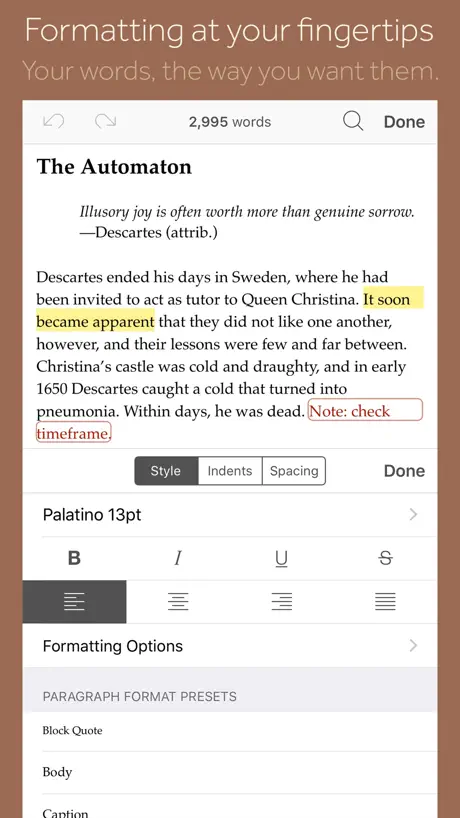  Scrivener |   PDF Max - Edit, Sign PDFs | 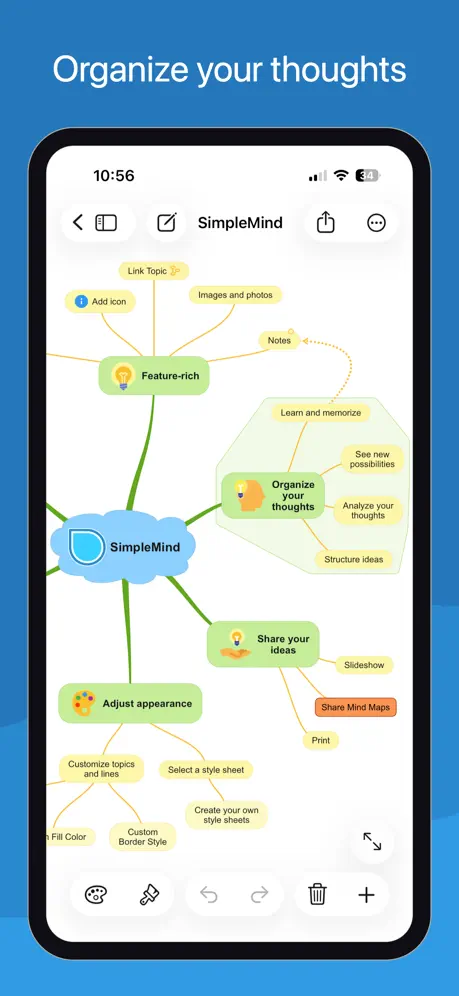  SimpleMind Pro - Mind Mapping |   Diigo Browser | |
|---|---|---|---|---|---|---|---|---|---|---|---|
| Rating / 5 | 4.7 | 4.6 | 4.6 | 4.5 | 4.7 | 4.8 | 4.5 | 4.1 | 4.5 | 4.6 | 4.5 |
| Reviews | 18K | 58K | 41K | 13K | 8K | 8K | 6.5K | 5.4K | 4K | 2.5K | 1.6K |
| Released | 2016 | 2014 | 2015 | 2018 | 2021 | 2016 | 2020 | 2016 | 2012 | 2010 | 2014 |
| Monthly price | — | $3.99 | $10.90 | $3.99 | $9.99 | $39.99 | $4.99 | — | — | — | — |
| Annual price | — | $24.99 | $99.99 | $14.99 | $83.90 | $99.99 | $29.99 | — | $34.99 | — | — |
| One-time price | — | $59.99 | $89.99 | $14.99 | $10.00 | — | — | — | $3.99 | — | — |
The going rate for each plan in United States, in its own currency, shaded from the cheapest price on the row to the dearest. Plans fewer than four in ten of the priced apps sell are left out.
iAnnotate 4 — PDFs & more reviews
4.7 out of 5, based on 18,451 reviews.
What people like
- Best app for grading student papers
- No monthly subscription fee required
- Great tools when the app works
- Support team responds quickly to issues
What they complain about
- App crashes and loses your work often
- Cloud sync fails or acts very slow
- Does not play well with other apps
- Missing modern Apple Pencil Pro features
Perfect in every way
I've used iAnnotate for my business proofreading for court reporters for over 10 years. From the ability to custom create stamps for mark-up to ease of use to fast, responsive support, this app is perfect in every way. Love it, love it, love it.
INCONSISTENT AND CRASHES
I really wanted to like this app because the workflow is actually great when it works. Highlighting feels smooth and it’s easy to stay in a rhythm when prepping large documents. But I’ve now run into the same issue multiple times and it’s a dealbreaker. Everything looks consistent while I’m working in the app, but when I export to PDF, the highlight colors change in intensity. Some sections come out darker or lighter even though I used the exact same color. It ends up looking inconsistent and unprofessional, and there’s no way to catch it until after export. On top of that, the app crashes when working on larger files, which makes the whole thing even more unreliable. I use this for professional work where consistency matters, and I can’t risk something like this happening again. I didn’t have this issue with other apps, so it’s really disappointing. If this gets fixed, I’d absolutely consider coming back to it. But right now, I can’t trust it
iAnnotate
It’s a great app to highlight PDF documents. It has a lot of tools to make it fun. I didn’t put 5 stars because when using the lock to secure the document is not as good. The document still moves around. But is great in all other aspects
Could be better
Pinch to zoom zooms to middle of the page and not where you pinched. Can edit in place in files.app. Markup tools seem good
Save back troubles
Having trouble on new iPad.
Love this app for grading papers
I’ve tried every PDF app out there and I keep coming back to iAnnotate for grading papers. It is by far the best and most flexible app. The iPad is a perfect tool for providing feedback on student writing and iAnnotate is the best app for the job.
Fix the Conversion Bug!
Your app refuses to convert Docs from Canvas. It just sits and refuses to accept the file. It will convert them from Google Drive, but I should not have to download papers into another app just so that your software will finally do its job. I have reported the conversion bug problems for .docx files before, and your team gave a less than useful answer. Please actually fix the issue this time. I have used your app to grade for over a decade now, and I would rather use it than Speedgrader or other tools, but this problem cannot persist. If it does, I’ll have to go elsewhere. My students deserve better than consistently buggy software.
ok
ok
Sorta works
Nominally iAnnotate does what it says but it requires all the docs to be in its own folder plus edits made in iannotate don’t seem to be visible when you load a PDF outside of the app. So yeah, if all you want to do is work with PDFs only in iAnnotate only in its own folder it works. If you want to do actual work with files across platforms and maintain your file organization you’re screwed. This makes the app virtually worthless.
Still no updates
This was a terrific app when I bought it in 2010. It’s still an amazing tool for marking up PDFs and I do all my grading on it. But I am redoing my review because the makers have not made updates for quite some time, much needed features that are now feasible with all the innovations that have come to the iPad and iOS. First off, I’ve been requesting this for years: the ability to flatten multiple documents at once. When I grade 30 papers, the inability to check all the boxes of documents I wanted flattened and then hit flatten adds a great deal of time to my work. There is still a lack of continuity across devices (or worse, when purchasing a new iPad) that will allow the toolbars I created on one device to carry over to another. It’s a major headache. The last major update we got was integration with the Apple Pencil, which is wonderful, but the pencil can do more now and the app makers have not taken advantage of this. It would also be nice to have two instances of the app (not just two documents at once) open at once to take advantage of using an external display for an extended desktop. Better use of iPad OS’s file system would be great too. It takes me too many clicks to move around between subfolders and between OneDrive, DropBox, etc. It’s quite possible better apps now exist, taking advantage of technological change, but I would much rather stick with iAnnotate since it has served me well for almost 15 years.
Does everything I need
I’ve been using this app for years. It really does everything I need it to do. Great annotation. Easy to navigate. Worth the purchase.
4.9.15 unstable
It crashes all the time since the update. ipadOS 26.1. Every time I reopen the app, all tabs are gone. I will try reinstalling a fresh copy. I have been a happy user for 15 years. A reinstall was ineffective.
Missing pencil pro gesture support
Pencil pro squeeze gesture to bring up eraser seems to be missing.
Not compatible with modern filesystem on iPadOS
A nicely featured app, but unfortunately appears to be incompatible with the modern files experience on iPad. It doesn’t use the Files app/interface to navigate/save files. And using the Mark Up With iAnnotate share menu option when in a SharePoint stored file results in a weird situation where iAnnotate turns the SharePoint login dialog into a PDF and displays THAT for markup. Useful app if you need to mark up an occasional file and are willing to remove it from your normal workflows to do so. Unusable as part of modern file workflows on iPad.
Needs work on custom stamps!
Saving custom stamps is very frustrating! Sometimes it doesn’t save at all, sometimes it uses a previous image, sometimes it uses a previous name. Needs to have a real edit page for stamps. Needs a way to export, edit, and import stamps. I would give the app a better star rating but for this frustration.
Look back
I have been using this software for years across multiple devices, with all sorts of documents. When I need to get work done, form submitted, notes taken, the software does it. And, it does it with ease!
Google drive support fixed!
I use this almost EVERY day for my clinic, and my post-graduate work.. Google drive no longer syncing!! Please fix this issue!! Will remove review once fixed! Please help!! It’s been several months with no response or support.
Make it MacBook friendly !
Other than that, it’s great
Permanent error saving documents
For over a year now, every document I have on the iAnnotate app on iPad has an error message saying “there was an error saving document. Please check internet connection.” This happens whether I have a great connection to Wi-Fi, or if I’m on cellular. Therefore, I cannot close any document that has been opened because the program thinks it is not saved. Furthermore, I’ve tried the ‘save to’ option, but it only gives me the option save to Box, and fails not only to let me choose what Box folder, but to Box in general at all. So the function completely doesn’t work.
Don’t like how it autopopulates the email subject line now
All of a sudden it’s putting its own subject line on emails sent from the app, and when I went into my settings to try to turn that off, I only had the option to create my own default subject line. When I did that, the app still uses its own. I use the app for work purposes, and it’s an annoying expenditure of my time to have to delete the app’s subject line before I can type in my own. Please remove this feature or at least make it optional. Thank you.
Great for online forms & notting books
I’ve used iA for several years. I like that there are separate toolbars you can toggle between. (I use different toolbars for different projects. ie: Paperwork includes text boxes, stamps for signatures, highlighters & basic pens. Notating Books includes different highlighters & pens, eraser and images, and bookmarks. File organizing includes +/- pages, bookmarks, images, etc.). There are some annoying quirks that I can overlook, evident as I have still selected 5 stars.
frustrating error in recent update
As of the most recent update, you are required to hide the tool box every time you want to close a tool, because the tool box task bar now lies on top of (instead of underneath) the task bar for the individual tool, and the button to close the tool is unavailable without completely closing the task bar for the tool box. This will add thousands of unnecessary tool box closing/opening actions to my workweek. PLEASE return the previous taskbar order ASAP, or this app is verging on unusable for me.
Search no longer searches document I’m currently reading
I have used and loved iAnnotate from its earliest iterations. It was originally how I justified my “need” for an iPad. So I have been a longtime fan and encouraged friends over the years to download it. Recently I have encountered 2 problems with the search feature that are frustrating. If I am reading a document and open the search function to search the document, it informs me at the bottom the hits for the search in my library but fails to show me the hits in the document I currently have open as it has always done in the past. The second issue is when I have the search open and the open another app, when I come back, the search is filled with a blue background and is unusable. I have to then quit iAnnotate and reopen to fix it.
A great app but what support?
I have used iAnnotate for years, I’d be lost without it however just lately it refuses to air print. I have a workaround, I send the pdf file over to the files app and print from there. IAnnotate finds the printer and then it looks as if everything is ok, I print the file but nothing happens, no errors and no print out. As I can print from other apps I have to assume the fault is in iAnnotate. I hope it’s fixed in the next update and soon. I still give iAnnotate 5 stars as it’s a brilliant app. Update: The print issue remains, an unsupported app is a poor offering and there has been ample time to fix this issue. As it stands the app deserves only 2 ⭐️s.
Crashes
It’s a good app when it doesn’t crash
For years, a favorite
I’ve been using this as a professor for years, and it has gotten me through two books and countless articles. When I’ve had tech troubles, I’ve always gotten quick responses. I appreciate that they haven’t complicated it endlessly in the name of small improvements. One of the best purchases I’ve made.
Just terrible
I’ve been using this app for some years and have suffered its terrible reliability across a range of new apple devices. Now the page preview crashes the app and I have to find something more reliable. I’ve been patient but now I’m through with this app.
IAnnotate
Just starting out and finding this app very user-friendly.Stephanie
Not practical for students
The selling feature for me is the ability to export annotations to flat file sans document. However, there is a lot of improvements that need to be made to make the app valuable to a student. The tools are great, use is frustrating. I was so excited to see the outline feature but highlighting text does not auto-create a note with the desired text. When reviewing annotations (in app), only a glossary of the highlighting or affects (stamps, etc.) applied and a page number -no text! So when exporting, list of highlights - no text. When you have 300+ page pdfs to annotate, the short list is invaluable. Still trying to figure out the sync feature, the original document is in ibooks (pdf), but I can’t get my comments to sync to the file. The tutorials, online forum, chat bot were of no help. If all you need to do is highlight and insert a few comments, this is your product. But beyond that. While I love the tools, it’s highly impractical for students. If pressed for time, I can not recommend this product.
Pencil Pro Not Fully Utilized
The app is missing Apple Pencil Pro squeeze gestures. Other than that, it is good. IAnnotate would be great if it could take full advantage of the squeeze gesture for the pencil pro.
Great App
I’ve been using iAnnotate for years and it is one of my “mission critical” apps. A recent bug that caused the app to crash has been squashed so my rating has been changed back to 5 stars!
Used to be great
This was one of the first apps I got for my iPad. Used it so much when I was doing my PhD and loved it. Unfortunately it has become glitchy and it freezes every other minute, which is strange. Since there are so many PDF apps out there I am going to move on because I just don’t want to waste more time on this freezing issue.
Great app but...
I bought this app for work and school which require a lot of pdf annotation. I love the fact that its not a monthly subscription. The files are easy to access and its user-friendly. However, it would be very helpful if there is also an eraser option. I mean.... I have never met someone who has never used an eraser before. I see that some people in the review also comment about it too... But overall, its a great app!
Pencil issues
Doesn’t automatically detect pressure when writing with apple pencil, so can’t write naturally on it. Also, does not have “undo” and “redo” buttons available for between different types of annotations (in Notability, every stroke can be undone. In this application, only within a specific type of annotation can things be undone, like inside highlighting or inside pencil writing). These were major turn offs for me. I am seeking a refund.
Periodically lose all work when PDF file is corrupted
I’ve used this app for years and love it… when it works. Periodically, though, it glitches and I end up losing hours of editing work. This happens when I open a Word document on my iPad and write on it but then somehow the PDF file it saves is corrupted and I can’t open it with any application on any platform. I sync iAnnotate with DropBox and even going to version history is a dead end. I’m on the market for a new go-to PDF mark-up app because this has happened so frequently.
Loving the app so far! Some small items
This is a very nice app, I enjoyed it to read documentations and add notes with my iPad. The integration with online storage is nice too. I will update the review with more detail after I used it for a bit longer. There are a couple small suggestions already 1. I organize things on dropbox, and the folder is a few levels down from the root. At the moment it is not clear how to add the folder into a more easily accessible place (now I need to click through it every time which takes ~1 minute) 2. Storing on local = in some internal place not accessible from the files app. If it can be a folder there things can be more versatile.
No Real Flexibility
I am beginning to wonder which reviews are real and which are not. This is now the second pdf app that I’ve tried to use and the flexibility of it to pull files from iCloud and work on them, or notes, and “thought” I saved them is not real. I am happy that I did airdrop the 12 pdf’s I marked up and returned to students with feedback otherwise I would have lost them completely. They are not saved, or stored on the app as it seems to imply, and there is no way to save them on iCloud as I thought I would be able to so that I can access later. I was very much disappointed with how this app does not do or have all the functions it says it does or do. The eraser for it is also hard to use as easily as you would expect, marking and utilizing the tools are also not as easy as they say. Their customer service…I have yet to hear back from them with regards to my above requests to find out where those files have been stored because there is nothing with in the app or on my iPad, or on my iCloud. So those files have been lost, except for the sent ones to my students. Do not buy, I think many of these reviews are fake like many other pdf apps. I am very much disappointed with this.
Version4 still not reliable
When it works it’s great. When it doesn’t, you feel like thrashing your iPad. OneDrive shows an updated file created with the iPad at work. The iPad at home cannot show the updated file. Not good!
Battery problems
Why can’t I recharge my IPad 10.2 after using this app.? The app works great but then I have to delete it and reset my iPad.
Great but missing 1 key feature
Great consistent app but missing 1 key feature - being able to open a website and pdf the page. Some websites can’t be exported correctly from Safari. PDF Expert can do this but I prefer iAnnotate.
Easy to use
The app is so easy to use. I love the convenience of carrying an iPad as opposed to papers.
Major Crash twice a year
Dec 8, 2023 No improvement in the last 17 months. This is disgusting. July 20, 2022 This app continues to crash. I have not been able to add documents. And worse I can’t get access to any of my files I saved. I can only hope iAnnotate will up date this app to fix this major issue asap. I have not been able to access any of my files for two months. When it works it’s a great app. But it is very un reliable. Twice a year the app degenerates to a point where I have to delete the app from my iPad and reinstall it. All my files (3.5GB) are available, but I have to open each file to make it available when when I’m away from home and WiFi. This takes at least 16 hours. The degeneration happens in two steps, first It does not allow me to download a new PDF document. Then two weeks later I can’t even open the app. This has been going on for years. I love the app when it’s working, but I’s fustratating to experience “The Major Crash” twice a year that takes 16 hours to fix. John F It has happened again (April 21, 2019) I also back up on the OneDrive app where I have over 5GB of data stored with no problems. I have been keeping the amounts of files on iAnnotate as low as possible, But it’s crashed again with 1.27 GBs of files, and as usual it’s at the most inconvenient time. I like iAnnotate for the highlighting feature, but apart from that the reliability is god awful. John F
Easy to use
Easy to use and practical tool for my basic school readings and annotations.
Love the concept but basic functionality is a problem
So, you make a mistake and go to erase it. If you have done anything by “pen” since, though, the erase button is greyed out and you can’t use it. Try typing. Say you type something in and want to revise. Nope. Backspace does not work and you just end up typing over what you had before. Big mess. All right, let’s say you say, OK. I will just delete the document from Iannotate and start again. Well there is no library tab, just the tab that brings you back to the same document with no obvious way of deleting or starting fresh. When I open the document on my computer, it comes up blank but I can’t reproduce that in iAnnotate. I am sure there are ways to make this app more frustrating, but I can’t come up with any of them now.
Disappointing
Great annotation features. However, it doesn’t let you simply open a PDF file — it has to copy the file into its own special area before you can work on it. This means it doesn’t play well with other apps. If you work on a file in iAnnotate and later want to open it in another app you won’t see any of the highlights because it’s not the same file. I looked in settings, but there doesn’t seem to be any way to change this behavior. Only had it for a couple of hours before regretting that I had spent the $10.
Indispensable tool
I use this extensively for my trial work and for signing documents daily
Really Want to Love This App
Years later, updating my review, and I still lament the fact that this is one of the only pdf reader/annotaters! I’ll spare detail of the many minor bugs to allow focus on one: how after this much time is iAnnotate totally unable to sync between my devices?? Routinely and randomly telling me I don’t have a connection (no matter the device or local network configuration) when every other app is having no trouble connecting to the internet of which my device is very much connected. Syncing and cloud save are CORE features of this app. I am so done with it
Works pretty well!
I just downloaded it 2 days ago and have already used it to proof over 150 pages. The one issue I had was easily solved by Support. I just didn't realize I had already had saved the document locally. I received a response from Support within 2 hours. Pretty good all around. Would give it a 5 but I would have liked a quick overview when I opened the app. I didn't know where to start.
Once-amazing app, now too unreliable
TL;DR: Avoid. If you haven’t bought it, I can’t recommend buying this app anymore. Reviews you read on blogs, etc. are likely referring to old version and don’t apply to this version. ——— I used to use previous versions of the app every day. (Of all my apps on the Mac or in iOS, iAnnotate 3 was my 3rd most frequently used, other than Mail and a notes storage app). I really dislike this version. It took me ages to find where the app had stuffed PDF files imported from the web (in the messy main directory of Dropbox, dream on if you expect an option for a default storage location), but that’s a minor problem that just requires a little friction when you have to move your files. Here are some that are constant annoyances: If you just want to quickly see your annotations or the PDF’s thumbnails, the search function is what opens every time you open the left tray, and up pops the keyboard... which hides the buttons to get to the annotations, thumbnails, etc. Gone are the days you could just swipe right from the bezel and quickly get to your annotations. Now you have to get rid of the keyboard and then tap the teeny tiny icon at the bottom every time. WHY HIDE THE ICONS BEHIND WHERE THE KEYBOARD WILL POP UP?!? Talk about needless friction. (I wonder what PDF app the developers are using? Cause they definitely aren’t using this! There’s no way you could use it and not be irritated by all of the ways it adds extra friction.) Worse than all of the added friction surprises, though, is that you can’t rely on downloaded PDFs to be there when you expect them to be (like when you’re on a flight and realize that iAnnotate was just kidding about that whole “save for offline use” thing) and when you do manage to get something to save, you can’t tell those saved for offline use from the others in the list when you’re online, so you can’t realize that “Oh, that one’s not saved; I’m going to need it.” and act on that. And it’s completely unclear when your offline changes are safe and when they aren’t I’m constantly worried about losing work because the reliability is always in question (and other reviews indicate people are losing work fairly regularly). I only upgraded a week ago (I bought it ages ago, excited by the idea of a new iAnnotate version, realized the problems with offline use, and immediately went back to v3, but after having Dropbox problems with it recently, I decided to see if I could work around the v4 problems). I soon tried to go fleeing back, at top speed, to the old version 3, only to realize that it doesn’t comply with Dropbox’s recent changes so we’re stuck with v4. Ugh. Dislike it so much (and liked the other version so much) that I considered just dropping Dropbox so I could use the app I absolutely adored. (Seriously, people rolled their eyes at me for talking so much about how good it was... I sent emails about it...) I might still just give up Dropbox as frustration mounts with this version’s poor usability. But if this is the way of the future for iAnnotate, maybe it’s just time to just switch to another app. I certainly can’t imagine I’ll ever pay for a v5 instead of jumping to another app when the time for a non-optional switch comes again.
Good… But not great for narrating
I wish the creators of this app would work with audiobook narrators to learn how they can improve it. Because we use it every day… Or, I should say — we used to. It’s such a great app, and superior in so many ways, however, there are many many features that narrators would love to have improved upon — like auto scroll, not crashing as much, etc. — that we would love to implement, so that we can continue using it. As of now, many, many, audiobook, narrators have stopped using this app, because it’s substantially subpar to other apps, like PDF reader, good notes, notability, and even adobe acrobat DC (which means that people are paying money NOT to use this app).
iAnnotate 4 — PDFs & more FAQ
- Is iAnnotate 4 — PDFs & more free?
- No. iAnnotate 4 — PDFs & more costs $9.99 (US) to download.
- Does iAnnotate 4 — PDFs & more have a free trial?
- No. None of its offers (US) come with a free trial.
- What are the best alternatives to iAnnotate 4 — PDFs & more?
- GoodReader PDF Editor & Viewer (4.6 from 57,690 reviews, premium from $3.99), LiquidText (4.6 from 40,751 reviews, premium from $5.49) and Nautilus: Web, Word, Annotate (4.5 from 12,976 reviews, premium from $3.99).
iAnnotate 4 — PDFs & more download
Last updated 1 month ago.
iAnnotate 4 — PDFs & more sells in 175 countries. It was released 10 years and 6 months ago, on 3 May 2016. It holds a 4.7 rating from 18,451 reviews.
Supports 1 language: English.
How much does iAnnotate 4 — PDFs & more make?
Third-party estimates for the last 30 days, worldwide — not the store's own figures, which Apple publishes for nobody.