
SimpleMind Pro - Mind Mapping
Capture your ideas and notes
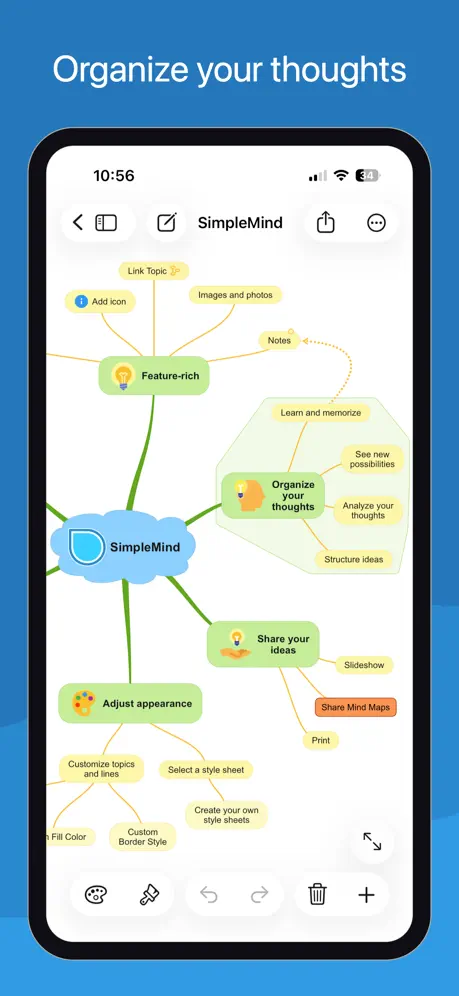

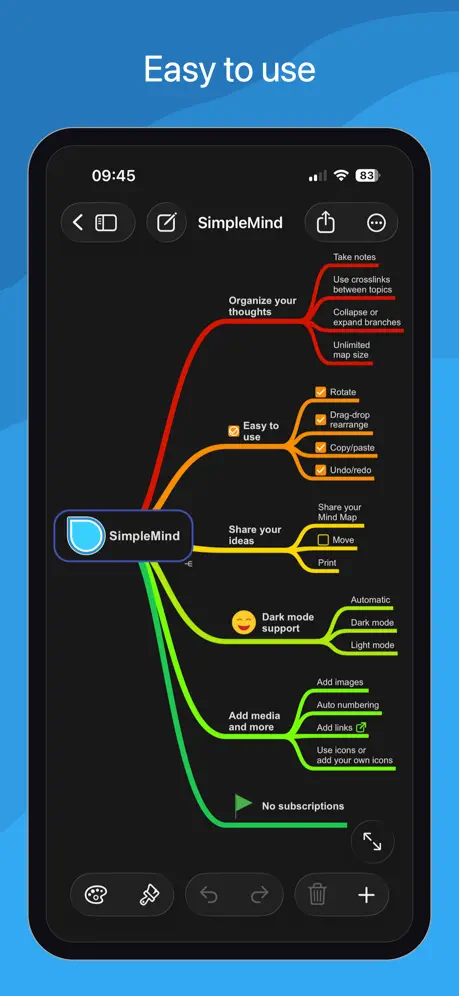
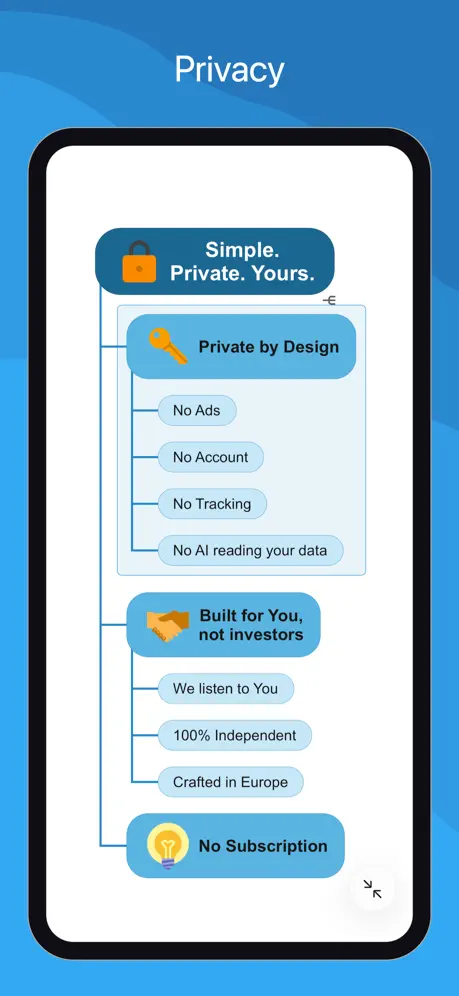
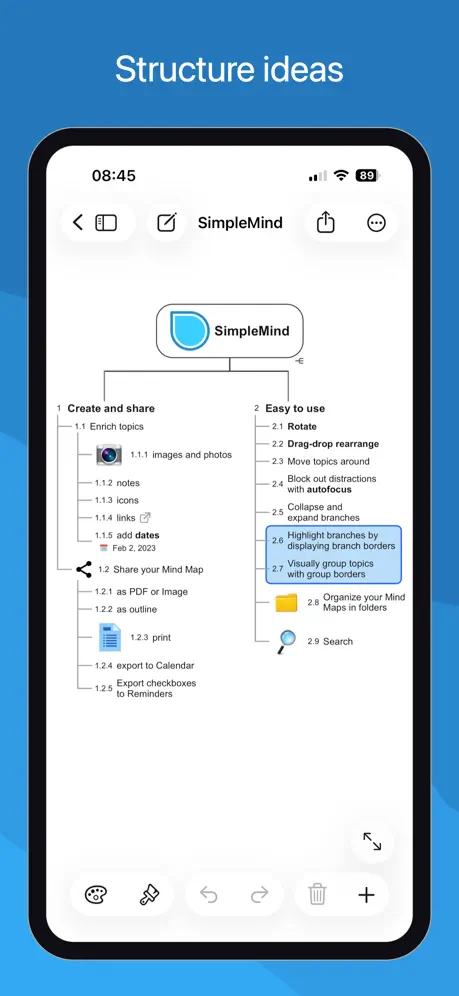
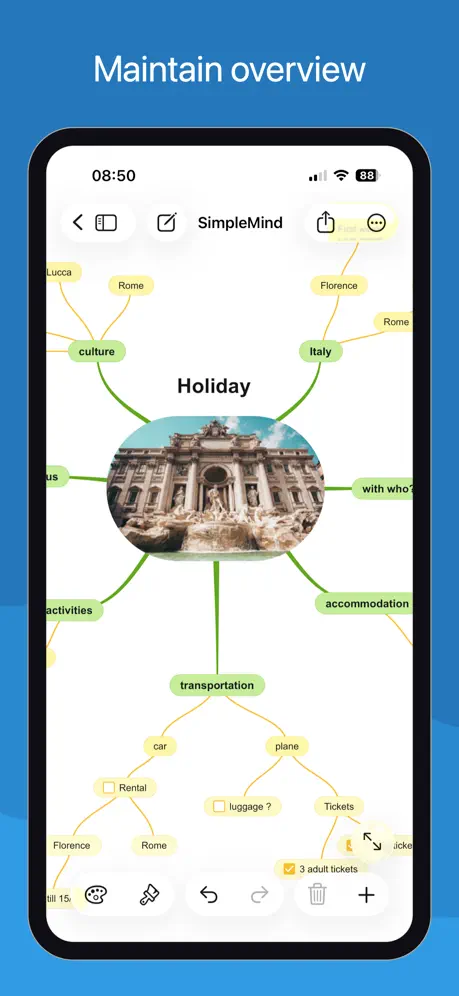
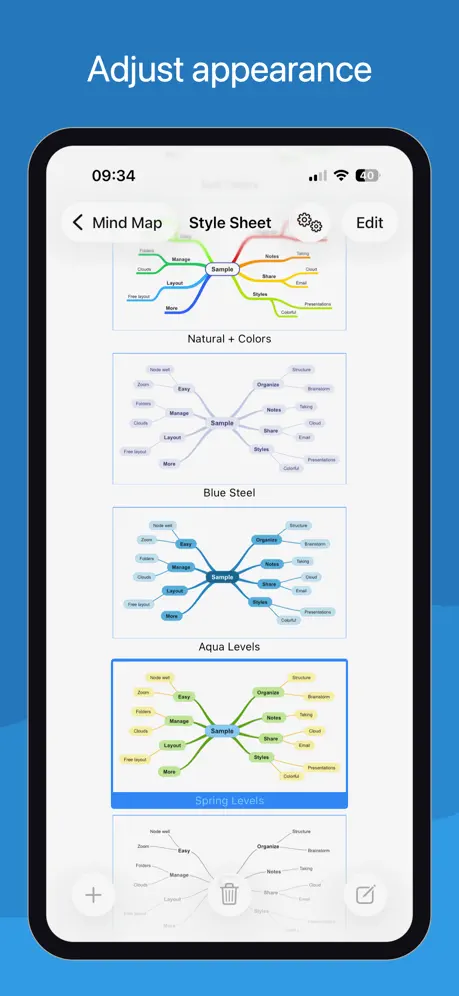
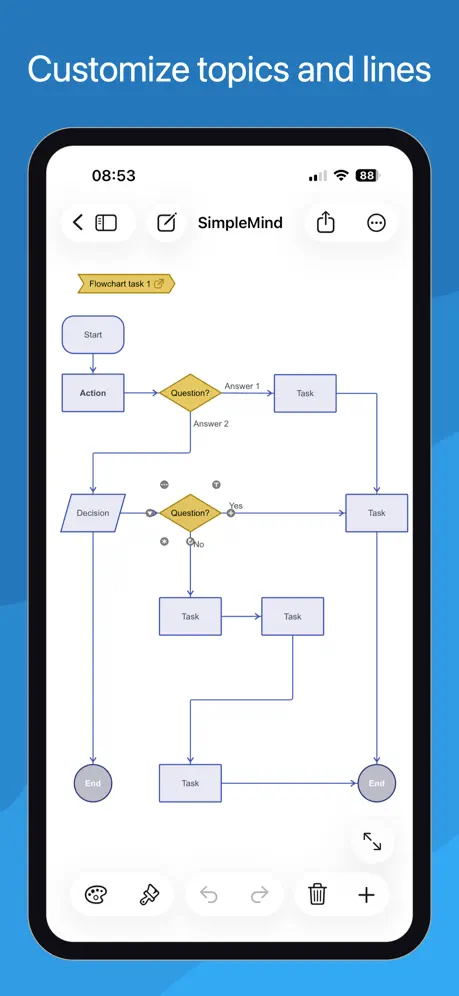
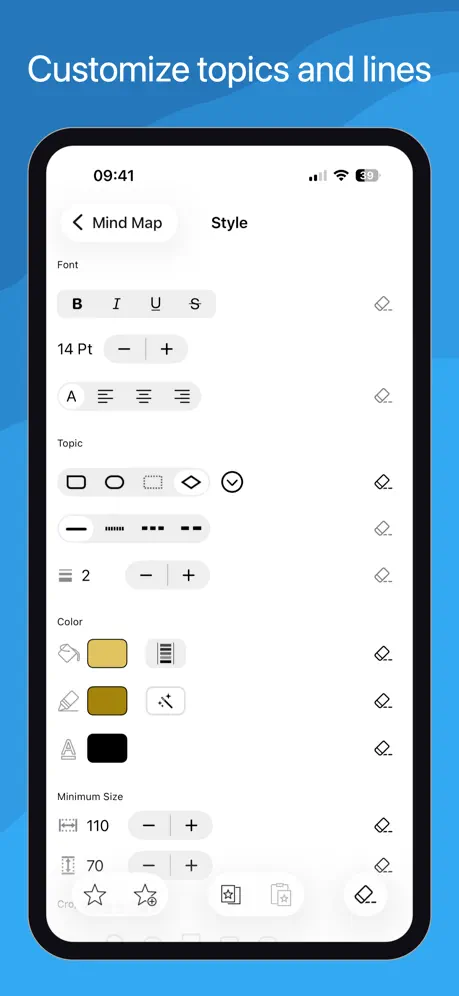
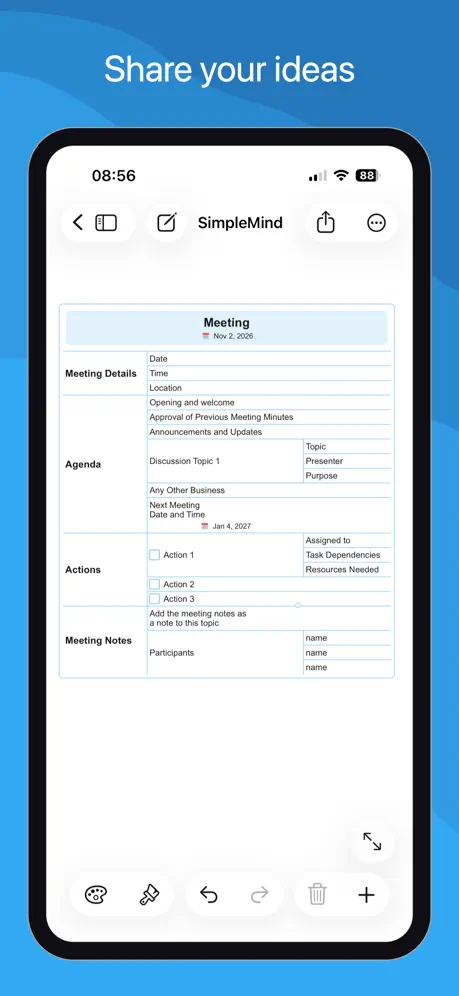
How much does SimpleMind Pro - Mind Mapping cost?
Prices are current as of 7 Nov 2026.
SimpleMind Pro - Mind Mapping has no in-app products on record in the United States.
SimpleMind Pro - Mind Mapping download price by country
| Country | Price |
|---|---|
| United States | $10.99 |
| Germany | €11.99 |
| South Korea | ₩17,000 |
| Japan | ¥1,800 |
| United Kingdom | £9.99 |
| France | €11.99 |
| Brazil | R$69.90 |
| Italy | €11.99 |
| Canada | CA$14.99 |
| China | CN¥78.00 |
| Thailand | THB 399.00 |
| Mexico | MX$229.00 |
| Russia | RUB 999.00 |
| Switzerland | CHF 10.00 |
| Taiwan | NT$390.00 |
| Netherlands | €11.99 |
| Australia | A$17.99 |
| Spain | €11.99 |
| India | ₹999.00 |
| Vietnam | ₫349,000 |
| Belgium | €11.99 |
| Colombia | COP 49,900 |
| Hong Kong | HK$88.00 |
| Austria | €11.99 |
| Ukraine | $12.99 |
| Chile | CLP 11,990 |
| Sweden | SEK 149.00 |
| Czech Republic | CZK 299.00 |
| Denmark | DKK 99.00 |
| Singapore | SGD 14.98 |
| Indonesia | IDR 199,000 |
| Turkey | TRY 599.99 |
| Poland | PLN 49.99 |
| Saudi Arabia | SAR 49.99 |
| Finland | €11.99 |
| Malaysia | MYR 49.90 |
| South Africa | ZAR 229.99 |
| Argentina | $10.99 |
| Philippines | ₱699.00 |
| Hungary | HUF 4,990 |
| New Zealand | NZ$19.99 |
| Slovakia | €11.99 |
| United Arab Emirates | AED 39.99 |
| Egypt | EGP 599.99 |
| Ireland | €11.99 |
| Peru | PEN 49.90 |
| Greece | €11.99 |
| Norway | NOK 149.00 |
| Costa Rica | $10.99 |
| Kuwait | $10.99 |
| Kazakhstan | KZT 5,990.00 |
| Luxembourg | €11.99 |
| Portugal | €11.99 |
| Belarus | $12.99 |
| Ecuador | $10.99 |
| Guatemala | $10.99 |
| Israel | ₪34.90 |
| Bolivia | $10.99 |
| Jordan | $10.99 |
| Cambodia | $11.99 |
| Latvia | €11.99 |
| Nigeria | NGN 17,900.00 |
| Romania | RON 59.99 |
| Slovenia | €11.99 |
| Trinidad and Tobago | $10.99 |
| Azerbaijan | $12.99 |
| Dominican Republic | $10.99 |
| Estonia | €11.99 |
| Fiji | $10.99 |
| Ghana | $12.99 |
| Kenya | $12.99 |
| Lao Peoples Democratic Republic | $11.99 |
| Lebanon | $10.99 |
| St. Lucia | $10.99 |
| Morocco | $12.99 |
| Panama | $10.99 |
| Pakistan | PKR 2,900 |
| Paraguay | $10.99 |
| Turkmenistan | $10.99 |
| Uruguay | $10.99 |
| Afghanistan | $10.99 |
| Antigua And Barbuda | $10.99 |
| Anguilla | $10.99 |
| Albania | $12.99 |
| Armenia | $12.99 |
| Angola | $10.99 |
| Bosnia & Herzegovina | €11.99 |
| Barbados | $12.99 |
| Burkina Faso | $10.99 |
| Bulgaria | €11.99 |
| Bahrain | $11.99 |
| Benin | $12.99 |
| Bermuda | $10.99 |
| Brunei Darussalam | $10.99 |
| Bahamas | $11.99 |
| Bhutan | $10.99 |
| Botswana | $10.99 |
| Belize | $10.99 |
| Congo, Democratic Republic | $10.99 |
| Congo | $12.99 |
| Cote Divoire | $12.99 |
| Cameroon | $12.99 |
| Cape Verde | $10.99 |
| Cyprus | €11.99 |
| Dominica | $10.99 |
| Algeria | $10.99 |
| Micronesia | $10.99 |
| Gabon | $10.99 |
| Grenada | $10.99 |
| Georgia | $12.99 |
| Gambia | $10.99 |
| Guinea-bissau | $10.99 |
| Guyana | $10.99 |
| Honduras | $10.99 |
| Croatia | €11.99 |
| Iraq | $10.99 |
| Iceland | $12.99 |
| Jamaica | $10.99 |
| Kyrgyzstan | $11.99 |
| St. Kitts and Nevis | $10.99 |
| Cayman Islands | $10.99 |
| Sri Lanka | $10.99 |
| Liberia | $10.99 |
| Lithuania | €11.99 |
| Libya | $10.99 |
| Moldova | $12.99 |
| Montenegro | €9.99 |
| Madagascar | $10.99 |
| Macedonia | $10.99 |
| Mali | $10.99 |
| Myanmar | $10.99 |
| Mongolia | $10.99 |
| Macao | $10.99 |
| Mauritania | $10.99 |
| Montserrat | $10.99 |
| Malta | €11.99 |
| Mauritius | $12.99 |
| Maldives | $10.99 |
| Malawi | $10.99 |
| Mozambique | $10.99 |
| Namibia | $10.99 |
| Niger | $10.99 |
| Nicaragua | $10.99 |
| Nepal | $12.99 |
| Nauru | $10.99 |
| Oman | $10.99 |
| Papua New Guinea | $10.99 |
| Palau | $10.99 |
| Qatar | QAR 39.99 |
| Serbia | €11.99 |
| Rwanda | $10.99 |
| Solomon Islands | $10.99 |
| Seychelles | $10.99 |
| Sierra Leone | $10.99 |
| Senegal | $12.99 |
| Suriname | $11.99 |
| Sao Tome & Principe | $10.99 |
| El Salvador | $10.99 |
| Swaziland | $10.99 |
| Turks and Caicos | $10.99 |
| Chad | $10.99 |
| Tajikistan | $11.99 |
| Tunisia | $10.99 |
| Tonga | $10.99 |
| Tanzania | TZS 29,900.00 |
| Uganda | $12.99 |
| Uzbekistan | $11.99 |
| St. Vincent & The Grenadines | $10.99 |
| Venezuela | $10.99 |
| British Virgin Islands | $10.99 |
| Vanuatu | $10.99 |
| Kosovo | €11.99 |
| Yemen | $10.99 |
| Zambia | $12.99 |
| Zimbabwe | $12.99 |
10+ alternatives to SimpleMind Pro - Mind Mapping
| SimpleMind Pro - Mind Mapping |  Things 3 for iPad | 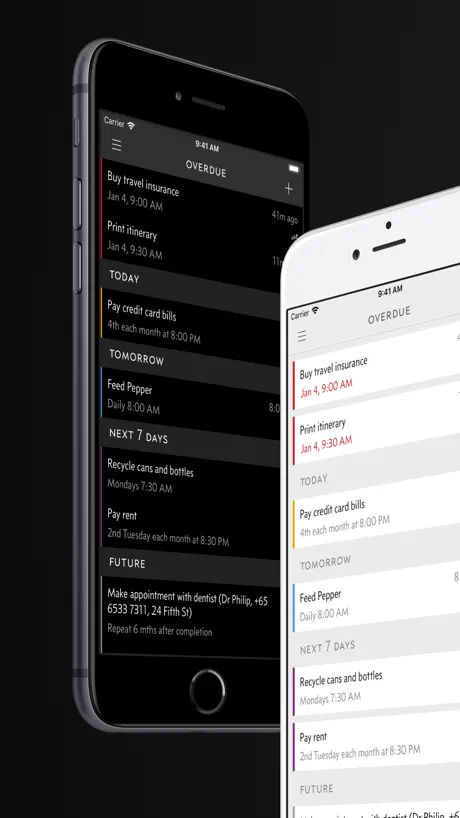  Due - Reminders & Timers |   iA Writer: Get Focused |   AYOA - Mind Mapping | 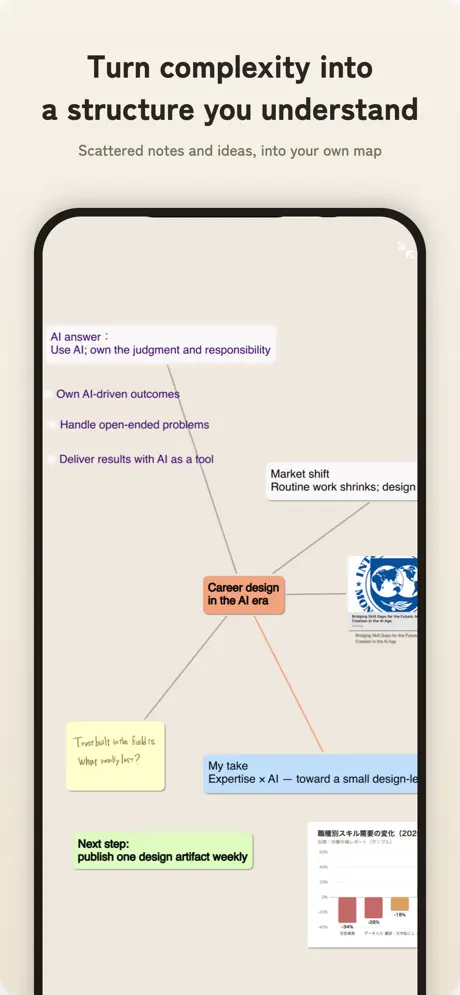  ThinkSpace - Mind Map & Notes |   MobileFamilyTree 11 |   MindNode: Mind Map & Outline |   MindManager Go |   DEVONthink To Go 4 |   Escape - Mind Map & Outline | |
|---|---|---|---|---|---|---|---|---|---|---|---|
| Rating / 5 | 4.6 | 4.8 | 4.6 | 4.6 | 4.5 | 4.3 | 4.7 | 4.6 | 4.2 | 4.7 | 4.5 |
| Reviews | 2.5K | 31K | 6.7K | 5.3K | 4.3K | 3.8K | 3.7K | 1.6K | 1.1K | 901 | 169 |
| Released | 2010 | 2017 | 2010 | 2013 | 2013 | 2018 | 2025 | 2024 | 2019 | 2025 | 2018 |
| Monthly price | — | — | — | — | $17.00 | $2.99 | — | $2.99 | — | $2.99 | $1.49 |
| Annual price | — | — | $4.99 | — | $155.99 | $29.99 | — | $24.99 | — | $19.99 | $9.99 |
The going rate for each plan in United States, in its own currency, shaded from the cheapest price on the row to the dearest. Plans fewer than four in ten of the priced apps sell are left out.
SimpleMind Pro - Mind Mapping reviews
4.6 out of 5, based on 2,465 reviews.
What people like
- Simple interface that does not get in way
- One-time purchase with no monthly subscription
- Works well across different platforms like iPad and Windows
What they complain about
- OneDrive sync often fails or errors out
- No proper iCloud support for seamless syncing
- Hard to organize large maps without mess
Best Mind Mapping app and easiest to use!
I’ve been using mind maps since 1992… but the original company sold out to Corel and things went downhill since. Then I discovered this app! Been using it since around 2001 or so. Amazing!!! All my mind mapping is now done on this app and my clients quickly understand what I propose for solutions when they see the map! I highly recommend it. It’s an amazing product.
Hervorragendes Mindmap-Programm, aber…
Ich benutze dieses tolle Programm seit Jahren zur Erstellung und Präsentation von Mindmaps unterschiedlicher Komplexität. Leider kommt es seit Monaten zu regelmäßigen Abstürzen beim APP-Wechsel auf verschiedenen IOS-Geräten. Nach Behebung dieses Bugs gibt`s wieder die volle Punktzahl!
This works!
I’m new to mind mapping… but this is exactly what I needed! I’m a visual spatial thinker and I see the world in patterns (think fractals). I have always had trouble being able to write down my thoughts or ideas in a linear fashion (outline or files) the cross referencing never worked well enough! This is how I think! and at last I have a way to organize my ideas! It takes a bit of time to learn the basics… I’m missing a star because it is sometimes hard to find answers to questions or help topics. Also I wish there were more templates… Or some way to make your own… I don’t think you can use it if you don’t have wifi access… which was disappointing. But overall I love it!
One the worst thing !
The image you added into mapping would be depressed automatically in every every low quality, terribly experienced while using
App perfetta recentemente si blocca
App funzionante e fantastica per svolgere e fare mappe concettuali , mentali e diagrammi. Il punto a sfavore è che di recente ha iniziato a bloccarsi i continuo, impedendomi di lavorare era allentato molto il processi, posso sapere il motivo?
Using it Daily
I have been looking for a flowchart setup program that’s easy to use, cost effective and doesn’t add to much useless extras. You have it here. I know of a franchise based remodeling company in which their cooperate masters spent the better part of 2 million dollars in research and development in generating a fully comprehensive, and detailed flowchart for all the Franchises. And it looks exactly like the flowcharts you can generate in this program. The only things I wish it could do, would be to loop a job path back onto itself if a project requires you to loop back to an earlier cell in the flowchart and actually attach it to the earlier cell. And, if it could create background colored squares where you can have a flow chart, inside a square , or other shape , background, identifying a separate job path or procedure that is related to the main flowchart, but, you don’t want it connected to it. Plus having a little background just adds to the uniqueness. Thanks to the people who put this program together. Huge help at work and in my life.
Not for adhd people
First off you open the app and it’s just the mind map with no tutorial or anything, it’s a confusing app, so I’ve opted for a refund because I’ve already deleted the app and won’t be using it. If you have adhd this is not for you.
Wunderbar, aber …
Ich liebe diese Software für ihre einfache Bedienung und Gestaltungsmöglichkeiten. Aber die Kollaboration mit anderen Nutzern ist nur theoretisch möglich. Sonst gerne 10 Sterne.
Soweit ok
eigentlich ganz gut um Mindmaps auf verschiedenen Systemen (z.B. iOS und Windows) zu bearbeiten. Leider ist die sync Möglichkeit auf die üblichen Anbieter beschränkt und WebDav wird nicht unterstützt.
So aggravatingly close to perfect but the frustrations hold it back.
I migrated here from iThoughts after it lost support, and the transition has been mostly smooth. But there are some features whose limited implementation drives me absolutely insane and makes the experience painful. First, In order to apply automatic numbering to the nodes, you have to deselect everything and tap the paint brush, which opens a menu that allows you to enable automatic numbering… but only on a map-wide scale. There is a perfect customization menu for each node that could allow you to apply automatic numbering on a node-by-node basis, but instead it’s relegated exclusively to the entire map and creates a very unpleasant, cluttered look. Second, there’s a nice roll-up feature for progress, but not one for time / resource tracking. iThoughts had this perfect feature where I could put a time estimate on a bubble/task, showing how many minutes or hours I think something would take, and they roll up to the parent comment so I can quickly and accurately assess the scope of a project. Better still, they calculate the relationship between progress and estimated time. So I put 2 hours on a project, complete 50 percent of it, and it shows that I have 1 hour left. And it all rolls up so I can track my progress into the larger context. I’ve appreciated the features added with each update so I’m sincerely hoping these get addressed in the next one. I’d give a higher score for all the other great features, but the ability to track scope and progress are my #1 reason for using mind maps, so this is a big problem for me.
Very nice
Works well. Polished, feature packed. Switched to this from Lucid. Was nice to see this app is still maintained. I recommend it.
Why sharing as Email does not work?
Why sharing as Email does not work?
Great tool with ample features
I’m relatively new to mind mapping and didn’t want to try the other versions because of either their lack of cross-platform support or subscription model. I tried others before discovering SimpleMind Pro. I purchased this app for macOS,iPadOS, and windows. It works similarly and equally well on each too! I do a lot of our companies technical writing and documentation layout. SimpleMind Pro does everything I need as far as documentation planning and development. I especially appreciate the ability to link map nodes to the actual topic in the document. This linking and color-coding allow me to track progress and needed edits. Thank you to the developers for a great application with a relative easy interface and short learning time!
Neues Design
Ich liebe die App…eigentlich! Aber seitdem das neue Design eingeführt wurde sind alle meine Mindmaps chaotisch (und ehrlich gesagt hässlich) bitte ermöglicht die Auswahl zwischen den alten und neuen Designs
Nur PCloud fehlt noch!
Ich nutze das sehr gut gemachte und gepflegte Mindmapprogramm am PC und iPhone/iPad seit Jahren.An den Funktionen gibt es absolut nichts auszusetzen👍 die Funktionalität ist aber deutlich eingeschränkt, weil die Auswahl der Cloud Zugriffe sehr beschränkt ist. Ich nutze pCloud und brauche das auch für meine Arbeit. Leider kann ich das am iPhone/iPad nicht nutzen. Bitte dringend noch nachbessern, dann gibt es fünf Sterne! Danke!
Best in its class
I was looking for a mind map app that showed for non hierarchical relationships (so not just parent-child) and that didn’t require a subscription and this has proved to be excellent. App is very fast, and good for taking notes on books, timelines of history, plotting out systems. I love being able to take notes inside of a bubble without that text taking up extra room on the map. Things I’d love: A faster and more intuitive styling system, better control over the line shapes that connect bubbles, the ability to use markdown inside of notes (particularly for code snippets). Happy to record a video to better explain what I mean. Keep up the great work!
Data loss 😭😡
Had it in the iPad Pro , worked great, made mind maps. I downloaded the app on my iPhone, then the app deleted all my cloud mind maps. Now I have to remake the maps, which I will have to do on another app. Devs, when syncing a cloud folder, err to the side of not deleting the data when there is a mismatch between devices, come on.
Best Mind Mapping App I’ve Used
Effective layouts, customizable to meet my needs, decent user interface, SimpleMind is the best mind mapping app I’ve used.
Seit Update Funktionen verloren und Fehler
Seit dem letzten Update ist das Arbeiten am iPad um einiges verkompliziert worden. Kein starrer Lesemodus mehr, man muss ständig aufpassen nicht versehentlich etwas anzutippen und zu verändern. Hinzukommt, dass die Tastatur ständig aufploppt und die Hälfte der Seite in Anspruch nimmt: Ein Lesen der hinterlegten Notizen ist so sehr mühsam und nervig.
Excellent mapping software, but a few minor issues
This is an amazing mapping software (the best one I could find on the App Store without a monthly subscription) and I so badly want to give it 5 stars but there are a few issues. (1) The select tool is horrible. You may want to make 15 bubbles in one color for example and you have to select each one (no problem) but the program will exit selection if you accidentally click just a hair outside the bubble (which happens far too often). Solution: give us a “X” button to exit the selection tool and disable touch input to the blank canvas as the method of exit. (2) The colors! Allow us to have a palette of preset colors. I hate how our only option is this super complicated color selector. Sometimes I want a same color applied to different branches and I hate how I have to find the exact color code and copy and paste it each and every time. Would rather I always have quick access to the colors I always use. (3) The search function needs to be homogenized. I should be able to search for a certain key word through all my maps and quickly skim through them. Now I have to search a key word and it gives me all the maps that word is in, then I have to go through each one and use another search tool to go through that specific map. I need to keep doing this process repeatedly till I find what I want It’s needlessly tedious. Anyways, it’s a great app, I have come to rely on it and these are very minor issues that can be fixed. Once they are addressed I will proudly give it a 5 star review!
Impressed
I was sad to no longer have iThoughts on my iPad and I'm very happy to have found this powerful alternative.
Schön ja, aber...
1. keine iCloud-Unterstützung 2. Während der Nutzung bleibt die App alle Nase lang stehen. Dann lässt sich kein Objekt mehr aktivieren. Alle 2 Minuten die App zu schließen und neu zu starten ist ein NOW GO!
I need to connect to OneDrive business
The software works great, however when I connect to OneDrive Business, the software reports an error and cannot connect. Please fix it asap!
Wenn es auf deutsch wäre….
…dann könnte man auch rausfinden, wie man die Größe der verschiedenen Zeilen ändern oder festlegen kann. Jedes Mal neu einstellen… sehr nervig für soviel Geld.
Grundsätzlich gut, aber zwei Aspekte fehlen
Zum einen funktioniert die OneDrive-Synchronisation nicht (sowohl über die direkte Verbindung als auch über die Dateien-App). Zum anderen wäre es schön, wenn man MindMaps zeitgleich mit anderen bearbeiten kann.
Tech-writing, scriptwriting, fiction…
er… I am a writer. Very little brainstorming or creative issues get going WITHOUT a mind-map. There is, for me, only one app that meets my creative needs - SimpleMind. BTW - the expanding list of add-on functions, “ToDo’s” etc. are useful, just hope mind-mapping functionality is not compromised. Far prefer one app., doing one or a few functions well, than… not. Then again, I am a writer!
Keine Icloud Anbindung
Wiklich die beste mindmap app, aber warum unterstützt die App alle gängigen Cloud dienste auser Icloud? Ich finde das offen gestanden ziemlich frech, auf einer Platform wie dem ipad wird mit großer mehrheit icloud genutzt! Es ist wirklich unnötig kompliziert wenn man eine mindmap zwischen iphone und ipad tauschen möchte!
Feature rich but needs some improvement in organization and exporting
This app is one of my favorites but it has a few limitations that have made it harder for me to use it regularly. The first limitation is that it’s very difficult to create large mind maps with it without creating a mess. I decided to use it to summarize some important points from a textbook and this just led to a disorganized looking mind map. I tried to move the bubbles around but the problem is that it’s not possible to move the bubbles when zoomed out. I tried the multiple selection mode as well but I still cannot move the bubbles when zoomed out. If I try to select them in zoomed in mode and then zoom out, it automatically deselects the bubbles that I had selected. This makes it a lot harder to manually organize the mind map because I cannot see what I’m doing if I have to be zoomed in just so I can move things around. I think there needs to be a way to organize the bubbles in zoomed out mode. Also, I think there should be an option for the bubbles to be automatically organized. For example, if I add a new bubble or I move one of the bubbles in a different location, everything else should be automatically nudged so that there’s no overlapping. Fixing these little issues, would make organization much easier and less frustrating. The second limitation that I encountered in this app is the exporting options. There’s no way to export the outlines into a .doc or .pages file, in order to maintain text formatting and also be able to edit the file. I tried exporting as a .txt file but that doesn’t hold any formatting, so it’s hard to read. I would have to go through the whole thing myself in order to bold and italicize some of the text in order to make it easier to read. The other option was to export the outline as a PDF. This was ok, but not ideal because everything was exported in bold letters. Since the formatting is all the same, it’s hard to tell which are the bigger topics and what topics fall underneath them, and where one topic separates from another. I think that this mind mapping app is a good starting point for recording ideas but it is also important that I can export those ideas in order to make further use of them.
Richtige iCloud Anbindung fehlt
Richtige iCloud Anbindung fehlt noch immer. Die angebotene Möglichkeit ist nicht komfortabel. Die Stileinstellungen sind viel zu verschachtelt.
Gute App mit einem großen Problem
An sich eine wirklich gute und umfangreiche Mindmapping App. Leider mit grenzdebiler Dateiverwaltung.
Simply SimpleMind
I like it because it is simple, does not get in the way, but goes what I need efficiently and effectively. I am glad I discovered it. I use it regularly.
Gehört ins 20. Jahrhundert
MindMapping ok, aber sinnlos, Da nicht in der iCloud speicherbare, folglich nicht auf unterschiedlichen Endgeräten nutzbare MindMaps entstehen. Autisten mag das gefallen, mir nicht 😳😔☹️
Sehr guter MindManager!
Moin moin, ich nutze die App regelmäßig und bin sehr zufrieden. Einfaches Bedienen und selbsterklärend. Eine Funktion wünsche ich mir aber dennoch. Es ist möglich, einzelne Tasks mit einem Termin zu versehen, der dann im Kalender eingetragen wird. Hier wünsche ich mir, dass ein Eintrag in die „Erinnerungen“ App ermöglicht wird, da ich ein Verwalten dort eher sehe als im Kalender.
It is good, but ...
still no OneDrive support.
Sugestões
- Inserir a possibilidade de utilizar a Apple Pencil para inserir desenho. - Melhorar a questão de inserir imagens. - Criar a possibilidade desenhar com os dedos ou com a Apple Pencil um mapa novo. - Criar a possibilidade de inserir caixas de textos, como se fossem adesivos. - Criar a possibilidade de mudar a font da escrita. O app é maravilhoso, sem dúvidas o melhor dentre os que ja testei, porém, pode ser ainda melhor. Vale a pena o investimento na versão pro.
The best.
Thank you for making and continuing to support this app!
Kein iCloud-Support? Wirklich?
Eine Synchronisation mehrerer Geräte über iCloud ist nicht möglich. Das sollte im Jahr 2019 eigentlich Standard sein. Für professionelles Arbeiten damit eigentlich raus. Ansonsten genial, super-einfach zu bedienen, klasse strukturiert. Wer aber wie ich mit iPad, iPhone und Mac arbeitet, ist nahtloses Weiterarbeiten („Handoff“) so gewöhnt, dass das hier wirklich stört. Und nein: Die Datenkraken Google und Dropbox sind keine Alternative.
Bei der App keine Verlinkung
Simple Mind Map erklärt sich nahezu selbst und ist in der Bedienung wahrlich simpel. Leider lässt sich die App nicht verlinken, so dass ich das Programm extra aus dem Netz besorgt und neu bezahlt habe. Über die ICloud habe ich die Maps sowohl unter Windows als auch unter MacOS problemlos verknüpfen können, jedoch funktionieren die Links nicht unter IOS auf meinem IPad, während die Inhalte wiedergegeben werden. Kostet 1 Stern.
Kein iCloud?
Ich habe die Gratis-Version auf Mac, sowie iPad ausprobiert und bin überzeugt. So sehr, dass ich mich jetzt sogar für die Vollversion entschieden habe. Das Problem ist allerdings, mein gesamter Schul-Ordner für meinen Bautechniker beruht auf meine iCloud. Diese wird bei SimpleMind leider nicht unterstütz - bei iThought z.B. Ist dies schon gar kein Thema mehr. Bitte unbedingt nachrüsten ... sonst sehe ich da auf Dauer echte Probleme. Außerdem ein Punkt der mir aufgefallen ist: Bilder per Drag&Drop einzufügen funktioniert leider nicht so gut wie erwartet. Des öfteren wird das Eigenschaften-Fenster so dargestellt, dass man das „fertigstellen“-Symbol nicht sieht und somit nicht erreicht. Sehr schade :( Also Dinge die dringend nötig wären: - bessere Einbindung von Bildern - bessere Ordnung der MindMaps und Einbindung von iCloud Drive - siehe iThoughts, Pages, Numbers etc. - Farben und Umrandungen sollten einfacher ausgewählt werden können
Melhorias
Poderia incluir a opção de realização de mapas mentais desenhado com a Apple Pencil, pois para estudo a realização de mapas mentais desenhado é melhor para o cérebro do que digitado, ou a opção de escrever com a Apple Pencil e o aplicativo ter a opção de reconhecer escrita e transformar a escrita reconhecida em texto. Incluindo essa opção o aplicativo tornará perfeito para estudos.
Using since 2012
Used it for a while, then paper journals for a while. Then looking for a mindmap tool and rediscovered it
Fehlender iCloud Support
Immer noch keine Unterstützung von iCloud ! Ist mir unverständlich - jeder der sich mal mit wireshark angesehen hat, wie kommunikativ DropBox ist, hat danach auch keine Lust mehr DropBox zu benutzen. Da werden z.B. von JEDEM Kopiervorgang die Namen der betreffenden Dateien an den DropBox-Server gemeldet.
Simpel für viele schnelle Anwendungen
Gute einfache Anwendung, sehr intuitiv. Bin als Organisationsberater unterwegs und nutze die Software gerne für die schnelle Darstellung von Zusammenhängen. Visualisierung vom iPad super einfach. Aber nur vier Sterne, da doch ein wichtiges Feature fehlt, dann wäre es perfekt. Warum kann ich den Themen/Aufgaben keine Tags zuweisen. Damit habe ich eine weitere wichtige Auswertung- und Sortierfunktion. Die einzige Tag, die derzeit zur Anwendung steht ist das Kontrollkästchen. Erledigt/Unerledigt. Liebe Entwickler, ihr habt viel Designangebote für Farbe etc. , die sind in dem Umfang gar nicht so erforderlich. Programmiert die freie Taggestaltung und Auswahl hinzu, vielleicht am Anfang so 6 Tags mit festen Farben und freien Titeln. Das ist der Booster für die App. Also los, worauf wartet ihr....
OneDrive
Não entendo porque o app não sincroniza com o OneDrive assim como faz com o Google Drive.... gostaria de uma resposta...
Einfach in der Handhabung, aber leider...
Ich habe bereits vorher eine kostenpflichtige Mindmap App genutzt. Allerdings war die so überladen dass es mir schwer gefallen ist mit der anständig arbeiten zu können. Mit SimpleMind sieht es gleich ganz anders aus. Es sind wirklich fast alle notwendige Funktionen überschaubar vorhanden, so dass man relativ leicht & schnell eine Map erstellen kann. (-) Was mir fehlt ist dass ich handschriftlich was notieren bzw. skizzieren kann. (-) Ich kann keine Map in der iCloud erstellen. Es kommt jedesmal die Fehlermeldung das die Datei nicht gespeichert werden kann. Das ist frustrierend! Denn wenn die Map nur lokal gespeichert wird kann ich nicht von unterwegs, von einem anderen Gerät, drauf zugreifen. Der einzige Weg geht dann nur über die Dropbox. Ich würde mir wünschen dass man den Speicherort fest definieren kann und es auch über die iCloud die Möglichkeit gibt eine dort zu erstellen und bearbeiten zu können.
Easy Transition
This is the second memorable mindmap software I’ve used. Discovered it after the former one was suddenly unsupported. Other users referred this program and it hasn’t disappointed in anyway. I’ve noticed and to be noted it has replaced my notes app for the most part. It gets me where I need to go and have already gifted it to others.
Serious security problems
Serious security problems! Access to photo is disabled with Settings > SimpleMind > Photo = never Access to photos is not blocked! Dear Developper, I think - when I disable access to photo in ios under Settings > SimpleMind > Photo = never Then it should not be possible to insert Photos in your app, what do you think? sincerely, wh
Excellent
I use this app as an accompaniment to the desktop version and it has most of what I need for mobile use. Modifying templates and structures can be frustrating but it’s probably because I don’t do it often. There’s some additions/enhancements I’d like to see, however: —Add OneDrive as a storage location since many of us are on O365 home and enterprise. —Can we get a simple sort when viewing the map content in hierarchy view? I have a large map and manually alphabetizing the fields can be a real PITA. —Ability to rename custom templates (current it’s stuck at Copy of Pastel) —Enhance in-line documentation to clarify what options modify what, and at what level? Seeing a physical map as a legend with the option name (that I can print) would make it easier to know what I need to change to get my desired results.
GoogleDrive problem
Google drive is not working anymore after the last update
Envolvimento
Adicionem a opção de desenho, tornaria a produção mais envolvente, rápido e fácil. Procurar por imagens e ícones na internet é cansativo... Quanto mais envolvimento melhor para a memória. Obrigado!
SimpleMind Pro - Mind Mapping FAQ
- Is SimpleMind Pro - Mind Mapping free?
- No. SimpleMind Pro - Mind Mapping costs $10.99 (US) to download.
- Does SimpleMind Pro - Mind Mapping have a free trial?
- No. None of its offers (US) come with a free trial.
- What are the best alternatives to SimpleMind Pro - Mind Mapping?
- Things 3 for iPad (4.8 from 31,329 reviews), Due - Reminders & Timers (4.6 from 6,650 reviews, premium from $3.00) and iA Writer: Get Focused (4.6 from 5,261 reviews).
SimpleMind Pro - Mind Mapping download
Last updated 22 days ago.
SimpleMind Pro - Mind Mapping sells in 175 countries. It was released 16 years and 4 months ago, on 25 Jun 2010. It holds a 4.6 rating from 2,465 reviews.
Supports 14 languages: English, Arabic, Dutch, French, German, Italian, Japanese, Korean, Portuguese, Russian, Chinese, Spanish, Thai, Turkish.
How much does SimpleMind Pro - Mind Mapping make?
Third-party estimates for the last 30 days, worldwide — not the store's own figures, which Apple publishes for nobody.