
Rocketbook App
How much does Rocketbook App cost?
Prices are current as of 11 Sept 2026.
Rocketbook App has no in-app products on record in the United States.
10+ alternatives to Rocketbook App
| Rocketbook App |   Greenlight: For Families Greenlight: For Families |   ASUS Router ASUS Router |   Square Appointments: Scheduler Square Appointments: Scheduler |   Elan Credit Card Elan Credit Card |   TurboScan™: document scanner TurboScan™: document scanner |   My CenturyLink My CenturyLink |   Unroll.Me - Email Cleanup Unroll.Me - Email Cleanup |   Basecamp - Project Management Basecamp - Project Management |   Off The Record: Ticket Lawyer Off The Record: Ticket Lawyer | 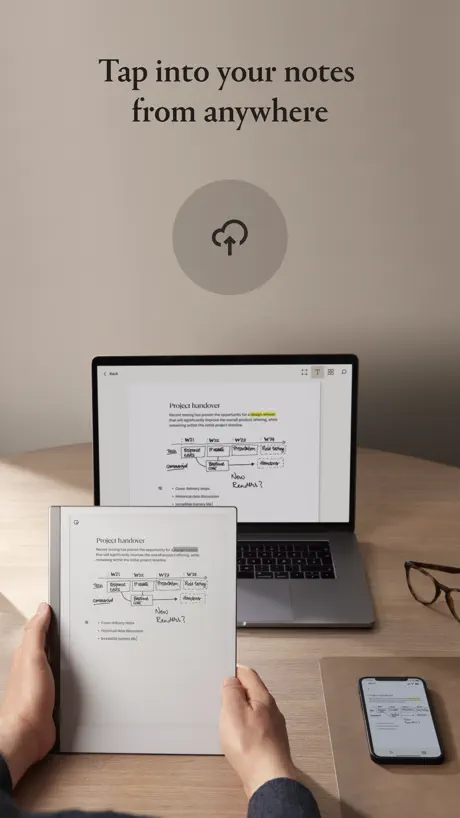  reMarkable mobile reMarkable mobile | |
|---|---|---|---|---|---|---|---|---|---|---|---|
| Rating / 5 | 4.7 | 4.8 | 4.6 | 4.9 | 4.8 | 4.9 | 4.4 | 4.7 | 4.7 | 4.6 | 3.0 |
| Reviews | 45K | 488K | 222K | 218K | 196K | 169K | 137K | 131K | 35K | 9.7K | 1.6K |
| Released | 2015 | 2016 | 2015 | 2015 | 2015 | 2015 | 2016 | 2015 | 2015 | 2015 | 2017 |
| One-time price | — | — | — | — | — | $14.99 | — | — | — | — | — |
The going rate for each plan in United States, in its own currency, shaded from the cheapest price on the row to the dearest.
Rocketbook App reviews
4.7 out of 5, based on 45,454 reviews.
What people like
- Notebook wipes clean and reuses easily
- Handwriting feels natural compared to typing
- Notes are saved safely in the cloud
- Transcription accuracy has improved recently
What they complain about
- App crashes constantly when scanning
- Scans crop off the bottom of pages
- OCR fails on messy handwriting
- Destinations do not sync across devices
Great App & Timesaver
I heavily use Microsoft OneNote for note taking and in the past I’ve used a Microsoft Surface Pro to digitally write notes using the digital pen, it wasn’t perfect but it worked well enough. I’ve now got a different laptop (Framework 13) and use the A5 Rocketbook to scan my handwritten pages direct to OneNote. I have configure the app to add a page to OneNote with a picture of the page on the right and the text from the page on the left. It’s not 100% perfect but that’s due to my sometimes messy handwriting, the majority of the text is detected perfectly, assisted by the fact I’m writing with an actual pen and not a digital one like before. This process ends in a much better result than digitally writing my notes with a pen and allows me to be present during meetings / webinars rather than using my laptop to attend and write notes.
Poor backend
My years of scanned data has disappeared upon the last update. I am also no longer able to log in via Apple. The support team recommended using the same email address and reset password to set up a password. I followed the instructions and now ended up with an empty library.
Great app but…
… could do with compatibility with native iOS apps like Reminders or Notes.
Buggy
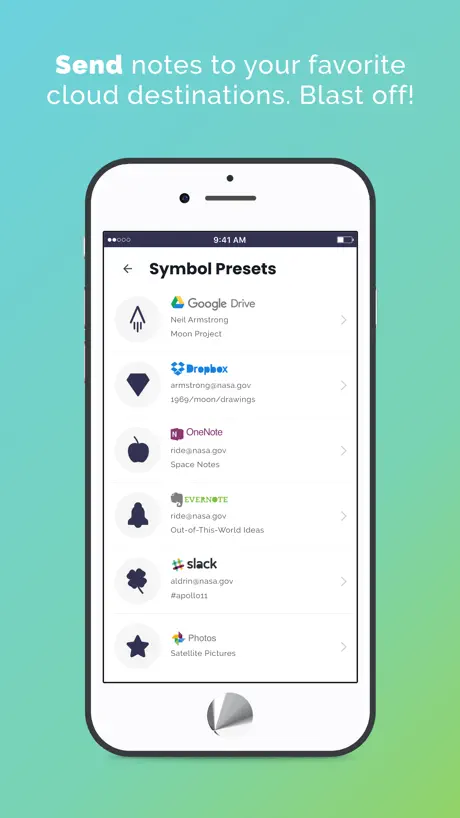
Just purchased a rocket book and the first time i come to use it the app crashes when trying to send to my destinations (2) not a great start 🤦🏼♂️ June 2025
Crashes every time on scan
When I turn on ocr and scan the app just crashes.
The best thing since sliced bread
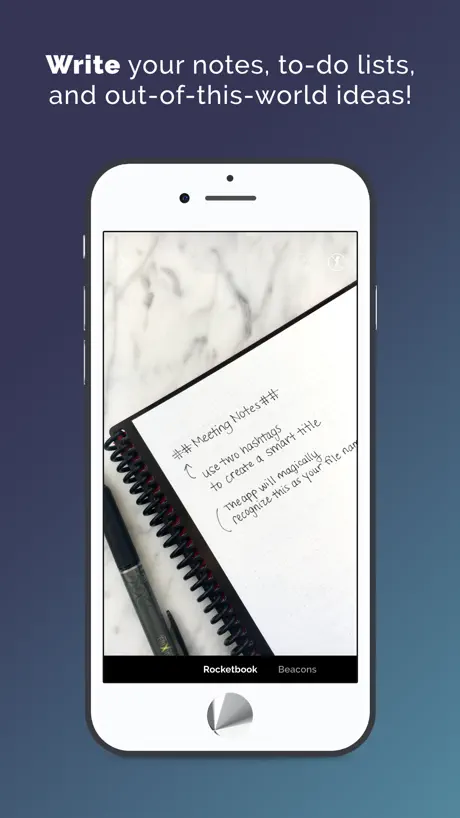
The best part of this app and books is that I can do all of my work in the old fashioned way using a pen and notebook then hey presto I scan it and it becomes text that I can use with minimal corrections. I can think with a pen but not a keyboard so it is perfect for me.
Utterly useless
This is NOT a digital notebook. And the app does NOT digitise notes. Which would mean transform handwriting into print and save it as an editable Word doc. Or a Canva project or any actual digital output. This is a scanning up that takes a photo and saves it or sends it. Any camera can do the same. The notebook is just a regular notebook with a biro that has deletable ink. I had one in middle school. Sorry I can do this with a pencil, a piece of paper and my phone. Why paying £32?
Really good but…
I’m knocking off a star because of the super annoying flashing orange dot. I’ve tried everything to get rid of it. Does it tell you what the problem is or where to find it? No. The only way I can get it to stop is to set transcript settings that I don’t use or want. Only then does the damn thing disappear.
Password blacked out
Cannot sign cannot see password as it’s blocked out even when I click the eye symbol
Glitch
Just gotten used to using the rocket book and it’s been great. But today when I try to scan, the app just closes. Tried restarting the phone but problem persists. Using an iPhone, and most recent update. Please resolve urgently
Handwriting recognition much better
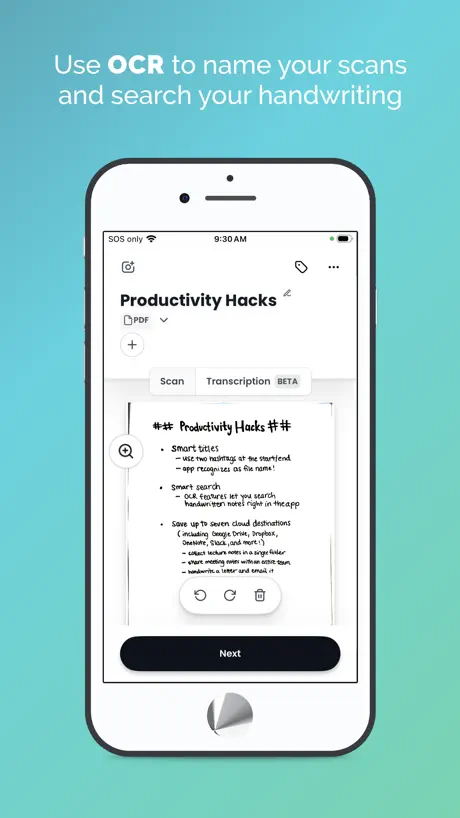
Took a break from Rocketbook for a few months, on returning I find the transcript that’s included in the sent email much much accurate than it used to be, which is a huge benefit for searching for notes within my email.
Horrible
Please dont waste your money buying this ridiculous product. The pens run out very fast. It hasn’t been more than one and a half month since I bought this, i have bought 4 new pens at more than 2 pounds each. And the pages take forever to dry.
Overall great product and concept works and is easy to use
Would buy again and would recommend But - no windows app Apple app navigation of notes is not simple at start still working out how to organise notes other than a long list to scroll through
Crashes every time I scan
Great in principle, but crashes every time I scan.
Todo bien, a excepción de unas cosas
El funcionamiento de la libreta es bueno, la app escanea rápido, sin embargo, hace falta que te permita organizar las páginas de tus escaneos
Portable Brain
The single most useful piece of stationery I have bought. As an ‘older’ person with ADHD, I find that I am able to organise myself better, taking notes related to several different activities all in one place. The batteries won’t run out and I don’t need an internet connection. Once I am back online the app flawlessly scans and sends notes to the necessary locations. Fantastic.
Unable to update the destination
Been trying to update the destination for the past hour and it hasn’t been working, very frustrating
Great
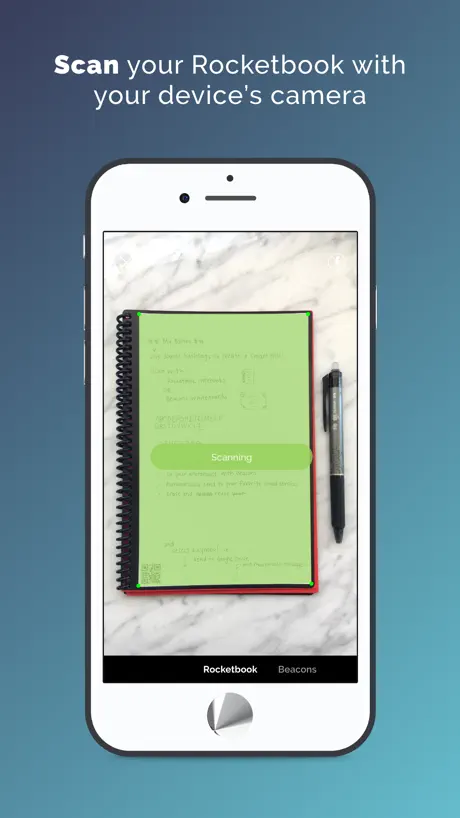
Overall pretty good app. Ui interface is very clean and easy to navigate. Basic features like scanning, scan history, and a destination tab where you store various information like your email address and where you want your scanned documents to go. This leaves you confident on how to navigate as the app has many options but you don’t feel dazed by the different tabs. One con of the app is that the scans sometimes don’t come out as clear as you want or there’s different colours like someone dropped a highlighter on it. This makes it a bit more of a hassle having to move your Rocketbook to a clear white table to get a clear scan. I also experienced multiple crashes upon opening the app on iPhone although this might have been fixed.
Not sure why I’d bother
I printed some pages with the qr code on, to see how it would work if I bought the notebook. Frankly I could just take a photo and email it to myself - better quality and no more difficult. Can’t find any ocr function
Crappy cropping
Great idea but the app’s scan always crops off the bottom centimetre of my page. Easy enough to fix by just not writing near the bottom of the page, but it’s such a basic error. Would be great if it was fixed.
Perfect as a teacher planner.
I love it! As a teacher, this rocket book has replaced my teacher planner. It took some time to set it up exactly how I wanted using a permanent marker but not I don’t imagine needing to use anything else for a very long time!
Terrible Quality of App
Frustration beyond belief after 5+ years of Rocket book use. The app looses all the one note destination configurations when you change your Office365 password. The app now crashes when you try to reset up the one note destination. Net result is Everlast Book is useless and the scans just queue up hoping for a fix to the App. Real shame
Scanning is great but it’s not working with OneNote
The scanning is great but sending to one note does not seem to work. It only works with email.
Love the product, problems with the app
I love love love rocketbook as a product. 5 stars there. But I’m having major problems with the app. After scanning my pages and preparing them to send, the app then reorders my scans and groups random ones together. It’s a PDF nightmare. I will probably have to go into acrobat and combine the PDFs it’s created then reorder everything, comparing each digital page to my physical planner. Not fun
Concept is great but less useful in practice
The page recognition and scanning is good, but let’s be honest... most of the integrated services don’t make best use of the scans. They’re just pictures or attachments. Only OneNote works well with the OCR function, but my company has blocked outside services so that’s out. Email transcription is terrible - it gets the words right but puts them on all the wrong lines. Smart Lists has promise but too limited to be a useful tool for most people. It’s impossible to reorder them because the new order doesn’t save. In short... I just can’t see how to integrate this with most of my tools in any useful way. I love my Rocketbook Panda Planner but basically only as a reusable notebook at this point.
These are great!
I have 3 of these which I use for different purposes. I really like the way that you can capture notes to your hearts content and then save them electronically. No more paper or note books to find a home for and you can easily find the information you are looking for. I used to spend ages typing up work notes which I avoid now and find my handwritten notes better for later review. Brilliant product
Advert Notifications
Please stop the constant advert notifications!
Great alternative notebook
A really good book and app although it can be difficult to scan pages with lighter coloured pen such as green
Bad scanning
Taking a photo of a piece of paper would be much clearer. lighting is funny and i cannot read anything in the scanned version
Transcribe free hand writing into text
I hate my writing is there anyway I can make this into type? Eg Times new Roman/Ariel?
Review after a year
I was bought a Rocketbook (Flip version) and use the app. I use it primarily for work: taking notes, mind-mapping, etc. every day. I’ve worked from home due to COVID, but expect to use it in the office eventually: it’ll be ideal in the new paper-less/hot-desking environment. The app itself is very easy and slick to use. The images are very high quality and it’s very convenient to email them to my work account via a simple “X” on my chosen icon. I find the transcribe function on my ## subject heading is usually effective, considering my appalling handwriting, but it’s simple to correct any errors. Ps I’ve had to refill the original Frixion pen obviously (at very little cost), but the paper continues to wipe clean, showing very little residue from my previous writing (certainly too feint to show in the images). Overall, I’m very impressed with the book and app.
App scanning really floored
Tchang
Amazing 🤩🤩
I completely love this product! Along with the rocketbook notebook I’ve been able to go paperless while also being able to have the paper and pen feel of a normal notebook! This app is amazing and works like a charm except for 1 thing. For some reason I can’t make any of the destinations send to Evernote as the evernote google login won’t work. However, as soon as this is fixed, this app will be perfect!
Only works for single page notes
The app won’t deal with multiple pages as a single ‘note’ anymore. It provides individual pages as individual pdfs instead.
Sync, sync, sync. Landscape, too.
Frankly, the app is fine. Works fine. But, as others have said it needs to sync across devices. Also, please allow it to rotate to landscape on a capable device. If you have a keyboard attached and scan a page who wants to undock, rotate, snap, send, re-dock.
Funky birthday gift
I was given this to use during collage, I don’t like writing notes on paper as I feel it’s wasteful, but using a computer to write notes feels even worse, I like the comfort of my own handwriting :) I think the app is great, although when creating notes, they don’t show up on the “History page” which confuses me a bit. I receive them in my emails, but they don’t appear on the app itself ?
RB and iMac
Impossible to make a connection on the cloud. RB does not seem to be compatible with Mac OS.
Great innovative idea
Love my Rocketbook, easy to use & wipes clean easily. Scanning on the app is also really easy & the transcription feature works great. Only criticism I have is I downloaded the app on multiple devices with the same Rocketbook account but the “destinations” don’t sync between them so I had to set them up 3 times - hopefully an easy fix
Crash
Continued crash
App scanning needs improving
Having a tough time with app scanning. I scan in multiple pages and it splits them up when I don’t want them to be split, very annoying and current no way of stopping it within the app.
Awesome App!
Very useful for work or school and a really fun gadget!
Scanning functionality poor
Love the reusable books. I really do! But the scanning is Poor and light years’ behind others like genius scan. Inability to merge scans is one issue. Countless times a multi page scan becomes separate files and you cannot merge them. The only way around this is never to write in the margins - but who does that in a notebook? Automation of where scans get sent is not much use as well. OCR tech doesn’t work unless you handwrite in typing font. My handwriting is bad I admit but not that bad. So This product - excellent concept though it is - is well behind the concept it claims. I’m sure it will improve but for now I’m not using the scanning - there are much better solutions.
Almost perfect
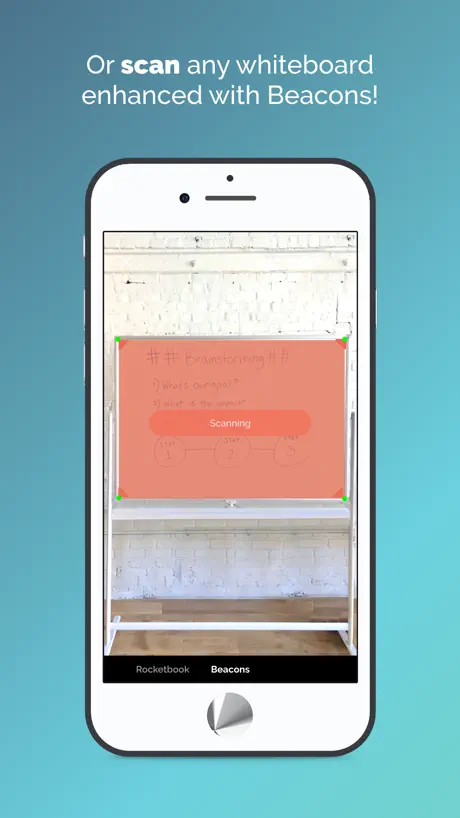
I am currently using the rocketbook beacons for all of my lessons at school. Uploading them straight to google classroom is so handy for any of my students that miss the lesson for one reason or another. I have only 3 issues. 1) the app does not deal with light reflections off the white board too well which means some of the writing on the board disappears in the picture meaning I have to retake the picture. 2) the app often crashes between taking pictures. Meaning I have to close and reopen the app each time which slows down my lessons a bit. 3) even though I check the pictures are completely clear and focussed when I take them, somewhere between taking them and emailing them to myself (or uploading to my drive) half or all of my image is lost, leaving only say the very top of my whiteboard notes. The first two issues are small and easy to deal with. The last is probably the worst as I cannot seem to find a way around this problem. I have tried all the different options of sending the document to myself but none work.
Glitchy app
I really love my rocketbook everlast as a stand-alone product because I enjoy not having to carry a million books to school, but honestly the problems with the app make it nearly unusable for me to the point where I am considering stopping using my rocketbook entirely. When I try to scan my pages, it takes at least 5 minutes per page because it is so glitchy. Even though the page is within the screen and my camera perfectly still, the app refuses to scan. It continually says “moving too much” and “position page within screen” and when it finally decides to process, you can see the spiral and parts of my table around the edges in the scan! Please fix this problem, because I really want to be able to keep using my rocketbook.
Could be brilliant but...
The app crashes all the time on my iphone6s meaning it’s unreliable and you can’t depend on it. Really sad.
Saving the planet 1 sheet at a time 😁
I love my Rocketbook, no longer do I have to save stacks of notebooks just in case someone asks me in 5 years why we did that or what led us to that decision. All my notes now stored in the cloud safe and sound and the ink on the paper is so smooth that my writing has improved 😁
Great when it works
I love this most of the time but days like today it won’t upload to onenote for no good reason. I end up having to reset all destinations over an over until it decides to work.
Great notebook, good app
The app works as expected. Could be faster to upload and needs some more functionality like being able to snap multiple pages in one hit and then move pages to separate bunches for upload as single files or multi page PDFs.
Rocketbook Thoughts
Not sure why this idea is any better than simply taking a picture of your notes on paper and saving to PDF. Apart from saving a little paper I can’t really see the benefit. I can save paper by typing on my iPad!
New beacon offering is disrupting the imaging
Hi is the new beacon feature disrupting the image scan? It’s trying to find the corners...
Rocketbook App FAQ
- Is Rocketbook App free?
- Yes. The app is free, in all 175 countries it sells in, and it sells nothing inside it.
- Does Rocketbook App have a free trial?
- No. None of its offers (US) come with a free trial.
- What are the best alternatives to Rocketbook App?
- Greenlight: For Families (4.8 from 488,163 reviews), ASUS Router (4.6 from 222,462 reviews) and Square Appointments: Scheduler (4.9 from 217,909 reviews).
Rocketbook App download
Last updated 2 months ago.
Rocketbook App sells in 175 countries. It was released 10 years and 11 months ago, on 11 Oct 2015. It holds a 4.7 rating from 45,454 reviews.
Supports 4 languages: English, French, German, Spanish.
How much does Rocketbook App make?
Third-party estimates for the last 30 days, worldwide — not the store's own figures, which Apple publishes for nobody.