
MusicStreamer
Music Player Stream & Download
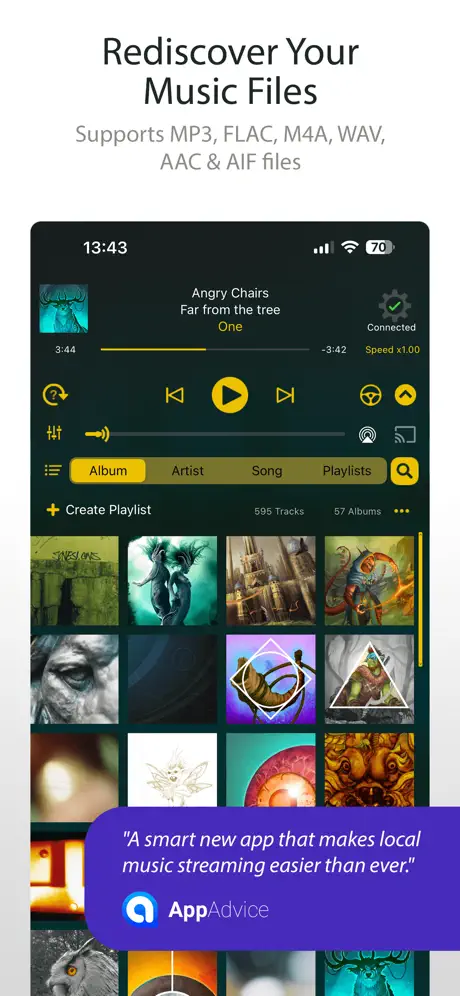
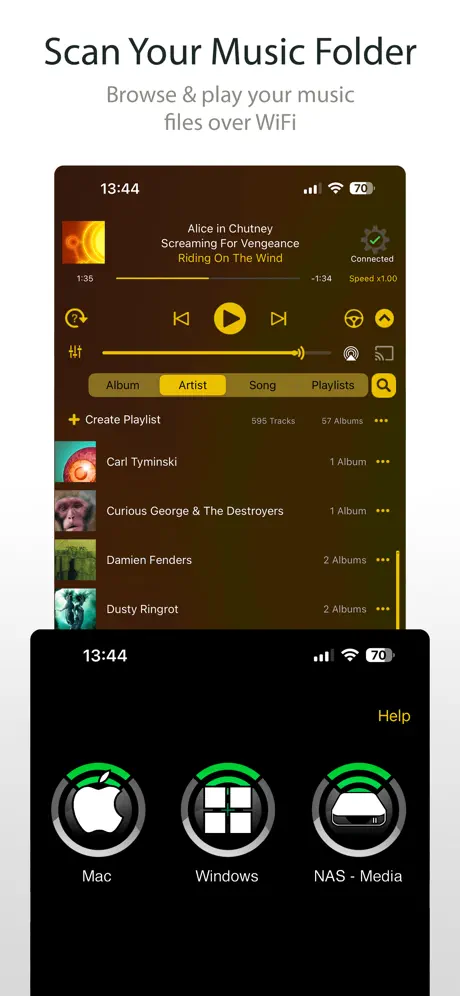
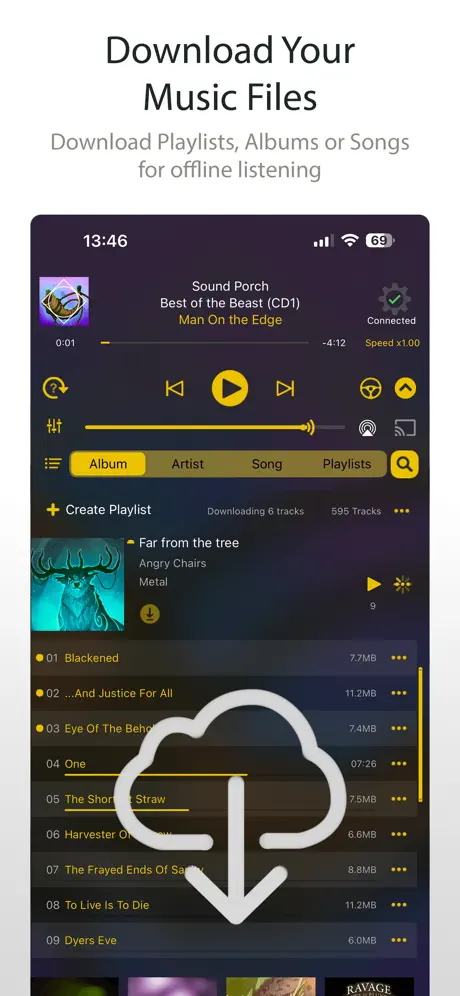
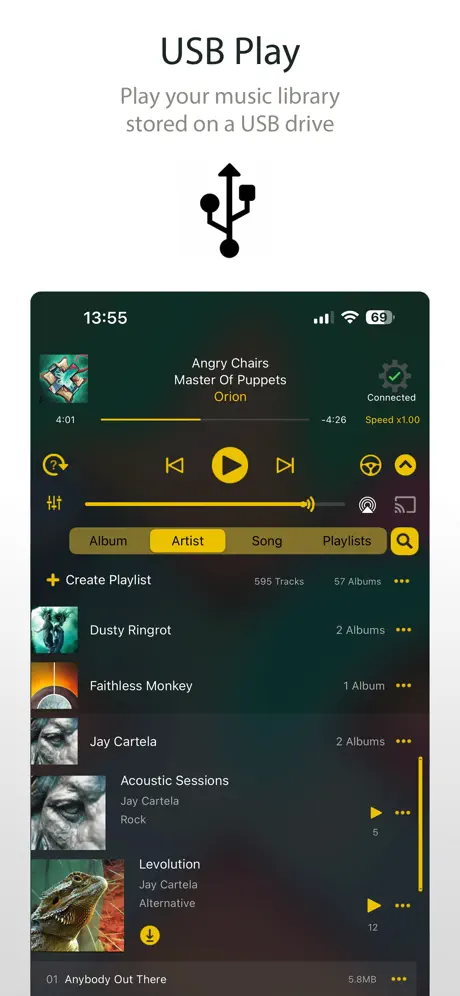
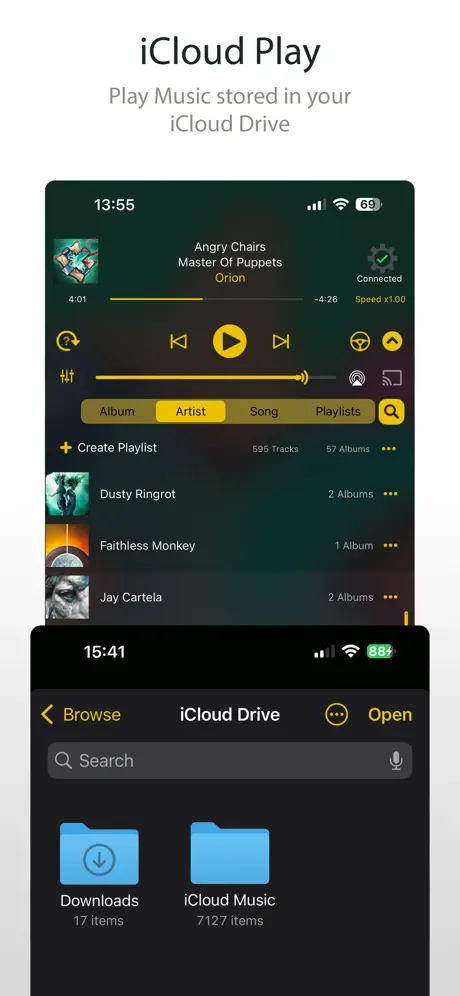
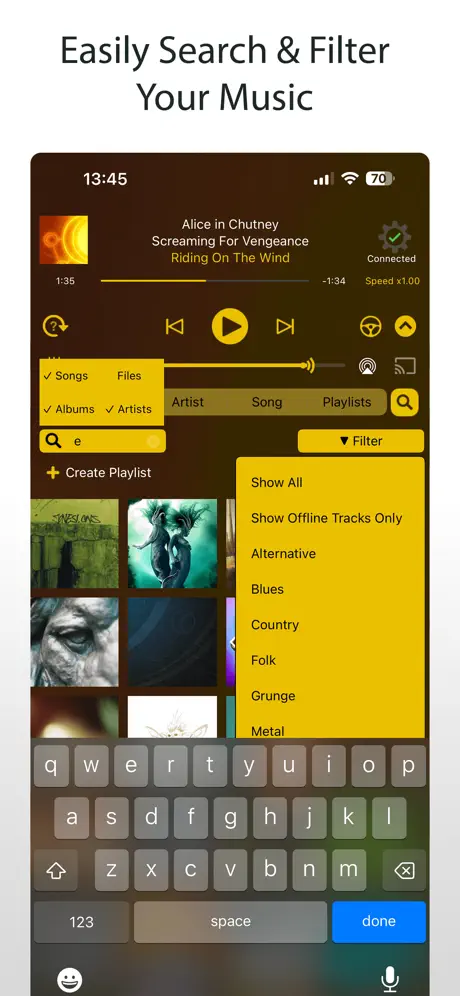
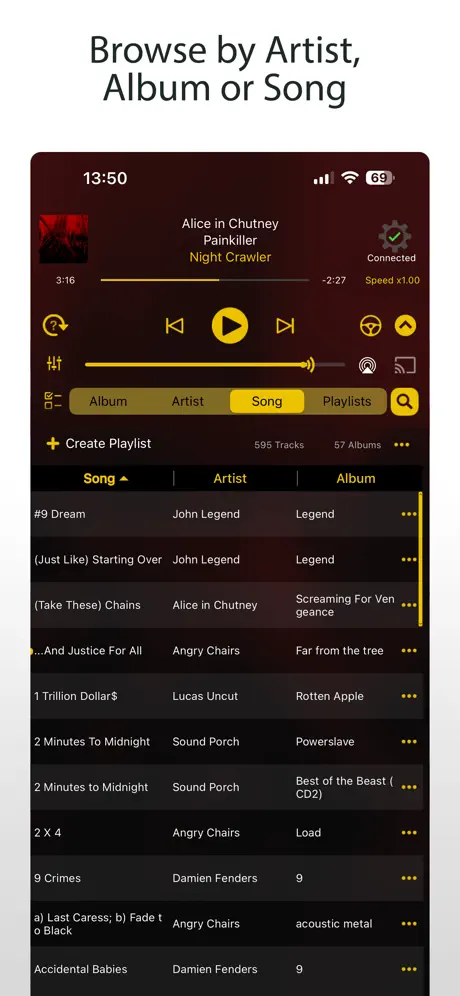
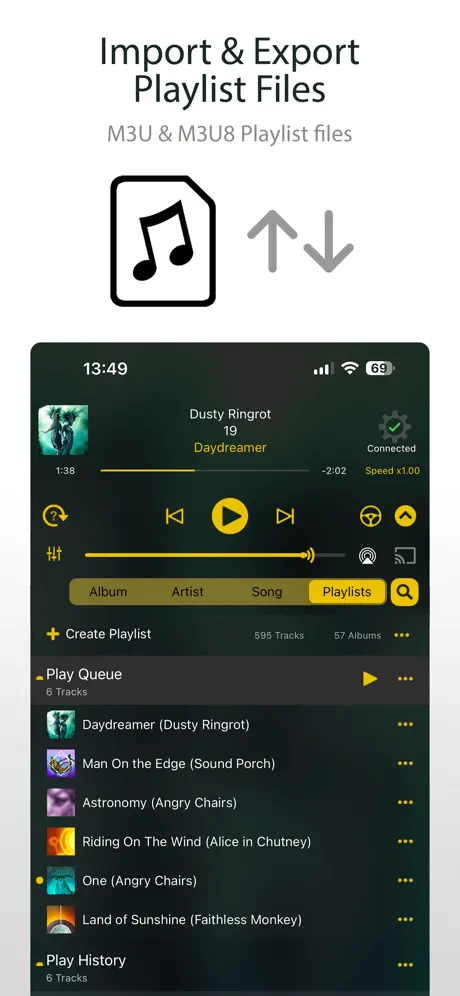
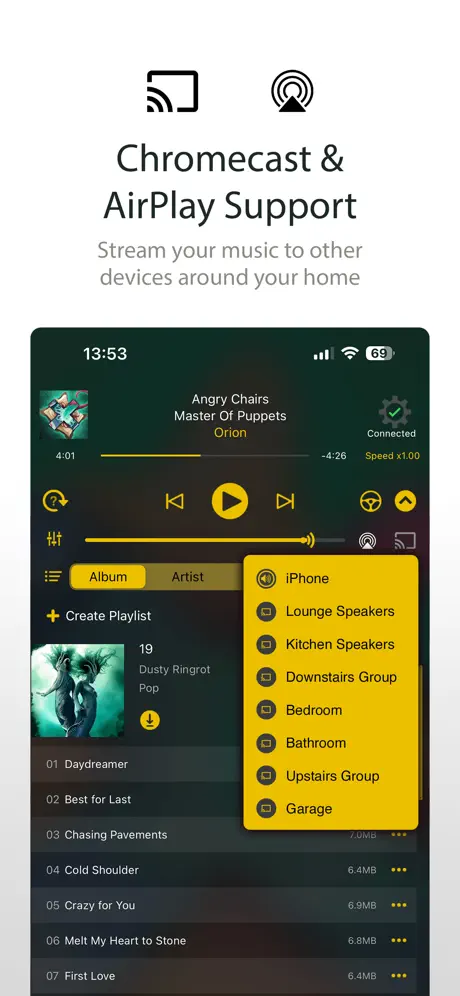
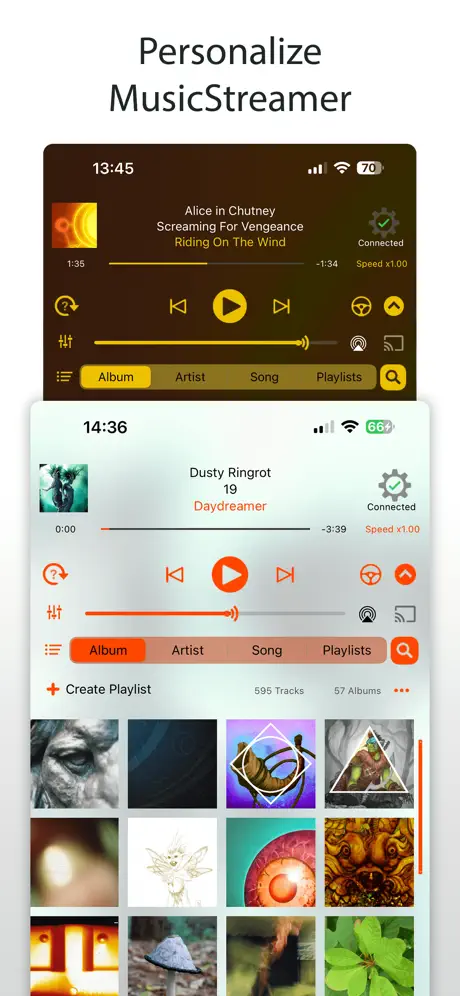
How much does MusicStreamer cost?
Prices are current as of 8 Nov 2026.
MusicStreamer has no in-app products on record in the United States.
MusicStreamer download price by country
| Country | Price |
|---|---|
| United States | $9.99 |
| United Kingdom | £8.99 |
| Germany | €9.99 |
| Netherlands | €9.99 |
| Canada | CA$12.99 |
| Australia | A$14.99 |
| Switzerland | CHF 9.00 |
| France | €9.99 |
| Japan | ¥1,500 |
| Belgium | €9.99 |
| Denmark | DKK 89.00 |
| Sweden | SEK 129.00 |
| Italy | €9.99 |
| Austria | €9.99 |
| Spain | €9.99 |
| Norway | NOK 129.00 |
| New Zealand | NZ$19.99 |
| Ireland | €9.99 |
| Vietnam | ₫299,000 |
| Mexico | MX$199.00 |
| Finland | €9.99 |
| South Korea | ₩17,000 |
| Poland | PLN 49.99 |
| Taiwan | NT$320.00 |
| South Africa | ZAR 199.99 |
| Hungary | HUF 4,490 |
| Portugal | €9.99 |
| China | CN¥68.00 |
| Czech Republic | CZK 249.00 |
| Romania | RON 49.99 |
| Singapore | SGD 14.98 |
| Chile | CLP 9,990 |
| Hong Kong | HK$88.00 |
| Slovakia | €9.99 |
| Greece | €9.99 |
| India | ₹999.00 |
| Croatia | €9.99 |
| Luxembourg | €9.99 |
| Argentina | $9.99 |
| Bulgaria | €9.99 |
| Brazil | R$59.90 |
| Malaysia | MYR 49.90 |
| Philippines | ₱599.00 |
| Thailand | THB 399.00 |
| Turkey | TRY 499.99 |
| Estonia | €9.99 |
| Israel | ₪29.90 |
| Peru | PEN 44.90 |
| Slovenia | €9.99 |
| United Arab Emirates | AED 39.99 |
| Colombia | COP 49,900 |
| Ecuador | $9.99 |
| Egypt | EGP 499.99 |
| Indonesia | IDR 199,000 |
| Kuwait | $9.99 |
| Lebanon | $9.99 |
| Lithuania | €9.99 |
| Paraguay | $9.99 |
| Ukraine | $11.99 |
| Uruguay | $9.99 |
| Afghanistan | $9.99 |
| Antigua And Barbuda | $9.99 |
| Anguilla | $9.99 |
| Albania | $11.99 |
| Armenia | $11.99 |
| Angola | $9.99 |
| Azerbaijan | $11.99 |
| Bosnia & Herzegovina | €9.99 |
| Barbados | $11.99 |
| Burkina Faso | $9.99 |
| Bahrain | $9.99 |
| Benin | $11.99 |
| Bermuda | $9.99 |
| Brunei Darussalam | $9.99 |
| Bolivia | $9.99 |
| Bahamas | $9.99 |
| Bhutan | $9.99 |
| Botswana | $9.99 |
| Belize | $9.99 |
| Congo, Democratic Republic | $9.99 |
| Congo | $11.99 |
| Cote Divoire | $11.99 |
| Cameroon | $11.99 |
| Costa Rica | $9.99 |
| Cape Verde | $9.99 |
| Cyprus | €9.99 |
| Dominica | $9.99 |
| Dominican Republic | $9.99 |
| Algeria | $9.99 |
| Fiji | $9.99 |
| Micronesia | $9.99 |
| Gabon | $9.99 |
| Grenada | $9.99 |
| Georgia | $11.99 |
| Ghana | $11.99 |
| Gambia | $9.99 |
| Guatemala | $9.99 |
| Guinea-bissau | $9.99 |
| Guyana | $9.99 |
| Honduras | $9.99 |
| Iraq | $9.99 |
| Iceland | $11.99 |
| Jamaica | $9.99 |
| Jordan | $9.99 |
| Kenya | $11.99 |
| Kyrgyzstan | $9.99 |
| Cambodia | $9.99 |
| St. Kitts and Nevis | $9.99 |
| Cayman Islands | $9.99 |
| Kazakhstan | KZT 5,990.00 |
| Lao Peoples Democratic Republic | $9.99 |
| St. Lucia | $9.99 |
| Sri Lanka | $9.99 |
| Liberia | $9.99 |
| Latvia | €9.99 |
| Libya | $9.99 |
| Morocco | $11.99 |
| Moldova | $11.99 |
| Montenegro | €7.99 |
| Madagascar | $9.99 |
| Macedonia | $9.99 |
| Mali | $9.99 |
| Myanmar | $9.99 |
| Mongolia | $9.99 |
| Macao | $9.99 |
| Mauritania | $9.99 |
| Montserrat | $9.99 |
| Malta | €9.99 |
| Mauritius | $11.99 |
| Maldives | $9.99 |
| Malawi | $9.99 |
| Mozambique | $9.99 |
| Namibia | $9.99 |
| Niger | $9.99 |
| Nigeria | NGN 14,900.00 |
| Nicaragua | $9.99 |
| Nepal | $11.99 |
| Nauru | $9.99 |
| Oman | $9.99 |
| Panama | $9.99 |
| Papua New Guinea | $9.99 |
| Pakistan | PKR 2,900 |
| Palau | $9.99 |
| Qatar | QAR 39.99 |
| Serbia | €9.99 |
| Rwanda | $9.99 |
| Saudi Arabia | SAR 39.99 |
| Solomon Islands | $9.99 |
| Seychelles | $9.99 |
| Sierra Leone | $9.99 |
| Senegal | $11.99 |
| Suriname | $9.99 |
| Sao Tome & Principe | $9.99 |
| El Salvador | $9.99 |
| Swaziland | $9.99 |
| Turks and Caicos | $9.99 |
| Chad | $9.99 |
| Tajikistan | $9.99 |
| Turkmenistan | $9.99 |
| Tunisia | $9.99 |
| Tonga | $9.99 |
| Trinidad and Tobago | $9.99 |
| Tanzania | TZS 29,900.00 |
| Uganda | $11.99 |
| Uzbekistan | $9.99 |
| St. Vincent & The Grenadines | $9.99 |
| Venezuela | $9.99 |
| British Virgin Islands | $9.99 |
| Vanuatu | $9.99 |
| Kosovo | €9.99 |
| Yemen | $9.99 |
| Zambia | $11.99 |
| Zimbabwe | $11.99 |
10+ alternatives to MusicStreamer
| MusicStreamer |   CloudBeats: Cloud Music Player |   Evermusic Pro: music player | 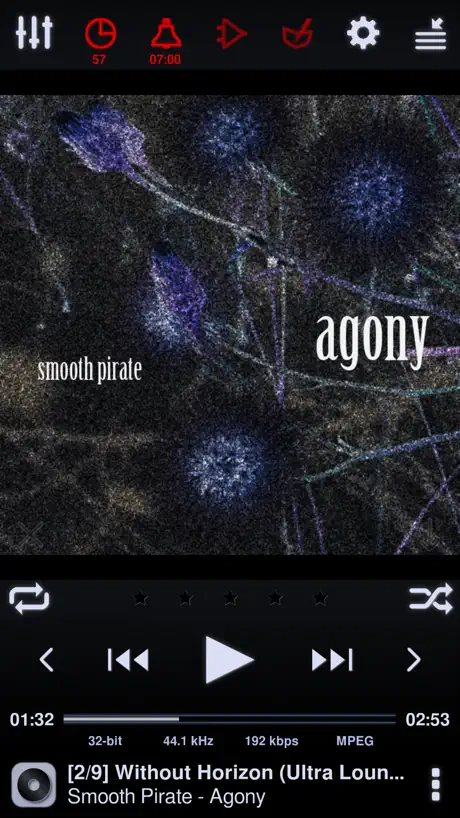  Neutron Music Player | 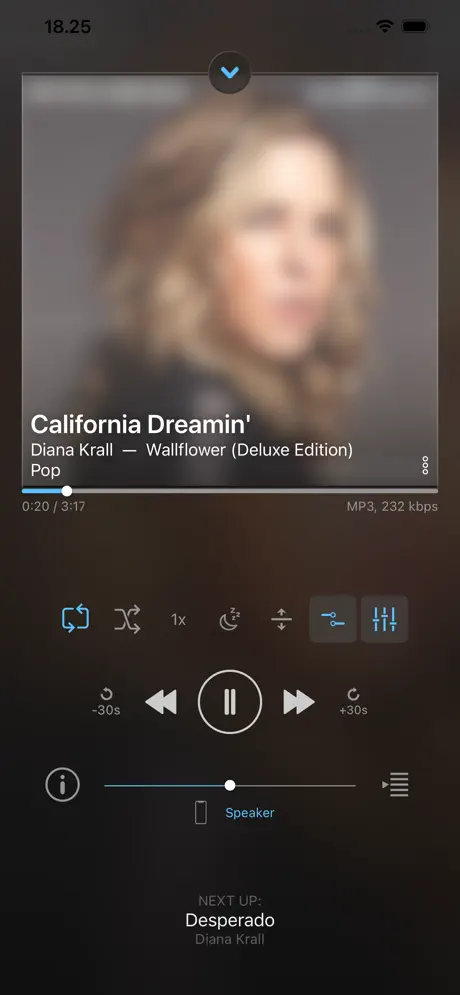  play:Sub Music Streamer | 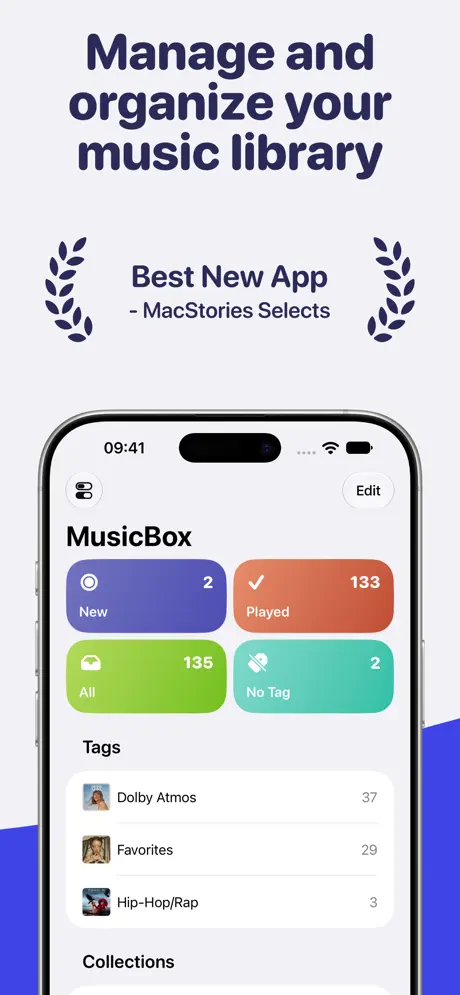  MusicBox: Catalog and Organize |   Doppi: music file player | 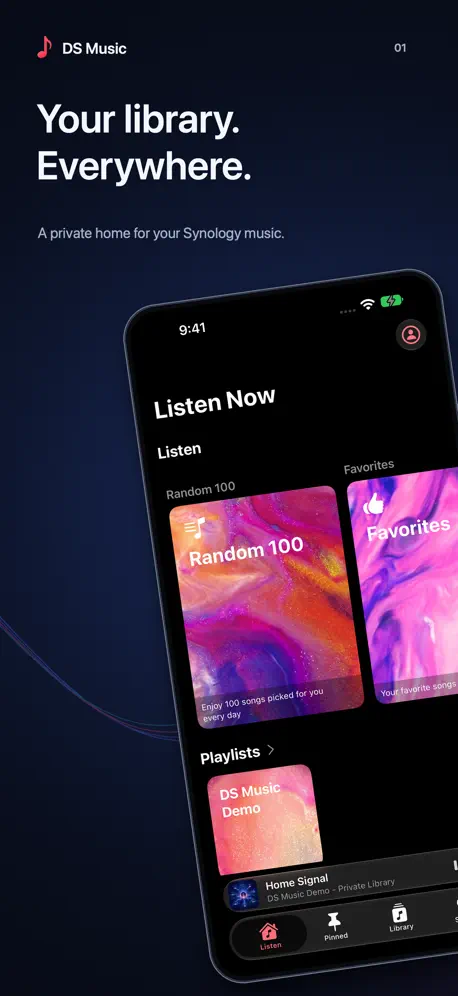  DS Music: Synology NAS Player |   Rigelian |   Pine Player Remote |   Aux – Music app for your NAS | |
|---|---|---|---|---|---|---|---|---|---|---|---|
| Rating / 5 | 4.6 | 4.6 | 4.5 | 4.0 | 4.5 | 4.8 | 4.3 | 4.5 | 4.1 | 3.3 | 1.5 |
| Reviews | 2.5K | 11K | 4.1K | 1.2K | 1.1K | 541 | 323 | 299 | 177 | 20 | 4 |
| Released | 2015 | 2012 | 2014 | 2013 | 2015 | 2022 | 2015 | 2024 | 2018 | 2024 | 2024 |
| Monthly price | — | — | — | — | — | $1.99 | $1.29 | — | $0.69 | — | — |
| Annual price | — | $9.99 | — | — | — | $9.99 | $9.99 | — | $4.29 | — | — |
| One-time price | — | — | — | — | $8.99 | $19.99 | $3.99 | $2.99 | — | — | — |
The going rate for each plan in United States, in its own currency, shaded from the cheapest price on the row to the dearest.
MusicStreamer reviews
4.6 out of 5, based on 2,543 reviews.
What people like
- Handles huge music libraries quickly
- Connects easily to NAS and shares
- Customer support is responsive and helpful
- Plays high quality FLAC audio well
- No subscription fees or data tracking
What they complain about
- UI feels outdated and cluttered
- Hard to tell tracks apart visually
- Random play repeats same songs often
- Support documentation is unhelpful and vague
- Does not support local files on device
Perfect for My Use
I have a NAS that holds my extensive music library across multiple genres, decades, and artists. MusicStreamer connects seamlessly to my NAS and stays connected. I can connect to my Yamaha amp, my Sonos speakers, even my TV. I can play across those devices all together or one at a time. I get no drops, no static, no issues in playback. I play an album start to finish or I can create playlists of my favorites tunes. I can shuffle or repeat play. All my cover art is shown as stored. Oh, did I mention support? They have amazing support and respect my specific needs. Absolutely love this app for in home streaming from my NAS. Totally recommend it!
Crashes
Everytime I choose to play all albums now it crashes. That’s all I paid the app for. And it doesn’t do it Free one doesn’t crash
Best Player for large music library
So glad to find this app! After getting rid of Sonos speakers that didn’t support Airplay, switching to Apple speakers then being upset at passing Apple’s track limit in my library I had no way to play it from my NAS. While looking into purchasing an expensive device to interface with my library I came upon this. Does exactly what I want, sure not all album covers show but at last I can listen to music I own that isn’t on Apple Music! And no track limit so I can buy and add more!
Not using tags correctly
Why wouldn’t you not take the album name from the file tag!? To go even further, the first folder under the artist folder is usually the album name, which you ignore and instead take the subfolder as the album name. So most of my albums show up in the app with the name “Disc 01”. Just dumb coding. Use the tags for their purpose.
Can’t EQ with gapless playback
I see that other players are able to EQ and maintain gapless playback. Any plans to address that in this player? It’s a real bummer for albums that aren’t meant to have silent gaps between tracks.
Freedom
People looking for the old Winamp, unplugged experience. Get an iPhone case that allows a microSD insert … find your old MPs … and you save $10 a month on Spotify
Ok for connecting to M2 Air, but only stores music on iPhone not external drives
I was looking for a way to put my music on an external drive for my iPhone. Elsewhere it was suggested that I needed an apple certified drive, which I bought, the app that came with it only backs up your phone. I bought this app, it connects to my M2 Air brilliantly and plays music from the Air through my phone, why anyone would wish to do that I have no idea. You can also download music to play later. This app does not recognise the music library or the music on my JD Drive, alternately the phone does not recognise a generic USB drive even when formatted for Mac, but neither does this app So a waste of money
Why no folder sort?!
I found this searching for an app that; 1) isn’t tied to iTunes, 2) doesn’t collect data, 3) is simple to connect to nas sources. This app checked all these boxes and I use it constantly. The only thing that I didn’t include in my search is the ability to see music sources listed in a folder view. This is important to me because I have a lot of teaching material that I use on a daily basis that have weekly meditation modules that are within sub folders. Without a folder view, I have no way of associating the weekly meditations with the root teaching’s folder. A folder view would be a huge time saver and make this app be perfect for me!
Yeah…but no.
I really want to love this app. Streaming directly from iCloud Drive is a fantastic feature as I have about 5TB of music stored there. However the UI is horrid. Why can’t I tap on a song and then just hear the rest of the album? The whole “play this”, “queue up” option is just stupid. Larger text would be nice. The player is just strange…the artwork all the way at the bottom with all of that wasted space up top?
Works as intended
This app scanned my music library really quick. I have 50000+ songs in folders and sub folders on an smb share (I.e organized) and not only did it find all of them it did so much faster than I thought possible on an iOS device. I’m just not a fan of the look of it but it’s gonna have to do because so far it’s the only one that did do so.
Please keep maintaining, improving and offering!
SSIA
This is *not* the app for you if your songs have long file names and no cover art
Most of the things I want to listen to on my iPhone, especially in playlists, are tracks I recorded myself. They don't have cover art, and they have lonnnng file names that start the same. For example, "My friend's concert recorded at home on May 4th part 1.flac" and "My friend's concert recorded at home on May 4th part 2.flac". The detailed information about each track is important, and really can't be omitted. FileBrowser Pro, which I adore, handles long file names by rapidly scrolling them side to side so you can see the end of the file name. But it doesn't let you create play lists or have an equalizer. Clearly sound fidelity is important to me, or I wouldn't be recording the tracks in lossless FLAC. I was very excited when I read that Stratospherix also makes a music app. However, MusicStreamer has unmoving file names and no portrait mode, so there's no way to tell them apart on a small iPhone screen. There are also no indicators in the screen about how they're sorted (by date, filename, etc.) so you just can't tell them apart in the app's UI. My workaround was to create playlists in VLC (I refuse to use iTunes) and one in MusicStreamer, then alter the ones from VLC so they'll play in MusicStreamer. But you'd better make sure that all of the tracks are in the order you want, because if you need to change them in MusicStreamer, you're back to the problem of not being able to tell which one's which in the UI. It's madness. Another big downside... the user guides were clearly written by the marketing department, and contain very little step by step info, and only for functions that are intuitively obvious anyway. If you want to use it in a way that most people don't, you'll get to figure it out for yourself. Or you can go to the user community on X (formerly Twitter, no thanks, I left that platform when it started undergoing its radical transformation). I'll probably keep using it because FileBrowser Pro is absolutely perfect, except for the lack of playlists and real audio file handling. MusicStreamer integrates with it beautifully. Or, I may give up and go back to using VLC. The only reason I stopped using VLC in the first place is because in the iOS version, connecting to Windows vs. Linux network shares is complicated and a matter of trial and error. With almost 27,000 audio tracks, there's no way I'm downloading them all to my iPhone. Setting up FileBrowser Pro and MusicStreamer network share connections is super quick and easy. Better yet, I'll find a real music app that handles high quality audio files, long file names, various types of network shares, and does not depend on thumbnails for you to tell the files apart. Wish me luck!🤞🍀🙏
At last a practical effective alternative to Home Sharing
Home Sharing on iOs has always been buggy and very slow to connect for me. Now I can choose tracks on my iPhone quickly. My only real criticism was the interface,I didn’t like the dark mode only but that has been fixed in the latest release. Well done for listening to feedback.
Too complicated
I struggled with this when I first downloaded the app last year. I mean seriously struggled the help files are not all that helpful and now I’ve upgraded my phone and have to go through it all again. I’ve sat here over an hour creating music sources but can’t connect to any of them. It’s just too complicated.
Painful to use, but works well over VPN.
I had recently set up a Raspberry Pi NAS for my home and have been looking for a mobile app that would allow me to stream my music when outside the home. Unfortunately, it doesn’t look like MusicStreamer will do this without backend server support, but with some creative Docker use I was able to set up a tunneling network that allows me to play my media anywhere I have a connection to the Internet. MusicStreamer handles this extremely well. However, the one thing that bothers me about the app is that everything is a manual action. Clicking a song from an album to play will only play that song; the app won’t roll over to the next song on the album unless I specifically put all of the songs into the play queue through one of four different methods. I have no idea why this was the design decision; I’ve never encountered such a cumbersome interaction in any other music player I’ve ever used.
Well done
I'm using MusicStreamer to play music (flac) being streamed from a Raspberry pi using Samba. Connecting was simple and the app GUI is really nice.
Unfortunately doesn’t do what I need
Even after knowing it can’t do it I still can’t work out from the description whether it can or can’t stream FLAC Internet Radio It can’t. It can only search for computers or storage devices on your home network. I need to stream FLAC Internet Radio and send it to my Marantz via AirPlay - seems a basic requirement to me
Please Make the Play Queue an Option
The app is amazing, but I'd prefer not to have everything I play (even songs I'm playing via a playlist) auto added to a queue. This makes no sense to me. There's already a Play History list, so this just confuses me. I may be simple-minded, and just don't get it, so why not make "Enable the Play Queue" an option?
Needs work
In offline mode. First, you can’t track backwards to the previous track. Interface needs tweaking, because you can’t find some basic tools like deleting a track. And this is the worst offender, RANDOM really isn’t RANDOM! I have about 1,000 songs and I CONSTANTLY hear the same tracks, sometimes writhin minutes of each other.
Missing features
OK, so I’ve only just downloaded and paid for the full-fat (rather than light) version today, so here’s my initial thoughts. Yes, it can (hopefully) play all the files I have on the server, but for some reason the importing seems to work for a while, and then stop until I re-start it. Hence, it has been stopping and starting for a few hours now and still not finished. Also, the other music apps I have have an interface that can be changed by the user. For instance, I would like to replace the Playlist heading with Genre - yes, with a couple of taps I can get this info via Filter, but why am I forced to do what the dev wants rather than what I choose? And as others have said, I would prefer to know the track length rather than file size: other music apps offer this info, so why not this one? Hopefully the dev can improve this app to take into account what its customers have requested. Please. And without bringing out a mk2 version that you have to pay again for.
The Music App I Would Develop
I’ve been using MusicStreamer for several years now, and I’m amazed how well it has met my needs. It’s configurable, but without introducing a learning curve. Plenty of times, I’ve thought “if I’d written this myself, I’d make it do X,” and it turns out the app does indeed do exactly that. Huge fan, no notes, 10/5 stars. Platform: iPhone, music on NFS share from TrueNAS
Will not resolve for servers behind a reverse proxy
This doesn’t support reverse Proxies for the server. My server is in a container on a virtualization server that serves my my music via a reverse proxy. The program tries to resolve the ip instead of the subdomain associated with the container. Therefore the purchase is pointless.
Great for streaming large NAS library
Finally found an excellent app for streaming from my NAS drive. App catalogues/indexes file info for quick loading and playback. Impressed so far.
Es geht besser
- kein folder play auf NAS als Option - play queue füllt sich mit jedem Play , wäre schön das alte zu löschen oder als Option .. ansonsten kann ich ja eine Playlist manuell erstellen - Eigenschaften vom file zu sehen wäre super nachschauen zu können ob mp3, flac etc/ hätte es mir intuitiver gewünscht. Genre mehr vordergründig/ Leider gibt es keine Testversion. Nicht alles ist schlecht EQ ist top zu integrieren , music spielt es ab allerdings können das auch andere kostenfreie Apps.
Would be really great if supported UPnP and DNLA streaming
App works great but would really be something if it supported network streaming via DNLA/UPnP directly to my network attached stereo. Bluetooth is not nearly as good for lossless files like FLAC. Bluetooth speakers don’t perform any where near as well as my wired stereo towers. Maybe in a next revision?
Perfect!
Exactly what I was looking for! I have a mobile router with a USB drive in the car and this lets me scan the shared folder for all of my songs. A+ and thank you! 😊
Rip Off
Great app at the beginning, but will now only scan half of my music. No way of contacting these rip off merchants.
Best music streaming app
Hello, I am loving this app. It helps me to play all of the files stored on my NAS. But there is a issue I want to mention. This app failed to extract tag data (like Album art) from opus file. Can you look into the issue? Thank you so much.
Noch nicht ausgereift
Beim ersten Scannen der Netzlaufwerke findet er alle server und verbindet sich auch. Wenn ich die APP schliesse und wieder öffne verbindet er sich nicht mehr mit meinem Synology NAS. Wird als offline angezeigt obwohl das NAS 24/7 läuft. Die Verbindung mit meinem Mac mini klappt dagegen einwandfrei. Auch ein Reconnct funktioniert mit meinem NAS nicht.
Well designed player with a glaring flaw
I have sought a well designed music player, utterly free from any influence by the music biz or computing platform, which can access as one of its sources an internal store of that music. The last is what Music Streamer seems utterly incapable of, maddeningly so. I am a traveling music professional who found iTunes an almost perfect solution for my need to keep a 200-300GB ‘Music Store’ of my choosing at the ready. Apple made a complete mess of that with not a word to it’s users. I’m not looking for a free app. Rather, I want one that can accomplish the basic operations described above, elegantly, and with cross-platform abilities. That would be a good deal at $50-100 one-time purchase price, and with free updates. Good luck if you are as well. This isn’t it.
Keeps getting better! 😍
Fast, easy to use music app. More apps, and their companies should be like this. Well done.
Cannot find music
Cannot find music in music folder on iPhone How to get refund
Best App for streaming music
Having just purchased a pioneer net player, I was about to box it up and send it back because of the poor pioneer app, but on finding this it has become an essential way to listen to my collection via Airplay. The App is brilliant - easy to browse my vast collection - easy to setup - easy to make your own playlists. Well worth the money spent for the full version. 2022 Why do I have to keep rebooting my iPad to get my offline content to play this seems to be after an update. Very annoying and deduct 1 star from my original review.
Not great
I don’t like the interface but the most annoying problem was that if DRM was detected in a playlist it wouldn’t play the next track. I don’t understand why DRM is an issue. I download my iTunes tracks to a NAS. The app seems to stream ok other than DRM protected tracks. The odd thing is that one or two tracks in whole album are identified has having DRM not the whole album. In practice this means I start listening to an album and it will abruptly stop. I’ve tried various albums and this issue happens on many of them.
Copes well with large libraries but a few niggles
My music library is big. Currently 16,000 albums. On the PC I use iTunes to find tracks easily, as it navigates quickly and the search box is quick and responsive. I wanted something I could use in the same way on my iPad and this app seemed to fit the bill. It was simple enough to set up. It scanned my network and found my NAS straight away. It then asked for user name and password, and then it asked to be pointed at the music library directory. After that it started scanning and in about an hour had folders showing for each album. The search works quite well, and it's easy to queue tracks up to play. The niggles? OK here goes... 1. The Expanded view when you click on an album lists the file size of each track. It would be much more useful to show the duration instead. 2. Despite all tracks having embedded ID3 artwork, none of it shows up either when browsing folders nor when playing tracks. 3. On the plus side it recognises multi-disc sets correctly, listing the disc contents in order from the DISC NUMBER tag, unlike some players that list all the track 1s then the track 2s and so on. 4. However it doesn't seem to recognise the COMPILATION tag, which flags various artist albums correctly. So all my compilations are listed by album name, scattered among the collection alphabetically. In all well worth a fiver and I'd hope to see points 1 and 2 above addressed in a future release. Fingers crossed.
Love the product and support
I once had the issue and the support team help me out immediately. Now I can again enjoy the best music player for NAS!
Issue
Just bought it and it will not read my full NAS drive. I have it on my iPad Pro but cannot get it to do the full syn either NAS
Great app but recent problem
I’ve been using the paid version for a couple of years now and am happy with how it works although I find the interface a little cluttered. Just recently it has stopped connecting to my WD My Cloud Home NAS drive so I can’t use it. This could be to do with the changes to SMB that came in with macOS Big Sur which cause me to have to drop SMB and use AFP instead to connect from my MacBook. That’s not an option on IOS which can connect only through SMB. Please can you tell me if others have reported this problem and it there is a fix available?
Functional
works as advertised. Things to improve on 1. Allow scaling of fonts. Letters too small.
MusicStreamer Review
One positive thing is finally a player that allows a playlist. Now for what is missing from this app. Although the same app developer here is the same for FileBrowser you cannot play songs that are stored on your phone. Such a mystery why this option is not there. This app does not offer a cross fade option so that you can blend from one song to the next to eliminate the silent gap between songs. Overall yes it does play your music from a network source but it is missing a very basic option to play songs you spent a lot of time downloading to your phone.
Perfect app!
I use to stream music off my PC while sitting out on the deck. It’s great!!!
Battery Drainer
Beware. Phone went from near full charge to 40% after 25 mins.
Serviceable way to access music on NAS
This app is fast, responsive, and minimalist, though its UI is pretty seriously outdated. Everything is crammed onto one screen, making it a little annoying to browse or search your library. Your play queue is hidden in the playlist tab, for some reason, though it works great once you find it. Those gripes aside, I can finally listen to my mp3 collection on a flash drive plugged into my router's usb port. Pretty nifty!
I just hit Rescan The app then proceeded to delete everything previously imported
This app had actually recently been performing better with the VPN connection but has for some reason, now completely stopped functioning. It will no longer connect via my VPN connection no matter how many times I close and restart the app or restart/reboot my phone. The VPN connection works fine with the Stratospherix FileBrowser app so it’s not the connection. Any feedback would be appreciated. I’m now rating this app 2 stars in the hope that somehow, it may start functioning again. Original review: This app seemed to be exactly what I’d been looking for as an alternative to the iTunes/Apple Music app. I needed something that would approximate iTunes functionality but with FLAC capabilities. I was glad when I finally found something. I interfaced the app with one music file directory on a network drive to start off. It quickly scanned the entire directory and neatly summarized all my music files into album/artist format for quick and easy access to search for and listen to anything contained in the directory. The music player functions reasonably well and sounds great either through my device or streamed to my audio system. I invested some time with the features of the app running searches, sorting music, building playlists and downloading tracks I wanted to store on the device for listening on the go. However, there seem to be some serious limitations with the system. While the rescanning function initially seemed to work well picking up additions and changes to the directory, it eventually became clear that if I tried to import any music from a different directory, system warnings appeared indicating my saved playlists would be deleted and the app would totally reset to the subsequent directory I wanted to pull additional music from. Still within the main directory I set up the app with, I just hit Rescan on the menu and the app then proceeded to delete everything previously imported including all the files I directly downloaded to the device for future use while on the go 😩 I have no idea why it did this and no warning signs appeared giving any indication something like this would occur. So in summary, there appears to be no ability to accumulate and maintain data or downloaded files imported to the system from multiple sources. If you need to add anything from a different source directory, it will completely wipe everything out and start over again from the new source directory. In other words, it’s all or nothing at all from a single location and anything added from elsewhere will blow up everything previously done. Obviously with a huge music library this is not reasonable or sustainable. I can’t rely on a system that purges and resets itself every time I need to add more data from another source. I need different music to be stored separately on my network drives. This app only seems to work on the basis of pulling absolutely everything in from a root level single source location without the ability to pick and choose from multiple sources as you go along. Am I missing something here?? I would like to stick with this app as it essentially does everything I need it to do. I just can’t use it under the circumstances with its current apparent limitations. Short of having to move things around on my source directories or bogging down the system with thousands of files I don’t want or need to include, is there anything else I can reasonably do that I may not be aware of or are there any system fixes that could be implemented?? Update: Seen some more of this app and some others that don’t even come close so I’m now going with 3 stars. That being said, as an iTunes alternative with FLAC capabilities this app is good but not great. As many have pointed out here, it just lacks some features and capabilities that users would expect that would make it easier to use and/or bring better results. It’s a great start but it just hasn’t reached the finish line. I’d like to stay with this app and would really like to see the developers push it across the finish line into “great” territory.
Wish this would randomly shuffle
Love the player, works great with my NAS, but wish it would shuffle the songs, not just one song after another from the same artist.
Fine job!
This is just what I wanted. Not as intuitive as I would like for my wife but she’ll get it soon.
cant browse by folder
can connect to network share but cant navigate folders the way they are listed in network. forces you to listen to music and navigate music there way. its like forcing you to rebuild your library from scratch in their app instead of connecting to your network share and just letting you brows the folders and listen to music
Near perfect
I had been looking for years to find a player for my networked music, but one that had the database reside on my phone: this works perfect and far passes my expectations. Initial scan (of a very large collection) just took minutes, secondary scan finished later in the day. I find the iPad GUI a little nicer than the iphones, but both are beautiful. Some actions seem a little clumsy, like erasing current playlist, but must work well and are neatly presented. Download (for offline play) is very efficient. Never crashes. Original setup of network far better than other apps I’ve tried. Worked very good at demonstrating how messy my genres were, so I did the manual re-tagging (whew) and then rescanned. Only little complaint, on my set-up, it takes 20-25 seconds for music to start on first start of a session. After that, though, all selections and skips are immediate. One of my favorite apps!
Confused
None of the other apps scan large collections well but this seems to handle it easily. On the downside however it didn't seem to read the file metadata and therefore treated every album and song as an artist. Then Search couldn't find the artist to display all their albums. End result not useable until metadata handling is fixed.
Simultaneous servers
Can’t read playlists in the servers, can’t combine servers into one database. Most of my folders are lumped together as a single album even though a folder may actually contain several hundred albums
MusicStreamer FAQ
- Is MusicStreamer free?
- No. MusicStreamer costs $9.99 (US) to download.
- Does MusicStreamer have a free trial?
- No. None of its offers (US) come with a free trial.
- What are the best alternatives to MusicStreamer?
- CloudBeats: Cloud Music Player (4.6 from 11,277 reviews, premium from $9.99), Evermusic Pro: music player (4.5 from 4,079 reviews) and Neutron Music Player (4.0 from 1,217 reviews).
MusicStreamer download
Last updated 2 months ago.
MusicStreamer sells in 173 countries. It was released 11 years and 6 months ago, on 12 May 2015. It holds a 4.6 rating from 2,543 reviews.
Supports 12 languages: English, Dutch, French, German, Greek, Italian, Japanese, Portuguese, Chinese, Spanish, Turkish, Ukrainian.
How much does MusicStreamer make?
Third-party estimates for the last 30 days, worldwide — not the store's own figures, which Apple publishes for nobody.