KeePass Touch
The Password Manager
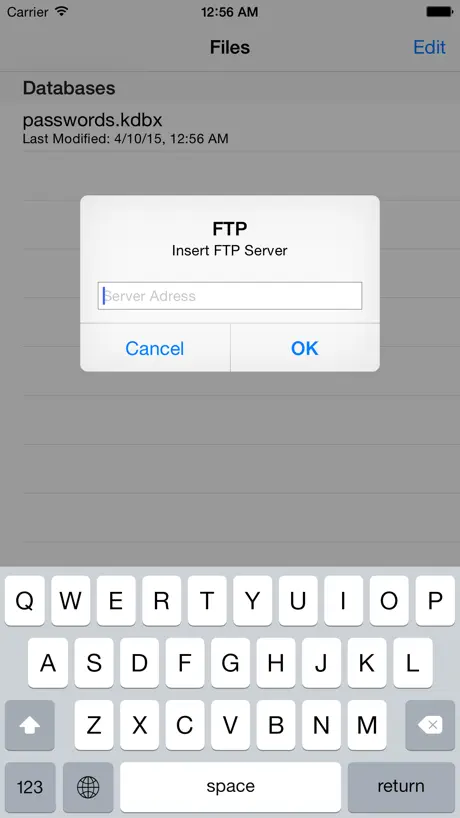
How much does KeePass Touch cost?
Prices are current as of 5 Oct 2026.
4 one-time purchases from $0.99
In the United States, KeePass Touch has 4 one-time purchases priced $0.99 – 9.99.
| Product | Price |
|---|---|
| Small Tip | $0.99 |
| Autofill & Remove Ads | $1.99 |
| Medium Tip | $3.99 |
| Big Tip | $9.99 |
10+ alternatives to KeePass Touch
| KeePass Touch |   SecureSafe Password Manager SecureSafe Password Manager |   Password Manager: Safe Password Manager: Safe |   Strongbox - Password Manager Strongbox - Password Manager |   Enpass Password Manager Enpass Password Manager |   Password Safe Manager & Vault Password Safe Manager & Vault |   KeePassium (KeePass passwords) KeePassium (KeePass passwords) |   Cryptomator: Protect Privacy Cryptomator: Protect Privacy |   Nextcloud Notes Nextcloud Notes |   KeyPass – Passwords Manager KeyPass – Passwords Manager |   KeePass - Password Manager KeePass - Password Manager | |
|---|---|---|---|---|---|---|---|---|---|---|---|
| Rating / 5 | 3.9 | 4.8 | 4.7 | 4.7 | 4.3 | 4.7 | 4.7 | 4.4 | 2.5 | 4.6 | 4.1 |
| Reviews | 2.7K | 77K | 20K | 12K | 9.6K | 8.7K | 8.3K | 2.2K | 591 | 217 | 148 |
| Released | 2015 | 2010 | 2014 | 2014 | 2011 | 2018 | 2019 | 2021 | 2014 | 2024 | 2023 |
| Monthly price | — | — | $4.99 | $2.99 | — | $1.49 | $1.99 | — | — | $4.99 | — |
| Annual price | — | — | $23.99 | $19.99 | $23.99 | $11.99 | $19.99 | $9.99 | — | $14.99 | — |
| One-time price | $1.99 | — | $7.99 | $9.99 | $49.99 | $29.99 | $5.00 | $2.99 | — | $34.99 | — |
The going rate for each plan in United States, in its own currency, shaded from the cheapest price on the row to the dearest. Plans fewer than four in ten of the priced apps sell are left out.
KeePass Touch reviews
3.9 out of 5, based on 2,745 reviews.
What people like
- Completely free to use
- Developer fixes bugs very quickly
- Works well across multiple devices
- Simple interface with no bloat
What they complain about
- Dropbox sync often stops working
- Ads get in the way sometimes
- Search function breaks after updates
- Autofill does not work reliably
Terrific app
Works great with the PC app. Adding support for using database file stored on Google Drive would be an awesome improvement
Bad Update
Since the last update I can no longer search for an entry! Kinda useless without that working when you have tons of passwords.
Search Result Doesn’t Open Up
In the latest version when you search for an entry it will locate it. But when you click it it’s will not open up the info for that entry. Updated review June 5, 2026. This issue has been fixed in the latest app update.
OneDrive sync no longer works on my ipad
When I try to log into onedrive I get an error message saying personal microsoft accounts are not supported. Onedrive sync used to work fine.
Has improved but ...
Does not show the Create / Edit date when a entry was last modified
Лучшее!
На айфоне использую только это приложение и не разу не было никаких проблем
Abandoned
No longer works properly,throws an od-50000 error
Getting even better
Have been using KPTouch since Minikeepass stopped being developed and love its speediness and now TOTP. Being free is nice perk!
Stopped Syncing to Dropbox when I upgraded my phone to iPhone 16
Worked fine for years then I changed my iPhone to a 16 Pro and it stopped syncing. Time to switch to another app I guess
No way to go back from entry found via search
Otherwise seems to work fine, but has an annoying bug. If I search for a password entry and tap on it, there is no way to leave that entry. The only way to look at another entry is to tap the home button twice, swipe the app away, tap the home button again, re-lunch the app, select the password database, and unlock it. Pretty annoying.
Very prompt response to bug report
Previously I commented on the broken search function. The developer fixed it in two days. Fantastic user support!
Stops syncing randomly
Whether or not my phone has updates I can look and see my database is over a month out of date. Now I can no longer add a new updated database
Great but seems to lack OTP support
I’d used this version for years but recently wanted to start integrating my OTP passwords in as well. This version doesn’t seem to support them, so I had to find an alternate, after years of using this app.
OneDrive for Business Sync Not Working
OneDrive for Business Sync Not Working. No english support. Please correct issue.
iPhone 16, Dropbox sync stopped working.
I’ve used this app for many years with my wife and kids. About a month ago I updated my phone and my son’s phone from iPhone XS Max & XR respectively, to the 16. I noticed that the Dropbox sync stopped working on both phones. I’ve tried few setting changes in the Dropbox side to no avail. My workaround to try now is to sync with OneDrive. Crossing my fingers.
bug fix quickly
I reported a bug and bug get fixed quickly, thanks for quick update
Adult ads showing in app
App sucks. Adult related ads showing in app and can’t get rid of
webdav?
....
Update: Will not open attachments
In an earlier review I had stated will not open if attachments are present. After the developer updated, I am able to open the file to at least see the passwords. But now it won’t open the attachment, giving error “Error: failed to open document” - I can live with it if only there was some way to either download or use another iPad app to preview the attachment but no option exists. Bumping up one star because I can open the database, but still not usable when it comes to attachments. Earlier review: I made the mistake of paying for this app. I then encountered the “Failed to parse database” error Searching on the internet shows that from 2013 this app cannot open a database when jpg files are attached. This makes it pretty useless for me because I have a number of important jpg files that I cannot convert to text. Buy this app only if you plan to never have jpg attachments to entries.
No more sync
I purchased the unlocked version and used this app on my old iPhone with no problems. Now I have an iPhone 16 and the Dropbox sync won’t work at all. I’ve reinstalled both KeePass and Dropbox, tried resetting the sync, tried rebooting the phone, etc and the sync won’t work anymore. When I press on the sync icon then tap on Dropbox nothing happens. It’s a bummer but I have to go look for something else now.
Search results won’t open - fixed
UPDATE: The staff fixed this issue within 24 hours of the review, thank you! I have used this app for years and love it, but something broke the search functionality. The search comes up with results, but when you click on an entry it glitches and sends you back to the main screen instead of opening the entry.
Same problem as others: the action icon in the URL field no longer does anything.
Please fix this and let me know so that I can update my app. Thanks
Really useful app
I’ve been using this app for the past 5 years It’s a great way to keep track of passwords and any confidential information e.g. bank account details. I run it across my iPad, iPhone and Windows PC’s using One Drive to backup the files. Not 5 stars as the auto replicate using OneDrive is a bit flaky when you have Touch ID enabled. I end up having to manually upload the files from my iPad but my iPhone works fine (as does my PC)
Keeps asking me to pay for ad free and autofill, even after I’ve paid!!
Dear developers, I paid my £1.99 to get autofill and ad free, and I got a pop up saying you’re all set - your purchase was successful. And under the autofill &remove ads in settings, it says “Purchased”. But when I tap on that setting, it asks me to pay again. So I tried that and it then said that I’d already purchased this and would I like it again for free? Also, on entering the password database, there is no autofill option. I’m running on iOS/ipados 17.5, iPhone 15 pro max, iPad Pro 12.9” 2017. I’ve tried rebooting the devices, but it makes no difference. Please help!
What happened?
This used to be an excellent app. What happened to the website link? It used to take me directly to the correct place to log in. Without that, this is pretty worthless.
Love it again!
Update 1.16.2 had a problem but even as I was writing a donated review it go fixed!! I love this app! There was a glitch in the latest update but apparently it was fixed within a hour of my review! Thanks! (Or maybe it had to do with my auto sync being turned off?) I can search for an entry using any keyword even in the notes. I love being able to synch with my other devices keeping the database on Dropbox. Just make sure it is set to Auto Sync in settings. You have to pay to keep the ads away. That can be worth it since they can get in the way sometimes, but the free version also works great!
Great app, big problem
I’ve used this for a long time and even bought the no ads version. It works great and I love the interface. I had been using dropbox sync until recently i started using sync thing because i don’t want to pay for dropbox. It doesn’t sync with this app because I use a 3rd party sync thing app and for some reason this doesn’t save to files after making an entry. this would cause me to lose passwords. I would love this to be resolved, then i would continue using it.
Missing OTP
Good but missing the ability to read OTP fields
Integrated Web Browser
When utilizing a hyperlink the integrated web browser does not provide a back button feature to return to the Database file. Extremely frustrating
Excellent, with one small issue
I’ve used the app for years without any trouble. An essential part of my Apple daily use. Recently, after an app update, it gets stuck in a loop is I have the Default Database option set. Works fine without this.
Back to 5 stars
Dev listened to feedback and remediated defects promptly. Awarding the 5 stars back. Please avoid regression next time.
Dropbox sync no longer works
Dropbox sync action is inoperative on latest version. No response from developer.
Overall satisfied
I use this app now for some time to have access to my complex passwords and I am satisfied with the way I can work with it. There are better options out there but they cost far much as 99p or if you are happy with advertisements even for free.
Google ads inside the app!
In addition to the Dropbox sync issue, there are ads the are super close to the database selection border. You’re just wanting to grab a password when you open the app and it’s hard to not touch—and instead of a quick grab, you’re finding ways to back out of some service sign-up you don’t want or need, wasting your time so that google can get some revenue. And it’s inside of your password manager app!! I put up with this for a long time until I realized there are other apps that can access your KeePass db.
Why no Google Drive sync
A one way download is next to useless if you can’t get your new passwords to sync. I couldn’t even contemplate paying until this is automatic.
KeePass Touch saves my pASS, remembering what I forgot
I’ve used this app for years, with great success. During my decades in IT, personal life with the Wife and Children, KeePass has saved it all. Not just username and passwords, the notes section is great too. Syncing the databases between devices, across the internet, it works perfectly.
No longer useful
I have the paid version and for the last few months the app no longer automatically pastes user/password with Face ID. I’ve tried all the troubleshooting with uninstalling and settings changes and nothing works. It just blinks after Face ID and doesn’t paste any logins no matter the app or browser. It’s totally useless at this point.
Be aware of IoS issue when upgrading your phone from fingerprint to face recognition
This is a great app that I have often recommended to others. I recently upgraded from an iPhone 6+ to an iPhone 11, moving from fingerprint recognition to face recognition. I transferred data from one phone to the other using iTunes. Practically everything went without a hitch but for this app I needed to enter my password to set up face recognition, it didn’t switch automatically as most did. I hadn’t needed it for so long I had no idea what it was, and neither did Keychain. Thankfully I managed to get it out of my old phone eventually. If you are making this switch yourself, be sure to note down your KeePass password before you start!
Dropbox sync not working
This used to work well and I happily paid for it. However syncing with Dropbox no longer works so it is useless for me. Hopefully the developers can fix this. I’m now using an alternative app which does work correctly.
Not bad
Works reasonably well but doesn’t actually auto fill any more. You have to select the entry you want to use. The correct sites are offered but no filling takes place unless you do a manual search.
Amazing Password Nanager
This tool has held all of my passwords for years. It is easy to use, full of features and it’s FREE. My whole family uses KeyPass across multiple platforms to maintain our passwords
It used to work….
It used to work. Kind of. The implementation of OneDrive never worked right. And now it just fails to load.
Can no longer use key files ..... FIXED
I’ve been using this quite happily on my iPad Pro 2018 and with iOS 12 I could copy/share the key file with KeePass touch. Now with iOS 13 it isn’t possible so I can’t use this on I iPhone 11 Pro and as I rotate key files every 3 months I can no longer use on the iPad. Would have given it 4 maybe 5 if it worked. Happy to change it if this is just down to user error but there is no real useful documentation. UPDATE******************************* or maybe lack of...... *************** There has now been at least three official releases since iOS 13 has been officially released and no fix yet to the use of keys. So maybe the devs of this app don’t consider security an issue but I have pushed the use of rotated keys as a prerequisite to my dev team. Maybe it is time to look for a new source or fork this and build a better solution. I know the devs have asked me to raise issues via their website but they don’t acknowledge when you when you do. I’m ready to move it zero stars if possible as it is now useless to my me and my team. Shame shame shame ((((((((((((((((((((()))))))))))))))))))))))))))))) As of the latest update (taken on 24 Oct 2019) this has finally been sorted and we can now copy key files to the app. Yea!!! Restored the missing stars. Still missing the star due to missing or unclear documentation
Lest have Apple sink not one drive rubbish
Please let’s have apple sink not rubbishy Microsoft sink, apart from that it’s a great app.
Nearly works
It still cannot read my file from Google Drive!
Still using it in 2026
It’s simple, has no bloat, and offline (unless you use sync). Exactly what I desire from a password manager. Used it for years now
Recent updates completely screwed it up
It keeps saying I have a bad keyfile (even though I haven’t changed it), and there’s no way to fix it. It’s apparent it needed another few QC passes before being pushed out to production
No quick start info
You know what’s wierd, this is the second password manager I have downloaded and although I’m not in the tech industry I am no Luddite but I can’t work out how to use these managers. There is no quick guide to read that I can see to show me how to use the app. Yes they keep your passwords in one place, great but how do I use it? How do I add them and how do I integrate this app to my daily browsing? Until these apps get more obvious there won’t be take up by non tech savvy users.
Annoying
This could be a great app, but it is spoilt by after opening it you then have to select the database and login. I wanted to click app, enter a PIN and then be able to get to my passwords. This feels clumsy, so I will remain with my existing app.
Ok but...
It works ok on most sites and apps but has no option even on its browser to fill the custom boxes. I have a few websites which require things like DOB, favourite book etc which are all filled in Keepass’s database. I can only add username and password as quick fill. Fix this and I’ll upvote it but for now it is a 3 star.
KeePass Touch price by country
A one-time purchase costs $1.61 in Israel and $3.05 in Hungary — 1.9× more for the same thing. Below is the going rate for each plan in every country that sells it — the middle price of what the app charges there, in the country's own currency with the dollar equivalent beneath it.
| Country | One-time |
|---|---|
| Afghanistan | $1.99 |
| Albania | $1.99 |
| Algeria | $1.99 |
| Angola | $1.99 |
| Anguilla | $1.99 |
| Antigua And Barbuda | $1.99 |
| Argentina | $1.99 |
| Armenia | $1.99 |
| Australia | A$2.99$2.08 |
| Austria | €1.99$2.24 |
| Azerbaijan | $1.99 |
| Bahamas | $1.99 |
| Bahrain | $1.99 |
| Barbados | $1.99 |
| Belarus | $1.99 |
| Belgium | €1.99$2.24 |
| Belize | $1.99 |
| Benin | $1.99 |
| Bermuda | $1.99 |
| Bhutan | $1.99 |
| Bolivia | $1.99 |
| Bosnia & Herzegovina | €1.99$2.24 |
| Botswana | $1.99 |
| Brazil | R$12.90$2.47 |
| British Virgin Islands | $1.99 |
| Brunei Darussalam | $1.99 |
| Bulgaria | €1.99$2.24 |
| Burkina Faso | $1.99 |
| Cambodia | $1.99 |
| Cameroon | $1.99 |
| Canada | CA$2.99$2.11 |
| Cape Verde | $1.99 |
| Cayman Islands | $1.99 |
| Chad | $1.99 |
| Chile | CLP 1,990$2.01 |
| China | CN¥15.00$2.24 |
| Colombia | COP 9,900$2.99 |
| Congo | $1.99 |
| Congo, Democratic Republic | $1.99 |
| Costa Rica | $1.99 |
| Cote Divoire | $1.99 |
| Croatia | €1.99$2.24 |
| Cyprus | €1.99$2.24 |
| Czech Republic | CZK 49.00$2.25 |
| Denmark | DKK 19.00$2.86 |
| Dominica | $1.99 |
| Dominican Republic | $1.99 |
| Ecuador | $1.99 |
| Egypt | EGP 99.99$1.91 |
| El Salvador | $1.99 |
| Estonia | €1.99$2.24 |
| Fiji | $1.99 |
| Finland | €1.99$2.24 |
| France | €1.99$2.24 |
| Gabon | $1.99 |
| Gambia | $1.99 |
| Georgia | $1.99 |
| Germany | €1.99$2.24 |
| Ghana | $1.99 |
| Greece | €1.99$2.24 |
| Grenada | $1.99 |
| Guatemala | $1.99 |
| Guinea-bissau | $1.99 |
| Guyana | $1.99 |
| Honduras | $1.99 |
| Hong Kong | HK$18.00$2.29 |
| Hungary | HUF 999$3.05 |
| Iceland | $1.99 |
| India | ₹199.00$2.06 |
| Indonesia | IDR 39,000$2.18 |
| Iraq | $1.99 |
| Ireland | €1.99$2.24 |
| Israel | ₪4.90$1.61 |
| Italy | €1.99$2.24 |
| Jamaica | $1.99 |
| Japan | ¥300$1.95 |
| Jordan | $1.99 |
| Kazakhstan | KZT 999.00$2.23 |
| Kenya | $1.99 |
| Kosovo | €1.99$2.24 |
| Kuwait | $1.99 |
| Kyrgyzstan | $1.99 |
| Lao Peoples Democratic Republic | $1.99 |
| Latvia | €1.99$2.24 |
| Lebanon | $1.99 |
| Liberia | $1.99 |
| Libya | $1.99 |
| Lithuania | €1.99$2.24 |
| Luxembourg | €1.99$2.24 |
| Macao | $1.99 |
| Macedonia | $1.99 |
| Madagascar | $1.99 |
| Malawi | $1.99 |
| Malaysia | MYR 9.90$2.43 |
| Maldives | $1.99 |
| Mali | $1.99 |
| Malta | €1.99$2.24 |
| Mauritania | $1.99 |
| Mauritius | $1.99 |
| Mexico | MX$39.00$2.14 |
| Micronesia | $1.99 |
| Moldova | $1.99 |
| Mongolia | $1.99 |
| Montenegro | €1.99$2.24 |
| Montserrat | $1.99 |
| Morocco | $1.99 |
| Mozambique | $1.99 |
| Myanmar | $1.99 |
| Namibia | $1.99 |
| Nauru | $1.99 |
| Nepal | $1.99 |
| Netherlands | €1.99$2.24 |
| New Zealand | NZ$3.99$2.24 |
| Nicaragua | $1.99 |
| Niger | $1.99 |
| Nigeria | NGN 3,200.00$2.40 |
| Norway | NOK 29.00$3.01 |
| Oman | $1.99 |
| Pakistan | PKR 500$1.80 |
| Palau | $1.99 |
| Panama | $1.99 |
| Papua New Guinea | $1.99 |
| Paraguay | $1.99 |
| Peru | PEN 9.90$2.86 |
| Philippines | ₱129.00$2.06 |
| Poland | PLN 9.99$2.69 |
| Portugal | €1.99$2.24 |
| Qatar | QAR 7.99$2.20 |
| Romania | RON 9.99$2.10 |
| Russia | RUB 199.00$2.37 |
| Rwanda | $1.99 |
| Sao Tome & Principe | $1.99 |
| Saudi Arabia | SAR 9.99$2.66 |
| Senegal | $1.99 |
| Serbia | €1.99$2.24 |
| Seychelles | $1.99 |
| Sierra Leone | $1.99 |
| Singapore | SGD 2.98$2.33 |
| Slovakia | €1.99$2.24 |
| Slovenia | €1.99$2.24 |
| Solomon Islands | $1.99 |
| South Africa | ZAR 39.99$2.40 |
| South Korea | ₩3,300$2.45 |
| Spain | €1.99$2.24 |
| Sri Lanka | $1.99 |
| St. Kitts and Nevis | $1.99 |
| St. Lucia | $1.99 |
| St. Vincent & The Grenadines | $1.99 |
| Suriname | $1.99 |
| Swaziland | $1.99 |
| Sweden | SEK 29.00$2.89 |
| Switzerland | CHF 2.00$2.42 |
| Taiwan | NT$60.00$1.88 |
| Tajikistan | $1.99 |
| Tanzania | TZS 5,900.00$2.23 |
| Thailand | THB 79.00$2.35 |
| Tonga | $1.99 |
| Trinidad and Tobago | $1.99 |
| Tunisia | $1.99 |
| Turkey | TRY 99.99$2.03 |
| Turkmenistan | $1.99 |
| Turks and Caicos | $1.99 |
| Uganda | $1.99 |
| Ukraine | $1.99 |
| United Arab Emirates | AED 7.99$2.18 |
| United Kingdom | £1.99$2.63 |
| United States | $1.99 |
| Uruguay | $1.99 |
| Uzbekistan | $1.99 |
| Vanuatu | $1.99 |
| Venezuela | $1.99 |
| Vietnam | ₫59,000$2.27 |
| Yemen | $1.99 |
| Zambia | $1.99 |
| Zimbabwe | $1.99 |
KeePass Touch FAQ
- Is KeePass Touch free?
- Yes. The app and its basic features are free, in all 175 countries it sells in. Premium features are paid: they start from $0.99 (US), across 4 one-time purchases.
- Does KeePass Touch have a free trial?
- No. None of its offers (US) come with a free trial.
- Where is KeePass Touch cheapest?
- A one-time purchase costs ₪4.90 (≈$1.61) in Israel and HUF 999 (≈$3.05) in Hungary, its cheapest and dearest countries.
- What are the best alternatives to KeePass Touch?
- SecureSafe Password Manager (4.8 from 76,824 reviews), Password Manager: Safe (4.7 from 19,807 reviews, premium from $0.99) and Strongbox - Password Manager (4.7 from 11,759 reviews, premium from $2.99).
KeePass Touch download
Last updated 3 months ago.
KeePass Touch sells in 175 countries. It was released 11 years and 6 months ago, on 8 Mar 2015. It holds a 3.9 rating from 2,745 reviews.
Supports 10 languages: English, Dutch, French, German, Italian, Japanese, Portuguese, Russian, Chinese, Turkish.
How much does KeePass Touch make?
Third-party estimates for the last 30 days, worldwide — not the store's own figures, which Apple publishes for nobody.
Revenue by plan
- One-time 100%
Revenue by country
- Germany 37%
- United States 16%
- Netherlands 6%
- France 4%