Comic Draw by plasq
How much does Comic Draw by plasq cost?
Prices are current as of 1 Oct 2026.
2 one-time purchases from $0.00
In the United States, Comic Draw by plasq has 2 one-time purchases priced $9.99.
| Product | Price |
|---|---|
| Free Trial | $0.00 |
| Unlock Full App | $9.99 |
10+ alternatives to Comic Draw by plasq
| Comic Draw by plasq |  Astropad Studio Drawing Tablet Astropad Studio Drawing Tablet | 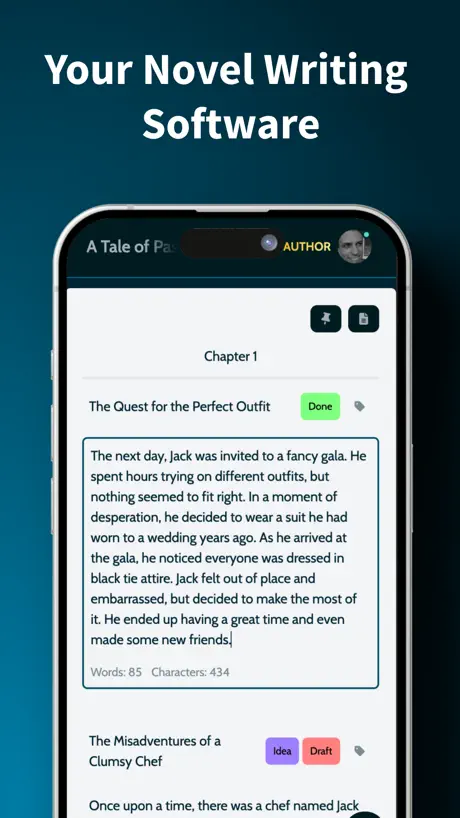  MyStory.today: Write a Book MyStory.today: Write a Book |   Linea Sketch Linea Sketch |   Morpholio Journal – Sketchbook Morpholio Journal – Sketchbook |   Animation Maker Kids Animation Maker Kids |  Endless Paper Endless Paper |   Animation Sketch Animation Sketch |   Charcoal Charcoal |   Storyist 4 Storyist 4 |   Animatoon Animatoon | |
|---|---|---|---|---|---|---|---|---|---|---|---|
| Rating / 5 | 4.2 | 4.5 | 4.5 | 3.9 | 4.5 | 4.1 | 3.4 | 3.4 | 4.4 | 4.3 | 3.2 |
| Reviews | 1.5K | 9K | 3.5K | 2.3K | 2.1K | 1.7K | 1K | 973 | 948 | 820 | 612 |
| Released | 2017 | 2017 | 2018 | 2017 | 2015 | 2021 | 2019 | 2020 | 2020 | 2019 | 2021 |
| Monthly price | — | $14.99 | $3.99 | $1.99 | $0.99 | — | $5.99 | — | — | — | — |
| Annual price | — | $99.99 | $39.99 | $19.99 | $3.99 | — | $29.99 | — | — | — | — |
| One-time price | $9.99 | — | — | $59.99 | $0.99 | $7.99 | $1.99 | — | — | — | — |
The going rate for each plan in United States, in its own currency, shaded from the cheapest price on the row to the dearest.
Comic Draw by plasq reviews
4.2 out of 5, based on 1,471 reviews.
What people like
- Making speech bubbles and panels is very easy
- Great value for the money paid
- Very fun and creative for beginners
- Can produce professional level comic results
What they complain about
- You must pay to actually make comics
- The app crashes frequently and stalls often
- It is hard to import your own fonts
- Layer management feels confusing and unintuitive
TRY THIS APP AND YOUR GONNA HAVE A LOT OF FUN
This app is totally one of the best to make comics. This app is very fun and creative. Comic Draw give you a 2 weeks free trial. And the money is so low(I don’t want to say it because to say in an app is not good). But if you sell yours comics your gonna win money!! TRY THIS APP NOW
ARE WE SO FOR REAL?!
DUDE I HAVE TO BUY A FREE TRIAL, AND ITS FOR JUST 2 WEEKS?! COME ON! IM TRYING TO MAKE A 20 COMIC SERIES! PLS LET THESE PEOPLE USE IT FOR FREE ITS JUST COMIC MAKING! I CANT BELIEVE I WASTED MY TIME ON GETTING IT
Great App, could use some QoL
Love it as someone who creates indie comics. I primarily use it for its bubble and panelling capabilities, so some nice to haves here would be: - layers for speech bubbles and panels. These layouts can get very complex - mergeable bubbles and multiple tails - maybe a bug: bubble templates dont seem to store the “variation” parameter, so this has to be applied mnually to every bubble. - page range export
Pay
I have to pay for the whole purpose of the app
Pls make free
I couldn’t do anything cos I had to pay so pls make it free and some things you have to pay for? Pls? I’m really upset that I can’t draw on it…
Worth for perspective grids alone
Though it’s not true vector, which would up the price significantly, it really is a great app. I’d bought it a while ago to do only the rough sketches, but found myself getting more and more work done in the app. I’ve an old ink painted comic from the early 2000’s I wanted to redo digitally, and it’s great just to paste the image in, clean it, make it compatible for digital market, all in one app. Even if you splash out the dough for a kid to be amused on a car ride, they will be engaged in drawing a comic that I’d not a hassle, thanks to the design of this app.
Terrible
This is a real review and it is bad! I can’t even make a comic without having to pay this sucks and ruined my day. Fix the app or delete it NOW
Great app, just missing a feature I’d love!
First, I wanna say, this app is actually very useful for me, as someone who struggles with making ballon’s and panels, this app has saved me so much time with comic making. I really love how easy it is to edit the balloons and text, especially when I want to emphasize certain words my characters are saying. My only real issue is I haven’t been able to find a way to upload fonts. I created a custom font for one of my comic’s that I enjoy using, but I haven’t found a way to add it. I could just letter it the old fashion way, but that’d take too long for me. It’s possible that I overlooked the option to do that but I couldn’t find anything in the manual mentioning how to upload custom fonts. Hopefully that’s going to be a feature in the next update. Other than that, great app! I highly recommend it!
Bruh
I gave this two stars because you should not have to pay to have a. Comi
Love the app but it is buggy
Would love for the app to stop crashing. After installing again and again and running debug mode drawing doesnt seem to work. it keeps stalling.
Very fun!
I am new to creating comics & graphic stories and this app has been so fun to use! It’s pretty intuitive but there is an in depth manual that I highly recommend reading. So far I’ve been able to achieve the results I’m hoping for and I am thrilled.
Developer, please see this and respond
So, I got this app, thinking I would be able to actually make a comic without spending money. But, instead, I have to get a ‘Free Trial’ to make a comic, but I have restrictions on my iPad so that I can’t buy stuff without my parents consent, and so I couldn’t do the thing I got this app to specifically do. Please, if you can, change that, it just makes me mad, and no one is talking about that!
I wanna add Images:(
I feel like we should be able to at Images to trace for cool looking covers. Say I can’t draw trees, I could grab a tree Image and trace it for a nice background. Thank you for listening.
M o n e y!!!!
Look, I really liked the app when I did the free trial, but heck no why do you have to PAY? Seriously it’s supposed to just be a comic drawing app, but you have to seriously pay to even make a single comic? What do you do, sit around doing nothing? Man, I wish there was an online mode… there isn’t. So I’m going to download another app… unless I pay, I might, might not. Have a nice day!
It won’t let me make a comic
What changed your mind?
Great App! Read the manual!
This app is great. The value for the money is out of this world. I’ve been using it for 4 years or so to make a comic strip with my buddy. So far, we’ve released 6 comic books (I use comic Life 3 to lay out our books and get them ready for the publisher)and, this year, we’re vending at a bunch of cons. All because of comic draw/Comic Life 3. Reading the handbook is mandatory for understanding all the things you can do with this app. Most of the things people are complaining about can be solved with a quick peek at the manual. I have a nice little side gig going all because of Comic Draw. Could it use a little polish here and there? Yes. Do I wish it would be updated a little more often? Yes. Is it a fully capable comic making machine that can give you pro level results? Absolutely. It’s a bargain at 6 times the price. Most of the people complaining about it are mad it’s not free or refuse to read the instruction manual. Get the app, read the manual, make your comics. Love this app.
I can’t make a comic cous I have to pay money
So I got this app hoping to make a comic i read the thing about how to make a comic but one problem I have to pay money to make a comic it allows you to have a free thing but after that you have to pay money and I hate it when apps do it i god comic connect but it’s us Les I hate comic draw and unless you want to pay don’t get it
An awesome comic book creator app!
Everything you need to make a comic from start to finish. And I’ve not explored all of what’s on the app, but Comic Draw is great to use, no matter what level you’re at.
Can’t (easily) import pictures
If there’s a way to import images drawn on other apps, it’s not intuitive or explained well enough. This seems like a major oversight or interface problem, as it’s really awesome for structuring a comic, and I don’t understand why it isn’t possible/so hard to figure out.
Seems cool
It would be a great app but I can’t do anything without paying.
Good
This app is really good and I recommend it to everyone who wants to start making comics on a ipad. So if you wants to start making comics, this is probably the app for you
SO TICKED 😡😡😡😡
I just wanted a free app to make comics and this needs a subscription, SO MAD.
make it free
defeats the purpose of being called “comic draw” because making a comic isn't free. Sure you got a free trial but make drawing a comic free.
I want my money back!!!
This was A waste of my money
Keeps crashing
Worked good for at least two years. Now it keeps crashing. Needs an update and a bug fix immediately.
Me download this
Me like 🍗 me like comic books too chicken comic book 📚 so yeah 😎
No fair.
It said it was free, but then I cost a subscription. I couldn’t even make it calm again. It said it was free. Let us make comics! Great for all of you guys out there who can actually afford a comic draw.
Fun Tool
I’m enjoying the features but it crashes whenever I try to drag a picture around or zoom in an move around to a different section. Probably crashes like every 45 sec and I’m trying to simply move the project along. If I don’t do anything the app probably wouldn’t crash at all but once I select new tool too often, it crashes. What do I do? I don’t want to give up on the app or project
no asset imports!
there is no way for you to import any of your own graphics or assets into this or create your own word balloon or effects for the comment you wanna make disappointing that this is not one of the main things there from the start! It also will be nice if they have some sort of animatic or animation I know it’s a comics, but you know it could help generate a sense for great motion comic as well add create a better more sound storyboard so until then I don’t is something that anybody will be able to work with in the long run. Great program. There’s a lot of features packed up into this but the one missing link is this I’m not sure if this is part of the free version. Well, I’m doing the free trial so I’m believe that’s the full version of it. If it’s not then it should’ve been in the free trial because this is what happens. Everything should be there, and I could not find a way to import any images or graphics or any assets.
Want to try but...
Why does it have to cost money to do a comic
Very great app, I love it but..
This app is amazing, it’s great and easy to use, really my only problem with it is the glitches. Occasionally it won’t let me draw, and the copy and pasting glitches but it’s not too bad. if you could fix that, it’d amazing, and it already is, but more amazing.
WORST APP EVER DO NOT BUY
WHY DO U WANT SO MUCH MONEY I WAS TRYING TO DO A VERY IMPORTANT COMIC IT WON’T EVEN LET U DO ONE COMIC WOW
The only tool I use
I’ve been using Comic Draw for years. I guess a thing I’d like is if you had a suite of guides around how to achieve desired effects, like: if you want this type of brush then tweak these parameters etc. and the colour palette is a little hard to control - you can end up deleting your colour and then not get it back.
Meh
I was looking to find an app where you can make cool superhero comics so I saw this.But you have to pay to make a comic and it’s not just a one time fee it’s like monthly I think.☹️disappointed
Good, but one problem
Awesome, but after a while, when I was sketching, nothing showed up! I tried everything, and made sure the opacity was correct, the color was right, it was on normal mode, but nothing showed up! And not only on that one comic, but all of them! This is a bug that plasq should fix, but for the time it worked, it was perfect.
It’s good for making comics
It’s a good app and you should try it but why do we have to pay to make more than 8?
Has you pay
It has you pay for the features
Great app, please keep updating
Simple to use, much more fluid than clip studio pro. Really needs rotate tool for selections. This app has a lot of potential, definitely worth supporting.
So much promise NOT kept
I still think this is one of the potentially great tools for creating professional quality comics out there, BUT: while the tools are powerful and flexible the layering tools are inscrutable and non-intuitive. The “referencing” of layers found in many apps from Procreate to Fresco is really tricky and not logical in this app. I have begged Plasq to put out better support on how to, for example fill the background of frames not in the line art of inking level… I would say stick with Comic Life which while perhaps less powerful still is far easier to understand.
It would have been perfect but its drawbacks are too detrimental for intermediate users
First off: those of you having an issue with it being free then surprised it charges you- that’s because it gives you a 2 week free trial to TRY it. Afterwards you have to pay. They aren’t ripping you off they are letting you test it. Second off: brushes. This app has been around for 8 years yet it doesn’t allow fr third party brushes like photoshop. That should have been a feature. The comminity for this app isn't that big so there isn’t a backlog of brushes. I can’t even figure out what brush type comic draw a uses, so it makes it more difficult to find said brushes. You’re better off tying to make some . Importing fonts: The method I was told was con ventured, when every other app i have used: procreate, Clip, toonsquid, even ibis, allows for easier font importing. You can import them in program or drag the font file from file manager and call it a day. I found that one of the bigger drawbacks because the fonts i prefer to use don’t come with this app. Then again I was going to use this app for its word bubble feature as i do everything else in other art apps. Importing font tip- I haven't tested this method but from what I’ve been told , you have to go to the App Store. And get an app that contains fonts then open the app to install said fonts - which is convoluted from what I am used to. Conclusion: I am not trying to be harsh here, I want this app to be great. Its a good app, been around for a while. just not for me. BUT, it is good for others. This is good software for novices wanting to make digital comics, comic creators of all disciplines that are fine with the inbuilt brushes, and creators who want to use the program for supplementary works and are fine with the inbuilt fonts. I haven’t figured out how to import pdfs, so you’ll have to upload pages 1 by 1. I don’t find the user manual as intuitive and beginner friendly as it should be either. I see no reason why this app’s brush system doesn’t allow for 3rd party brushes like other apps, and its font importing will be convoluted for some users, and It claims I can import pdfs in some places but I’ve yet to figure out how. If it allowed 3d party brushes, had easier font importing, and pdf importing , it be darn near PERFECT
Newbie
I don’t draw or pencil or letter but I was forced to and believe me Comic Draw has been a big help. I imported the penciled pages from the artist. I was told to make sure the pages were only one layer and low & behold there it is “Merge Layers”. This has worked out phenomenally. As a beginner I highly recommend this app. Thank you❗️❗️❗️
It says I am on viewer mode
I am not on viewing mode so one star and I cannot make comics with it
Pretty damn good!
Pretty easy to use, enjoying it.
It was good, but
So I just decided and do some sketching and now is telling me I have to re-purchase the full version of this app when I already did that when I have bought it, I believe it was eight dollars and I got the full version now it’s asking for nine dollars for the full version of this product And I don’t know how to fix that. My Apple tablet air with the M1 chip just recently got updated. So I’m not sure if that’s what did it but if you guys can reach out and fix this, I really would appreciate it cause I know I have purchased the full version of this app. When I bought it, it works smoothly very easy to use Complicated everything a comic book artist that expires to be one or is already a professional in that media. It has everything you need to get started as a beginner until you can either graduate or something a little bit more complicated like Adobe or Added it to your routine either way I love the app. I love the product, but I’m having some issue here so if you guys can fix this, I really would appreciate it. I really don’t wanna have to buy this again.
Great tool to have fun with
This App has so much potential. I love playing around with all the cool and simplified features, and it has a lot of them, like the nifty perspective rulers, However, for me to someday consider using it for serious projects, I would need a better brush engine, and the whole sketching and drawing modes removed, there is no need for it and it just causes confusion.
THIS IS LOWKEY FIRE‼️‼️‼️‼️
this is like soooooo fire like I love drawing comics with this app sm!! :3 I just don’t know how to change the text of the lettering like the color or something lol
The free trial doesn’t even
Don’t get it if you want a good drawing app
Great
This is such a great app. And so great for comics, but the only thing is it is quite expensive
What a horror.
This app has a terrible UI and useless help. For an hour, I have been trying to work out how to switch back to Script Edit mode and how to delete a speech bubble. This stuff should be intuitive, not impossible... and the available help resources are very poor. So what seems deep, rich and exciting becomes frustrating and what feels like a tool becomes an obstacle. Avoid.
Pls fix
So I saw this and then thought it looked pretty cool So I went to try it out but I can’t make a comic cuz the app won’t Let me.
Comic Draw by plasq price by country
A one-time purchase costs $9.15 in Canada and $14.82 in Colombia — 1.6× more for the same thing. Below is the going rate for each plan in every country that sells it — the middle price of what the app charges there, in the country's own currency with the dollar equivalent beneath it.
| Country | One-time |
|---|---|
| Afghanistan | $9.99 |
| Albania | $11.99 |
| Algeria | $9.99 |
| Angola | $9.99 |
| Anguilla | $9.99 |
| Antigua And Barbuda | $9.99 |
| Argentina | $9.99 |
| Armenia | $11.99 |
| Australia | A$14.99$10.48 |
| Austria | €9.99$11.33 |
| Azerbaijan | $11.99 |
| Bahamas | $9.99 |
| Bahrain | $9.99 |
| Barbados | $11.99 |
| Belarus | $11.99 |
| Belgium | €9.99$11.33 |
| Belize | $9.99 |
| Benin | $11.99 |
| Bermuda | $9.99 |
| Bhutan | $9.99 |
| Bolivia | $9.99 |
| Bosnia & Herzegovina | €9.99$11.33 |
| Botswana | $9.99 |
| Brazil | R$59.90$11.48 |
| British Virgin Islands | $9.99 |
| Brunei Darussalam | $9.99 |
| Bulgaria | €9.99$11.33 |
| Burkina Faso | $9.99 |
| Cambodia | $9.99 |
| Cameroon | $11.99 |
| Canada | CA$12.99$9.15 |
| Cape Verde | $9.99 |
| Cayman Islands | $9.99 |
| Chad | $9.99 |
| Chile | CLP 9,990$10.33 |
| China | CN¥68.00$10.12 |
| Colombia | COP 49,900$14.82 |
| Congo | $11.99 |
| Congo, Democratic Republic | $9.99 |
| Costa Rica | $9.99 |
| Cote Divoire | $11.99 |
| Croatia | €9.99$11.33 |
| Cyprus | €9.99$11.33 |
| Czech Republic | CZK 249.00$11.57 |
| Denmark | DKK 89.00$13.51 |
| Dominica | $9.99 |
| Dominican Republic | $9.99 |
| Ecuador | $9.99 |
| Egypt | EGP 499.99$9.60 |
| El Salvador | $9.99 |
| Estonia | €9.99$11.33 |
| Fiji | $9.99 |
| Finland | €9.99$11.33 |
| France | €9.99$11.33 |
| Gabon | $9.99 |
| Gambia | $9.99 |
| Georgia | $11.99 |
| Germany | €9.99$11.60 |
| Ghana | $11.99 |
| Greece | €9.99$11.33 |
| Grenada | $9.99 |
| Guatemala | $9.99 |
| Guinea-bissau | $9.99 |
| Guyana | $9.99 |
| Honduras | $9.99 |
| Hong Kong | HK$88.00$11.21 |
| Hungary | HUF 4,490$13.88 |
| Iceland | $11.99 |
| India | ₹999.00$10.40 |
| Indonesia | IDR 199,000$11.09 |
| Iraq | $9.99 |
| Ireland | €9.99$11.33 |
| Israel | ₪29.90$9.74 |
| Italy | €9.99$11.33 |
| Jamaica | $9.99 |
| Japan | ¥1,500$9.53 |
| Jordan | $9.99 |
| Kazakhstan | KZT 5,990.00$13.63 |
| Kenya | $11.99 |
| Kosovo | €9.99$11.33 |
| Kuwait | $9.99 |
| Kyrgyzstan | $9.99 |
| Lao Peoples Democratic Republic | $9.99 |
| Latvia | €9.99$11.33 |
| Lebanon | $9.99 |
| Liberia | $9.99 |
| Libya | $9.99 |
| Lithuania | €9.99$11.33 |
| Luxembourg | €9.99$11.33 |
| Macao | $9.99 |
| Macedonia | $9.99 |
| Madagascar | $9.99 |
| Malawi | $9.99 |
| Malaysia | MYR 49.90$12.23 |
| Maldives | $9.99 |
| Mali | $9.99 |
| Malta | €9.99$11.33 |
| Mauritania | $9.99 |
| Mauritius | $11.99 |
| Mexico | MX$199.00$11.04 |
| Micronesia | $9.99 |
| Moldova | $11.99 |
| Mongolia | $9.99 |
| Montenegro | €9.99$11.33 |
| Montserrat | $9.99 |
| Morocco | $11.99 |
| Mozambique | $9.99 |
| Myanmar | $9.99 |
| Namibia | $9.99 |
| Nauru | $9.99 |
| Nepal | $11.99 |
| Netherlands | €9.99$11.33 |
| New Zealand | NZ$19.99$11.29 |
| Nicaragua | $9.99 |
| Niger | $9.99 |
| Nigeria | NGN 14,900.00$11.23 |
| Norway | NOK 129.00$13.44 |
| Oman | $9.99 |
| Pakistan | PKR 2,900$10.47 |
| Palau | $9.99 |
| Panama | $9.99 |
| Papua New Guinea | $9.99 |
| Paraguay | $9.99 |
| Peru | PEN 44.90$13.05 |
| Philippines | ₱599.00$9.57 |
| Poland | PLN 49.99$12.98 |
| Portugal | €9.99$11.33 |
| Qatar | QAR 39.99$10.99 |
| Romania | RON 49.99$10.75 |
| Russia | RUB 899.00$10.69 |
| Rwanda | $9.99 |
| Sao Tome & Principe | $9.99 |
| Saudi Arabia | SAR 39.99$10.66 |
| Senegal | $11.99 |
| Serbia | €9.99$11.33 |
| Seychelles | $9.99 |
| Sierra Leone | $9.99 |
| Singapore | SGD 14.98$11.70 |
| Slovakia | €9.99$11.33 |
| Slovenia | €9.99$11.33 |
| Solomon Islands | $9.99 |
| South Africa | ZAR 199.99$12.19 |
| South Korea | ₩17,000$12.56 |
| Spain | €9.99$11.33 |
| Sri Lanka | $9.99 |
| St. Kitts and Nevis | $9.99 |
| St. Lucia | $9.99 |
| St. Vincent & The Grenadines | $9.99 |
| Suriname | $9.99 |
| Swaziland | $9.99 |
| Sweden | SEK 129.00$12.91 |
| Switzerland | CHF 9.00$10.79 |
| Taiwan | NT$320.00$10.05 |
| Tajikistan | $9.99 |
| Tanzania | TZS 29,900.00$11.43 |
| Thailand | THB 399.00$11.89 |
| Tonga | $9.99 |
| Trinidad and Tobago | $9.99 |
| Tunisia | $9.99 |
| Turkey | TRY 499.99$10.20 |
| Turkmenistan | $9.99 |
| Turks and Caicos | $9.99 |
| Uganda | $11.99 |
| Ukraine | $11.99 |
| United Arab Emirates | AED 39.99$10.90 |
| United Kingdom | £9.99$13.50 |
| United States | $9.99 |
| Uruguay | $9.99 |
| Uzbekistan | $9.99 |
| Vanuatu | $9.99 |
| Venezuela | $9.99 |
| Vietnam | ₫299,000$11.53 |
| Yemen | $9.99 |
| Zambia | $11.99 |
| Zimbabwe | $11.99 |
Comic Draw by plasq FAQ
- Is Comic Draw by plasq free?
- Yes. The app and its basic features are free, in all 175 countries it sells in. Premium features are paid: they start from $9.99 (US), across 2 one-time purchases.
- Does Comic Draw by plasq have a free trial?
- No. None of its offers (US) come with a free trial.
- Where is Comic Draw by plasq cheapest?
- A one-time purchase costs CA$12.99 (≈$9.15) in Canada and COP 49,900 (≈$14.82) in Colombia, its cheapest and dearest countries.
- What are the best alternatives to Comic Draw by plasq?
- Astropad Studio Drawing Tablet (4.5 from 9,038 reviews, premium from $14.99), MyStory.today: Write a Book (4.5 from 3,451 reviews, premium from $2.49) and Linea Sketch (3.9 from 2,333 reviews, premium from $1.99).
Comic Draw by plasq download
Last updated 2 years ago.
Comic Draw by plasq sells in 175 countries. It was released 9 years and 8 months ago, on 24 Jan 2017. It holds a 4.2 rating from 1,471 reviews.
Supports 1 language: English.
How much does Comic Draw by plasq make?
Third-party estimates for the last 30 days, worldwide — not the store's own figures, which Apple publishes for nobody.
Revenue by plan
- One-time 100%
Revenue by country
- United States 61%
- United Kingdom 7%
- Canada 5%
- Germany 3%