
DAIKIN Mobile Controller
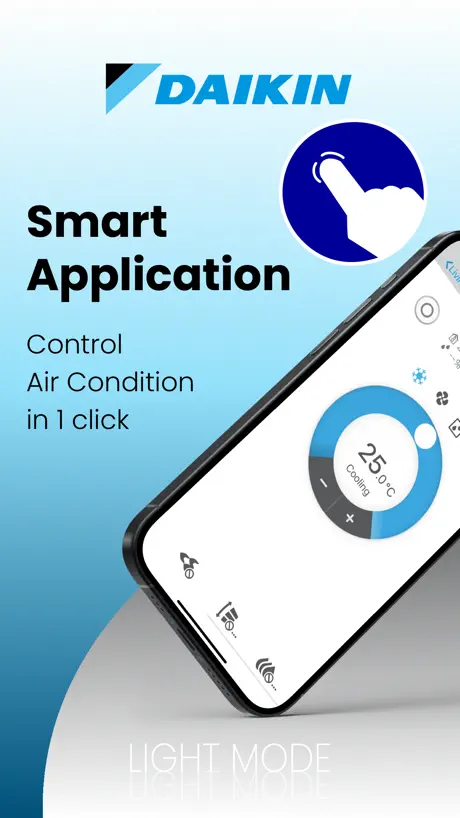
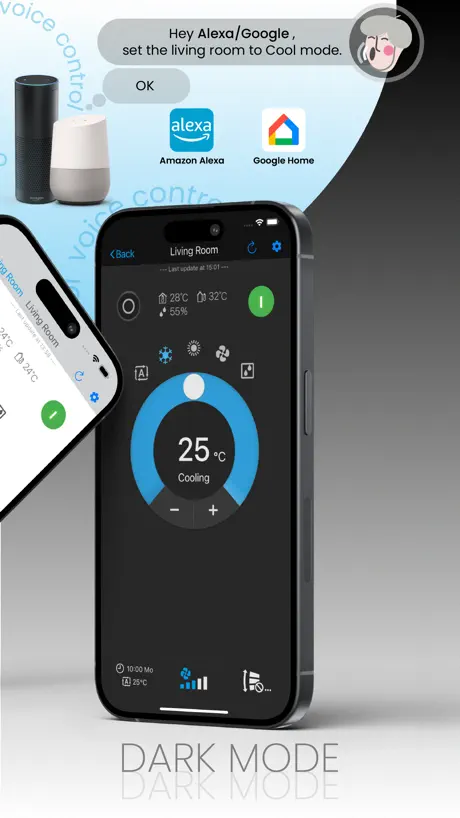
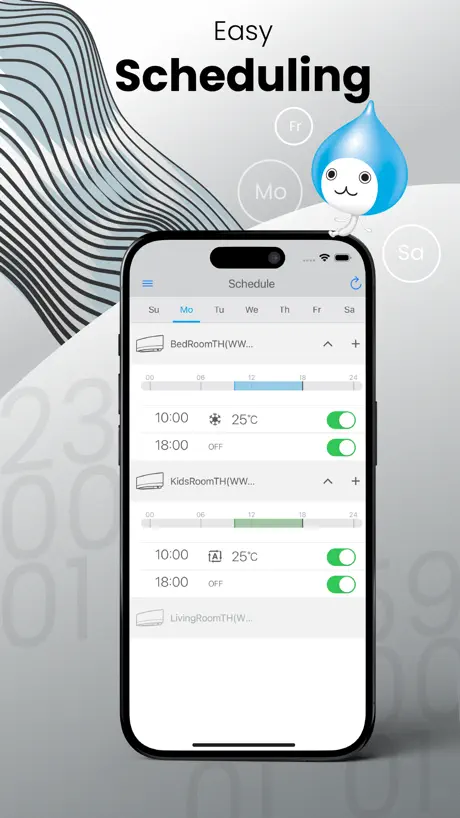
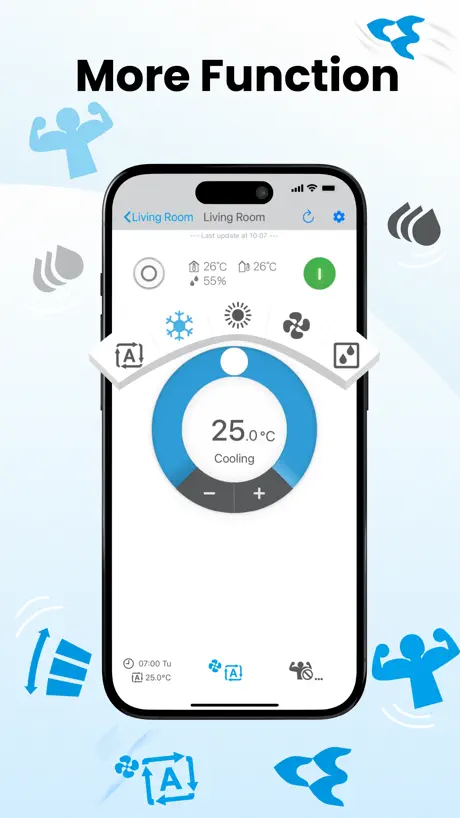
How much does DAIKIN Mobile Controller cost?
Prices are current as of 8 Nov 2026.
DAIKIN Mobile Controller has no in-app products on record in Australia.
10+ alternatives to DAIKIN Mobile Controller
| DAIKIN Mobile Controller |   SkyportHome |   CapitaStar App |   NETS App |   kcuts Go |   TSmartLife | 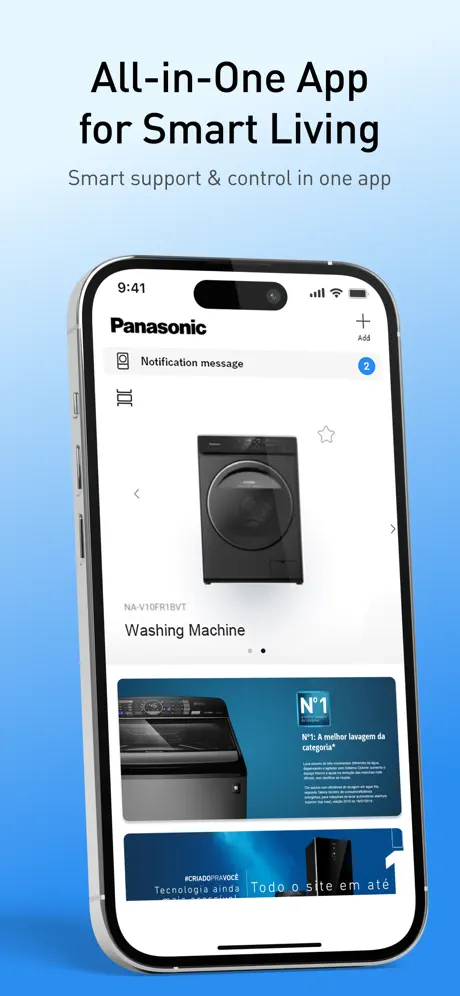  MyPanasonic+ |   VinClub |   iCondo |   Mitsubishi Wi-Fi Control | |
|---|---|---|---|---|---|---|---|---|---|---|
| Rating / 5 | 1.7 | 4.7 | 4.7 | 1.5 | 3.8 | 4.6 | 4.1 | 3.7 | 3.6 | 2.8 |
| Reviews | 750 | 37K | 26K | 1.9K | 1.5K | 1.2K | 586 | 583 | 489 | 179 |
| Released | 2014 | 2019 | 2015 | 2021 | 2022 | 2020 | 2022 | 2024 | 2017 | 2014 |
DAIKIN Mobile Controller reviews
1.7 out of 5, based on 750 reviews.
What people like
- Works great for remote control
- Easy to set schedules
- Clean and intuitive interface
What they complain about
- Scheduling is slow and clunky
- App logs you out constantly
- Setup process is confusing and hard
- Connection drops frequently and randomly
New feature
I love this app , it’s so great to be able to control the units from anywhere , I just wish you had the feature to schedule the timer “ for once only “ if you could add that feature it would be awesome.
If I could rate this 0 stars I would
Most of the AC control features are missing from the app. You can not control eco, quiet, timer, powerful mode or any setting aside from temperature, fan speed and direction.
Acceptable
Not fancy but it works, which is of utmost importance to me
Terrible UX
I like the idea of me being able to set schedules and control the schedule. One thing i find incredibly bad is that i can create a schedule which is applicable for every weekday. If i then have to edit or delete it then i have to go into each single one. The second thing is that schedules dont even start and there is noerror showing up - the aircon just doesnt change!!!
我來解救各位
知道大家一定有連線問題,簡單,認真告訴你,使用AI 給它知道你的裝置與路由器,還有控制平台版本,在歪壞環境下,即可一一排除。我的平台排除問題後,根本不用叫大金原廠來,(雖然已經來過,也換了網卡)因為他這些不懂,網路卡又慢,我發現這網卡走2.4Ghz.常常會休眠,所以會被路由器認定移除裝置了,強制綁定最近路由器,更改後台設定不要自動更換成5Ghz,降低呼叫裝置頻率,其它問題是你手機等等的權限、路由器內參,一一耐心調整,隨點隨到。其實問題主因就是他們的網卡使用非常低階晶片,速度頻寬響應時間存取等都很石器時代;很簡單,找個台灣隱形冠軍,跑一下,應該一天就有新網卡出現,台灣市場不用看原廠鼻息。這晶片反應速度大概是2005年裝置的速度,說穿了,省成本。 我就差沒去找網卡爆改了。
Intuitive app
Just installed my system two days ago and connected to the app today, easy enough even without WPS. App GUI is clean, intuitive and provides all the features and information I’d need to know to control heating/cooling while out. Users should keep in mind Aircon works hardest when first turned on and is more efficient just left on. Whilst an app for remote/away control is handy, using it to constantly turn aircon on/off is just going to cost a lot of money
A truly appalling app
Sometimes you come across an app that raises the eyebrows. The Daikin Mobile Controller is one such app - but for all the wrong reasons. Laggy, complicated pairing process, unintuitive, and just plain ugly. A true shocker.
Not bad at all
I've had a different experience to most reviews here but I'm not sure why. I do wonder if most people are connecting direct to the heat pump instead the heat pump being connecting to the router and phone interacting via network (which is an installer failure if so). Mine is connected to house wife with the app set to "Not at home" constantly (the two modes are over complicated to be fair). Mine connects reliably, even remotely. The schedules are easy to set up and just work. I'm only removing a star as the app is a little outdated. But not the end of the world. Overall very happy with the upgrade.
Scheduling very poor
The app is not very modern. The scheduling is extremely work intensive. You have to enter a start and/or finish time for every day and input the temp settings each time. The Tapo app I use can schedule the same event for multiple days. Just look at some of the other apps around and learn from them please. As other reviewers have already said - setting up the app and getting it to stay connected is also bothersome. It will just not find the unit at least once a week and I have to switch wifi to the Daiken unit on my phone, leave it there for a minute or so and then switch back to my household wifi for it to reconnect. Sometimes I have to do that several times for it to reappear.
Great AC, poor connectivity
Used this app for years on a flat network with no issues, both in-home and out-of-home. Problems started after moving my AC units onto a separate VLAN. After resetting one adapter, I ended up with a broken cloud link that couldn’t be deleted (app says you have to wait 6 months). I then tried creating a new account, but although it appeared successful, I couldn’t log in or use it. The fix was deleting and reinstalling the iOS app, which finally allowed the account setup to complete properly. After that, I re-added the modules and re-enabled Out-of-home mode for each unit. Once set up again, everything works — but the process is confusing and not very forgiving if something goes wrong.
Great App but I want more
I would love to see a feature in the app that logs air conditioner usage, including the times and temperatures at which it turns on and off. Additionally, it would be great if the app could provide energy-saving suggestions based on this log, such as advising against turning the air conditioner on and off within a 15-minute window.
Can’t find units
I have 2 Daikin split systems. It is a rare day when the App is able to “see” and connect to both of them. Hard to understand how a unit is in the app one day and gone the next. You go through the whole reconnecting process only for it to disappear again. Furthermore the functionality in the app when it’s actually working is really basic. It’s barely any easier to use than the remote. I would not have selected Daikin if I’d realised their app was so bad.
Works well - a little hard at first
The setup process for this app was a little counter-intuitive (pay attention to the + and - buttons at the top). Now that I have it setup it works very seamlessly and well.
So many bugs to fix
Its been a while & have not seen any improvement made. The adaptor need to be user friendly, the timer, after deleting the timer, next day it just re-appeared. Many setting like the fan also same issue. Set at certain speed, next day it became auto fan again. Damn stupid
It’s… okay.
The Daikin heat pump/AC is brilliant, but this app is somewhat lacking. It works, but it looks antiquated and is missing some basic functionality. For example, an option for a one-off timer on/off would be amazing (ie: turn off in 30 mins) but right now you can only add a hard entry into the overall schedule then you have to remember to remove it later. A better UI for managing schedules would also go a long way, right now if you wanted to adjust the temperature on your schedule you have to go into every single day and make the adjustment one by one for every power on which is time consuming and clunky. This app is holding Daikin ACs back.
Easy to use
Hmm… so far so good. It make me easy remotely access when i oversea moat of the time. It was a bit difficult initially after installation the software and took me a few attempts to make it configurable and connected to the home wifi. Is great and keep it up, i think it can be improved better with programs allowing to check the air filter or the efficiency of air con cooling and it allow to service to prompt the user, then is will be perfect.
Connecting
The app fails to connect more often than not! Frustrating!!! 🤬
daikin anti mould function
Please auto turn on anti mould function after turn off ac by mobile app.
Barely does the bare minimum - typical OEM app
This app barely does the minimum. I’ve been using it for 6 years and it hasn’t been enhanced or modernised even once, just occasional bug fixes. The in-home out-of-home modes are clunky (Philips Hue manage the same thing seamlessly), and a huge annoyance is the set point temperature only displays whole numbers, but is actually 0.5 C increments, so when you dial in a temp in the app it’s actually +/- 1 degree, 22 could be 21.5, 22, or 22.5! Often bumping up or down the temp in the app will jump two degrees, or stay on the same temp - but in the background it’s randomly picking a temp +/- 0.5 C! I have to use home automation solutions, including Home Assistant and Homebridge, to provide reliable, 0.5 C precise control - in and out of the home!
Functional and does 95% of your needs
I’m happy with this app. It makes setting up schedules easy. And every day use is easy but a bit slower than using the remote. Love having control of my units outside the home. Eg. Turn on the units on the way home from shopping. Turn them off if I forget. I miss being able to set “powerful” mode
Works well
Great app, works as advertised. Some functions from newer heat pump models aren’t available in the app (like changing “presence” setting), but other than that brilliant. Works when on the same WiFi network or out of home.
Terrible user interface
Terrible app. Considering the actual physical product that you pay for is at a premium price tag and over the years have come to expect high quality and standards from Daikin, this app is a major let down. Biggest issue is user interface, need to switch between “in home” and “out of home” to control the unit along with lagging interface and slow response time is shameful. Adding a unit to the app/account is a process that unless you have a very deep understanding of how home networking operates, you will struggle immensely. Firmware updates, the latest update to 2/3 of my units have made it impossible to connect the units to the home wifi. Only able to control unit when that unit’s wifi is selected on my phone. Cant reinstall the unit to the app as it freezes or just crashes towards the end of adding. This making the wifi component of the unit useless which is extremely disappointing as the only reason I upgraded my air con was to have wifi enabled devices so I can control the temperature for pets when I’m out. Honestly this singular function of the device and unfriendly user interface of the app has made me no longer trust Daikin or its products and will no longer be recommending them to others or use them again.
AliraX 2.5
Need to tether App onto Daikin adapter is the only way I’ll work. Outofhome don’t work Other than that it’s not bad, on my iPhone 12
Needs some work
We have the Mitsubishi app as well. It is way better. Daikin - steal with pride
App schedule does not work
Setting up and connecting is cumbersome but it works and fortunately only need to do it once. Please improve. In home and outside home profile is redundant and not needed. Just one profile is ok and background switching that is transparent to user is best user experience possible. Please improve. Schedule setup in the app was not registered with the indoor units. So units do not switch on or off at the time setup in app. Please fix this issue.
Great App
Out of home mode is very useful
A Frustrating Step Backward in Smart Home Control
For a company that engineers some of the world’s most reliable HVAC hardware, Daikin’s iOS controller app is a baffling disappointment. In 2026, when even budget smart plugs offer polished scheduling and rock-solid connectivity, the Daikin app feels like it was designed a decade ago and never revisited. Scheduling that actively wastes your time The most glaring failure is the scheduling system. There is no way to apply a schedule across multiple days at once. Want the same heating pattern Monday through Friday? You’ll be configuring each day individually, repeating the exact same inputs five times over. Every competing thermostat app — Nest, Ecobee, Mitsubishi’s Kumo Cloud, even generic Tuya-based apps — has solved this with a simple “copy to days” function. Daikin hasn’t. It’s the kind of omission that suggests nobody on the product team actually uses their own app to run a household. The pointless “In Home / Out of Home” mode Then there’s the bizarre In Home / Out of Home toggle. The premise is unclear, the benefit is invisible, and the consequence of forgetting to switch it is absurd: the app logs you out. Why a presence mode is tied to authentication state is anyone’s guess. Most users will discover this only when they urgently need to adjust the temperature, open the app, and find themselves staring at a login screen instead of their unit. Constant logouts Even without the In Home / Out of Home trap, the app logs out far too frequently on its own. A controller for a permanently installed appliance in your own home should maintain its session indefinitely. Banking apps manage persistent biometric sessions; there is no security argument for forcing repeated credential entry just to change a setpoint. The bottom line The hardware Daikin sells is excellent. The app is not. It fails at the basics — persistent login, multi-day scheduling, sensible default behaviour — that the smart home industry settled years ago. Daikin owners deserve a controller that matches the quality of the equipment on the wall. Until then, many will find themselves reaching for the physical remote out of sheer exhaustion with the app.
เพิ่มฟังก์ชัน
อยากให้เพิ่มฟังก์ชันให้เทียบเท่ากรือมากกว่ารีโมท และอยากให้เพิ่มหน้าการใช้พลังงานของแอร์ด้วยไว้เช็คค่าไฟฟ้า
Old and clunky
Our units required a $500 add on device to work with this app and although the kinda work we’d expect better from a company like Daikin. Let’s see some effort and spend on the app or better still integrating with Airbase
A few steps required but it works
Not really hassle free and requires some technical knowledge. I tried both direct AP connection and WPS to set up the WiFi connection. Both connected to my router at the first try, so that’s the good part. The app itself have some quirks and annoyance: 1. Scanning of connected aircon units in the network is rather slow (takes 5-10 secs) 2. Access to rename the unit requires autohrization (enter SSID key) which is rather cumbersome if not for iOS’ ability to read text from a photo !
Paul Conroy NZ
Great app, I have set many up in many houses, I find a lot of the poor reviews hard to believe! In the install manual it instructs to fix your 2.4ghz network to a channel between 1-11, plus the security encryptions etc, for the reviews stating no fan and flap control should double check what their model is capable of, not all models have fan and flap control as per manufacturers advertising, I have 2 units working successfully and have no issues, Again Great app!
No improvements ??
Adapter still fails to properly connect and maintain that connection with my wifi network. Very disappointed
The app is great.
I am able to set my schedule through my phone. However, if I am able to customise the name of my devices based on my rooms, then I think it will worth all 5 stars.
Unable to update adapter to 1.25.0 and above
Current firmware 1.16.0 unable to disable wifi adapter ssid.
APP功能太陽春
冷氣本身功能強大,但用了APP就變陽春冷氣。 APP應該加一些智慧功能,例如利用溫濕度控制啓閉。
Amazing application.
This application is amazing and useful
Typical modern approach
So called update to “fix wifi connection” fails on firmware update repeatedly. Now can’t use the air conditioner over the app. Was poor to begin with and Daikin have broken it completely.
Google Assist
Hi can you link to google assist
Bugs
It works - Just I find that if I open the app it struggles to connect, I have to manually close the app the. Reopen for it to connect correctly. Needs some improvement. I’d expect better from Daikin. Ui is generally slow to function and use, if you want to apply schedules for the week you have to make 1 action then wait for it to sync with the sever then you can do another action. It’s just slow and clunky.
摸索中
還是希望有中文介面 可以更直觀 選擇 讓家裡的人都方便使用
Wifi
A great app very easy to use.
Abysmal
How could any company release such a terrible product and sell it as a feature and not feel any shame at all is beyond me. This app is absolute shambles. Keeps logging me out. Tap on buttons and execute a grand total of zero actions. Takes forever to connect to the units. Doesn’t even offer half the features that are on the actual physical remote. Daikin please do better.
Slow response
Very slow response. Much improvement is needed for the app.
Works but slow
It works ok but man is it slow. Make one change and the wheel goes around thinking for ages. Making a change to each of the heatpumps takes quite a while.
Great app - works great for me
I’ve got it working with my Multi system, works great, no issues so far
doesn’t work
Used to connect and work in home, but not out of home. Now doesn’t even connect to wifi controller.
Good hardware bad software
The machine itself is good but this app is a letdown
Operation is not smooth enough
Hope to support HomeKit and Traditional Chinese
DAIKIN Mobile Controller FAQ
- Is DAIKIN Mobile Controller free?
- Yes. The app is free, in all 34 countries it sells in, and it sells nothing inside it.
- Does DAIKIN Mobile Controller have a free trial?
- No. None of its offers (AU) come with a free trial.
- What are the best alternatives to DAIKIN Mobile Controller?
- SkyportHome (4.7 from 37,274 reviews), CapitaStar App (4.7 from 25,582 reviews) and NETS App (1.5 from 1,887 reviews).
DAIKIN Mobile Controller download
Last updated 5 months ago.
DAIKIN Mobile Controller sells in 34 countries. It was released 12 years and 2 months ago, on 23 Sept 2014. It holds a 1.7 rating from 750 reviews.
Supports 2 languages: English, Chinese.
How much does DAIKIN Mobile Controller make?
Third-party estimates for the last 30 days, worldwide — not the store's own figures, which Apple publishes for nobody.