
8bit Painter - Pixel Art
Create Fun & Easy Pixel Art
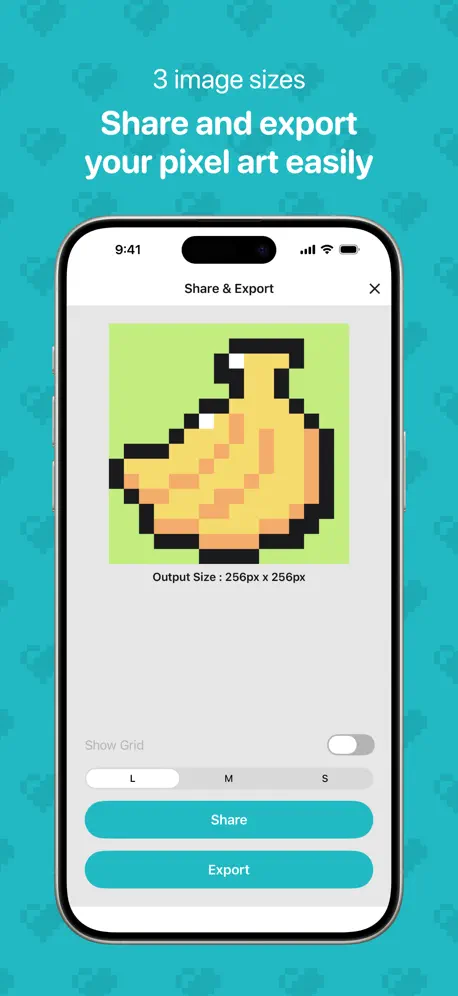
How much does 8bit Painter - Pixel Art cost?
Prices are current as of 6 Oct 2026.
1 one-time purchase from $5.99
In the United States, 8bit Painter - Pixel Art has 1 one-time purchase priced $5.99.
| Product | Price |
|---|---|
| Remove Ads | $5.99 |
See what 8bit Painter - Pixel Art costs in all 175 countries →
10+ alternatives to 8bit Painter - Pixel Art
| 8bit Painter - Pixel Art |   UNICORN: Color by Number Games UNICORN: Color by Number Games |   Paint book - Drawing apps Paint book - Drawing apps |   Divoom: Pixel art community Divoom: Pixel art community |   Animation Desk® Draw & Animate Animation Desk® Draw & Animate |   CUSTOM CAST CUSTOM CAST |   Pixel Color - Color by Number Pixel Color - Color by Number |   JUMP PAINT by MediBang JUMP PAINT by MediBang | 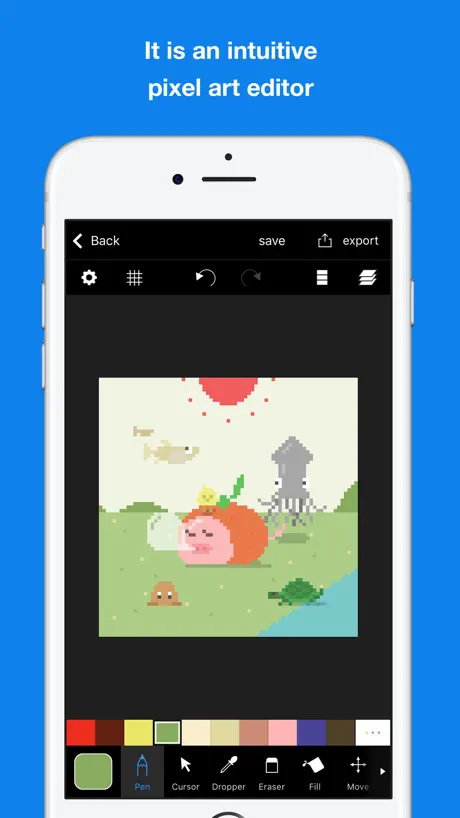  Pixelable - Pixel Art Editor Pixelable - Pixel Art Editor |   Folioscope: Animation Network Folioscope: Animation Network |   SwitchBuddy: Switch App SwitchBuddy: Switch App | |
|---|---|---|---|---|---|---|---|---|---|---|---|
| Rating / 5 | 4.7 | 4.6 | 4.4 | 4.8 | 4.2 | 3.6 | 4.6 | 4.5 | 4.7 | 4.6 | 4.8 |
| Reviews | 62K | 1.4M | 62K | 52K | 33K | 18K | 17K | 12K | 11K | 10K | 6.2K |
| Released | 2014 | 2017 | 2022 | 2018 | 2015 | 2018 | 2017 | 2017 | 2016 | 2016 | 2021 |
| Monthly price | — | $14.99 | — | — | $3.99 | — | $7.99 | — | — | — | $1.99 |
| Annual price | — | $49.99 | — | — | $29.99 | — | $49.99 | — | — | — | $17.99 |
| One-time price | $5.99 | $5.99 | $2.99 | — | — | $5.99 | $1.99 | — | $3.99 | $2.99 | $7.99 |
The going rate for each plan in United States, in its own currency, shaded from the cheapest price on the row to the dearest. Plans fewer than four in ten of the priced apps sell are left out.
8bit Painter - Pixel Art reviews
4.7 out of 5, based on 61,980 reviews.
What people like
- Super simple and easy to use
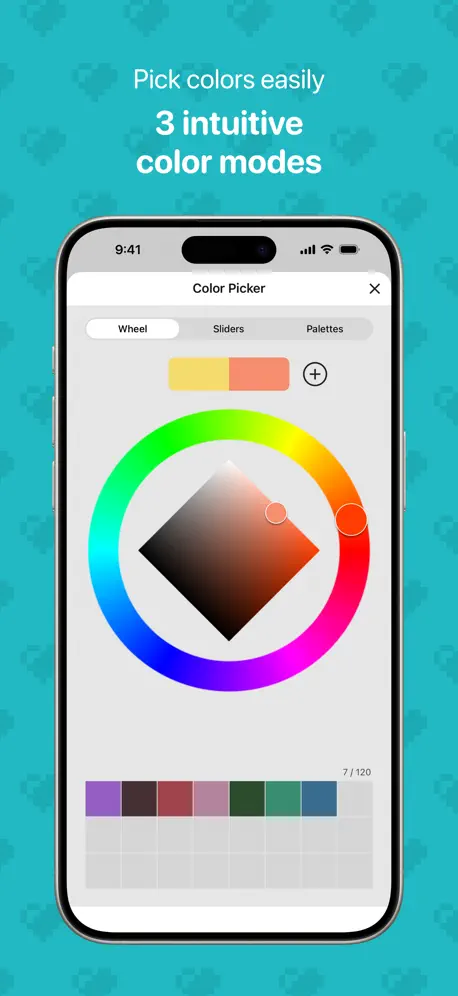
- Great color picker tool
- Perfect for total beginners
- Smooth performance on mobile
What they complain about
- Ads interrupt you constantly
- Canvas size is too small
- Importing images often crashes app
- Works only on portrait mode
たのしい
めちゃ楽しい
色の作成がやりにくくなった
アップデートで色の作成方法が変更になりました。以前は同色の濃淡をスライドで変更出来たので、イラストの陰影をつけるのにとても重宝していたのですがなくなってしまい、スライドでいちいち3色組み合わせて色を出さなければならなくなり戸惑っています。スライダでは出てくる色もスペクトラムでは出てこないものがあったりと訳がわかりません。元の色ツールも残しておいて欲しかったです。
残念な点
描写はめっちゃ使いやすいですが、 共有やエクスポートが残念。 作品一覧で複数選択が実装されてるにも関わらず、一括送信は未実装。 送信するなら1個1個開いて共有しないといけないため、そこがダルいです。 仕様上、作品を閉じたら広告判定が入るので、いっぺんに送る際に 更に作業効率が落ちます。 お絵描き程度なら星5でかなり使いやすいと思いますよ。
どうして…
いつ頃のアプデかはわかりませんが、ズームの度合いによってグリッドの細かさが変わるようになってしまいました。設定でも変更不可。 おかげさまで超至近距離にしないとロクにグリッドが機能してくれなくなり困っています。 過去のバージョンへのダウングレードの方法を探していますがその前に他のアプリに移住することになりそうです…
思ってたより違う
好きなのは書けるけど、 書くものを選んで 指示通りに書けない のが、残念だった
よかった!!
いろいろな機能があって楽しく、便利にかけた!!
いいね
ありがとうございます
全体的に高い評価
操作が単純で自由度が高く使いやすいですが、画面が縦向きに固定されていてiPadなどのタブレット端末だと、扱いづらいのが難点で、画面の向きを変えれるようにして欲しいです。
いいんだけど
昨日までは使えてましたがスマホのソフトアップデートをしたら画像インポートしようとすると画面が真っ暗になるようになりました
Cool
Súper me encanto
わっかりやすぅーい
初心者でも機能が少ないし表示されるところの絵?も分かりやすくてとってもつかいやすかったー!ふとした時に出来るから凄く便利
アプデで
アップデートで保存していたお気に入りの自作カラーが全部消えてしまいました。作り直すにも、カラー作成のツールも変わってしまった為使いづらく感じました。アプデ前の方が色の淡濃がバーで調節できたりと便利でした。残念😢
グリッド
アップデート後からグリッド表示が細かい線の表示が無くなってしまい少し使いずらくなってしまった
ひらけない
このスマホに対応してるから入れたのに開けないiOS対応しててとっても嬉しかったのに希望を潰された…もしできたらiOS対応してならちゃんと開けるようにしてほしいです。ゲーム関連のレビューはやらないとできないので是非対応してるなら開けるようにして欲しいです。神アプリっぽかったのに(´・ω・`)今後のアップデートに期待します。そして私の方が悪い場合もあるので私の方でも容量などの確認をしましたが全然容量は空いているので何が悪いのかわかりませんもし見つけれたらまたレビューを書きます。長文失礼しました
画像インポートについて
画像をインポートする機能を使おうとすると画面が真っ暗になり進まなくなっています。今すぐに修正を願いたいです。
アプデ2.7.1、現行にして過去最高のバージョンです!!
一年半ほどこのアプリを利用させていただいています。 特筆すべきはカラーピッカーですね。最高です。これを呼んでいるあなた、使えばわかるよ。 もしよければ、ユーザー間での作品の見せ合いや、ユーザーとディベロッパー様が直接繋がれるような、ディスコードサーバーなどの、交流ができる場を作ってもらえたらすごく嬉しいです!!(良ければぜひ!)
暗転する
画像インポートができません!
楽しい♪
とっても楽しいしサイコ〜なゲームだと思います‼️ これからも、楽しみたいと思います‼️
使いやすい!-᷅ ·̫ -᷄✧
アイロンビーズやっていますが下描きを書いていてやりやすいですアイロンビーズ初心者でもやりやすいかも知れません(๑•̀ㅁ•́ฅ✨
面白い
子供が遊ぶにはもってこい
描きやすくて最高!
初めてこのアプリを使いましたが、アナログとかデジタルより、ドッド絵の方が描きやすい!描きやす過ぎだろ!って思ってしまうくらい描きやすかったです!笑 機能がごちゃごちゃしてなくて、めちゃくちゃ使いやすかったです...! 気になるところがあるとすれば、動画がないことですかね...?ibisPaintみたいにタイムプラス動画があると、完成品の一部始終みてれ良いな〜って思います。 アプリ自体は、性能が高くてわかりやすいところがあってグッド👍👍です!これからも、こちらのアプリで沢山の絵を描いていきます😋😋😋😋😋
画像インポートできねぇ
画像のインポートができなくなって悲しい
つかいやすい!
めっちゃ単純な作業でつかいやすいです!
ごちゃごちゃしてなくて見やすいです!
とてもシンプルで使いやすいのですが、キャンバスのサイズを画面いっぱいとかに変更できたらいいなと思います! やり直しボタンとかあると嬉しいです!ψ(`∇´)kmiu
좋긴한데....
용량이 커서 다운로드가 잘안돼요... ㅠㅠ 와파도 했는데ㅠ 근데 학교에서 하는거라 재밌어요!
いい
最初は30枚しか書けないけど広告見たら増やせる、ただ最初からもう少し描けたら⭐︎5。 編み物🧶や刺繍🪡の構図を考えるのに便利。
完璧👌
素晴らしい楽しいです
焦ってはいけない
使い心地は悪くなく、基本一度にたくさん書かないので広告は気にならないのですが、 「選択範囲を複製」を選んでから急いで(選択確定ボタンなどが出る前)選択する左上を機転に選択する時があり、ペン状態だとその時に余分な線を書いてしまう(戻るボタンじゃないと消えない)現象があるっぽいです。焦らず絵を描きましょう…
横向きにできないー!
iPadを横向きにして描きたいのに、できないです…残念。
使いやすい
かなりシンプルなため 逆にかなり使いやすいです 静電気式の タッチペンさえあれば だいたい大丈夫なのも お金がかからない分 楽しいです 直感的に操作できて たくさん使いたくなります デザインが詰まないのは 使いやすさからくるんだと 思いました 色もかなり自由です 12色とか24色とかではなく 無限の色からえらべる 48色なので 48とありますが 実質無限です
iPadが熱くなる
iPadにインストールして使ってみたけど信じられないくらい熱くなるからアンイストールした
使いやすい!
16×24のドット絵描いてます!素人ですが使いやすいです! 元の色が少ないのと、色追加したら削除できない?点が少し残念。でも無料だし全体的には満足です!
画像インポートすると黒い線が入る
何度やっても黒い線が下の方に入ってしまいます。書きたくても書けない😥
シンプルで使いやすいd( ̄  ̄)
▷ドット絵を描くのに必要な最低限の機能が備わっていて、UIもシンプルなので、ごちゃごちゃせず使い方に困ったりしません。 自分の感覚では、動作も滑らかで拡大しながらの作業もしやすいので、助かっています。 嗜み程度に絵を描く人ならこのアプリで全然十分すぎるくらいです。 他にも、描いた絵のダウンロードなども簡単で初心者には非常におすすめです。 ▷ただ作成できる最大の大きさが192x192で、直線や円を描いたりするツールがないので、人によっては使いづらいかもしれない。 また、アプリ内で保存できる画像の量を増やす場合と、描いたものをダウンロードしたりする際に広告を挟まなくてはいけないのがネック。 (これに関しては無料のアプリなので致し方ないところがある。)
광고 망할…..
광고 말곤 다 재밌있어요. 근데 광고 때문에 자꾸 화가 나기도 해서, 광고만 없으면 최고의 아트가 될 것 같아용!!!!!! ㅎㅎ👍👍🏻👍🏻👍👍👍👍👍👍👍👍
初心者にはオススメ
直感的で使いやすく、入門にはオススメです。 ファイルを跨いでコピーが出来たりするともっといいのかなと思いました。 インポートだけだと、結構使いにくいなと感じてきてます。
便利!
便利だけどCM広告が多い
ドット絵描くには十分だと思う
全然十分だと思う 色も充実してるし、 ただ正方形しかないのと 広告見ないと容量が増えないのが 少し残念。
ㅠ
ㅠㅠㅠㅠ
まあいいんじゃね
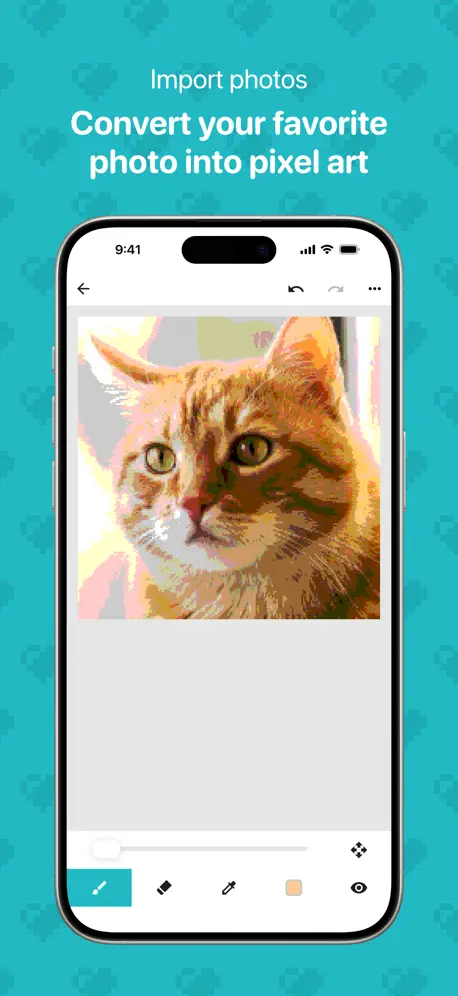
私はこのアプリを本の少し触らせて頂きレビューさせていただきます このアプリは画像をドット絵化することができその精度も高くとても満足度が高かったです。このアプリでドット絵を作っている時拡大が少しやりにくかったのでそこだけ改善して欲しいと思いました
Some Things To Fix
There are many details that can be fixed, but that are really important for the app itself. From camera rotation (iPad) to selection and more, my ideas can make the app something else. Also, the logo can be changed to something more modern. But other than that, it is a great app! 👍🏼
ドット絵楽しい
とりあえずドット絵触ってみたいなら最適に思います。
쌉재미없다
쌉재미없다
かなり良かった!でも・・・
私はドット絵初心者ですが、かなり操作はシンプルで使いやすかったです。比較的簡単にドット絵を描くことができました。でも塗りつぶしがないのがちょっと難点ですね。そこさえ改善すれば完璧だと思います。自分はこのアプリを愛用しています。
재밌어요:)
가끔 튕겨서 다 날아갔을까봐 불안한점만 빼면 마음에 들어요
8bit Painter - Pixel Art price by country
A one-time purchase costs $5.49 in Qatar and $9.10 in Colombia — 1.7× more for the same thing. Below is the going rate for each plan in every country that sells it — the middle price of what the app charges there, in the country's own currency with the dollar equivalent beneath it.
| Country | One-time |
|---|---|
| Afghanistan | $5.99 |
| Albania | $6.99 |
| Algeria | $5.99 |
| Angola | $5.99 |
| Anguilla | $5.99 |
| Antigua And Barbuda | $5.99 |
| Argentina | $5.99 |
| Armenia | $6.99 |
| Australia | A$9.99$6.94 |
| Austria | €6.99$7.84 |
| Azerbaijan | $6.99 |
| Bahamas | $6.99 |
| Bahrain | $6.99 |
| Barbados | $6.99 |
| Belarus | $6.99 |
| Belgium | €6.99$7.84 |
| Belize | $5.99 |
| Benin | $6.99 |
| Bermuda | $5.99 |
| Bhutan | $5.99 |
| Bolivia | $5.99 |
| Bosnia & Herzegovina | €6.99$7.84 |
| Botswana | $5.99 |
| Brazil | R$39.90$7.95 |
| British Virgin Islands | $5.99 |
| Brunei Darussalam | $5.99 |
| Bulgaria | €6.99$7.84 |
| Burkina Faso | $5.99 |
| Cambodia | $6.99 |
| Cameroon | $6.99 |
| Canada | CA$7.99$5.59 |
| Cape Verde | $5.99 |
| Cayman Islands | $5.99 |
| Chad | $5.99 |
| Chile | CLP 6,990$7.07 |
| China | CN¥38.00$5.66 |
| Colombia | COP 29,900$9.10 |
| Congo | $6.99 |
| Congo, Democratic Republic | $5.99 |
| Costa Rica | $5.99 |
| Cote Divoire | $6.99 |
| Croatia | €6.99$7.84 |
| Cyprus | €6.99$7.84 |
| Czech Republic | CZK 149.00$7.15 |
| Denmark | DKK 49.00$7.35 |
| Dominica | $5.99 |
| Dominican Republic | $5.99 |
| Ecuador | $5.99 |
| Egypt | EGP 299.99$5.72 |
| El Salvador | $5.99 |
| Estonia | €6.99$7.84 |
| Fiji | $5.99 |
| Finland | €6.99$7.84 |
| France | €6.99$7.84 |
| Gabon | $5.99 |
| Gambia | $5.99 |
| Georgia | $6.99 |
| Germany | €6.99$7.84 |
| Ghana | $6.99 |
| Greece | €6.99$7.84 |
| Grenada | $5.99 |
| Guatemala | $5.99 |
| Guinea-bissau | $5.99 |
| Guyana | $5.99 |
| Honduras | $5.99 |
| Hong Kong | HK$48.00$6.11 |
| Hungary | HUF 2,490$7.60 |
| Iceland | $6.99 |
| India | ₹599.00$6.21 |
| Indonesia | IDR 119,000$6.65 |
| Iraq | $5.99 |
| Ireland | €6.99$7.84 |
| Israel | ₪19.90$6.52 |
| Italy | €6.99$7.84 |
| Jamaica | $5.99 |
| Japan | ¥1,000$6.33 |
| Jordan | $5.99 |
| Kazakhstan | KZT 3,490.00$7.65 |
| Kenya | $6.99 |
| Kosovo | €6.99$7.84 |
| Kuwait | $5.99 |
| Kyrgyzstan | $6.99 |
| Lao Peoples Democratic Republic | $6.99 |
| Latvia | €6.99$7.84 |
| Lebanon | $5.99 |
| Liberia | $5.99 |
| Libya | $5.99 |
| Lithuania | €6.99$7.84 |
| Luxembourg | €6.99$7.84 |
| Macao | $5.99 |
| Macedonia | $5.99 |
| Madagascar | $5.99 |
| Malawi | $5.99 |
| Malaysia | MYR 29.90$7.35 |
| Maldives | $5.99 |
| Mali | $5.99 |
| Malta | €6.99$7.84 |
| Mauritania | $5.99 |
| Mauritius | $6.99 |
| Mexico | MX$129.00$7.12 |
| Micronesia | $5.99 |
| Moldova | $6.99 |
| Mongolia | $5.99 |
| Montenegro | €5.99$6.72 |
| Montserrat | $5.99 |
| Morocco | $6.99 |
| Mozambique | $5.99 |
| Myanmar | $5.99 |
| Namibia | $5.99 |
| Nauru | $5.99 |
| Nepal | $6.99 |
| Netherlands | €6.99$8.13 |
| New Zealand | NZ$9.99$5.58 |
| Nicaragua | $5.99 |
| Niger | $5.99 |
| Nigeria | NGN 9,900.00$7.44 |
| Norway | NOK 79.00$8.24 |
| Oman | $5.99 |
| Pakistan | PKR 1,700$6.13 |
| Palau | $5.99 |
| Panama | $5.99 |
| Papua New Guinea | $5.99 |
| Paraguay | $5.99 |
| Peru | PEN 24.90$7.24 |
| Philippines | ₱399.00$6.38 |
| Poland | PLN 29.99$8.08 |
| Portugal | €6.99$7.84 |
| Qatar | QAR 19.99$5.49 |
| Romania | RON 29.99$6.30 |
| Russia | RUB 499.00$5.86 |
| Rwanda | $5.99 |
| Sao Tome & Principe | $5.99 |
| Saudi Arabia | SAR 24.99$6.66 |
| Senegal | $6.99 |
| Serbia | €6.99$7.84 |
| Seychelles | $5.99 |
| Sierra Leone | $5.99 |
| Singapore | SGD 8.98$7.13 |
| Slovakia | €6.99$7.84 |
| Slovenia | €6.99$7.84 |
| Solomon Islands | $5.99 |
| South Africa | ZAR 119.99$7.21 |
| South Korea | ₩9,900$7.37 |
| Spain | €6.99$8.13 |
| Sri Lanka | $5.99 |
| St. Kitts and Nevis | $5.99 |
| St. Lucia | $5.99 |
| St. Vincent & The Grenadines | $5.99 |
| Suriname | $6.99 |
| Swaziland | $5.99 |
| Sweden | SEK 79.00$7.87 |
| Switzerland | CHF 5.00$6.02 |
| Taiwan | NT$190.00$5.98 |
| Tajikistan | $6.99 |
| Tanzania | TZS 17,900.00$6.78 |
| Thailand | THB 199.00$6.05 |
| Tonga | $5.99 |
| Trinidad and Tobago | $5.99 |
| Tunisia | $5.99 |
| Turkey | TRY 299.99$6.10 |
| Turkmenistan | $5.99 |
| Turks and Caicos | $5.99 |
| Uganda | $6.99 |
| Ukraine | $6.99 |
| United Arab Emirates | AED 22.99$6.26 |
| United Kingdom | £5.99$7.92 |
| United States | $5.99 |
| Uruguay | $5.99 |
| Uzbekistan | $6.99 |
| Vanuatu | $5.99 |
| Venezuela | $5.99 |
| Vietnam | ₫199,000$7.66 |
| Yemen | $5.99 |
| Zambia | $6.99 |
| Zimbabwe | $6.99 |
8bit Painter - Pixel Art FAQ
- Is 8bit Painter - Pixel Art free?
- Yes. The app and its basic features are free, in all 175 countries it sells in. Premium features are paid: they start from $5.99 (US), across 1 one-time purchase.
- Does 8bit Painter - Pixel Art have a free trial?
- No. None of its offers (US) come with a free trial.
- Where is 8bit Painter - Pixel Art cheapest?
- A one-time purchase costs QAR 19.99 (≈$5.49) in Qatar and COP 29,900 (≈$9.10) in Colombia, its cheapest and dearest countries.
- What are the best alternatives to 8bit Painter - Pixel Art?
- UNICORN: Color by Number Games (4.6 from 1,367,603 reviews, premium from $2.99), Paint book - Drawing apps (4.4 from 62,476 reviews, premium from $2.99) and Divoom: Pixel art community (4.8 from 52,309 reviews).
8bit Painter - Pixel Art download
Last updated 3 months ago.
8bit Painter - Pixel Art sells in 175 countries. It was released 12 years and 3 months ago, on 6 Jul 2014. It holds a 4.7 rating from 61,980 reviews.
Supports 9 languages: English, Arabic, French, Japanese, Korean, Portuguese, Russian, Chinese, Spanish.
How much does 8bit Painter - Pixel Art make?
Third-party estimates for the last 30 days, worldwide — not the store's own figures, which Apple publishes for nobody.
Revenue by plan
- One-time 100%
Revenue by country
- Japan 35%
- China 22%
- United States 20%
- Taiwan 3%