Pixelable - Pixel Art Editor
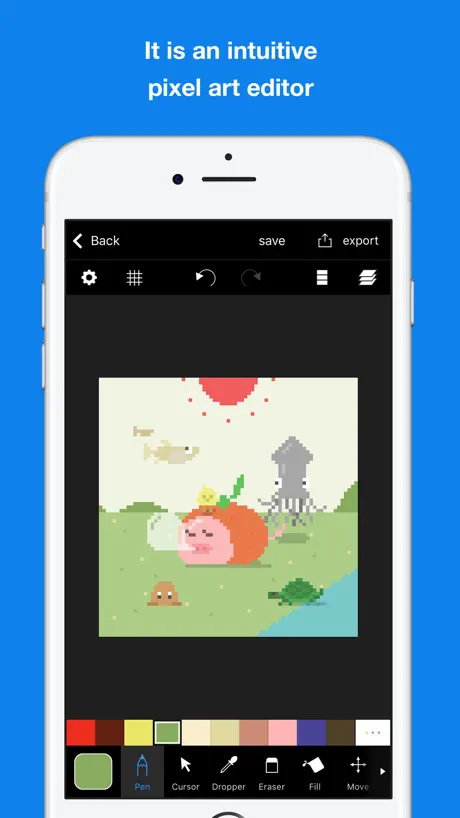
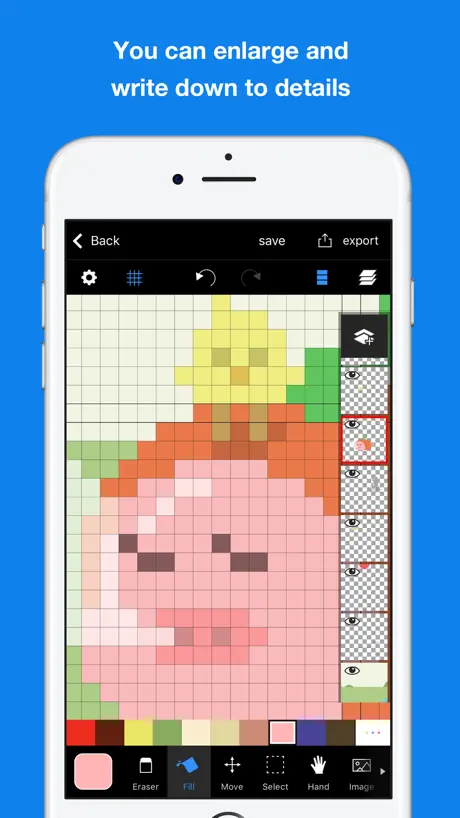
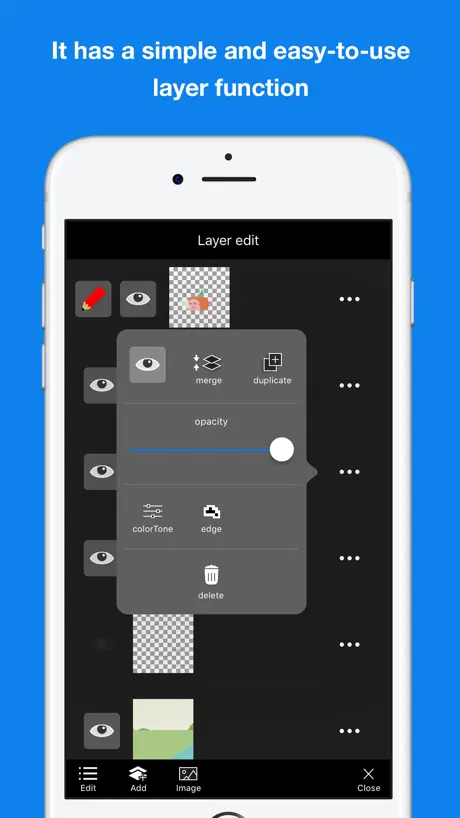
Pixel art editor
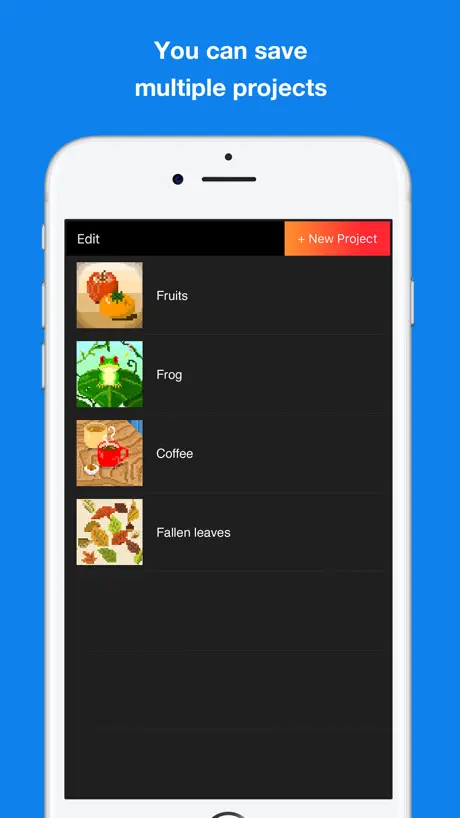
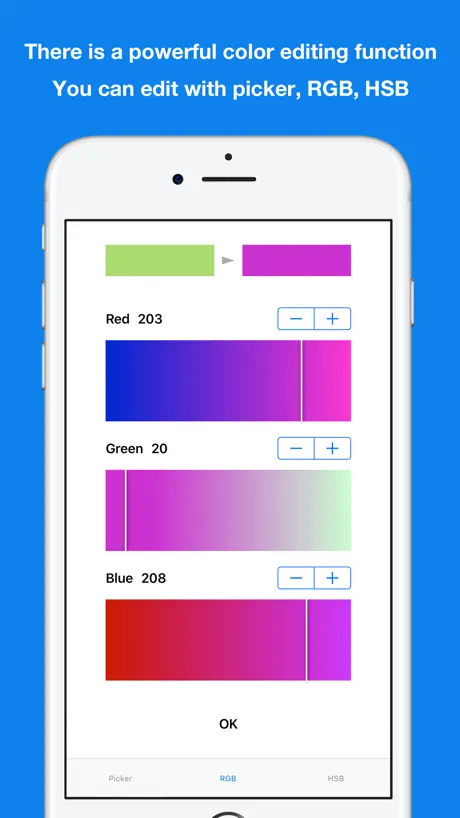
How much does Pixelable - Pixel Art Editor cost?
Prices are current as of 2 Oct 2026.
1 one-time purchase from $3.99
In the United States, Pixelable - Pixel Art Editor has 1 one-time purchase priced $3.99.
| Product | Price |
|---|---|
| Remove ads | $3.99 |
See what Pixelable - Pixel Art Editor costs in all 175 countries →
10+ alternatives to Pixelable - Pixel Art Editor
| Pixelable - Pixel Art Editor |   PokeArt - TCG Card Maker PokeArt - TCG Card Maker |   8bit Painter - Pixel Art 8bit Painter - Pixel Art |   Divoom: Pixel art community Divoom: Pixel art community |   Beads Creator - Bead Patterns Beads Creator - Bead Patterns |   Stick Nodes - Animator Stick Nodes - Animator |   Pixel Color - Color by Number Pixel Color - Color by Number |   JUMP PAINT by MediBang JUMP PAINT by MediBang |   Folioscope: Animation Network Folioscope: Animation Network |   Stick Nodes Pro - Animator Stick Nodes Pro - Animator |   Bot3D Editor - 3D Anime Editor Bot3D Editor - 3D Anime Editor | |
|---|---|---|---|---|---|---|---|---|---|---|---|
| Rating / 5 | 4.7 | 4.7 | 4.7 | 4.8 | 4.4 | 4.5 | 4.6 | 4.5 | 4.6 | 4.8 | 3.9 |
| Reviews | 11K | 103K | 62K | 52K | 25K | 25K | 17K | 12K | 10K | 9.6K | 6.6K |
| Released | 2016 | 2020 | 2014 | 2018 | 2017 | 2014 | 2017 | 2017 | 2016 | 2014 | 2017 |
| One-time price | $3.99 | $2.99 | $5.99 | — | $4.99 | — | $1.99 | — | $2.99 | — | — |
The going rate for each plan in United States, in its own currency, shaded from the cheapest price on the row to the dearest. Plans fewer than four in ten of the priced apps sell are left out.
Pixelable - Pixel Art Editor reviews
4.7 out of 5, based on 10,955 reviews.
What people like
- Very easy for beginners to learn
- Great tools for drawing and animation
- Fun and intuitive user interface
What they complain about
- Ads block basic actions like saving
- No auto save, work gets lost
- App crashes when trying to export
- Cursor lags behind your finger movement
Very peak app
I mainly downloaded this app for making sonic sprites, but now that I’m used to it after the first day of using it, it reminds me of my main drawing app, Ibis paint! I’d recommend this app to anyone interested in pixel media.
ads
the ads are unbearable
I LOVE IT
It’s soo good I just so
Gone downhill
It used to be an excellent choice of a free pixel editor, but now it's full of ads that will not let you out of them even after they finish and half the time I click the save button it crashes and undoes all my progress. After three times of it crashing and resetting my progress I have moved everything over to a different program until this issue is fixed.
New update bug
Now literally cannot create new art or duplicate existing art whatsoever
easy
very fun and easy to use
ほんとにむり
めちゃくちゃ頑張って描いたのに保存の段階でフリーズ?して全てがぱあになった 私の6時間が無駄になったの本当に無理
For my projects
Love the options that you can do to make the paper size and all the colors you can choose from, i just wish you could save the photos with or without grids, alot of the ones i make i need grids for my crochet projects! Other than a screenshot works when i need it. Hopefully they would update it with it!! Amazing app love using it!
No auto save
It was a fine app till I decided to close out of it without manually saving it only to find out my entire piece of work is gone. What kind of art app has no auto save feature!
Hey, I’m kinda not happy with some of the drawing features
The drawing brush and erasing brush need custom sizes I usually draw on a big canvas size and honestly the smaller lead tool and draw tool and cutting it for me.
VERY GOOD (but a few minor annoyances)
The ui is very easy to use and it’s overall a really good pixel drawing app, but when i try and hide the layers, it just kinda.. flickers?? it doesn’t make the layer transparent and instead switches from hidden to unhidden. it’s kinda annoying. this can be solved by just turning down the opacity, but i feel like it’s something that should be fixed. also the colour dropper just refuses to work sometimes. there’s also a lot of ads but not SO much to the point where it’d be infuriating, so it’s good. other than that, the app is very useful and is a huge improvement from the other free pixel art apps that i’ve found :]
I’m devastated
Please I beg of you to make this app auto saving I spent hours of my life animating for it all to be deleted because it said I didn’t have photo access turned on, so I turned it on and my whole entire project didn’t save
Great app
Its a great app, for drawing and editing pixel art. However, there should be a transparent download for the pixel art, where the background is removed, especially because when you make a new project and are selecting the size, the grey and white checkerboard pattern appears, which is usually associated with a transparent background.
Fine until it stopped working.
The app is fine. It has a good range of tools, though the colors are weird to navigate (this is less of an issue for me as I use this as a cross-stitching template) & the layers are tricky. But now it’s stopped working. I can’t create new projects or duplicate them, it just says I have to wait for after the add. When I click on the buttons I get an error message, saying the ad has yet to finish loading. This has been going on for maybe a week, even after I’ve closed out of the app & powered off my phone. I don’t know what to do. Update: After deleting a project, it began working again. I’ve repeated this a few times. You can only have 10 projects before it breaks.
Mid
Its mid. Art apps should ever have adds
Good pixel art app
Pixel art is the best i’ve seen. Download this if you wanna make lots of pixel arts, so far i just started and im already good at this because it has a tutorial how to use everything!
App poorly designed
Why should you have to watch an ad for a new project? And why do you have to watch an ad to duplicate a project? This makes the app very limited offline. And the cursor doesn’t work well, and the undo buttons also stop working. The app started crashing when you tried to save, and would not export anything.
Alpha colors or transparent colors
Pls add these and then I think it would be amazing and also add a 512x512 pixels pls
セーブ
こまめに保存しないと消えます しばらく別のことして戻ると白紙です お絵描きアプリとしてそれはどうなんでしょうか しんどい
Pls help
Can you add a feature with the paint bucket? The one that changes all the every pixel that’s the same color as the one it touches? It’s kind of tedious to have to change each pixel color one by one.
Love it, but…
Really love the app, but the fact that I cannot change the order of projects to bundle them together is just so inconvenient. I have to recopy stuff 20 times to get it done and watch an add every time
Too many ads
Can’t even do anything without wasting 30 seconds
Great use
This product is at 10 out of 10 app it uses all the newest features and you can even use pictures that you have on your phone for it so it is one of the greatest pixel art apps I have ever seen four stars
広告が…
広告が入ってから新規も複製もエラーが出て作成できない状態なので困ってます… たまにしか使いませんが、数あるドットアプリの中で一番便利だったので広告なしにする買い切りオプションとかつけてほしいなって思いました。 あとはアカウント制でデータ共有とかできるようなものがあればいいのになぁ。 データ改良にはお金もかかると思うので広告つけるならエラー出ると困るので買い切り制にしてほしい…
Fix it
The sizes can’t go any more smaller in pixels, also you can’t rotate drawings im trying to rotate it because I made it wrong and I cant
super easy to use!
It’s super easy! It’s a really good app and I made art within 40 minutes! I love pixel art and now I can create it!
広告のまま戻らない
そのままです。広告が終わったのに戻らず一旦再起動しないといけないためすぐに直してほしいです
Doesn’t auto save
has a lot of really good helpful features but beware it doesn’t auto save
Bad at saving
Need to explicitly ask the app to save your changes. I get that it’s pixel art but that doesn’t mean the saving has to be from the 90s too.
It’s good but I think you could add more
It’s good but it’s lacing a lot i love it but when I found pixel brush this game looked like a little baby pls improve it more
Best app ever
Made a sick yellow fox with a hot frying pan.
Schade
Speichert nicht automatisch. Gesamten Fortschritt verloren…
Ads…
Can’t start new project nor duplicate the existent one because of the error I would watch ads if I could or at least brought paid version without any so I can continue using this app I really don’t want to move since I got used to this one
Meh
Good app but ads are annoying.
Won’t let me copy and paste
Won’t let me copy and paste and when I put a picture in it gets rid of all my work
Great App, But...
This Pixel Art app is great, and i been using it since 2016 but i think it needs some changes. Instead of the canvas limit being 256 x 256. It should be customizable, and add 2 new tools, one to remove one color, and the other to replace it. And add a grid size for tilesets. I hope you consider these ideas, and add them.
自分には合わない
とても使いにくかったです。 普段絵を描かない人が始めるには良いかも知れません。 普段、フォトショップやアイビスペイント等を使い慣れていると操作性の悪さでまともに触れないかも知れません。 二本指のズームが出来ますが、ズームした時に触れた事でドットが打たれています。ズームして動かしてドットを打った後に縮小すると別の箇所に不必要なドットが打たれていて、アンドゥしようにも巻き戻し回数が少ないから戻れません。 カラーパレットが10色ずつに分かれていて使いづらいです。 レイヤーの前後はレイヤーを右側に表示している時に長押しで出来ますが、レイヤー編集画面では出来ません。 ある程度描画に必要な機能は備わっているので根気強く使いこなそうとする方には使いこなせるかと思います。 自分個人的には合いませんでした。
I think it’s a great app
❤️
Mirroring
Is it just me bc when I try to mirror with pen2+ it’s not directly from the center. It makes the pixels not equal on both sides. How do I fix this.
Excellent
Excellent for pixel art drawing and basic animations
It can’t fking auto save
I spend one day of my life to work on my project then I turned off my iPad went to sleep(i didn’t even closed the software ) the next day I check everything gone :)
Pixel art
One of the greatest pixel art apps
It’s good, but why can’t I put an existing pixel art photo in?
Title says it all
Best art ever
I love it really much because you can do a bunch of things and you can. Do pixel. Art in different sizes plus you can save your art in your camera roll:)
Nice but laggy
Lots it’s nice about this app but the drawing is terrible - when you move your finger, it doesn’t actually draw until a second or so later. This totally ruins an otherwise promising app!
Suggestion
Hi, please make a feature like the other apps where you can have a one time purchase to stop the ads, otherwise very intuitive and fun app
How much space there is
It’s a very good software to use but it only can take 100 pieces of art please fix this
Pixelable - Pixel Art Editor price by country
A one-time purchase costs $3.51 in Canada and $5.97 in Colombia — 1.7× more for the same thing. Below is the going rate for each plan in every country that sells it — the middle price of what the app charges there, in the country's own currency with the dollar equivalent beneath it.
| Country | One-time |
|---|---|
| Afghanistan | $3.99 |
| Albania | $4.99 |
| Algeria | $3.99 |
| Angola | $3.99 |
| Anguilla | $3.99 |
| Antigua And Barbuda | $3.99 |
| Argentina | $3.99 |
| Armenia | $4.99 |
| Australia | A$5.99$4.16 |
| Austria | €3.99$4.52 |
| Azerbaijan | $4.99 |
| Bahamas | $3.99 |
| Bahrain | $3.99 |
| Barbados | $4.99 |
| Belarus | $4.99 |
| Belgium | €3.99$4.52 |
| Belize | $3.99 |
| Benin | $4.99 |
| Bermuda | $3.99 |
| Bhutan | $3.99 |
| Bolivia | $3.99 |
| Bosnia & Herzegovina | €3.99$4.52 |
| Botswana | $3.99 |
| Brazil | R$24.90$4.79 |
| British Virgin Islands | $3.99 |
| Brunei Darussalam | $3.99 |
| Bulgaria | €3.99$4.52 |
| Burkina Faso | $3.99 |
| Cambodia | $3.99 |
| Cameroon | $4.99 |
| Canada | CA$4.99$3.51 |
| Cape Verde | $3.99 |
| Cayman Islands | $3.99 |
| Chad | $3.99 |
| Chile | CLP 4,990$5.13 |
| China | CN¥28.00$4.17 |
| Colombia | COP 19,900$5.97 |
| Congo | $4.99 |
| Congo, Democratic Republic | $3.99 |
| Costa Rica | $3.99 |
| Cote Divoire | $4.99 |
| Croatia | €3.99$4.52 |
| Cyprus | €3.99$4.52 |
| Czech Republic | CZK 99.00$4.59 |
| Denmark | DKK 39.00$5.92 |
| Dominica | $3.99 |
| Dominican Republic | $3.99 |
| Ecuador | $3.99 |
| Egypt | EGP 199.99$3.85 |
| El Salvador | $3.99 |
| Estonia | €3.99$4.52 |
| Fiji | $3.99 |
| Finland | €3.99$4.52 |
| France | €3.99$4.52 |
| Gabon | $3.99 |
| Gambia | $3.99 |
| Georgia | $4.99 |
| Germany | €3.99$4.64 |
| Ghana | $4.99 |
| Greece | €3.99$4.52 |
| Grenada | $3.99 |
| Guatemala | $3.99 |
| Guinea-bissau | $3.99 |
| Guyana | $3.99 |
| Honduras | $3.99 |
| Hong Kong | HK$32.00$4.08 |
| Hungary | HUF 1,790$5.54 |
| Iceland | $4.99 |
| India | ₹399.00$4.16 |
| Indonesia | IDR 79,000$4.41 |
| Iraq | $3.99 |
| Ireland | €3.99$4.52 |
| Israel | ₪12.90$4.20 |
| Italy | €3.99$4.52 |
| Jamaica | $3.99 |
| Japan | ¥600$3.81 |
| Jordan | $3.99 |
| Kazakhstan | KZT 2,490.00$5.66 |
| Kenya | $4.99 |
| Kosovo | €3.99$4.52 |
| Kuwait | $3.99 |
| Kyrgyzstan | $3.99 |
| Lao Peoples Democratic Republic | $3.99 |
| Latvia | €3.99$4.52 |
| Lebanon | $3.99 |
| Liberia | $3.99 |
| Libya | $3.99 |
| Lithuania | €3.99$4.52 |
| Luxembourg | €3.99$4.52 |
| Macao | $3.99 |
| Macedonia | $3.99 |
| Madagascar | $3.99 |
| Malawi | $3.99 |
| Malaysia | MYR 19.90$4.88 |
| Maldives | $3.99 |
| Mali | $3.99 |
| Malta | €3.99$4.52 |
| Mauritania | $3.99 |
| Mauritius | $4.99 |
| Mexico | MX$89.00$4.92 |
| Micronesia | $3.99 |
| Moldova | $4.99 |
| Mongolia | $3.99 |
| Montenegro | €3.99$4.52 |
| Montserrat | $3.99 |
| Morocco | $4.99 |
| Mozambique | $3.99 |
| Myanmar | $3.99 |
| Namibia | $3.99 |
| Nauru | $3.99 |
| Nepal | $4.99 |
| Netherlands | €3.99$4.52 |
| New Zealand | NZ$6.99$3.95 |
| Nicaragua | $3.99 |
| Niger | $3.99 |
| Nigeria | NGN 6,900.00$5.19 |
| Norway | NOK 49.00$5.10 |
| Oman | $3.99 |
| Pakistan | PKR 1,100$3.97 |
| Palau | $3.99 |
| Panama | $3.99 |
| Papua New Guinea | $3.99 |
| Paraguay | $3.99 |
| Peru | PEN 17.90$5.20 |
| Philippines | ₱249.00$3.97 |
| Poland | PLN 19.99$5.19 |
| Portugal | €3.99$4.52 |
| Qatar | QAR 14.99$4.12 |
| Romania | RON 19.99$4.30 |
| Russia | RUB 349.00$4.17 |
| Rwanda | $3.99 |
| Sao Tome & Principe | $3.99 |
| Saudi Arabia | SAR 17.99$4.80 |
| Senegal | $4.99 |
| Serbia | €3.99$4.52 |
| Seychelles | $3.99 |
| Sierra Leone | $3.99 |
| Singapore | SGD 5.98$4.67 |
| Slovakia | €3.99$4.52 |
| Slovenia | €3.99$4.52 |
| Solomon Islands | $3.99 |
| South Africa | ZAR 79.99$4.87 |
| South Korea | ₩6,600$4.91 |
| Spain | €3.99$4.52 |
| Sri Lanka | $3.99 |
| St. Kitts and Nevis | $3.99 |
| St. Lucia | $3.99 |
| St. Vincent & The Grenadines | $3.99 |
| Suriname | $3.99 |
| Swaziland | $3.99 |
| Sweden | SEK 49.00$4.90 |
| Switzerland | CHF 3.00$3.59 |
| Taiwan | NT$120.00$3.76 |
| Tajikistan | $3.99 |
| Tanzania | TZS 11,900.00$4.49 |
| Thailand | THB 149.00$4.44 |
| Tonga | $3.99 |
| Trinidad and Tobago | $3.99 |
| Tunisia | $3.99 |
| Turkey | TRY 199.99$4.08 |
| Turkmenistan | $3.99 |
| Turks and Caicos | $3.99 |
| Uganda | $4.99 |
| Ukraine | $4.99 |
| United Arab Emirates | AED 14.99$4.08 |
| United Kingdom | £3.99$5.29 |
| United States | $3.99 |
| Uruguay | $3.99 |
| Uzbekistan | $3.99 |
| Vanuatu | $3.99 |
| Venezuela | $3.99 |
| Vietnam | ₫119,000$4.59 |
| Yemen | $3.99 |
| Zambia | $4.99 |
| Zimbabwe | $4.99 |
Pixelable - Pixel Art Editor FAQ
- Is Pixelable - Pixel Art Editor free?
- Yes. The app and its basic features are free, in all 175 countries it sells in. Premium features are paid: they start from $3.99 (US), across 1 one-time purchase.
- Does Pixelable - Pixel Art Editor have a free trial?
- No. None of its offers (US) come with a free trial.
- Where is Pixelable - Pixel Art Editor cheapest?
- A one-time purchase costs CA$4.99 (≈$3.51) in Canada and COP 19,900 (≈$5.97) in Colombia, its cheapest and dearest countries.
- What are the best alternatives to Pixelable - Pixel Art Editor?
- PokeArt - TCG Card Maker (4.7 from 102,784 reviews, premium from $2.99), 8bit Painter - Pixel Art (4.7 from 61,980 reviews, premium from $5.99) and Divoom: Pixel art community (4.8 from 52,309 reviews).
Pixelable - Pixel Art Editor download
Last updated 2 years ago.
Pixelable - Pixel Art Editor sells in 175 countries. It was released 9 years and 9 months ago, on 21 Dec 2016. It holds a 4.7 rating from 10,955 reviews.
Supports 2 languages: English, Japanese.
How much does Pixelable - Pixel Art Editor make?
Third-party estimates for the last 30 days, worldwide — not the store's own figures, which Apple publishes for nobody.
Revenue by plan
- One-time 100%
Revenue by country
- United States 43%
- Japan 22%
- South Korea 7%
- United Kingdom 3%