
Bangkok Bank Mobile Banking

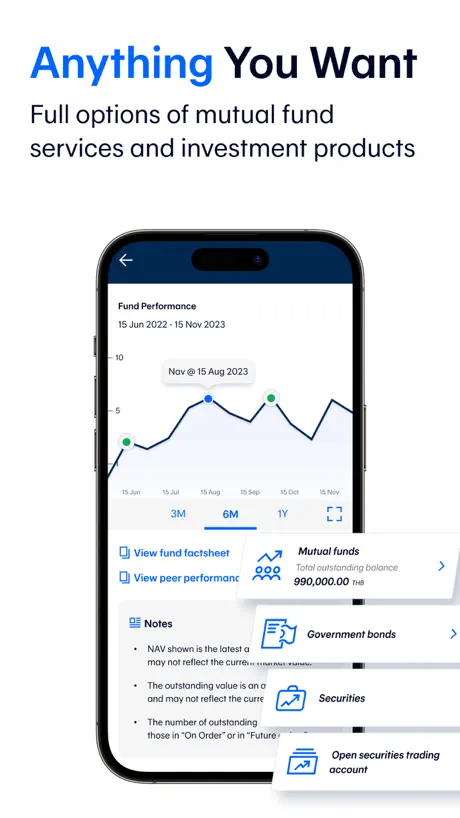
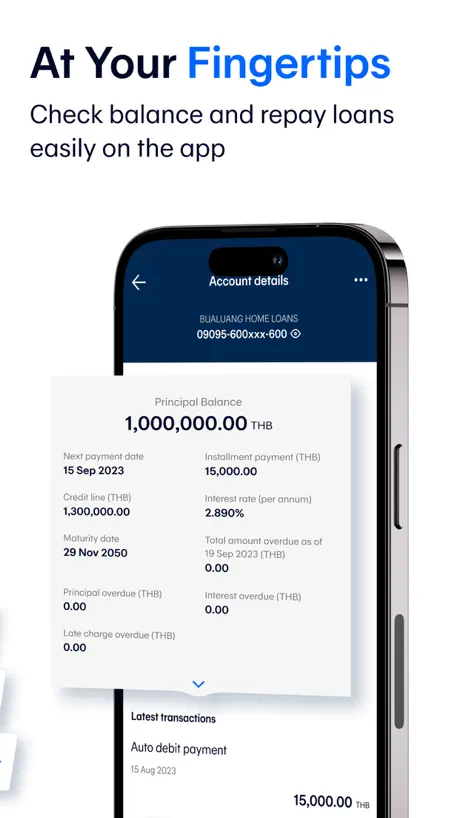
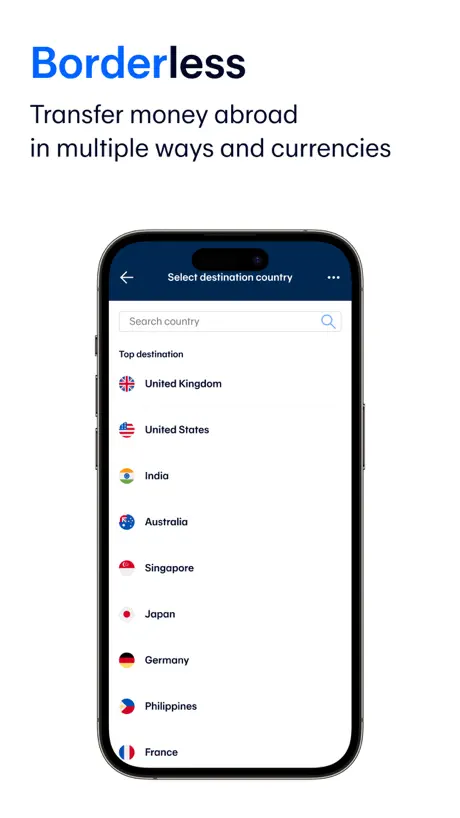
How much does Bangkok Bank Mobile Banking cost?
Prices are current as of 7 Sept 2026.
Bangkok Bank Mobile Banking has no in-app products on record in the United States.
10+ alternatives to Bangkok Bank Mobile Banking
| Bangkok Bank Mobile Banking | 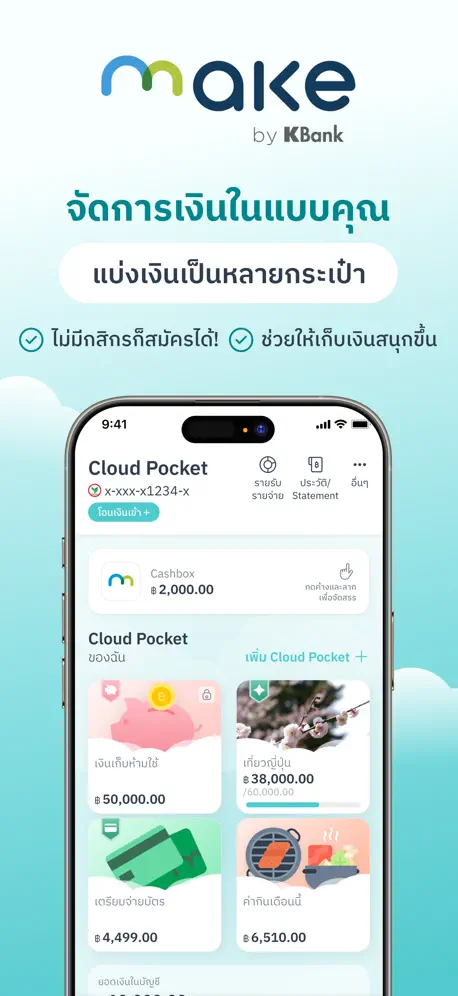  MAKE by KBank แอปจัดการเงิน MAKE by KBank แอปจัดการเงิน | 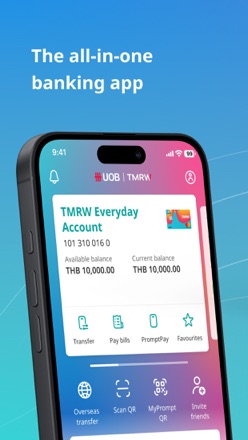  UOB TMRW Thailand UOB TMRW Thailand | 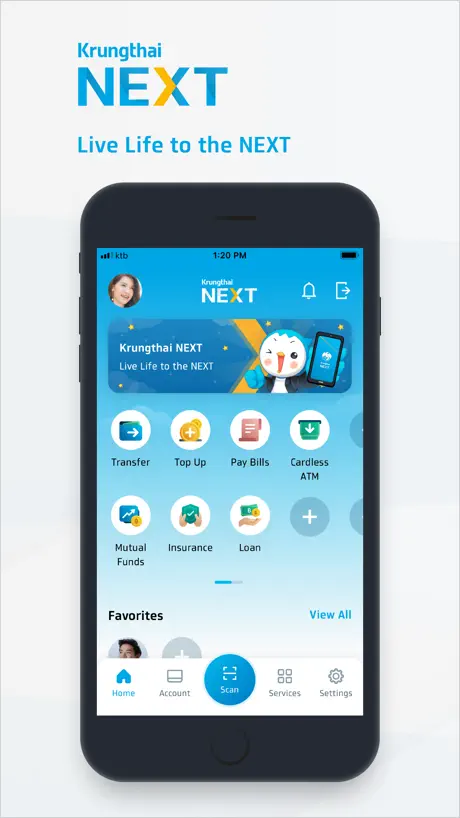  Krungthai NEXT Krungthai NEXT |   K PLUS K PLUS |   ttb touch ttb touch | 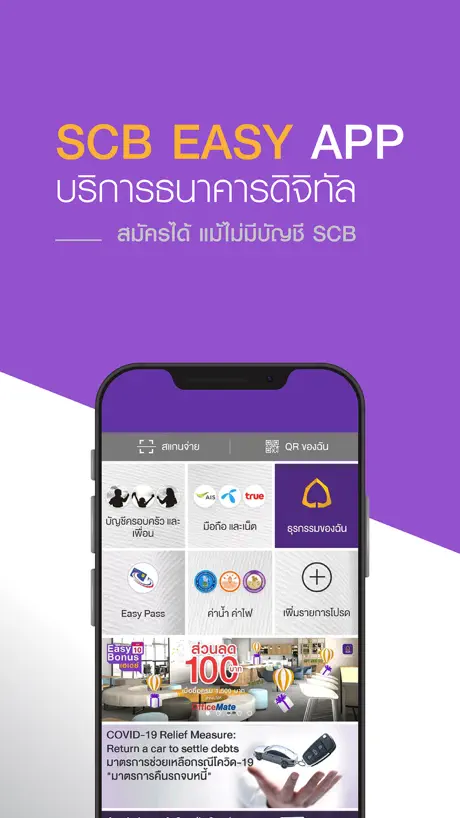  SCB EASY SCB EASY |   krungsri krungsri |   CIMB THAI CIMB THAI | |
|---|---|---|---|---|---|---|---|---|---|
| Rating / 5 | 3.9 | 4.9 | 4.7 | 3.4 | 3.7 | 3.6 | 3.4 | 2.8 | 3.2 |
| Reviews | 33K | 311K | 149K | 54K | 34K | 28K | 26K | 13K | 1.1K |
| Released | 2013 | 2020 | 2017 | 2011 | 2010 | 2014 | 2012 | 2012 | 2018 |
Bangkok Bank Mobile Banking reviews
3.9 out of 5, based on 33,053 reviews.
What people like
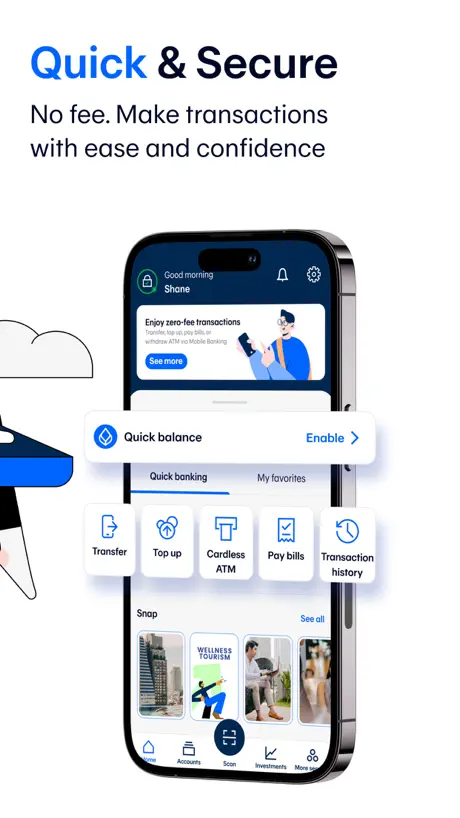
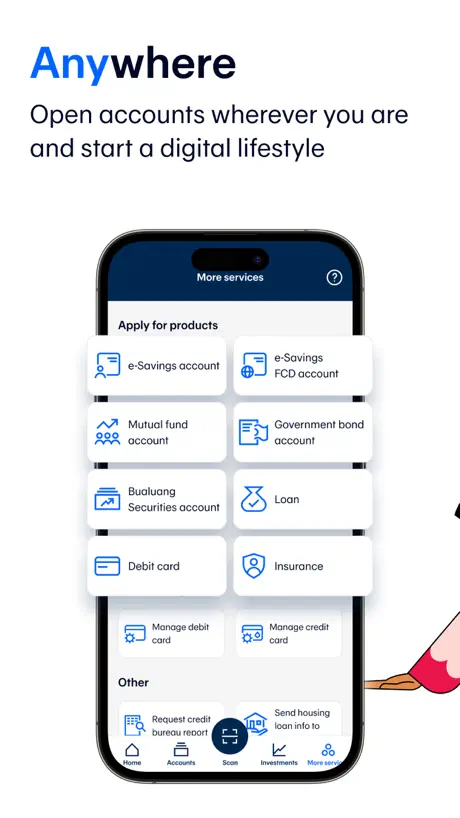
- Makes paying bills and topping up easy
- Barcode scanning for payments works really well
- New design feels lighter and more open
What they complain about
- Freezes accounts without warning or clear reason
- Facial recognition fails in normal indoor lighting
- Apple Watch support was removed in update
- Very hard to use if you move phones
สุวิมล
สะดวกดีค่ะ
Buggy
App is stuck on loading screen with the message “Connection is unstable” while all other my internet-based apps and browsing work just fine Not the first time this has happened, and quite glaringly terrible user experience, if god forbid one actually needed to use the app to pay for something
งง
ให้4ดาว ถ้าวันนี้เข้าได้จัให้5
Always problems
Frequent frustrating sessions and roadblocks. Example - right now I can’t log in. Sigh.
ช่วยให้มีฟังชั่นโอนเงินไปยัง CLICX bank
ขอให้รีบอัปเดท ให้สามารถโอนเงินไปยัง ธ CLICX ได้ทีครับ
ไม่แจ้งเตือน
เปิดทุกอย่าง แต่เงินเข้าออก ไม่แจ้งเตือนขึ้นจอเลย ทำไงคะ
Broken
It just says “connection is unstable” after logging in and it loops that message every time I click OK.
ปรับปรุงระยะเวลาการขอรายการเดินบัญชี
ควรปรับปรุงระยะเวลาการขอรายการเดินบัญชีเพราะค่อนข้างใช้เวลาเวลานานมากๆถ้าเทียบกับธนาคารอื่นๆ
Facial recognition
Your answer to a previous review was totally inadequate . There are times and places where I DON’T have bright light, thus the feature is useless. STILL refuses to recognise my face, keeps stating I have facial covering. Absolutely pathetic app.
ลูกเล่นในแอพ
อยากให้มีลูกเล่นด้วยค่ะ ธีม หรืออื่นๆ เนื่องจากตัวแอพดูจืดชืดเกินไปค่ะ🥹
Good
Easy
Worst bank worst app
Do not open an account here. Will move my business and personal accounts to another bank ASAP… had it. Do not use BBL.
Good, but not optimized for iPhones with Dynamic Island
The top navigation bar is difficult to interact with because it’s too close to the top edge of the screen. It’s also odd that you have to manually open the Notifications section in the app to clear the badge count on the app icon.
Not working?
I had this app on my phone for 2 years, now it is very sluggish. I deleted the app and tried to reinstall it. Now, it will not download?
อยู่ดีๆบัญชีก็หาย
.
Easy to use
The app is easy to use and with the recent update/version, it seems to function more smoothly
Not stable
Don’t use this bank like scam
Works good
But really need for “favorite numbers”, so I can transfer to the contacts I have already sent money. Enter numbers every time is sooo uncomfortable
Missing standard/basic Payee for paying bills
Does not allow payment for government services outside Bangkok such as PEA
恶心
用着的时候强制更新很恶心啊
This is the best banking app
This is the best banking app for me! No matter where I travel or even if I switch to a new phone, I can still use the app easily and without any issues. It’s always convenient and hassle-free!
Untrust bank
"Bangkok Bank opened bank accounts without a stable banking policy. They also required people with visa-free, tourist visas, and DTV visas to buy insurance to open an account. On August 19th, without any explanation, they froze these bank accounts. After making visa-free, tourist visa, and DTV visa holders wait for over a month (some even longer), they contacted them to close their accounts and withdraw their money. The DTV visa is a 5-year visa (with a 6-month exit requirement). Isn't the Thai government's intention for this visa to attract medical tourists, people in soft power fields (chefs, Muay Thai), and digital nomads with a relatively expensive visa? How are these people supposed to live in this country without a bank account? How will they pay for medical appointments, rent, and daily expenses? The world is in the age of digital payments. Do you want people to go backward and use cash? There are many people from Myanmar who are living in Thailand to keep their money safe because of the war. But now, you have destroyed people's trust. You have caused people months of distress. Your bank's service deserves only 1 star."
New UI is Cleaner
I like the new UI; it feels “lighter” and more open. I still don’t understand what “Snap” Means, though
By khor
Too many update☹️
出生日期不能选择
出生的年份不能选择
Download
Why can’t I download the last compatible version
Worst Bank Ever,No System,Can’t Trust
Never collect money in this bank.They don’t care about customers’ assets.No specific rules and regulations.Staffs even a branch manager doesn’t know the procedures.Can’t trust at all.Bye Bye Forever.
App disappeared
The app disappeared off my phone, so now I have to go in to App Store every time I want to use it And I can’t get it back on the phone
ต่างประเทศลงใหม่แอฟมีปัญหา
อยู่ต่างประเทศ ใช้โทรศัพท์เครื่องใหม่ลงแอฟ มีปัญหาให้ติดต่อโทรศัพท์อย่างเดียว จะทำไงดีคะ
Not good but…
Cool app but absolutely useless if you suddenly decided to change your phone. It cannot be installed outside of Thailand. No customer service for basic online tasks. So all those who use it, be vigilant. The application does not allow to register using passport. It gives an error
I love it
This app works great, makes doing business here in Thailand very easy
The worst bank in Thailand
Last year Bangkok bank was allowed to open the account by selling insurance to the people who hold TR visa. This year they immediately closed all the accounts without informing to account holder with TR visa. Their target was only to sell their useless insurance policy and I would it is a kind of cheating and lying. I strongly condemn the unethical/ unlawful practices of Bangkok bank!
The app is good, but
I want to make a purchase online with a debit card. I called Bualuang at 1333, but at a certain point everything resets. What to do?
History
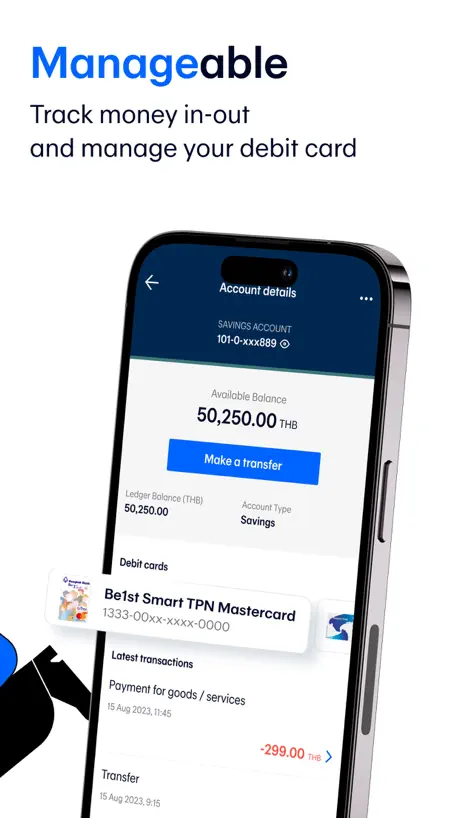
I get an SMS when I make a withdrawal or receive a payment but in the history on the app, it only shows payments, not receipts?
Facial security Failure..
The facial security for certain transactions is very dysfunctional. It only works in near perfect light conditions which in a tropical country are not easy to find . I find it a real pain and on more than one of occasion I’ve had to use a different payment method ..
I can scan now!
Top review is outdated, the scan and prompt pay functions work great. The app is easy to use and so convenient! Opening a bank with bkk bank was the easiest on tourist visa, had to pay 7k bhat, however it’s so worth it!!
Scammers bank
They sell insurance after that they close my bank
Банк
Приложение хорошая но не хватает много функций например нету копирования и повтор отправки средств на постоянно надо повторять номер счета кому вы хотите перевести что принципе не удобно можно сохранять всех клиентов списке им переводить деньги .
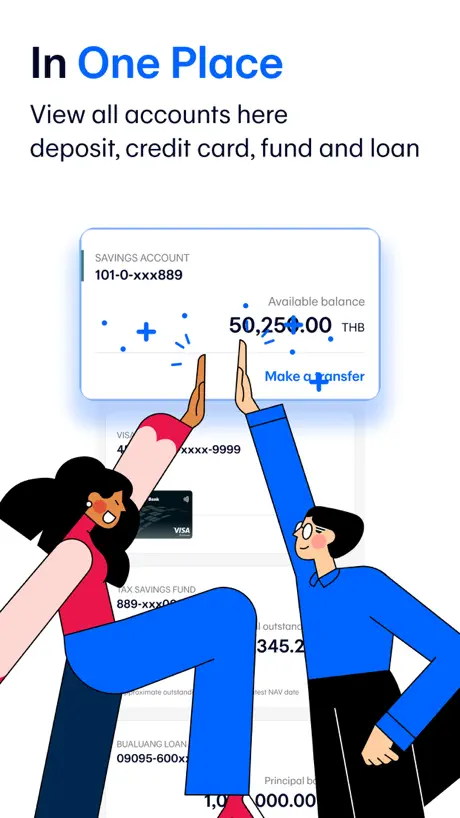
Can’t see full name on favourite transfer & missing transactions
The new layout is unable to show full names descriptions on the list of favourite transfers. Very confusing if you have 2 accounts name with different branches eg Ryan - Bangkok Branch & Ryan - Pattaya Branch. The layout only shows Ryan - Also the credit card transaction are very slow to show up on the statement. There is amount missing in the available balance so it’s seems there is a pending amount, but no idea from where. It would be very helpful that if there is a pending amount at least show what it is and how much. To be honest I preferred the previous version on the app, there seems to have more info and is more responsive with transactions. It was also very easy to read, the fonts are too small on the new version. I also found the previous version was more fresh looking, this version feels more dull and very boring.
Error as occurred
I want to use the MyQR function to recieve funds but whenever I go into the app to load my QR it automatically says “an error has occurred”. It does this every time I restart the app as well. Would love if it is fixed.
Apple Watch
Is it compatible with Apple Watch?
Untrusted Bank
Open Letter to Bangkok Bank and the People of Thailand I would like to share my experience as a foreign customer of Bangkok Bank. In order to open a bank account, I was required to purchase a one-year insurance policy worth 6,500 THB. However, before the one-year period was even completed, Bangkok Bank unilaterally suspended my account, along with the accounts of many other foreigners, citing “Visa-related reasons.” Here is the main point I want to raise: for every customer who pays 6,500 THB, if there are 100 such customers, the bank already collects 650,000 THB. This is not a small amount of money. Yet, after closing the accounts, the bank has not been able to provide an immediate refund. Such actions show a serious lack of responsibility and concern for customers. For a bank, trust is everything. But with practices like this, Bangkok Bank makes it clear that it does not respect or care about its users. This is not only unfair to foreigners, but it also damages Thailand’s reputation as a welcoming and trustworthy country. Before I already checked I like their motto "Your Trusted Partner “. Also their Billboard Advertising is Bangkok Bank connecting ASIAN. This Bank is totally Liar .
Region of iPhone must be Thailand!
Account transfers details only show zero amounts and the transfer amount of 1,000 Baht is reduced to 1 Baht. Update: Works if you change your region to Thailand in the settings of your iPhone.
What happened to the Apple Watch App?!
The latest update certainly looks nice but very disappointed the Apple Watch support has been discontinued. If I’d know that I would have held off updating to this new version. Please bring it back!
Payee search function no longer working.
Since the latest update, the payee search function has stopped working. e.g. Pay Bills > Select Payee > Search > (Enter “ 123 Payservice”) Nothing happens.
Excellent banking app
Excellent app. Can pay bills by scanning barcodes and top up phone. Can also transfer money to other people. Works very well.
Scam bank
froze my account .Even after i provided all the documents to bank, still froze my money without giving any reasons. Why? are you on bankrupt?
没有中文
没有中文
ระบบไม่สมบูรณ์แบบ
ใช้งานได้ระดับเบสิคแต่พอเวลามีปัญหาเรื่องระหัสก้อยังไม่สามารถแก้ไขออนไลน์ได้
Good, but not perfect
Please make chat with operator inside application. I have this error and I’m not in Thailand. I tried to call in roaming but it’s not work. If you wish to make an online purchase with your debit card, please call Bualuang Phone 1333. (DB00)
Bangkok Bank Mobile Banking FAQ
- Is Bangkok Bank Mobile Banking free?
- Yes. The app is free, in all 175 countries it sells in, and it sells nothing inside it.
- Does Bangkok Bank Mobile Banking have a free trial?
- No. None of its offers (US) come with a free trial.
- What are the best alternatives to Bangkok Bank Mobile Banking?
- MAKE by KBank แอปจัดการเงิน (4.9 from 310,760 reviews), UOB TMRW Thailand (4.7 from 148,971 reviews) and Krungthai NEXT (3.4 from 53,553 reviews).
Bangkok Bank Mobile Banking download
Last updated 1 month ago.
Bangkok Bank Mobile Banking sells in 175 countries. It was released 12 years and 9 months ago, on 18 Dec 2013. It holds a 3.9 rating from 33,053 reviews.
Supports 1 language: English.
How much does Bangkok Bank Mobile Banking make?
Third-party estimates for the last 30 days, worldwide — not the store's own figures, which Apple publishes for nobody.