
Aloft Air Aware
FAA-Approved B4UFLY Service

How much does Aloft Air Aware cost?
Prices are current as of 6 Nov 2026.
Aloft Air Aware has no in-app products on record in the United States.
10+ alternatives to Aloft Air Aware
| Aloft Air Aware |   Spot the Station |   Sporty's Pilot Training |   Ham Radio Prep |   FAA PART 107 Practice Test |   Part 107 - FAA Practice test |   PlaneEnglish: ARSim |   RepeaterBook |   Prepware Remote Pilot UAS |   Pilot Institute App |   UASidekick | |
|---|---|---|---|---|---|---|---|---|---|---|---|
| Rating / 5 | 4.0 | 4.8 | 4.9 | 4.8 | 4.8 | 4.6 | 4.0 | 4.3 | 4.1 | 4.1 | 3.6 |
| Reviews | 125 | 16K | 11K | 2.2K | 2K | 1.1K | 528 | 415 | 107 | 24 | 23 |
| Released | 2023 | 2023 | 2017 | 2020 | 2022 | 2023 | 2019 | 2013 | 2016 | 2025 | 2017 |
| Monthly price | — | — | — | — | $19.99 | $6.99 | $13.99 | — | — | — | — |
| Annual price | — | — | — | — | $69.99 | $19.99 | $95.99 | $14.99 | — | — | — |
The going rate for each plan in United States, in its own currency, shaded from the cheapest price on the row to the dearest. Plans fewer than four in ten of the priced apps sell are left out.
Aloft Air Aware reviews
4.0 out of 5, based on 125 reviews.
What people like
- Easy to understand and use
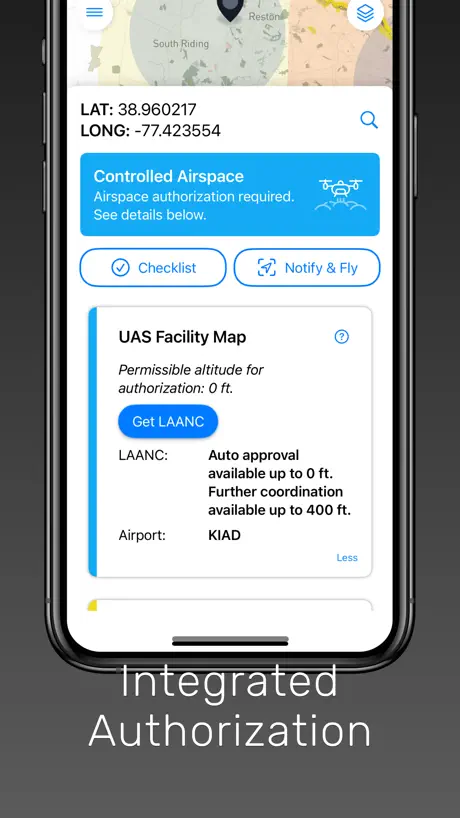
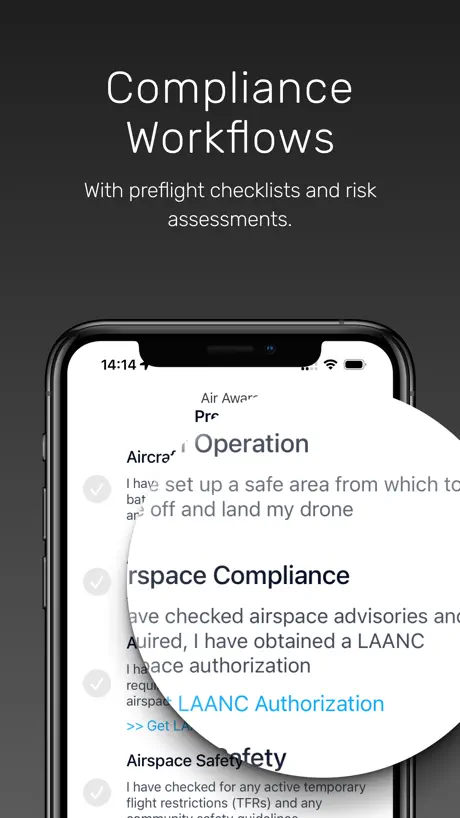
- Good for LAANC approvals
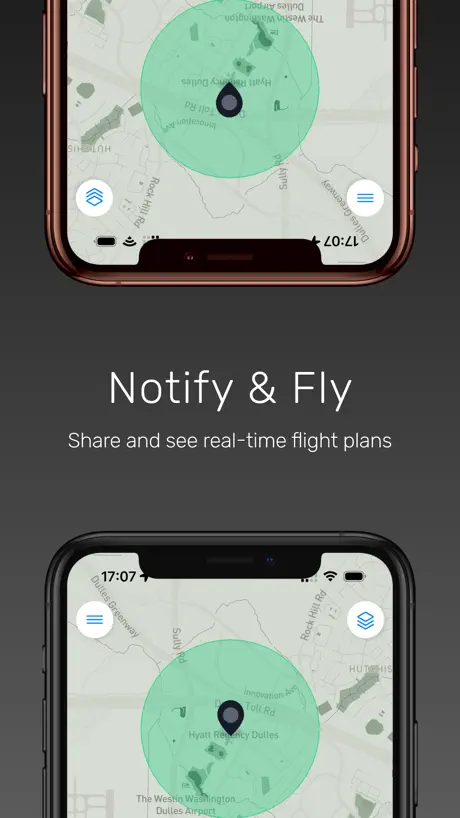
- Great notify and fly feature
What they complain about
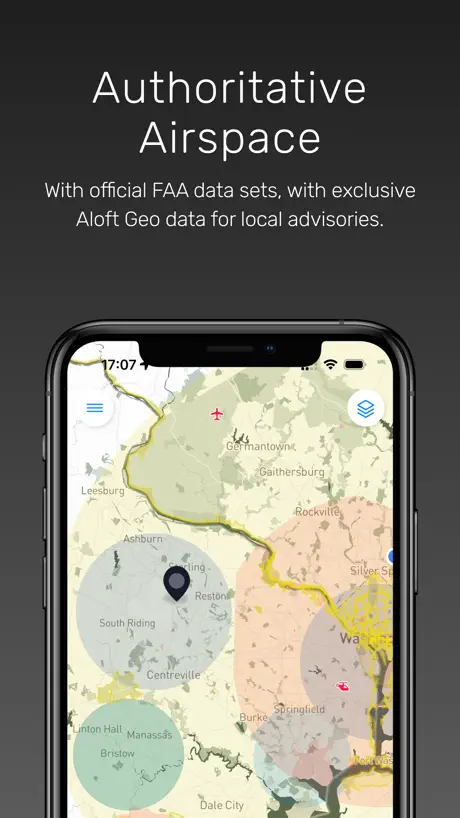
- Does not show active TFRs
- UI buttons disappear or don't work
- Shows wrong airspace restrictions
Too good
No interferance and i can see where i can fly my drone or not and get autorization
Doesn’t account for active TFRs
Wanted to like this app but it doesn’t show active TFRs so what’s the point?
Not bad
Would love to see satellite map options and dark mode. Also a button to recenter the map at my location.
Map Error
One of my common flying sites is about 950 feet INSIDE the TFR when the president is at his golf course in New Jersey. This is per the FAA website. I recently downloaded Air Aware and found it shows this flying site to be about 900 feet OUTSIDE the TFR. I reported the discrepancy to the company and have been ignored.
Flight status
can you not delete accidental flight posts? I've been looking all over the app and its impossible to find that setting...
Updated
I knew I could fly Sanibel w/out waivers, nice update on maps
This app could get people in trouble
This app doesn’t show restricted air space over wildlife refuges and shows no authorization required when you tap in that area. I think this is a huge oversight and there are other apps that in fact due show it. While it is up to the pilot to know this but showing it’s ok on the maps is well not ok.
Further UX needed.
Overall, I really like this app—it’s well designed and helpful—but it could be clearer about the difference between planning a flight and actually submitting a LAANC request. At times, it feels like you’re about to send a live request before you’ve fully reviewed the airspace details.
Poor usability
After typing in an address; the keyboard remains on screen obscuring map. There are much better apps available.
Its ok
Its mostly good nut
FNG
Looks like a great app. Easy to use, so far. Intuitive prompts. I am looking forward to the free class on the mini 5 pro. Can’t wait to do my first flight when I get a drone
not good portrait only really!
I don’t know of any cunsumer Drones that can fly 30 miles. to have an automaitc warning for DC if you are within 30 miles is stupid. rules that make no sense are a big problem. They don’t seem like it, but they are. less rules means the ones that matter are more likely to be followed.
Good but...
It's all good but I would like it better if you didnt need a separate app to get a LAANC but otherwise great app!
Not Ready for Use
This app isn’t ready. Buttons disappear at the bottom of screen (iPhone 13 Pro), layers are not selectable, and no altitude grids inside controlled space.
Zones are starting to not show up correctly
Seems that the app has been losing no flight areas, might need an update or check on the backend
LAANC#
It would be amazing to receive a confirmation number
Poor and misleading information
The quality of the app and the interface are both garbage. You can’t fly in some cities (like Boulder,CO) but the app gives it the all clear. It’s also super annoying that you can’t turn off layers, the airport or stadium layers block the other layers so you can’t see anything. Garbage app.
WARNING: Missing CRITICAL FAA restrictions!
National Wildlife Refuges restrictions are not YET enforced in app. (You'll still see the green clear airspace "OK to FLY" notification.) Get caught flying in one of them and you may find yourself in trouble! Providing you're aware of this, it's a valuable tool for both recreational and commercial pilots!
Color of the overlays are difficult to differentiate.
Air Control, same developer, has better shading. But anything by Aloft feels incomplete. Perhaps it's the pay wall of features between their enterprise, drone management system that causes this side to feel two-dimensional. Air Control is good since it gives you LAANC confirmations and will keep them in app if needed. Hope this gets better for PilotInstitute.com. Aloft really needs a better UI and workflow. Especially as the major player and developer for the FAA.
It would be MUCH BETTER IF…./
Nice app! It would be much better if it had a distance scale. The scale could be shown as a ruler and/or by tapping a point on the screen, the distance between the point tapped and the blue circle would show. This is quite important for planning your flight. Thank you. Ken
Excellent app
I really enjoyed the process on this app and its accuracy to take through every possible way of minimizing risk and danger for us as pilots and others; especially marking the zone where you are flying either commercial or recreational.
What were they thinking?
The Notify and Fly function is a good thought but useless requiring a reCAPTCA (sp?). Find a different app.
Doesn’t show other LAANC
This has been my go to app for LAANC. I really like that I can do a “notify and fly” notification when I don’t need LAANC. I think that is a great idea to further enhance NAS safety. However, I am trying out a new app, AutoPylot as my backup in case this one doesn’t work for some reason. I posted a LAANC flight through that app but it does not show up in this app. I think any and all LAANC requests should show up in all LAANC apps to enhance pilot situational awareness and NAS safety of flight. If 5 other pilots are flying around me and all five are using a diferent app than me, none of us will know there are multiple other drones in the area causing a dangerous collision risk. This issue should be addressed by all LAANC apps immediately!
Buggy
Makes me verify that I’m human 3 or 4 times before I can file a flight plan. (users are getting tired of this bull crap) Constantly reloads, so then it’s telling me to be careful because some drone pilot just filed a FP at my exact location (yeah it was me thanks) And then I get buzzed by a 2 passenger plane that never showed up at all. So it’s either not showing me manned aircraft or people aren’t filing with this system.
Don’t understand
Do not understand how to use this app, is there a place to enter a profile? If you notify others of your recreational flight, how do they know if it is you and how do you cancel the notification if you decide not to fly, or stop earlier? Etc..
First time for Lannc
I have used Aloft Air Aware for a while now to check airspace space. I used Lannc for the first time to get approval to fly 400 max in Wilmington NC ILM class D airspace. Easy and got I approval right a way. Easy to use
Why are there like 4 apps?
I don’t know what this company is doing but they keep releasing apps then dropping support for them and releasing a new one, yet leaving the old ones up on the app store. I have a couple of other apps to check airspace and they show an area near an Air Force Base as restricted airspace (obviously) while this app shows it as yellow (fly with caution). All these apps should be pulling the same FAA data so not sure why this one is inaccurate?
Almost perfect
Increase notification time: 60 minutes is not enough time for my flight times. Allow the radius to be adjusted of where the has operation is taking place the current radius is too small.
Buggy
For some screens like notify the X and arrow buttons just click the background so you must kill the app. I think it can’t deal with font sizes or something.
A great service
Greg & Staff provide an invaluable service and take care of us UAS pilots.
Very inconsistant
The app does not always work even from a location that worked previously Can usually only check my immediate area. Not useful if I am going to travel and check conditions where I am going
Excellent start
I am new to flying. Just got my first drone (mini pro 3) for Christmas. I am following 44809 and am safely learning to fly my drone thanks to training by pilot institute. Great job of matching B4UFly before it was retired. (like me) I would like to see a section for pre-pre-flight before on location pre-flight. Showing possibly multiple links to websites for weather info (current or future) with option to select one we prefer to go to the top of the list. Also any other sites we should check that this app does not cover (like a link to pilot institute wiki for state and local restrictions) or a link to fpv coalition’s member who posted a fria map. Put short suggestions as to when we should or when we might want to look at certain links. Put these in a logical order so from this app I can be sure I have done my due diligence to make sure I am clear to fly. Without holding the aloft app responsible. It would be less stressful if I could go through this app and either plan for a fly in a minute and/or start planning for some other flight. Say on a vacation or at night where I need to do more planning. All these websites I guess could be stored somewhere on my phone. But for me a linked checklist described above will help me and possibly other recreational drone fliers. Thanks
Does not work well
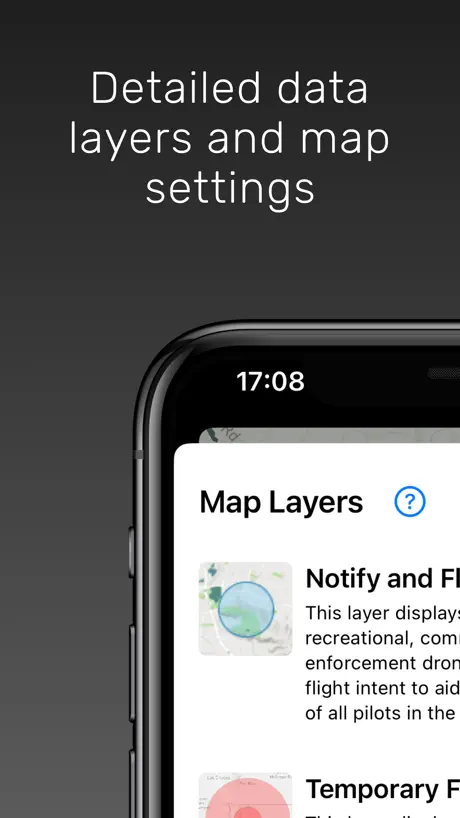
iPhone SE 2nd Gen iOS 17.3 -When changing from one screen to another the button pushes, don’t seem to recognize the new screen display button locations. Instead, they seem to penetrate the new display and operate on the buttons underneath. Are all the map layers on one map? Can I selectively turn them off? I just want to see the FRIA areas for example.
Nice B4UFLY
Better info / map than another app I was using. Do wish it also showed other UAVs via Bluetooth/RemoteID though
UI controls unusable
I’m trying to use this app on an iPhone SE and failing becaue of the horrible placement of UI controls. The buttons are off the edge of the screen and the close and back buttons simply don’t work. Tapping them passes through to the view beneath them. This is a mess and testing must be nonexistent on devices with the same aspect ratio. UPDATE: I tuned off text zoom in the display settings but the same problem occurs in iOS 17.2.1 and 17.3. I was asked for a screen capture but I don’t see how to add one to this review using an iPad Pro and Magic Keyboard.
Lovely app with usability issues
Lovely app that sadly struggles with some basic usability issues. Get ready while you’re scrolling around to find a location to constantly readjust how you’re viewing the map with a random chance that you can reset it. Maybe I’m doing something wrong but it’s the first map app I’ve ever used where I can’t easily navigating around. Other than that struggle is wonderful, and very readable, which is why it’s very well worth using over the rest.
Works great!
Amazing app, way easier to understand than air control. The only downside is that you can’t get LAANC.
What it Really Needs…
What this really needs is integration with FlightAware, so we know if there are planes or choppers near our airspace.
Great App For Drone Pilots
This is an awesome app and I feel good about using it before all flights , I’d recommend it to all drone pilots.
Missing info
It needs a weather page like the app Air Control Would be useful
Aloft Air Aware FAQ
- Is Aloft Air Aware free?
- Yes. The app is free, in all 175 countries it sells in, and it sells nothing inside it.
- Does Aloft Air Aware have a free trial?
- No. None of its offers (US) come with a free trial.
- What are the best alternatives to Aloft Air Aware?
- Spot the Station (4.8 from 15,553 reviews), Sporty's Pilot Training (4.9 from 11,455 reviews, premium from $19.99) and Ham Radio Prep (4.8 from 2,216 reviews, premium from $34.99).
Aloft Air Aware download
Last updated 2 months ago.
Aloft Air Aware sells in 175 countries. It was released 2 years and 11 months ago, on 16 Dec 2023. It holds a 4.0 rating from 125 reviews.
Supports 1 language: English.