CAD Drawing Designer 3D
Realize your project in 3D
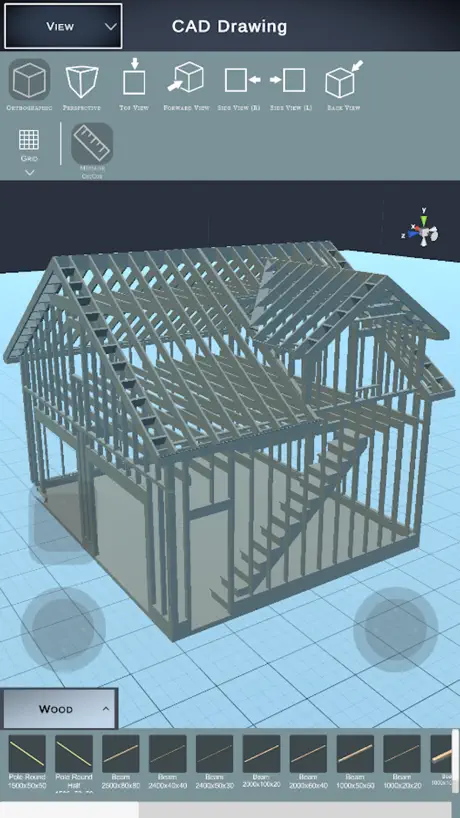
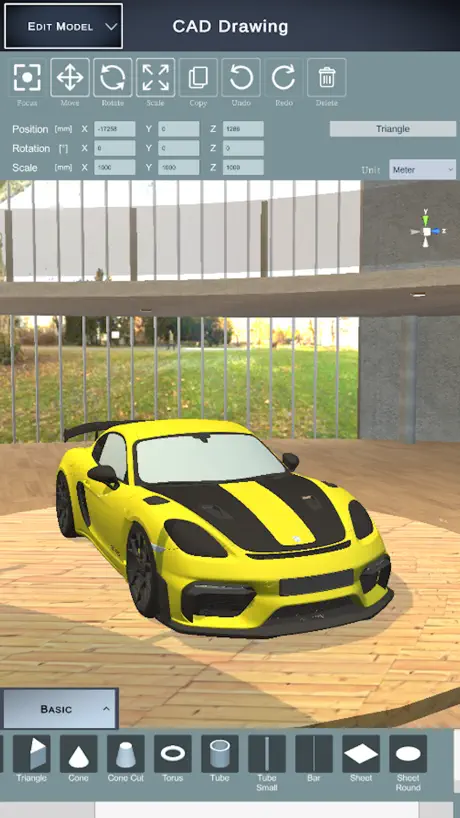
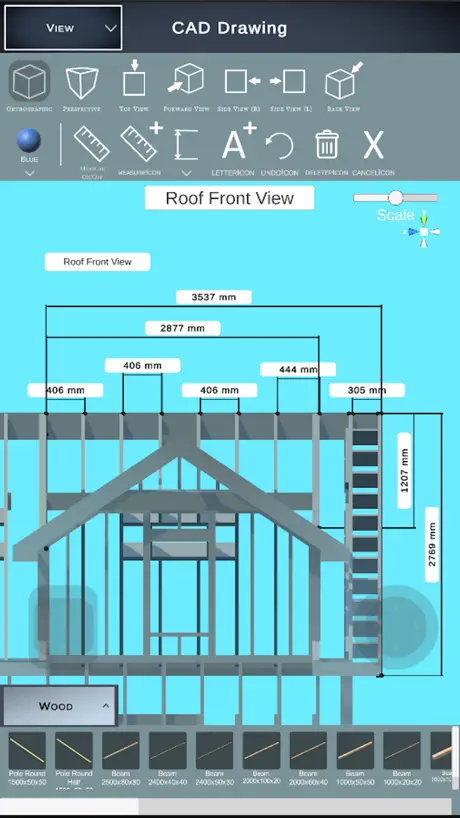
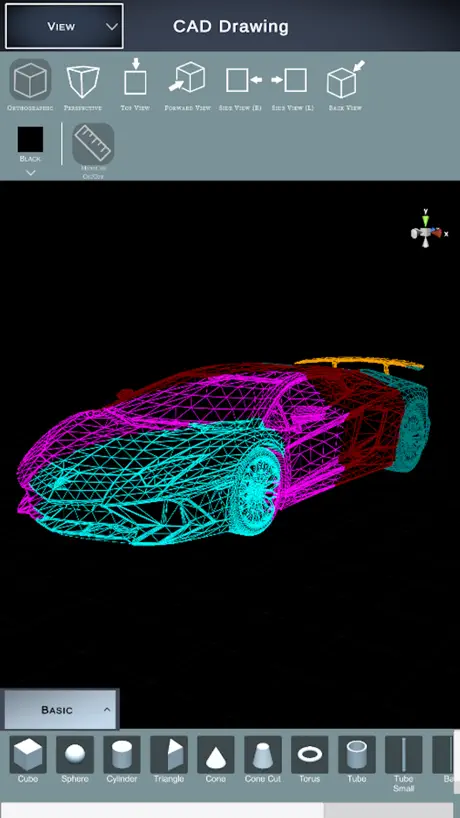
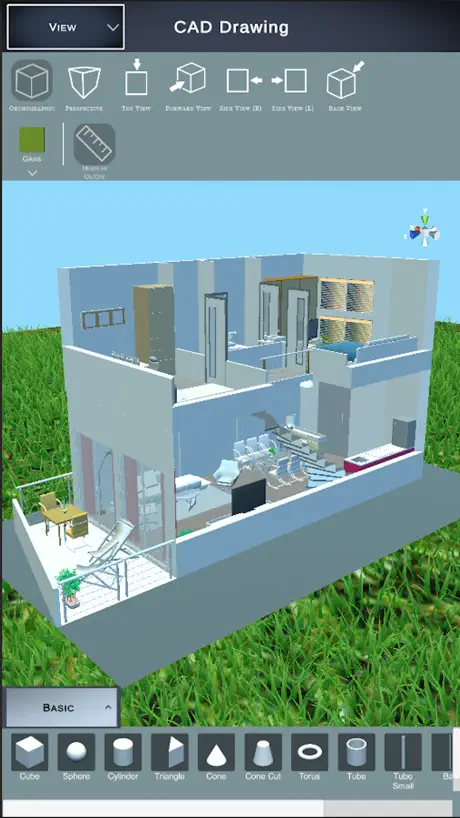
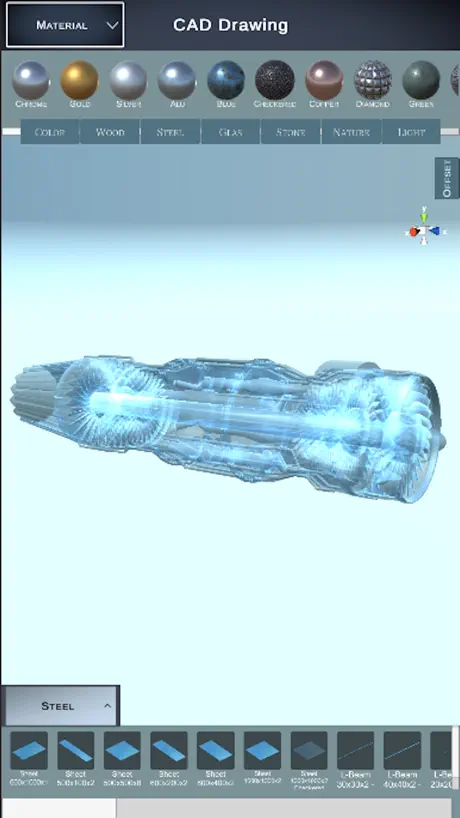
How much does CAD Drawing Designer 3D cost?
Prices are current as of 6 Oct 2026.
3 subscriptions from $8.99
In the United States, CAD Drawing Designer 3D has 3 subscriptions priced $8.99 – 29.99. It comes with a 7 days free trial.
| Subscription | Period | Price |
|---|---|---|
| Pro Version (Month) | Monthly | $8.99 |
| Pro Version (One Year) | Annual | $29.99 |
| Pro Version (Year) | AnnualTrial: 7 days | $29.99 |
See what CAD Drawing Designer 3D costs in all 174 countries →
10+ alternatives to CAD Drawing Designer 3D
| CAD Drawing Designer 3D |   SketchUp - 3D Modeling SketchUp - 3D Modeling |   Morpholio Trace - Sketch CAD Morpholio Trace - Sketch CAD |   3D modeling: Design my model 3D modeling: Design my model |   House Designer House Designer |   Floor Plan & AI Home - CamPlan Floor Plan & AI Home - CamPlan |   uMake: 3D CAD Modeling, Design uMake: 3D CAD Modeling, Design |   3D Modeling, Design: Shapeyard 3D Modeling, Design: Shapeyard |   Moblo - 3D Furniture Modeling Moblo - 3D Furniture Modeling |   MakeByMe: 3D Furniture Design MakeByMe: 3D Furniture Design |   Lumbernatics - Woodwork Design Lumbernatics - Woodwork Design | |
|---|---|---|---|---|---|---|---|---|---|---|---|
| Rating / 5 | 4.2 | 4.6 | 4.7 | 4.6 | 4.5 | 4.7 | 4.3 | 4.4 | 4.6 | 4.3 | 3.6 |
| Reviews | 292 | 107K | 53K | 40K | 27K | 25K | 20K | 14K | 3.1K | 388 | 153 |
| Released | 2023 | 2014 | 2012 | 2021 | 2013 | 2023 | 2015 | 2018 | 2021 | 2025 | 2024 |
| Monthly price | $8.99 | $11.99 | $7.99 | $5.99 | — | $19.99 | $12.99 | $14.99 | — | — | — |
| Annual price | $29.99 | $129.00 | $9.99 | $34.99 | — | — | $59.99 | $29.99 | — | — | — |
The going rate for each plan in United States, in its own currency, shaded from the cheapest price on the row to the dearest. Plans fewer than four in ten of the priced apps sell are left out.
CAD Drawing Designer 3D reviews
4.2 out of 5, based on 292 reviews.
What people like
- Very easy for beginners to learn
- Affordable price for the Pro version
- Helps impress clients with visuals
What they complain about
- Free version is nearly useless
- Macbook overheats even when idle
- Interface is confusing and hard to use
ITS THE BEST
THIS IS SO GOOD I LIKE IT!!!!!!!!!! :D
👎🏻
Aplicativo tem que melhorar MUITO. Eu adito o atributo size Y de um objeto ele altera o X e Y de outro objeto, transformando um outro cubo em um graveto, eu altero a rotação ele altera o tamanho de outro objeto. Tem muito pra melhorar. Só passei raiva!
ok
nhưng 1 số cái phải nạp mới đc
J
Anlamadım
Нет нормального управления
На планшете не работает адекватно
Wow
Simple and very easy to use.
Пустая трата времени
Интуитивно не понятно как с ним работать!
2/10
Покупать про версию не хочу и не удобно делать
Aaron
It’s good for a free app
Good project drawing app
Decent enough to show clients for a visual representation
Free versions are supposed to attract customers, not send them running!
Maybe the paid version is as great as it sounds- and it sounds great! But when you open the free version to get an idea of what you’d be paying for, there is absolutely nothing whatsoever to make that seem like a good idea. First, it’s locked in portrait mode. The fact that I didn’t just delete it then and there is a demonstration of immense restraint on my part because ohhellllllllllllllllllllnah. Secondly, there is a very minimal interface, which could be a very good thing, except it’s so minimal that it’s impossible to figure out how to DO anything. I can click the shapes available, and with several minutes of trial and error I figured out how to find where the app had put them and move them around, but as for manipulating those shapes in any way, resizing them or literally ANYTHING else, either you can’t do that without paying or you can’t do that *period*. In either case, obviously I will be paying for a CAD app. It just absolutely will not be this one. Free versions are supposed to attract customers, not send them running!
Не удобное
Задумка интересная, но приложение очень и очень не удобное.
Huyu
Good
Resource hog
This app is not very user friendly and within 3 minutes of launching this app, my macbook pro got hotter than it has ever gotten before even with the app idle and not designing anything. This was quite concerning. I would have possibly expected this level of warmth if I was actively designing a project, but not with it just sitting idle.
Free
Free
удалил через 5 минут
Впервые установил приложение. Передо мной пустое поле, которое через тачпад работает крайне некорректно или не логично. Ради интереса решил выбрать несколько досок и поставить их на поле. Фиг вам! Сразу покупай приложение. Ладно, поставлю одну бесплатую фигуру на другую. Так нет. Они просто сливаются друг с другом в одной плоскости. Предлагаете купить, а что собственно покупать? Продукт, которым невозможно пользоваться?
Tốt
Có thể sử dụng đc
Кал
Плохое преложение
Cool
Cool
Wow
Its amazing easy to use
Топовое приложение
Отличное приложение!
Contractors Dream
As a small construction company, I’m always looking for an edge and this app helps me to present CAD drawings that other small companies cannot do. This app in a short time has increased business and the paid Pro-version is very affordable and easy to learn.
CAD Drawing Designer 3D price by country
A monthly subscription costs $7.98 in the Philippines and $13.47 in Poland — 1.7× more for the same thing. Below is the going rate for each plan in every country that sells it — the middle price of what the app charges there, in the country's own currency with the dollar equivalent beneath it.
| Country | Monthly | Annual |
|---|---|---|
| Afghanistan | $8.99 | $29.99 |
| Albania | $9.99 | $34.99 |
| Algeria | $8.99 | $29.99 |
| Angola | $8.99 | $29.99 |
| Anguilla | $8.99 | $29.99 |
| Antigua And Barbuda | $8.99 | $29.99 |
| Argentina | $8.99 | $29.99 |
| Armenia | $9.99 | $34.99 |
| Australia | A$14.99$10.86 | A$49.99$36.22 |
| Austria | €9.99$11.62 | €34.99$40.69 |
| Azerbaijan | $9.99 | $29.99 |
| Bahamas | $9.99 | $29.99 |
| Bahrain | $9.99 | $29.99 |
| Barbados | $9.99 | $34.99 |
| Belarus | $9.99 | $34.99 |
| Belgium | €9.99$11.62 | €34.99$40.69 |
| Belize | $8.99 | $29.99 |
| Benin | $9.99 | $29.99 |
| Bermuda | $8.99 | $29.99 |
| Bhutan | $8.99 | $29.99 |
| Bolivia | $8.99 | $29.99 |
| Bosnia & Herzegovina | €9.99$11.62 | €34.99$40.69 |
| Botswana | $8.99 | $29.99 |
| Brazil | R$59.90$11.75 | R$149.90$29.39 |
| British Virgin Islands | $8.99 | $29.99 |
| Brunei Darussalam | $8.99 | $29.99 |
| Bulgaria | €9.99$11.62 | €34.99$40.69 |
| Burkina Faso | $8.99 | $29.99 |
| Cambodia | $9.99 | $29.99 |
| Cameroon | $9.99 | $34.99 |
| Canada | CA$11.99$8.69 | CA$39.99$28.98 |
| Cape Verde | $8.99 | $29.99 |
| Cayman Islands | $8.99 | $29.99 |
| Chad | $8.99 | $29.99 |
| Chile | CLP 9,990$10.81 | CLP 29,990$32.46 |
| China | CN¥58.00$8.62 | CN¥198.00$29.42 |
| Colombia | COP 39,900$12.84 | COP 179,900$57.90 |
| Congo | $8.99 | $29.99 |
| Congo, Democratic Republic | $8.99 | $29.99 |
| Costa Rica | $8.99 | $29.99 |
| Cote Divoire | $9.99 | $29.99 |
| Croatia | €9.99$11.62 | €34.99$40.69 |
| Cyprus | €9.99$11.62 | €34.99$40.69 |
| Czech Republic | CZK 249.00$11.95 | CZK 799.00$38.34 |
| Denmark | DKK 79.00$12.29 | DKK 249.00$38.72 |
| Dominica | $8.99 | $29.99 |
| Dominican Republic | $8.99 | $29.99 |
| Ecuador | $8.99 | $29.99 |
| Egypt | EGP 499.99$9.77 | EGP 999.99$19.53 |
| El Salvador | $8.99 | $29.99 |
| Estonia | €9.99$11.62 | €34.99$40.69 |
| Fiji | $8.99 | $29.99 |
| Finland | €9.99$11.62 | €34.99$40.69 |
| Gabon | $8.99 | $29.99 |
| Gambia | $8.99 | $29.99 |
| Georgia | $9.99 | $34.99 |
| Germany | €9.99$11.62 | €34.99$40.69 |
| Ghana | $9.99 | $34.99 |
| Greece | €9.99$11.62 | €34.99$40.69 |
| Grenada | $8.99 | $29.99 |
| Guatemala | $8.99 | $29.99 |
| Guinea-bissau | $8.99 | $29.99 |
| Guyana | $8.99 | $29.99 |
| Honduras | $8.99 | $29.99 |
| Hong Kong | HK$68.00$8.67 | HK$228.00$29.08 |
| Hungary | HUF 3,990$12.76 | HUF 12,990$41.55 |
| Iceland | $9.99 | $34.99 |
| India | ₹999.00$10.50 | ₹2,999.00$31.53 |
| Indonesia | IDR 149,000$8.51 | IDR 499,000$28.51 |
| Iraq | $8.99 | $29.99 |
| Ireland | €9.99$11.62 | €34.99$40.69 |
| Israel | ₪29.90$9.90 | ₪99.90$33.08 |
| Italy | €9.99$11.62 | €34.99$40.69 |
| Jamaica | $8.99 | $29.99 |
| Japan | ¥1,500$9.77 | ¥4,500$29.30 |
| Jordan | $8.99 | $29.99 |
| Kazakhstan | KZT 4,990.00$10.98 | KZT 14,990.00$32.98 |
| Kenya | $9.99 | $34.99 |
| Kosovo | €9.99$11.62 | €34.99$40.69 |
| Kuwait | $8.99 | $29.99 |
| Kyrgyzstan | $9.99 | $29.99 |
| Lao Peoples Democratic Republic | $9.99 | $29.99 |
| Latvia | €9.99$11.62 | €34.99$40.69 |
| Lebanon | $8.99 | $29.99 |
| Liberia | $8.99 | $29.99 |
| Libya | $8.99 | $29.99 |
| Lithuania | €9.99$11.62 | €34.99$40.69 |
| Luxembourg | €9.99$11.62 | €34.99$40.69 |
| Macao | $8.99 | $29.99 |
| Macedonia | $8.99 | $29.99 |
| Madagascar | $8.99 | $29.99 |
| Malawi | $8.99 | $29.99 |
| Malaysia | MYR 39.90$9.80 | MYR 129.90$31.92 |
| Maldives | $8.99 | $29.99 |
| Mali | $8.99 | $29.99 |
| Malta | €9.99$11.62 | €34.99$40.69 |
| Mauritania | $8.99 | $29.99 |
| Mauritius | $8.99 | $29.99 |
| Mexico | MX$199.00$11.78 | MX$599.00$35.44 |
| Micronesia | $8.99 | $29.99 |
| Moldova | $9.99 | $34.99 |
| Mongolia | $8.99 | $29.99 |
| Montenegro | €7.99$9.29 | €29.99$34.87 |
| Montserrat | $8.99 | $29.99 |
| Morocco | $8.99 | $29.99 |
| Mozambique | $8.99 | $29.99 |
| Myanmar | $8.99 | $29.99 |
| Namibia | $8.99 | $29.99 |
| Nauru | $8.99 | $29.99 |
| Nepal | $9.99 | $29.99 |
| Netherlands | €9.99$11.24 | €34.99$39.36 |
| New Zealand | NZ$14.99$8.77 | NZ$49.99$29.23 |
| Nicaragua | $8.99 | $29.99 |
| Niger | $8.99 | $29.99 |
| Nigeria | NGN 14,900.00$11.24 | NGN 14,900.00$11.24 |
| Norway | NOK 99.00$10.76 | NOK 399.00$43.37 |
| Oman | $8.99 | $29.99 |
| Pakistan | PKR 2,500$9.02 | PKR 7,900$28.49 |
| Palau | $8.99 | $29.99 |
| Panama | $8.99 | $29.99 |
| Papua New Guinea | $8.99 | $29.99 |
| Paraguay | $8.99 | $29.99 |
| Peru | PEN 39.90$11.91 | PEN 119.90$35.79 |
| Philippines | ₱499.00$7.98 | ₱1,790.00$28.63 |
| Poland | PLN 49.99$13.47 | PLN 149.99$40.43 |
| Portugal | €9.99$11.62 | €34.99$40.69 |
| Qatar | QAR 29.99$8.24 | QAR 99.99$27.47 |
| Romania | RON 49.99$11.06 | RON 149.99$33.18 |
| Russia | RUB 799.00$9.36 | RUB 2,490.00$29.18 |
| Rwanda | $8.99 | $29.99 |
| Sao Tome & Principe | $8.99 | $29.99 |
| Saudi Arabia | SAR 39.99$10.66 | SAR 129.99$34.66 |
| Senegal | $9.99 | $29.99 |
| Serbia | €9.99$11.62 | €34.99$40.69 |
| Seychelles | $8.99 | $29.99 |
| Sierra Leone | $8.99 | $29.99 |
| Singapore | SGD 12.98$10.30 | SGD 39.98$31.73 |
| Slovakia | €9.99$11.62 | €34.99$40.69 |
| Slovenia | €9.99$11.62 | €34.99$40.69 |
| Solomon Islands | $8.99 | $29.99 |
| South Africa | ZAR 199.99$12.47 | ZAR 599.99$37.41 |
| South Korea | ₩12,000$8.96 | ₩44,000$32.86 |
| Spain | €9.99$11.62 | €34.99$40.69 |
| Sri Lanka | $8.99 | $29.99 |
| St. Kitts and Nevis | $8.99 | $29.99 |
| St. Lucia | $8.99 | $29.99 |
| St. Vincent & The Grenadines | $8.99 | $29.99 |
| Suriname | $9.99 | $29.99 |
| Swaziland | $8.99 | $29.99 |
| Sweden | SEK 119.00$12.41 | SEK 399.00$41.61 |
| Switzerland | CHF 9.00$11.11 | CHF 30.00$37.04 |
| Taiwan | NT$290.00$9.22 | NT$990.00$31.46 |
| Tajikistan | $9.99 | $34.99 |
| Tanzania | TZS 24,900.00$9.41 | TZS 69,900.00$26.43 |
| Thailand | THB 299.00$8.91 | THB 999.00$29.76 |
| Tonga | $8.99 | $29.99 |
| Trinidad and Tobago | $8.99 | $29.99 |
| Tunisia | $8.99 | $29.99 |
| Turkey | TRY 399.99$8.14 | TRY 699.99$14.24 |
| Turkmenistan | $8.99 | $29.99 |
| Turks and Caicos | $8.99 | $29.99 |
| Uganda | $9.99 | $34.99 |
| Ukraine | $9.99 | $34.99 |
| United Arab Emirates | AED 34.99$9.53 | AED 119.99$32.69 |
| United Kingdom | £8.99$12.18 | £29.99$40.64 |
| United States | $8.99 | $29.99 |
| Uruguay | $8.99 | $29.99 |
| Uzbekistan | $9.99 | $29.99 |
| Vanuatu | $8.99 | $29.99 |
| Venezuela | $8.99 | $29.99 |
| Vietnam | ₫229,000$8.86 | ₫799,000$30.90 |
| Yemen | $8.99 | $29.99 |
| Zambia | $9.99 | $29.99 |
| Zimbabwe | $9.99 | $34.99 |
CAD Drawing Designer 3D FAQ
- Is CAD Drawing Designer 3D free?
- Yes. The app and its basic features are free, in all 174 countries it sells in. Premium features are paid: they start from $8.99 (US), across 3 subscriptions.
- How much does CAD Drawing Designer 3D cost per month?
- Pro Version (Month) is $8.99 (US). The annual plan works out cheaper per month: $29.99 a year.
- Does CAD Drawing Designer 3D have a free trial?
- Yes — a 7 days free trial (US).
- Where is CAD Drawing Designer 3D cheapest?
- A monthly subscription costs ₱499.00 (≈$7.98) in the Philippines and PLN 49.99 (≈$13.47) in Poland, its cheapest and dearest countries.
- What are the best alternatives to CAD Drawing Designer 3D?
- SketchUp - 3D Modeling (4.6 from 107,390 reviews, premium from $11.99), Morpholio Trace - Sketch CAD (4.7 from 52,744 reviews, premium from $4.99) and 3D modeling: Design my model (4.6 from 40,257 reviews, premium from $5.99).
CAD Drawing Designer 3D download
Last updated 8 months ago.
CAD Drawing Designer 3D sells in 174 countries. It was released 3 years and 3 months ago, on 1 Jul 2023. It holds a 4.2 rating from 292 reviews.
Supports 1 language: English.
How much does CAD Drawing Designer 3D make?
Third-party estimates for the last 30 days, worldwide — not the store's own figures, which Apple publishes for nobody.
Revenue by plan
- Monthly 52%
- Annual 48%
Revenue by country
- United States 28%
- Turkey 16%
- Russia 15%
- Germany 5%