Camo Studio – Stream & Record
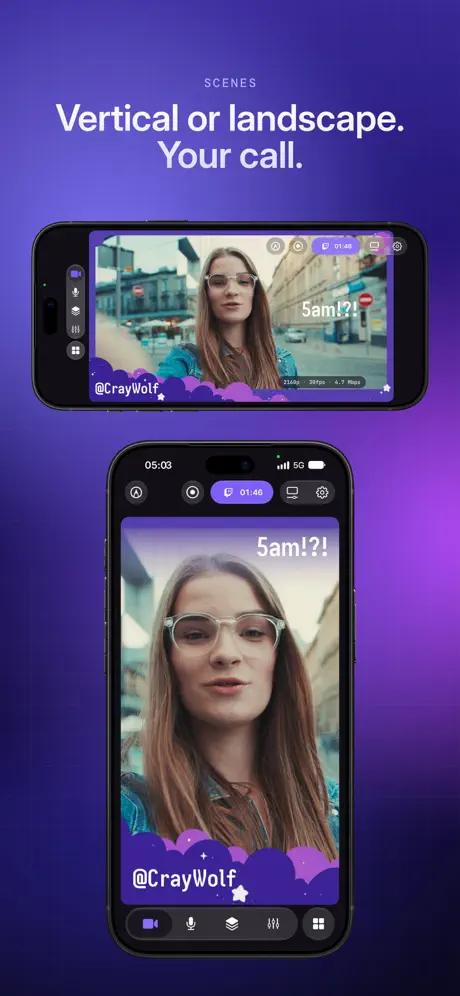
Multicam livestreams & scenes
How much does Camo Studio – Stream & Record cost?
Prices are current as of 18 Nov 2026.
Camo Studio – Stream & Record has no in-app products on record in the United States.
10+ alternatives to Camo Studio – Stream & Record
| Camo Studio – Stream & Record | 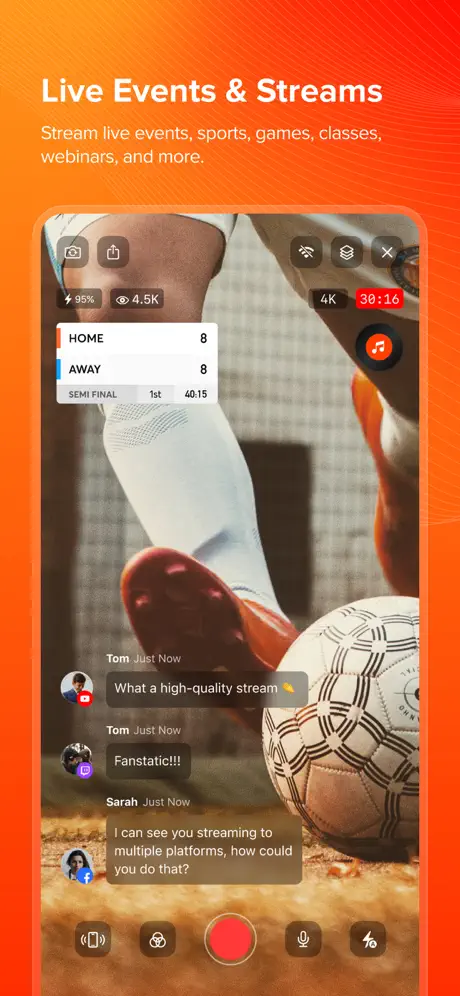  Live Now - Live Stream | 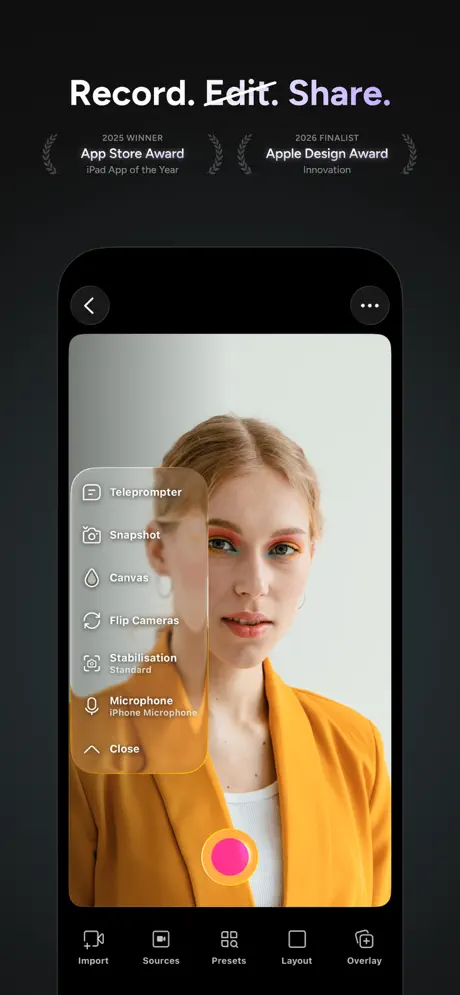  Detail: AI Video Editor |  WEILO - My Last Video Editor |   Phonecam for OBS Studio |   Sony | Monitor & Control |   CameraFi Live |   Monitor+ |   CamX - USB Camera |   Larix Broadcaster: Live Stream |  UVC Capture - HDMI Monitor | |
|---|---|---|---|---|---|---|---|---|---|---|---|
| Rating / 5 | 4.5 | 4.5 | 4.5 | 4.7 | 4.3 | 4.4 | 4.2 | 3.5 | 4.5 | 3.8 | 4.1 |
| Reviews | 6.4K | 18K | 11K | 9.6K | 3.9K | 3K | 2.6K | 2.1K | 1.9K | 483 | 74 |
| Released | 2023 | 2016 | 2023 | 2024 | 2021 | 2023 | 2023 | 2021 | 2023 | 2015 | 2023 |
| Monthly price | — | $2.99 | $9.99 | — | $7.99 | — | $14.99 | — | — | $9.99 | — |
| Annual price | — | $19.99 | $39.99 | $19.99 | $11.99 | — | $135.99 | — | $2.99 | $119.00 | — |
| One-time price | — | $1.99 | — | — | $49.99 | — | — | $18.99 | $4.99 | — | — |
The going rate for each plan in United States, in its own currency, shaded from the cheapest price on the row to the dearest. Plans fewer than four in ten of the priced apps sell are left out.
Camo Studio – Stream & Record reviews
4.5 out of 5, based on 6,352 reviews.
What people like
- Works well with older capture cards
- Lets you use your own camera
- No subscription needed to stream live
What they complain about
- Keeps crashing when you open it
- Audio cuts out or fails completely
- Support never actually helps with bugs
- Camera blurs when switching apps
Best app ever glad I got it
It’s very helpful for let’s play that way. I won’t have to worry about using a camera for base cam
Video zoomed in
Unusable with my Honor smartphone. Used to work great with it, but now video is zoomed in all the time (like a macro lens). And no setting to adjust it, like with the iPhone.
Please Stick with it
I understand you won’t be everything to everybody, however I’m glad you’re addressing important issues, and making updates to fix some real issues, and even considering wishes, and wants in features in future updates. As a iOS streaming app Camo Studio for iPad is a powerful tool that takes streaming on Pc, Mac platforms and make it available to mobile iOS platforms. I hope in the next version update you guys can give us multi-platform streaming. I am grateful, and appreciative for the work your team has done thus far. Great App I would recommend.
I cant figure it out
I believe its a good app but i cant figure out how to use it
Pretty hard
When I go onto it, just everything popped up and then I looked up a video of how to do it and then I had no clue what to do and then I looked at a picture and it said there’s a record button but you don’t send onto YouTube. It just sends it to your photo library
Do not know if its facecams
I have never tried this app so just to ask dose it do face cam and is it good to use on iPad
Not connecting to my live
Trying to stream live. It says active but I’m not
Would be a five star if they had multi streaming
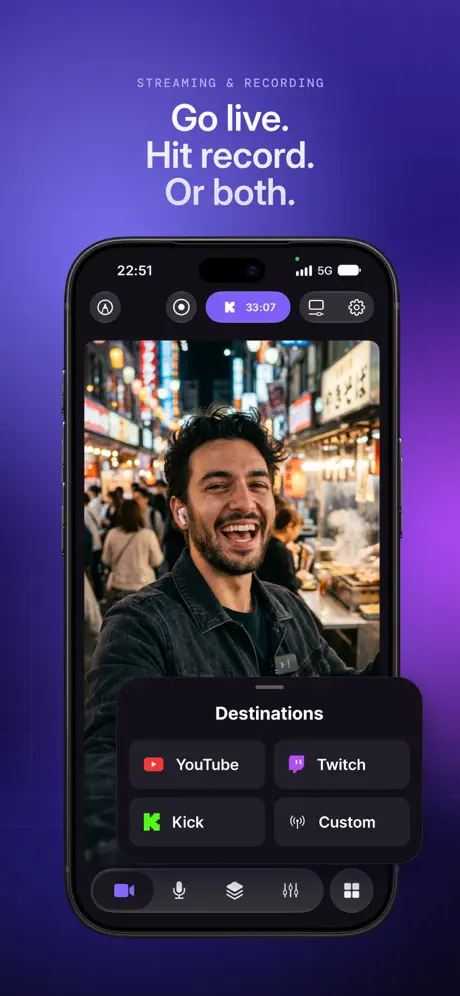
Absolutely love this app, very specifically love the capability to add a capture card and be able to use your own camera versus just the iPad camera. That truly makes this app unique. However, the one capability that I think is truly missing from here is multi streaming if you had the ability to stream to YouTube twitch, and kick at the same time that would make this app top-tier and almost inch out the usage of liveu studio backpacks too. Even further if you could multistream in both horizontal and vertical that would be amazing outside. I love this app. I would absolutely love this feature to be added.
Unfortunately not as great or good as it could be
The simple fix on camera type: let me select safari or application that I have open instead of my whole view and I will rate this a 5 out of 5
This OBS for iPad is still hit or miss
Even after several improvements, this application for iPad Pro is hit or miss. It’s a brilliant idea, a lot like OBS for iPad. However, it has difficulty holding focus with external audio devices (I’m using a class-compliant audio interface from native instruments) and automatically switches to any new audio device plugged in. Even if it doesn’t switch, there’s no guarantee that it will process the audio from the desired device. In addition, even after several successful streams, the application spontaneously loses its connection to a custom streaming destination. I confirmed the Stream key and the URL, but was not able to reestablish the streaming connection (This was using the Restream service). This application is a great idea for the iPad, but don’t rely on it because it may leave you stranded with no immediate solution.
It saved my stream
10/10
Great app in need of some upgrades.
I’ve been using this app for more than a year and it’s been having a problem where I can’t connect my mixer to it,even though it works on my iPad and I’ve contacted your support team and they haven’t helped me in this regard. it’s been two months right now. The team told me that the developers know about this problem, but they haven’t come up with a fix for more than two months now. might as well remove the ipad app if that’s how you deal with bugs and glitches and don’t care about the user experience.
Great but theres an annoying glitch
Hello, camo studio is a great live streaming app it’s great because you can stream on ios without paying an annoying subscription and you can add stuff on the screen easily unlike other apps. There is just one problem, I would rather stream with my mic off but every time I am broadcasting an app and check my chat on the panel, when i open it the input value gets set to the output volume currently and it lets everyone hear my voice, so i’m forced to play with no sound. It would be really nice if you guys could fix it and thank you. also I’m only using my iPad to stream.
Live steaming stopped automatically after 5 to 10 min
App has great feature but what is the point if app crashes frequently and YouTube Live steaming stopped automatically within 5 to 10 min. Frustrating
Not that great
There is no feture I can find to use my own iPad camera to record me
Great
Stop
Good
Its good. But. It beggs. You to rate it even mid recording so it doesnt save so there rated
Camera blur
I really like this app what can do, but I’m having one problem is annoying. I record from my iPad camera and the camera record just fine when I’m in the app, but when I get out of the app, the cameras blur and I can’t tell by checking the recording. I saved to my device and watching it back. I see us when I get out of the chemo studio and try to use other apps the camera blurt now I heard you have to keep the timer in the screen if you want the camera to keep recording, but even when I do that still blur I download this new update, but I’m still I’m going with the same problem please help if you know what I’m talking about.
Worst app ever
I had used this app for 1 year and now it gives up on me. This app will not let me link my account. The app says sign in expired then never lets me link it again. When I try to link it it brings me back into the app and the account never shows up.
Come on.
I loved using this because it was the into way I could actually steam. But then one day it all changed a issue happened on Camo studios and my audio wasn’t working nothing. No one could hear me. I email them to address the issue BUT THEY NEVER REPLIED. TO THIS DAY MY MIC STILL DOESNT WORK.
So good
I love it
It was confusing
Ok so while I was using this app I used so much tutorials on how to have my facecam on my screen recording because I have only one device aka a iPad and it kept on getting more and more difficult, frustrating, and hard to work so if there’s another way to do that that please respond
Changing to okay
I am writing this because the best feature PIP was massed up in the latest update. Now some ugly box jumps to the front when Camo Studio is running in the background, and WORSE the PIP screen that used to be of me in the smaller box is now completely gone. While it wasn’t perfect, it was better because I can move it around the screen while recording and even hide it and bring it back later. Now it’s stuck in one place unless i go back into the Camo to move it around. Completely not intuitive with the iPad. The one thing I loved
Great execution, but lacking features
I would love to be able to use this as my main streaming hub. However, I can’t do simple things like share a window and lock onto its view. For instance, like when a user shares a selected window on discord. Why isn’t that something I can do with the Vision Pro app? I would love to be able to stream my persona in the lower right corner of the screen while simultaneously being able to select a mirrored window for streaming while playing a mobile game. It’s continuity features like this that could make this app very solid. Unfortunately, though it doesn’t look like this app has been updated in eight months. Complete bummer.
Camera
At the beginning I was excited but when I was recording screen and got off the app to play it was blured out pls fix this
So great
Super fun
Screen capture audio
Camo studio has always captured the audio of screen recordings until recently it will record NOTHING no audio. It claims ‘some apps’ aren’t available but there is not a single app it will record audio of anymore and this is a serious issue.
How do you fix your blurriness when you start rec.?
I need to know how to make my cam not blurry when I start recording. It’s a great app but this is a big problem when I record. Please respond and tell me how to.
Keeps freezing, not recording…..
Keeps freezing, not recording or streaming a still pic while audio is in real-time. It was recording and streaming simultaneously justice to fine for a couple of days, and then it started crashing. It crashes if I’m just streaming or recording separately at the lowest resolution.
The app keeps on disconnecting
I broadcast on YouTube using my new iPad Pro but the broadcast only last a minute or two and then stops but camo still showing it’s streaming
5 star
I rated it 5 stars because it is better than screen recording and it shows your camera that I wish apple added a update to this for screen recording but it’s. Good app
Potential has issues
So I’m trying to stream my chess board the app and my face cam unfortunately this isn’t possible. The most important issue is I can’t set cam 2 to record my screen as an overlay only cam 1 which means I can’t put the screen recording of the chess app over my video recording of the board The next issue is it limits you to 2 cams total meaning I can’t have my face on screen along with the board and the app
I would almost give this a 5
Love the app, it does everything i want. But i always get a flicker in my webcam when ever i stream/record, doesn’t matter the webcam or the usbc adapter, if it would only do it once a recording session I wouldn’t be to worried but sometimes it every minute and then its every ten, I couldn’t find a way to fix this hopefully this is glitch other people are experiencing and it can be fixed
Doesn’t really work for iPad gaming
I want to use this app for iPad gaming but every time I get everything right and hit record it just resets it back to the square camera overlay. For example I will make my overlay small and circular and in a specific section of the screen then hit record and it just resets back to a square overlay and I can only have the overlay in one of the corners. It almost works but not quite. Would really love to see improvement on this as this is the only app I’ve found that comes close to working. Also resizing the overlay only works by keeping the rectangle proportions, I managed to get it to a circle once but it’s locked in the same ratio for some reason.
Background cameras issue
App is very good for streaming but it has problems with iPad 10th gen while screen recording background camera not supported for face cam please resolve this problems and update it
Perfect
Perfect
Culprit app!
I can’t make a gaming video!
Apple Vision Pro
Wish I could record my screen in 4K without foveated rendering
UPDATE THE CAMO CAMERA SYNC
I’ve tried over 3 different phones and neither one connects 👎. The concept it cool, but the actual tool 🫤
Keeps crashing
I want to start streaming on twitch, I made it look pretty and stuff but it keeps crashing and it’s really annoying,
safin
nice
Not Consistent??
Well, I used this last year to record and live stream and awards banquet And last year it worked good and streamed the 4 1/2 hour stream and went to do the same thing at this year‘s banquet and nothing but issues with the audio. Connected a Sony mirror list camera and brought three different Elgato cam Link capture cards and none of them would allow the audio to be heard. After three hours of trying to figure it out I get back to the hotel room and all three capture cards worked with audio when I got back. So I did eight live stream tests and everything worked fine. So I get to the banquet and get ready to set everything up. What do you know the audio don’t work again. All three capture cards stopped working with audio and absolutely not touching anything. It finally decided to work after two hours of messing around. The whole time it showed that the audio was working via the capture card, and there was just no sound during the live stream during my attempts. And then all of a sudden it started working again. After stressing out for the second time, trying to figure it out I will definitely be looking elsewhere for something more reliable.
It was working very well at first but then it updated and now it’s not
I can’t keep the app open for more than 20 seconds without it constantly crashing, I’ve written multiple reviews because every time I open the app back up it gives me an option to. I’m streaming and recording videos off of my iPad with this app and I really would like for it to work because it has been going really well until the most recent update. Please fix this it would mean the world to me.
Issues with mic input
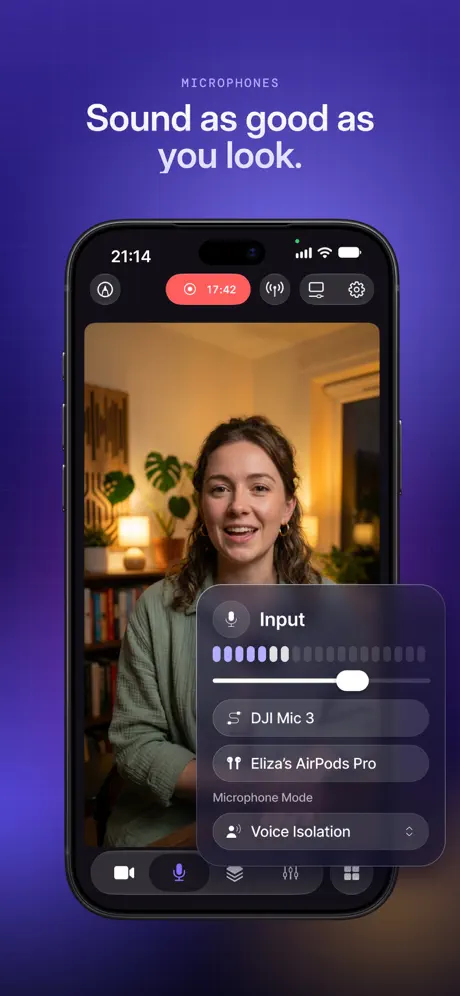
Can’t select Bluetooth mic as audio input and need audio mixer to add both video capture device audio and mic audio
Please add multiple audio channels
Please add multiple audio channels
Great Recording App
Works great with old HD60 S+
blurred out
When I checked the reccing my face was blurred and frozen
LET IT RECOGNIZE AIRPODS
It doesn’t know when you’re using AirPods and it doesn’t allow you as a voice option, this is such a bummer because iPads only have one port
App fails to save recording ever again after iPad shutdown in the past
The software somehow fails to save a recording the next time it is used if in the past, the iPad had shut off in the middle of a recording.
Pre recorded?
Is there an option to live stream pre recorded videos through this app?
Camo Studio – Stream & Record FAQ
- Is Camo Studio – Stream & Record free?
- Yes. The app is free, in all 175 countries it sells in, and it sells nothing inside it.
- Does Camo Studio – Stream & Record have a free trial?
- No. None of its offers (US) come with a free trial.
- What are the best alternatives to Camo Studio – Stream & Record?
- Live Now - Live Stream (4.5 from 18,012 reviews, premium from $1.99), Detail: AI Video Editor (4.5 from 10,835 reviews, premium from $4.99) and WEILO - My Last Video Editor (4.7 from 9,648 reviews, premium from $2.99).
Camo Studio – Stream & Record download
Last updated 25 days ago.
Camo Studio – Stream & Record sells in 175 countries. It was released 3 years and 2 months ago, on 18 Sept 2023. It holds a 4.5 rating from 6,352 reviews.
Supports 1 language: English.
How much does Camo Studio – Stream & Record make?
Third-party estimates for the last 30 days, worldwide — not the store's own figures, which Apple publishes for nobody.