
NeoServer SSH Mosh Terminal
SFTP Client Docker Monitor Cli
How much does NeoServer SSH Mosh Terminal cost?
Prices are current as of 7 Oct 2026.
3 subscriptions from $1.99
In the United States, NeoServer SSH Mosh Terminal has 3 subscriptions priced $1.99 – 24.99. It comes with a 7 days free trial.
| Subscription | Period | Price |
|---|---|---|
| Weekly | Weekly | $1.99 |
| Monthly Subscription | Monthly | $3.99 |
| Annual Subscription | AnnualTrial: 7 days | $24.99 |
1 one-time purchase from $59.99
In the United States, NeoServer SSH Mosh Terminal has 1 one-time purchase priced $59.99.
| Product | Price |
|---|---|
| Lifetime Version | $59.99 |
See what NeoServer SSH Mosh Terminal costs in all 175 countries →
10+ alternatives to NeoServer SSH Mosh Terminal
| NeoServer SSH Mosh Terminal |   SSH Client - Secure ShellFish SSH Client - Secure ShellFish |   ServerCat - SSH Terminal ServerCat - SSH Terminal |   Commands for Linux Terminal Commands for Linux Terminal |   Moshi: herdr/tmux on SSH/MOSH Moshi: herdr/tmux on SSH/MOSH |   Shelly - SSH Client Shelly - SSH Client |   Terminal & SSH Terminal & SSH |   Docker Server Admin Docker Server Admin |   Docker Manager GUI - WhaleDeck Docker Manager GUI - WhaleDeck |   Uptime Kuma Manager Uptime Kuma Manager |   ShellBean - AI SSH Client ShellBean - AI SSH Client | |
|---|---|---|---|---|---|---|---|---|---|---|---|
| Rating / 5 | 4.8 | 4.8 | 4.7 | 4.6 | 4.8 | 4.4 | 4.5 | 4.7 | 4.6 | 4.2 | 4.6 |
| Reviews | 1.1K | 4.4K | 4.3K | 2.3K | 1.5K | 1.3K | 1.1K | 377 | 158 | 151 | 124 |
| Released | 2023 | 2019 | 2020 | 2018 | 2026 | 2016 | 2021 | 2021 | 2022 | 2023 | 2023 |
| Monthly price | $3.99 | $2.99 | — | — | $4.99 | — | $4.99 | — | — | — | $2.99 |
| Annual price | $24.99 | $14.99 | $5.99 | — | $29.99 | — | — | $29.99 | — | — | $7.99 |
| One-time price | $59.99 | $29.99 | $5.99 | $0.99 | $249.00 | $3.99 | $4.99 | $59.99 | — | — | $19.99 |
The going rate for each plan in United States, in its own currency, shaded from the cheapest price on the row to the dearest. Plans fewer than four in ten of the priced apps sell are left out.
NeoServer SSH Mosh Terminal reviews
4.8 out of 5, based on 1,142 reviews.
What people like
- One-time payment saves money versus subscriptions
- Free version works well without annoying ads
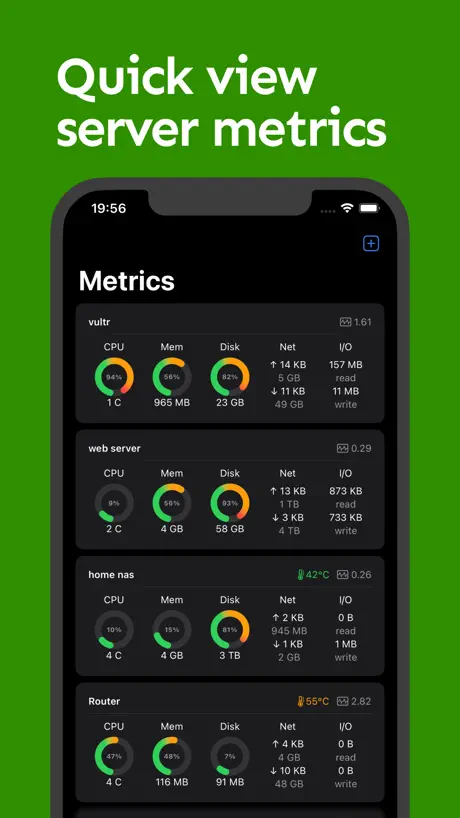
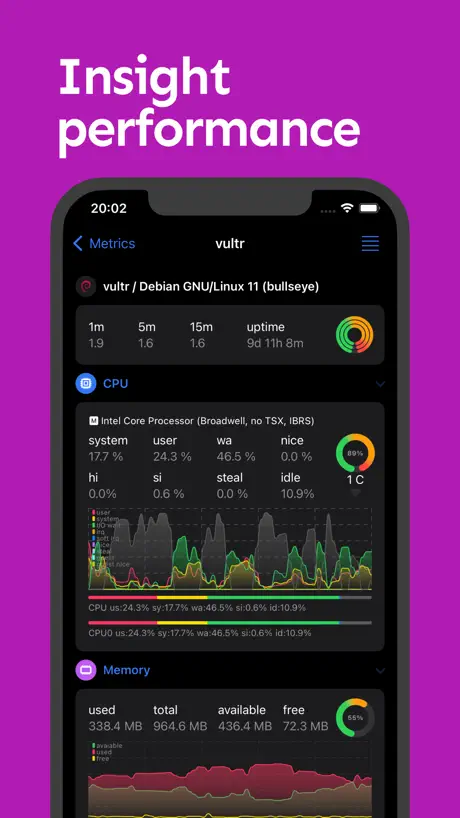
- Clean dashboard for server monitoring looks great
What they complain about
- Mac version feels buggy and slow
- Terminal text is tiny and blurry on Mac
- Syncing between iOS and Mac often fails
One of the most secured SSH app
Been using this daily as my SSH client for managing a handful of servers. What sold me is the ML-KEM post-quantum key exchange support — most SSH tools haven’t caught up on this yet, so it’s nice to see a mobile app taking future-proofing seriously. On top of that, the developer is genuinely responsive. Monitoring dashboard is clean and functional too. Easy 5 stars — rare to find both solid crypto and active development in one app.
予期せぬクリップボードの読み取りが発生
アプリ再開時にクリップボードを勝手に読み取っている挙動が見られる。情報搾取の手法であるため、怪しさが急に出てきた。
Functionality Issues With New Update
I recently had to update the app recently and it forces strict access into the server through a tmux session which restricts being able to open a an existing session. Is it possible to restore the previous behavior that allows you login to the root server?
OK when it works…
The remote terminal and saved scripts features are great when they work… but getting and keeping this app connected to a server - especially unRaid - is a tragic mess. Maybe this is designed for something else, some specific server type I’m not familiar with. But it is unreasonably difficult to set up and even if you do get it connected, it’s slow and fragile. It takes forever to load data about dockers and VMs, presumably because it’s doing some query in the background that is general enough to work in most places but therefore not specific enough to be fast or native to anything. This is barely functional.
Nice and Handy but crashes :(
I use this app almost daily, it helps a lot to manage serveral machines but unfortunately it crashes very often on my Mac :(
比那些排名靠前的 ssh 工具好用
推荐使用,大家快冲,以后会涨价!
Ok
This have a lot of potential but there are many issues with the interface for all platforms. For a v8 this looks sloppy unless the v1 was on the market about 7 days ago.
NeoServer使用
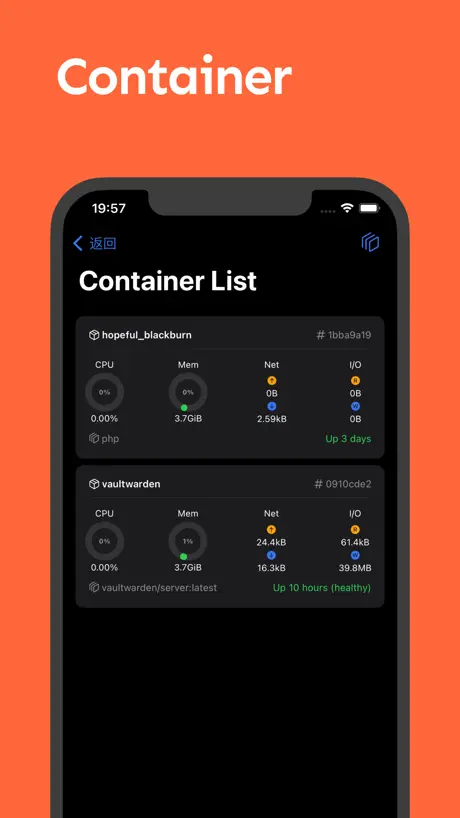
缺点: 1、主题现在相比其他的终端,色彩比并不是很友好 2、PC的终端包含小键盘不是很友好 3、PC如果退出了,那么快捷键无法友好的关闭 4、由设置切换到终端时会出现卡死的情况 优点: 1、可以很好到看到服务器、容器的统计情况,这个可能是此软件最大的优点 建议: 1、现在最大的优点是统计,但是最拉垮的是终端的使用,颜色配比、切块、快节点等,这个可以参考Terminus,因为最好的产品一定是极简的
Just iOS
If you’re planning to buy this for the full price just be aware that the Mac version is abandoned. iOS version is cool but very expensive considering what you pay for is just an iOS license.
Синхронизация не работает
Приложение заслужило бы 5 звезд но синхронизация между IOS и Mac OS все-еще не работает. Хотя в отзывах об этом написано полгода назад!!
Great for vibe coding
So useful for easy access to terminal on my server. Once it’s all set up, it’s so easy to just start a coding agent session and have it build on my machine remotely. I use tailscale plus this app and I can do so much from my phone. Really improved UI and so convenient. Highly recommend!
Interesting concept, lacking execution
The app offers a lot, includng mobile clients, which is great. But the actual terminal experience on macOS is atrocious compared to iTerm2 or even plain ol Terminal. Whaterver they're using for ther terminal experience feels like something out of a web browser. I should not be accidentally zooming in or out on my terminal, and why does the copy mode seem to render text better (but still poorly)? The terminal's incompatibility with retina displays is another issue. The text renders as if it were at native res, so incredibly tiny, and blurry.
tmux下页面不能上下滑动
我ssh连接了一个server,里面开了tmux,然后进到里面使用claude code,发现页面不能上下滑动
cant import my ssh key
App looks neat. But it freezes when I try to import the private key
Does not work with Orbstack
While some functions work with MacOS, it doesn't work with Orbstack, a common docker replacement on Mac.
I NEVER write reviews, but for this I had to!
I never write reviews of apps (good or bad.) But after using it on the trial for barely one day I cancelled the trial… and bought the full license without a second thought! It’s seriously THAT good! The monitoring features are second to none and even the UI is clean and professional! It’s a pleasure to work with! The ONLY complaint I have is that there’s not a Windows version. I love that the app functions flawlessly on an iPhone, iPad, and my Mac and everything syncs well. If you’re even the least bit curious just download NeoServer and go for the trial. You will NOT be disappointed!
Garbage
Not sure how this is so highly rated. Doesn’t seem to work at all Unable to delete default server, and unable to connect to my server. But I found another way. Don’t need to app anymore.
功能建议
希望对于多网卡服务器可以设置“指标”界面的“网络”展示哪个网卡的流量信息。
No prompt for password on iPad?
Looks pretty slick and I wanted to like it, but there doesn't seem to be a "prompt for password" option on iPad. Providing a username for server profiles is mandatory. Users are given an option to choose between Password and Private Key auth, but leaving the password blank does not result in the password being prompted.
Great
Great Tool!
没有ios16小组件
没有ios16小组件
useful app but missing important feature
this app is great for monitoring my home lab but the fact that there is no way to hide a mounted drive is a little ridiculous, as it makes the entire disk usage calculation useless so i have to guess based on my other servers
Top App nur einmal Kauf wäre super
Die App funktioniert einwandfrei, ich würde mir nur die Möglichkeit wünschen kein Abo abzuschließen und die App einmal auf Lebenszeit kaufen zu können
Excellent terminal. Would love metrics support for Mac devices
Let me say this is exactly what I’m been searching for. Excellent app with a deep feature set. I would be thrilled if you would add metric support for Mac via something like btop since lm-sensors is Linux only.
root 模式下的docker咋用啊哥们
找了半天也没到root模式
Great, with one caveat
This app is great so far. I love the interface and it’s very helpful. However, for some reason I can’t seem to get it to connect over my Tailscale VPN (WireGuard). If that was fixed and I could use it everywhere, it would be perfect, as for right now because I don’t want to port-forward I can only use on LAN. If this is able to be fixed, then I’ll gladly pay for a subscription.
Great for mobile, but…
I really like this app, specially while using it on my iPad Pro and iPhone. My only issue is on the Mac, the font is too small and there’s no way to make it bigger, if they can improve on that I would give it 5 stars.
The best in the space
I’ve tried all these terminal SSH apps and this is clearly the winner. It’s the most extensive one there is and the paid version for $30 lifetime is a steal of the century. I highly recommend
收费了,已卸载
收费了,已卸载
Awesome!
This app works very well and does an awesome job of sorting and displaying my active docker containers on my server. However, I’m using an iPhone with Dynamic Island and it almost looks like there’s a blue button somewhere just above it that maybe says “NeoServer” but I can’t quite see it because just the top edge peeks out above the Dynamic Island. I don’t think I saw that on my iPhone 14 Pro, but on my iPhone 16 Pro that has a very slightly larger screen, I can’t just see it peaking out there. That’s my only gripe, and I wouldn’t even really call it a gripe. Thanks for the awesome app!
节点多了
容易崩溃
Love this app
This app is amazing! Not like other apps where you can’t do anything with the free version. There’s been no annoying adds, it works perfectly, and I use it every day. I love this app and I count on it. Thank you developers!
Good but…..
Very well designed app and the free version served just well. But I always have security concerns when using root account to connect, it would be better if author can address more about data safety concerns since this app is not open source
Underrated App
I’m surprised there isn’t more hype behind this app. I use on my Mac Studio & iPhone. My only critique is I that I am unable to make the metric cards larger. Could be user error on my part, though.
best ssh server app!
feature rich, covering almost all my operations. It supports tmux in the terminal, and I like using it for AI coding. I bought the pro without hesitation, and it’s totally worth it!
终端
希望终端能加上长按选择操作
No BSD Support
TrueNAS core (formerly FreeNAS) have no resource monitoring. I’m assuming you’re hooking in the /proc process on Linux to get usage data. This is not available on BSD based operating systems. Sad :(
This is the one you looking for!
I’ve been using this app for 5–6 months now, and it’s truly exceptional. What I love most is the one-time payment for the premium version—something that’s becoming increasingly rare. Compared to Termius’s monthly subscription model, this is a significant saving. Plus, the majority of features are already available for free right out of the box, so there’s no need to upgrade unless you require additional functionality. It’s a fantastic balance of value and quality!
太贵了
三刀我就买了。5刀咬咬牙。10刀只能转战隔壁serverbox了。抱歉。
NeoServer SSH Mosh Terminal price by country
A weekly subscription costs $1.62 in Indonesia and $3.05 in Hungary — 1.9× more for the same thing. Below is the going rate for each plan in every country that sells it — the middle price of what the app charges there, in the country's own currency with the dollar equivalent beneath it.
| Country | Weekly | Monthly | Annual | One-time |
|---|---|---|---|---|
| Afghanistan | $1.99 | $3.99 | $24.99 | $59.99 |
| Albania | $1.99 | $4.99 | $29.99 | $69.99 |
| Algeria | $1.99 | $3.99 | $24.99 | $59.99 |
| Angola | $1.99 | $3.99 | $24.99 | $59.99 |
| Anguilla | $1.99 | $3.99 | $24.99 | $59.99 |
| Antigua And Barbuda | $1.99 | $3.99 | $24.99 | $59.99 |
| Argentina | $1.99 | $3.99 | $24.99 | $59.99 |
| Armenia | $1.99 | $4.99 | $29.99 | $69.99 |
| Australia | A$2.99$2.17 | A$5.99$4.34 | A$39.99$28.98 | A$99.99$72.46 |
| Austria | €1.99$2.23 | €3.99$4.47 | €29.99$33.62 | €69.99$78.46 |
| Azerbaijan | $1.99 | $4.99 | $29.99 | $69.99 |
| Bahamas | $1.99 | $3.99 | $29.99 | $69.99 |
| Bahrain | $1.99 | $3.99 | $29.99 | $69.99 |
| Barbados | $1.99 | $4.99 | $29.99 | $69.99 |
| Belarus | $1.99 | $4.99 | $29.99 | $69.99 |
| Belgium | €1.99$2.23 | €3.99$4.47 | €29.99$33.62 | €69.99$78.46 |
| Belize | $1.99 | $3.99 | $24.99 | $59.99 |
| Benin | $1.99 | $4.99 | $29.99 | $69.99 |
| Bermuda | $1.99 | $3.99 | $24.99 | $59.99 |
| Bhutan | $1.99 | $3.99 | $24.99 | $59.99 |
| Bolivia | $1.99 | $3.99 | $24.99 | $59.99 |
| Bosnia & Herzegovina | €1.99$2.23 | €3.99$4.47 | €29.99$33.62 | €69.99$78.46 |
| Botswana | $1.99 | $3.99 | $24.99 | $59.99 |
| Brazil | R$12.90$2.57 | R$24.90$4.96 | R$149.90$29.86 | R$399.90$79.66 |
| British Virgin Islands | $1.99 | $3.99 | $24.99 | $59.99 |
| Brunei Darussalam | $1.99 | $3.99 | $24.99 | $59.99 |
| Bulgaria | €1.99$2.23 | €3.99$4.47 | €29.99$33.62 | €69.99$78.46 |
| Burkina Faso | $1.99 | $3.99 | $24.99 | $59.99 |
| Cambodia | $1.99 | $3.99 | $29.99 | $69.99 |
| Cameroon | $1.99 | $4.99 | $29.99 | $69.99 |
| Canada | CA$2.99$2.09 | CA$4.99$3.49 | CA$34.99$24.47 | CA$79.99$55.94 |
| Cape Verde | $1.99 | $3.99 | $24.99 | $59.99 |
| Cayman Islands | $1.99 | $3.99 | $24.99 | $59.99 |
| Chad | $1.99 | $3.99 | $24.99 | $59.99 |
| Chile | CLP 1,990$2.01 | CLP 4,990$5.05 | CLP 29,990$30.33 | CLP 69,990$70.79 |
| China | CN¥15.00$2.24 | CN¥28.00$4.17 | CN¥168.00$25.04 | CN¥398.00$59.31 |
| Colombia | COP 9,900$3.01 | COP 19,900$6.06 | COP 119,900$36.49 | COP 299,900$91.27 |
| Congo | $1.99 | $3.99 | $24.99 | $69.99 |
| Congo, Democratic Republic | $1.99 | $3.99 | $24.99 | $59.99 |
| Costa Rica | $1.99 | $3.99 | $24.99 | $59.99 |
| Cote Divoire | $1.99 | $4.99 | $29.99 | $69.99 |
| Croatia | €1.99$2.23 | €3.99$4.47 | €29.99$33.62 | €69.99$78.46 |
| Cyprus | €1.99$2.23 | €3.99$4.47 | €29.99$33.62 | €69.99$78.46 |
| Czech Republic | CZK 49.00$2.25 | CZK 99.00$4.54 | CZK 699.00$32.05 | CZK 1,490.00$68.32 |
| Denmark | DKK 19.00$2.95 | DKK 39.00$6.07 | DKK 199.00$30.95 | DKK 499.00$77.60 |
| Dominica | $1.99 | $3.99 | $24.99 | $59.99 |
| Dominican Republic | $1.99 | $3.99 | $24.99 | $59.99 |
| Ecuador | $1.99 | $3.99 | $24.99 | $59.99 |
| Egypt | EGP 99.99$1.91 | EGP 199.99$3.81 | EGP 1,299.99$24.79 | EGP 2,999.99$57.22 |
| El Salvador | $1.99 | $3.99 | $24.99 | $59.99 |
| Estonia | €1.99$2.23 | €3.99$4.47 | €29.99$33.62 | €69.99$78.46 |
| Fiji | $1.99 | $3.99 | $24.99 | $59.99 |
| Finland | €1.99$2.23 | €3.99$4.47 | €29.99$33.62 | €69.99$78.46 |
| France | €1.99$2.23 | €3.99$4.47 | €29.99$33.62 | €69.99$78.46 |
| Gabon | $1.99 | $3.99 | $24.99 | $59.99 |
| Gambia | $1.99 | $3.99 | $24.99 | $59.99 |
| Georgia | $1.99 | $4.99 | $29.99 | $69.99 |
| Germany | €1.99$2.23 | €3.99$4.47 | €29.99$33.62 | €69.99$78.46 |
| Ghana | $1.99 | $4.99 | $29.99 | $69.99 |
| Greece | €1.99$2.23 | €3.99$4.47 | €29.99$33.62 | €69.99$78.46 |
| Grenada | $1.99 | $3.99 | $24.99 | $59.99 |
| Guatemala | $1.99 | $3.99 | $24.99 | $59.99 |
| Guinea-bissau | $1.99 | $3.99 | $24.99 | $59.99 |
| Guyana | $1.99 | $3.99 | $24.99 | $59.99 |
| Honduras | $1.99 | $3.99 | $24.99 | $59.99 |
| Hong Kong | HK$18.00$2.29 | HK$32.00$4.08 | HK$188.00$23.95 | HK$488.00$62.17 |
| Hungary | HUF 999$3.05 | HUF 1,790$5.46 | HUF 9,990$30.48 | HUF 24,990$76.25 |
| Iceland | $1.99 | $4.99 | $29.99 | $69.99 |
| India | ₹199.00$2.06 | ₹399.00$4.14 | ₹2,499.00$25.93 | ₹5,900.00$61.22 |
| Indonesia | IDR 29,000$1.62 | IDR 69,000$3.86 | IDR 399,000$22.30 | IDR 1,199,000$67.01 |
| Iraq | $1.99 | $3.99 | $24.99 | $59.99 |
| Ireland | €1.99$2.23 | €3.99$4.47 | €29.99$33.62 | €69.99$78.46 |
| Israel | ₪7.90$2.59 | ₪14.90$4.89 | ₪89.90$29.48 | ₪199.90$65.54 |
| Italy | €1.99$2.23 | €3.99$4.47 | €29.99$33.62 | €69.99$78.46 |
| Jamaica | $1.99 | $3.99 | $24.99 | $59.99 |
| Japan | ¥300$1.90 | ¥600$3.80 | ¥4,000$25.32 | ¥10,000$63.30 |
| Jordan | $1.99 | $3.99 | $24.99 | $59.99 |
| Kazakhstan | KZT 999.00$2.19 | KZT 2,490.00$5.46 | KZT 14,990.00$32.85 | KZT 34,990.00$76.68 |
| Kenya | $1.99 | $4.99 | $29.99 | $69.99 |
| Kosovo | €1.99$2.23 | €3.99$4.47 | €29.99$33.62 | €69.99$78.46 |
| Kuwait | $1.99 | $3.99 | $24.99 | $59.99 |
| Kyrgyzstan | $1.99 | $3.99 | $29.99 | $69.99 |
| Lao Peoples Democratic Republic | $1.99 | $3.99 | $29.99 | $69.99 |
| Latvia | €1.99$2.23 | €3.99$4.47 | €29.99$33.62 | €69.99$78.46 |
| Lebanon | $1.99 | $3.99 | $24.99 | $59.99 |
| Liberia | $1.99 | $3.99 | $24.99 | $59.99 |
| Libya | $1.99 | $3.99 | $24.99 | $59.99 |
| Lithuania | €1.99$2.23 | €3.99$4.47 | €29.99$33.62 | €69.99$78.46 |
| Luxembourg | €1.99$2.23 | €3.99$4.47 | €29.99$33.62 | €69.99$78.46 |
| Macao | $1.99 | $3.99 | $24.99 | $59.99 |
| Macedonia | $1.99 | $3.99 | $24.99 | $59.99 |
| Madagascar | $1.99 | $3.99 | $24.99 | $59.99 |
| Malawi | $1.99 | $3.99 | $24.99 | $59.99 |
| Malaysia | MYR 9.90$2.42 | MYR 19.90$4.87 | MYR 119.90$29.32 | MYR 299.90$73.33 |
| Maldives | $1.99 | $3.99 | $24.99 | $59.99 |
| Mali | $1.99 | $3.99 | $24.99 | $59.99 |
| Malta | €1.99$2.23 | €3.99$4.47 | €29.99$33.62 | €69.99$78.46 |
| Mauritania | $1.99 | $3.99 | $24.99 | $59.99 |
| Mauritius | $1.99 | $4.99 | $29.99 | $69.99 |
| Mexico | MX$39.00$2.15 | MX$89.00$4.91 | MX$499.00$27.55 | MX$1,299.00$71.73 |
| Micronesia | $1.99 | $3.99 | $24.99 | $59.99 |
| Moldova | $1.99 | $4.99 | $29.99 | $69.99 |
| Mongolia | $1.99 | $3.99 | $24.99 | $59.99 |
| Montenegro | €1.99$2.23 | €3.99$4.47 | €22.99$25.77 | €59.99$67.25 |
| Montserrat | $1.99 | $3.99 | $24.99 | $59.99 |
| Morocco | $1.99 | $3.99 | $24.99 | $69.99 |
| Mozambique | $1.99 | $3.99 | $24.99 | $59.99 |
| Myanmar | $1.99 | $3.99 | $24.99 | $59.99 |
| Namibia | $1.99 | $3.99 | $24.99 | $59.99 |
| Nauru | $1.99 | $3.99 | $24.99 | $59.99 |
| Nepal | $1.99 | $4.99 | $29.99 | $69.99 |
| Netherlands | €1.99$2.23 | €3.99$4.47 | €29.99$33.62 | €69.99$78.46 |
| New Zealand | NZ$3.99$2.23 | NZ$6.99$3.91 | NZ$49.99$27.93 | NZ$99.99$55.86 |
| Nicaragua | $1.99 | $3.99 | $24.99 | $59.99 |
| Niger | $1.99 | $3.99 | $24.99 | $59.99 |
| Nigeria | NGN 3,200.00$2.40 | NGN 6,900.00$5.18 | NGN 39,900.00$29.98 | NGN 99,900.00$75.06 |
| Norway | NOK 29.00$3.02 | NOK 49.00$5.11 | NOK 299.00$31.18 | NOK 799.00$83.32 |
| Oman | $1.99 | $3.99 | $24.99 | $59.99 |
| Pakistan | PKR 500$1.80 | PKR 1,100$3.97 | PKR 6,900$24.90 | PKR 14,900$53.77 |
| Palau | $1.99 | $3.99 | $24.99 | $59.99 |
| Panama | $1.99 | $3.99 | $24.99 | $59.99 |
| Papua New Guinea | $1.99 | $3.99 | $24.99 | $59.99 |
| Paraguay | $1.99 | $3.99 | $24.99 | $59.99 |
| Peru | PEN 9.90$2.88 | PEN 17.90$5.20 | PEN 99.90$29.04 | PEN 249.90$72.65 |
| Philippines | ₱129.00$2.06 | ₱249.00$3.98 | ₱1,490.00$23.79 | ₱3,990.00$63.70 |
| Poland | PLN 9.99$2.55 | PLN 19.99$5.11 | PLN 99.99$25.57 | PLN 299.99$76.72 |
| Portugal | €1.99$2.23 | €3.99$4.47 | €29.99$33.62 | €69.99$78.46 |
| Qatar | QAR 7.99$2.20 | QAR 14.99$4.12 | QAR 99.99$27.47 | QAR 199.99$54.94 |
| Romania | RON 9.99$2.10 | RON 19.99$4.20 | RON 129.99$27.31 | RON 299.99$63.02 |
| Russia | RUB 199.00$2.34 | RUB 349.00$4.10 | RUB 2,290.00$26.89 | RUB 4,990.00$58.59 |
| Rwanda | $1.99 | $3.99 | $24.99 | $59.99 |
| Sao Tome & Principe | $1.99 | $3.99 | $24.99 | $59.99 |
| Saudi Arabia | SAR 9.99$2.66 | SAR 17.99$4.80 | SAR 99.99$26.66 | SAR 249.99$66.66 |
| Senegal | $1.99 | $4.99 | $29.99 | $69.99 |
| Serbia | €1.99$2.23 | €3.99$4.47 | €29.99$33.62 | €69.99$78.46 |
| Seychelles | $1.99 | $3.99 | $24.99 | $59.99 |
| Sierra Leone | $1.99 | $3.99 | $24.99 | $59.99 |
| Singapore | SGD 2.98$2.33 | SGD 5.98$4.67 | SGD 34.98$27.33 | SGD 89.98$70.30 |
| Slovakia | €1.99$2.23 | €3.99$4.47 | €29.99$33.62 | €69.99$78.46 |
| Slovenia | €1.99$2.23 | €3.99$4.47 | €29.99$33.62 | €69.99$78.46 |
| Solomon Islands | $1.99 | $3.99 | $24.99 | $59.99 |
| South Africa | ZAR 39.99$2.40 | ZAR 79.99$4.80 | ZAR 499.99$30.03 | ZAR 1,199.99$72.07 |
| South Korea | ₩3,300$2.46 | ₩6,600$4.92 | ₩44,000$32.77 | ₩99,000$73.73 |
| Spain | €1.99$2.23 | €3.99$4.47 | €29.99$33.62 | €69.99$78.46 |
| Sri Lanka | $1.99 | $3.99 | $24.99 | $59.99 |
| St. Kitts and Nevis | $1.99 | $3.99 | $24.99 | $59.99 |
| St. Lucia | $1.99 | $3.99 | $24.99 | $59.99 |
| St. Vincent & The Grenadines | $1.99 | $3.99 | $24.99 | $59.99 |
| Suriname | $1.99 | $3.99 | $29.99 | $69.99 |
| Swaziland | $1.99 | $3.99 | $24.99 | $59.99 |
| Sweden | SEK 29.00$2.89 | SEK 49.00$4.88 | SEK 299.00$29.78 | SEK 799.00$79.58 |
| Switzerland | CHF 2.00$2.41 | CHF 3.00$3.61 | CHF 20.00$24.07 | CHF 50.00$60.17 |
| Taiwan | NT$60.00$1.89 | NT$120.00$3.77 | NT$790.00$24.85 | NT$1,990.00$62.60 |
| Tajikistan | $1.99 | $3.99 | $29.99 | $69.99 |
| Tanzania | TZS 5,900.00$2.23 | TZS 11,900.00$4.50 | TZS 69,900.00$26.46 | TZS 179,900.00$68.10 |
| Thailand | THB 79.00$2.34 | THB 149.00$4.42 | THB 999.00$29.65 | THB 1,990.00$59.07 |
| Tonga | $1.99 | $3.99 | $24.99 | $59.99 |
| Trinidad and Tobago | $1.99 | $3.99 | $24.99 | $59.99 |
| Tunisia | $1.99 | $3.99 | $24.99 | $59.99 |
| Turkey | TRY 99.99$2.03 | TRY 199.99$4.07 | TRY 1,299.99$26.44 | TRY 2,999.99$61.03 |
| Turkmenistan | $1.99 | $3.99 | $24.99 | $59.99 |
| Turks and Caicos | $1.99 | $3.99 | $24.99 | $59.99 |
| Uganda | $1.99 | $4.99 | $29.99 | $69.99 |
| Ukraine | $1.99 | $4.99 | $29.99 | $69.99 |
| United Arab Emirates | AED 7.99$2.18 | AED 14.99$4.08 | AED 99.99$27.25 | AED 229.99$62.67 |
| United Kingdom | £1.99$2.63 | £3.99$5.28 | £24.99$33.06 | £59.99$79.35 |
| United States | $1.99 | $3.99 | $24.99 | $59.99 |
| Uruguay | $1.99 | $3.99 | $24.99 | $59.99 |
| Uzbekistan | $1.99 | $3.99 | $29.99 | $69.99 |
| Vanuatu | $1.99 | $3.99 | $24.99 | $59.99 |
| Venezuela | $1.99 | $3.99 | $24.99 | $59.99 |
| Vietnam | ₫59,000$2.27 | ₫119,000$4.58 | ₫799,000$30.77 | ₫1,999,000$76.98 |
| Yemen | $1.99 | $3.99 | $24.99 | $59.99 |
| Zambia | $1.99 | $4.99 | $29.99 | $69.99 |
| Zimbabwe | $1.99 | $4.99 | $29.99 | $69.99 |
NeoServer SSH Mosh Terminal FAQ
- Is NeoServer SSH Mosh Terminal free?
- Yes. The app and its basic features are free, in all 175 countries it sells in. Premium features are paid: they start from $1.99 (US), across 3 subscriptions and 1 one-time purchase.
- How much does NeoServer SSH Mosh Terminal cost per month?
- Monthly Subscription is $3.99 (US). The annual plan works out cheaper per month: $24.99 a year.
- Does NeoServer SSH Mosh Terminal have a free trial?
- Yes — a 7 days free trial (US).
- Where is NeoServer SSH Mosh Terminal cheapest?
- A weekly subscription costs IDR 29,000 (≈$1.62) in Indonesia and HUF 999 (≈$3.05) in Hungary, its cheapest and dearest countries.
- What are the best alternatives to NeoServer SSH Mosh Terminal?
- SSH Client - Secure ShellFish (4.8 from 4,369 reviews, premium from $2.99), ServerCat - SSH Terminal (4.7 from 4,291 reviews, premium from $5.99) and Commands for Linux Terminal (4.6 from 2,270 reviews, premium from $0.99).
NeoServer SSH Mosh Terminal download
Last updated 13 days ago.
NeoServer SSH Mosh Terminal sells in 175 countries. It was released 3 years and 4 months ago, on 8 May 2023. It holds a 4.8 rating from 1,142 reviews.
Supports 11 languages: English, French, German, Japanese, Korean, Portuguese, Russian, Chinese, Spanish, Turkish, Vietnamese.
How much does NeoServer SSH Mosh Terminal make?
Third-party estimates for the last 30 days, worldwide — not the store's own figures, which Apple publishes for nobody.
Revenue by plan
- Annual 58%
- One-time 28%
- Monthly 12%
- Weekly 2%
Revenue by country
- United States 42%
- China 17%
- Germany 6%
- Canada 3%