
Qantas Airways
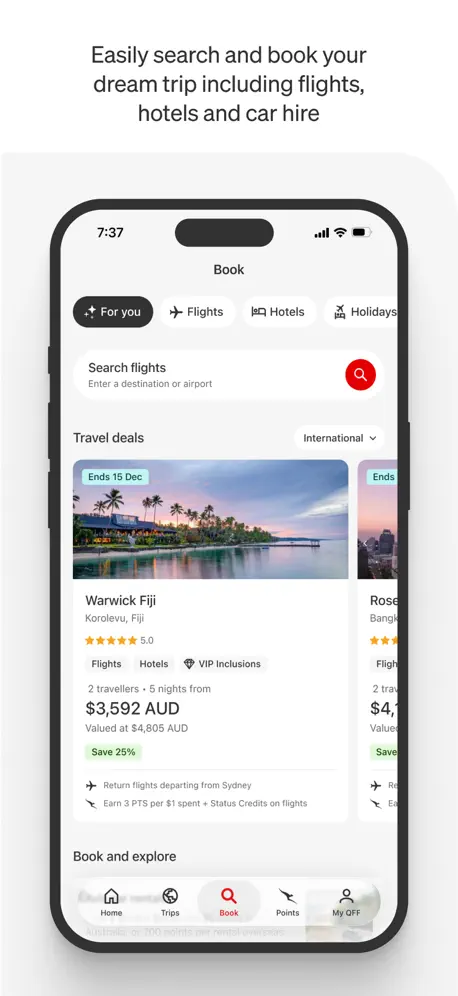
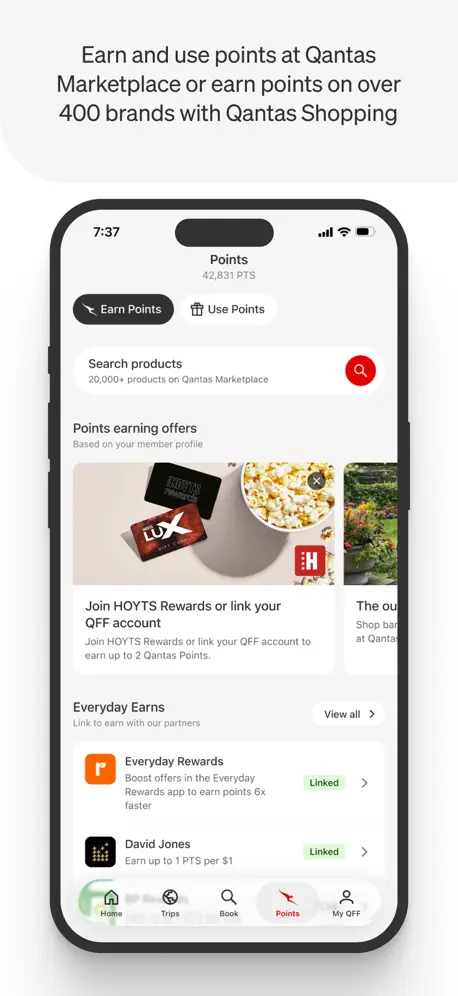
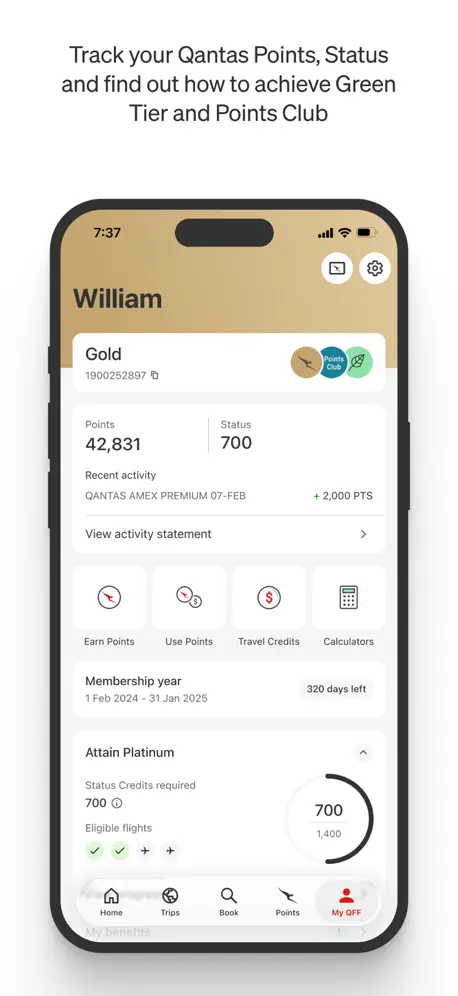
How much does Qantas Airways cost?
Prices are current as of 11 Sept 2026.
Qantas Airways has no in-app products on record in the United States.
10+ alternatives to Qantas Airways
| Qantas Airways |   Virgin Australia Virgin Australia | 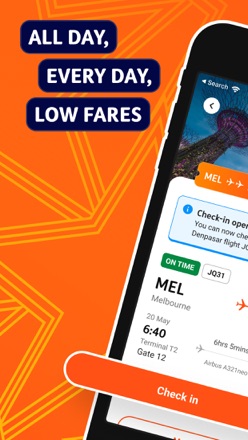  Jetstar Jetstar |   Ampol Ampol |   Webjet Webjet | |
|---|---|---|---|---|---|
| Rating / 5 | 4.7 | 4.8 | 4.7 | 4.8 | 4.2 |
| Reviews | 123K | 122K | 98K | 19K | 3.4K |
| Released | 2013 | 2015 | 2014 | 2017 | 2010 |
Qantas Airways reviews
4.7 out of 5, based on 123,297 reviews.
What people like
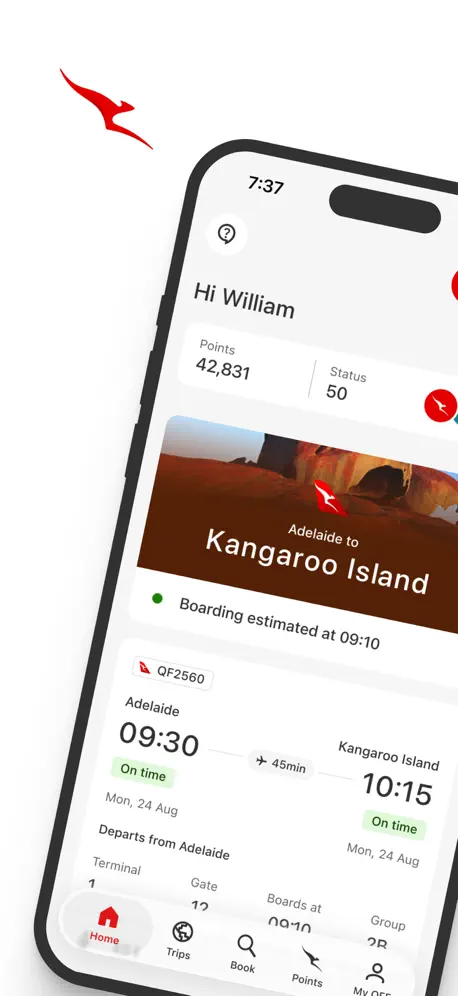
- Loads boarding passes quickly and easily.
- Intuitive and simple to navigate.
- Great for checking flight details.
What they complain about
- App constantly logs you out.
- Redirects you to the website often.
- Does not work on older phones.
- Very slow and sluggish loading.
Travel Credit
Travel credit should last 3 years just like any other store voucher.
Dangerous goods check in
Be careful when checking in on the app. Checking in with dangerous goods is the top option, there’s no warning and there’s no way of undoing it except getting to the airport early and going to a check-in encounter. I wonder how many people actually travel with dangerous goods versus our distracted when checking in.
Doesn’t update
App no longer updates latest points in the new activity statement. I have two transactions that are showing on the my QFF page, and not showing on the new activity statement page.
App hates VPNs
Always getting logged out. Login page will then give you a HTTP 403 if you’re on a VPN. This is a travel app… of course we’ll need to use VPNs sometimes. This is not security it’s just annoying.
Map not available
I have noticed with the latest update that when I search hotels on iPhone 17 that the map and filter black badge is sitting behind the list of hotels. This means you cannot click on the map function, which for hotels is pretty important.
A bit clunky and outdated
This app is required for basically everything Qantas related and therefore I use it very frequently. Some features of contemporary apps are just missing like a dedicated settings menu, dark mode and login preferences. Also some of the pages take up to 30 seconds (if not more) to load and some choices like the “tick” on the flights section actually cancelling everything you’ve just done instead of confirming it make no sense and are extremely annoying.
Worst ever
This website is an embarrassment! It’s slow, clunky and unreliable. If it wasn’t the national carrier, then no one would use it. It’s disgraceful.
Update issues
I wish app updates is friendly/inclusive to all phones including old ones that cannot update to the most recent IOS for example. And this is not only for Qantas… but for any other platforms/apps that updates their system. Regardless, Qantas app is great if it works on your phone.
Baggage
I had to click through several links to find out my baggage weight limit. I should just show me on my app. According to what I had already booked..
Extremely difficult to book flights
Difficult to book flights on app on iPhone. Doesn’t save progress. Needs a bit of work to make it easier to book flights.
Great App
The App is very user friendly. It was easy to navigate & fast. I did it while waiting for my flight.
The app doesn’t actually work
Three times I have tried to use the app to book flights, but the system doesn’t work. It does not bode well. Have had to book through a third party. Qantas really is a national embarrassment.
Many improvements
This app has improved so much over the years but is missing one feature that would earn it 5 stars! Adding flight details to the calendar from the app just doesn’t work and has never worked. You can only do it from the desktop. When you try and add the details to the calendar within the app it always shows a heap of gibberish. Keep up the great work with the improvements!
Dims iPhone when app closes
Latest version of app dims the brightness of the iPhone when the app is closed or moved to background. Very unhelpful ’feature’ in current version.
Lack of flight sync
All flights under the same name should show. Ie when I added my name to my emirates app, it showed me all my flights coming up (including ones not with the airline, ie it showed Jetstar flights). How can emirates show all this data yet Qantas requires you to add each flight separately/ or not have the ability to even show it
Service
Exceptional and easy Service.
App doesn’t work at all
Zero stars. App doesn’t work. Received AI response telling me too bad and offering no real support. Hence this review.
Doesn’t accept TSA Precheck number
When entering traveller details for an existing booking, there is a Known Traveler Number field. The app will only accept a 9 digit value. However, USA TSA Precheck numbers are a combination of letters and numbers. Always have to use the airport checkin desk to get them to enter it for me, which is a pain.
Multi city bug
Can’t make multi city booking on iPad. The continue button remains disabled after selecting flight.
Trips
The App has removed trips and won’t add bookings that have QFF attached to booking but aren’t a QF flight
First time user!!
Me and my family are about to board our flight to NZ and honestly this app has made our lives so much easier! I just checked and our boarding passes are already loaded! We know where we are going and when to be at the right place at the right time. Its about the experience and this has helped make our travelling experience that much more enjoyable! Thank you Qantas❤️
Another update and more users blocked
Yet again another update that does not consider slower iPhone users. iPhone 8 on 16.7 cannot update to IOS 17 so therefore we cannot use the app thanks again for not thinking of customers. Working 2 days ago but now unable to check in for flights and forced to buy a new phone. Developers, need to think about compatibility.
In-App App feedback
Within the App, the Tool menu offers a link to “Send App Feedback”. Clicking the link does no such thing. Instead, the link takes you to a Complaint form for things like lost baggage.
Application Lacks Inbuilt Capability
The Qantas application whilst providing ease of looking at your upcoming trip, or accessing your boarding pass- lacks significant in-application capability. The application frequently pushes the user to a SFSafariViewController (internal browser) to the Qantas website. This includes for booking new flights, managing a flight, booking a rental car, managing insurance, and the bulk of most other features. This means the application forces you to the Qantas website to handle most of these tasks. Which requires you to log back in, and largely defeats the purpose of the application outside of easily looking at your trip or boarding pass. I would like to see the developers increase the in-application functionality to managing these basic features and capabilities for an airline. Especially given the majority of competing intentional airline operators provide that level of in-application functionality without pushing the user out to their respective websites. In short, you might as well just manage everything through Safari itself. As the Qantas application simply uses the SFSafariViewController for the user to do anything outside of looking at their already booked flights.
Can’t log in
But I can see my flights. Looks like a Safari issue… but I don’t have Safari. My default is set Firefox, but when I try to login it breaks. Also the baggage information page is a 404 page.
BNE to Sydney Review
No matter we’re I travel at home or abroad Qantas beats all other airlines hands down. Thank you QANTAS.
Qantas App is terrible
For almost a year now the App had been very sluggish between steps. It seems impossible to complete the accounts section on WiFi. Almost every stage hangs unacceptably. For the leading airline in Aus, this is a disgrace. With the amount of money that Qantas makes you would expect them to spend a bit on the App to give customers a timeous and hassle free booking experience. FYI - I have a very good 5G NBN connection.
Can’t add to calendar
Annoyingly, can’t find any way to click a button to add flights to my calendar (like I can with air NZ app)
Good for flights, other links don’t work
Booking flights and tracking points is great - however, car hire, feedback, compliments and complaints links dont work on mobile app - ongoing(weeks)…
Cannot use app
Lately, I am unable to use the app on my iPhone 15 (app version 4.33.1 running on iOS 26). A message comes up advising that a secure connection cannot be established, because the site does not support https. If I, nevertheless, select “continue,” another message pops up informing me that the connection to the server has been lost (?)—even if it was never really established. I have not experienced any problems before now , and the app works fine on my iPad. Any ideas? Possible fixes? If I delete the app and reinstall it, the issue persists. Would it be possible for Apple to wipe the app completely from my account, so that I could reinstall a workable copy?
Great app!
Intuitive and easy to use! Nothing to complain about!
Garbage
Cannot add card to apple wallet from your app or your website whilst logged in. Such a simple thing qantas makes so difficult and impossible to do. They force you to access qantas card via their app
Rewards Flights
Numerous times have booked flights with OneWorld airlines but regardless of whether I use my Qantas number or not, the trip doesn’t appear in the app. Why have the “Add Trip” feature if you can’t add your trip?! Look at the American Airlines app and copy the good things.
Qantas
I really dont know what to say here, the once mighty flying kangaroo is just not relevant anymore. App has conflicting information with the website, customer service is just pathetic, finding someone who can go off script is just non existant. I wish the share holders all the best.
Horrible
Horrible customer service. Received a flight credit that could only be used by calling in. Called in, was on hold forever, just to be told it was still processing. Probably won’t get to use my flight credit because my travel is ending soon. Money stolen. 😡
Best Airline App I’ve Used
Qantas App is probably the best airline app I have used.
Business bookings showing on personal acciunt
Since the new update all the business bookings i have made for other travellers are now showing on my personal account- i haven’t changed any settings
Unreliable point redemption search
Point redemption search is inaccurate for most searches, especially classic award. Disappointing.
No ability to add to calendar
It’s 2024 and there’s still no way to add a flight to your calendar from the app. This is so painful as an American booking flights in Australia.
Loyalty Card
It would be extremely useful to be able to add Qantas Loyalty Card to Wallet just as American Airlines and Delta
Requires iOS 17.0 or later
My existing old phone is fine thanks and I have no intention of paying for a new one so goodby Qantas app! I would rate a zero but looks like there is no option to do so.
App keeps freezing
I am trying to access my flights booked and the app keeps freezing. I cannot access updated info.
Glitchy App
Boarding pass disappeared from the app whilst I was travelling overseas. Highly inconvenient bug considering the cost of the flights. Do better.
Love it
I love the app. I have 2 upcoming flights and once I added my confirmation number to the app it pulled the flights and all the details. Definitely one of the best airline apps that I have seen so far.
Broken
Last few updates keep logging me out. The app also is not very compatible with VPNs as most of the browser redirects end up with an error. Poor implementation, presumably under some vague “security” justification.
Good app but
Good app but it’s not really an app, it’s always taking you to the Q website. Multi city booking always ALWAYS says error 404. Two back buttons make it easy to hit the wrong one and mess up what you’re doing. Would be nice to be able to see award seats in calendar view!
Features don't work
Good at basic functions but features like 'add to calendar' and 'add to boarding pass to Apple wallet' don't work/appear broken. Not as intuitive or comprehensive as other airline apps now available in the market.
Qantas Airways FAQ
- Is Qantas Airways free?
- Yes. The app is free, in all 175 countries it sells in, and it sells nothing inside it.
- Does Qantas Airways have a free trial?
- No. None of its offers (US) come with a free trial.
- What are the best alternatives to Qantas Airways?
- Virgin Australia (4.8 from 121,685 reviews), Jetstar (4.7 from 97,819 reviews) and Ampol (4.8 from 19,174 reviews).
Qantas Airways download
Last updated 1 month ago.
Qantas Airways sells in 175 countries. It was released 13 years and 5 months ago, on 1 May 2013. It holds a 4.7 rating from 123,297 reviews.
Supports 1 language: English.
How much does Qantas Airways make?
Third-party estimates for the last 30 days, worldwide — not the store's own figures, which Apple publishes for nobody.